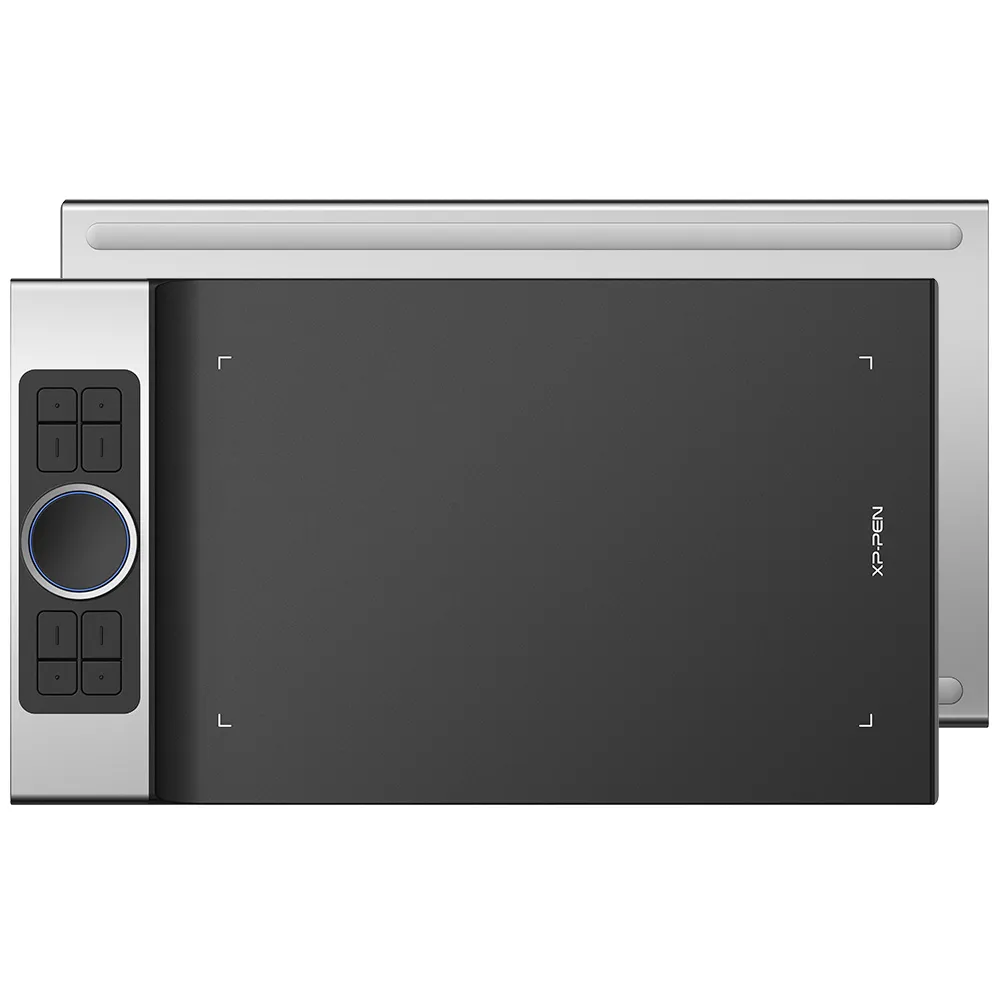


Deco Pro Series

Graphics Tablet Animation Drawing Board With Tilt 8192 pressure for Android for kids

AU$144.49AU$169.99

FREE DELIVERY

We offer free shipping

SECURE PAYMENT

Your payment information is processed securely

TECH SUPPORT

service@xp-pen.com

18-MONTH WARRANTY

18-month warranty only for official AU-store

DECO PRO:
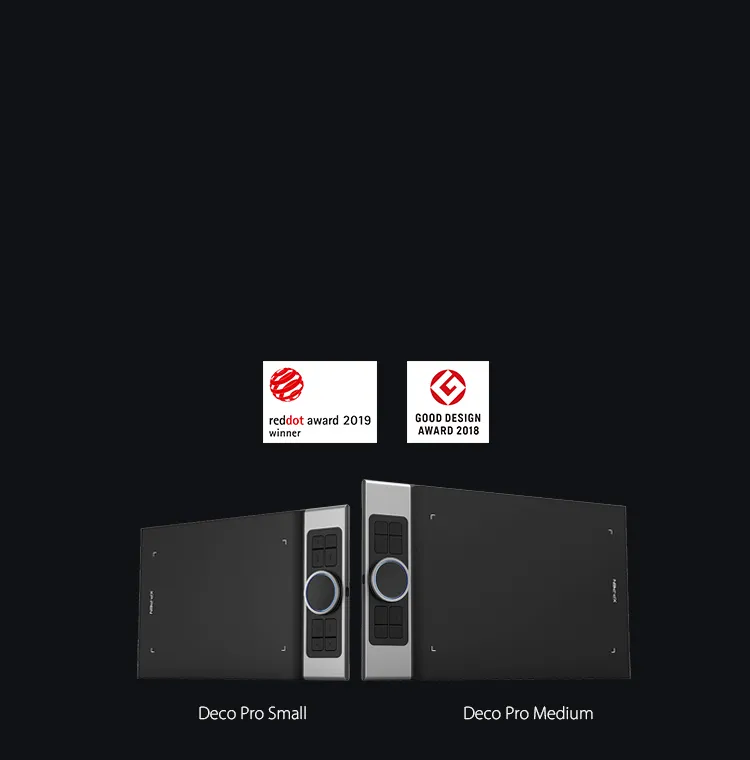
Deco Pro_S
Deco Pro_M

Optional Accessories

https://resource.xp-pen.com/Uploads/thumb/goods/93268/5723f091e67d04f9322b31cf271975fe_thumb_200_200.webp

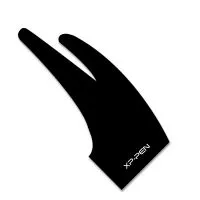
AC 01 Drawing Glove

+AU$9.99AU$12.99

23% Off
https://resource.xp-pen.com/Uploads/au/goods/20200627/72b55df0427d4c0b06b25987f7111822_200_200.webp

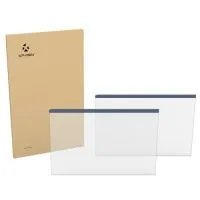
Protective Film ONLY suits for Deco Pro S/SW & Deco Pro M/MW (Pack of 2)

+AU$20.99AU$23.99

13% Off

Quantity:

Payment icon 0Payment icon 1Payment icon 2Payment icon 3
seel-icon

Worry-Free Delivery® available with seel

Estimate:

Discover New Creative Worlds by use XP-Pen Deco Pro Android drawing tablet professional

Deco Pro Professional Series

Discover New Creative Worlds

XP-Pen Deco Pro Android Drawing Tablet is the Winner of 2019 Red Dot Design Award and the 2018 Good Design Award

Professional Tablet, Professional Design Award Winner.

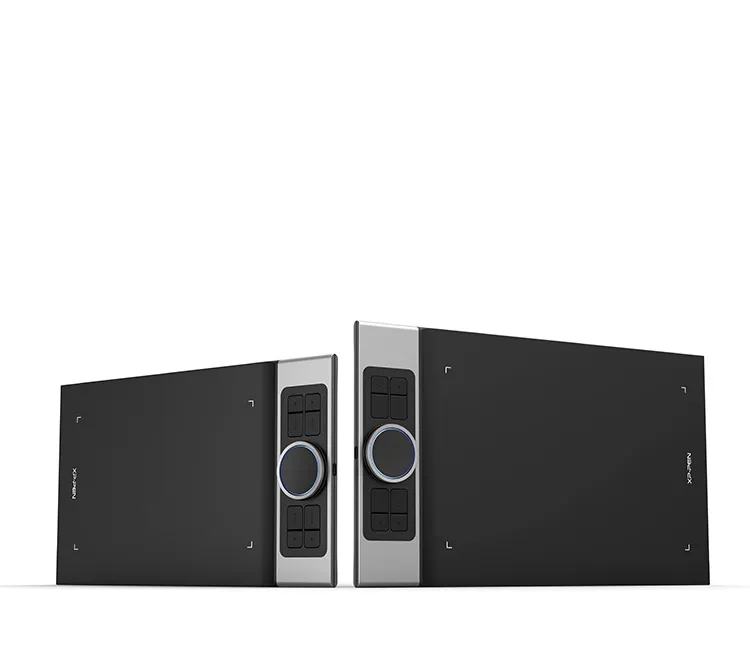
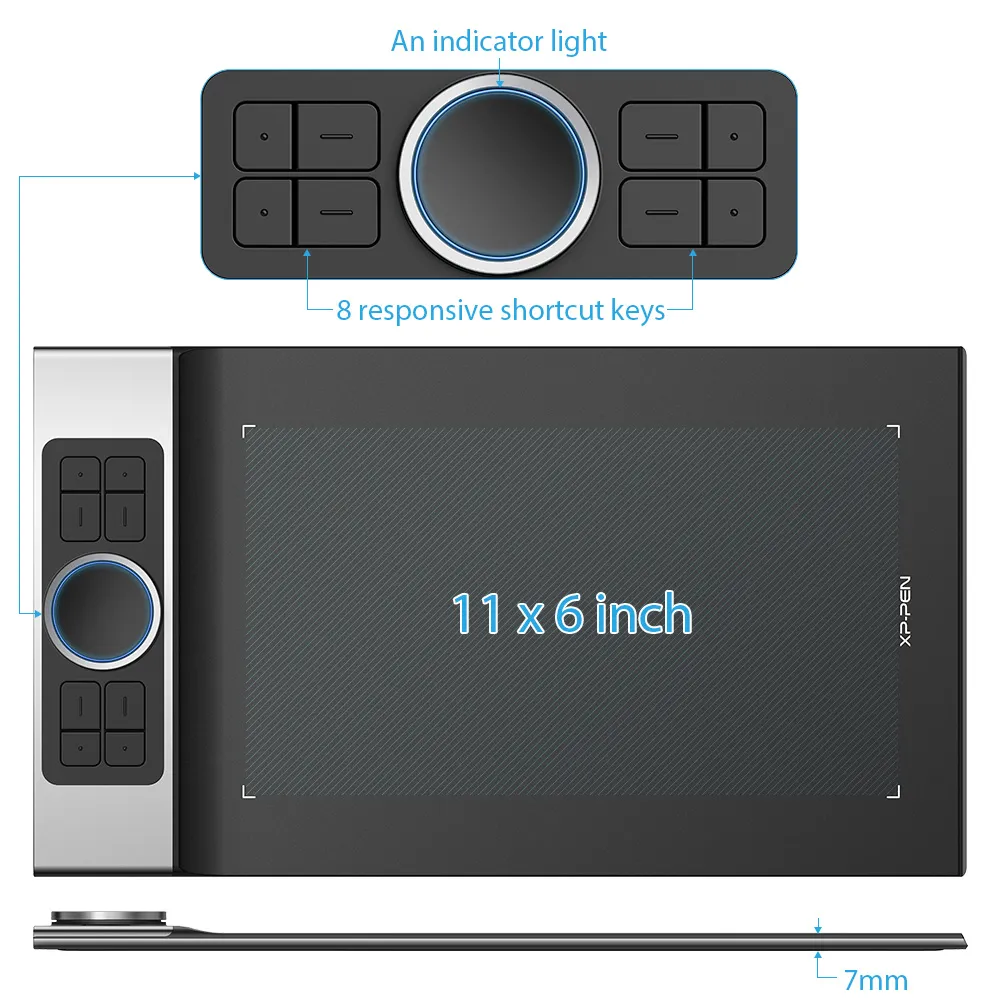
The XP-Pen Deco Pro Series is crafted with an aluminum casing and features a 7mm thin curved casing. The black and silver color scheme blends well into its streamlined design, making it both smooth to use and sleek in appearance. As such a professional designed tablet, Deco Pro has been awarded as the 2019 Red Dot Design Award Winner and the 2018 Good Design Award Winner!

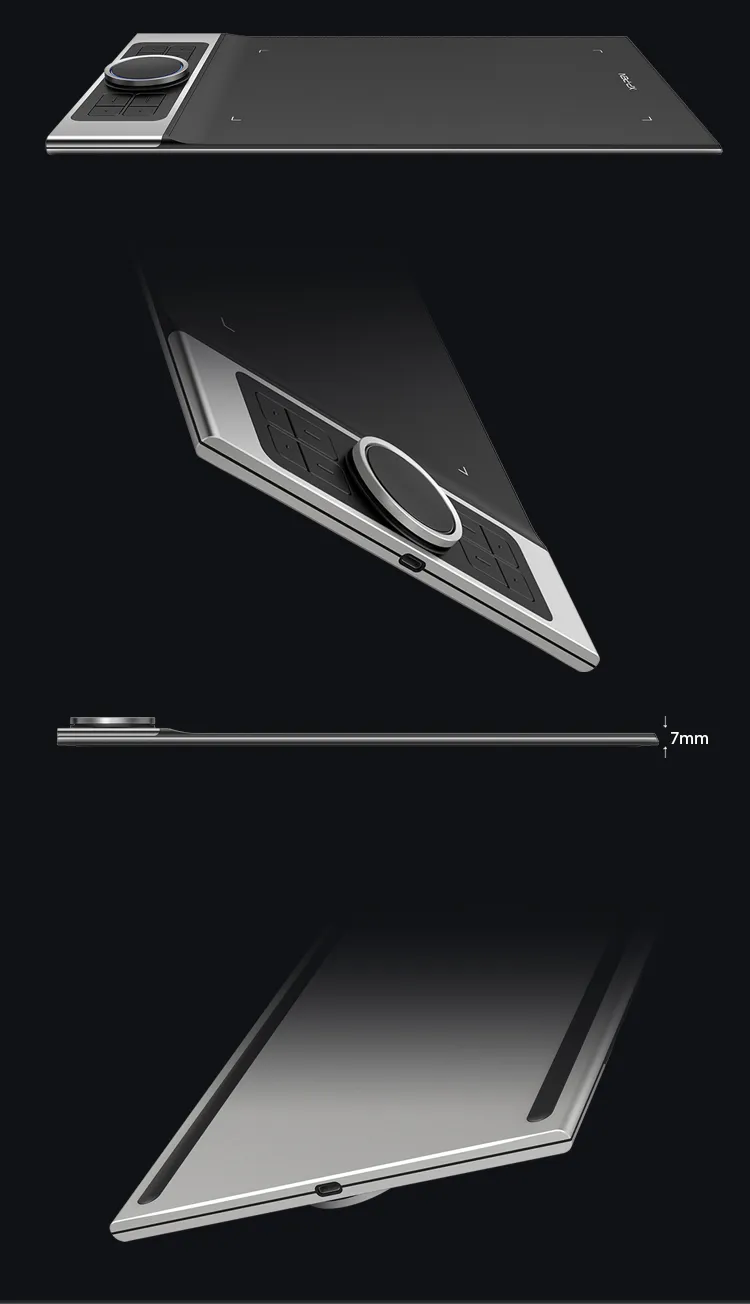
XP-Pen Deco Pro Series Android Drawing Tablet is crafted with an aluminum casing and features a 7mm thin curved casing
XP-Pen Deco Pro Android graphic tablet Meet the groundbreaking double wheel design paired with trackpad functionality

Improved for Unparalleled efficiency.

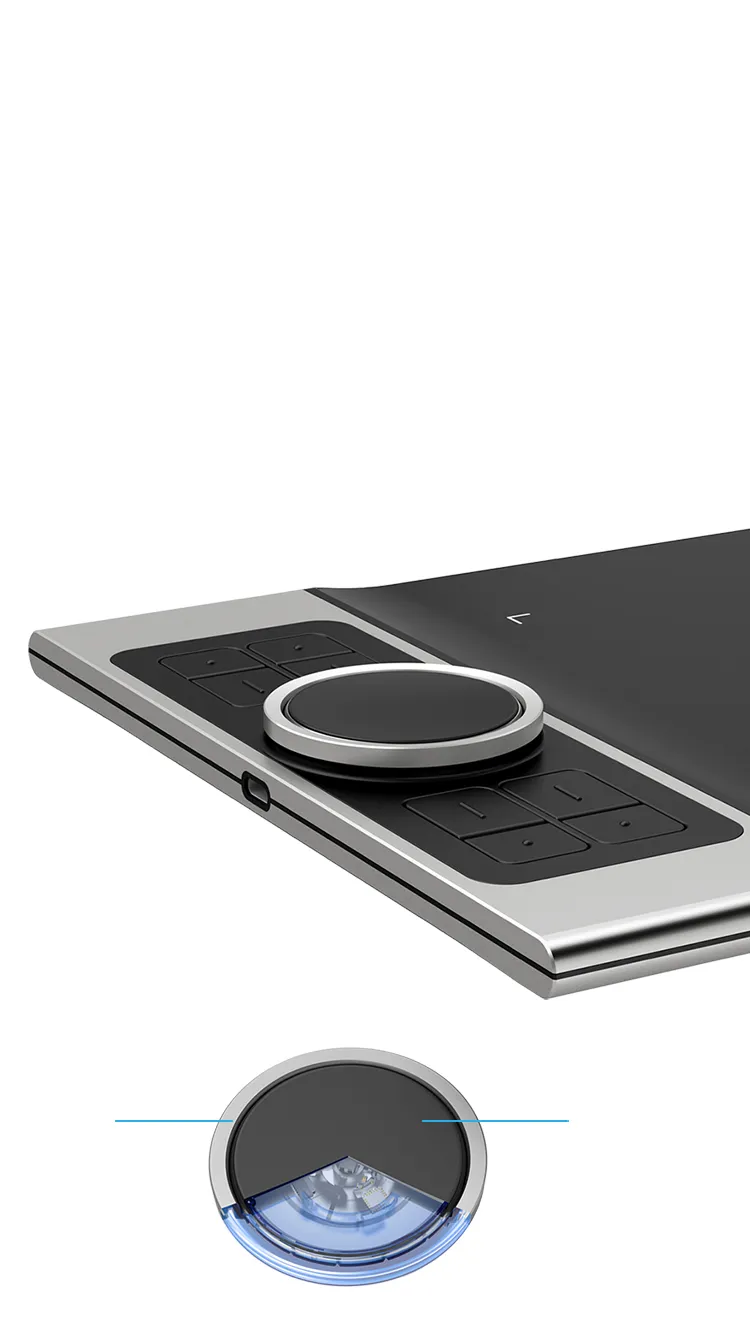
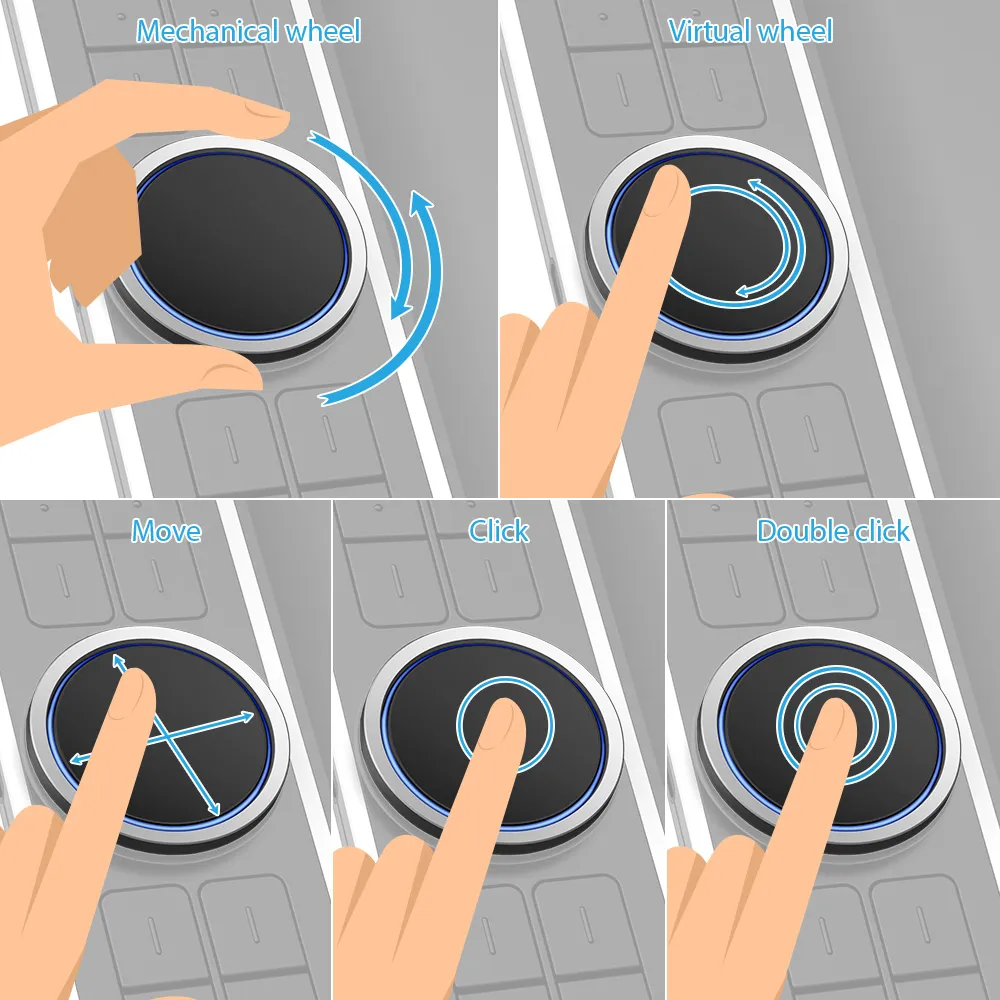
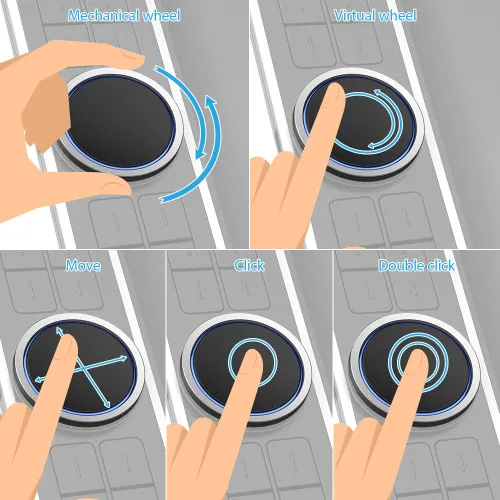
Meet the groundbreaking double wheel design paired with trackpad functionality! With a bigger wheel, it is easier to control and operate more accurately. Use the outer mechanic wheel to zoom in /out of your canvas, adjust brush size, etc, while the inner virtual wheel can be used as a trackpad/mouse mode, scroll up and down, and more. Both wheels can also be programmed to customize copy, space, and other common functions. Fully utilize the two wheel together and use 4 shortcuts at the same time without switching back and forth to guarantee a complete focus on your creation  and unparalleled efficiency.

Dual Control Dials

Physical Dial

Virtualized Dial/Trackpad

double wheel design deatils for XP-Pen Deco Pro Android digital art tablet

Physical Dial

Virtualized Dial/Trackpad

Move

Click

Double click

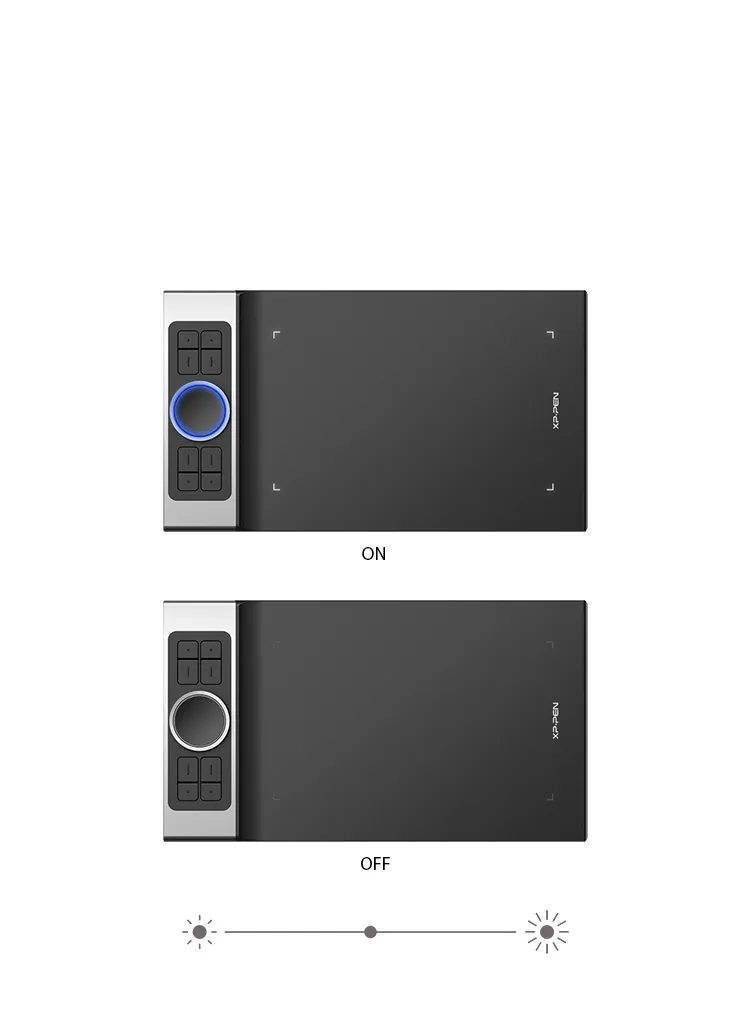
XP-Pen Deco Pro art tablet roller wheel comes equipped with an indicator light and adjustable brightness level

Illuminate your Workflow.

The roller wheel comes equipped with an indicator light and adjustable brightness level, letting you work and create in your preferred lighting environment, so you can stay immersed in your creation even in dim light.

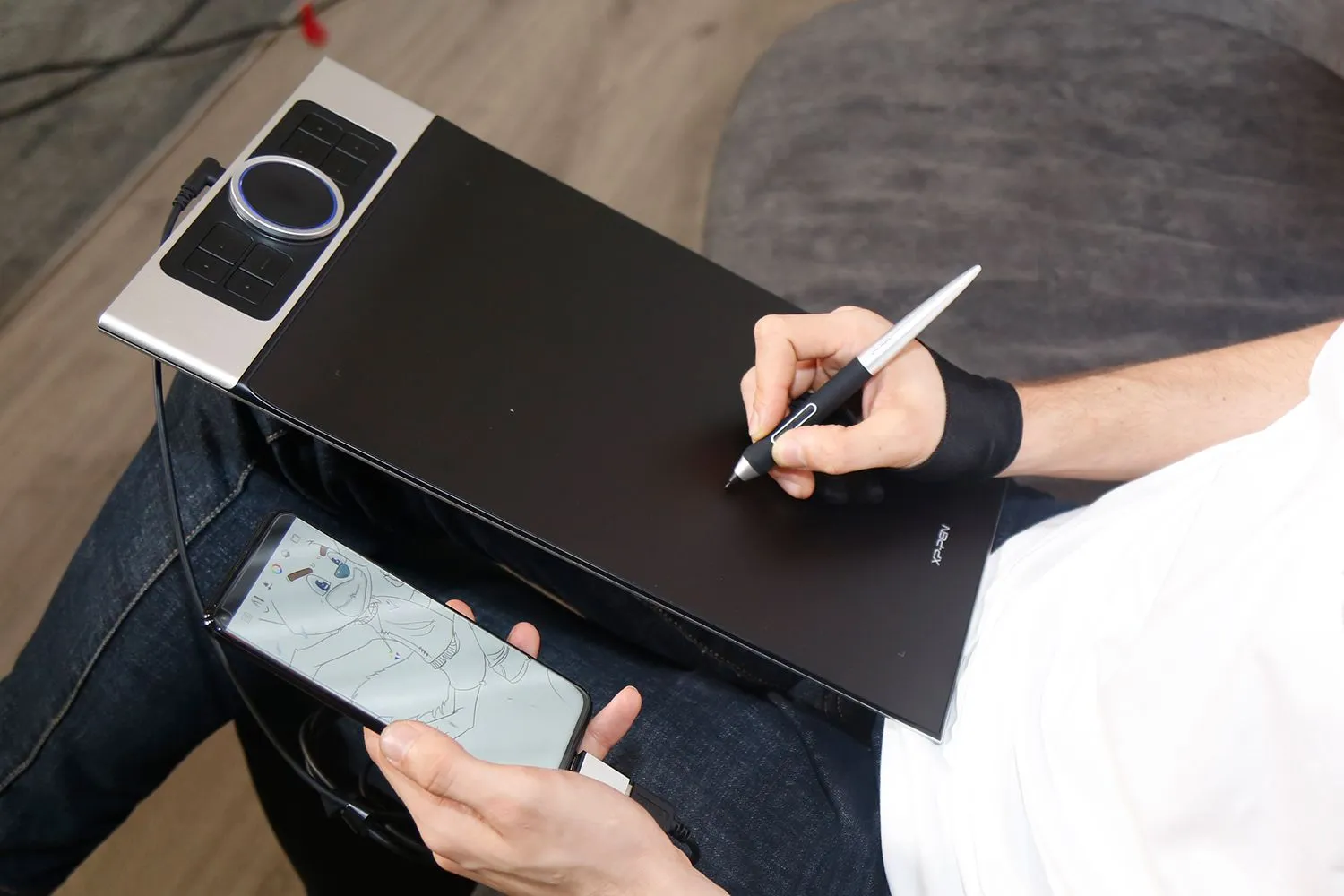
XP-Pen Deco Pro large drawing tablet supports connection with Android tablets and mobile phones

An all new creative experience.

The XP-Pen Deco Pro series supports connection with Android tablets and mobile phones. It works with most software such as XP-Pen Deco Draw, ibis Paint X, FlipaClip, Medibang, Autodesk Sketchbook, Zenbrush, Artrage, and more. The entire working area of the tablet is your creation area, not limited to only using part of the working area, bringing you a new creative experience with extreme portability!

View more >>

Gift

OTG Adapters Gadget for connecting Deco Pro to Android device.


* Works in vertical screen mode only.
Not all Android devices can support the XP-Pen tablet.

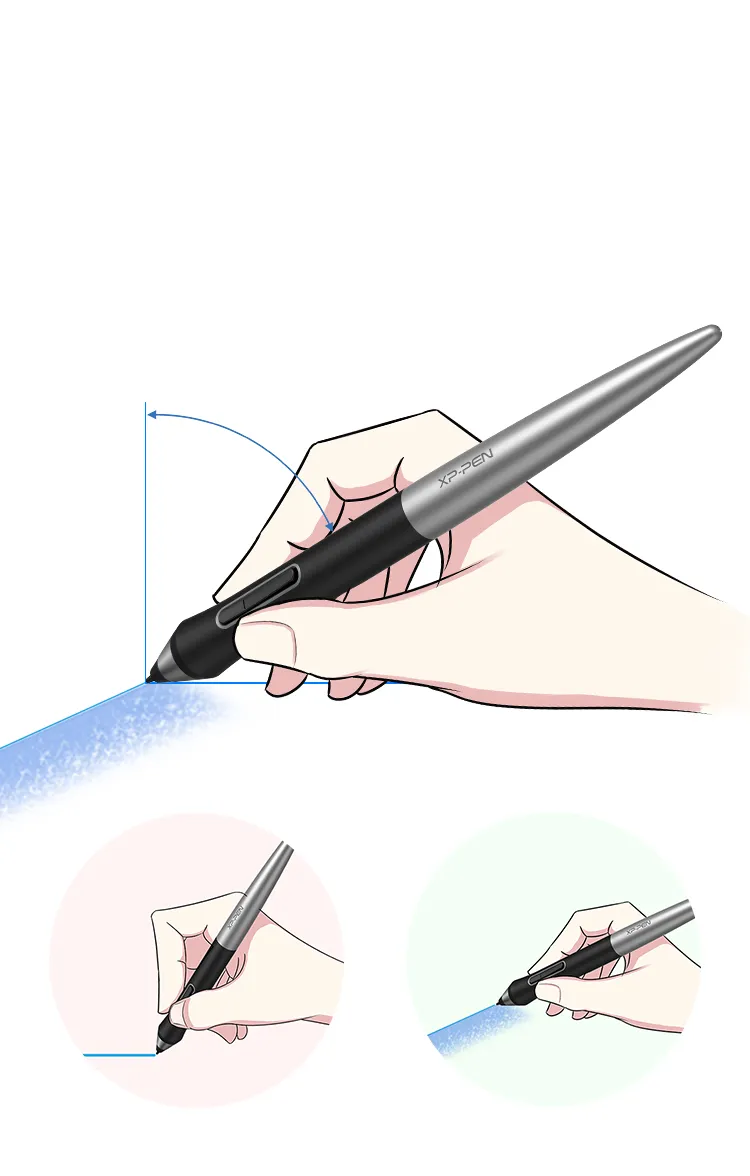
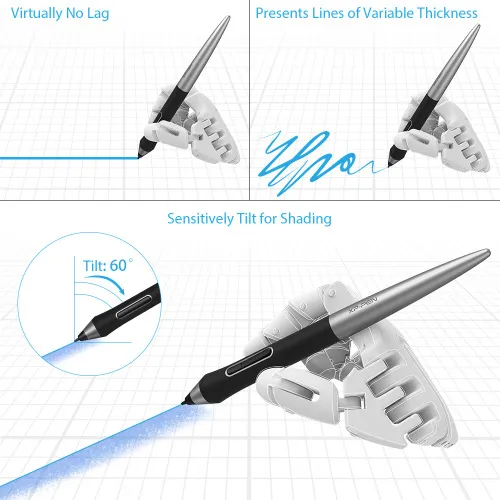
XP-Pen Deco Pro portable drawing monitor supports up to 60 degrees of tilt function

Natural Tilt Support.

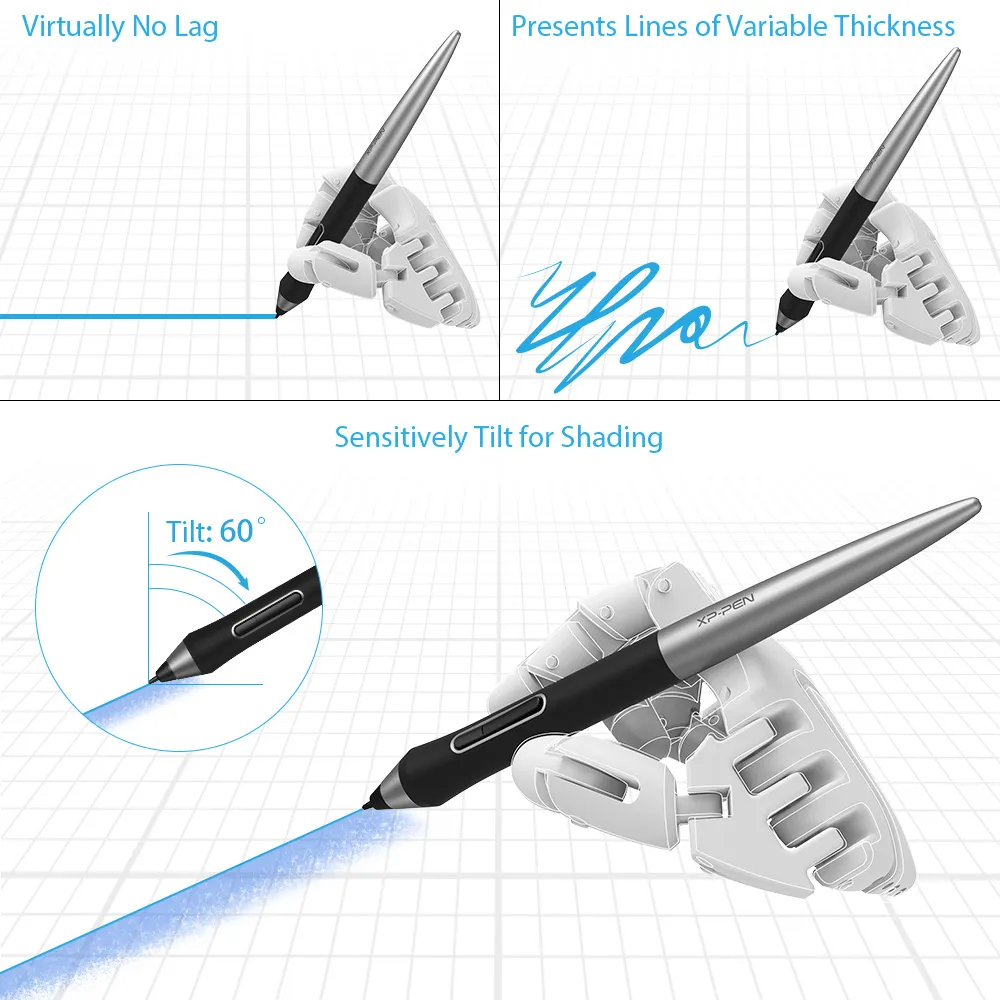
The XP-Pen Deco Pro supports up to 60 degrees of tilt function, quickly and easily responding to the way your hand moves, now you don't need to adjust the brush direction in the software again and again, simply tilt to add shading to your creation. And enjoy smoother and more natural transitions between lines and strokes.

Tilt:60°

Virtually No Lag

Sensitively Tilt for Shading

XP-Pen Deco Pro computer drawing tablet With up to 8,192 levels of pressure sensitivity

Level up the way you create.

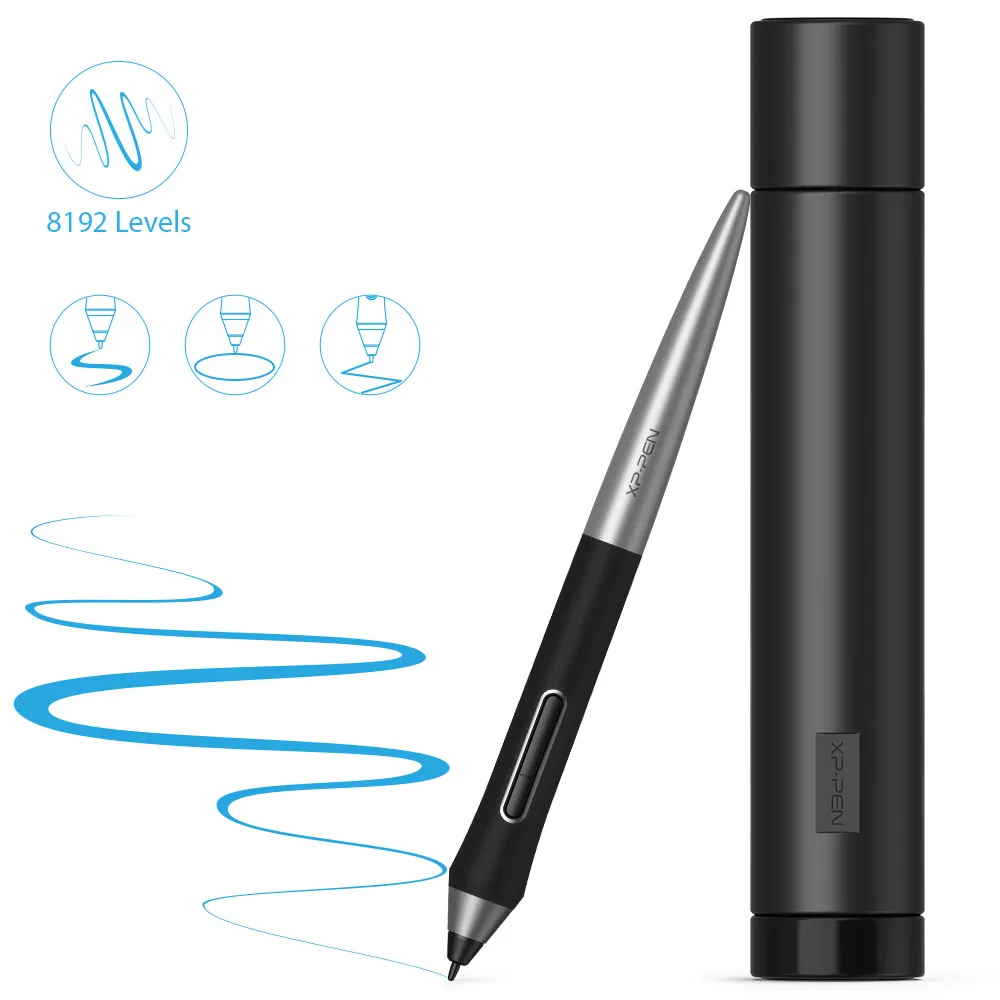
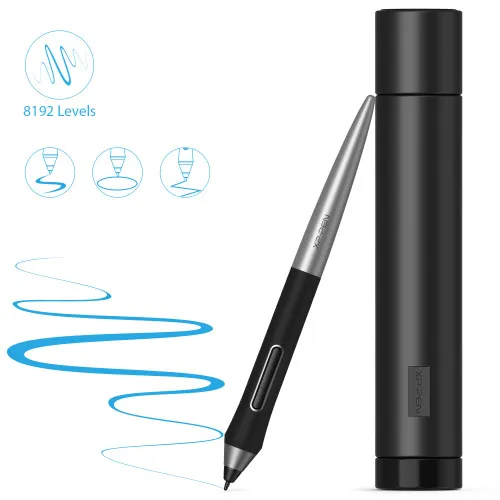
With up to 8,192 levels of pressure sensitivity, the Deco Pro provides you precise control and accuracy. Create fine lines in an incredibly natural and fluid experience, all with our new battery-free stylus.

8192 Level
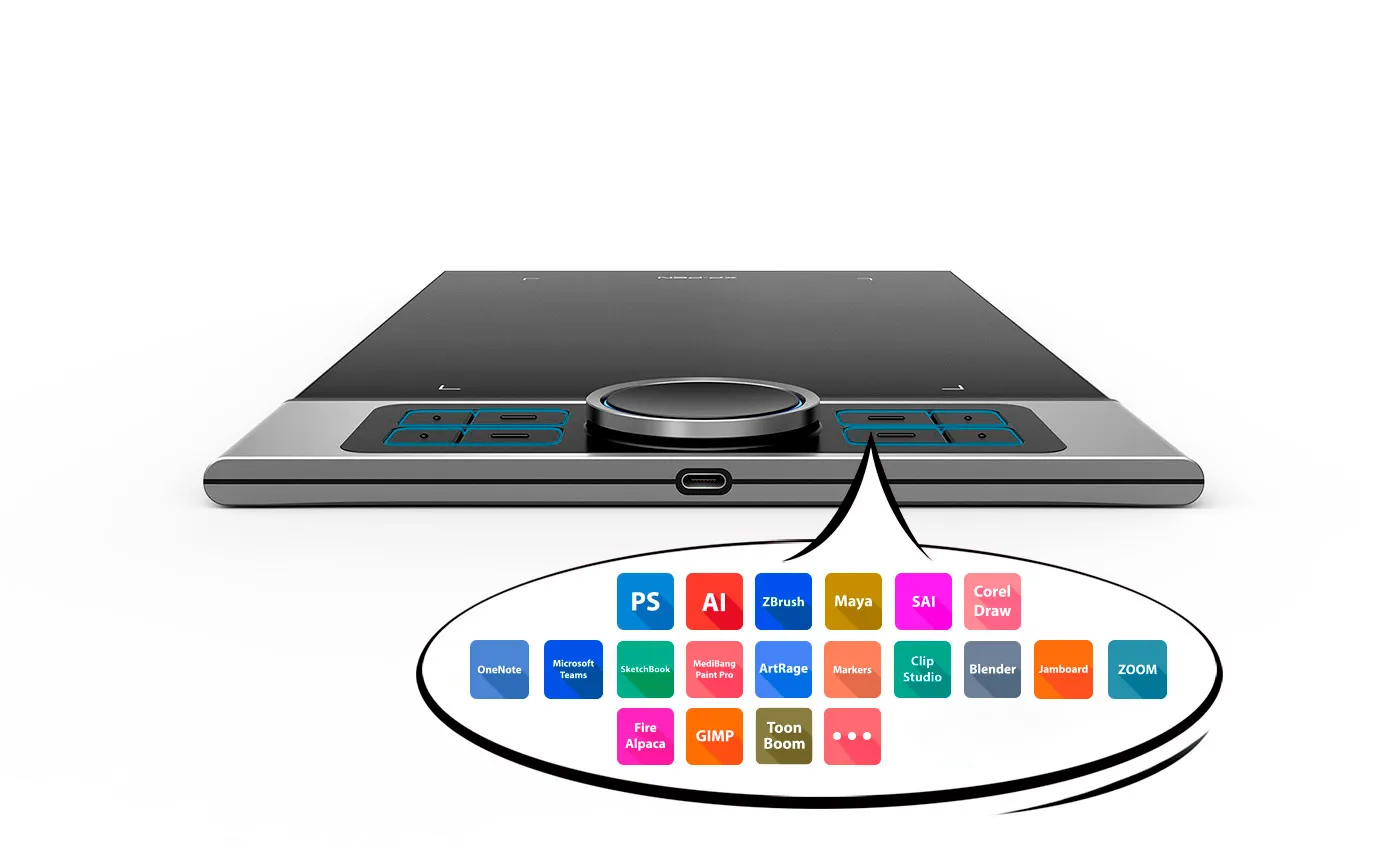
XP-Pen Deco Pro graphic tablet includes  8 fully customizable buttons

Greater accessibility.

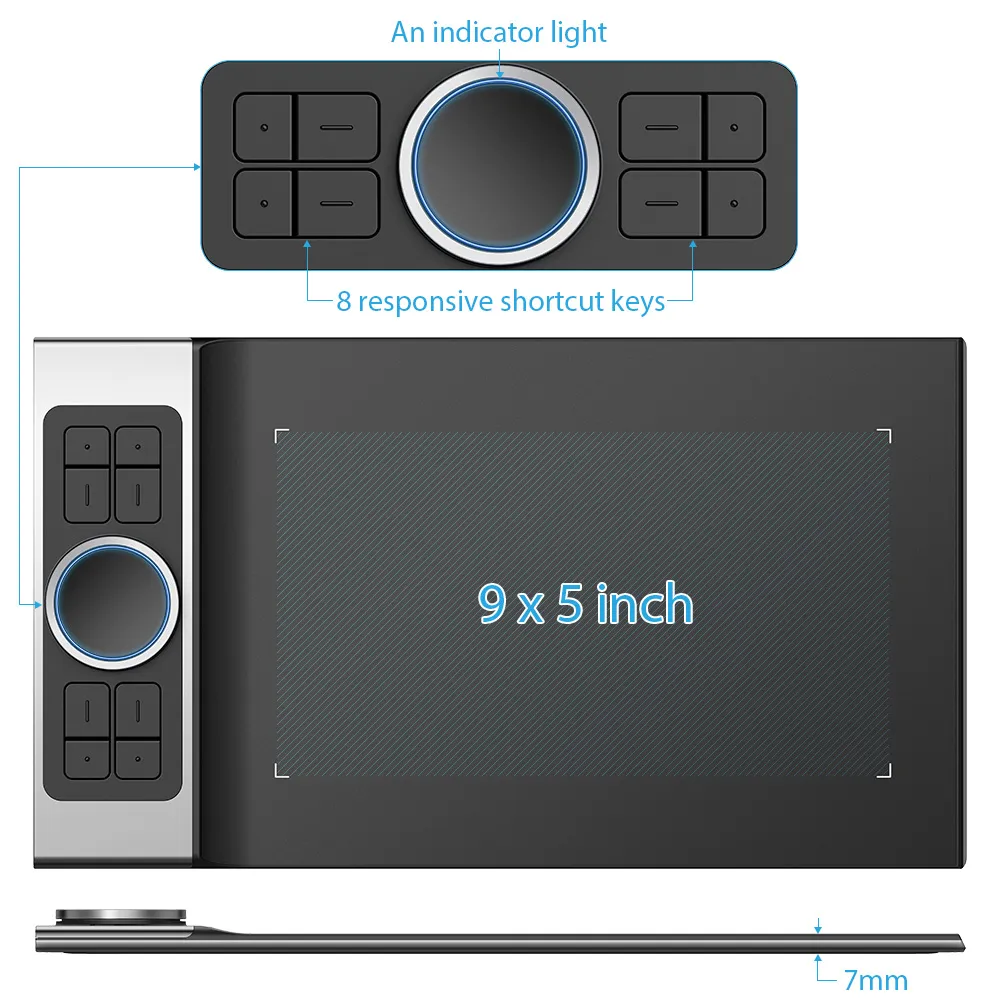
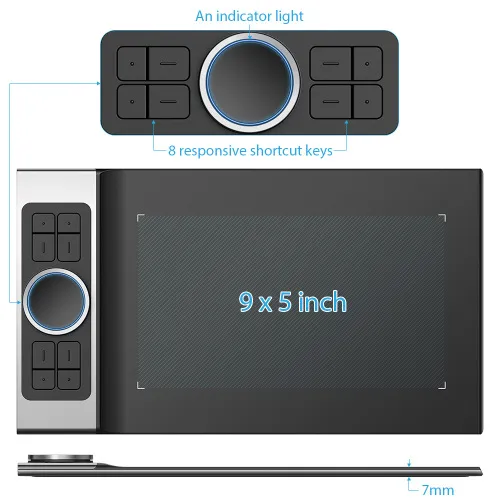
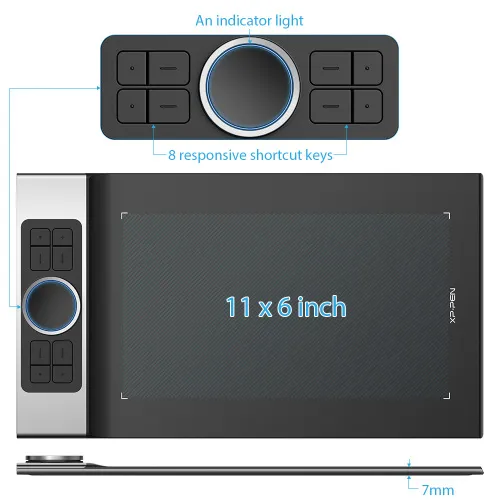
The Deco Pro features 8 responsive shortcut keys and two dial wheels that can be programmed to many different software programs, giving you instant access to specific functions for the task at hand to expand your creative output.

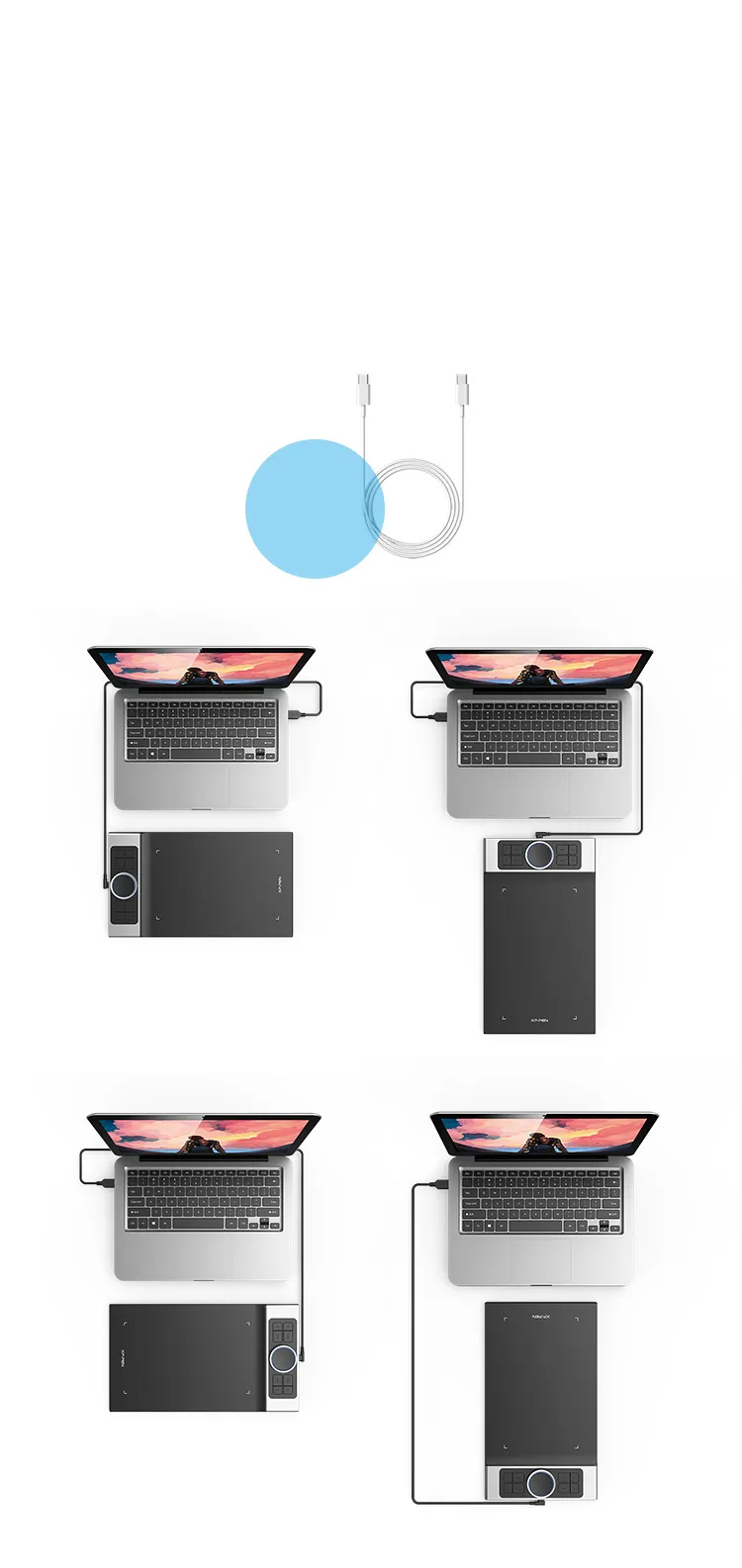
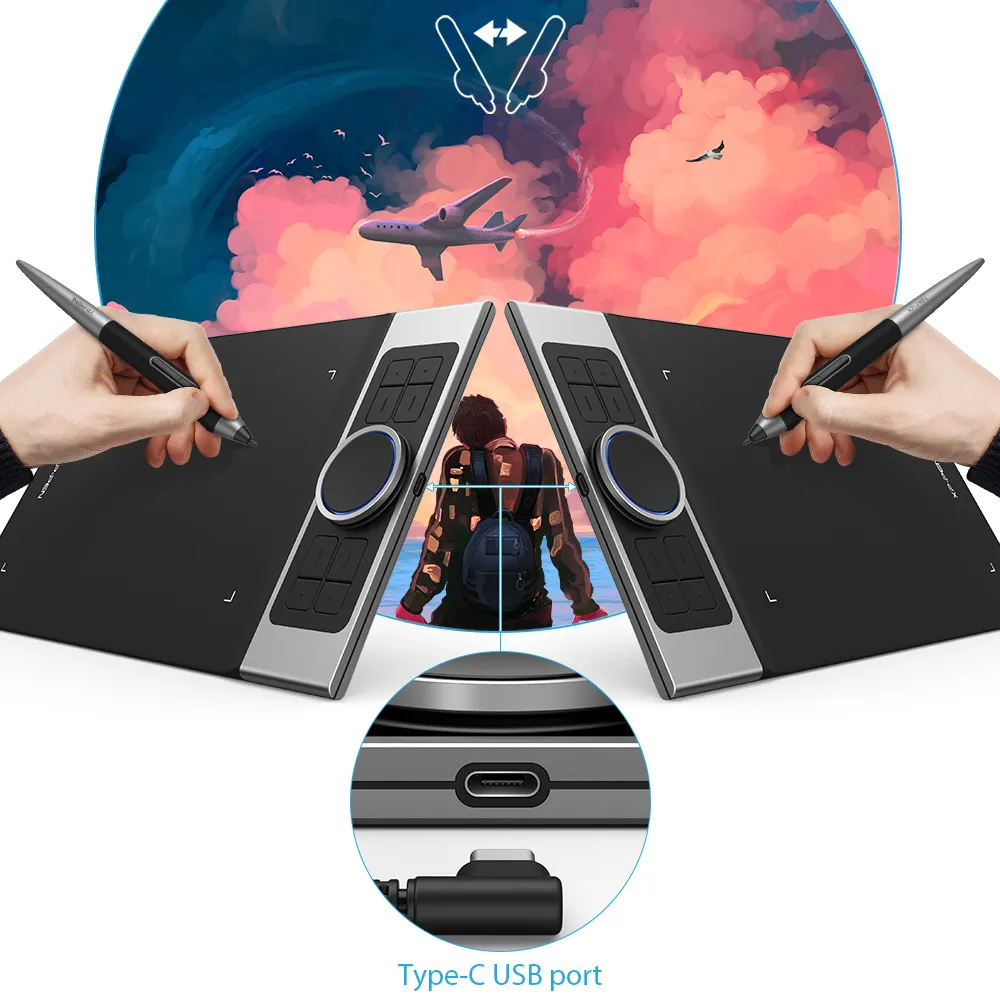
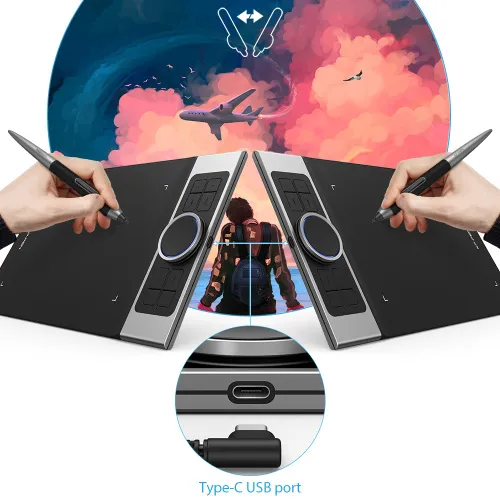
XP-Pen Deco Pro artists drawing tablet equipped with a USB-C port

You care, we care.

The Deco Pro is the first drawing tablet that comes equipped with a USB-C port. Now you can directly connect your iMac/Mac Book Pro and other Windows computers that support USB-C input to the Deco Pro without using a USB-C to USB adapter. Its interface is symmetrical, making it equally comfortable for right- and left-handed users. You can also rotate the Deco Pro to 0 degree, 90 degree, 180 degree and 270 degree depending on your different creative requirements.

0 Degree

90 Degree

180 Degree

270 Degree

Perfect fits
for USB-C to USB-C cable

Newly designed PA1 battery-free stylus

Newly designed battery-free stylus.

The new PA1 stylus is battery-free, weighs only 13.3g, and features a nice black and silver design with a sleek pointed end. There are no batteries or clumsy cords for charging and the one-click toggle allows you to switch between pen and eraser modes instantly, creating a more efficient and less frustrating work flow.

No battery

No need charging

Non-slip rubber design

One-click toggle

Right click
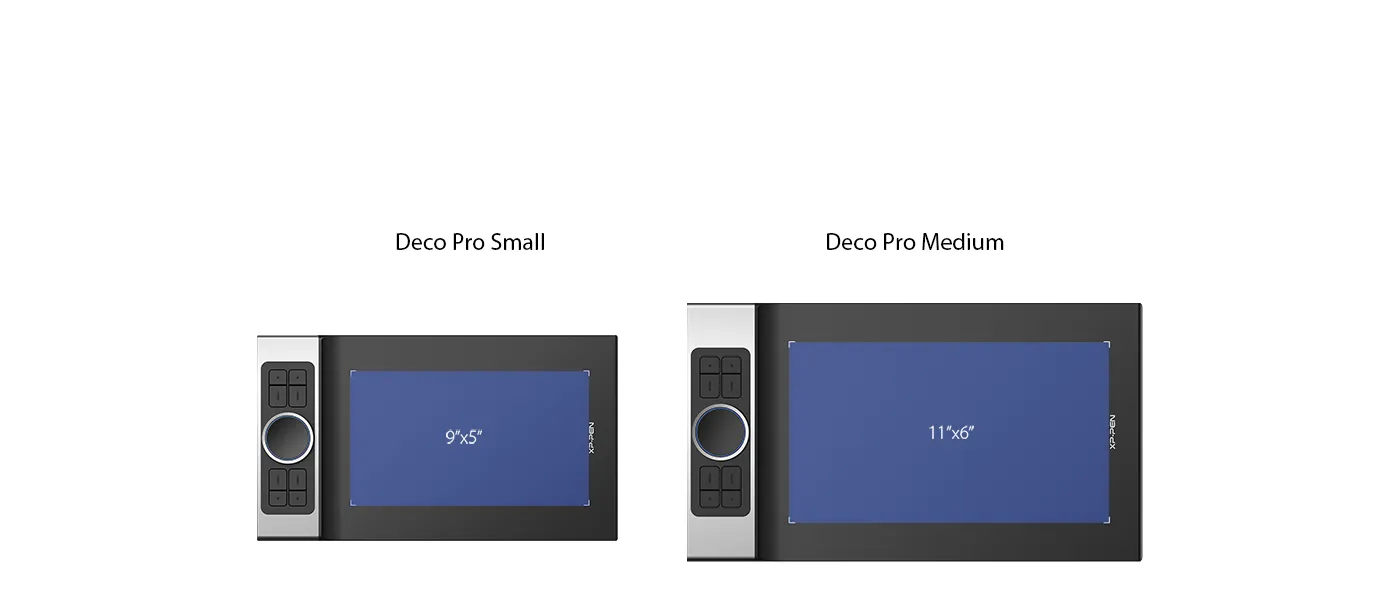
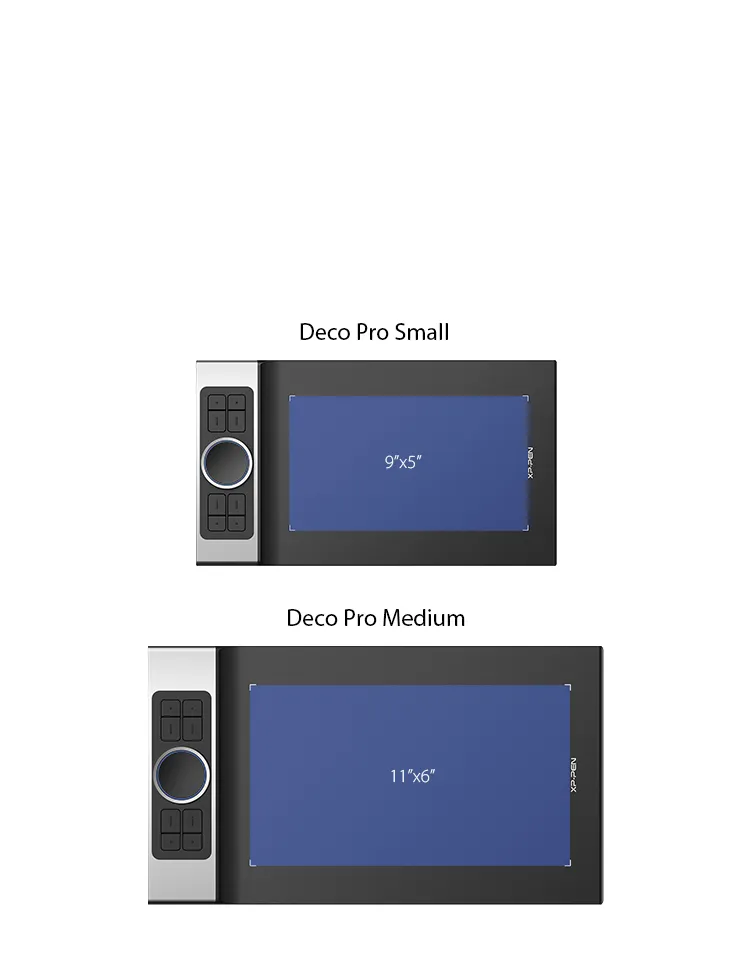
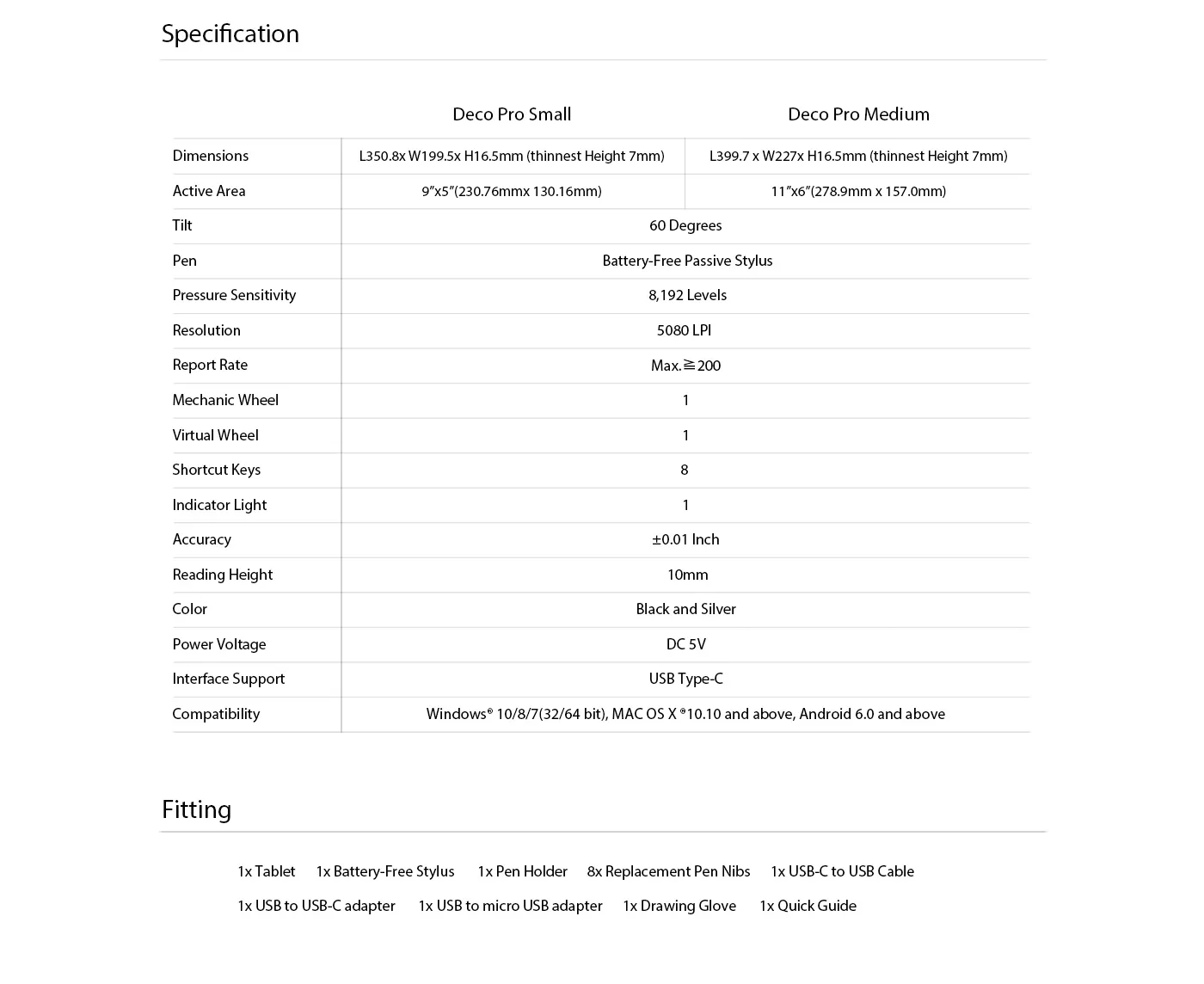
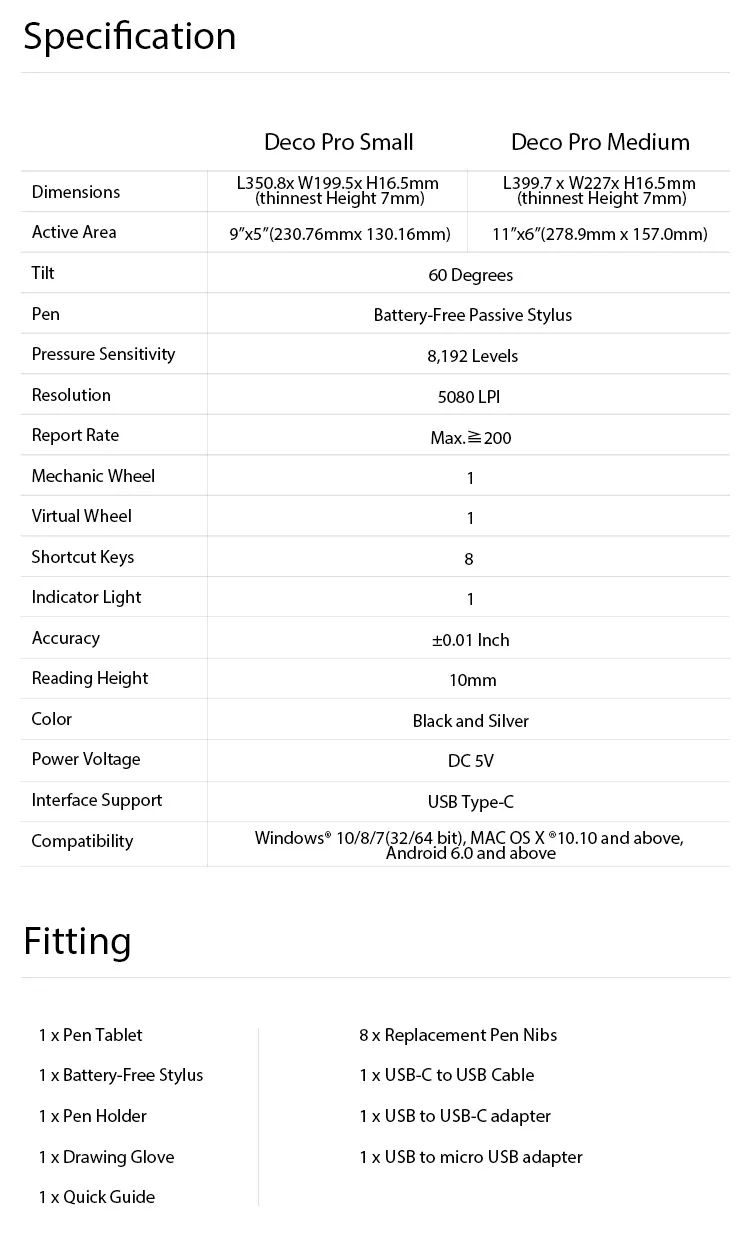
XP-Pen Deco Pro Series features a 9x5 inches and 11 x 6 inches working area

Your tablet, your choice.

The XP-Pen Deco Pro Series comes in two sizes for your option. The Deco Pro Small features a 9x5 inch working area, offering a compact and portable option while the Deco Pro Medium features an 11 x 6 inch working area, giving you a bigger canvas for your creations.
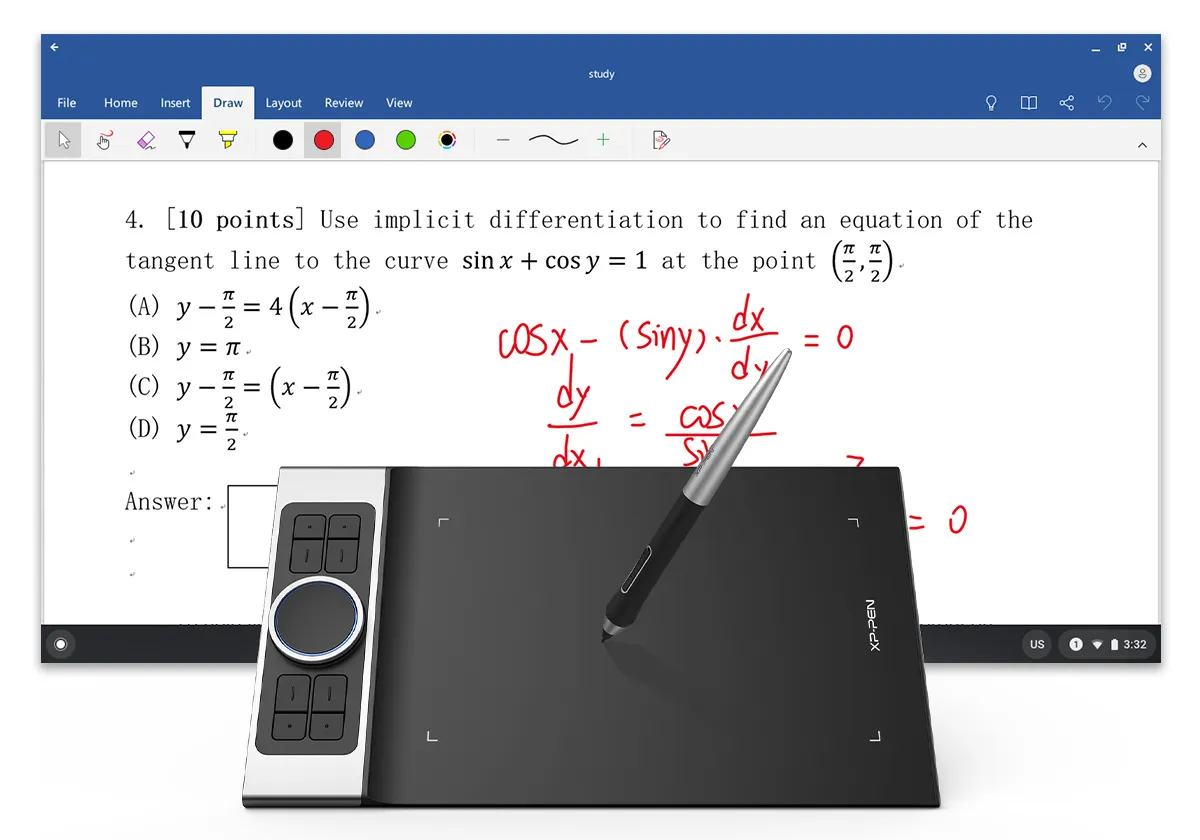
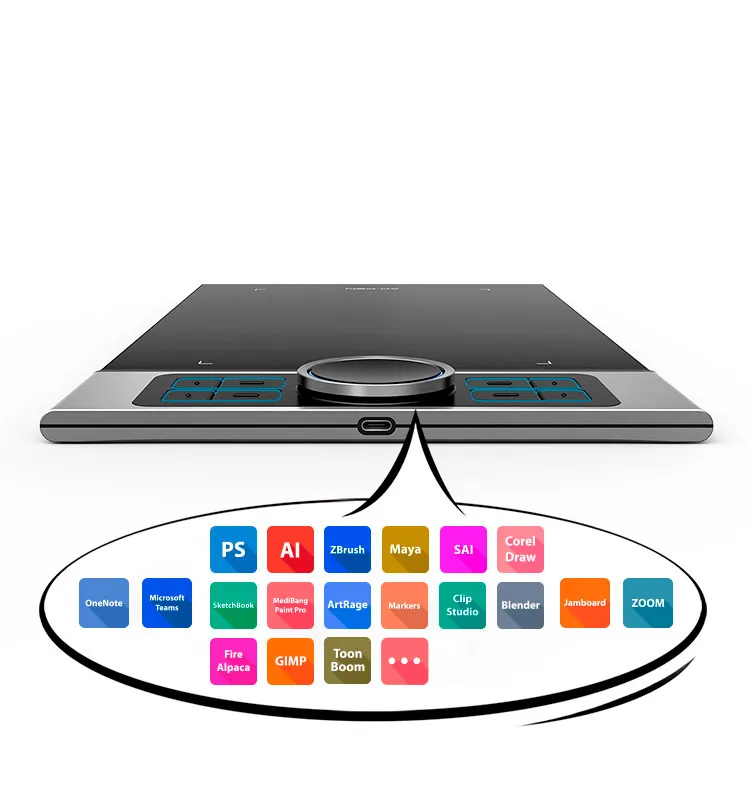
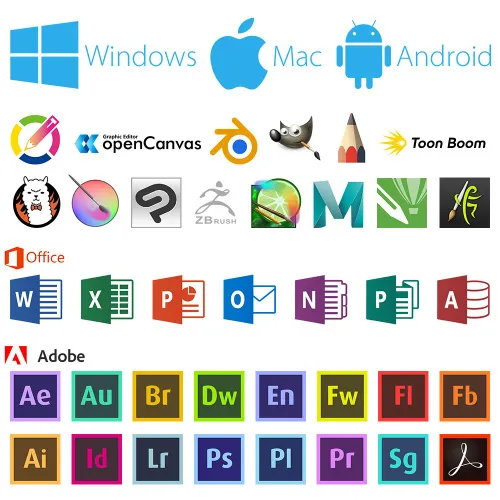
XP-Pen Deco Pro professional drawing tablet Compatible with popular digital art software , Windows and Mac OS

Universality and compatibility.

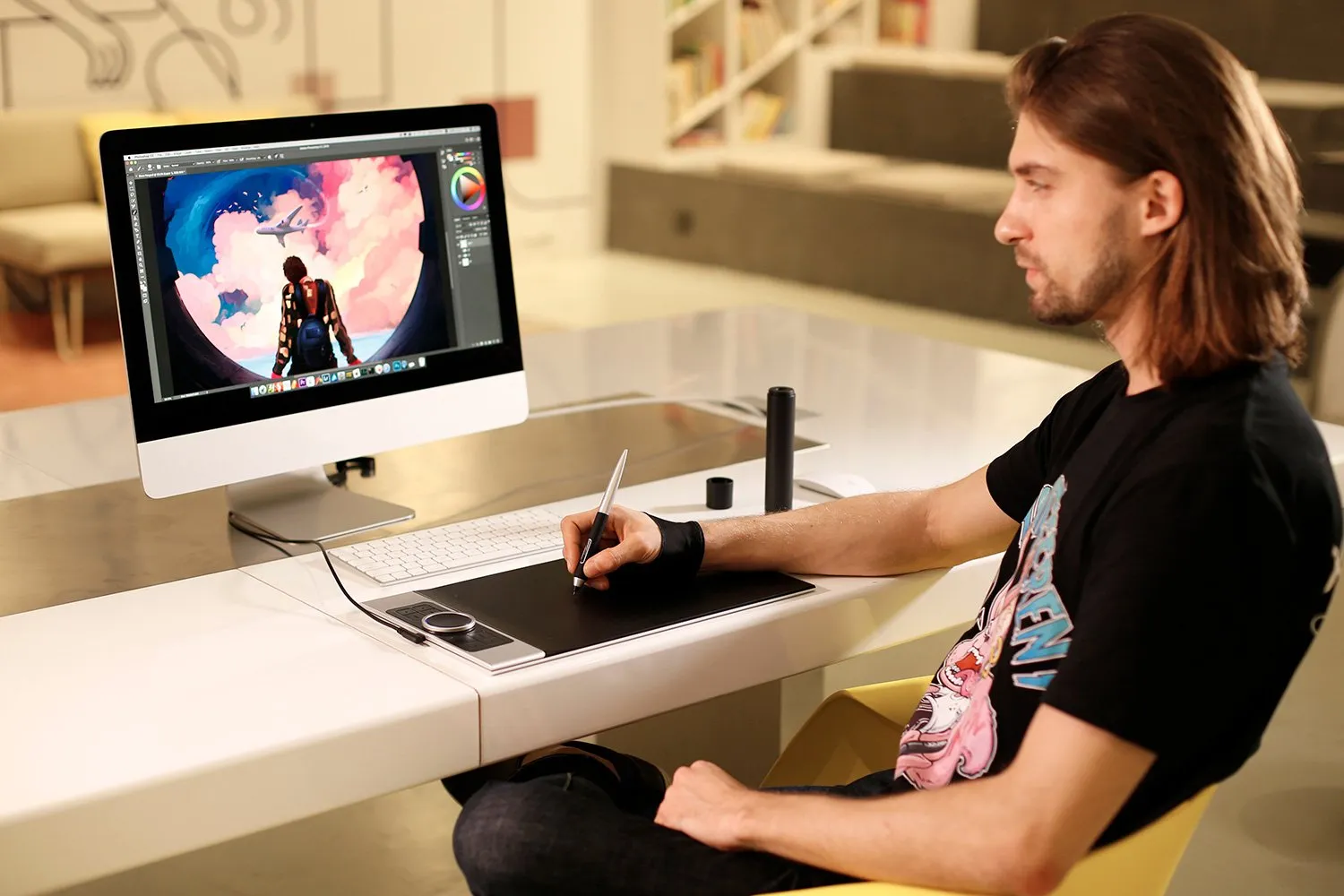
The XP-Pen Deco Pro Series is compatible with Windows 7/8/10, Mac OS X 10.10 and above, Android 6.0 and above. Works with most major creative software including Photoshop®, SAI®, Painter®, Illustrator®, Clip Studio®, GIMP®, Medibang®, Krita®, Fire Alpaca®, Blender® 3D and more.
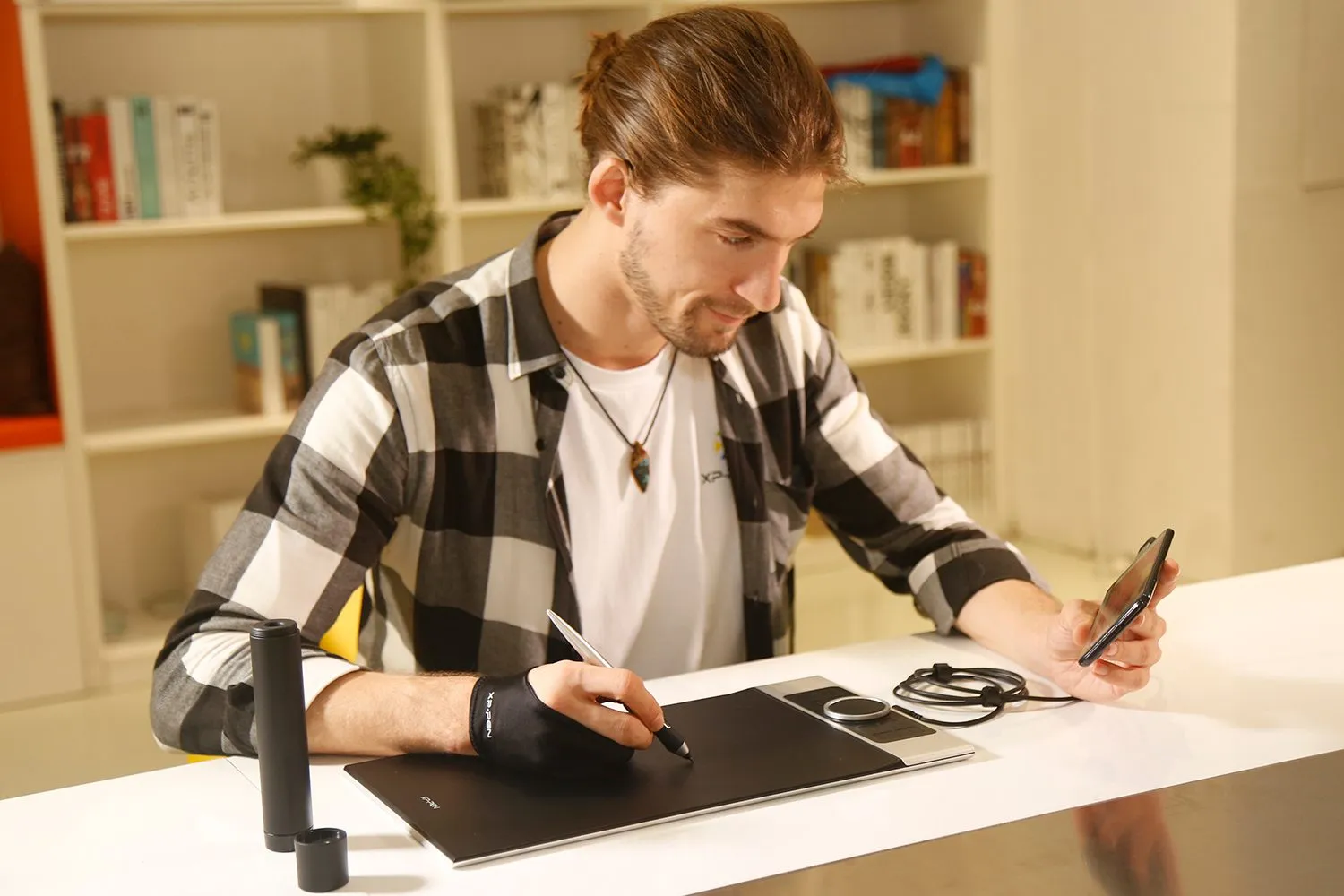
digital sketching,drawing ,animation ,painting and editing photos with XP-Pen Deco Pro Art graphics Tablet
image
image
Specifications and Package include of XP-Pen Deco Pro Pen Tablet
Linux OSVersionPackage FormatSupported Software
ArchArch Linux2019.12.01(64-bit).deb, .shGIMP, Krita
CentosCentos7.0(64-bit).rpm, .shGIMP
Centos8(64-bit).rpm, .shGIMP, Krita
Debiandebian-9.5.0-amd64-netinst(64-bit).deb, .shGIMP, Krita
elementary OSelementary OS 5.0(64-bit).deb, .shGIMP, Krita
ezgo Linuxezgo14(64-bit).deb, .shGIMP, Krita
FedoraFedora32(64-bit).rpm, .shGIMP, Krita
MageiaMageia-7.1(64-bit).rpm, .shGIMP, Krita
Manjaromanjaro-xfce-20.1.2-201019(64-bit).deb, .shGIMP
Mintlinuxmint-18.2-cinnamon-64bit.deb, .shGIMP, Krita
OpenSUSEopenSUSE-Tumbleweed(64-bit).rpm, .shGIMP, Krita
Pop!_OSpop-os_19.10(64-bit).deb, .shGIMP, Krita
Red HatRed Hat7(64-bit).rpm, .shGIMP
UbuntuUbuntu14.04(64-bit).deb, .shGIMP, Krita
Ubuntu16.04(64-bit).deb, .shGIMP, Krita
Ubuntu17.04(64-bit).deb, .shGIMP, Krita
Ubuntu18.04(64-bit).deb, .shGIMP, Krita
Ubuntu19.04(64-bit).deb, .shGIMP, Krita
Ubuntu20.04(64-bit).deb, .shGIMP, Krita
FunctionKrita 4.3.0Gimp 2.10.20Inkscape 0.92
Pen Pressure Sensitivity
Tilt
Mouse Function
Eraser Button
(Stylus:PH01, P06)
Switch between Pen
and Eraser Modes
*If you have any further queries, please do not hesitate to contact us at service@xp-pen.com.

Linux OS

Arch
Version
Arch Linux2019.12.01(64-bit)
Package Format
.deb, .sh
Supported Software
GIMP, Krita
Centos
Version
Centos7.0(64-bit)
Centos8(64-bit)
Package Format
.rpm, .sh
.rpm, .sh
Supported Software
GIMP
GIMP, Krita
Debian
Version
debian-9.5.0-amd64-netinst(64-bit)
Package Format
.deb, .sh
Supported Software
GIMP, Krita
elementary OS
Version
elementary OS 5.0(64-bit)
Package Format
.deb, .sh
Supported Software
GIMP, Krita
ezgo Linux
Version
ezgo14(64-bit)
Package Format
.deb, .sh
Supported Software
GIMP, Krita
Fedora
Version
Fedora32(64-bit)
Package Format
.rpm, .sh
Supported Software
GIMP, Krita
Mageia
Version
Mageia-7.1(64-bit)
Package Format
.rpm, .sh
Supported Software
GIMP, Krita
Manjaro
Version
manjaro-xfce-20.1.2-201019(64-bit)
Package Format
.deb, .sh
Supported Software
GIMP
Mint
Version
linuxmint-18.2-cinnamon-64bit
Package Format
.deb, .sh
Supported Software
GIMP, Krita
OpenSUSE
Version
openSUSE-Tumbleweed(64-bit)
Package Format
.rpm, .sh
Supported Software
GIMP, Krita
Pop!_OS
Version
pop-os_19.10(64-bit)
Package Format
.deb, .sh
Supported Software
GIMP, Krita
Red Hat
Version
Red Hat7(64-bit)
Package Format
.rpm, .sh
Supported Software
GIMP
Ubuntu
Version
Ubuntu14.04(64-bit)
Ubuntu16.04(64-bit)
Ubuntu17.04(64-bit)
Ubuntu18.04(64-bit)
Ubuntu19.04(64-bit)
Ubuntu20.04(64-bit)
Package Format
.deb, .sh
.deb, .sh
.deb, .sh
.deb, .sh
.deb, .sh
.deb, .sh
Supported Software
GIMP, Krita
GIMP, Krita
GIMP, Krita
GIMP, Krita
GIMP, Krita
GIMP, Krita

Function

Pen Pressure Sensitivity
Krita 4.3.0
Gimp 2.10.20
Inkscape 0.92
Tilt
Krita 4.3.0
Gimp 2.10.20
Inkscape 0.92
Mouse Function
Krita 4.3.0
Gimp 2.10.20
Inkscape 0.92
Eraser Button(Stylus:PH01, P06)
Krita 4.3.0
Gimp 2.10.20
Inkscape 0.92
Switch between Penand Eraser Modes
Krita 4.3.0
Gimp 2.10.20
Inkscape 0.92

*If you have any further queries, please do not hesitate to contact us at service@xp-pen.com.

Reviews
4.8
starstarstarstarstar
Based on 6
starstarstarstarstar
83%(5)
starstarstarstarstar
17%(1)
starstarstarstarstar
0(0)
starstarstarstarstar
0(0)
starstarstarstarstar
0(0)
Alen
starstarstarstarstar
Sep 07 ,2019 PM 18:10 Deco Pro Series
XP-Pen Deco Pro S M Drawing Tablet
Top product. Before I had Wacom Intuos S tablet. XP-Pen build quality is so fine in every details. The wheel go very nice and smooth. The software drivers looks more better like Wacom drivers (I had problem with bugs with Wacom drivers and long time I have to run on old driver because the new one was not working well). I am using XP-Pen just few hours but I feel very satisfied with this product. XP-Pen, thanks. :)
Useful(1)+1
Jordan Yip
starstarstarstarstar
Sep 24 ,2019 PM 18:43 Deco Pro Series
Wrong itrem
Excellent Delivery Time, however received wrong size, ordered Deco Pro M but received Deco Pro S. Hope you guys can resolve this.
Useful(0)+1
Ethan Scotti
starstarstarstarstar
Apr 28 ,2020 AM 11:02 Deco Pro Series
wonder full
i strongly serjest this to eny one who whants to get into this and or experinced i love it
Useful(0)+1
Learn More
Q & A
XFANSs6ct2rfh
Jul 16 ,2023 PM 13:29 Deco Pro Series
Hi I'm interested in buying this and is wondering is it a good recommendation for those who want to do 3d animation in maya auto desk cause if so id def be buying it
Reply0
XFANSmqrd86di
Aug 31 ,2022 AM 01:53 Deco Pro Series
Hi, Just wondering. Under fitting it says 1x drawing glove, is this included? As I also see where I can add optional additions to the cart. I don't want to accidentally buy another if I don't need to! And does it come with a protector on the screen or is the purchased separately :) Thanks
Reply1
Official mall
Aug 31 ,2022 PM 12:02
Dear Customer, Thank you for your inquiry. Yes, The deco pro series will be packaged with a glove, protective film needs to be purchased additionally. Here is the purchase link for protective film: https://www.xp-pen.com/au-store/buy/98.html Best Regards Zoe
Reply to this review
XFANSw72p4n7u
May 31 ,2022 AM 10:14 Deco Pro Series
Hi I wanted to use this device to hand write notes on windows 11 PC. Could you please help clarify if it helps to integrate with office apps (e.g. microsoft word and onenote) and convert hand notes to text. regards chandra
Reply1
Official mall
Jun 09 ,2022 AM 09:56
Hello:) It depends on whether your apps support convert Handwriting to Text or not. You can write with our products if your office softwares support this function. Best Regards, XPPen
Reply to this review
XFANSw72p4n7u
May 31 ,2022 AM 10:12 Deco Pro Series
Hi I am planning to use this to write notes. will it help integrate with windows 11 based apps (word / one note) to convert hand writing notes to text regards
Reply0
Fiend
Oct 11 ,2021 PM 16:45 Deco Pro Series
hi just wondering where i download the drivers for this product thank you
Reply2
See more answers(1)
Fiend
Oct 11 ,2021 PM 16:46
actually nvm im blind as a bat lol, i found it
Reply to this review
XFANSx1squwhn
Oct 04 ,2021 AM 07:07 Deco Pro Series
Hi just wondering about my order first, is there a difference between the Deco Pro Series and the Deco Pro S/M, because the other one costs ten more dollars and this one says for kids so does it not have a tilt function and if so would I be able to refund the purchase for the other version thanks.
Reply1
Official mall
Oct 05 ,2021 PM 21:51
Dear Customer, Sorry for the late responce. Both Deco Pro Series and Deco Pro SW/MW come with tilt function.Deco Pro Series supports Wired connection while Deco Pro SW/MW features Wireless Bluetooth connection. Hope it's helpful to you. Best Regards, Edie
Reply to this review
randal Dietrich
Jun 22 ,2020 PM 18:53 Deco Pro Series
Hi. Does the deco pro also connect to ipad?
Reply1
Official mall
Dec 07 ,2020 PM 17:20
Dear Customer, The XP-Pen Deco Pro series supports connection with Android tablets and mobile phones, don't suppot to connect ipad. Have a nice day! XP-Pen service team
Reply to this review
Ethan Scotti
Apr 27 ,2020 AM 09:10 Deco Pro Series
hi am i able to do a full review of your guys product on youtube and if so i will link u guys too
Reply1
Official mall
Dec 09 ,2020 PM 16:47
Dear customer, May I have your email? so that we can discuss with further step, or you can contact our marketing staff :summer.yu@xp-pen.com Have a nice day! XP-Pen service team
Reply to this review
Karanjit Singh
Dec 19 ,2019 AM 11:28 Deco Pro Series
Can I get it delivered by Monday the 22nd December 2019 via express post?
Reply1
Official mall
Dec 24 ,2020 PM 12:21
Hi, We will ship this item from warehouse in Sydney warehouse, usually it will spend 3-7 days to your address. If you need further assistance, please feel free to contact us. XP-Pen service team
Reply to this review
Payment icon 0Payment icon 1Payment icon 2Payment icon 3

Copyright© 2025 HANVON UGEE (HK) TECHNOLOGY CO., LIMITED All Rights Reserved.

Payment icon 0Payment icon 1Payment icon 2Payment icon 3