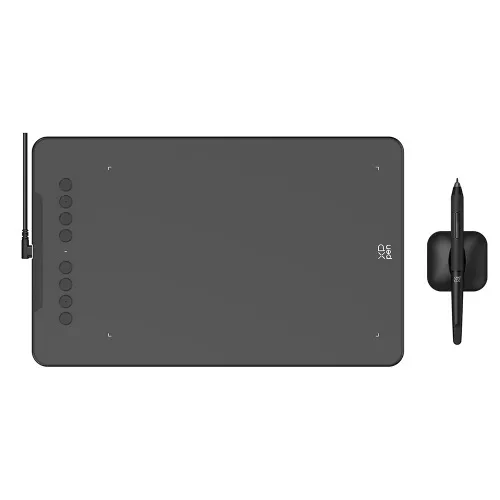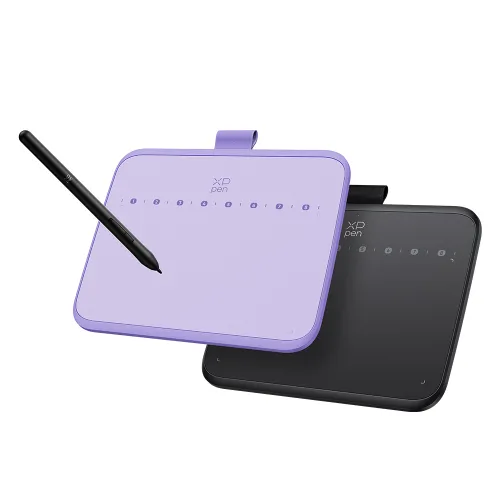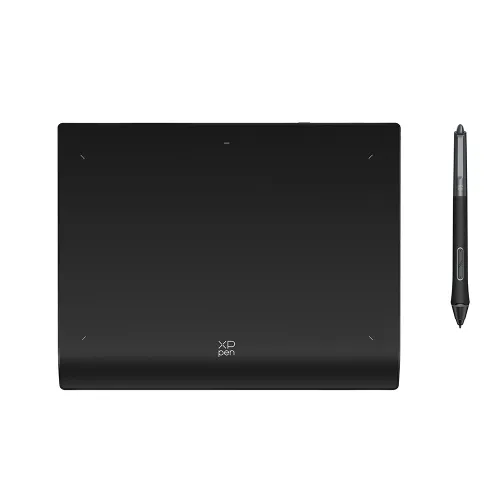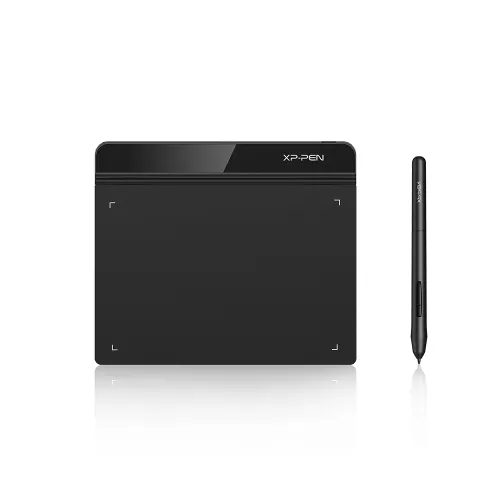
Deco Fun S

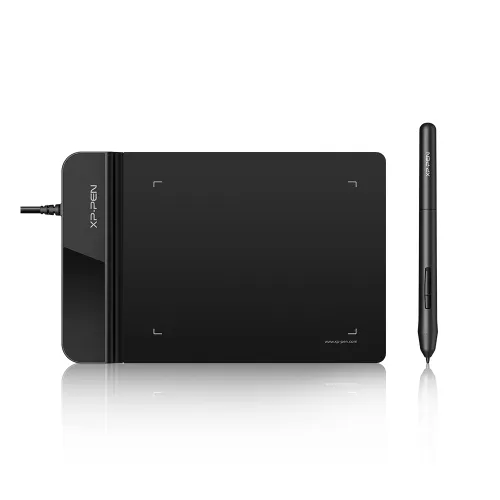
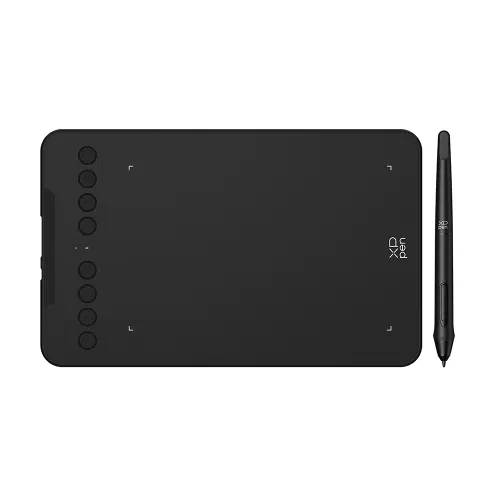
6.3 x 4-inch working area. 60° of tilt function. Designed for osu game, digital drawing, painting, E-signatures, online teaching, remote work, photo editing. 4 vibrant colors. Compatible with Wins 10/8/7, MAC OS X 10.10 and above, Android 6.0 and above.


Pre-sale – Expected to ship on April 20th.

$31.99$39.99
Ends in

❋Lifetime Technical Support❋

❋Paypal Pay in 4 interest-free payment❋

❋18-Month Warranty+ Free Shipping❋

❋Free Drawing Software Redemption❋


FAST & FREE

7-day delivery sitewide.

SECURE PAYMENT

Buy now, pay later. Secured by PayPal.

TECH SUPPORT

service@xp-pen.com

18-MONTH WARRANTY

18-month warranty only for official E-store

Colour:
https://resource.xp-pen.com/Uploads/goods/20220505/e0a423ec85724d3b64cb1955094db005.webp Classic Black
https://resource.xp-pen.com/Uploads/goods/20220505/6c127c73411294b048648aecd482b1ea.webp Apple Green
https://resource.xp-pen.com/Uploads/goods/20220505/239b7f89c2d0fd517a4e7c8931b498ce.webp Space Blue
https://resource.xp-pen.com/Uploads/goods/20220505/69677e0f5713b346c6660d09adb79315.webp Carmine Red

Optional Accessories

https://resource.xp-pen.com/Uploads/goods/20220121/1c3f4de7e06d8c6265888c3d84736bc9_60_60.webp

Sleeve Case ACJ08/ ACJ09

+$21.99$24.99

12% Off
https://resource.xp-pen.com/Uploads/goods/20211028/d2dfc152e2f09f7a4e4f2b6c24eb56a4_60_60.webp

Artist Anti-fouling Glove SE

+$8.99$9.99

10% Off
https://resource.xp-pen.com/Uploads/goods/20171115/aad4191ed345b0fde9394d0a024eca79_60_60.webp

AC20 Cable Case

+$16.99$19.99

15% Off

Quantity:

Payment icon 0Payment icon 1Payment icon 2Payment icon 3Payment icon 4Payment icon 5Payment icon 6Payment icon 7
Estimate:
image
image

Enjoy Deco Fun

Study Work Game Draw

imageimage
image

lnteract Freely for Online Study

Using Deco Fun for remote learning allows both students and teachers to share their thoughts and ideas in real-time. With infinite brushes, colors, and patterns options, you will be able to create and share tutorials, animated stories, and presentations effortlessly. This enables you to collaborate and interact enjoyably during remote learning!

imageimage
image

Efficient and Effective at work

In remote meeting, Deco Fun enables you to express important points more effectively. You can write or sketch on the shared content using graphs, lines, and comments. It is an effective way to deliver ideas to your colleagues, supervisors and your clients. Additionally, you can use Deco Fun to quickly sign contracts and documents digitally. More quickly, more opportunities!

imageimage
image

Play and Hit the Rankings

You can play OSU! with Deco Fun swiftly, precisely, and fluently. Deco Fun helps you to better follow the rhythm, improve the performance and hit the rankings. And why not try to explore more possibilities for playing games?

imageimage
image

Draw and Create

Deco Fun supports 8,192 levels pressure sensitivity and a 60° tilt function. Whether you are sketching, color painting, designing, or doing other creative work, it does a great job! You can even draw on smartphones and tablets with Android system. Let's get creative now!

*Deco Fun S&L support the 60° tilt function.

image

8192

image

60° Tilt

image

Battery-free

imageimage
image

Much More Compatible

Deco Fun is compatible with Android, Chrome OS, Linux, Windows, and Mac OS. It supports most digital working, remote education, drawing, and animation software. Including Microsoft Office, Zoom, Skype, Adobe, Photoshop, SAI and more. Deco Fun can definitely meet your daily needs!

*For more information please see the specifications

imageimage
image

Plug ang Play

Deco Fun is designed for easy plug-and-play. Plug it in and you are ready to start your creative journey. For advanced settings such as pen pressure, download the driver and follow a simple 3-step installation.

imageimage
image

Three Sizes, Four Stunning Colors

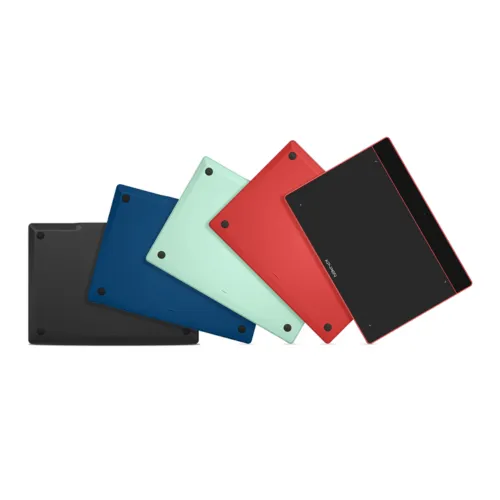
Deco Fun series are available in three sizes and four colors: classic black, space blue, apple green, and carmine red, to meet your personal preference. Pick your favorite and enjoy Deco Fun!

imageimage
image
image

Deco Fun XS

Classic Black
Carmine Red
Apple Green
Space Blue
  • Dimensions: 182.4×134.7×10.5mm

  • Active Area: 4.8"× 3"

  • P01 battery-free stylus

  • Tilt: not support

Buy Now  >>
image

Deco Fun S

Classic Black
Carmine Red
Apple Green
Space Blue
  • Dimensions: 210.5×159.8×12.9mm

  • Active Area: 6.3"× 4"

  • P01 battery-free stylus

  • Tilt: 60°

Buy Now  >>
image

Deco Fun L

Classic Black
Carmine Red
Apple Green
Space Blue
  • Dimensions: 315×222.9×12.5mm

  • Active Area: 10"× 6.27"

  • P01 battery-free stylus

  • Tilt: 60°

Buy Now  >>
  • Show more

image
Getting started with your
Deco Fun Series Pen Tablet
Learn more >
image
The Deco Fun Series come with
one free creative software: ArtRage Lite
Learn more >
Linux OSVersionPackage FormatSupported Software
ArchArch Linux2019.12.01(64-bit).deb, .shGIMP, Krita
CentosCentos7.0(64-bit).rpm, .shGIMP
Centos8(64-bit).rpm, .shGIMP, Krita
Debiandebian-9.5.0-amd64-netinst(64-bit).deb, .shGIMP, Krita
elementary OSelementary OS 5.0(64-bit).deb, .shGIMP, Krita
ezgo Linuxezgo14(64-bit).deb, .shGIMP, Krita
FedoraFedora32(64-bit).rpm, .shGIMP, Krita
MageiaMageia-7.1(64-bit).rpm, .shGIMP, Krita
Manjaromanjaro-xfce-20.1.2-201019(64-bit).deb, .shGIMP
Mintlinuxmint-18.2-cinnamon-64bit.deb, .shGIMP, Krita
OpenSUSEopenSUSE-Tumbleweed(64-bit).rpm, .shGIMP, Krita
Pop!_OSpop-os_19.10(64-bit).deb, .shGIMP, Krita
Red HatRed Hat7(64-bit).rpm, .shGIMP
UbuntuUbuntu14.04(64-bit).deb, .shGIMP, Krita
Ubuntu16.04(64-bit).deb, .shGIMP, Krita
Ubuntu17.04(64-bit).deb, .shGIMP, Krita
Ubuntu18.04(64-bit).deb, .shGIMP, Krita
Ubuntu19.04(64-bit).deb, .shGIMP, Krita
Ubuntu20.04(64-bit).deb, .shGIMP, Krita
FunctionKrita 4.3.0Gimp 2.10.20Inkscape 0.92
Pen Pressure Sensitivity
Tilt
Mouse Function
Eraser Button
(Stylus:PH01, P06)
Switch between Pen
and Eraser Modes
*If you have any further queries, please do not hesitate to contact us at service@xp-pen.com.

Linux OS

Arch
Version
Arch Linux2019.12.01(64-bit)
Package Format
.deb, .sh
Supported Software
GIMP, Krita
Centos
Version
Centos7.0(64-bit)
Centos8(64-bit)
Package Format
.rpm, .sh
.rpm, .sh
Supported Software
GIMP
GIMP, Krita
Debian
Version
debian-9.5.0-amd64-netinst(64-bit)
Package Format
.deb, .sh
Supported Software
GIMP, Krita
elementary OS
Version
elementary OS 5.0(64-bit)
Package Format
.deb, .sh
Supported Software
GIMP, Krita
ezgo Linux
Version
ezgo14(64-bit)
Package Format
.deb, .sh
Supported Software
GIMP, Krita
Fedora
Version
Fedora32(64-bit)
Package Format
.rpm, .sh
Supported Software
GIMP, Krita
Mageia
Version
Mageia-7.1(64-bit)
Package Format
.rpm, .sh
Supported Software
GIMP, Krita
Manjaro
Version
manjaro-xfce-20.1.2-201019(64-bit)
Package Format
.deb, .sh
Supported Software
GIMP
Mint
Version
linuxmint-18.2-cinnamon-64bit
Package Format
.deb, .sh
Supported Software
GIMP, Krita
OpenSUSE
Version
openSUSE-Tumbleweed(64-bit)
Package Format
.rpm, .sh
Supported Software
GIMP, Krita
Pop!_OS
Version
pop-os_19.10(64-bit)
Package Format
.deb, .sh
Supported Software
GIMP, Krita
Red Hat
Version
Red Hat7(64-bit)
Package Format
.rpm, .sh
Supported Software
GIMP
Ubuntu
Version
Ubuntu14.04(64-bit)
Ubuntu16.04(64-bit)
Ubuntu17.04(64-bit)
Ubuntu18.04(64-bit)
Ubuntu19.04(64-bit)
Ubuntu20.04(64-bit)
Package Format
.deb, .sh
.deb, .sh
.deb, .sh
.deb, .sh
.deb, .sh
.deb, .sh
Supported Software
GIMP, Krita
GIMP, Krita
GIMP, Krita
GIMP, Krita
GIMP, Krita
GIMP, Krita

Function

Pen Pressure Sensitivity
Krita 4.3.0
Gimp 2.10.20
Inkscape 0.92
Tilt
Krita 4.3.0
Gimp 2.10.20
Inkscape 0.92
Mouse Function
Krita 4.3.0
Gimp 2.10.20
Inkscape 0.92
Eraser Button(Stylus:PH01, P06)
Krita 4.3.0
Gimp 2.10.20
Inkscape 0.92
Switch between Penand Eraser Modes
Krita 4.3.0
Gimp 2.10.20
Inkscape 0.92

*If you have any further queries, please do not hesitate to contact us at service@xp-pen.com.

Reviews
4.9
11111
Based on 12
11111
92%(11)
11111
8%(1)
11111
0(0)
11111
0(0)
11111
0(0)
Alannnn
11111
Jan 31 ,2024 AM 04:09 Deco Fun S
Great Tablet
Works really well and I enjoy drawing with it.
Useful(1)+1
Chris
11111
Apr 25 ,2022 PM 18:56 Deco Fun S
Great Value!
I am a high school physics teacher and with the outbreak of the COVID-19 pandemic I was thrown into the super fun world of "distance education". It was very difficult to reach my students and this device is EXACTLY what I needed. It was crazy easy to set up, you literally just plug it in and within 30 seconds I was ready to go. I live on this thing and it has saved my life! Highly recommend. A few of my other teacher friends have bought this model at my recommendation and we are all loving it.
Useful(1)+1
Pauline S.
11111
Apr 28 ,2022 PM 14:49 Deco Fun S
Great
I bought this for my daughter who needed it for he university course. I did lots of research online and found this one highly recommended by experts in drawing with these. My daughter loves it and said it is better than the ones they use at uni, which is the most well known brand and this one was cheaper. We have had it for 3 months now and it is operating perfectly. It arrived in really good packaging and very quickly.
Useful(0)+1
Learn More
Q&A
XFANS5v9cqahg
Oct 05 ,2025 AM 07:33 Deco Fun S
Is it possible to change the orientation of to landscape for Android phones?
Reply1
Official mall
Oct 09 ,2025 PM 15:12
Hello. Since we don\'t know your phone model or Android operating system, we recommend contacting our technical team for professional assistance via the following methods: service@xp-pen.com
Reply to this review
XFANSscrbxgm2
Jun 23 ,2025 PM 23:14 Deco Fun S
Are there any other compatible Pens except the P01?
Reply1
Official mall
Jun 24 ,2025 PM 14:19
Hello The P01 Battery-free Stylus is compatible with Deco Fun S, there is no other stylus model compatible with Deco Fun S.
Reply to this review
XFANSjiwsm9i2
Sep 07 ,2024 PM 13:10 Deco Fun S
Can this tablet be set as relative positioning instead of absolute positioning of the cursor?
Reply1
Official mall
Sep 11 ,2024 PM 16:34
Hello Yes, you can set it up after installing the driver.
Reply to this review
XFANSl38cv3v7
Apr 06 ,2024 AM 08:12 Deco Fun S
Will it work with Windows 11
Reply1
Official mall
Apr 08 ,2024 PM 15:56
Hello Yes, Deco Fun S is compatible with Windows 11.
Reply to this review
XFANS1fw8v31r
Dec 30 ,2023 PM 19:58 Deco Fun S
Please tell me that can it be used to study maths. i want to connect it to my computer and when i move the pen just above the tablet so will the pen in the notes app also move or will it only move when we write through it
Reply1
Official mall
Jan 05 ,2024 PM 16:54
Hello Yes, Deco Fun S can be used to learn math. Deco Fun S is an input device similar to a mouse. When you write on Deco Fun S, your tablet will also have a writing display.
Reply to this review
XFANSgebkt71a
Aug 07 ,2022 AM 10:50 Deco Fun S
Hi!! Little question I have before buying, when the pen hovers over the tablet, does it show a cursor?
Reply1
Official mall
Aug 08 ,2022 PM 18:09
Hello, when the pen hovers over the tablet, the tablet does not show the cursor.
Reply to this review
XFANS0d08f9th
Nov 26 ,2021 AM 08:50 Deco Fun S
Cuánto pesa la Deco fun S y la Deco 01 V2?
Reply1
Official mall
Nov 26 ,2021 AM 11:26
Hello! The net weight for Deco Fun S is 260g, for Deco 01 V2 is 570g. Thank you! :)
Reply to this review
XFANS1b8dy781
Nov 13 ,2021 AM 01:18 Deco Fun S
Does this tablet do smoothing like the g640 rev b? cuz I want to play osu with it
Reply1
Official mall
Nov 15 ,2021 PM 14:05
Hello! The tablet doesn\'t have smoothing functions :)
Reply to this review
XFANSnmpjfzgz
Sep 22 ,2021 PM 21:21 Deco Fun S
Can i have a free one for my review channel on yt at @ Gligz
Reply0
XFANSqffq60nn
Jun 06 ,2021 AM 02:57 Deco Fun S
Hello! I was wondering if the Deco Fun series could be compatible with an iPad? Would a certain cable be needed to make it work?
Reply1
Official mall
Jun 07 ,2021 PM 18:18
Thanks for your inquiry. The Deco Fun isn\'t compatible with iPad. It support Windows 10/8/7(32/64bit), Mac OS X 10.10, and higher. If you have any other questions, please feel free to contact us.
Reply to this review