

1/1
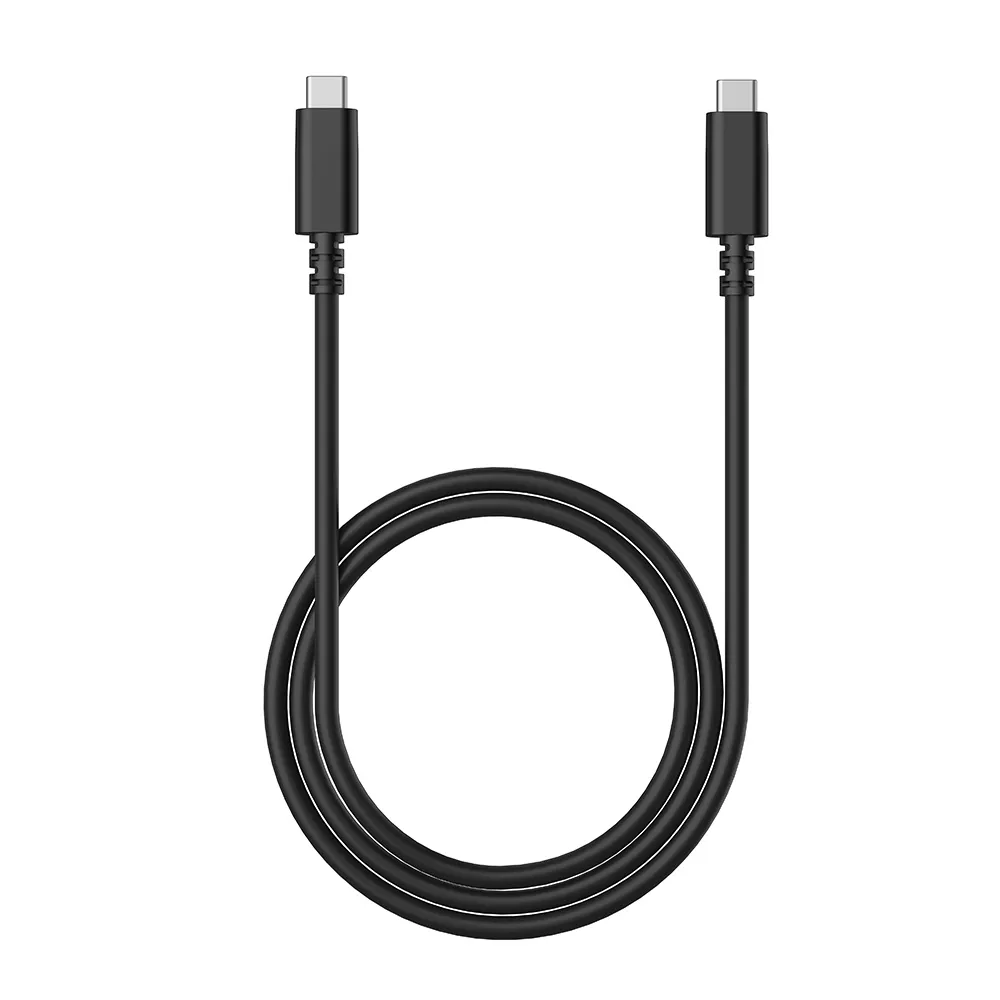
USB-C to USB-C Cable for Artist (Gen 2) Series Pen Display
USB-C to USB-C Cable compatible with Artist 10 (2nd Gen)/Artist 12 (2nd Gen)/Artist 13 (2nd Gen)/Artist 16 (2nd Gen)
$15.99
FAST & FREE
7-day delivery sitewide.
SECURE PAYMENT
Buy now, pay later. Secured by PayPal.
TECH SUPPORT
service@xp-pen.com
18-MONTH WARRANTY
18-month warranty only for official E-store
Quantity:
Total
$15.99
 Log in and purchase to receive an estimated 15 X-Coins








Worry-Free Delivery® available with seel
Estimate:
4.0


Based on 3
67%(2)
0(0)
0(0)
33%(1)
0(0)
XFANSe0qqndbq
Dec 17 ,2022 AM 09:07 USB-C to USB-C Cable for Artist (Gen 2) Series Pen Display
USB cable
simple USB cable
Useful(0)+1
Official mall
Dec 21 ,2022 AM 11:16
Thank you so much for your support. It\'s very pleasing to hear that you\'re satisfied with our product.
Enjoy this item and have a nice day : )
XFANSqka0jf4p
Feb 22 ,2023 AM 04:50 USB-C to USB-C Cable for Artist (Gen 2) Series Pen Display
confused but cool
how do o work this thing on my mobile device artist 10 (2nd gen) app for device won't let me connect to tablet. can't use pen on art tablet at all. screen disconnects.
Useful(1)+1
Official mall
Mar 13 ,2023 PM 12:02
Hello! Sorry for the inconvenience! Please send an email to the address service@xp-pen.com so our technical support team will help as soon as possible. Thanks!
Kitsa
Mar 30 ,2023 PM 15:47 USB-C to USB-C Cable for Artist (Gen 2) Series Pen Display
Switch
it works perfectly fine for the Nintendo switch but can't seem to get it work for my phone.
Useful(1)+1
Official mall
Mar 31 ,2023 PM 15:19
Hello
Thanks for your comment.
We read your comments carefully. At XP-PEN, we care about customers\' experience when using our products, we strive to provide better products and services, your opinion can bring us here.
For your item issue, can you contact our technical support at service@xp-pen.com with a description or video of the problem? They are willing to provide professional help.
If an issue with your item cannot be resolved online, we can arrange a replacement.
We sincerely hope that we can solve this problem and provide you with a satisfactory shopping experience. Thank you very much for your understanding and cooperation.
Thanks for your comment.
We read your comments carefully. At XP-PEN, we care about customers\' experience when using our products, we strive to provide better products and services, your opinion can bring us here.
For your item issue, can you contact our technical support at service@xp-pen.com with a description or video of the problem? They are willing to provide professional help.
If an issue with your item cannot be resolved online, we can arrange a replacement.
We sincerely hope that we can solve this problem and provide you with a satisfactory shopping experience. Thank you very much for your understanding and cooperation.
Ayanelisa
Oct 12 ,2026 AM 03:56 USB-C to USB-C Cable for Artist (Gen 2) Series Pen Display
Does this work with artist pro 22 gen 2
Reply0
XFANSi9gt92v8
Sep 05 ,2026 AM 02:05 USB-C to USB-C Cable for Artist (Gen 2) Series Pen Display
Will this work with an Artist 13 2nd?
Reply0
XFANS0yxvdh0f
Jul 18 ,2026 AM 05:21 USB-C to USB-C Cable for Artist (Gen 2) Series Pen Display
Will this work with an Artist 15.6 pro?
Reply1
Official mall
Aug 13 ,2026 PM 18:20
Hello,
This accessory is not compatible with the Artist 15.6 Pro.
Please feel free to ask if you have any questions.
Reply to this review
XFANSs2mhhe5a
Jul 07 ,2026 PM 23:00 USB-C to USB-C Cable for Artist (Gen 2) Series Pen Display
Hello! I have a Samsung Galaxy Tab S6 lite, and an artist 12 2nd gen. I have been looking to switch from using my old laptop that uses the 3 in 1 cable, to using my s6 with the USB C cable. I was wondering if the Artist 12 2nd gen is comparable with my Galaxy tablet that I mentioned before. Any sort of feedback and recommendations would be much appreciated! Thank you! ( ◠‿◠ )
Reply1
Official mall
Aug 13 ,2026 PM 18:29
Hello,
For specific issues, please contact technical support at service@xp-pen.com.
Feel free to ask if you have any questions.
Reply to this review
XFANSjknrsc6k
May 04 ,2026 AM 01:54 USB-C to USB-C Cable for Artist (Gen 2) Series Pen Display
Hey does it matter what phone version? My is Galaxy A16 - 7.0 (Version 15) for Artist 13 2nd Gen using this cable? Thanks
Reply1
Official mall
May 14 ,2026 PM 16:41
Hello,
For specific technical issues, please contact our technical support at service@xp-pen.com
Feel free to ask any questions.
Reply to this review
XFANSnstf9cgb
Dec 15 ,2025 AM 04:43 USB-C to USB-C Cable for Artist (Gen 2) Series Pen Display
Ho una Artist 16 versione Le Petit Prince, il cavo usb-c incluso è molto comodo però per la mia postazione è un po corto, il cavo usb-c ha delle caratteristiche particolari o può andare bene un qualsiasi cavo usb-c? Grazie anticipatamente per la risposta.
Reply1
Official mall
Dec 22 ,2025 PM 18:06
Hello
Our products require accessories from our brand; using other brands may result in incompatibility.
Reply to this review
XFANSk92lealg
Nov 08 ,2025 PM 22:10 USB-C to USB-C Cable for Artist (Gen 2) Series Pen Display
does this work for XPPen Artist 15.6 Pro V2? the page on amazon talks a lot about " Connect via Full-Featured USB-C Cable", but i don't know what a full featured usb-c cable could be other than this one.
Reply1
Official mall
Nov 13 ,2025 PM 14:23
Hello
No, this USB-C to USB-C cable is not compatible with the Artist 15.6 Pro V2.
Here is a link to the USB-C to USB-C cable for the Artist 15.6 Pro V2:
https://www.storexppen.com/buy/usb-c-to-usb-c-cable-for-artist-v2-display.html
Reply to this review
XFANS8bhpo4qk
Sep 25 ,2025 AM 10:09 USB-C to USB-C Cable for Artist (Gen 2) Series Pen Display
I have a XP-Pen 10 2nd gen. Will this allow me to connect to my desktop pc, using the motherboard UCB-C? My main monitor goes through the graphics card, and I want to mirror part of the screen onto the pen display.
Reply1
Official mall
Sep 25 ,2025 PM 18:06
Hello,
Artist 10 (2nd Gen) can connect with a USB-C cable, but your PC’s USB-C port must support DP Alt Mode (video output) and power delivery.
If your motherboard’s USB-C port doesn’t support video, the screen won’t display. In that case, please use the 3-in-1 cable (HDMI + USB) to connect through your graphics card for the best performance.
Please check your motherboard specs to confirm whether the USB-C port supports DP Alt Mode. If the issue is still not solved, feel free to contact our technical team at service@xp-pen.com.
Reply to this review
XFANSgehhtqpg
Sep 17 ,2025 AM 01:26 USB-C to USB-C Cable for Artist (Gen 2) Series Pen Display
Recently got this for my Artist 10 (2nd gen) to use with my Lenovo laptop and it’s not working. The tablet wont turn on and the xp pen app shows the connection flickering.
Reply1
Official mall
Sep 17 ,2025 PM 16:42
Hello,
We apologize for any inconvenience caused. You may contact our technical support team for assistance via email at service@xp-pen.com.
If you have any questions, please feel free to reach out to us at any time.
Reply to this review
XFANSk1ivai3j
Aug 31 ,2025 AM 00:40 USB-C to USB-C Cable for Artist (Gen 2) Series Pen Display
Will it work with lenovo TB X606F?
Reply1
Official mall
Sep 01 ,2025 PM 17:04
Hello
As long as your Lenovo device has a fully functional USB-C port, this USB-C to USB-C cable will be compatible with your device.
Feel free to ask any questions at any time.
Reply to this review
Learn More