Deco MW

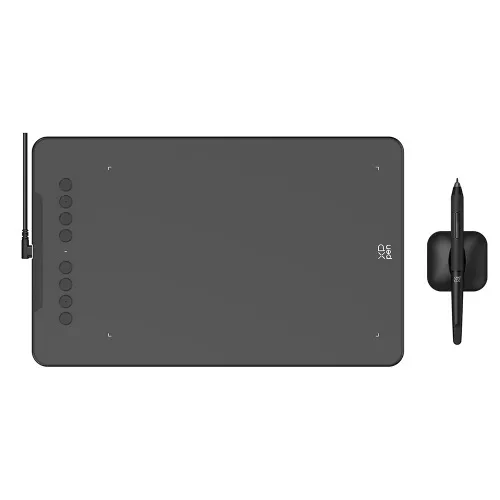
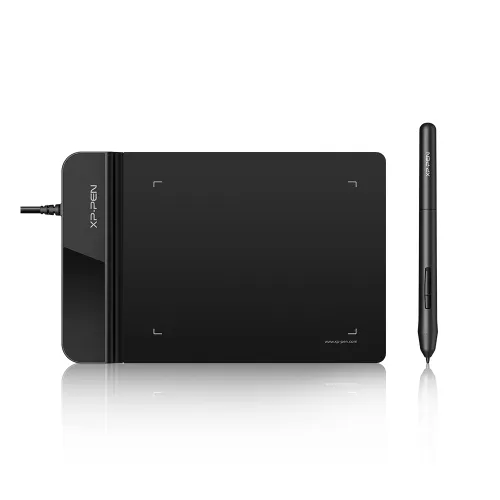
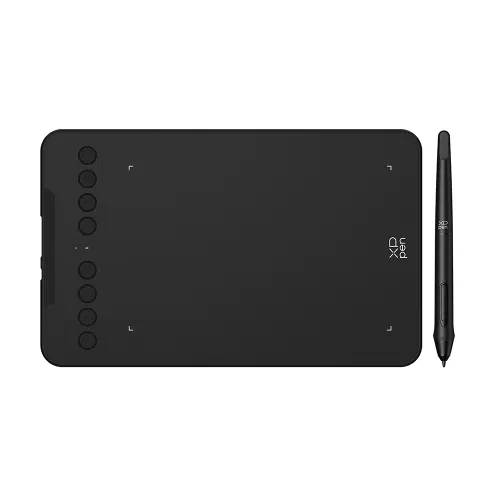
8 x 5 inches active area, supports 60 degrees of tilt brush effect. Bluetooth Wireless Connection. Battery-free Stylus powered by X3 Smart Chip. 8 Efficient Shortcut Keys. Compatible with Chrome OS, Windows 7/8/10/11, Linux, Mac, Android.

$69.99

FAST & FREE

7-day delivery sitewide.

SECURE PAYMENT

Buy now, pay later. Secured by PayPal.

TECH SUPPORT

service@xp-pen.com

18-MONTH WARRANTY

18-month warranty only for official E-store

Colour:
https://resource.xp-pen.com/Uploads/goods/20220505/e61c9b554379a71df0268aea9bed170f.webp Black
https://resource.xp-pen.com/Uploads/goods/20220505/2fa914ea517190e8240fa10575fc12d1.webp Blue
https://resource.xp-pen.com/Uploads/goods/20220505/34e4e19c918d0879980c9af2e90382de.webp Pink
https://resource.xp-pen.com/Uploads/goods/20220505/4c7a3955f1b5da401ab50afb7928fbc7.webp Green

Optional Accessories

https://resource.xp-pen.com/Uploads/goods/20220121/1c3f4de7e06d8c6265888c3d84736bc9_60_60.webp

Sleeve Case ACJ08/ ACJ09

+$24.99

https://resource.xp-pen.com/Uploads/goods/20211028/d2dfc152e2f09f7a4e4f2b6c24eb56a4_60_60.webp

Artist Anti-fouling Glove SE

+$8.99$9.99

10% Off
https://resource.xp-pen.com/Uploads/goods/20171115/aad4191ed345b0fde9394d0a024eca79_60_60.webp

AC20 Cable Case

+$16.99$19.99

15% Off

Quantity:

Payment icon 0Payment icon 1Payment icon 2Payment icon 3Payment icon 4Payment icon 5Payment icon 6Payment icon 7
Estimate:

Deco M & MW image

New Deco
innovative drawing tablet with X3 chip stylus.

image

X3 smart chip stylus
Sharp! Stable! Precise!

imageimage

Set off on your CG journey
with X3 smart chip

The new Deco series brings an immense leap to the stylus drawing experience with the new X3 chip, giving you the realistic feeling of traditonal pen and paper. Explore a brand new CG world with the X3 chip technology.

Learn more about X3 smart chip

imageimage

X3 smart chip stylus,
sparks more creativity under your brush

Initial activation force

as low as 3g*, 10 folds increase in sensitivity*

Retraction distance

as short as 0.6mm*,
half the original retraction distance*

Life span

Double the exisiting life span*

imageimage

Sharp

Act before your mind.

3 grams* IAF and 0.6 mm* retraction
distance for more efficient ink output.

Stable

No spring part and anti-interference for stable performance.

Digital signal transmission, double* the life span.

Precise

More precise positioning.
Never miss a single brushstroke.

Virtually no accuracy error.
No broken lines and no lag.

This data was taken from a laboratory simulation test and may vary depending on the environment that the device is used in.

Bluetooth 5.0 wireless connection

Equipped with a Bluetooth v5.0 chip, the Deco MW drawing tablet frees you to create without the limitation of cables, allowing you to keep your creative space organized and giving you the portability to use your device wherever your inspiration takes you.

imageimageimage

1000mAh super power capacity for ultra-long standby

The Deco MW drawing tablet comes with a large-capacity lithium battery (1000mAh/3.7V) for more than 10 hours that keeps the power going throughout all of your day.

imageimage

This data was taken from a laboratory simulation test and may vary depending on the environment that the device is used in.

4 vibrant colors
Trendy colors, pick yours

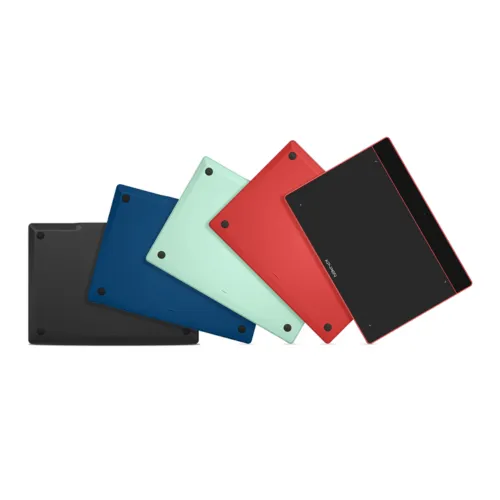
We have painstakingly selected four vibrant colors for the tablet frame. They are warm and eye-catching with an abundance of playful energy. Your boundless artistic expression deserves colorful companions such as these.

image
image
image
image

Black

Blue

Green

Pink

Slim enough for easy portability

Take it where you want, express your inspirations when they come.
Slim device body with suitable size and good touch experience is easy for you to carry and travel. Your creativity can be unleashed anywhere anytime. Invisible imaginations and real presentations are just one Deco drawing tablet away.

image

Length: 259.8 x 157.8 mm

image

Thickness: 8.8 mm

imageimage

8 efficient shortcut keys

The Deco M and Deco MW drawing tablets feature eight shortcut keys that can be customized to suit the various shortcut combinations needed, thus replacing a computer keyboard. An assortment of tactile bumps on the keys enable you to identify the correct shortcut quickly, helping you to speed up your workflow.

imageimage

Impressive compatibility

The Deco M and Deco MW drawing tablets Compatible with Windows, Mac, Android, Chrome OS, and Linux systems. Extensive compatibility brings more possibilites to your creations.

image

Support most major digital art software such as Photoshop, Illustrator, SAI, CDR, GIMP, Krita, MediBang, FireAlpaca and Blender3D, etc.

image

* Connection methods
Bluetooth connecion: support Windows 10 or later, Mac OS X10.10 or later.
Wired or wireless receiver connection: Windows 7 or later, Mac OS X10.10 or later, Android 6.0, Chrome OS 88 or later, Linux.

Product Gallery

image
image
image
image
image
image
image
image
image

Deco M

Black

Blue

Green

Pink

  • Dimensions: 259.8 x 157.8 x 8.8 mm

  • Work Area: 8 " x 5 "

  • Bluetooth: Not supported

image

Deco MW image

Black

Blue

Green

Pink

  • Dimensions: 259.8 x 157.8 x 8.8 mm

  • Work Area: 8 " x 5 "

  • Bluetooth: support

  • Specifications

image

Dimensions:259.8 x 157.8 x 8.8 mm

image

X3 Elite

image

8192 Levels

image

0.6mm retraction distance

image

60° tilt

image

Battery-free EMR stylus

image

Bluetooth v5.0

image

User-defined shortcut keys

image

Slim and portable

image

Windows / Mac / Android / Chrome OS / Linux

  • Show More

image
Getting started with your
XPPen Deco M & Deco MW Pen Tablet
Learn more >
image
Deco M & Deco MW Pen Tablet comes
with one free creative software.
Learn more >
Linux OSVersionPackage FormatSupported Software
ArchArch Linux2019.12.01(64-bit).deb, .shGIMP, Krita
CentosCentos7.0(64-bit).rpm, .shGIMP
Centos8(64-bit).rpm, .shGIMP, Krita
Debiandebian-9.5.0-amd64-netinst(64-bit).deb, .shGIMP, Krita
elementary OSelementary OS 5.0(64-bit).deb, .shGIMP, Krita
ezgo Linuxezgo14(64-bit).deb, .shGIMP, Krita
FedoraFedora32(64-bit).rpm, .shGIMP, Krita
MageiaMageia-7.1(64-bit).rpm, .shGIMP, Krita
Manjaromanjaro-xfce-20.1.2-201019(64-bit).deb, .shGIMP
Mintlinuxmint-18.2-cinnamon-64bit.deb, .shGIMP, Krita
OpenSUSEopenSUSE-Tumbleweed(64-bit).rpm, .shGIMP, Krita
Pop!_OSpop-os_19.10(64-bit).deb, .shGIMP, Krita
Red HatRed Hat7(64-bit).rpm, .shGIMP
UbuntuUbuntu14.04(64-bit).deb, .shGIMP, Krita
Ubuntu16.04(64-bit).deb, .shGIMP, Krita
Ubuntu17.04(64-bit).deb, .shGIMP, Krita
Ubuntu18.04(64-bit).deb, .shGIMP, Krita
Ubuntu19.04(64-bit).deb, .shGIMP, Krita
Ubuntu20.04(64-bit).deb, .shGIMP, Krita
FunctionKrita 4.3.0Gimp 2.10.20Inkscape 0.92
Pen Pressure Sensitivity
Tilt
Mouse Function
Eraser Button
(Stylus:PH01, P06)
Switch between Pen
and Eraser Modes
*If you have any further queries, please do not hesitate to contact us at service@xp-pen.com.

Linux OS

Arch
Version
Arch Linux2019.12.01(64-bit)
Package Format
.deb, .sh
Supported Software
GIMP, Krita
Centos
Version
Centos7.0(64-bit)
Centos8(64-bit)
Package Format
.rpm, .sh
.rpm, .sh
Supported Software
GIMP
GIMP, Krita
Debian
Version
debian-9.5.0-amd64-netinst(64-bit)
Package Format
.deb, .sh
Supported Software
GIMP, Krita
elementary OS
Version
elementary OS 5.0(64-bit)
Package Format
.deb, .sh
Supported Software
GIMP, Krita
ezgo Linux
Version
ezgo14(64-bit)
Package Format
.deb, .sh
Supported Software
GIMP, Krita
Fedora
Version
Fedora32(64-bit)
Package Format
.rpm, .sh
Supported Software
GIMP, Krita
Mageia
Version
Mageia-7.1(64-bit)
Package Format
.rpm, .sh
Supported Software
GIMP, Krita
Manjaro
Version
manjaro-xfce-20.1.2-201019(64-bit)
Package Format
.deb, .sh
Supported Software
GIMP
Mint
Version
linuxmint-18.2-cinnamon-64bit
Package Format
.deb, .sh
Supported Software
GIMP, Krita
OpenSUSE
Version
openSUSE-Tumbleweed(64-bit)
Package Format
.rpm, .sh
Supported Software
GIMP, Krita
Pop!_OS
Version
pop-os_19.10(64-bit)
Package Format
.deb, .sh
Supported Software
GIMP, Krita
Red Hat
Version
Red Hat7(64-bit)
Package Format
.rpm, .sh
Supported Software
GIMP
Ubuntu
Version
Ubuntu14.04(64-bit)
Ubuntu16.04(64-bit)
Ubuntu17.04(64-bit)
Ubuntu18.04(64-bit)
Ubuntu19.04(64-bit)
Ubuntu20.04(64-bit)
Package Format
.deb, .sh
.deb, .sh
.deb, .sh
.deb, .sh
.deb, .sh
.deb, .sh
Supported Software
GIMP, Krita
GIMP, Krita
GIMP, Krita
GIMP, Krita
GIMP, Krita
GIMP, Krita

Function

Pen Pressure Sensitivity
Krita 4.3.0
Gimp 2.10.20
Inkscape 0.92
Tilt
Krita 4.3.0
Gimp 2.10.20
Inkscape 0.92
Mouse Function
Krita 4.3.0
Gimp 2.10.20
Inkscape 0.92
Eraser Button(Stylus:PH01, P06)
Krita 4.3.0
Gimp 2.10.20
Inkscape 0.92
Switch between Penand Eraser Modes
Krita 4.3.0
Gimp 2.10.20
Inkscape 0.92

*If you have any further queries, please do not hesitate to contact us at service@xp-pen.com.

Reviews
5.0
11111
Based on 10
11111
100%(10)
11111
0(0)
11111
0(0)
11111
0(0)
11111
0(0)
Lorena Salazar
11111
Jun 10 ,2022 PM 17:45 Deco MW
Amazing for Med School or any type of learning
Everything feels so responsive its amazing, the pens have zero latency, I don't traditionally write notes but I wanted to try digital note taking, its an amazing tool to have, being able to interact with your notes makes this a big plus for any student. If you're a student of any kind, you need this. It's a must.
Useful(0)+1
Abdullah
11111
Jun 17 ,2022 PM 14:44 Deco MW
A great tablet with a great price
I had another tablet from another company last year but it wasn't good at all. the pen wasn't sensitive and the surface not as comfortable as this one. I'm really happy with this device, the sensitivity is fantastic and it's made with a quality materials.
Useful(1)+1
makenzie
11111
Jun 24 ,2022 PM 18:11 Deco MW
Works great with my phone!
This tablet works great for drawing on my phone! It was super easy to set up, all I had to do was plug it in.
Useful(0)+1
Learn More
Q&A
XFANSen95xz81
Nov 17 ,2025 PM 20:28 Deco MW
Is there a possibility of upgrading this device in the future to something newer with some features, and if so, when?
Reply1
Official mall
Nov 19 ,2025 PM 16:50
Hello We have forwarded your valuable suggestions to the R&D team. You can subscribe to receive the latest news on new product releases.
Reply to this review
Santiago
Oct 05 ,2025 AM 06:23 Deco MW
I accidentally broke my Deco MW Wireless Receiver. Do you have a replacement for me to buy it? Thanks.
Reply1
Official mall
Oct 09 ,2025 PM 14:38
Hello The Deco MW wireless receiver is not manufactured separately, so we regret that it cannot be purchased separately.
Reply to this review