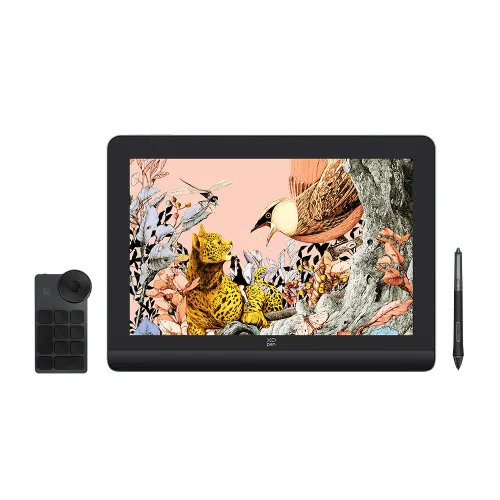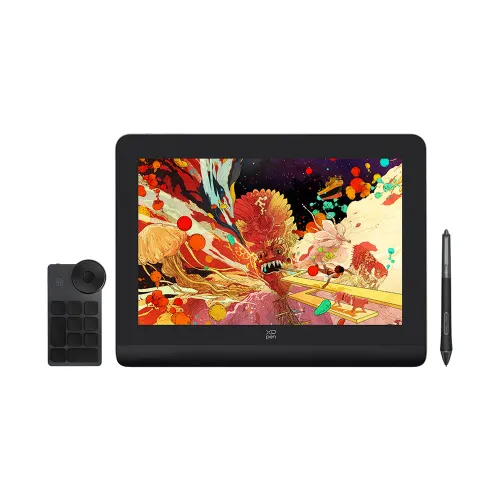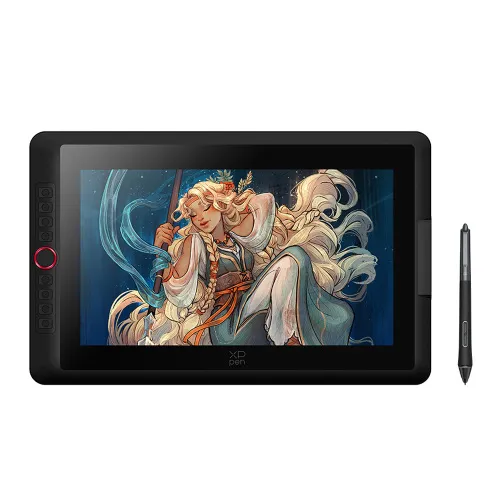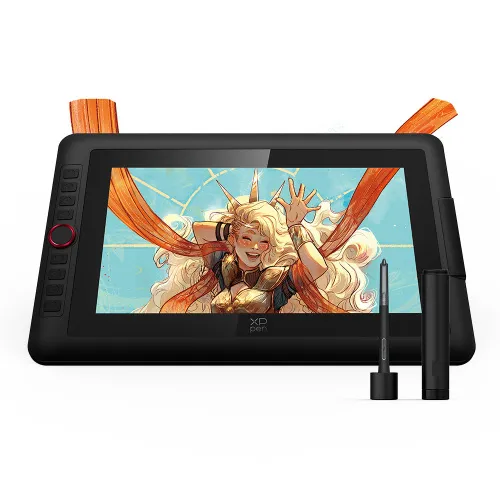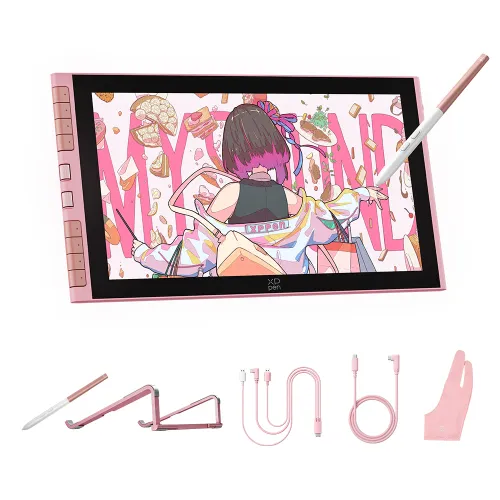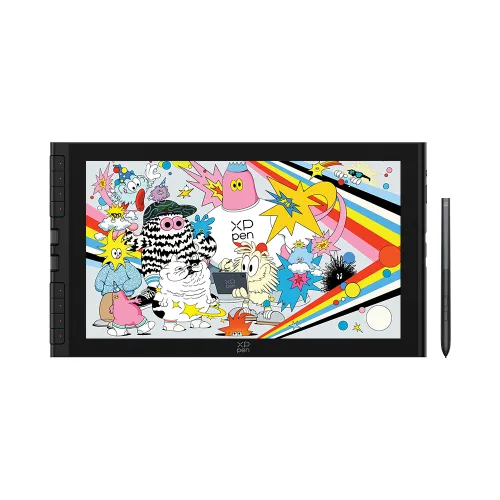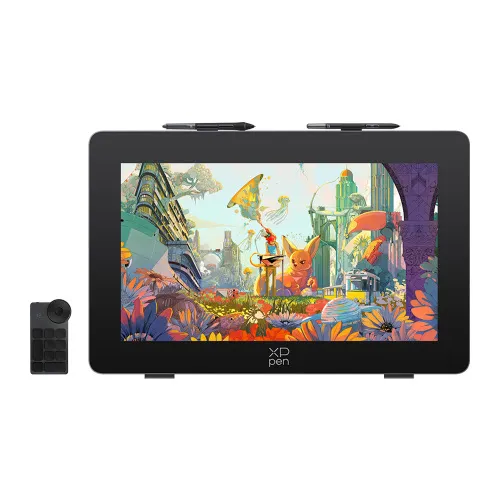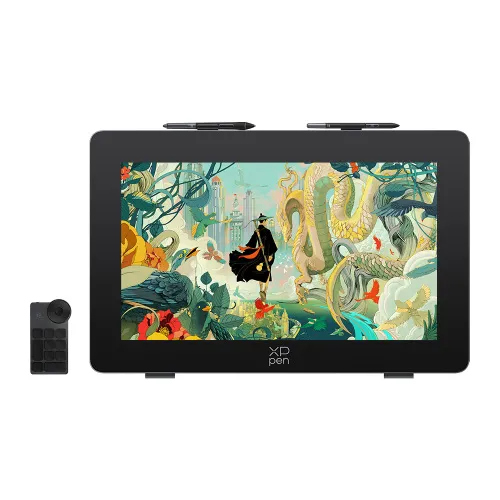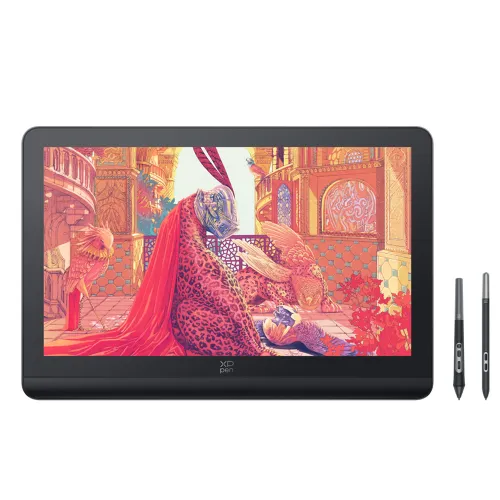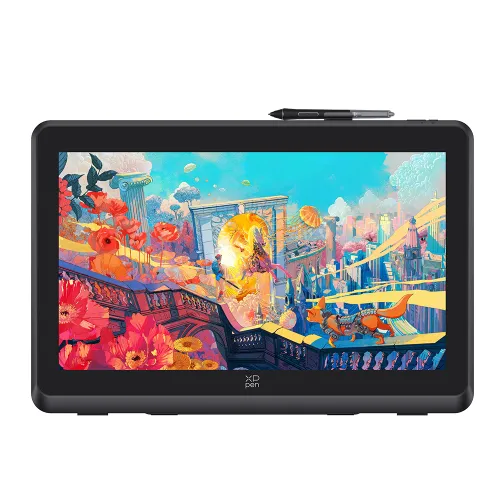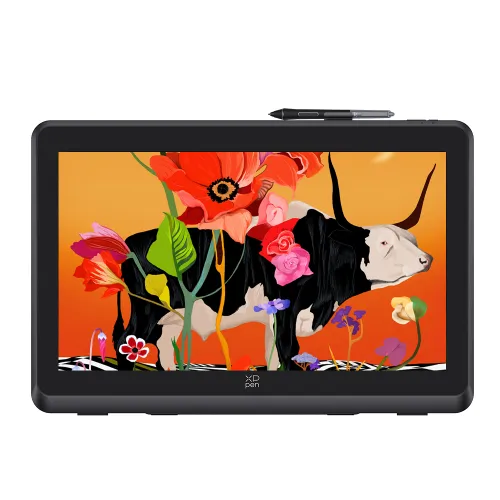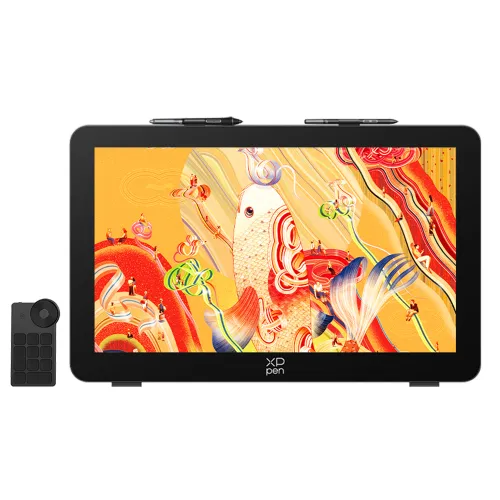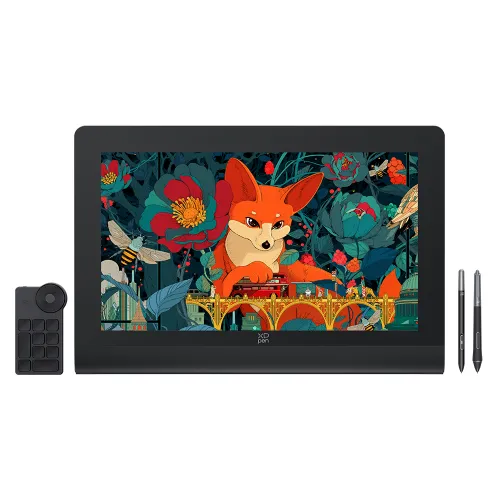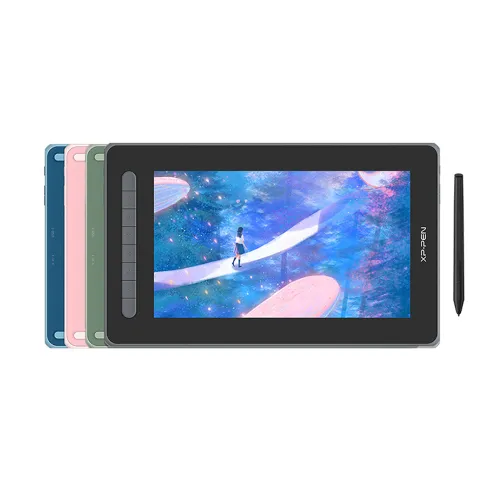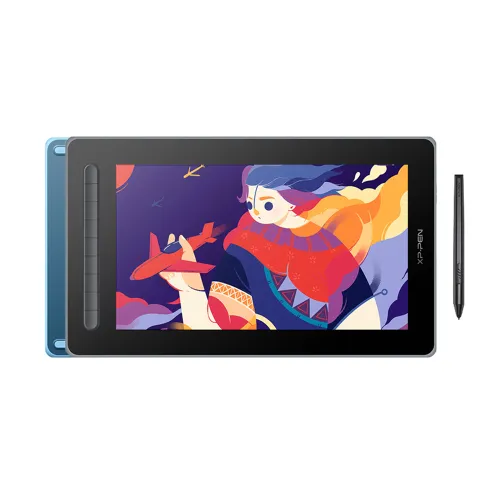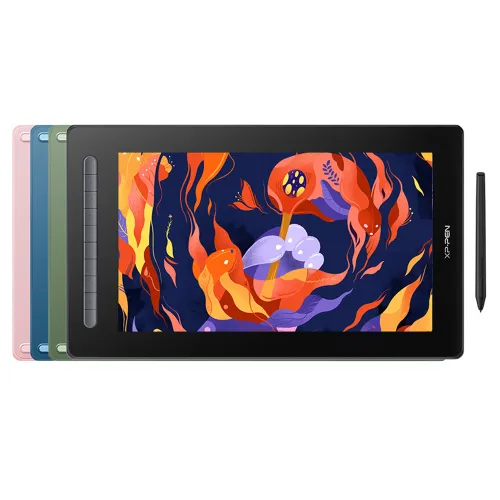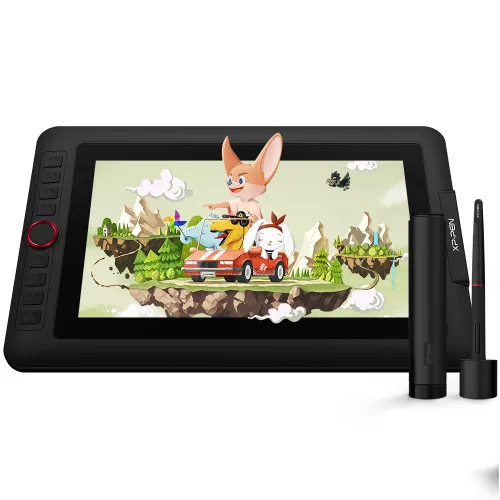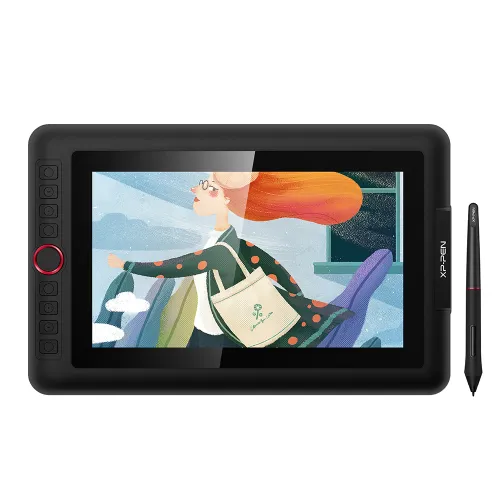
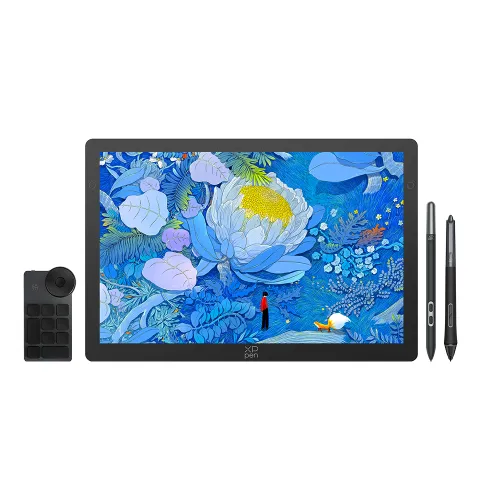
Artist Pro 16

10-fold* increase in sensitivity, 3 grams* initial activation force Digital eraser, Dual dials*8 customizable shortcut keys, 60°tilt function offer realistic color accuracy up to 99% Adobe RGB.

AU$629.99

FREE DELIVERY

We offer free shipping

SECURE PAYMENT

Your payment information is processed securely

TECH SUPPORT

service@xp-pen.com

18-MONTH WARRANTY

18-month warranty only for official AU-store

Product Model:
Artist Pro 16
Extended Warranty:
N/A

Optional Accessories

https://resource.xp-pen.com/Uploads/au/goods/20210907/390e25c097c9777f5e6ddbc9bf068e3b_200_200.webp

Protective Film ONLY suits for Innovator 16&Artist Pro 16 (Pack of 2)

+AU$0.00AU$49.99

FREE
https://resource.xp-pen.com/Uploads/thumb/goods/964/68d5d10608b5ee9c90f57533e169d59a_thumb_200_200.webp

XP-Pen AC 18 Display Stand Holder

+AU$59.00AU$69.90

16% Off
https://resource.xp-pen.com/Uploads/au/goods/20220416/2189b9fd9535fc2d29a3d424a0c386be_200_200.webp

ACJ03 Protective Case

+AU$35.99AU$39.99

10% Off

Quantity:

Payment icon 0Payment icon 1Payment icon 2Payment icon 3
seel-icon

Worry-Free Delivery® available with seel

Estimate:
imageimage

A groundbreaking step forward.

XP-PEN redefines digital painting technology.

image

POWERED BY

image
image

A revolutionary technological breakthrough.

The introduction of the X3 smart chip hales a new chapter for the XP-PEN stylus: that of smart chip technology. We have designed a smart chip that will dramatically upgrade the performance and structure of our stylus, enabling it to run like an artificial brain and deliver the most true-to-life experience possible. With this tiny new chip, stylus technology has never felt more natural and your creativity can be fully unleashed. As the first pen display to accompany our X3 powered stylus, the Artist Pro 16 is at the forefront of XP-PEN’s revolutionary step forward into digital painting technology.

image
image

Learn more about the X3 >

Groundbreaking technological innovation for a true-to-life drawing experience.

Even artists who are accustomed to traditional painting methods find the Artist Pro 16 a natural fit, with the display's innovative design providing a true-to-life drawing experience.

image
imageimage

POWERED BY

image

XP-PEN's first pen display with the X3 powered stylus.

With perfect pair comes productive efficiency.

Thanks to the perfect pair of the pen display and the X3 Elite Plus stylus, you'll be able to create great artwork efficiently and smoothly.

imageimage
image
image

10-fold* increase in sensitivity
3 grams* initial activation force

image

0.6mm* retraction distance
1/2* of our previous stylus

image

Digital eraser

image

60° tilt function

image

8192 levels
pressure sensitivity

image

Anti-glare film

image

Full lamination

image

133% sRGB

image

Dual dials

image

8 customizable
shortcut keys

image

POWERED BY

image

A stylish and durable digital painting solution.

With the pen display and X3 Elite Plus stylus, you won't have to compromise on either aesthetics or practicality. Our advanced pen display's grey, metallic casing and ergonomic 9mm profile make the device an absolute pleasure to look at, carry and use.

image

In fact, the Artist Pro 16’s appearance is so sleek that it received the Red Dot’s Contemporary Good Design Award, an international marker of outstanding designs.

image

9mm

image

With its advanced smart chip,
the new X3 Elite Plus stylus is also an innovative and stylish digital artwork solution. Not only it does have a sophisticated inner structure but its lifespan also approximately doubles that of our original stylus.

imageimage
image

Handy
Durable

image

No consumable
spring components

Extensive compatibility to unlock more possibilities.

image

The Artist Pro 16 supports Windows 7(or later), Mac OS X 10.10 (or later), Chrome OS 88 (or later), and Linux, as well as popular digital art software (e.g., Adobe Photoshop, Illustrator, SAI, CDR, GIMP, Krita, MediBang, FireAlpaca and Blender3D).

* The eraser works properly under 600g of pressure, please avoid pressing hard for durable use of the eraser and screen.

* This data was taken from a laboratory simulation test and may vary depending on the environment that the device is used in.

Product Gallery

image
image
image
image
image
image
image
  • Specifications

image

443.27 x 256.45 x 9mm

image

X3 Elite Plus

image

99% Adobe RGB, 94% NTSC, 133% sRGB

image

9mm

image

Dual dials
Customizable shortcuts

  • Show more

image
Getting started with your
XP-PEN Artist Pro 16 Pen Display.
Learn more >
image
Artist Pro 16 Pen Display comes
with one free creative software.
Learn more >
Linux OSVersionPackage FormatSupported Software
ArchArch Linux2019.12.01(64-bit).deb, .shGIMP, Krita
CentosCentos7.0(64-bit).rpm, .shGIMP
Centos8(64-bit).rpm, .shGIMP, Krita
Debiandebian-9.5.0-amd64-netinst(64-bit).deb, .shGIMP, Krita
elementary OSelementary OS 5.0(64-bit).deb, .shGIMP, Krita
ezgo Linuxezgo14(64-bit).deb, .shGIMP, Krita
FedoraFedora32(64-bit).rpm, .shGIMP, Krita
MageiaMageia-7.1(64-bit).rpm, .shGIMP, Krita
Manjaromanjaro-xfce-20.1.2-201019(64-bit).deb, .shGIMP
Mintlinuxmint-18.2-cinnamon-64bit.deb, .shGIMP, Krita
OpenSUSEopenSUSE-Tumbleweed(64-bit).rpm, .shGIMP, Krita
Pop!_OSpop-os_19.10(64-bit).deb, .shGIMP, Krita
Red HatRed Hat7(64-bit).rpm, .shGIMP
UbuntuUbuntu14.04(64-bit).deb, .shGIMP, Krita
Ubuntu16.04(64-bit).deb, .shGIMP, Krita
Ubuntu17.04(64-bit).deb, .shGIMP, Krita
Ubuntu18.04(64-bit).deb, .shGIMP, Krita
Ubuntu19.04(64-bit).deb, .shGIMP, Krita
Ubuntu20.04(64-bit).deb, .shGIMP, Krita
FunctionKrita 4.3.0Gimp 2.10.20Inkscape 0.92
Pen Pressure Sensitivity
Tilt
Mouse Function
Eraser Button
(Stylus:PH01, P06)
Switch between Pen
and Eraser Modes
*If you have any further queries, please do not hesitate to contact us at service@xp-pen.com.

Linux OS

Arch
Version
Arch Linux2019.12.01(64-bit)
Package Format
.deb, .sh
Supported Software
GIMP, Krita
Centos
Version
Centos7.0(64-bit)
Centos8(64-bit)
Package Format
.rpm, .sh
.rpm, .sh
Supported Software
GIMP
GIMP, Krita
Debian
Version
debian-9.5.0-amd64-netinst(64-bit)
Package Format
.deb, .sh
Supported Software
GIMP, Krita
elementary OS
Version
elementary OS 5.0(64-bit)
Package Format
.deb, .sh
Supported Software
GIMP, Krita
ezgo Linux
Version
ezgo14(64-bit)
Package Format
.deb, .sh
Supported Software
GIMP, Krita
Fedora
Version
Fedora32(64-bit)
Package Format
.rpm, .sh
Supported Software
GIMP, Krita
Mageia
Version
Mageia-7.1(64-bit)
Package Format
.rpm, .sh
Supported Software
GIMP, Krita
Manjaro
Version
manjaro-xfce-20.1.2-201019(64-bit)
Package Format
.deb, .sh
Supported Software
GIMP
Mint
Version
linuxmint-18.2-cinnamon-64bit
Package Format
.deb, .sh
Supported Software
GIMP, Krita
OpenSUSE
Version
openSUSE-Tumbleweed(64-bit)
Package Format
.rpm, .sh
Supported Software
GIMP, Krita
Pop!_OS
Version
pop-os_19.10(64-bit)
Package Format
.deb, .sh
Supported Software
GIMP, Krita
Red Hat
Version
Red Hat7(64-bit)
Package Format
.rpm, .sh
Supported Software
GIMP
Ubuntu
Version
Ubuntu14.04(64-bit)
Ubuntu16.04(64-bit)
Ubuntu17.04(64-bit)
Ubuntu18.04(64-bit)
Ubuntu19.04(64-bit)
Ubuntu20.04(64-bit)
Package Format
.deb, .sh
.deb, .sh
.deb, .sh
.deb, .sh
.deb, .sh
.deb, .sh
Supported Software
GIMP, Krita
GIMP, Krita
GIMP, Krita
GIMP, Krita
GIMP, Krita
GIMP, Krita

Function

Pen Pressure Sensitivity
Krita 4.3.0
Gimp 2.10.20
Inkscape 0.92
Tilt
Krita 4.3.0
Gimp 2.10.20
Inkscape 0.92
Mouse Function
Krita 4.3.0
Gimp 2.10.20
Inkscape 0.92
Eraser Button(Stylus:PH01, P06)
Krita 4.3.0
Gimp 2.10.20
Inkscape 0.92
Switch between Penand Eraser Modes
Krita 4.3.0
Gimp 2.10.20
Inkscape 0.92

*If you have any further queries, please do not hesitate to contact us at service@xp-pen.com.

Reviews
4.6
starstarstarstarstar
Based on 5
starstarstarstarstar
60%(3)
starstarstarstarstar
40%(2)
starstarstarstarstar
0(0)
starstarstarstarstar
0(0)
starstarstarstarstar
0(0)
XFANSzt0oy7c5
starstarstarstarstar
Aug 26 ,2021 PM 22:39 Artist Pro 16
Super Stoked!
Hey all, I purchased this the day it released as it seemed to line up with the time I was looking for a pen display to use with clip studio + photoshop for digital painting. I've used a few pen displays in my time, the samsung galaxy s7 plus and the 16 inch wacom 4k display. This dispaly stacks up easily! Super happy with the way it feels to draw, I've been a professional fine artist for 5 years, using oil paint and charcoal, the way this feels to draw feels as if I've got my sketch book open infront of me! the quality of the display is crystal clear, the colours are dynamic and vivid, the hot keys on the side are nicely positioned and overall the display feels of a real quality build. I just can't get over how fluid it feels to paint/draw with and for the price point too, absolutely stoked with it! Honestly if you're looking for an amazing pen display, for a great price, this is it! I know this all sounds grand haha but this is my honest review, very stoked on it all!
Useful(1)+1
XFANSf4iqtg8c
starstarstarstarstar
Sep 14 ,2021 AM 05:47 Artist Pro 16
Very nice
Really nice good size for what I need pen is good overall very nice
Useful(0)+1
XFANSurtno5t4
starstarstarstarstar
Nov 13 ,2021 PM 14:06 Artist Pro 16
Artis Pro 16
The colours on the Artist Pro 16 are outstanding when painting, Stylus performance like pencil and painting with the stylus is so smooth and responsive. The buttons, once configured, make sketching and painting so easy.
Useful(1)+1
Learn More
Q & A
XFANS2p6bq9jy
Jan 23 ,2024 PM 14:41 Artist Pro 16
Hi, I just want to confirm that the X3 Elite Plus stylus is battery-free? I might have missed it, but I can't see it specified anywhere... Thanks
Reply0
XFANSqel5qwa3
Oct 16 ,2021 PM 12:36 Artist Pro 16
I purchased this pen display recently and have had some issues getting the screen to turn on. the pen movement would be shown on my laptop monitor, but the screen will not turn on. Is there any suggestions for how to fix this?
Reply1
Official mall
Oct 16 ,2021 PM 14:06
Dear nicole dreistadt, I am XP-PEN sales Zoe. We are deeply sorry for any inconvenience that might have caused you. Please don’t worry, we are willing to help you to handle this. You might have encountered the problem of using the product. Please rest assured that sometimes the issues actually could be resolved easier than you thought. XP-PEN Technical support is more helpful. Could you please contact our tech support: service@xp-pen.com with a description and a video of the issue? In this way, we can provide you with faster and more professional help. Thanks for your understanding and cooperation. We believe the problem can be solved early. Best regards, Zoe
Reply to this review
XFANSqel5qwa3
Oct 16 ,2021 PM 12:36 Artist Pro 16
I purchased this pen display recently and have had some issues getting the screen to turn on. the pen movement would be shown on my laptop monitor, but the screen will not turn on. Is there any suggestions for how to fix this?
Reply1
Official mall
Oct 16 ,2021 PM 14:06
Dear Customer, I am XP-PEN sales Zoe. We are deeply sorry for any inconvenience that might have caused you. Please don’t worry, we are willing to help you to handle this. You might have encountered the problem of using the product. Please rest assured that sometimes the issues actually could be resolved easier than you thought. XP-PEN Technical support is more helpful. Could you please contact our tech support: service@xp-pen.com with a description and a video of the issue? In this way, we can provide you with faster and more professional help. Thanks for your understanding and cooperation. We believe the problem can be solved early. Best regards, Zoe
Reply to this review
XFANSqel5qwa3
Oct 15 ,2021 PM 18:22 Artist Pro 16
I have recently purchased this product for a reliable tablet to use for a year 12 animation project and I have had repetitive issues trying to get the Stylus pen to connect. I have connected the display to my laptop and an external power source, but the software says "Please connect the device". Is there any way to resolve this issue?
Reply1
Official mall
Oct 18 ,2021 AM 11:53
Dear customer, Sorry for the inconvenience brought to you.We need more details about your issue.Could you please take a video of the connection and the screen to us? Here is our Email:service@xp-pen.com Any question,please feel free to contact with us. Best Regards, Edie
Reply to this review
XFANSt7ahlp3m
Oct 01 ,2021 PM 23:03 Artist Pro 16
Can this be used with a TYPE-C to TYPE-C cable to avoid the need to use a hub on a MacBook Pro?
Reply1
Official mall
Oct 07 ,2021 PM 20:59
Dear customer, Artist Pro 16 doesn't support TYPE-C to TYPE-C connection. However,our Artist 12 (2nd Gen) and Artist Pro 16TP can be connected with C to C cable. If you find any interest,please click the link: https://www.xp-pen.com/au-store/buy/136.html Best Regards, Edie
Reply to this review
XFANSfpcyqfw8
Sep 10 ,2021 PM 22:35 Artist Pro 16
Hi, is this one better than the Innovator 16?
Reply1
Official mall
Sep 11 ,2021 PM 18:07
Dear customer, The hardware of the two products is similar.However, Artist Pro 16 comes with a X3 Elite Plus which is better than Innovator 16. Best Regards, Edie
Reply to this review
XFANSk5zr3dnw
Sep 10 ,2021 PM 20:47 Artist Pro 16
Hi there. The Artist Pro 16 is the first pen display I've ever actually owned and there's something I'm rather curious about this pen display. I'm aware in your guide that both configurations requires the (Red USB-A) power cable to be plugged in. However, I haven't notice any difference or problems with the pen's functions or the display itself in the few times that I've forgotten to plug in the power cable. Not even the screen's brightness. So, is the power cable even necessary to be plugged in at all?
Reply1
Official mall
Sep 11 ,2021 PM 15:30
Dear customer, Thank you so much for purchasing our XP-PEN products. The red power cable is to prevent the screen from running out of power.You can leave the power cord unplugged when the screen has power. However,we recommend you plug in the red cord to avoid that drawings are not saved when running out of power. Best Regards Edie
Reply to this review
Lavanya
Sep 08 ,2021 AM 02:56 Artist Pro 16
I placed an order on 31 August . What is the delivery timelines. No updates on the order at all
Reply1
Official mall
Sep 09 ,2021 AM 10:37
Dear customer, Thank you for purchasing our XP-PEN product.The product has already been shipped.If you cannot trace it on your order or your email,please feel free to contact with our service team: liangqiuyan@xp-pen.com Best Regards XP-PEN
Reply to this review
XFANSarx1u82v
Sep 06 ,2021 AM 09:09 Artist Pro 16
1. Is it possible to buy the X3 stylus alone if it is broken? I haven't seen the pen tips pack being on sale in the Stylus part of the store. 2. Is it possible to buy the X3 stylus pen tips individually without buying the pen? I haven't seen the pen tips pack being on sale in the Accessory part of the store. 3. Where is the display shipped from? Australian warehouse or China? 4. Is it possible to calibrate display settings on Artist Pro 16 with a Mac driver? I saw in one of the review that the display button doesn't appear in Mac driver. 5. Does this work with M1 chip Macbook Pro? Thanks.
Reply0
XFANSbfjkooru
Sep 05 ,2021 PM 20:41 Artist Pro 16
Hi does this work standalone or does it need to be connected to a computer? Can it work on a laptop, or a Surface laptop/tablet?
Reply1
Official mall
Sep 06 ,2021 PM 17:50
Dear Customer, All of our products needs to be connected with PC or laptop. There is no system in Artist Pro 16 so it isn't standalone. And it can work on a laptop or Surface laptop. Hope these could help you. Best Regards~ Edie
Reply to this review
Learn More
Payment icon 0Payment icon 1Payment icon 2Payment icon 3

Copyright© 2025 HANVON UGEE (HK) TECHNOLOGY CO., LIMITED All Rights Reserved.

Payment icon 0Payment icon 1Payment icon 2Payment icon 3