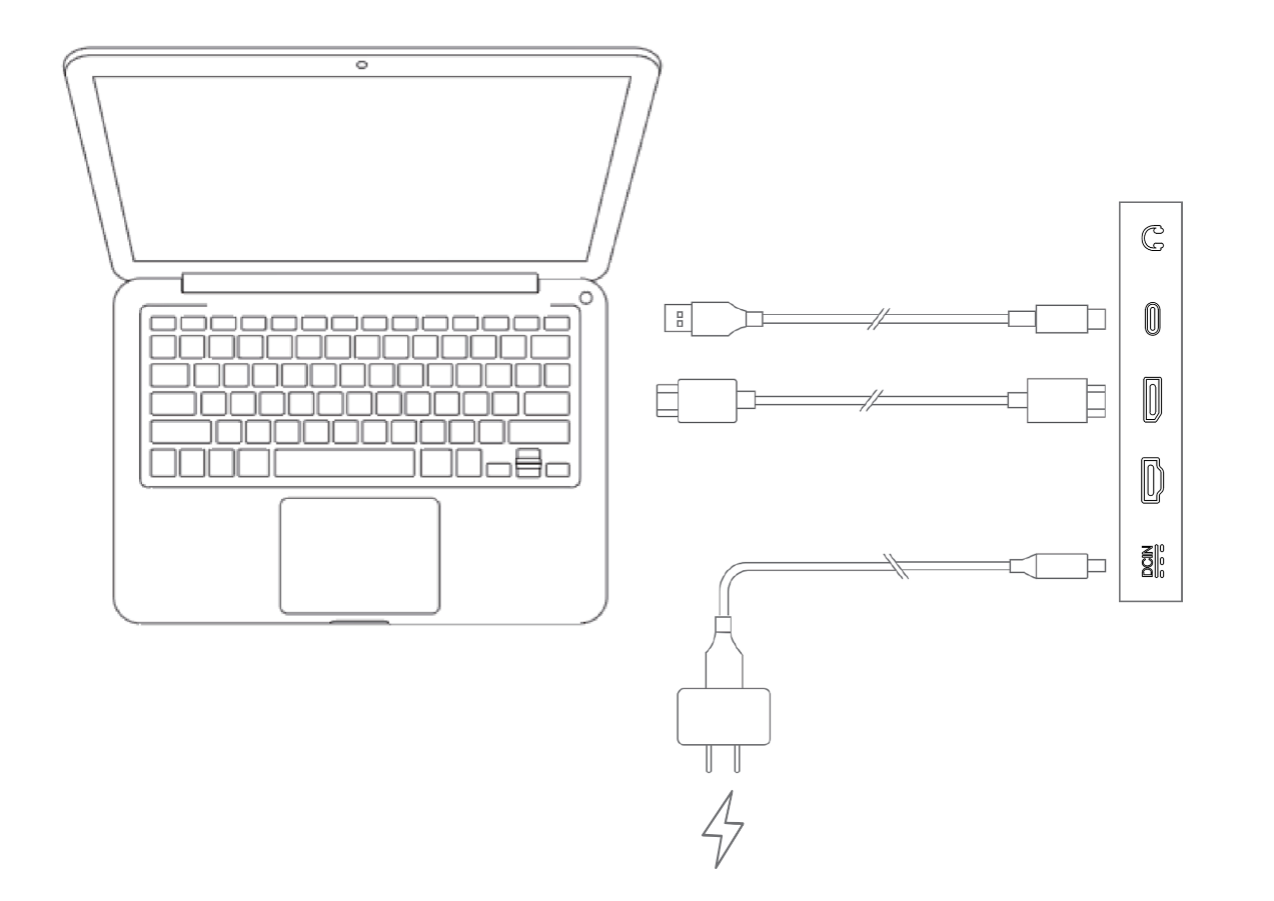
How to connect Artist Pro 27 (Gen 2) to my computer?
For the device to function properly, you must connect video signals and data signals simultaneously. Connect video signals to your computer and device via a video port and connect the data signals via a USB port.
You can choose one of the following connection modes depending on the configuration of your computer:
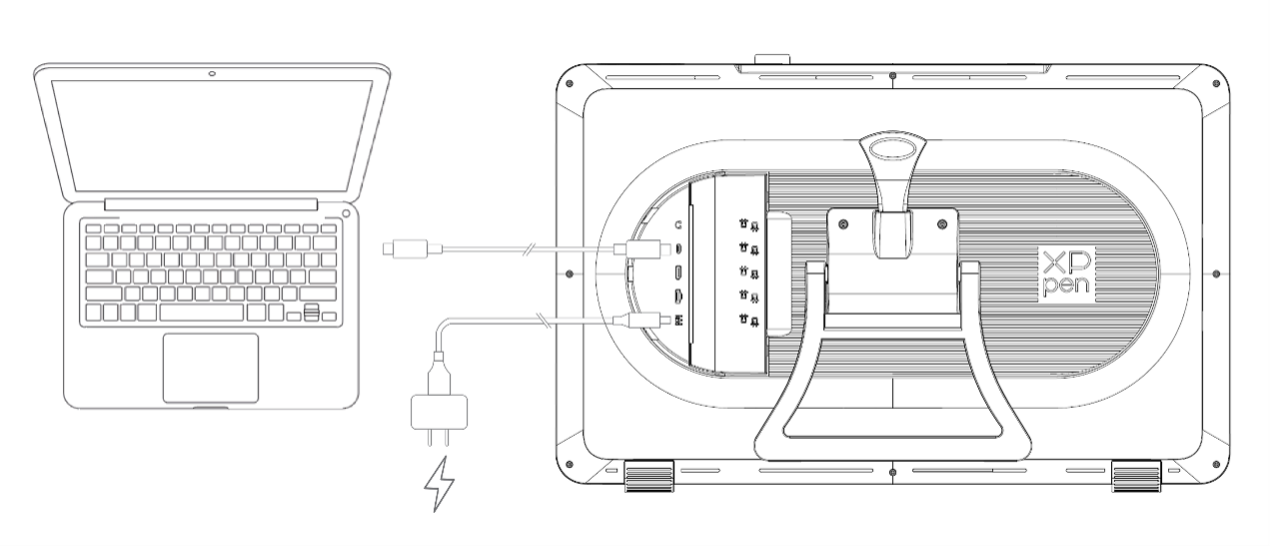
Mode 1: Connect to a computer with a USB-C port that supports DisplayPort output. 1. Connect your device to a power outlet via a power cord and power adapter; 2. Connect your computer to your device via a USB-C to USB-C cable.
Mode 2: Connect to a computer that is equipped with USB and HDMI ports 1. Connect your device to a power outlet via a power cord and power adapter; 2. Connect your computer to your device via an HDMI cable and USB-C to USB-A or USB-C to USB-C cable.
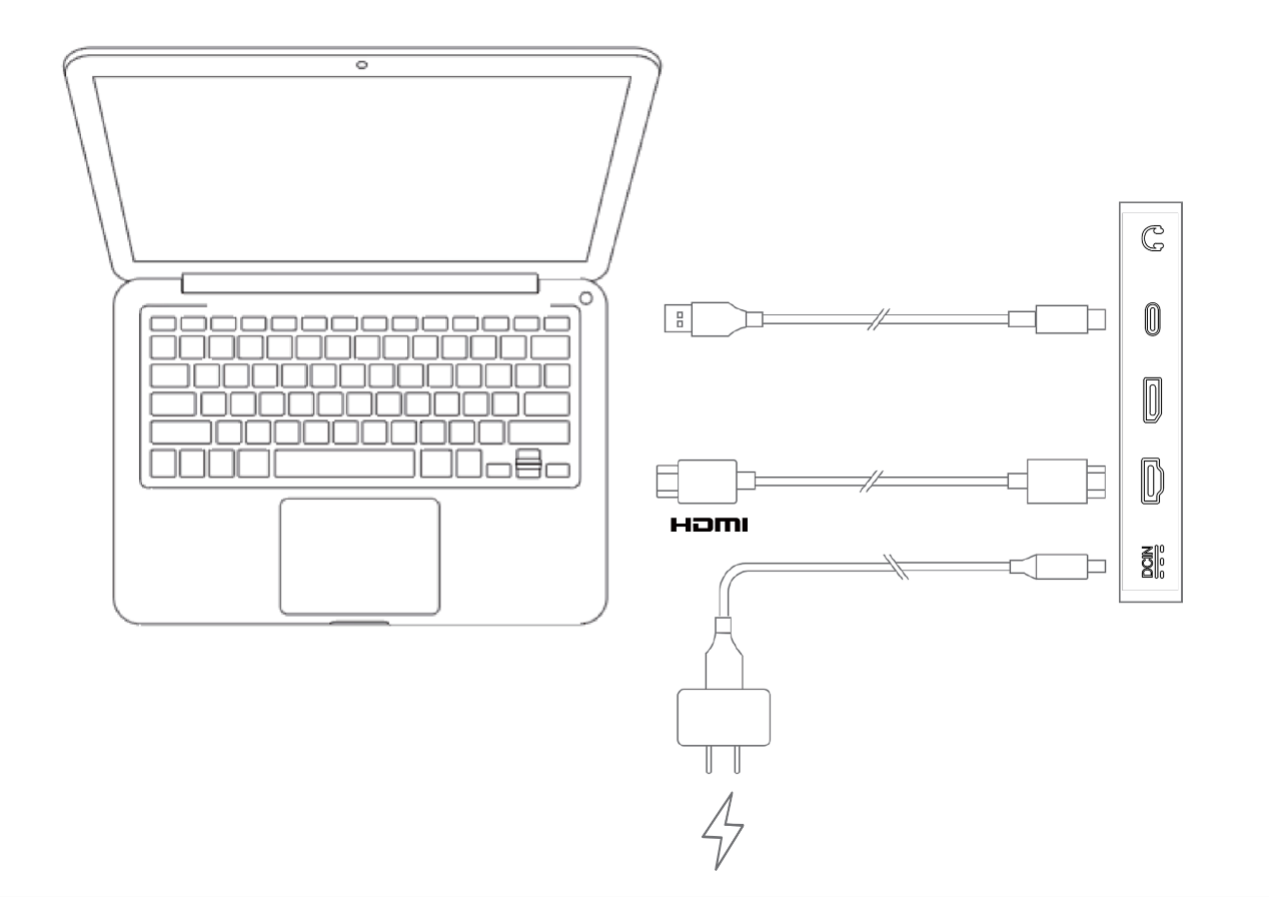
Mode 3: Connect to a computer that is equipped with a USB port and a DisplayPort. 1. Connect your device to a power outlet via a power cord and power adapter; 2. Connect your computer to your device via a DisplayPort cable and a USB-C to USB-A or USB-C to USB-C cable.