How to connect Deco Mini7w V2 to computer via Bluetooth
How to connect Deco Mini7w V2 to computer via Bluetooth
To power on the drawing tablet, simply press and hold the power button for 3 seconds, and the indicator light will light up. For pairing, long-press the shortcut key on the left top of the device (K1 key) until the indicator light (blue) flashes quickly.
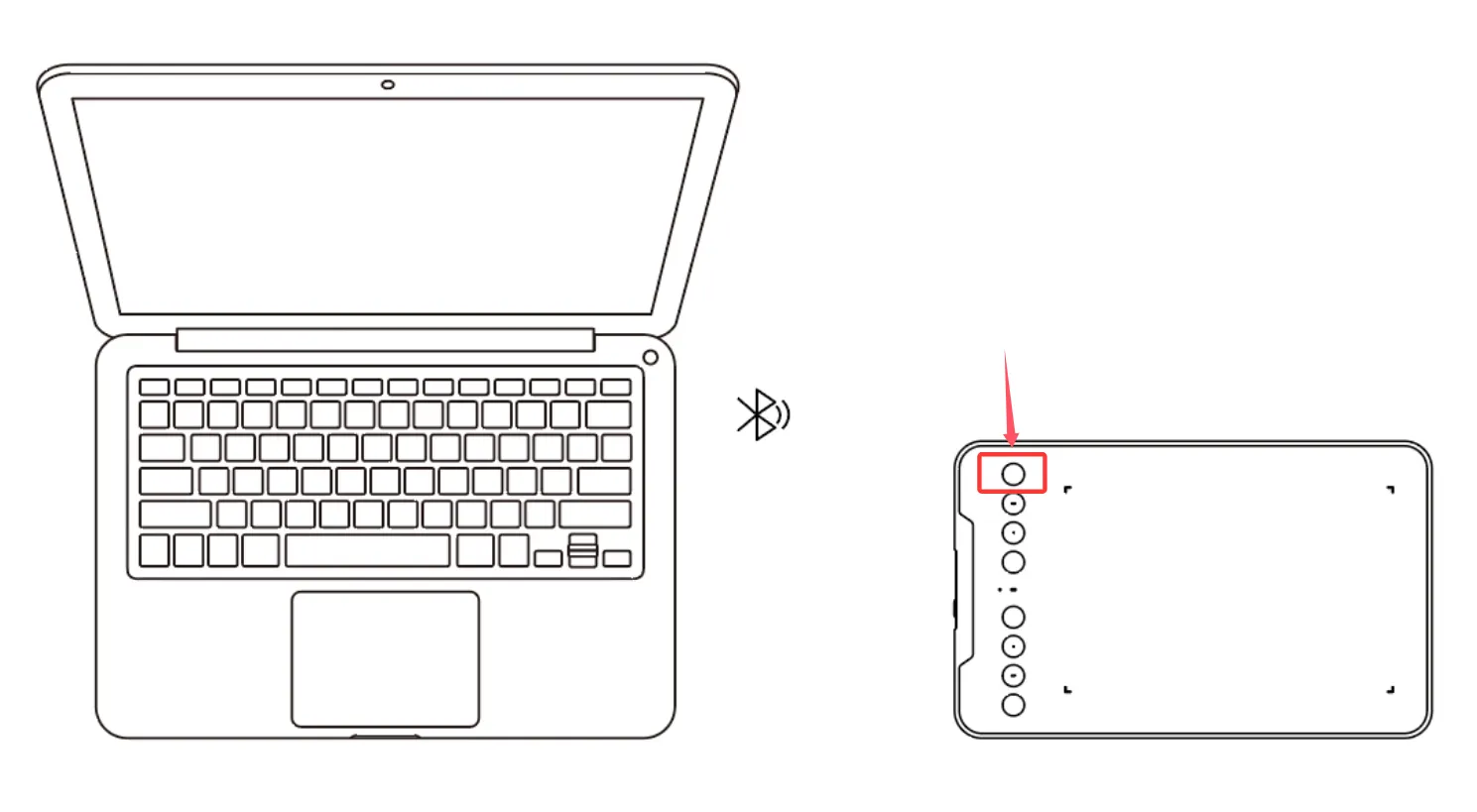
Turn on the Bluetooth on the computer, set up and add the Bluetooth device, search for the device name: Deco mini7W V2, and complete Bluetooth pairing by clicking the device name. After successful pairing, indicator light is solid blue.
Bluetooth connection only works with Windows and mac os. On a Linux system, the tablet needs to be connected with a USB cable.
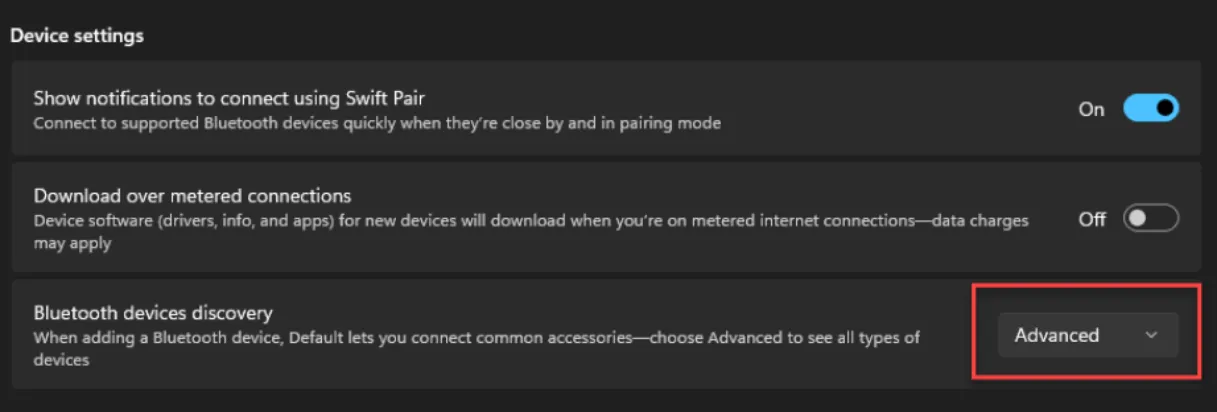
For Windows 11, if the Bluetooth device can’t be found by the computer settings, please open computer settings, go to the Windows Bluetooth & Devices settings > Devices > Device settings > Bluetooth devices discovery, and change the option from 'default' to 'advanced'.