How to Fix Scroll Wheel Zoom Issues
Applicable Model:Artist 15.6 Pro,Deco 03,Deco 02,Deco Pro S/M,Artist 13.3 Pro,Artist 12 Pro,Artist 22R Pro,Artist 24 Pro,Innovator 16,Deco Pro SW/MW,Artist Pro 16,ACK05,Artist 13.3 Pro V2,Artist 15.6 Pro V2
How to Fix Scroll Wheel Zoom Issues
1. Open the XPPen Driver and locate the 「Shortcut Remote」 option.
2. Select 「Zoom」 from the function list.
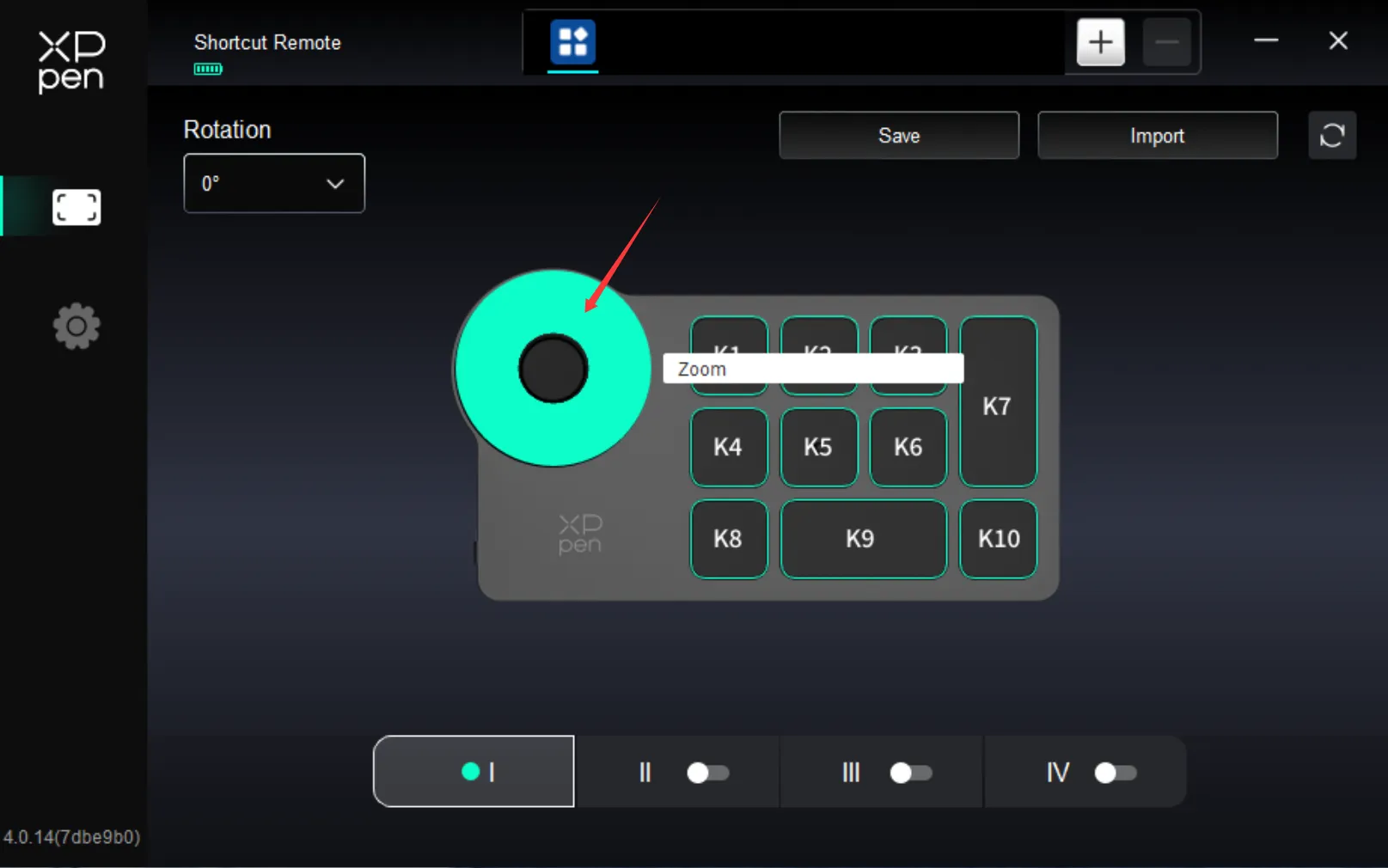
3. Click on 「Customize」.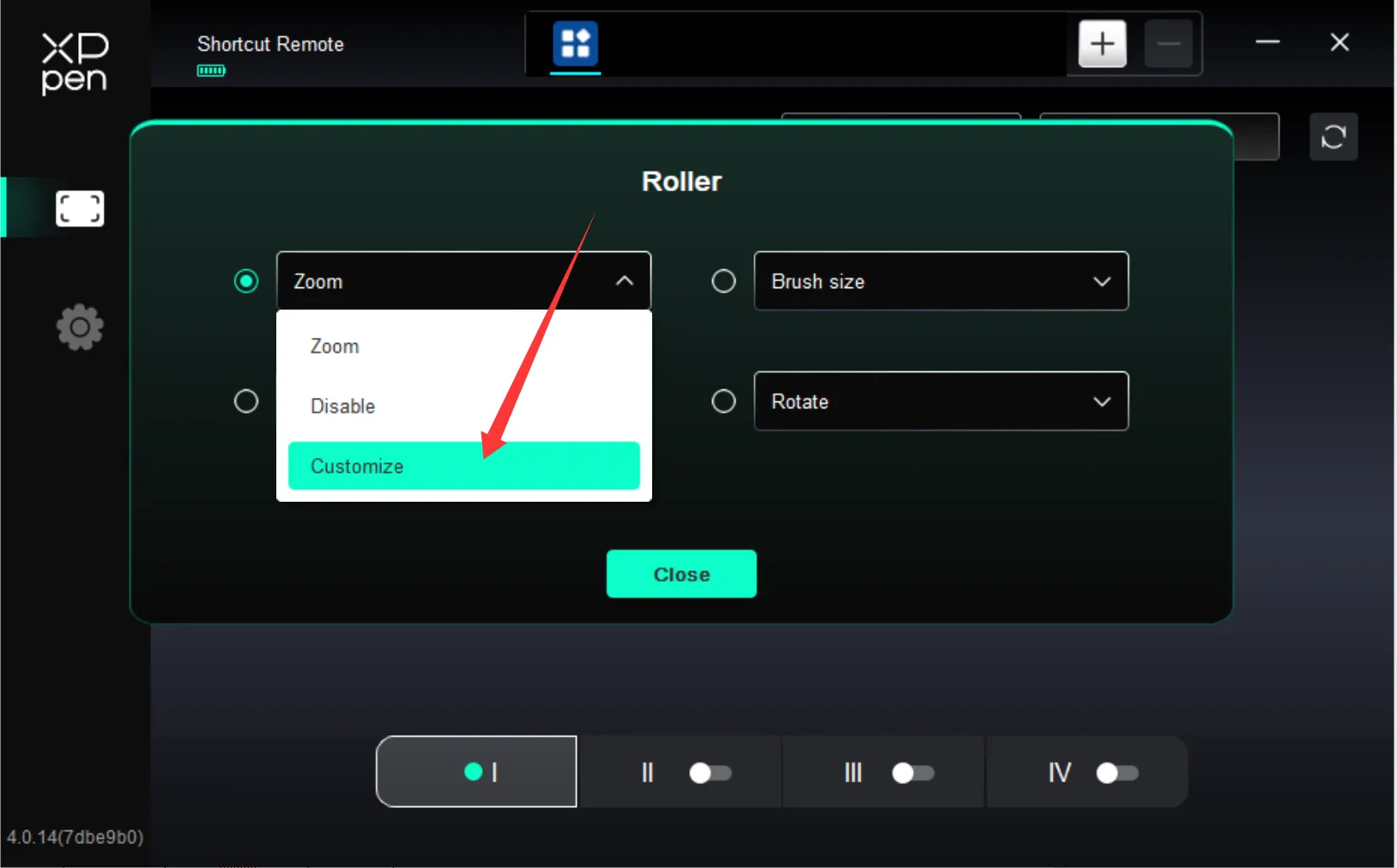
4. Important: Switch your input method to English. Use your keyboard to input Ctrl + - (Zoom Out) and Ctrl + = (Zoom In).
Note: You must press Ctrl and the - / + keys simultaneously.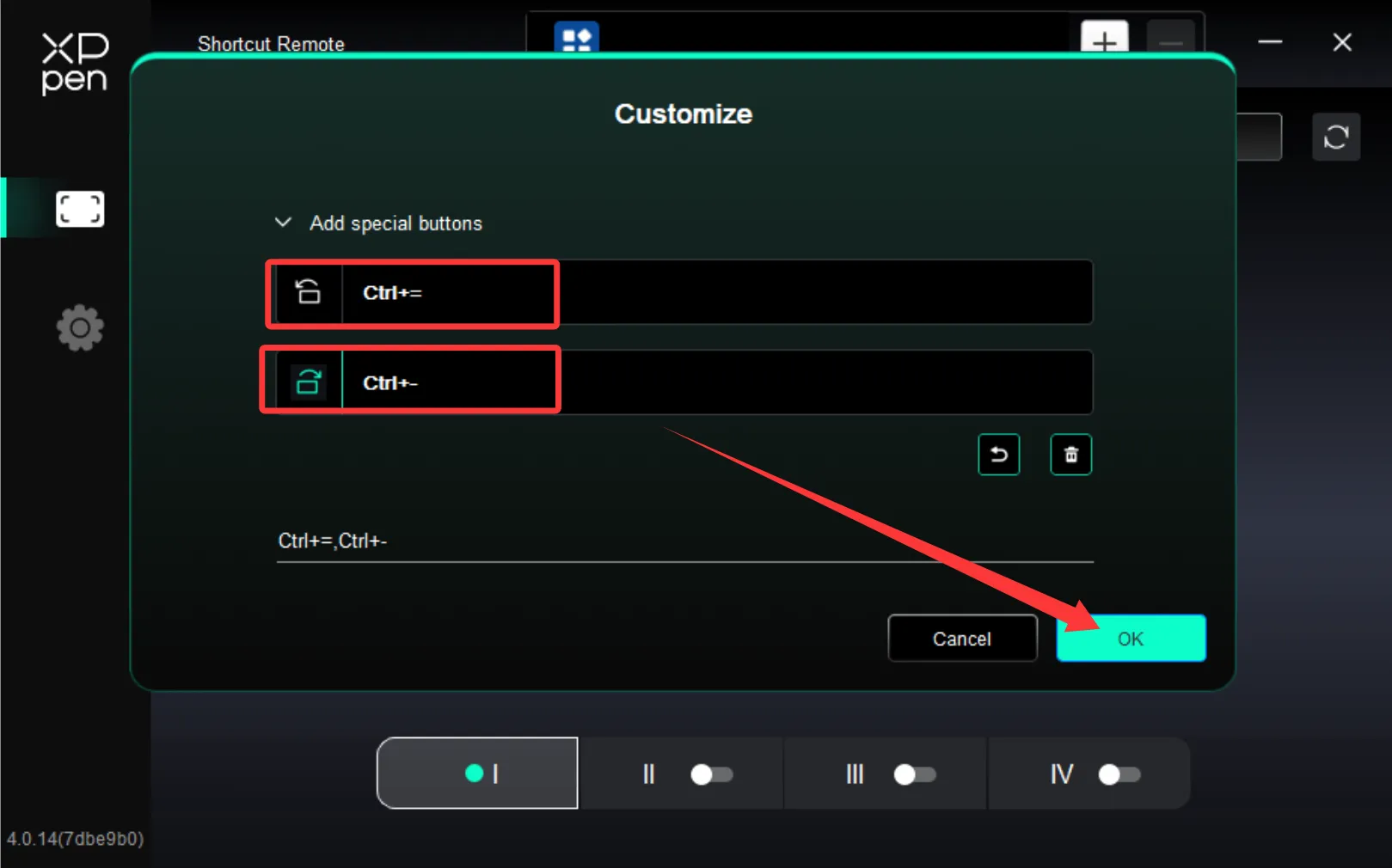
5. After saving the settings, restart your software to use the canvas zoom function normally.