How to Fix "Bluetooth Devices Not Found" in Windows 11
Applicable Model:Deco Pro SW/MW,Deco LW,Deco MW,ACK05,Deco Pro (Gen 2) Series,Deco mini7W V2
- Confirm that your PC has built-in Bluetooth or a Bluetooth adapter is connected (right-click the Start button → Device Manager to verify).
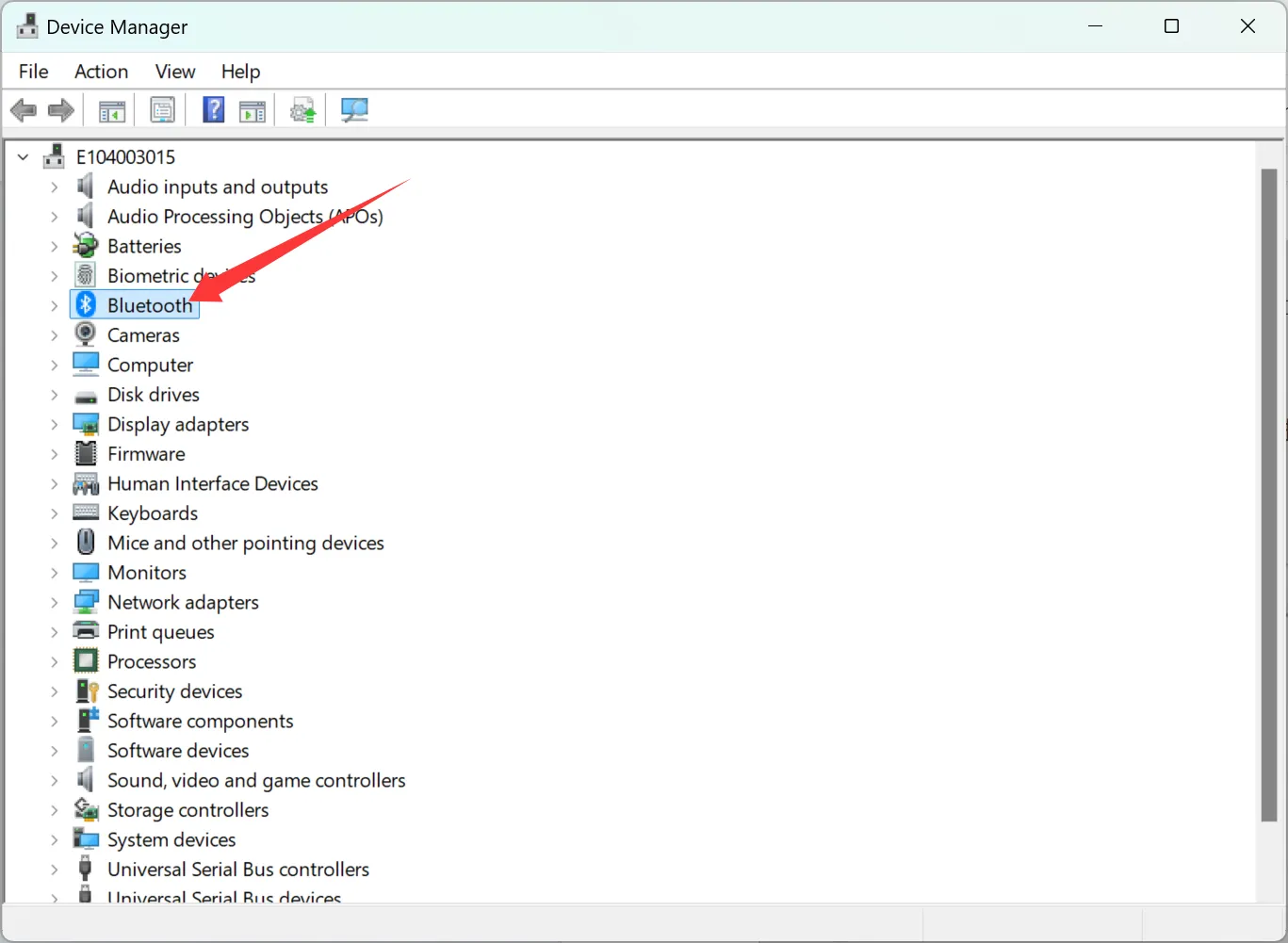
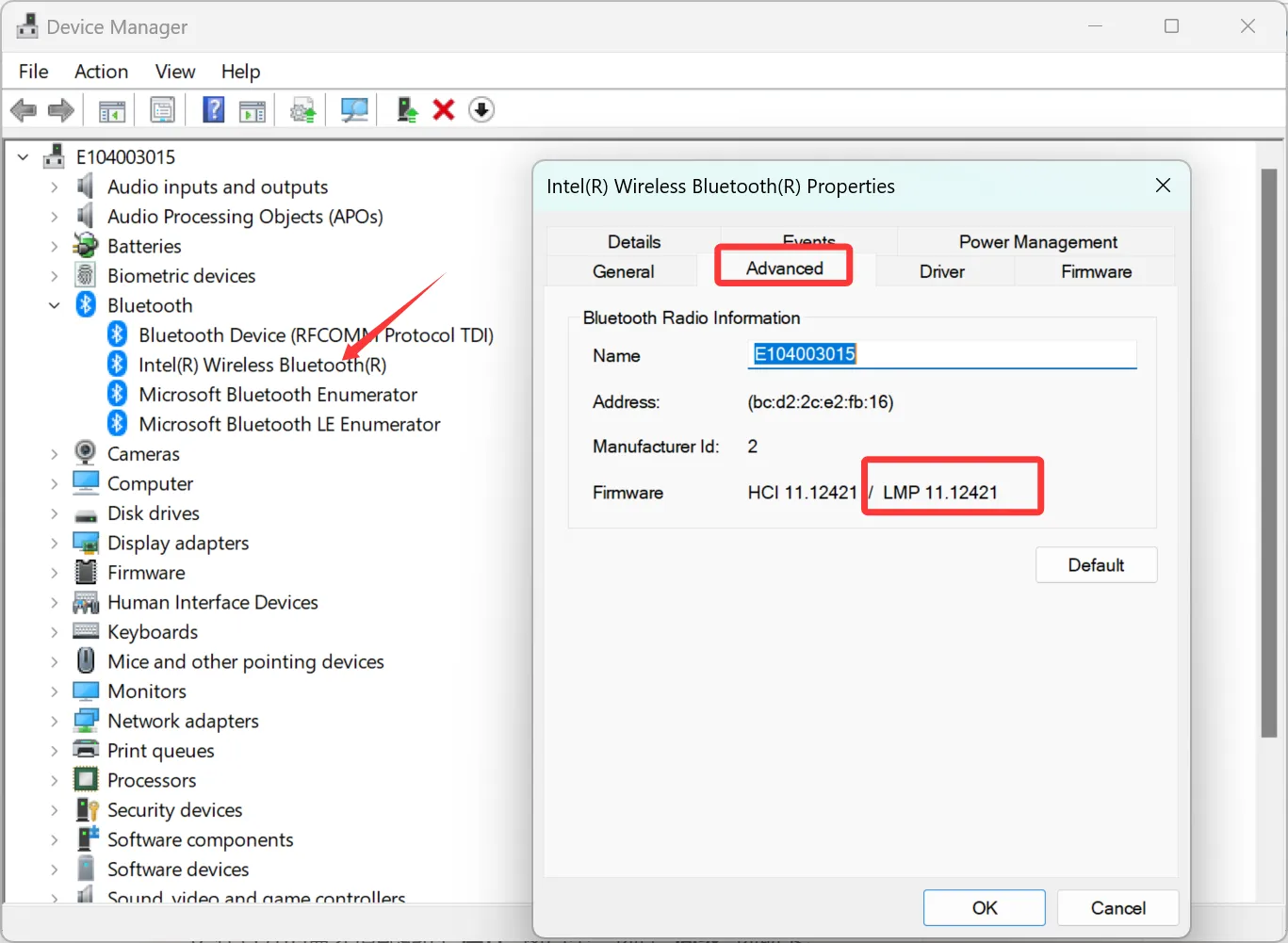
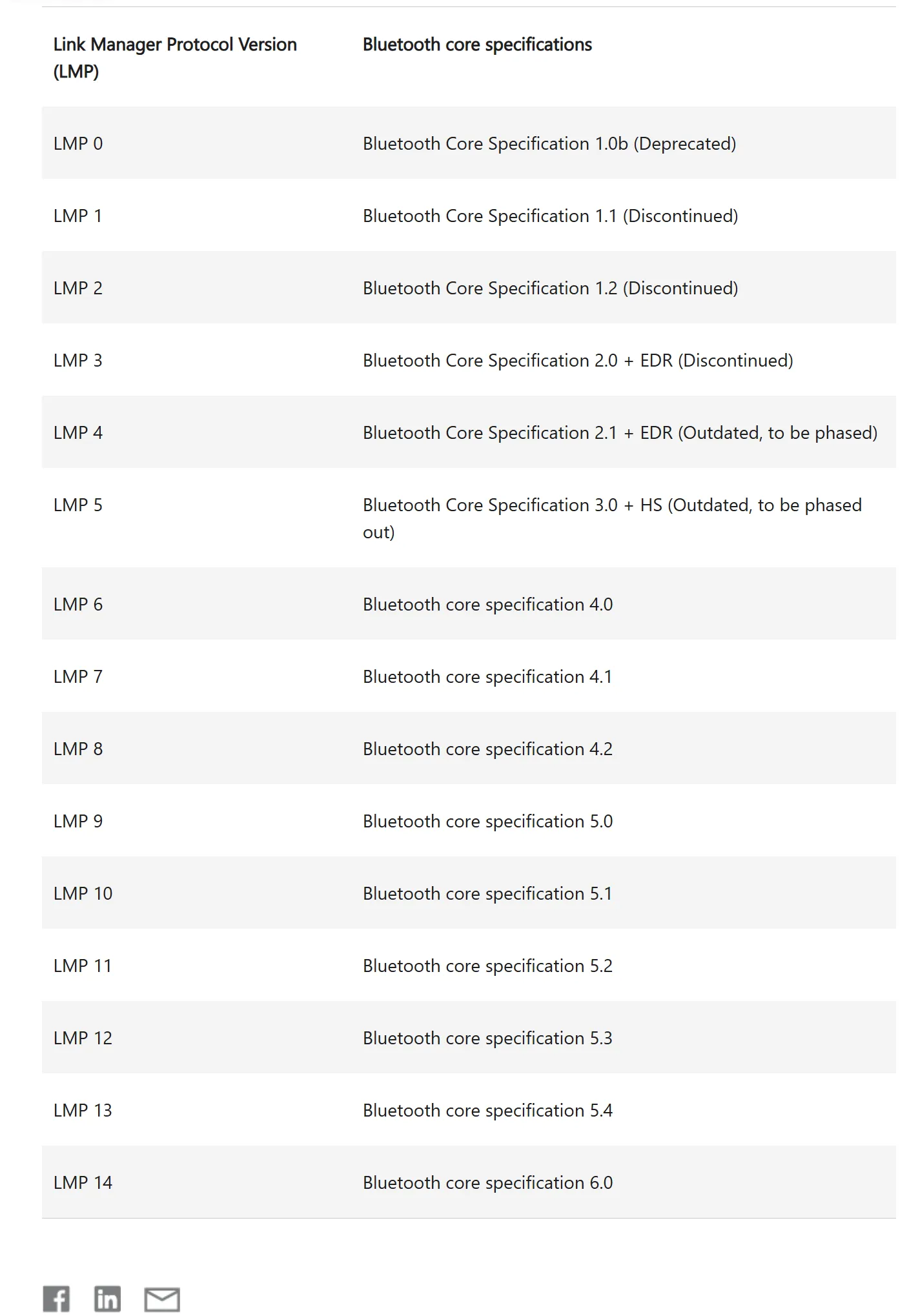
- Make sure the Bluetooth version is 5.0 or above.
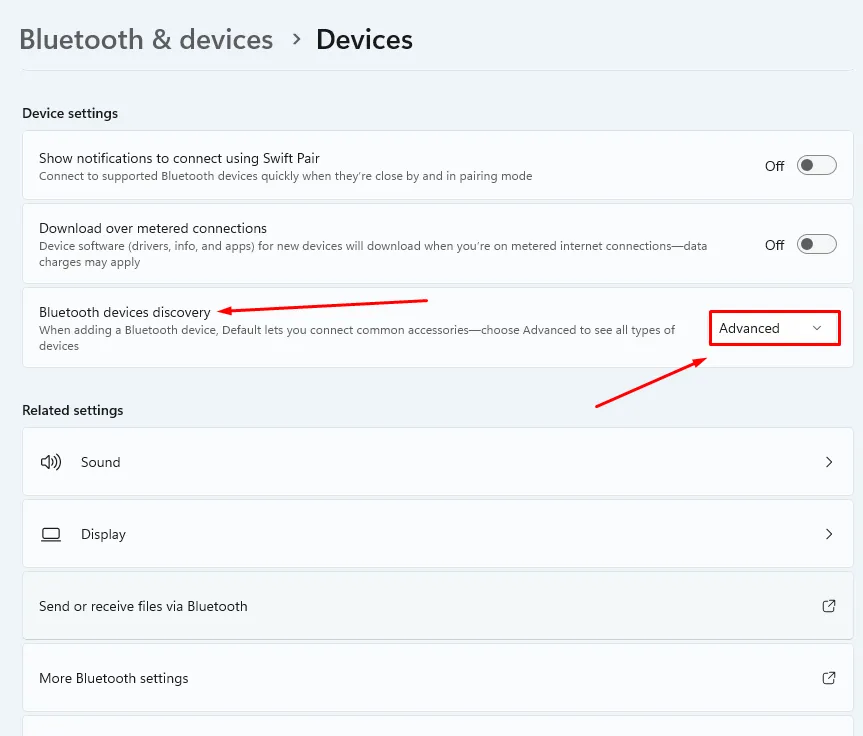
- Go to computer Bluetooth Settings → Device Settings → change "Bluetooth device discovery" to Advanced.
Note: After that if still the same, please reset the product Bluetooth and re-pair it again.