How to Screen Record on Magic Drawing Pad
Applicable Model:Magic Drawing Pad
How to Screen Record on Magic Drawing Pad
Full-Screen Recording:
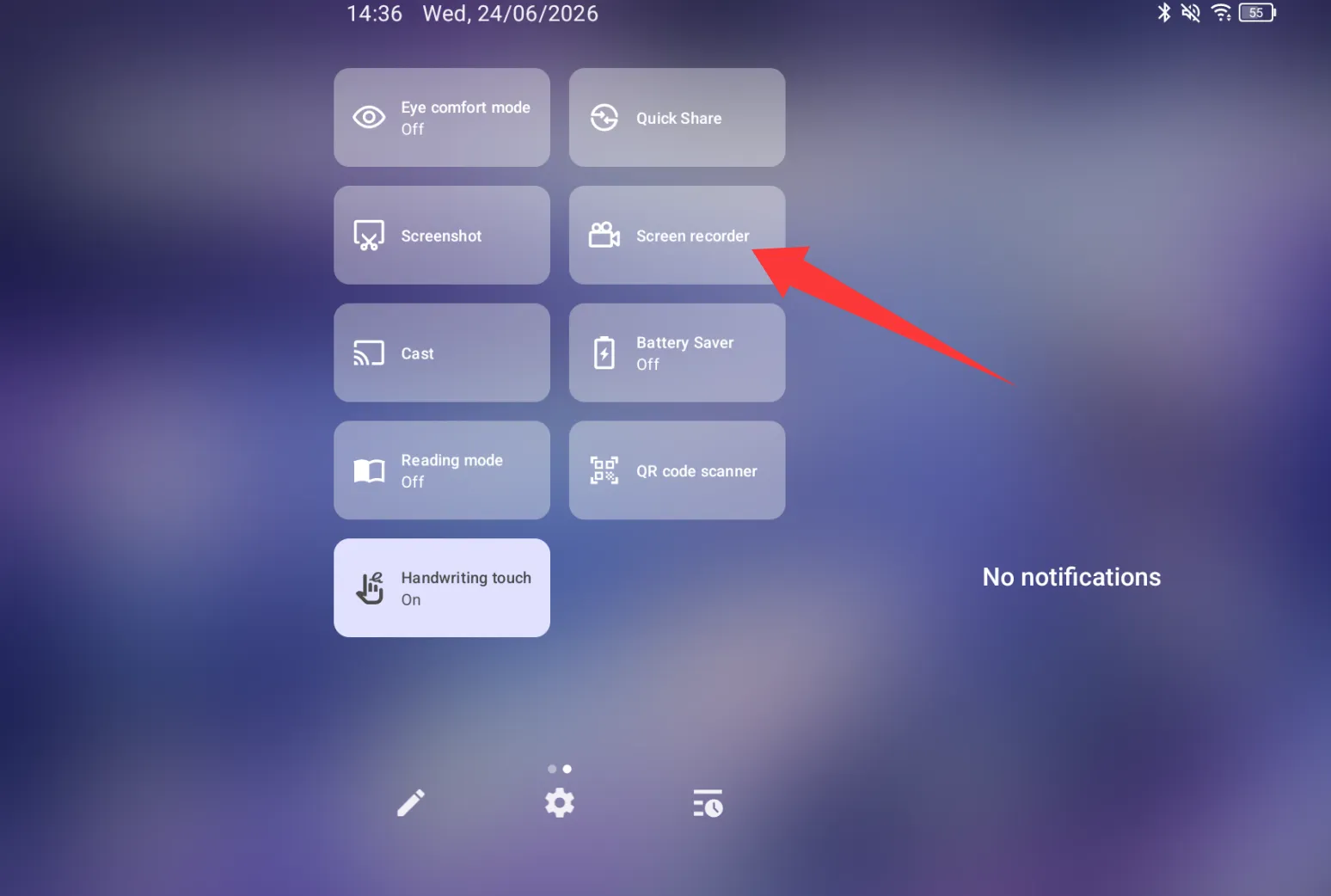
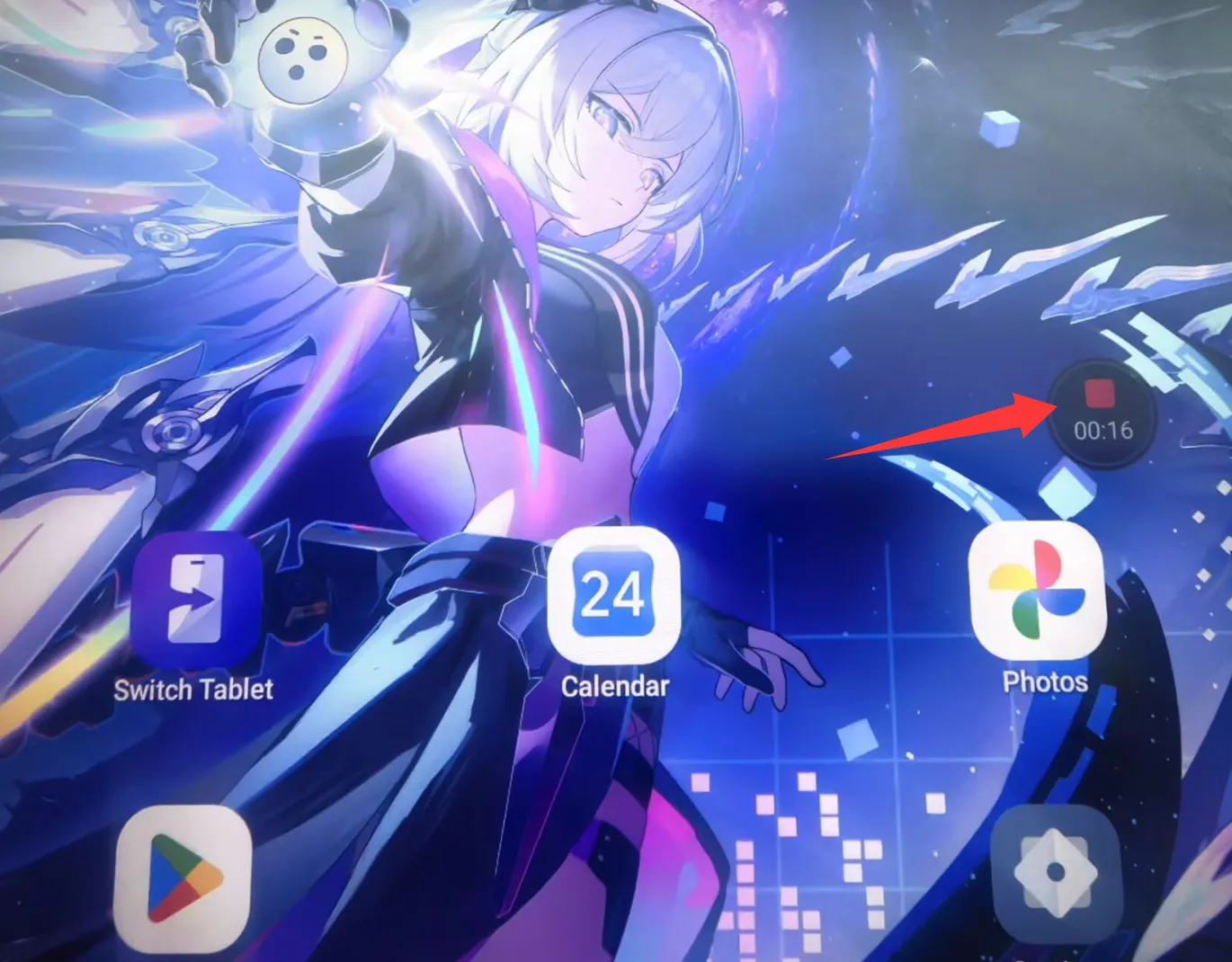
- Swipe down from the top of the tablet to open Quick Settings, find the "Screen Recorder" option, and tap it. (Recording starts automatically after 3 seconds. To stop, press the red button on the right.)
Region Recording:
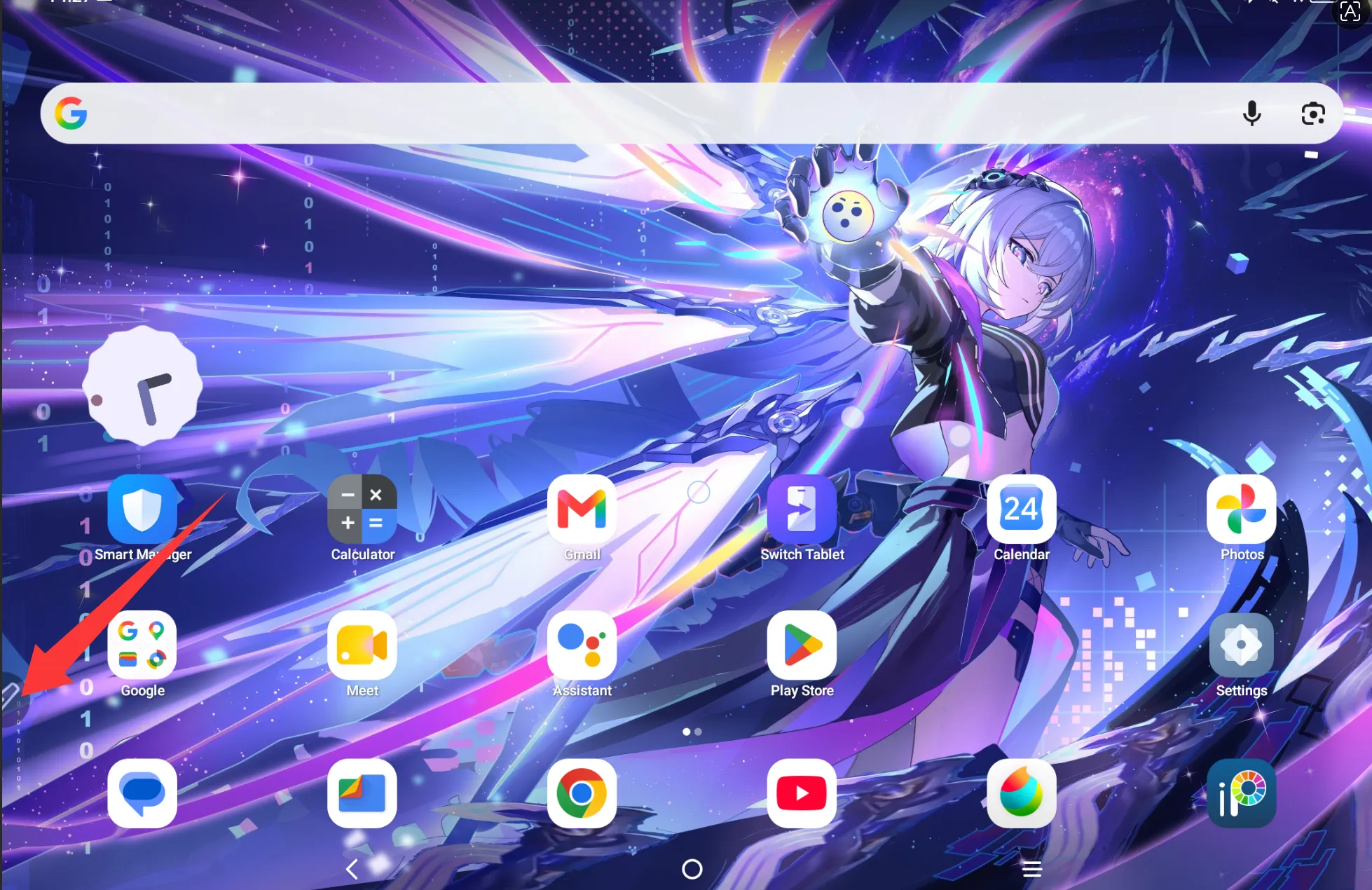
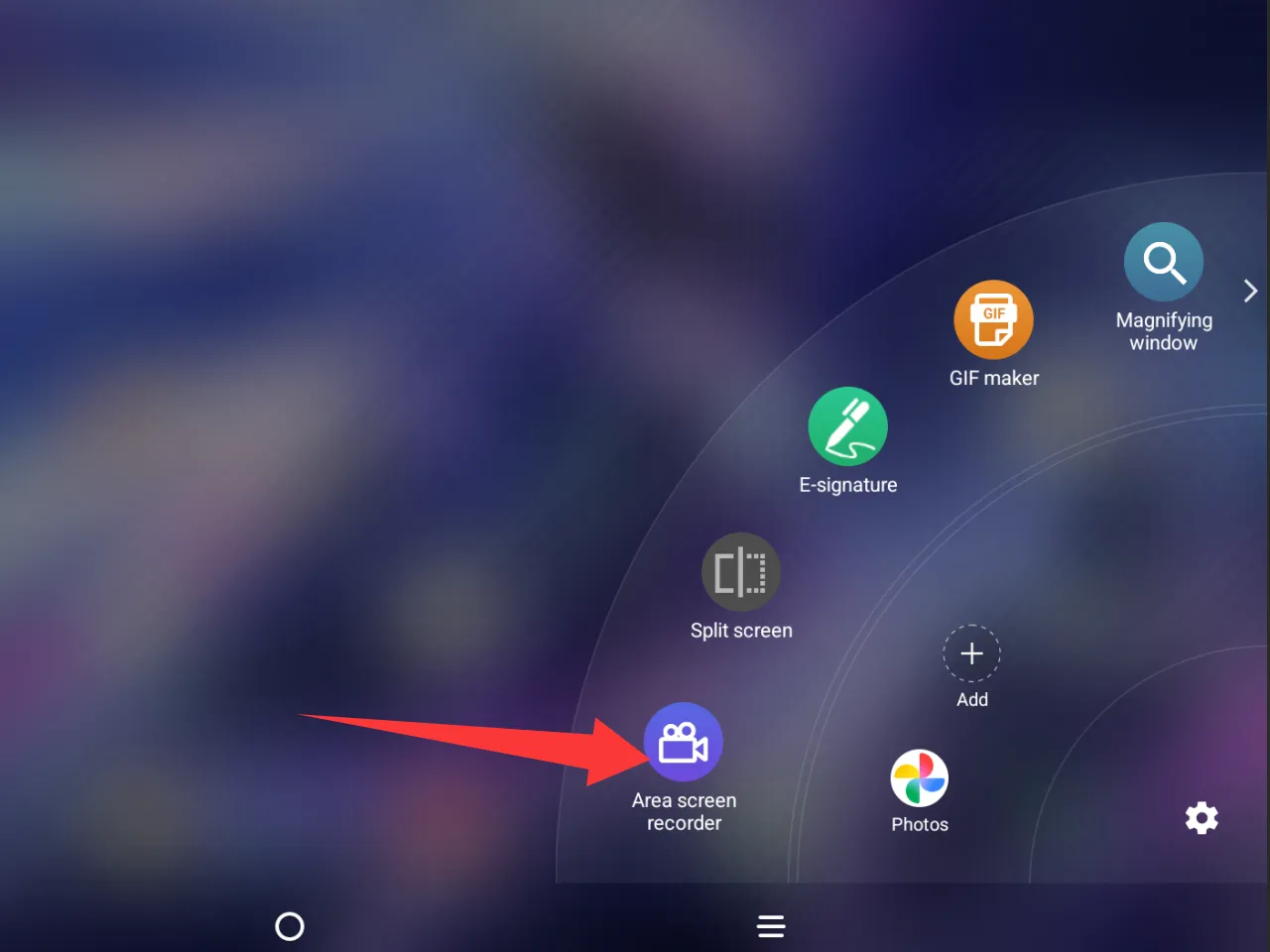
- Tap the floating pen button on the screen, then select "Area screen recorder."
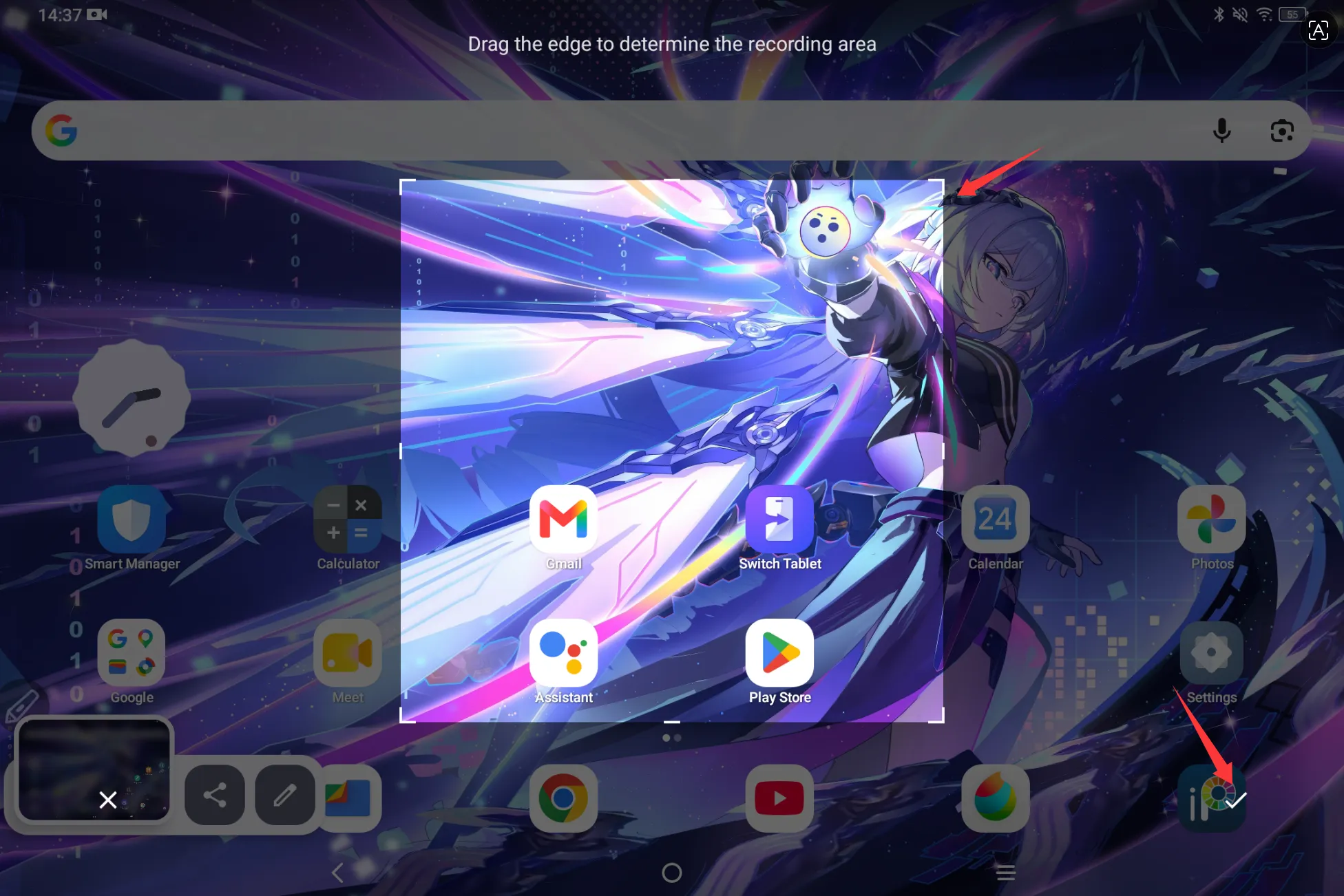
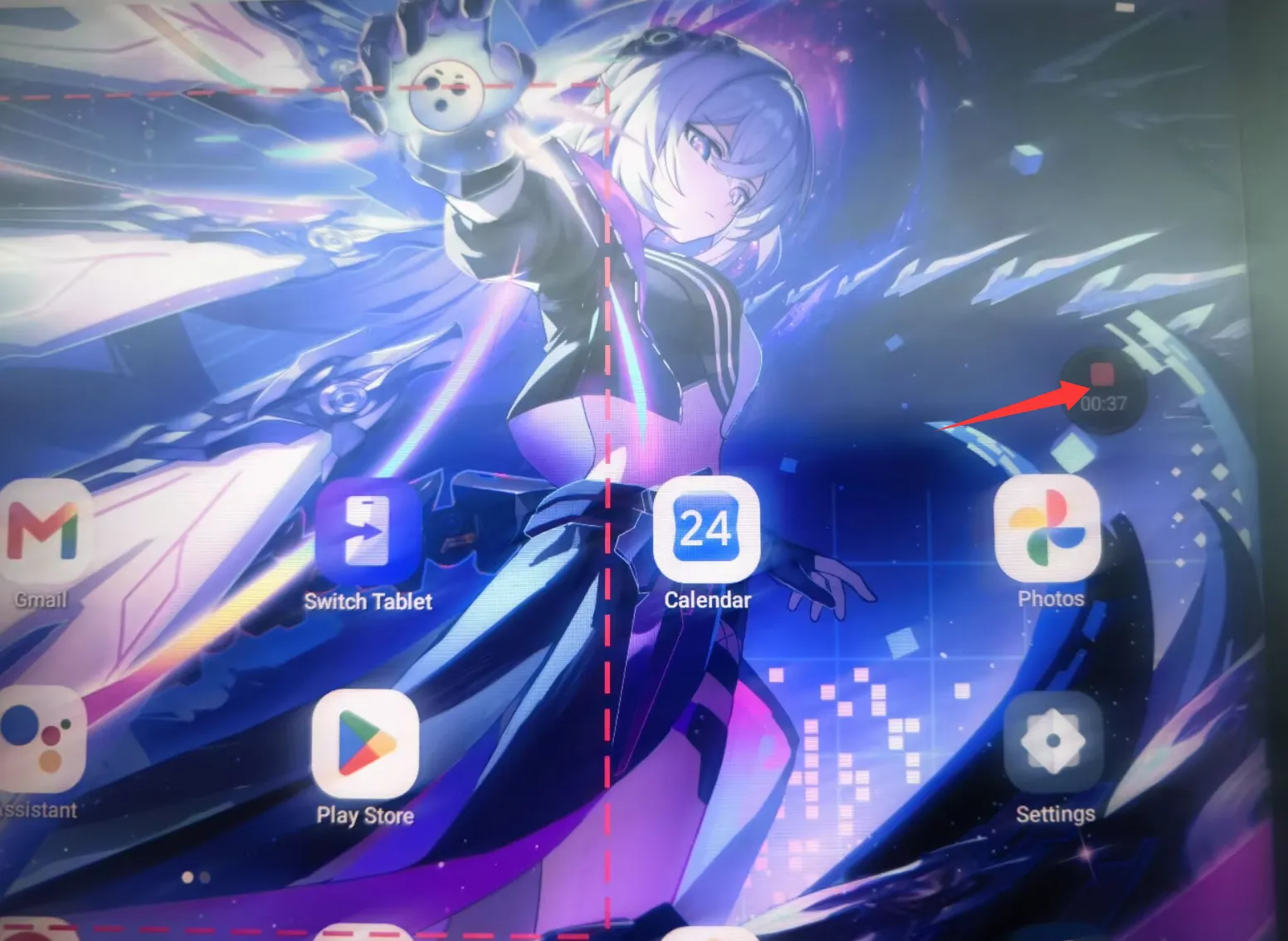
- A recording frame will appear — adjust its size and position as needed, then tap the ✓ on the right to confirm. Recording starts automatically after 3 seconds. To stop, press the red button on the right.
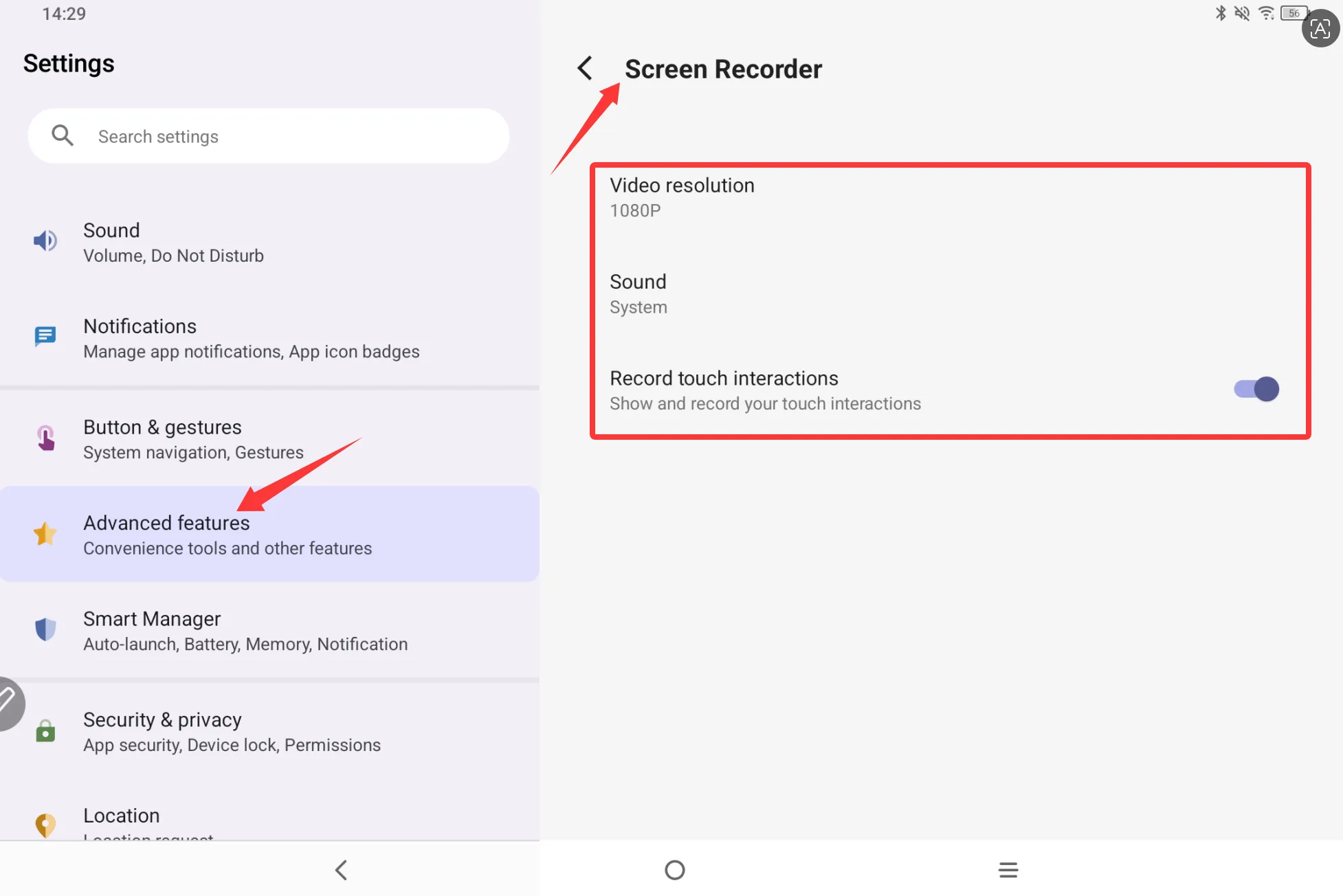
Note: If you need to adjust the recording resolution, audio, and touch interaction, go to Settings → Advanced Features → Screen Recorder to configure these options. Once done, you can start your screen recording.