How to Set a Three-Key Combination Shortcut on Windows OS(e.g., Alt + W + 1)
How to Set a Three-Key Combination Shortcut on Windows OS(e.g., Alt + W + 1)
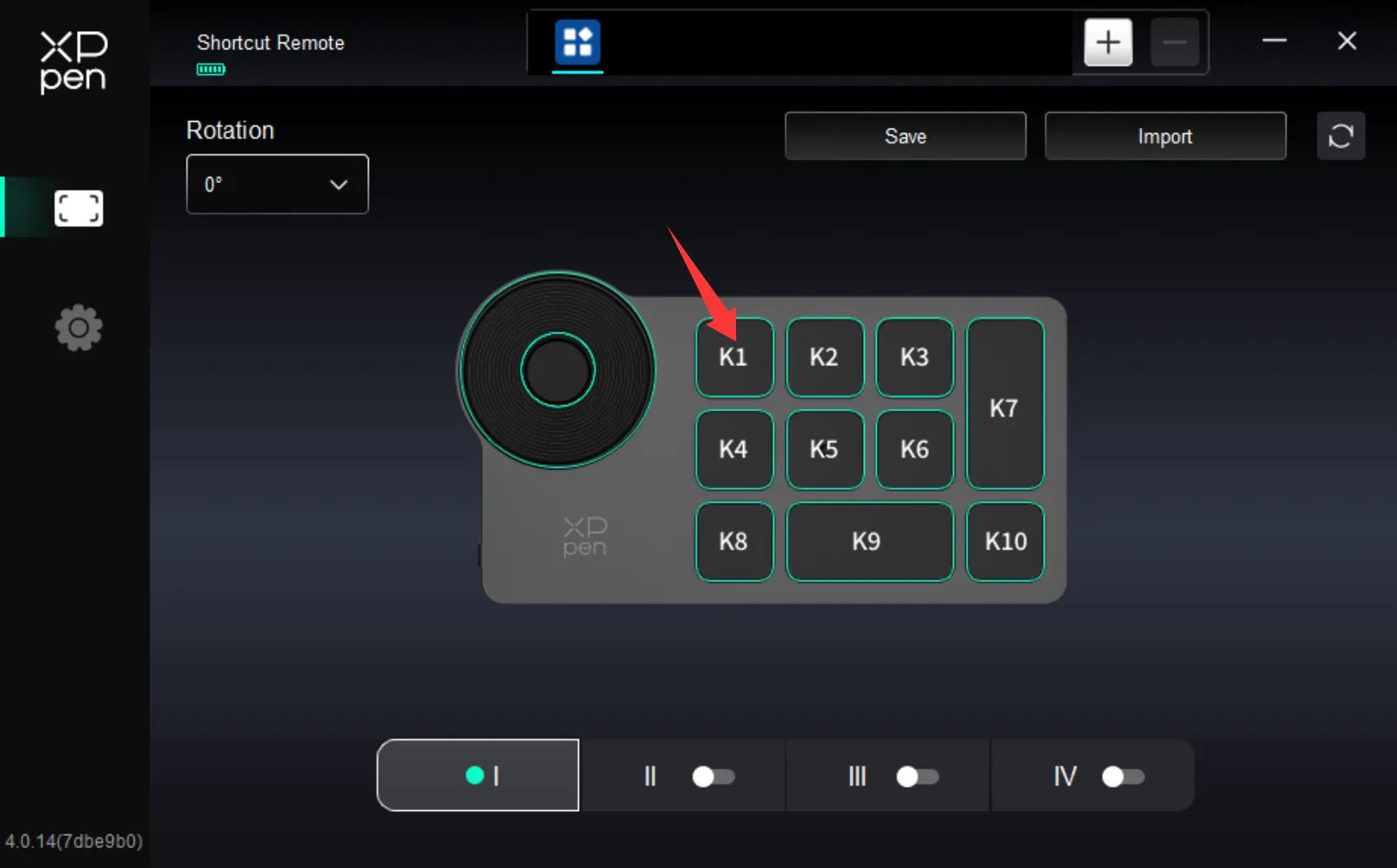
1.Open the driver's shortcut key settings interface, and click on the K1 shortcut key.
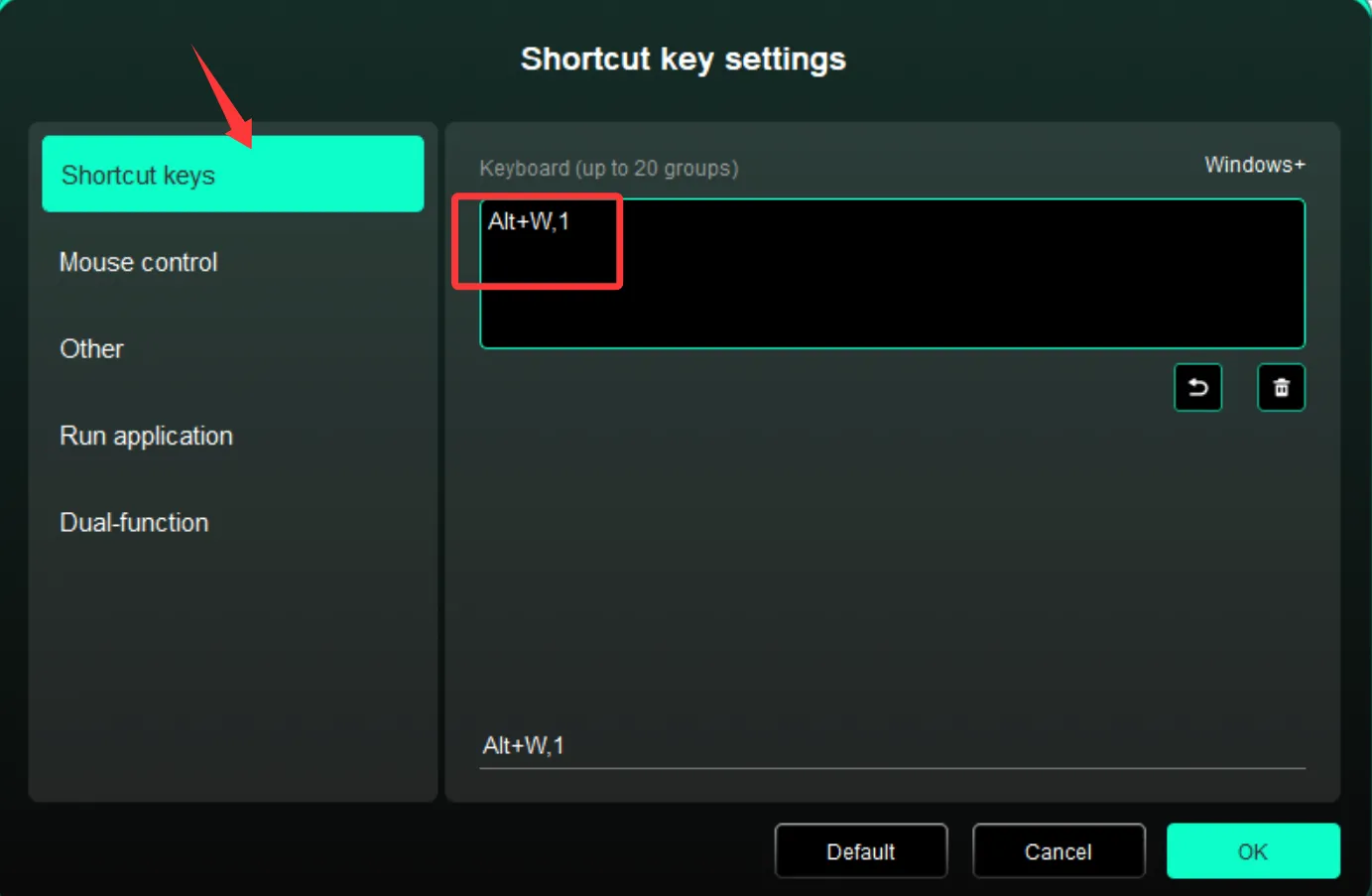
2. In the keyboard shortcut settings, press Alt, W, and 1 on your computer keyboard simultaneously. It will display as (Alt+W, 1). Click OK in the bottom- right corner of the driver.
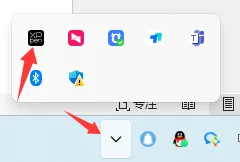
3. In the bottom-right corner of your desktop, find the driver icon, right-click it, and select Exit Driver.
4. On the desktop, click This PC, then navigate to C: → Users → Admin → AppData → Roaming → XPPen.
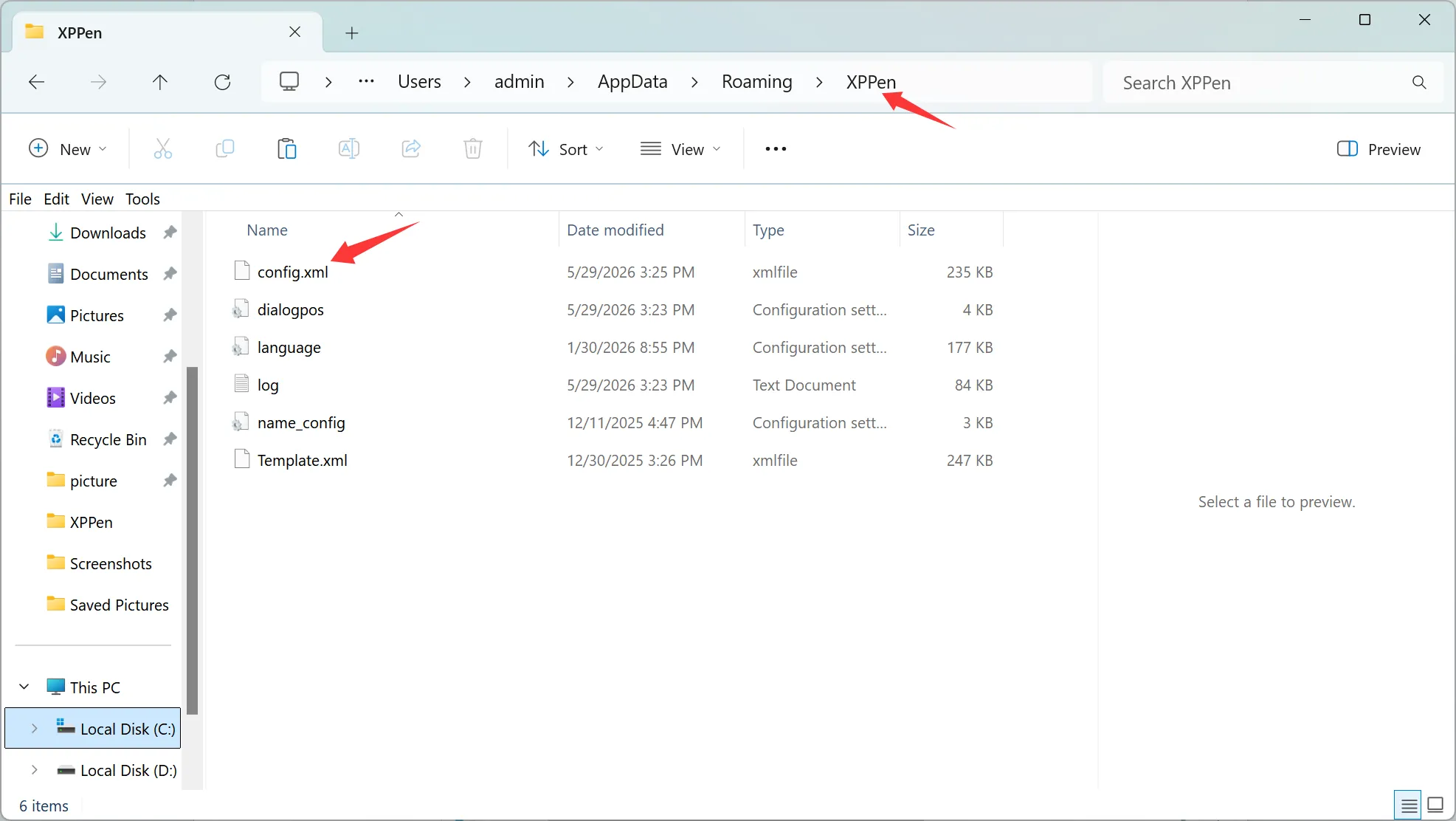
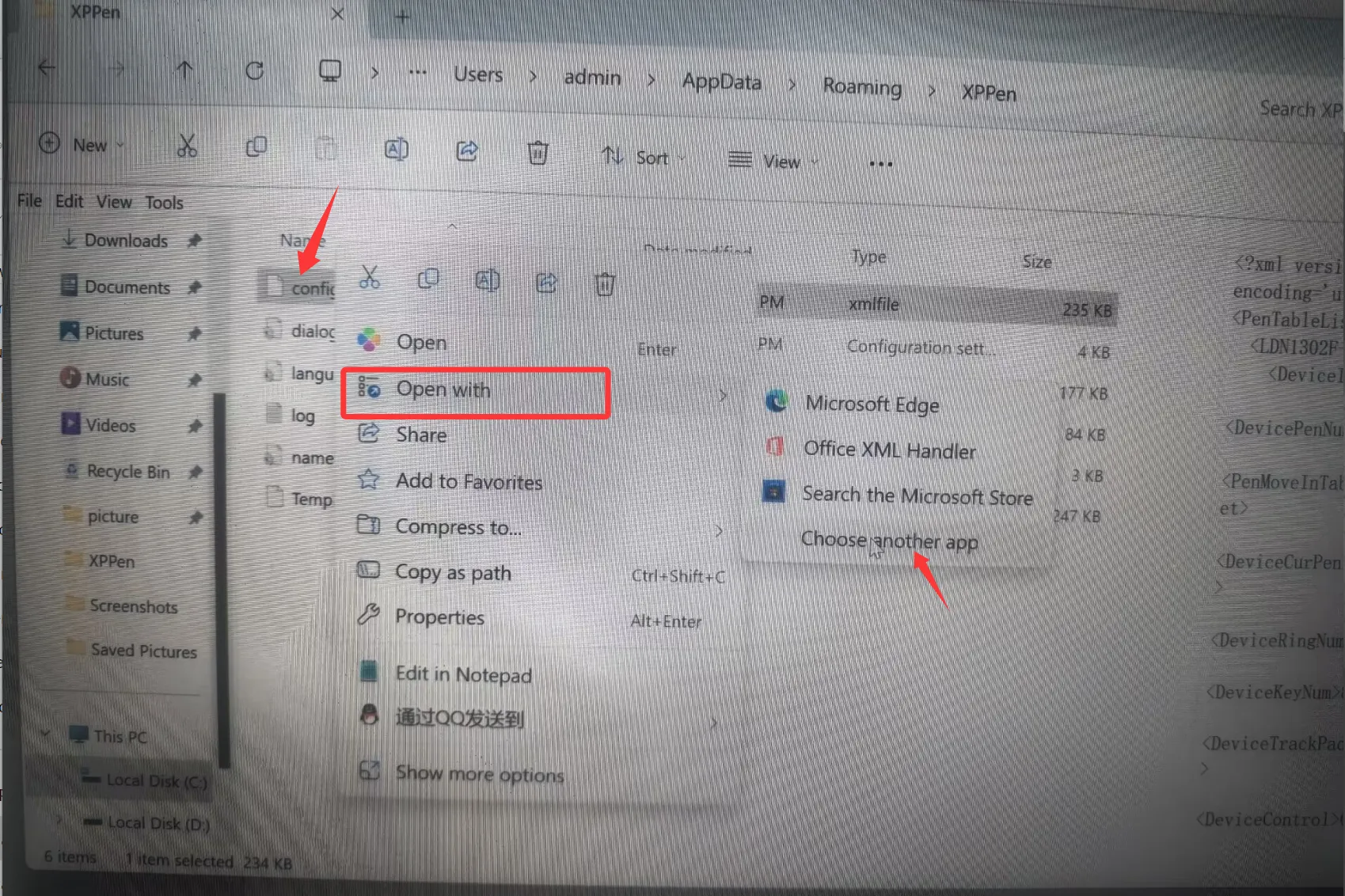
5. Inside the XPPen folder, right-click the config configuration file and select Open with → Notepad.
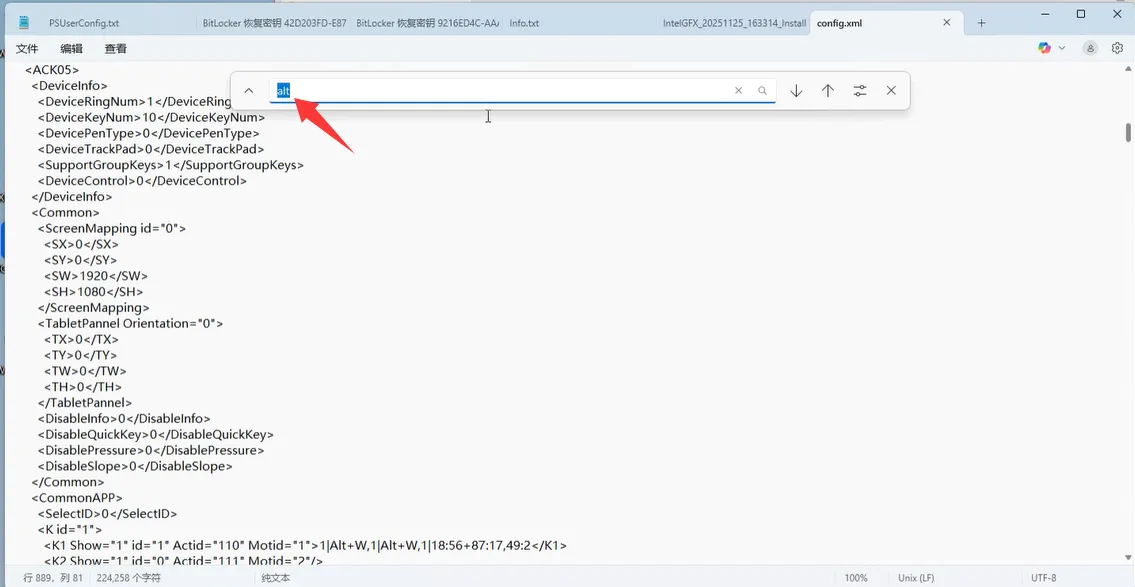
6. In Notepad, press Ctrl+F to open the find box, type Alt, and press Enter.
7. Locate the shortcut key setting code for K1 (Alt+W, 1).
8. In both (Alt+W, 1) and (18:56+87:17, 49:2), remove the commas and replace them with + signs.
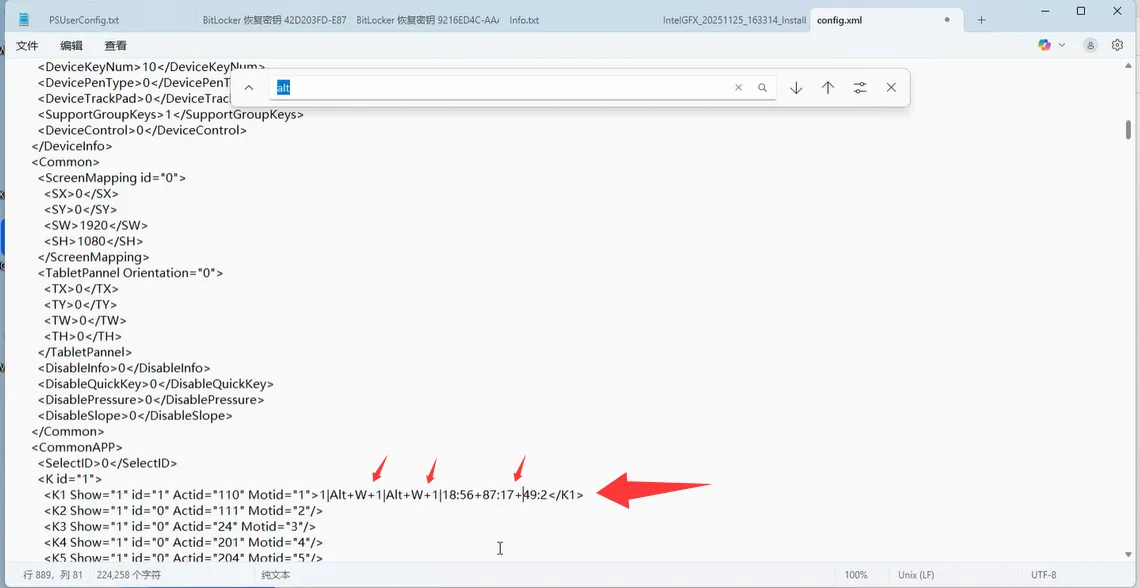
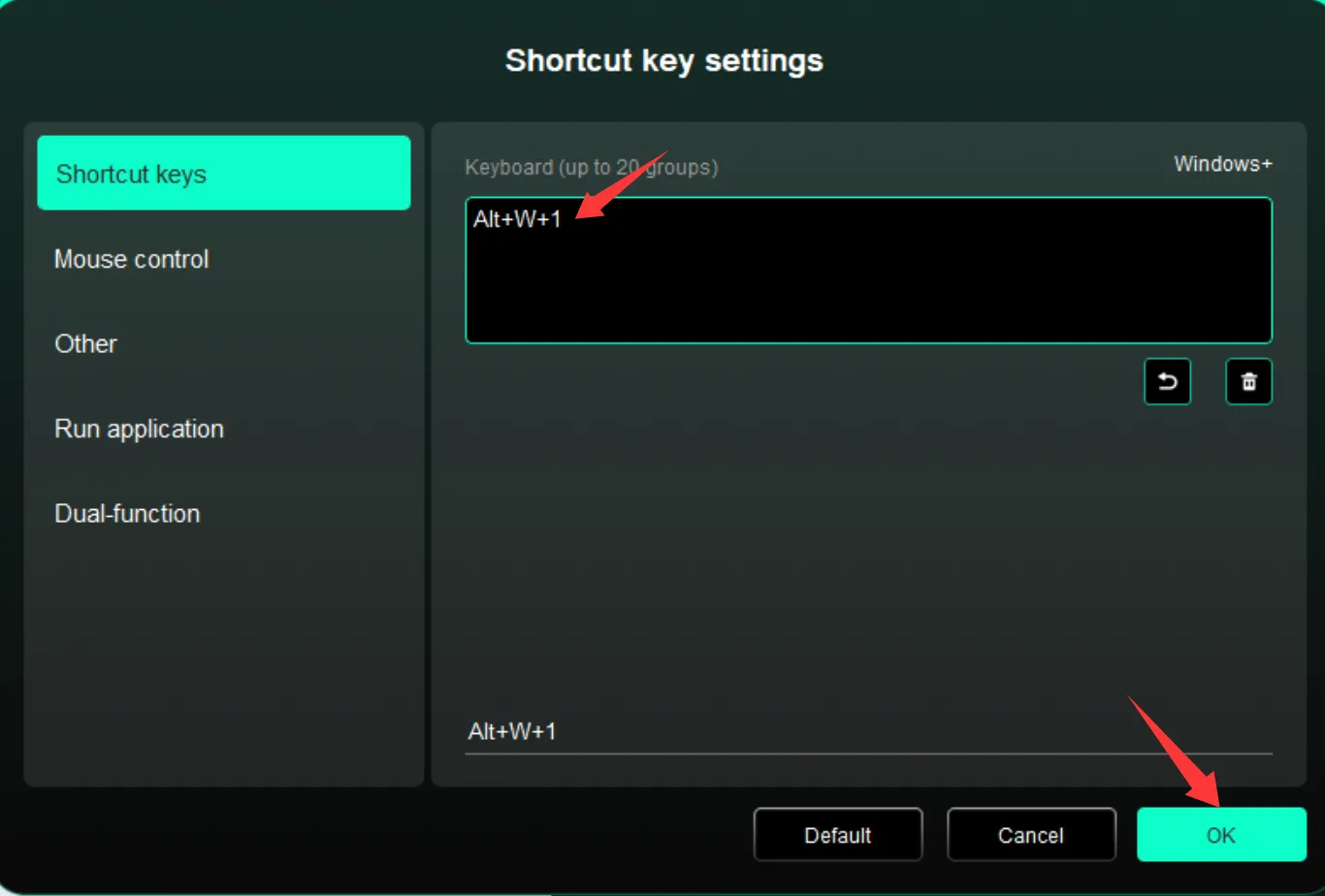
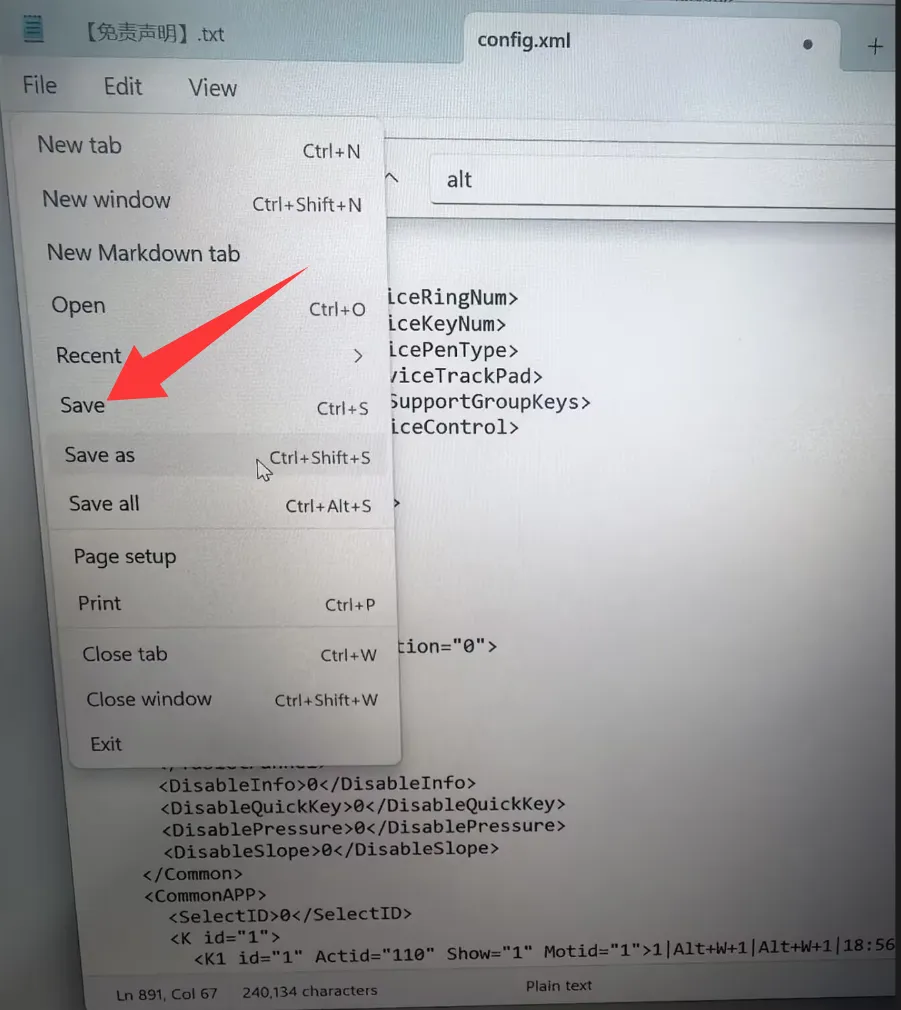
9. Click File → Save in the top-left corner of Notepad, or press Ctrl+S to save.
10. Then reopen the driver shortcut key settings, click on the K1 shortcut key setting. You should now see (Alt+W+1). Click OK in the bottom-right corner of the driver.