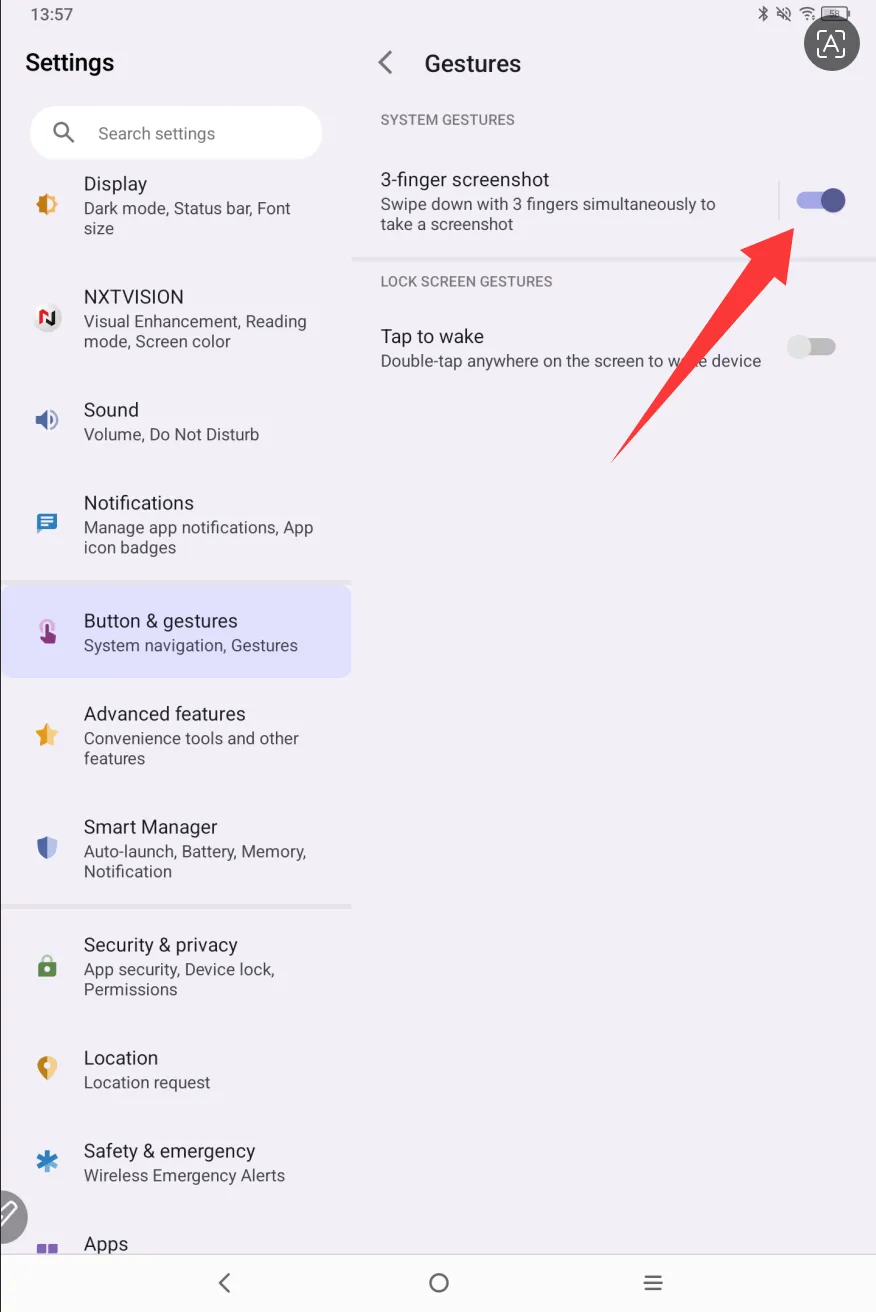
How to Use Three-Finger Gesture to Take a Screenshot on a Tablet
Applicable Model:Magic Drawing Pad,Magic Note Pad
How to Use Three-Finger Gesture to Take a Screenshot on a Tablet
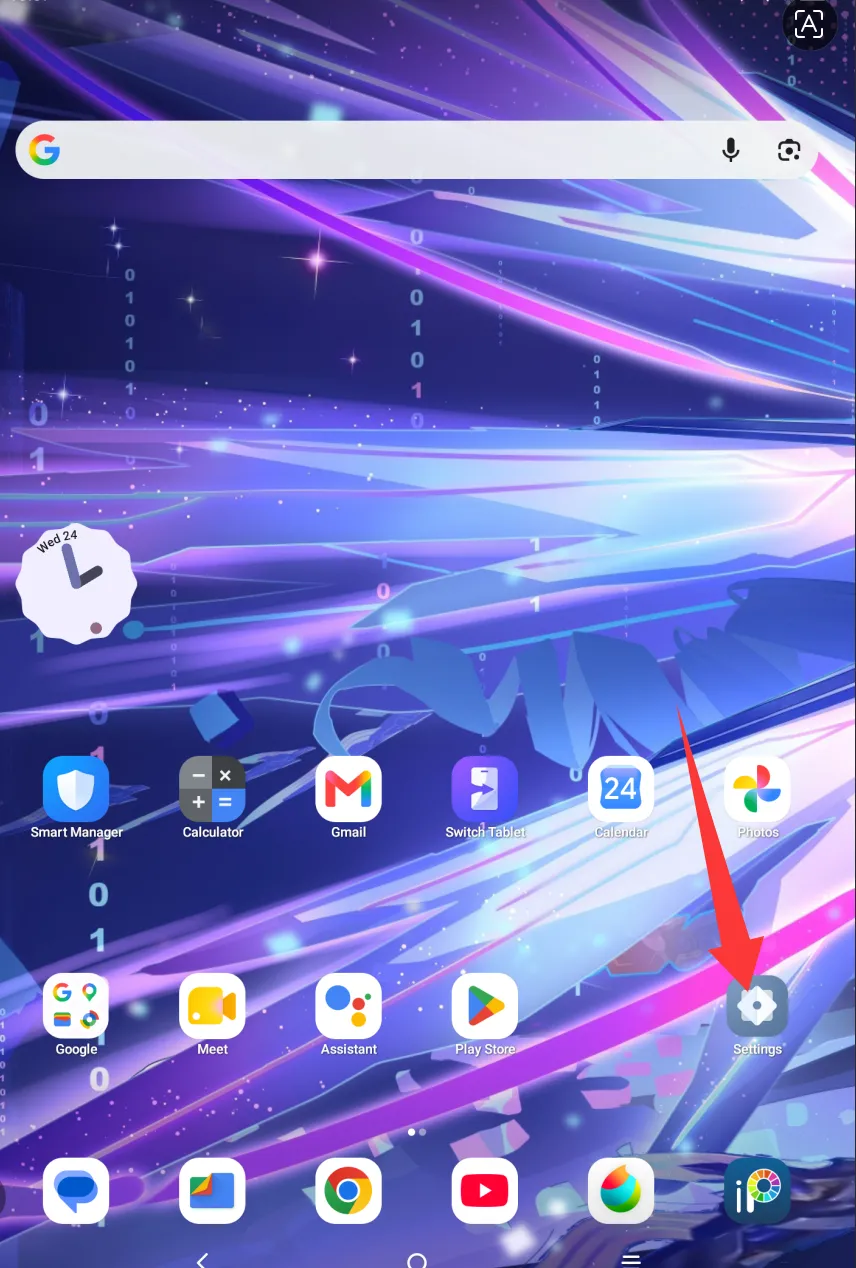
- Open the Settings app on your tablet.
2. Find the "Buttons & Gestures" option.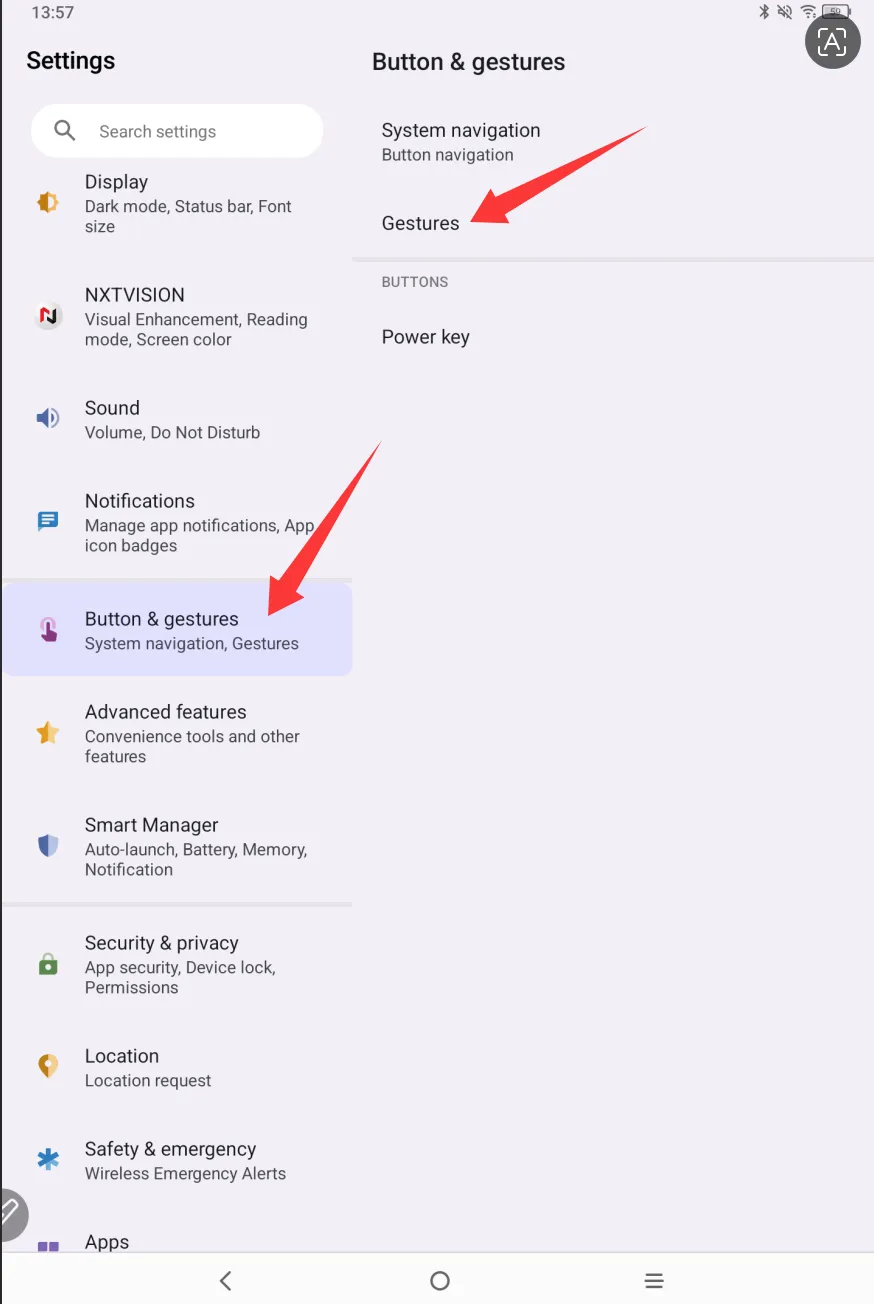
3. Tap "Gestures" → "Swipe" and toggle on the three-finger screenshot switch.