Troubleshooting Steps for Failed Driver Installation on Windows OS
Applicable Model:Star G640,Star G430S,Artist 22 Pro,Artist 22E Pro,Artist 12,Artist 15.6 Pro,Deco 03,Deco 02,Deco Pro S/M,Artist 13.3 Pro,Deco 01 V2,Artist 12 Pro,Star G960,Artist 22R Pro,Star G960S,Star G960S Plus,Artist 24 Pro,Innovator 16,Deco mini7,Deco mini4,Deco mini7W,Artist 13.3 Pro Holiday Edition,Artist 22 (2nd Generation),Deco Fun,Deco Pro SW/MW,Artist Pro 16TP,Artist 24,Artist Pro 16, Artist 12 (2nd Generation),Deco LW,Deco L,Artist 13 (2nd Generation),Artist 16 (2nd Generation),Deco M,Deco MW,Artist 10 (2nd Generation),Artist 24 (FHD),ACK05,Artist Pro 14 (Gen 2),Deco Pro (Gen 2) Series,Artist Pro 16 (Gen 2),Artist 22 Plus,Artist 12 Pen Display (2nd Gen) Le Petit Prince Edition,Artist 16 Pen Display (2nd Gen) Le Petit Prince Edition,Deco 640,Deco 01 V3,Deco mini7 V2,Artist Pro 24 (Gen 2) 4K,Artist Pro 19 (Gen 2),Artist Pro 24 (Gen 2) 165Hz,Artist 13.3 Pro V2,Artist 15.6 Pro V2,Artist Pro 22 (Gen 2),Artist Ultra 16,Artist 12 3rd,Deco mini7W V2,Artist Pro 27 (Gen 2),Artist 16 3rd
Troubleshooting Steps for Failed Driver Installation on Windows OS
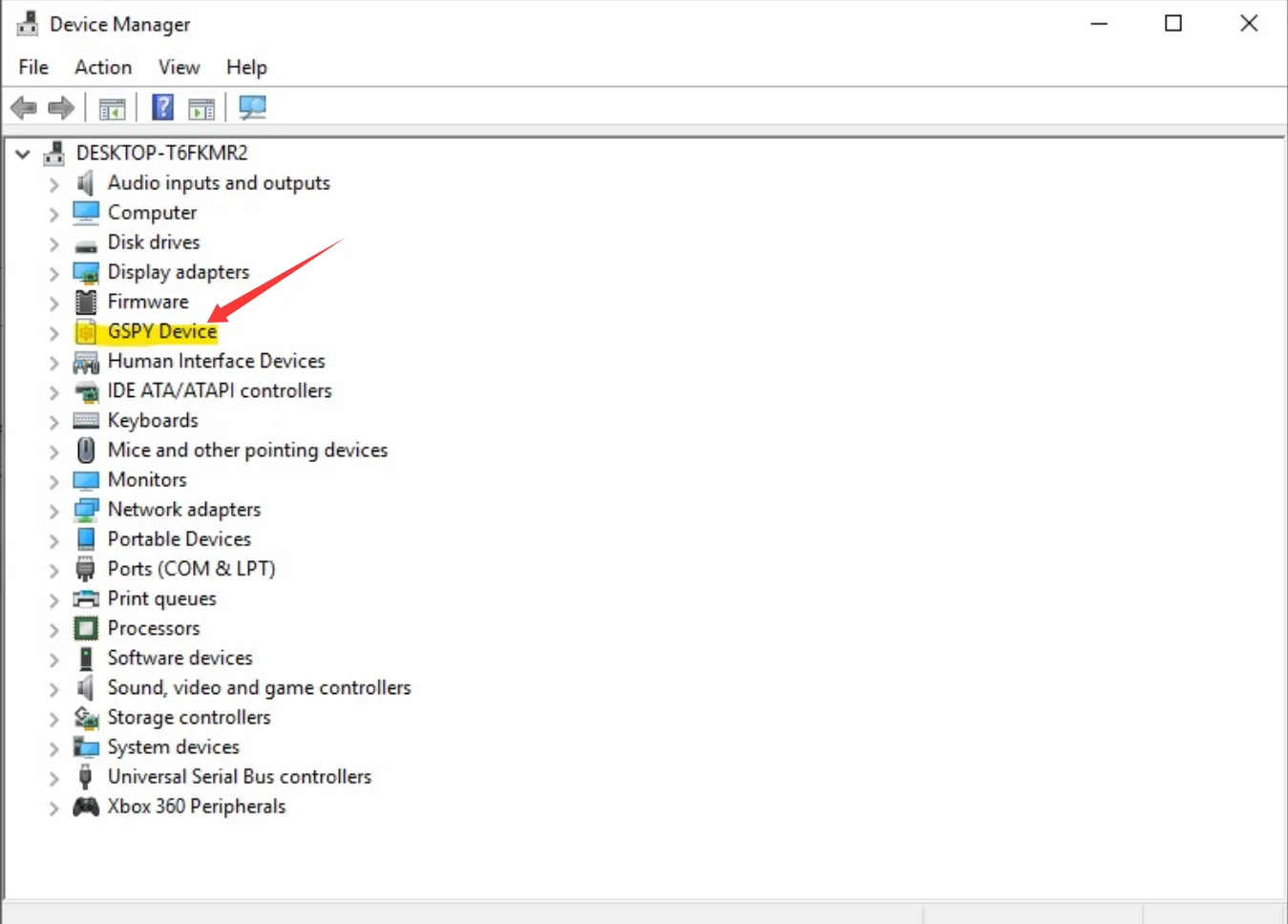
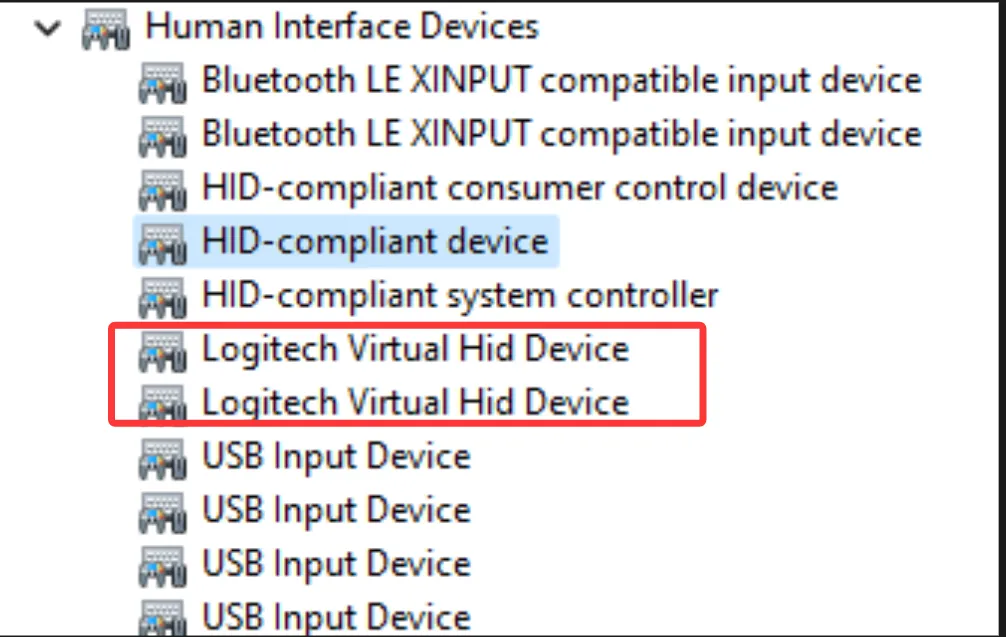
- Open Device Manager → Human Interface Devices. If there are other virtual devices (such as GSPY Device or SuperDisplay Driver or Logitech G Hub or Logitech Virtual Hid Device), uninstall those virtual devices first, then reinstall the XP-Pen driver.
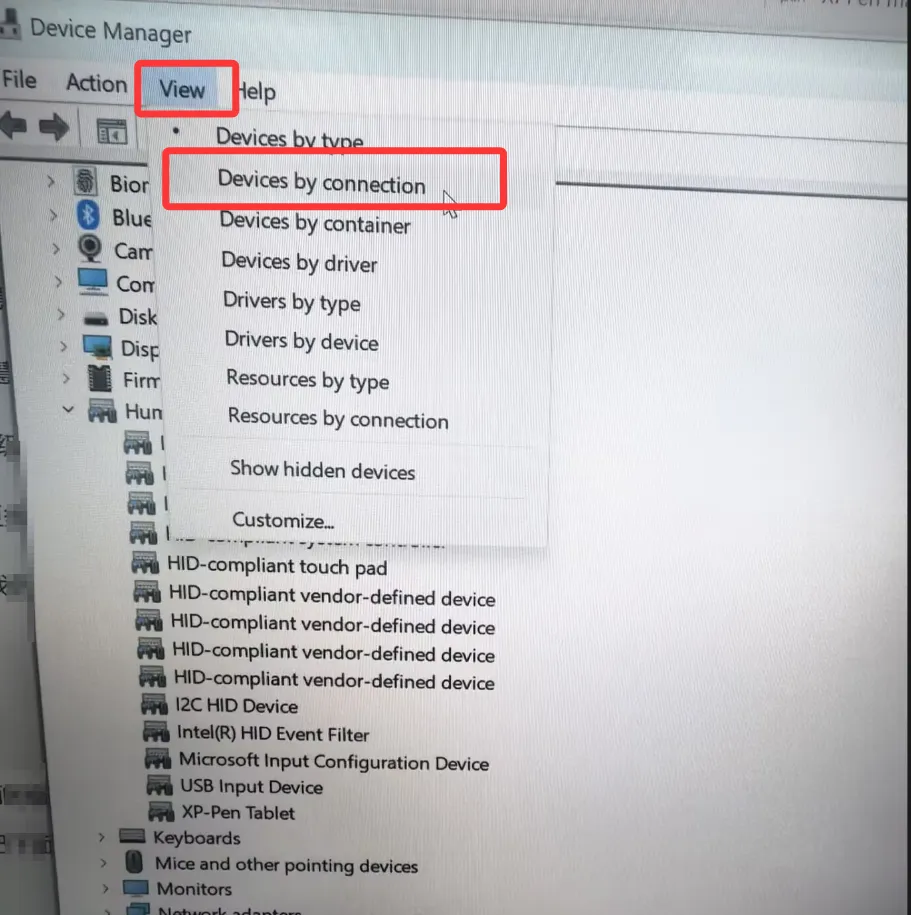
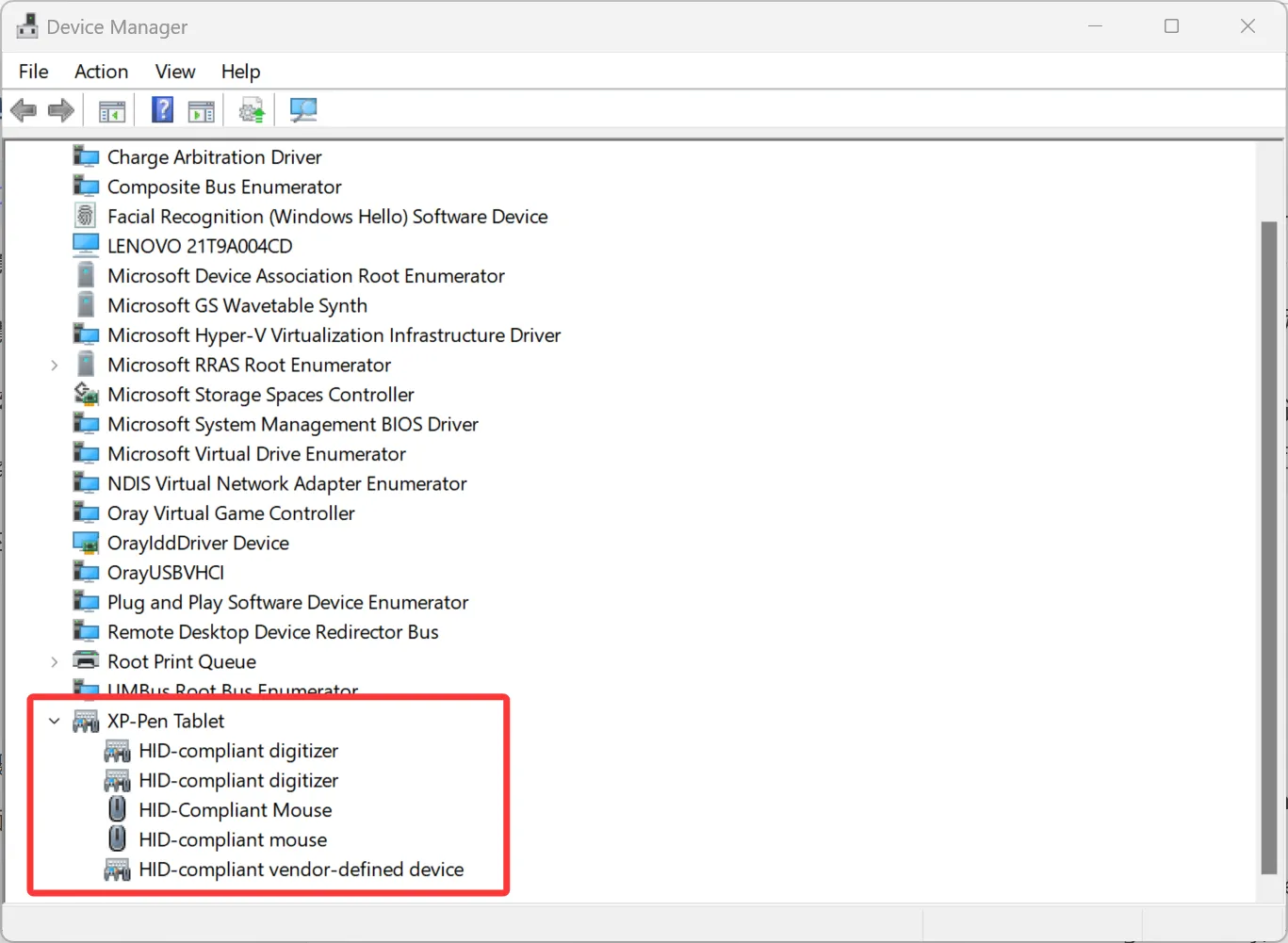
2. If there are no virtual drivers or similar devices under Human Interface Devices, go to View → select View by connection, then expand XP-Pen Tablet to check whether all the devices shown below are present. If any device name contains the word "virtual," right-click it and uninstall it. Then go to the official XP-Pen website to download the driver again, extract it, and reinstall.
After all the above, if the XPPen driver still shows “fail”, please contact service@xp-pen.com to ask for help.