Getting started with your
XPPen Artist Ultra 14
Follow these steps to start creating on your
XPPen Artist Ultra 14.
Follow these steps to set up your XPPen Artist Ultra 14.
1. Computer Connection
a) Full-Featured USB-C Connection
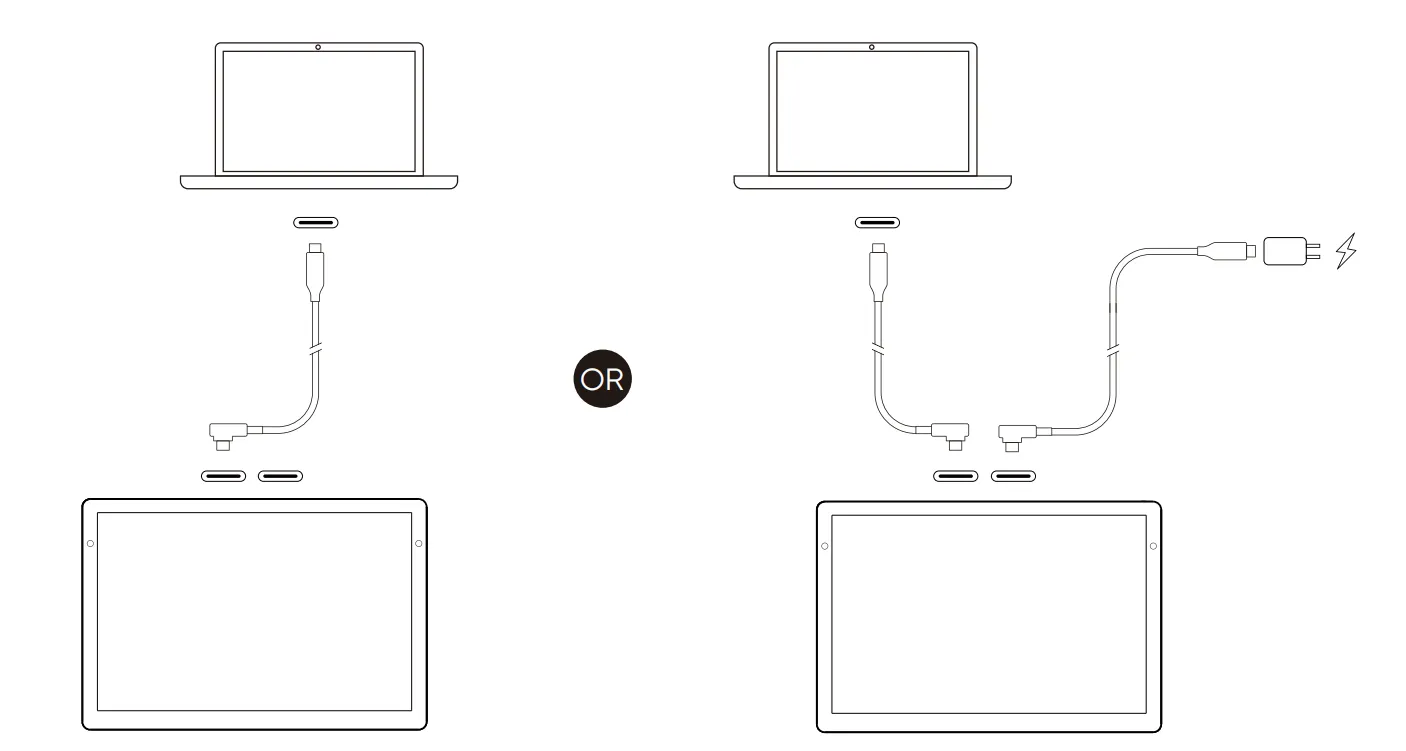
For computers with a full-featured USB-C port (supporting video output):
For computers with a full-featured USB-C port (supporting video output):
1) Connect the computer and drawing display using a USB-C to USB-C cable.
2) If the screen does not turn on, use the second USB-C port on the drawing display to attach a USB-C cable and power adapter for additional power.
*Ensure your computer has a USB-C port supporting video output. If not, use the "3-in-1 Cable Connection".
2) If the screen does not turn on, use the second USB-C port on the drawing display to attach a USB-C cable and power adapter for additional power.
*Ensure your computer has a USB-C port supporting video output. If not, use the "3-in-1 Cable Connection".
b) 3-in-1 Cable Connection
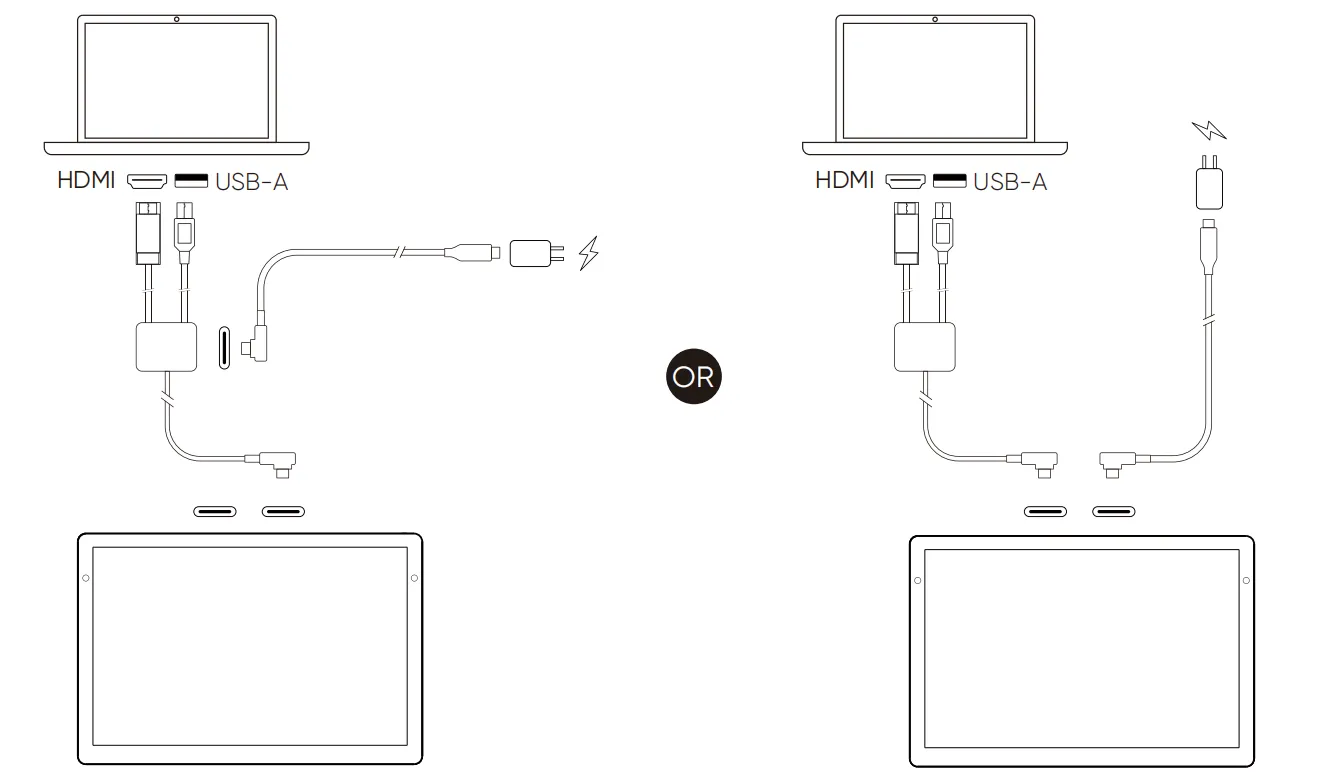
1) Insert the HDMI and USB-A plugs of the 3-in-1 cable into the computer.
2) Insert the USB-C plug of the 3-in-1 cable into the drawing display.
3) Use a second USB-C to USB-C cable to connect either the 3-in-1 cable’s USB-C power port or the drawing display’s secondary USB-C port to the PD power adapter.
* It is recommended to use the computer's discrete graphics HDMI port (if available).
2) Insert the USB-C plug of the 3-in-1 cable into the drawing display.
3) Use a second USB-C to USB-C cable to connect either the 3-in-1 cable’s USB-C power port or the drawing display’s secondary USB-C port to the PD power adapter.
* It is recommended to use the computer's discrete graphics HDMI port (if available).
2. Android Device Connection
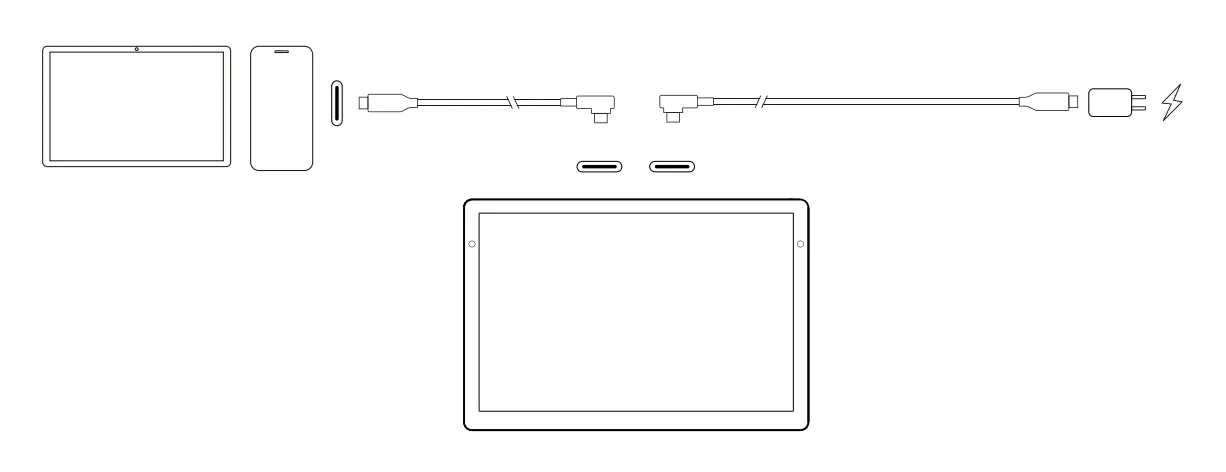
1) Connect the Android phone/tablet to the drawing display using a USB-C to USB-C cable.
2) Connect the drawing display to the PD power adapter with another USB-C cable.
* It is recommended to use an Android device that supports "desktop mode". Please refer to the official website for specific models.
2) Connect the drawing display to the PD power adapter with another USB-C cable.
* It is recommended to use an Android device that supports "desktop mode". Please refer to the official website for specific models.