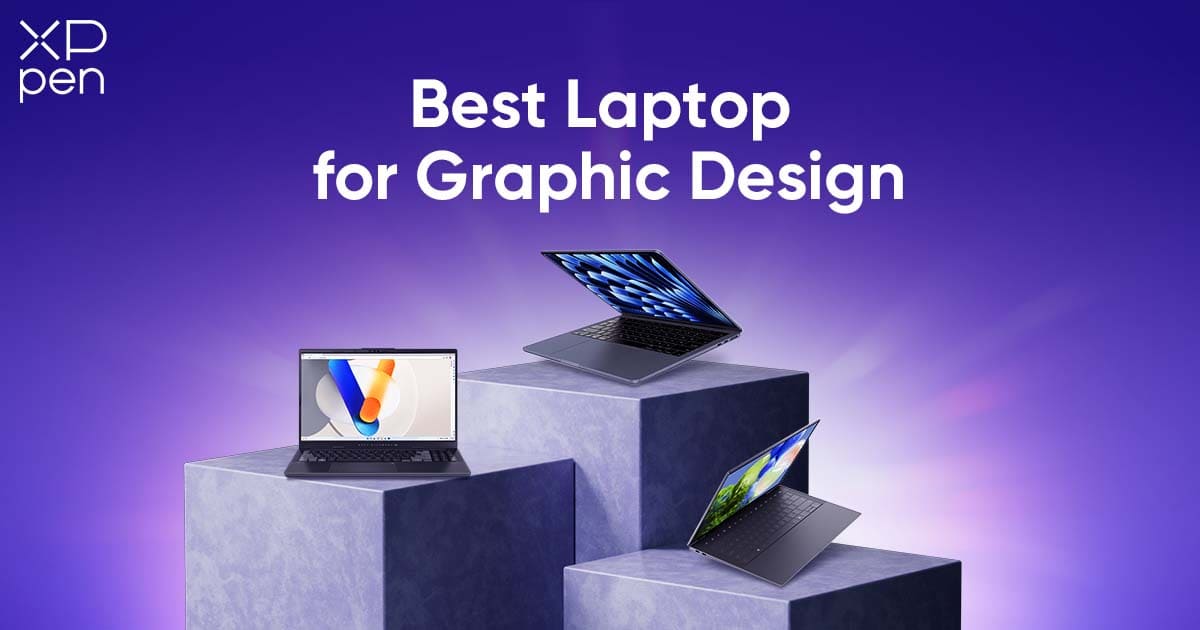
The Best Laptop for Graphic Design in 2026
ROUNDUPSIn 2026, choosing a laptop as a graphic designer isn’t just about specs—it’s about how well it fits into your daily creative workflow. You need a machine that’s powerful enough to keep up with complex projects, portable enough to move between workspaces, and accurate enough in color that you can trust what you see on screen.
Unlike gaming or 3D laptops that prioritize raw power at the cost of size, noise, and battery life, graphic design demands something different. You spend hours switching between Adobe Illustrator, InDesign, and Photoshop—refining vectors, adjusting layouts, and editing high-resolution images. When performance lags or colors don’t look right, it doesn’t just slow you down—it pulls you out of the creative zone.
In this guide, you’ll find three carefully selected laptops for graphic design, covering different budgets and real-world creative needs. We’ll also introduce a practical, cost-effective addition—the XPPen Artist 12 3rd—that can turn your laptop into a truly mobile creative studio, giving you more control, precision, and flexibility wherever you work.
2026 Professional Design Laptops Comparison Table
| Item | Apple MacBook Air 13/15 (M3) | Dell XPS 14 (2025) | ASUS Vivobook Pro 15 OLED |
|---|---|---|---|
| Core Position | Industry Standard (Silent & Portable) | Windows All-Rounder | Budget Performance King |
| Target Users | Branding/typography designers, students | Corporate Windows users | Freelancers, budget-limited designers |
| Key Hardware | Apple M3 chip, Liquid Retina Display | Intel Ultra 7, RTX 4050, optional OLED | Intel Arrow Lake, RTX 4050/4060, 2.8K OLED |
| Portability | 1.24kg, 1.13cm (fanless) | 1.79kg, 18.3-18.6mm | 1.8kg, 19.9mm |
| OS | macOS | Windows 11 Pro | Windows 11 Home |
| US MSRP (Base Model) | $1,099 (13") / $1,299 (15") | ~$1,899 | $1,299 |
| Key Advantages | Zero noise, accurate colors, extreme portability | High-end screen, strong multitasking, business warranty | Low price, professional OLED, no adapters needed |
Top 3 Laptops for Graphic Design in 2026
1. The Industry Standard: Apple MacBook Air 13/15 (M3 Chip)
Core Positioning
Built for creative professionals pursuing silent efficiency, color accuracy and extreme portability, it is a benchmark device in professional fields such as branding design and typography, balancing professional performance with daily mobility.
Core Hardware & Creative Advantages
-
Performance: Powered by the Apple M3 chip, it comes with an 8-core CPU (4 performance cores + 4 efficiency cores) and an optional 8/10-core GPU. It supports hardware-accelerated ray tracing and a 16-core neural engine, with a memory bandwidth of 100GB/s for smooth processing. Whether editing multi-layer PSD files, designing AI vector graphics or cutting 4K videos, it runs without lag. Its performance is close to that of the high-end MacBook Pro, fully meeting the productivity needs of professional design work.
-
Display Quality: Equipped with a Liquid Retina display, the 13.6-inch version boasts a resolution of 2560×1664 (224ppi), supports 1 billion colors and P3 wide color gamut, and has a peak brightness of 500 nits, ensuring clear presentation of design details in different lighting environments. The True Tone technology automatically adjusts the color temperature to match the ambient light. Combined with precise color calibration, the on-screen display is highly consistent with printed outputs, making it an ideal choice for typography, printing and brand visual design.
-
Silent Operation & Battery Life: The fanless design is a major highlight. Even during intensive design work in quiet environments like libraries, client meeting rooms or co-working spaces, it operates with zero noise, eliminating distractions. The 52.6Wh lithium-polymer battery supports up to 18 hours of video playback or 15 hours of web browsing. You don’t need to carry a charger when working on the go, easily handling a full day of design meetings or mobile creation tasks.
-
Ecosystem & Details: Runs on the macOS system, which is deeply optimized for professional creative tools such as Adobe Creative Cloud and Final Cut Pro. It supports features like iPhone Mirroring and Window Tiling for enhanced productivity. The unibody enclosure is made of 100% recycled aluminum, weighing only 1.24kg and measuring 1.13cm thick. It is equipped with MagSafe 3 charging port and two Thunderbolt/USB 4 ports, balancing portability and expandability. The 1080p FaceTime HD camera and four-speaker sound system ensure clear and smooth remote design communication.
Target Users
Branding designers, typography specialists, graphic designers and design students who need frequent mobile work, especially those who value color accuracy and quiet working environments.
2. The Windows All-Rounder: Dell XPS 14 (2025 Model)
Core Positioning
A high-end all-round design laptop in the Windows ecosystem, it features craftsman-level build quality, high-quality OLED display and balanced performance as its core strengths, catering to the diverse creative needs and business scenarios of corporate designers.
Core Hardware & Creative Advantages
-
Performance: Powered by the Intel Core Ultra 7 155H processor, paired with 32GB LPDDR5x 7467MHz high-frequency memory and 1TB Samsung PM9A1 PCIe 4.0 SSD, it delivers strong multitasking capabilities. It can smoothly run multiple design software such as Illustrator, Photoshop, After Effects and multiple browser tabs simultaneously. The 30W TDP NVIDIA RTX 4050 discrete graphics card provides stable graphical performance support for heavy design tasks such as video editing and 3D modeling.
-
Display Quality: The 14.5-inch InfinityEdge display features a 3200×2000 resolution and 120Hz high refresh rate, balancing sharpness and smoothness. The optional high-contrast OLED touchscreen covers 98.0% of the DCI-P3 color gamut with an average Delta E of only 0.96, ensuring precise color reproduction. When HDR is enabled, the peak brightness can reach 657 nits, delivering deep blacks and rich shadow details, making it particularly suitable for photo retouching, film post-production and other work that requires high display quality.
-
Build Quality & Portability: The laptop features a premium build with a sleek and minimalist design and exquisite detailing, combining business elegance with design aesthetics. It has a thickness of 18.3-18.6mm and weighs 1.79kg. Although slightly heavier than the MacBook Air, it is considered lightweight for a high-performance 14.5-inch laptop, making it easy for corporate designers to commute between offices and client sites.
-
Ports & After-Sales Service: Equipped with three Thunderbolt 4 ports (all supporting 100W PD charging and DP 1.4 video output), a 3.5mm audio jack and a MicroSD card slot. A bundled HUB allows for USB-A and HDMI expansion, meeting the needs of connecting external monitors and storage devices. It comes with a two-year on-site repair and accidental damage warranty, providing high-level after-sales support for enterprise users.
Target Users
Corporate designers deeply rooted in the Windows ecosystem and business-oriented creative professionals, suitable for those who need to balance professional design performance and business scenario adaptability, especially for diverse creative needs such as 3D modeling and film post-production.
3. The Budget Performance King: ASUS Vivobook Pro 15 OLED
Core Positioning
A performance powerhouse in the mid-range price segment, it features high-spec configuration and affordable price as its core selling points, providing professional-grade creative experience for emerging designers on a budget, achieving a perfect balance between cost-effectiveness and practicality.
Core Hardware & Creative Advantages
-
Cost-Effective Performance: Powered by an Intel Arrow Lake processor, paired with NVIDIA GeForce RTX 4050/4060 discrete graphics cards, it delivers high-performance configuration in the mid-range price segment. It can easily handle creative tasks such as video editing, graphic design and light 3D rendering, with performance far exceeding competitors in the same price range. The storage supports high-speed SSD expansion, meeting the storage and reading needs of large design files.
-
Display Quality: Equipped with a 15.0-inch 16:10 2.8K (2880×1800) OLED display with a 120Hz refresh rate for smooth operation. It has a measured brightness of 410 nits and an ultra-high contrast ratio of 28640:1, delivering perfect black levels. It covers 100% sRGB, 97% Adobe RGB and 100% DCI-P3 color gamut with a Delta E of only 0.83, achieving professional-level color accuracy that is almost indistinguishable to the human eye, fully meeting the color requirements of design work.
-
Ports & Practicality: The port configuration is extremely practical, with built-in HDMI and USB-A ports, eliminating the need for additional adapters and docks. When working in different scenarios such as studios and print shops, you can directly connect external devices, improving work efficiency. The laptop features an all-black design with bold lines and a powerful ventilation system, ensuring stable heat dissipation and avoiding thermal throttling during long hours of intensive creative work.
Target Users
Emerging designers on a budget, freelancers and design students, suitable for those who need professional-grade display and discrete graphics performance but do not want to pay the premium of high-end models, adapting to various creative scenarios such as graphic design, video editing and light 3D design.
Beyond the Mouse: Elevating Design with a Pen Display
While laptops provide power and portability, the traditional mouse or trackpad introduces a bottleneck. For tasks like hand-lettering, intricate vector adjustments, masking, or detailed photo retouching, a mouse simply cannot offer the fluid control a stylus provides. Drawing, shading, and fine adjustments feel unnatural, often causing frustration and slowing workflow.
A compact pen display changes everything. It turns your laptop into a versatile, interactive workspace where you can sketch, retouch, and manipulate images with precision. Pressure-sensitive input and natural pen movements allow creative decisions to feel organic, resulting in smoother lines, better color blending, and a more enjoyable editing experience overall.
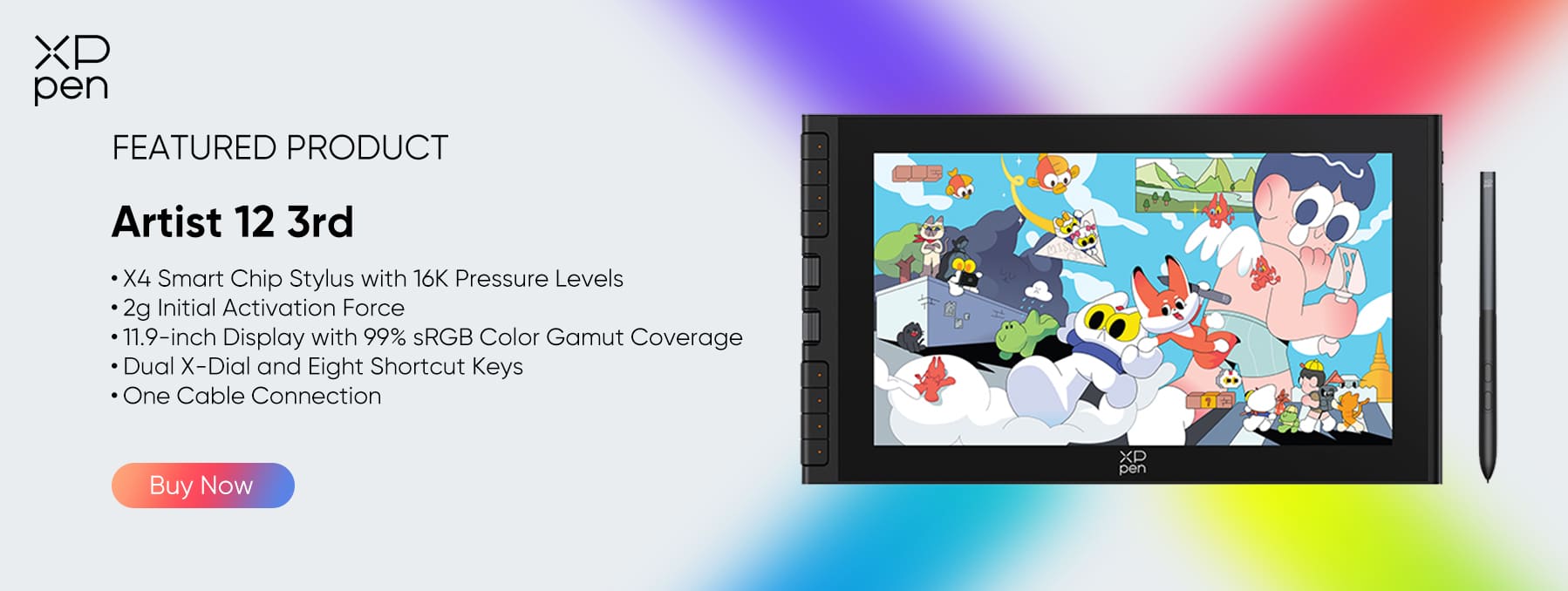
The Ultimate Value Companion: XPPen Artist 12 3rd
The XPPen Artist 12 3rd delivers a professional-grade drawing experience at a price that fits almost any budget. It’s ideal for students, freelancers, or designers upgrading from a non-screen tablet.
The stylus provides 16,384 pressure levels combined with a low 2g initial activation force. This ensures that every line, whether in Illustrator or Photoshop, is smooth, stable, and responsive. Vector paths, freehand sketches, and detailed retouching all feel precise and natural.
Efficiency Booster: The Dual X-Dials
Unlike basic tablets, the Artist 12 3rd features dual customizable dials. In applications like Photoshop or Illustrator, you can map one dial to zoom and the other to brush size or Undo. This allows designers to navigate the canvas and modify tools instantly without touching the keyboard, greatly accelerating workflow and reducing repetitive strain.
Extreme Portability (11.9-Inch Screen)
-
Comparable to an A4 sketchpad, it fits seamlessly into the same sleeve as your MacBook Air or Dell XPS.
-
Minimal setup is required, making it easy to work in a library, cafe, or shared office.
Multi-Purpose Versatility (3-in-1 Tool)
-
The Creative Slate: Ideal for drawing logos, sketching wireframes, and high-end photo retouching.
-
The Efficiency Monitor: When not drawing, it functions as a secondary monitor, perfect for reference images, Spotify, or file folders, keeping your main screen uncluttered.
-
The Admin Tool: Convenient for e-signing contracts or annotating PDFs during client meetings.
Aesthetic & Compatibility
-
Colors: Available in multiple trendy finishes, including Green, Blue, and Pink, allowing your workstation to reflect personal style.
-
Connectivity: Dual USB-C ports enable a single-cable connection for video and data (if your laptop supports it), keeping your setup clean and portable.
FAQ
Q1: Is an 11.9-inch screen (Artist 12 3rd) too small for professional design?
A: Not at all. It is intended to be a companion device. You use your main laptop screen for the overall layout/composition and the Artist 12 3rd for focused tasks like retouching a specific photo, drawing a logo, or refining a vector path. Its compact size is a strategic benefit for portability, allowing you to work anywhere.
Q2: Why do I need 16K pressure levels for vector design (Illustrator)?
A: While vector lines are often uniform, the 16K pressure sensitivity (provided by the X4 chip) offers superior cursor tracking and stability. It prevents the "hooking" or jitter sometimes seen with lower-end styluses. For illustration work in raster apps (like Photoshop), it allows for incredibly subtle shading and opacity control that a mouse simply cannot replicate.
Q3: Does it work with just one cable?
A: Yes. If your laptop has a full-featured USB-C port (supports video and power), you can connect the Artist 12 3rd with a single USB-C to USB-C cable. This makes it the cleanest setup for laptop users.
Q4: Can the Artist 12 3rd extend my desktop?
A: Yes. It functions exactly like an external monitor. You can choose to "Duplicate" your screen (to draw on exactly what you see) or "Extend" it (to use it as extra workspace for tool palettes, layers, or reference images).
Conclusion
To succeed in graphic design in 2025, mobility, performance, and precision are key. Laptops like the MacBook Air, Dell XPS, and ASUS Vivobook Pro provide the foundation, but they are only part of the equation.
Adding the XPPen Artist 12 3rd is the smartest, most cost-effective investment for any designer. It brings touch control, 16K pen precision, and Dual-Dial efficiency to your workflow, transforming your laptop into a mobile creative studio. Compact yet powerful, it embodies the idea of “small but mighty” and ensures that every stroke, adjustment, or sketch is executed with professional confidence.
About Us
Founded in 2005, XPPen is a leading global brand in digital art innovation under Hanvon UGEE. XPPen focuses on the needs of consumers by integrating digital art products, content, and services, specifically targeting Gen-Z digital artists. XPPen currently operates in 163 countries and regions worldwide, boasting a fan base of over 1.5 million and serving more than ten million digital art creators.
Learn moreRecommended Articles
ROUNDUPS 6 Best Tablets for Graphic Design in 2026: A Comprehensive Buying Guide TIPS 10 Perfect Gifts for Graphic Designers (That They'll Actually Use) TIPS 7 Best Free Drawing Websites Online No Download TIPS 7 Best Clothing Design Software Tools 2026 KNOWLEDGE 8 Best Apps for Interior Design (Free & Paid) TIPS 7 Elements of Design: A Complete Guide to the Basics






Ready to invest in the right tools?
Get expert buying advice, unbiased reviews, and exclusive deals on drawing tablets, and accessories.
