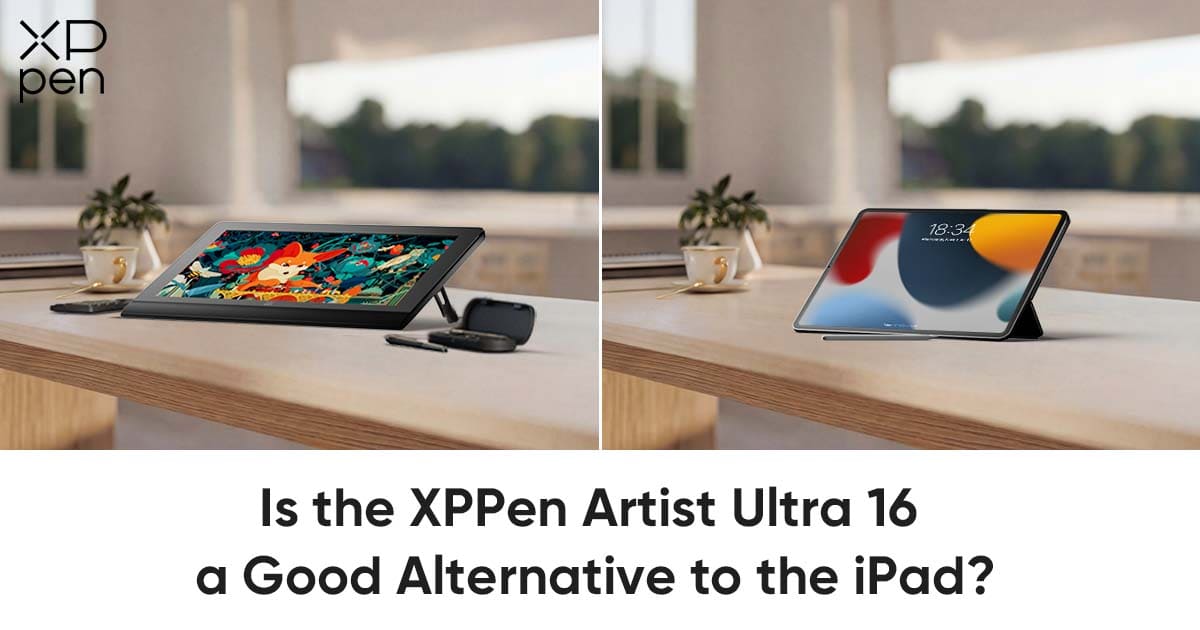
Is the XPPen Artist Ultra 16 a Good Alternative to the iPad?
TIPSHowever, as hobbyists evolve into professionals and sketches turn into complex, multi-layered productions, the limitations of a mobile-first tablet often become apparent. The 12.9-inch screen can start to feel cramped once you have multiple toolbars and layers open. It also can’t run full desktop apps like Adobe Photoshop, ZBrush, or Blender, and the smooth glass-on-glass drawing surface sometimes lacks the precision needed for really detailed work.
This brings us to a critical question for artists looking to upgrade their workspace: Is there a device that offers the visual brilliance and touch intuition of an iPad, but with the expansive workspace and power of a professional studio setup?
XPPen Artist Ultra 16: A Good Alternative to iPad for Drawing
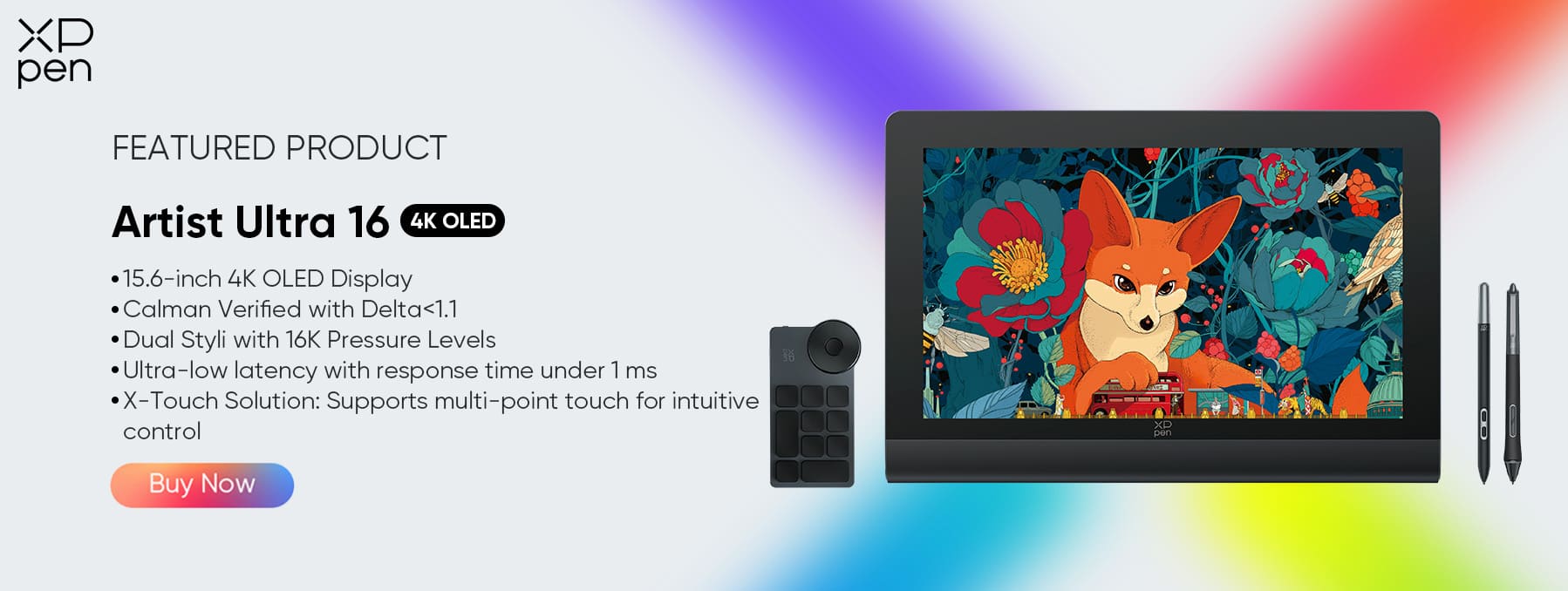
The XPPen Artist Ultra 16 represents a significant shift in the pen display market. Unlike traditional bulky monitors, it is designed to be the perfect bridge for iPad users. By combining a stunning 4K OLED display—matching the deep blacks and vibrant colors Apple users are accustomed to—with 10-point multi-touch capabilities and industry-leading 16K pressure sensitivity, it eliminates the learning curve usually associated with switching to a desktop tablet.
Next, we will explore why the Artist Ultra 16 is not just a "good alternative" to the iPad, but a superior upgrade for artists ready to unlock their full creative potential.
Display Quality: Beyond the Retina Benchmark
OLED Display
-
OLED displays deliver true blacks, high contrast, and rich, accurate colors, making them especially well-suited for artistic creation and professional drawing. Building on these strengths, the Artist Ultra 16 features a 4K OLED (3840 × 2160) display with a resolution even higher than that of the iPad, enabling finer detail and more nuanced color expression.
-
Key Specs: OLED displays deliver true blacks, extremely high contrast, and rich, accurate colors, making them especially well-suited for artistic creation and professional illustration. Building on these inherent advantages, the Artist Ultra 16 features a stunning 4K OLED (3840 × 2160) panel that surpasses the resolution of many tablets, allowing for finer visual detail, more nuanced gradients, and exceptional tonal accuracy. With a 100,000:1 contrast ratio and<1ms response time, it delivers razor-sharp imagery with virtually no motion blur or ghosting, ensuring every stroke, highlight, and shadow appears exactly as intended—even in fast, demanding creative workflows.
Color Accuracy
-
Unlike the iPad, the Artist Ultra 16 is Calman Verified right out of the box, with a Delta E of less than 1.1 for exceptionally accurate color reproduction.
-
Gamut: The display delivers industry-standard color precision, covering 99% Adobe RGB and 98% Display P3, ensuring exceptional accuracy for professional design, illustration, and print workflows. This wide color gamut allows creators to work with confidence, knowing that what they see on screen closely matches real-world output across both digital and printed media.
The Size Advantage
-
Moving from 12.9" (iPad Max) to 15.6" provides significantly more canvas space for UI and artwork without sacrificing pixel density, giving artists room for multiple toolbars, palettes, and layers while maintaining a clear and detailed view.
The Touch Function: Retaining the Intuition
-
X-Touch Solution:
-
Addressing the fear of losing gestures: The Artist Ultra 16 features 10-point multi-touch.
-
Workflow: Users can still pinch-to-zoom, rotate, and pan effortlessly, bridging the gap between Procreate gestures and desktop software like Photoshop.
-
Customization: Ability to customize specific gestures for Windows/macOS workflows.
-
Customizable touch area: Users can define which parts of the screen respond to touch, allowing for precise control and avoiding accidental inputs.
-
Palm rejection / Anti-mistouch: The tablet intelligently ignores unintended touches from the palm or hand resting on the screen, ensuring smooth, uninterrupted drawing.
Stylus Performance: Higher Pressure Sensitivity
Sensitivity Upgrade
Compared with traditional 4K pressure-level pens on many tablets, XPPen’s new-generation stylus empowers creators with an industry-leading 16K pressure sensitivity, powered by the advanced X3 Pro Smart Chip. This delivers dramatically finer gradation, smoother pressure transitions, and heightened control over line weight and brush dynamics.
With an IAF (Initial Activation Force) as low as 3g, even the faintest feather-light touch is detected instantly. Subtle shading, micro-detailing, and delicate pen strokes feel exceptionally organic—far and far more natural than devices that require heavier pen pressure to register input.
Battery-Free Freedom
One of the biggest pain points for digital creators is gone: charging. Unlike the Apple Pencil and other powered stylus systems, the X3 Pro stylus uses EMR technology, meaning it never needs charging, pairing, or battery replacement. It is always ready the moment inspiration strikes.
The “Dual Styli” Bonus
To support different drawing habits and ergonomic preferences, the Artist Ultra 16 includes two professional digital pens:
-
The X3 Pro Smart Chip Stylus with a silicone grip for longer comfort sessions.
-
The X3 Pro Slim Stylus with a pencil-like feel for artists who prefer a traditional sketching experience. Creatives can switch seamlessly depending on the task—illustration, sculpting, UI design, or precision detailing.
Tactile Feel
The experience is further enhanced with felt nibs that simulate the resistance of real paper. This eliminates the overly slippery “glass-on-glass” effect commonly found on tablets, giving artists better control, improved stability, and a more emotionally intuitive drawing sensation.
Workflow & Productivity: The Desktop Advantage
Software Power
Unlike mobile tablets limited to simplified app versions, the Artist Ultra 16 fully unleashes the power of desktop-class creative software. Artists can work in:
-
Adobe Photoshop & Illustrator for professional 2D pipelines
-
Blender & ZBrush for high-fidelity 3D sculpting and modeling
-
Motion and cinematic workflows without compromise The 4K OLED’s exceptional response time ensures motion graphics and 3D viewport interactions remain sharp and ghost-free, preserving clarity even in fast-moving scenes.
Efficiency Tools
To streamline production, the device includes the ACK05 Shortcut Remote, a fully programmable control unit offering instant access to critical commands like Undo, Save, Brush Size Adjustments, Layer Switching, and more. Unlike tablet UIs that require touch overlays or take away canvas space, this physical controller keeps the creative surface clean while dramatically improving workflow speed.
Ergonomics
Designed for long working sessions, the Artist Ultra 16 prioritizes creator comfort. It includes a stable adjustable stand, eliminating the need to purchase extra accessories like tablet folios. Its fanless architecture ensures silent operation, while the cool-touch aluminum chassis maintains comfort, even during extended work periods. This is hardware designed to support real production, not just casual sketching.
Connectivity and Compatibility
Versatile Connections
The Artist Ultra 16 uses a single USB-C connection, simplifying setup while delivering power, data, and display signals through one cable. This reduces desk clutter and makes it easy to connect to modern laptops or desktop computers without additional adapters.
Cross-Platform Support
This pen display is compatible with Windows, macOS, Linux, and select Android devices, offering much broader compatibility than the Apple ecosystem. It can integrate into virtually any professional workflow, whether you are using desktop software for illustration, animation, graphic design, or 3D modeling. Multiple input devices, including external keyboards, mice, and graphic tablet remotes, can be connected to further enhance productivity.
FAQ about Artist Ultra 16
Q1: Is the XPPen Artist Ultra 16 a standalone device like the iPad?
A: No. Unlike the iPad, which is a standalone tablet, the Artist Ultra 16 is a professional pen display. It must be connected to a computer (Windows/macOS/Linux) or a compatible Android device to function. It harnesses the power of your PC to run professional software, rather than relying on mobile processors.
Q2: Can I still use finger gestures to zoom and rotate the canvas?
A: Yes! With the X-Touch Solution, the Artist Ultra 16 supports 10-point multi-touch. You can pinch-to-zoom, pan, and rotate using familiar gestures, especially on Windows 10/11 and macOS, making the transition from the iPad’s interface very natural.
Q3: Can I run Procreate on this device?
A: Procreate is currently exclusive to iOS. However, the Artist Ultra 16 opens the door to industry-standard desktop software like Adobe Photoshop, Clip Studio Paint, Blender, and SAI, which offer even more advanced features for professional workflows.
Conclusion
If you need a lightweight, portable device for quick sketches on the go, the iPad remains a dependable option. However, when you’re ready to move beyond sketching and start producing final, high-resolution, color-critical work with full desktop performance, the XPPen Artist Ultra 16 becomes the better choice.
You get the OLED display quality and intuitive touch experience you’re familiar with from the iPad, along with true professional features — including 16K pressure sensitivity, a spacious 15.6-inch drawing canvas, and full compatibility with desktop creative software.
With dual stylus options, paper-like tactile feedback, customizable gestures, and dedicated productivity controls, the Artist Ultra 16 lets you transition smoothly from iPad to a desktop-level workflow. It gives you greater creative control and efficiency, making it the ideal next step as you elevate your digital art practice.
About Us
Founded in 2005, XPPen is a leading global brand in digital art innovation under Hanvon UGEE. XPPen focuses on the needs of consumers by integrating digital art products, content, and services, specifically targeting Gen-Z digital artists. XPPen currently operates in 163 countries and regions worldwide, boasting a fan base of over 1.5 million and serving more than ten million digital art creators.
Learn moreRecommended Articles
ROUNDUPS iPad vs Drawing Tablet: Is It Necessary to Get Both? TIPS 10 Best Free Drawing Software Tools for Digital Art FOCUSED XPPen Artist Ultra 14 Review: Is It Worth Buying?






Looking for the Best Drawing & Design Apps?
Discover essential drawing techniques, expert tips, and the best app recommendations to boost your creativity and master digital art.
