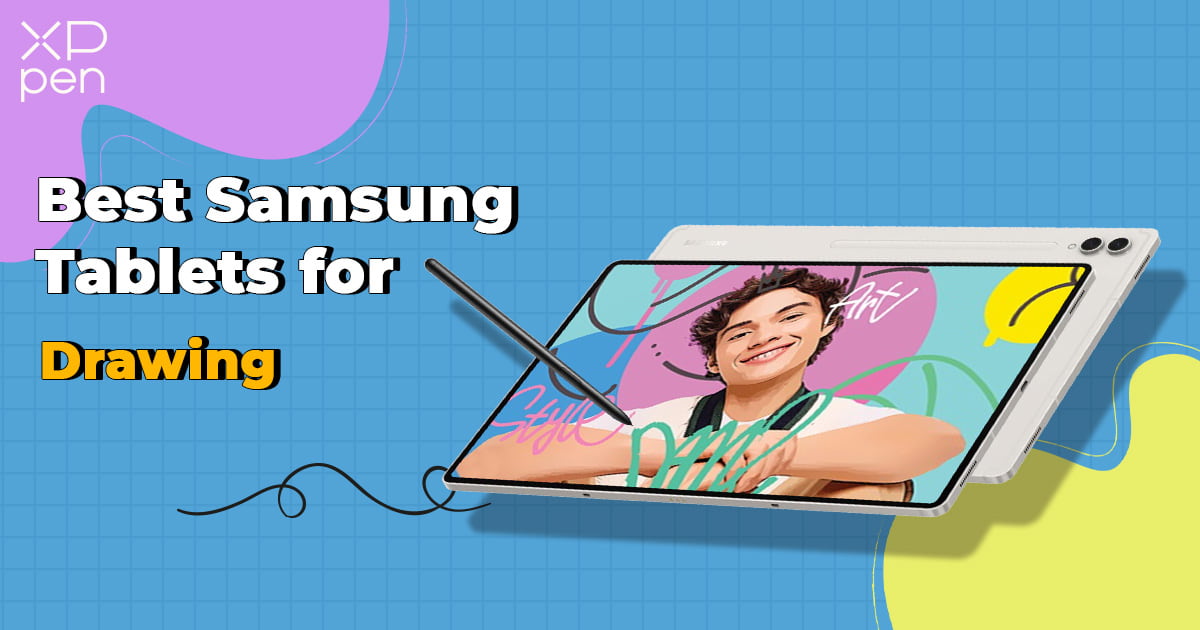
6 Best Samsung Tablets for Drawing: Pro Reviewed [2026 Updated]
ROUNDUPSAnytime you’re in the market for a new drawing tablet, you may be a little overwhelmed by the numerous features, prices, and online promotions. Many artists and designers try to opt out of this confusion by sticking to a tried and true option – the best Samsung tablet for drawing they know works well enough to get by.
While sticking with the “old standby” may work in the short term, you want a tool that grows alongside your skills as an artist, designer, cartoonist, digital creator, and more. Sometimes, that means stepping outside your comfort zone to check out alternative solutions. Here are the top Samsung tablets we think are worth your time and money.
Quick Verdict: Samsung Tablets Comparison Table
| Tablet Model | Display | Weight (lbs) | Processor | Storage | Price |
|---|---|---|---|---|---|
| Galaxy Tab S11 Ultra | 14.6" Dynamic AMOLED 2X, 120Hz | ~1.53 | MediaTek Dimensity 9400+ (3nm) | 256GB–1TB + microSD (up to 2TB) | ~$1300+ |
| Galaxy Tab S10 Ultra | 14.6" Dynamic AMOLED 2X (anti-reflective, 120Hz) | ~1.6 | MediaTek Dimensity 9300+ | 256GB–1TB + microSD | ~$1,200+ |
| Galaxy Tab S10+ | 12.4" Dynamic AMOLED 2X (anti-reflective, 120Hz) | ~1.27 | MediaTek Dimensity 9300+ | 256GB/512GB + microSD | ~$1,100+ |
| Galaxy Tab S9 Ultra | 14.6" Super AMOLED, 120Hz | ~1.62 | Snapdragon 8 Gen 2 | 1TB + microSD | ~$1,200+ |
| Galaxy Tab S8+ | 12.4" Super AMOLED, 120Hz | ~1.25 | Snapdragon 8 Gen 1 | 128GB–512GB + microSD | ~$900+ |
| Galaxy Tab S6 Lite (2024) | 10.4" TFT, 60Hz | ~1.03 | Exynos 1280 | 64GB/128GB + microSD | ~$350+ |
What Makes Samsung Tablets a Hot Pick for Artists?
2010 marked the first launch of the Samsung Galaxy series of tablets. Since then, each tablet's technology and form factor have aligned well with modern needs. Considering all the competition from Apple and other major providers like XPPen, buying any best Galaxy tablets for drawing is a win-win for those looking to design with greater control and detailed outcomes.
In general, those seeking a top-tier Samsung drawing tablet would look for advantages like:
· Stylus Options: It is easier to excel at art or design on a drawing tablet with some form of stylus. Most higher-end Samsung options include a pairable stylus to expand your creative efforts.
· Second Screen: Many leading tablets use the Samsung DeX. This feature allows you to “mirror” your screen across other devices like a PC monitor, additional tablet, or even some mobile phones. Digital nomads and those working remotely love expanding laptops with a Samsung tablet.
· Display Quality: You can find tablet options all the way up to 14.6 inch displays (in some cases larger) using a Dynamic AMOLED 2X display that allows for window in window (multi-window) layouts. All that quality results in higher efficiency instead of constantly having to swipe back and forth between apps or programs.
· Performance: Samsung is a big fan of the Qualcomm Snapdragon 8 generation of processors. This provides anywhere from 64GB to 1TB of storage and all the power you could need to play games, draw incredible artwork, or store photos and engineering plans with additional microSD card add-ons.
· App Ecosystem: A big reason for selecting a Galaxy tablet is finding the best drawing app/program for Samsung through the in-device app store. The Galaxy Store and Google Play provide access to popular drawing apps like Clip Studio Paint, Sketchbook, and Infinite Painter.
As you can see, there are plenty of reasons for looking at Samsung for your digital drawing needs. The perfect solution will always be the one that speaks to your workflow and travel preferences. However, while these features are attractive, they cater to general productivity as much as to art. For professional-grade drawing, you may need more specialized hardware—which we'll cover in the alternatives section.
Best Samsung Galaxy Tablets for Designers and Artists: Pro Reviewed
We've combined official specs, user feedback from Reddit and artist communities, and hands-on testing to bring you this updated list. All models below are currently available and relevant for 2026.
Samsung Galaxy Tab S11 Ultra (2025 Flagship)
Price Range: ~$1,300 – $1,900
The Galaxy Tab S11 Ultra is Samsung's newest flagship, launched in September 2025. It's the thinnest Galaxy Tab ever at just 5.1mm, packing a 3nm processor with significant AI performance gains—33% faster NPU, 24% faster CPU, and 27% faster GPU than the S10 Ultra. It runs One UI 8 on Android 16 out of the box.
Key Specifications:
· Display: 14.6" Dynamic AMOLED 2X with anti-reflective coating, 2960 x 1848 resolution, 120Hz refresh rate, peak brightness boosted to 1,600 nits
· Processor: MediaTek Dimensity 9400+ (3nm) – first 3nm chip in a Galaxy Tab
· Battery: 11,600 mAh with 45W Super Fast Charging
· Storage: 128GB/256GB/512GB/1TB + microSD expansion up to 2TB
· Memory: 12GB or 16GB RAM
· Weight: 1.53 lb
Our Review:
The Tab S11 Ultra refines the flagship formula with a brighter anti-reflective screen (1,600 nits) that makes outdoor drawing far more practical. The redesigned hexagonal S Pen feels like a real pencil and no longer needs charging. Besides, Galaxy AI features like Drawing Assist (turning rough sketches into polished visuals) and Gemini Live screen-sharing offer genuinely useful shortcuts for artists and students alike.
Buy if:
· You want the latest and most powerful Samsung tablet with bleeding-edge AI features.
· You frequently draw outdoors or in bright conditions.
· You need a lightweight, ultra-slim tablet that doesn't compromise on performance.
Don't buy if:
· You're on a budget. (This is Samsung's most expensive tablet.)
· You prefer a smaller form factor (the S11 Ultra is 14.6" only).
Samsung Galaxy Tab S9 Ultra
Price Range: ~$1,200+
Starting at around $699 (without any trade-in) and rising all the way to $1,399, the Samsung Galaxy Tab S9 Ultra provides you with complete drawing experience. The box includes an S Pen and all the hardware you need to get started, like a charging cable, wall adapter, and quick start guidebook. While popular in the mainstream market, you tend to find more professional designers and artists leading toward the S9 Ultra as the best Samsung tablet for drawing.
Key Specifications:
· A 14.6” display using Dynamic AMOLED 2X for 2960 x 1848 resolution
· Get all the processing you want with a Snapdragon 8 Gen 2
· Offers 11,200 mAh battery for extended use
· Up to 1TB in storage with microSD options
· Weighs 1.62 pounds
Our Review:
If you are a professional designer working with artwork or some creative drawing pursuit, this is the best Samsung tablet you can get on the market. It combines a smooth and precise pen experience with plenty of battery and advanced color accuracy.
Buy if:
· You require a larger screen for shared screens.
· You are a professional needing higher color accuracy.
Don’t buy if:
· You’re buying a new drawing tablet on a budget.
· You want a smaller form factor to fit into your bag.
Samsung Galaxy Tab S6 Lite (2024 Edition)
Price Range: ~$350+
The beauty of the Samsung Galaxy Tab S6 Lite (2024) is the price point. You can easily find this little power-packed device anywhere from $279 to $349. At a mobile-friendly 10.4" screen, complete with an S Pen and charger, you get a much more realistic price point that is perfect for new artists wanting to develop skills before making a significant investment.
Key Specifications:
· Uses a TFT main display at up to 10.4" 2000 x 1200 resolution at 60Hz refresh rate
· Processor is a 2.4GHz Exynos 1280 Octa-Core
· The 7040 mAh battery gives you about 14 hours of video playback
· Storage options include 64GB or 128GB, with microSD expansion available up to 1TB
· Weighs 1.025 pounds (465g)
Our Review:
If you're looking for the best Samsung tablet for drawing that allows complete mobile versatility, this is it. The S6 Lite is perfect for beginners or hobbyists just starting out in the animation, art, and design worlds.
Buy if:
· You don't want to spend a lot of money.
· You need a small form factor that is easy to carry.
· You're brand new to the creative space.
Don't buy if:
· You require a much larger screen for workflow.
· You have to have advanced processing and larger storage space.
Samsung Galaxy Tab S8+
Price Range: ~$900+
The Tab S8+ remains a viable mid-range option if you can find it at a reduced price. It offers a Super AMOLED screen and solid performance, though it's now two generations behind.
Key Specifications:
· Get a decent 12.4" screen with Super AMOLED at 2800 x 1752 resolution
· Uses a Qualcomm Snapdragon 8 Gen 1 processor
· Battery is rated at 10,090 mAh
· Around 512GB of storage with an expandable microSD slot
· Weighs 1.25 pounds
Our Review:
We think this is the optimal "middle of the road" Samsung tablet. You get a lower price point, but still enough of the big ticket features like advanced screen resolution, display quality, processing power, and enough space for more detailed artwork you create. Mid-level professionals are likely to enjoy the S8+ as a tablet option.
Buy if:
· You're in the market for a mid-range tablet.
Don't buy if:
· You prefer a smaller, more mobile-accessible option.
· You're still on a strict budget.
Samsung Galaxy Tab S10 Ultra & S10+
Price Range: ~$1,100+
The Tab S10 series is Samsung's latest flagship lineup, and it's the first to integrate Galaxy AI natively into the drawing and note-taking experience. It comes with a redesigned S Pen, charging cable, and quick-start guide.
Key Specifications (Tab S10 Ultra):
· Display: 14.6" Dynamic AMOLED 2X with anti-reflective coating, 2960 x 1848 resolution
· Processor: MediaTek Dimensity 9300+ (optimized for AI workloads)
· Battery: 11,200 mAh with 45W Super Fast Charging
· Storage: 256GB / 512GB / 1TB + microSD expansion (up to 1.5TB)
· Durability: IP68 water and dust resistance (one of the few tablets with this rating)
· Weight: Approx. 1.58 lbs (718g)
Key Specifications (Tab S10+):
· Display: 12.4" Dynamic AMOLED 2X with anti-reflective coating
· Battery: 10,090 mAh with 45W Super Fast Charging
· Storage: 256GB / 512GB + microSD expansion (up to 1.5TB)
· Weight: Approx. 1.3 lbs
Our Review:
The S10 series is a significant leap forward for artists who use AI-assisted workflows. Features like "Sketch to Image" (turning rough doodles into polished art) and "Note Assist" (transcribing and summarizing recorded lectures) are genuinely useful for creative professionals and students. The new anti-reflective screen makes outdoor sketching more practical, and IP68 durability adds peace of mind.
Buy if:
· You want the latest AI drawing tools integrated into your hardware.
· You frequently draw outdoors or in varying lighting conditions.
· You need a water-resistant tablet for studio or travel use.
Don't buy if:
· You're on a strict budget – this is Samsung's premium tier.
· You prefer a dedicated drawing tablet with more pressure levels and shortcut keys (see alternatives below).
Samsung Tablet Alternatives for Drawing: XPPen Drawing Tablets
While the best Samsung tablet for drawing may seem like the most appealing choice for your creative pursuits, there are some things you should be aware of before making a purchase.
· Samsung offers many different price points and benefits, plus an S Pen is included in the box. However, you also have to worry about the closed system.
· Professional applications for drawing may not have as much versatility and control as you would like when using Samsung devices. These programs are often updated to work only with the latest models of devices, meaning if you don’t have the storage, quality display, or processor, you could miss out on the features of those programs.
· You might also hear about customer service issues when you look for the best Samsung tablet for drawing Reddit reviews. Trying to get a live person on the other line to help with slow software updates or issues connecting the pen display across multiple screens can take a long time.
As an artist, you aim to get the most return you can without sacrificing versatility, drawing accuracy, and color control. That is why you may want to seek out Samsung tablet alternatives for your drawing activities.
XPPen Magic Drawing Pad

Priced at a reasonable $499.99, you get all the benefits of a feature-rich drawing tablet in a more streamlined form factor. This lightweight device comes with an easy-to-use stylus that doesn't require constant recharging and offers excellent pressure sensitivity and tilt support. The display enhances performance and creates a more natural drawing feel than many competing devices.
Key Specifications:
· 12.2" screen with 2160 x 1440 resolution and 16.77 million colors, featuring X-Paper paper-like display technology for a natural tactile experience
· MT8781 Octa-Core processor with Mali-G57 MC2 GPU
· 8GB of RAM and 256GB of storage (expandable via microSD up to 1TB)
· 8000 mAh battery for up to 13 hours of use; Bluetooth 5.1 for keyboard and accessory connectivity (stylus uses EMR technology and requires no charging or pairing)
· Weighs only 590g
We recommend the XPPen Magic Drawing Pad for those seeking enhanced pressure sensitivity and a more affordable price point. If drawing is your focus and you need a device built specifically for that purpose, this is your best bet for top-notch creativity.
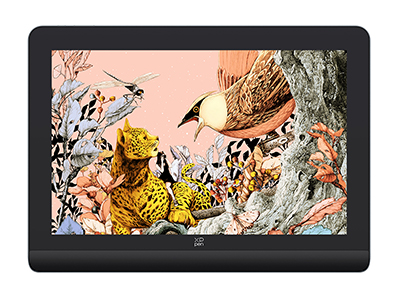
XPPen Artist Pro 16 (Gen2)

With the advanced X3 Pro chip and over 16,384 levels of pressure sensitivity, XPPen Artist Pro 16 (Gen2) is your optimal choice for advanced drawing activities. At only $479.99 (with sale price), you get a lifetime of technical support and free drawing software redemption to immediately start creating all your favorite designs and artwork.
Key Specifications:
· 16” display using 2.5K resolution and precision brightness control
· Lifelike colors using Simulation X-Nature display
· Over 16K pressure levels with the included pen
· 99% sRGB area ratio and 159% sRGB coverage ratio
Best of all, there is an X-remote control and built-in foldable stand so you can make the most of your drawing workflow. You can even select the ergonomic and smooth wrist rest to reduce strain.
Conclusion
Finding the best Samsung tablet for drawing is no longer a challenge. While our list covered everything from budget-friendly, highly mobile options to professional-grade devices for top-notch animation, we recommend sticking to the XPPen line of drawing tablets.
The online world is only getting more immersive. Having a tool like the XPPen Artist 16 (Gen2) on your side ensures your artwork and designs remain relevant. Expand your career today and pick up this fantastic device for your upcoming project needs. Nothing beats an XPPen stylus for precision and color control.
FAQ
Which drawing apps are best for Samsung tablets?
The best drawing app/program for Samsung depends on your preferences. Most people stick to Sketchbook, Clip Studio Paint, or Procreate for mobile applications.
Is Samsung Galaxy Tab S4 good for drawing?
While the Tab S4 is a bit older, you can still get reasonable performance for the price point. This would be a good decision for those working on a restrictive budget or completely new to the world of digital drawing and art creation.
What does the FE stand for in Samsung tablets?
The FE is meant to mean “Fan Edition.” It represents the type of Samsung device with features most requested by users at an affordable price point that is accessible.
Is Samsung better for drawing tablets?
Samsung is a good option for drawing. You can find many optional features and price points to fit your unique needs. However, if you want the devices sure to elevate your creativity, you should stick to the drawing tablets from XPPen.
Is the Samsung tablet good for graphic design?
The included S Pens inside each package helps you create fun and interactive designs. You’ll need to find an appropriate app to make these work, but there is enough color accuracy for designers used to the Samsung ecosystem.
How important is pressure sensitivity for stylus?
Pressure sensitivity is one of the top indicators of a successful drawing tablet. While Samsung has some beneficial features through the S Pen, you might find better tilt control and advanced pressure sensitivity in the XPPen styluses, which enhance stroke accuracy and ensure organic drawing experience.
About Us
Founded in 2005, XPPen is a leading global brand in digital art innovation under Hanvon UGEE. XPPen focuses on the needs of consumers by integrating digital art products, content, and services, specifically targeting Gen-Z digital artists. XPPen currently operates in 163 countries and regions worldwide, boasting a fan base of over 1.5 million and serving more than ten million digital art creators.
Learn moreRecommended Articles
ROUNDUPS iPad vs Samsung Tablet 2026: Which One Fits Your Needs? ROUNDUPS Best Pink Drawing Tablets for Beginners [2026 Guide]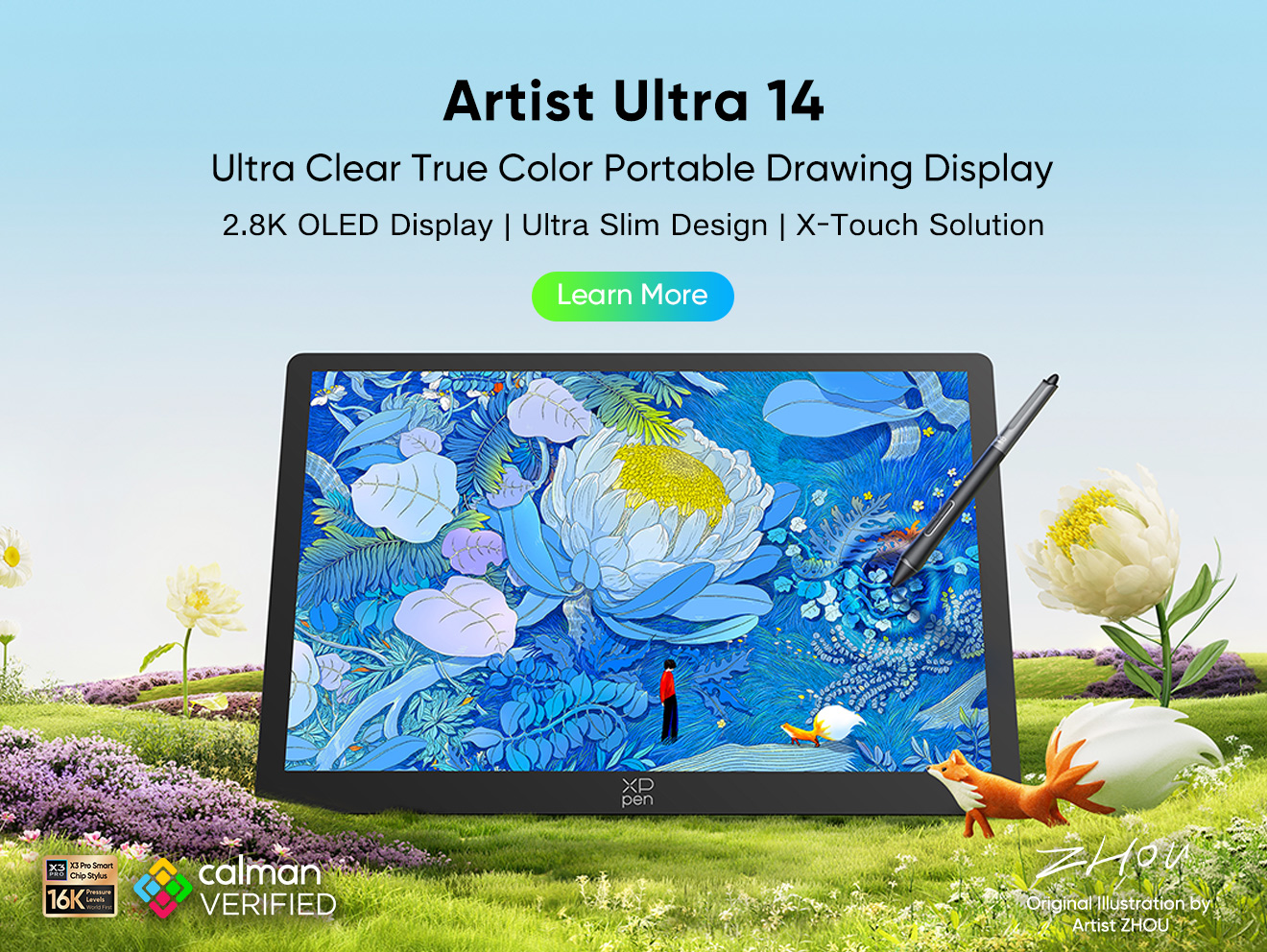





-
 Magic Drawing Pad
X3 Pro Slim Stylus with 16,384 pressure levels and tilt support
X-Paper display featuring anti-glare and fingerprint resistance
Clip Studio Paint and ibis Paint X 3-month free membership
Super portable- just 6.9mm thin and weighs only 590g
Supports dual Windows and DP-IN functions
It features:
Powered by Android 14, no need to connect to a computer to use.
-
 Artist Pro 16 (Gen 2)
World first 16K pressure levels
X3 Pro smart chip stylus
2.5K resolution. Works like magic over the X-nature display
It features:
-
Magic Drawing Pad
X3 Pro Slim Stylus with 16,384 pressure levels and tilt support
X-Paper display featuring anti-glare and fingerprint resistance
Clip Studio Paint and ibis Paint X 3-month free membership
Super portable- just 6.9mm thin and weighs only 590g
Supports dual Windows and DP-IN functions
It features:
Powered by Android 14, no need to connect to a computer to use.
Ready to invest in the right tools?
Get expert buying advice, unbiased reviews, and exclusive deals on drawing tablets, and accessories.
