iPad vs Samsung Tablet 2026: Which One Fits Your Needs?
ROUNDUPSIf you’d like to buy a tablet and start doing research online, you may find iPads and Samsung Galaxy Tabs are being recommended half and half. But what are the differences between them? Which one is better?
This guide compares the iPad and Samsung tablets, covering their performance, display, software, pricing, and which one is better for studying, drawing, work, and entertainment. Hopefully, by the end of this article, you will get a clearer picture of whether you should go with iPad or Samsung Tablet for your situation. Let’s dive in.
iPad vs Samsung Tablet: Comparison Table at a Glance
| iPad | Samsung Galaxy Tab | |
|---|---|---|
| Operating System | iPadOS: Apple's closed, tightly controlled ecosystem | Android + One UI: more open, customizable ecosystem |
| Performance | Apple-designed chips (like A16, M4, M5); typically leads at a given price point, especially for pro creative workloads | Qualcomm/MediaTek/Samsung Exynos chips depending on model; strong performance-per-dollar across a wider range of tiers |
| Display | Liquid Retina / OLED (Pro) | AMOLED (high contrast, vivid) |
| Stylus | Apple Pencil (sold separately) | S Pen (often included) |
| Multitasking | Split View / Stage Manager supported, but the experience remains fundamentally tablet-oriented | Samsung DeX mode converts the tablet into a desktop-like interface, either on-screen or via external display |
| Ecosystem | Best with iPhone + Mac | Best with Samsung phone + Windows |
| Storage Expansion (microSD) | Not supported on any model | Varies by model — more common on budget/mid-range tablets; recent flagships (e.g., Galaxy Tab S11 series) have dropped microSD support |
| Best Suited For | Users already invested in the Apple ecosystem, or who prioritize long-term support and creative/pro app performance | Users invested in the Android/Samsung ecosystem, or who want desktop-like multitasking (DeX) and more price flexibility |
iPad vs Samsung Tablet 2026: What Are the Differences?
Choosing between an iPad and a Samsung Tab is essentially choosing between Apple's and Android's ecosystems. The two systems differ in real, hands-on ways. So, if you're switching from one to the other, expect a short adjustment period. Here are the biggest differences you'll notice:
- Navigation: iPadOS relies on swipe gestures and the Home button/gesture bar with no persistent back button; Android (One UI) typically uses a visible or gesture-based back button/swipe, which many switchers say feels more intuitive for backtracking through apps.
- Home screen & widgets: iPadOS keeps app icons in a fixed grid with a separate "Today View" for widgets; Android lets you freely place, resize, and mix widgets directly on any home screen, and includes an app drawer separate from the home screen.
- App installation: In most regions, iPadOS apps come only from the App Store. In the EU, Apple now permits sideloading and alternative app marketplaces due to DMA regulation. Android has always allowed installing apps from outside the Play Store, in every region.
- Split-screen & multitasking: iPadOS uses Split View/Stage Manager with app-specific quirks (not all apps support windowing the same way); Samsung's DeX and multi-window mode tend to behave more consistently across apps, closer to a desktop OS.
- Stylus input: Apple Pencil is deeply integrated at the OS level (pressure, tilt, hover on newer models) across nearly all apps; S Pen offers similar depth but with extra software gestures (Air Actions) unique to Samsung's ecosystem.
- Voice assistant & AI: iPad uses Siri (and Apple Intelligence on supported models); Samsung tablets use Google Gemini alongside Samsung's own Galaxy AI features layered on top of One UI.
All in all, it just needs time to adapt to these differences. Further reading: iPad vs Android Tablet
Performance
iPad
Apple's custom silicon (from the A-series in entry-level models to the M-series in Air and Pro) consistently outperforms Android tablets at equivalent price points, particularly in sustained, demanding tasks. This matters most if you're doing 4K video editing, running professional design software (Photoshop, LumaFusion, Final Cut Pro for iPad), or working with large files that require both raw power and efficient thermal management. For light tasks like browsing, note-taking, or streaming, the performance gap is far less noticeable.
Samsung Galaxy Tab
For Galaxy Tabs, the performance depends heavily on which chip your specific model uses (flagship-tier vs. mid-range/budget), so it's worth checking the exact processor before buying rather than assuming "Samsung equals to fast." Flagship Galaxy Tabs handle multitasking, gaming, and even light creative work well, and they benefit from RAM Plus (virtual RAM expansion) for smoother app-switching. Budget and mid-tier models, however, can feel sluggish under heavier workloads.
Display
iPad
Apple maintains tight, consistent quality control across its display lineup, even base-model iPads use a Liquid Retina LCD display with accurate color (P3 wide color, True Tone) and up to 500 nits of brightness for everyday use, though at a standard 60Hz refresh rate. The Pro models step up further with Ultra Retina XDR (tandem OLED) panels, offering excellent HDR contrast, ProMotion's adaptive up-to-120Hz refresh rate, anti-reflective coating, and a Reference Mode for color-accurate workflows. If you care about color accuracy for creative work (photo editing, design review), iPad Pro is hard to beat.
Samsung Galaxy Tab
Samsung's AMOLED displays are known for vibrant, saturated colors and true blacks, which is a look many people find more immediately eye-catching than iPad's, especially for watching video or browsing photos. That said, the default color profile tends to be oversaturated rather than strictly accurate, which matters if you're doing color-sensitive creative work but is a non-issue for entertainment and casual use. Refresh rates on flagship models are competitive with iPad Pro, though this narrows on lower-tier models.
Software
iPad
When it comes to software, iPad stands apart in a handful of high-profile creative apps:
- Procreate remains iPad-only (no Android version, despite years of user requests). And it's widely considered the gold standard for digital illustration, which is a real factor if drawing is a priority.
- Final Cut Pro for iPad brings Apple's professional video-editing software to a tablet for the first time, with a subscription-based iPad version built for M-series/A16+ chips. This is a genuine draw for anyone serious about mobile video editing, though some users report it's less polished than its Mac counterpart.
Beyond these standouts, iPad's broader advantage is it's consistency. Because there's one hardware family to design for, most apps (including cross-platform ones) feel purpose-built for the screen and Apple Pencil, rather than a scaled-up phone layout.
Samsung Galaxy Tab
Samsung's true exclusive is DeX, the desktop-mode feature built into One UI. If you want a tablet that doubles as a lightweight laptop (resizable windows, taskbar, mouse/keyboard support), that's a Samsung-only capability. The bigger everyday caveat, though, is optimization inconsistency. As Android tablets span many screen sizes and brands, not every app developer bothers to build a proper tablet layout, therefore, some apps (even popular ones) still show up stretched or awkwardly scaled, more like an oversized phone app than a true tablet experience.
Pricing
iPad
To be honest, the iPad is more expensive than most Android tablets. Even the cheapest current iPad (11th-gen, from $449) costs more than many capable Android tablets, and premium models climb quickly: iPad Air starts at $749 (11") / $949 (13"), iPad Pro starts at $1,199 (11") / $1,499 (13"), and iPad mini starts at $599. The upside is long-term value: iPads are widely reported to hold resale value unusually well, and Apple's multi-year software support (commonly 5+ years of iPadOS updates) means a 3–4-year-old iPad still runs smoothly, which can make the higher upfront cost more justifiable over the device's lifespan.
Samsung Galaxy Tab
Samsung covers a much wider spread — from budget tablets like the Galaxy Tab A9 series (roughly $115–$270) to premium Ultra-tier models like the Galaxy Tab S11 Ultra (up to roughly $1,150+). This makes it easier to find a tablet that matches a specific budget without overpaying for features you don't need. The tradeoff is less clear-cut than it used to be on software: Samsung's flagship S-series tablets now get 7 years of OS and security updates, closing much of the historical gap with iPad — but this long support window applies mainly to the S-series, not the cheaper Tab A line, which still gets shorter update cycles. Resale value for Android tablets in general still tends to depreciate faster than iPads, so a lower upfront cost doesn't always translate to a lower cost per year of ownership, especially at the budget tier.
Use Cases
iPad
· Best for note-taking & studying — ideal for students
Apple Pencil's low latency combined with best-in-class apps like GoodNotes and Notability makes handwriting feel closest to pen-on-paper.
· Best for digital drawing & illustration — ideal for artists and illustrators
Procreate, widely considered the gold standard for tablet-based digital art, performs and feels best on iPad, and many professional illustrators build their entire workflow around it. (Tips: If drawing is truly your only priority, it's also worth knowing about dedicated devices like the XPPen Magic Drawing Pad, a standalone Android tablet built specifically around a paper-like drawing surface and a 16K-pressure stylus, at a lower price than an iPad Pro.)

· Strong for casual entertainment — good for everyday streaming and browsing
Display quality and app polish make for a smooth, no-friction experience, though this is a closer contest with Samsung.
· Weaker fit for gaming — not the priority pick for gamers
While capable, iPad's game library is smaller and less optimized for touch/controller play compared to Android's broader catalog.
Samsung Galaxy Tab
· Best for laptop-like productivity — ideal for remote workers and multitaskers
DeX mode plus a keyboard case delivers a genuinely usable desktop-like workflow for browsing, documents, and email — something iPad's split-screen multitasking doesn't quite replicate.
· Best for gaming — ideal for mobile gamers
A wider Android game library, more affordable high-refresh-rate options, and better price-to-performance make this the stronger pick if gaming is your main use case.
· Good for casual note-taking — budget-friendly option for light note-takers
S Pen is genuinely capable and often bundled for free, though it trails iPad slightly in app polish and pressure-sensitivity refinement for serious daily use. For a similarly specialized alternative, XPPen Magic Note Pad is a standalone note-taking device with a paper-like display, built purely for handwriting and light sketching.

· Equally strong for casual entertainment — great for streaming and video
The vivid AMOLED display makes for an equally strong, arguably more visually striking option for watching video.
FAQ: iPad vs. Samsung Galaxy Tablet
1. Which is better for note-taking, iPad or Samsung Tab?
iPad is the stronger pick for most people, thanks to Apple Pencil's low latency and best-in-class apps like GoodNotes and Notability that make handwriting feel closest to pen-on-paper. Samsung's S Pen is genuinely good and often bundled for free, making it a solid budget-friendly option — but it trails iPad slightly in app polish and pressure-sensitivity refinement for serious daily note-taking.
2. Which is better for drawing and digital art, Samsung Tab or iPad?
iPad, and it's not particularly close for professional or serious hobbyist illustrators. Procreate — widely considered the gold standard for digital art — remains iPad-exclusive with no Android version, and most professional illustrators build their entire workflow around it. Samsung tablets can handle casual sketching well, but they lack an equivalent app with the same industry reputation.
3. Is a Samsung tablet a "cheaper iPad," or are they fundamentally different?
They're fundamentally different, not just priced differently. The core divide is iPadOS vs. Android/One UI — different navigation, app ecosystems, file management, and multitasking philosophy. Budget shouldn't be the only factor; which operating system fits your habits (or which ecosystem your phone/laptop already belongs to) matters just as much as price.
4. Which is better for gaming, iPad vs Samsung Tablet?
Samsung Galaxy Tab, generally. Android's game library is broader, high-refresh-rate options are more affordable across price tiers, and price-to-performance tends to favor Samsung if gaming — not creative work — is your main use case.
5. Which is better for productivity — replacing a laptop for work or school?
Samsung, if "productivity" means a desktop-like experience, eX mode plus a keyboard case delivers resizable windows, a taskbar, and mouse/keyboard support that iPad's split-screen multitasking doesn't fully replicate. iPad, on the other hand, tends to offer smoother, more consistent app performance for writing, browsing, and light multitasking, even without a desktop-style interface.
6. Does it matter which phone I already own — iPhone or Android/Samsung?
Yes, more than most buyers expect. Both tablets are noticeably better when paired with a matching ecosystem: iPad integrates deeply with iPhone and Mac (Handoff, Universal Clipboard, AirDrop), while Samsung tablets integrate similarly well with Samsung phones and Windows PCs (Samsung Flow, Link to Windows). Buying "the other" ecosystem's tablet means giving up some of that cross-device convenience.
Final Words
At the end of the day, this isn't really a question of which tablet is "better", rather, it's a question of which ecosystem, workflow, and use case fits you. If you're already invested in Apple's ecosystem, prioritize note-taking or digital art, or want a tablet with long-term software support and strong resale value, iPad is the safer bet. Or, if you're an Android/Windows user, want DeX's desktop-like flexibility, care more about gaming or budget flexibility, Samsung Galaxy Tab is likely the better fit.
About Us
Founded in 2005, XPPen is a leading global brand in digital art innovation under Hanvon UGEE. XPPen focuses on the needs of consumers by integrating digital art products, content, and services, specifically targeting Gen-Z digital artists. XPPen currently operates in 163 countries and regions worldwide, boasting a fan base of over 1.5 million and serving more than ten million digital art creators.
Learn moreRecommended Articles
TIPS iPad vs. Android Tablet: Which One You Should Buy in 2026 ROUNDUPS 6 Best Samsung Tablets for Drawing: Pro Reviewed [2026 Updated] FOCUSED Magic Drawing Pad: XPPen's First Standalone Drawing Tablet FOCUSED XPPen Magic Drawing Pad vs iPad Pro: I Tested Both KNOWLEDGE 6 Best Drawing Apps for iPad Free & Paid 2026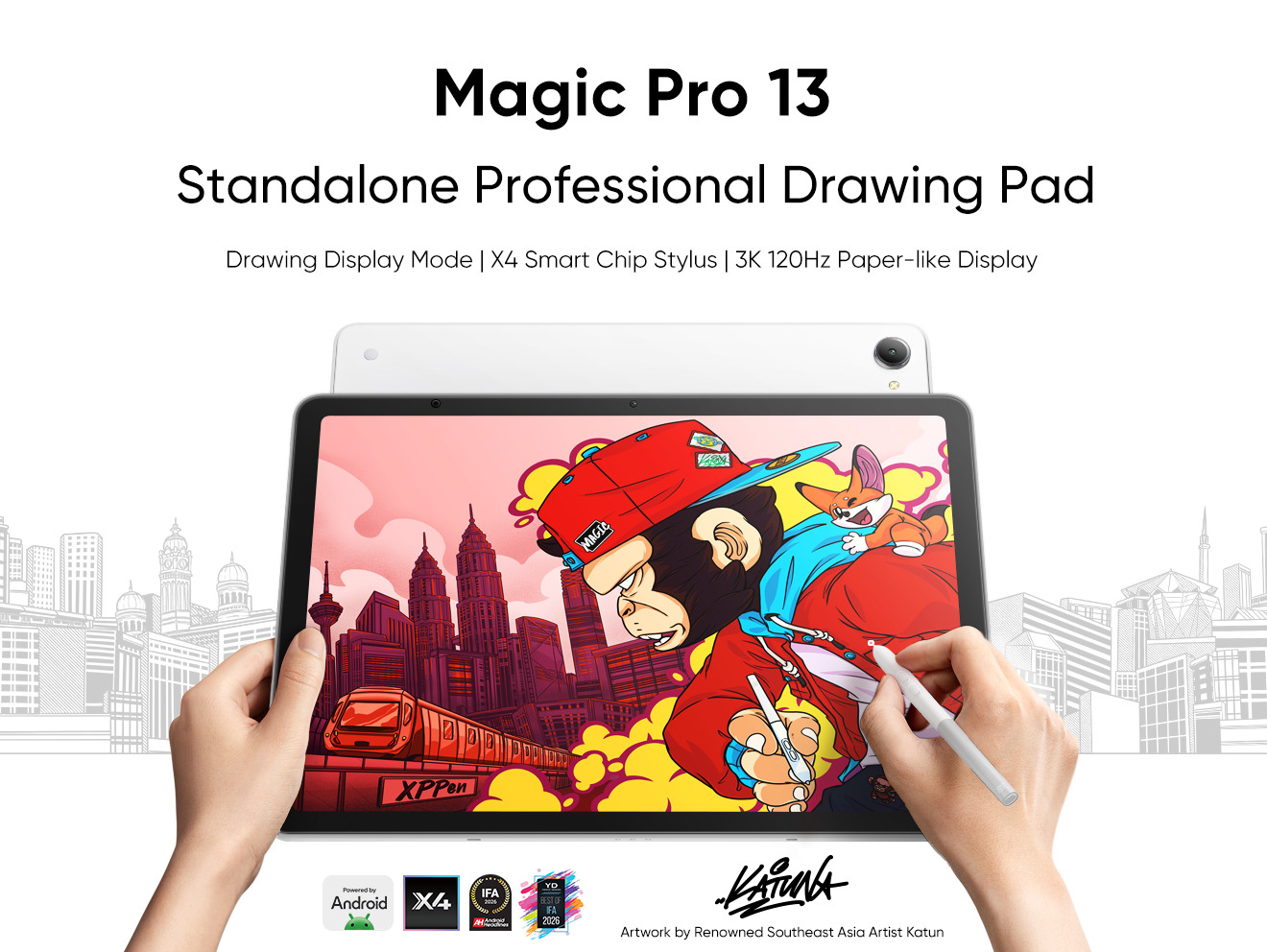





-
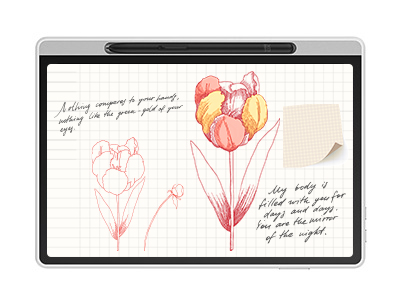 Magic Note Pad
Paper-like Display with 3 Color Modes
Industry-leading 16K pressure-sensitive stylus
Specialized note-taking app featuring handwriting-to-text conversion and PDF editing
It features:
The world's first 3-in-1 color notepad, perfect for note-taking.
-
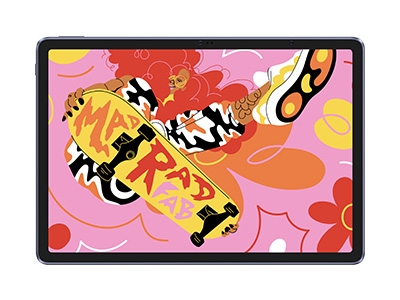 Magic Drawing Pad
X3 Pro Slim Stylus with 16,384 pressure levels and tilt support
X-Paper display featuring anti-glare and fingerprint resistance
Clip Studio Paint and ibis Paint X 3-month free membership
Super portable- just 6.9mm thin and weighs only 590g
Supports dual Windows and DP-IN functions
It features:
Powered by Android 14, no need to connect to a computer to use.
-
Magic Note Pad
Paper-like Display with 3 Color Modes
Industry-leading 16K pressure-sensitive stylus
Specialized note-taking app featuring handwriting-to-text conversion and PDF editing
It features:
The world's first 3-in-1 color notepad, perfect for note-taking.
-
Magic Drawing Pad
X3 Pro Slim Stylus with 16,384 pressure levels and tilt support
X-Paper display featuring anti-glare and fingerprint resistance
Clip Studio Paint and ibis Paint X 3-month free membership
Super portable- just 6.9mm thin and weighs only 590g
Supports dual Windows and DP-IN functions
It features:
Powered by Android 14, no need to connect to a computer to use.
Ready to invest in the right tools?
Get expert buying advice, unbiased reviews, and exclusive deals on drawing tablets, and accessories.
