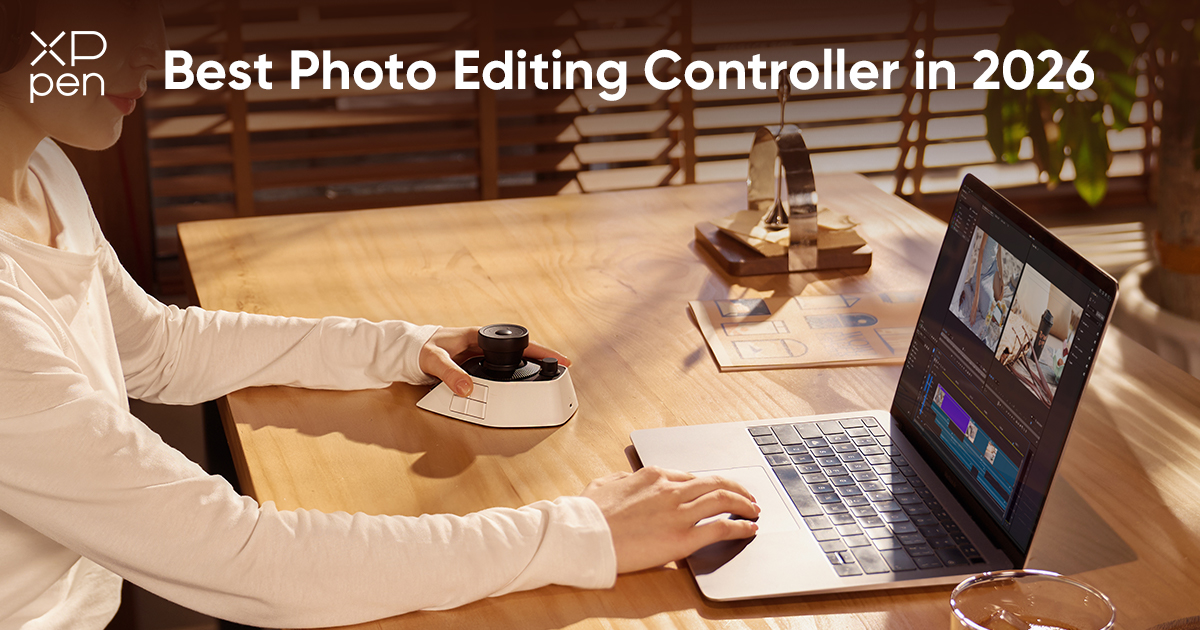
6 Best Photo Editing Controllers in 2026
ROUNDUPSA photo editing controller is a physical device that turns repetitive software actions into direct, tactile controls. Instead of clicking and dragging sliders with a mouse, you turn a physical dial or press a dedicated button. The result is faster, more intuitive adjustments that keep your attention on the image and reduce hand fatigue during long editing sessions.
Quick Recommendation
| Product | Best For | Key Feature | Price Range |
|---|---|---|---|
| XPPen Pilot Pro | Overall Editing & Color Work | All-way joystick + tri-dials + pre-configured presets | $200 – $210 |
| TourBox Elite Plus | Cross-Platform Creators | iPad support + deep preset library | ~$297 |
| DaVinci Resolve Speed Editor | DaVinci Resolve Users | Dedicated jog wheel + Resolve Studio license included | ~$435 |
| Logitech MX Creative Console | Adobe Workflows | Split design: LCD keypad + dial module | ~$200 |
| Elgato Stream Deck+ | Visual Shortcut Control | 8 LCD keys + 4 dials + touch strip | $160 – $200 |
| Loupedeck+ |
Dedicated Lightroom Users | Lightroom-optimized layout with 8 color dials | ~$230 (Legacy Model) |
6 Best Photo Editing Controllers in 2026
1. XPPen Pilot Pro: Best Photo Editing Controller Overall
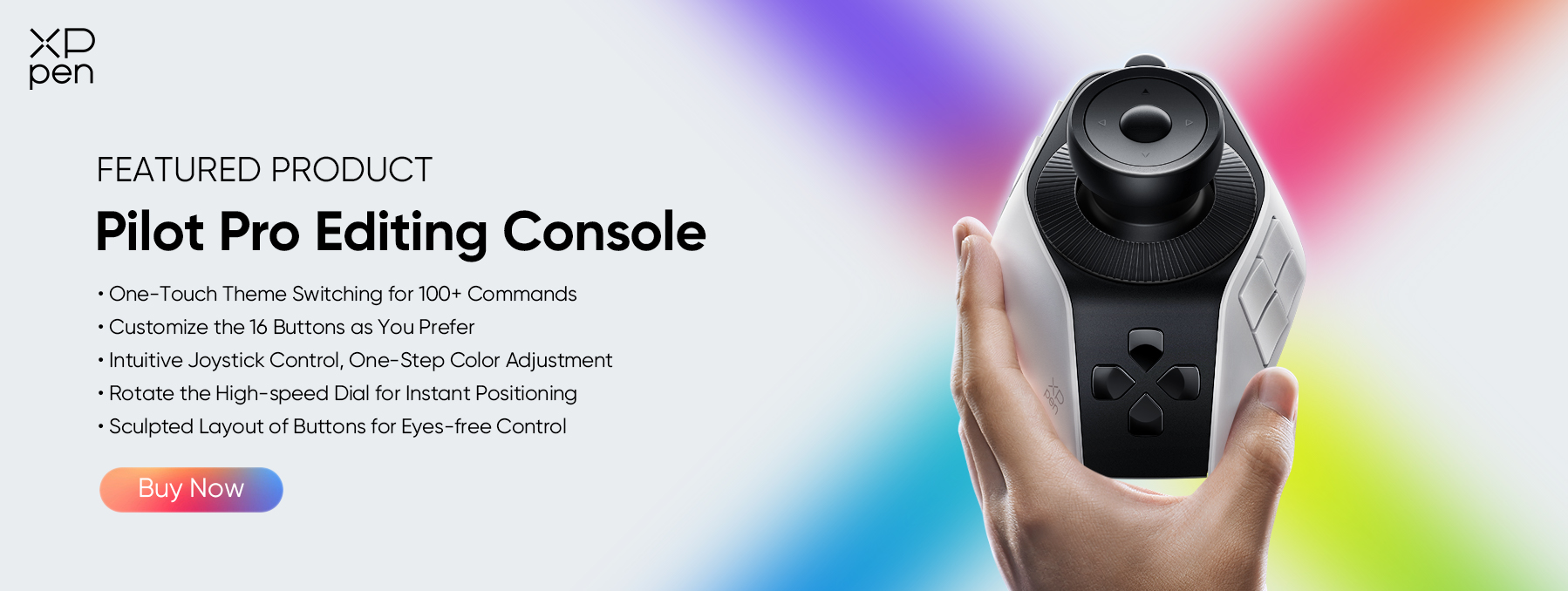
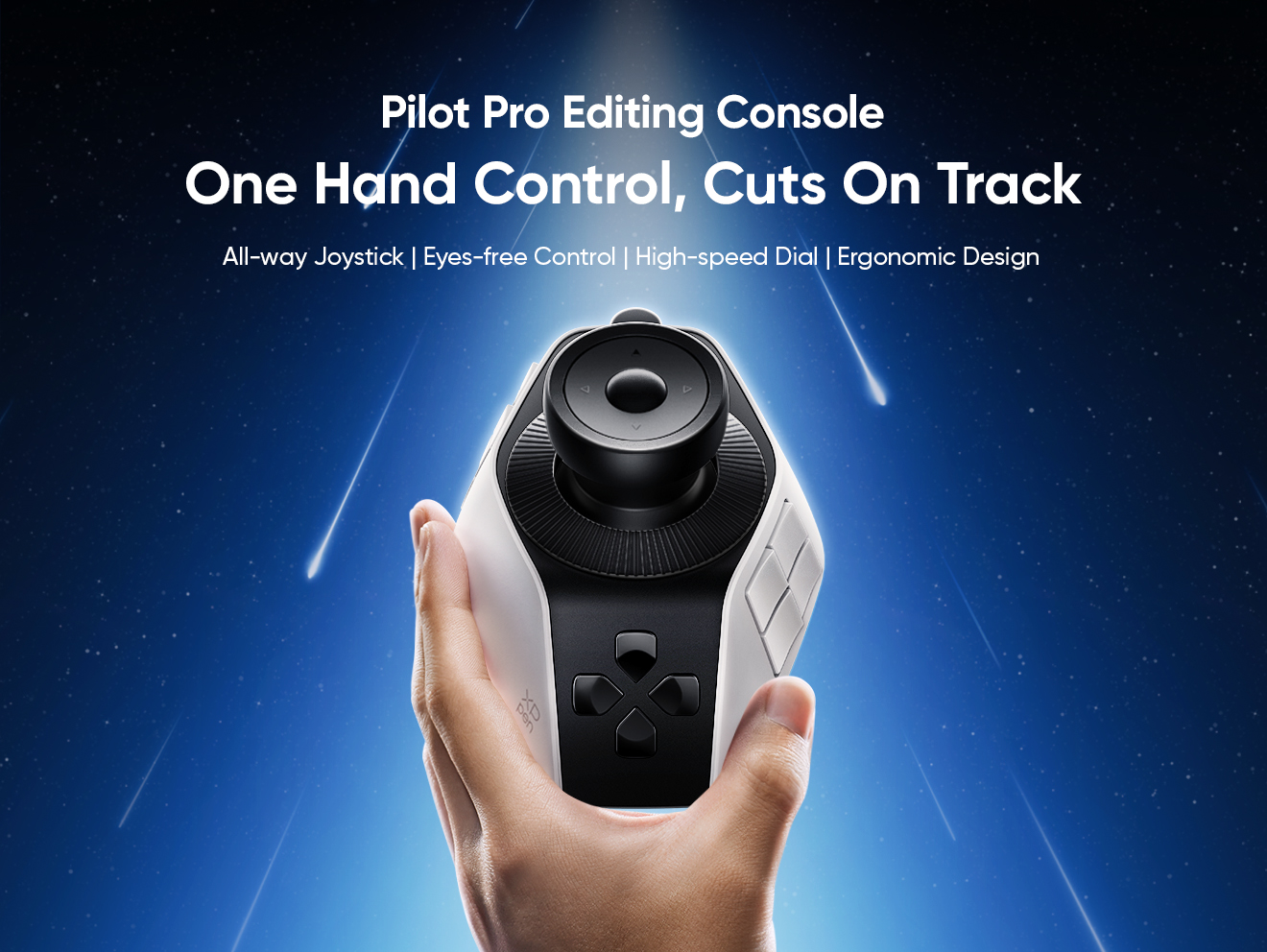
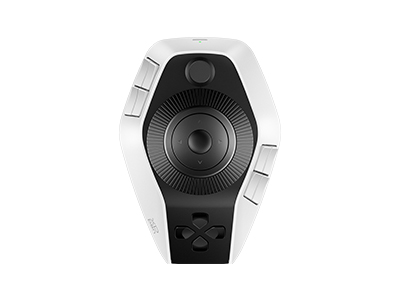
The XPPen Pilot Pro is XPPen‘s first dedicated editing console, designed for one-handed operation alongside a mouse. It combines an all-way joystick, three rotary dials with haptic feedback, and 16 customizable controls in a sculpted design that won the iF DESIGN AWARD 2026.
Features
- All-way joystick for color grading : Supports 4- or 8-way directional input. Tilt left/right for variable-speed playback, push up to select clips, and push down to cut—all without modifier keys.
- Three dials for precise control : High-speed dial for scrubbing through clips, precision knob for frame-by-frame adjustments and image rotation, and a rotary dial for timeline zoom.
- 16 customizable controls : 12 physical buttons plus 4 touch buttons on the joystick, supporting over 100 mappable commands per setup and up to seven custom themes.
- Pre-configured presets : Ships with dedicated presets for DaVinci Resolve, Premiere Pro, Photoshop, Lightroom Classic, Final Cut Pro, and CapCut. Presets switch automatically when changing applications.
- Haptic feedback : Linear motor with three selectable vibration intensities (intense, gentle, or off) provides physical confirmation for every input.
- Connectivity & battery : USB-C wired, 2.4G dongle, and dual-channel Bluetooth 5.4 LE. Built-in 1900 mAh battery lasts approximately 60 hours of active use.
Who Should Buy It
Photographers, video editors, and colorists who want a tactile editing experience with a unique joystick for color grading. Ideal for those working across both photo and video software.
You May Also Like: XPPen Pilot Pro Review
2. TourBox Elite Plus: Best for Cross-Platform Creators
The TourBox Elite Plus is a creative console with 11 buttons and three tactile dials (knob, scroll wheel, and flat dial). It is the first controller designed for iPad creativity, supporting native iPadOS compatibility alongside Windows and macOS.
Features
- Native iPadOS and Android support : Works with Procreate, Photoshop, Lightroom, Clip Studio Paint, DaVinci Resolve, and more on iPad. Added Android official support December 2025.
- Dual-channel Bluetooth : Seamless switching between any two devices—computer and iPad, or two computers.
- Over 400 control combinations : 11 buttons and 3 knobs support click, double-click, long-press, turn, and scroll operations. Adjustable vibration strength for haptic feedback.
- iPad presets stored onboard : Once configured, presets remain on the device—use on another iPad without installing software.
- Preloaded software presets : Ready-made profiles for Clip Studio Paint, Procreate, Photoshop, DaVinci Resolve, Final Cut Pro, Premiere Rush, Affinity Photo, and more.
- Power : AA batteries for Bluetooth mode; wired power via USB.
Who Should Buy It
Creators working across multiple devices (laptop and iPad) or multiple software suites. Also great for those who want to leverage user-created presets rather than building from scratch.
3. DaVinci Resolve Speed Editor: Best for DaVinci Resolve Users
The DaVinci Resolve Speed Editor is a dedicated control surface designed specifically for Blackmagic Design‘s DaVinci Resolve, with a focus on the Cut page workflow. It includes a DaVinci Resolve Studio license in the box.
Features
- Metal-weighted search dial : Machined from metal with a weighted feel—supports slow jogging through footage or fast shuttling by spinning the dial.
- 43 pre-labeled keys : Dedicated buttons for Smart Insert, Append to End, Close-Up, Ripple Overwrite, Place on Top, plus transition buttons (Cut, Dissolve, Smooth Cut).
- Source tape workflow : Press the source button and use the search dial to scroll through all media—clips highlight live in the bin for faster selection.
- Includes DaVinci Resolve Studio license : Supports up to 120 fps at 32K resolution, multiple GPUs, H.264/H.265 hardware encoding/decoding, Dolby Vision, HDR10+, DaVinci Neural Engine, and temporal/spatial noise reduction.
- Connectivity : USB-C and Bluetooth wireless with built-in rechargeable battery.
- OS Compatibility : Windows 10 or later (64-bit), macOS 10.15 or later.
Who Should Buy It
DaVinci Resolve users who primarily edit on the Cut page and want a professional-grade editing surface. The included Studio license makes it especially attractive for users who haven‘t upgraded to the paid version of Resolve.
4. Logitech MX Creative Console: Best for Adobe Workflows
The Logitech MX Creative Console is a split-unit controller: a nine-button LCD keypad that displays icons for assigned shortcuts, plus a separate wireless dialpad. It offers deep native integration with Adobe applications through tailored plugins.
Features
- Split design : Creative Keypad (wired USB-C with 9 LCD keys) and Creative Dialpad (wireless Bluetooth with aluminum dial and roller).
- Visual LCD keys : Each key shows custom icons and text—no memorization required. Up to 15 pages per app profile.
- Native Adobe integration : Plugins for Photoshop, Lightroom Classic, Premiere Pro, Illustrator, After Effects, Audition, plus Final Cut Pro and DaVinci Resolve via Logi Options+ Marketplace.
- Includes 3-month Adobe Creative Cloud membership : Approximately $180 value included with purchase.
- Action Ring : On-screen radial menu with 8 actions for quick parameter switching.
- Power : Keypad powered via USB-C; Dialpad powered by two AAA batteries (included).
Who Should Buy It
Photographers and designers primarily working within the Adobe ecosystem who value visual feedback. Also ideal for casual editors transitioning from keyboard shortcuts.
5. Elgato Stream Deck+: Best for Visual Shortcut Control with Dials
The Elgato Stream Deck+ builds on the popular Stream Deck concept by adding four physical dials and a touch strip alongside eight LCD keys. While originally designed for streaming, its drag-and-drop setup and plugin ecosystem make it adaptable for photo and video editing.
Features
- 8 visual LCD keys : Display custom icons for assigned shortcuts—no memorization required.
- 4 rotary dials with push function : Physical control over brush size, zoom, volume, and more.
- 108 × 14 mm touch strip : Additional control and visual feedback.
- Plugin ecosystem : Hundreds of integrations including Adobe apps and OBS.
- Smart Profiles : Automatic switching between application profiles.
- Multi-Action sequences : Single-press triggers for complex operations.
- Connectivity : USB (detachable cable).
Who Should Buy It
Photographers and creators who want a visually intuitive controller with physical dials. Ideal for users who appreciate visual feedback and want a single device that works across streaming, photo editing, and productivity.
6. Loupedeck+: Best for Dedicated Lightroom Workflows
The Loupedeck+ is a specialized editing console designed to streamline photo editing, particularly within Adobe Lightroom Classic. It provides a tactile interface with a layout that mirrors Lightroom's core modules, allowing photographers to adjust sliders and navigate edits with physical controls rather than a mouse.
Features
- Lightroom-Optimized Layout: Features a dedicated section with 8 color channel dials for adjusting exposure, contrast, saturation, and HSL (Hue, Saturation, Luminance) panels, making color grading more intuitive.
- Dedicated Editing Tools: Includes a large rotate/crop wheel, zoom knob, and preset buttons (P1-P8) for quickly applying or cycling through your favorite develop presets.
- Customizable Controls: Offers a Custom Mode that allows you to assign specific functions to certain knobs and buttons, adapting the console to parts of your workflow beyond the default layout.
- Software Compatibility: While built for Adobe Lightroom Classic, it also offers native support for Adobe Premiere Pro, Final Cut Pro, Adobe Photoshop, and Aurora HDR, providing utility for video editors as well.
- Connectivity: Connects exclusively via USB-C wired connection, ensuring zero-latency input without the need for batteries.
- Build & Design: Features a solid, desk-friendly build with a brushed aluminum top plate and buttons that provide clear tactile feedback for long editing sessions.
Note: The Loupedeck brand was acquired by Logitech in 2023. While the Loupedeck+ remains a functional and capable device, its legacy and philosophy have evolved into newer products like the Logitech MX Creative Console.
Who Should Buy It
Photographers and photo editors who are heavily invested in Adobe Lightroom Classic and want a physically dedicated, tactile interface to speed up their color correction, grading, and preset management. It is especially suited for those who prefer a non-visual, muscle-memory-based control surface for a streamlined, clutter-free editing experience.
How to Choose a Photo Editing Controller
Not every editing controller works the same way. Some are dials-first for smooth slider adjustments, others rely on programmable LCD keys for quick shortcut access. Consider these factors before buying:
Controls
Look for a balance of buttons, dials, and unique inputs. Dials are essential for adjusting sliders like exposure, contrast, and color temperature. The XPPen Pilot Pro offers a unique joystick for color grading and navigation. The Stream Deck+ offers 4 dials with visual feedback, while the DaVinci Resolve Speed Editor provides a dedicated jog and search dial for timeline work. Consider which types of controls best match your editing style.
Visual Feedback vs. Muscle Memory
Devices with LCD keys (Logitech MX Creative Console, Elgato Stream Deck+) show what each button does, eliminating memorization and making them easier to start with. Devices without screens (TourBox Elite Plus, XPPen Pilot Pro) require learning the layout but often offer more controls and can help you build muscle memory faster over time.
Software & Presets
Ensure the device has dedicated presets for your main software. The XPPen Pilot Pro and TourBox Elite Plus both offer automatic preset switching between applications. The Logitech MX Creative Console offers deep Adobe integration, while the DaVinci Resolve Speed Editor is purpose-built for Resolve with no other software support. Consider whether you work primarily in one application or across multiple.
Connectivity
Bluetooth offers a clutter-free desk but may have battery considerations. The XPPen Pilot Pro supports USB-C, 2.4G dongle, and dual-channel Bluetooth 5.4. The TourBox Elite Plus offers dual Bluetooth for switching between two devices. The Stream Deck+ and Speed Editor are wired-only, offering zero latency and no battery concerns. The Logitech MX Creative Console has a wired Keypad and wireless Dialpad.
Ergonomics
One-handed operation is a key benefit. Consider the device‘s shape and button layout for comfort during long sessions. The XPPen Pilot Pro is designed for left-hand use alongside a mouse and has won design awards for its ergonomic layout. The TourBox Elite Plus was designed from extensive ergonomic research to ensure comfortable use.
Price
Controllers range from approximately $160 to $435. The DaVinci Resolve Speed Editor at ~$435 effectively includes a free Resolve Studio license (worth ~$295). Determine your budget and which features matter most to your workflow.
FAQs
1. What is the best photo editing controller?
The XPPen Pilot Pro is currently the best overall photo editing controller for its unique all-way joystick and tri-dial system designed specifically for editing workflows. It offers a balance of innovative controls, ergonomic design, and broad software compatibility.
2. How do I choose the best photo editing controller for me?
Consider your primary software, budget, hand comfort, and whether you prefer visual LCD keys or tactile blind controls. The XPPen Pilot Pro is ideal for intensive color work, the TourBox Elite Plus is best for cross-platform creators, the DaVinci Resolve Speed Editor is purpose-built for Resolve users, the Logitech MX Creative Console suits Adobe users, and the Elgato Stream Deck+ offers visual control with physical dials.
3. Can a photo editing controller replace a keyboard and mouse?
No. A console works alongside your existing keyboard and mouse rather than replacing either. It handles the repetitive physical actions that slow editing down, while your mouse handles precision work and your keyboard manages text input and less common commands.
About Us
Founded in 2005, XPPen is a leading global brand in digital art innovation under Hanvon UGEE. XPPen focuses on the needs of consumers by integrating digital art products, content, and services, specifically targeting Gen-Z digital artists. XPPen currently operates in 163 countries and regions worldwide, boasting a fan base of over 1.5 million and serving more than ten million digital art creators.
Learn more





Ready to invest in the right tools?
Get expert buying advice, unbiased reviews, and exclusive deals on drawing tablets, and accessories.
