Best Photo Editing Console for Beginners & Pros: Speed Up Your Editing Workflow
FOCUSEDPhoto editing often feels slow not because photographers lack skill but because the work demands hundreds of small repeated actions across large image sets. A single session can include thousands of individual inputs before the final image is delivered. Selecting images, adjusting tones, syncing settings, checking focus and correcting small details all happen one step at a time. That repetition is what drains time and energy from every session.
A photo editing console aims to tackle this issue. It is a physical control device for photo editing software such as Lightroom, Photoshop, and Capture One. With dials, buttons, and shortcut controls, such photo editing tools can help speed up repetitive editing actions like exposure adjustment, image navigation, rating, masking, and tool switching.
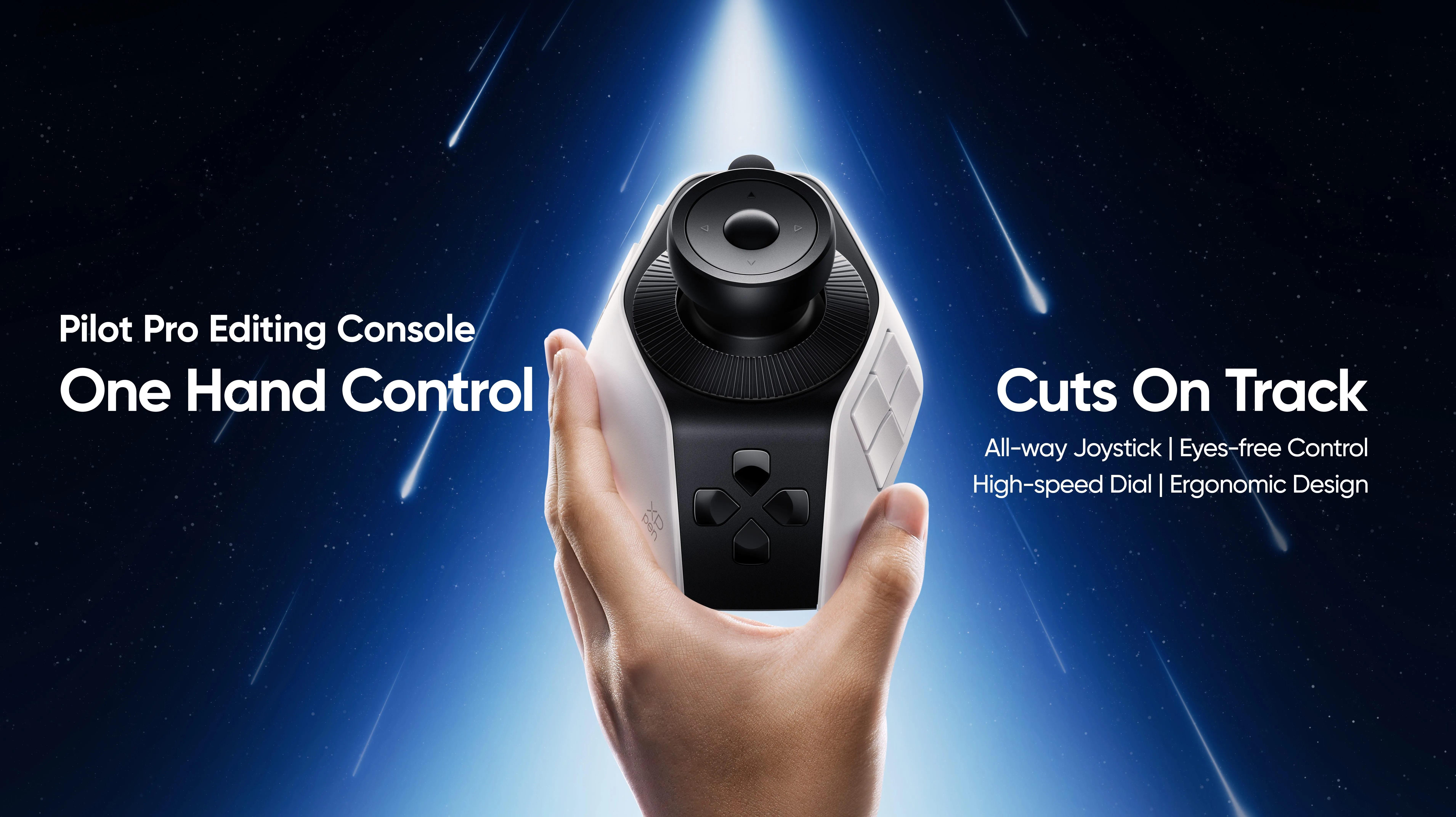
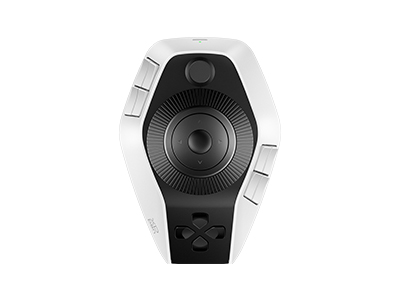
Among them, XPPen Pilot Pro Editing Console is one of the best companions for photographers. The XPPen Pilot Pro Editing Console is built for photographers who want a faster and more controlled way to handle that workload. Let's explore further.
Why Photo Editing Takes Longer Than It Should
Most of the time lost in editing does not come from complicated edits. It builds up across the small actions that repeat constantly throughout a session.
Moving between images in a batch requires a click or a keystroke every single time. Over 600 images, which adds up to hundreds of unnecessary hand movements. Dragging sliders to the right value with a mouse takes precision and often ends with an overshoot and a correction. Switching tools means repositioning your fingers and sometimes your eyes across the screen.
Copying settings from one image and pasting them to a selected group requires navigating menus or remembering shortcut combinations. Zooming in to check sharpness on a subject's eyes and then zooming back out repeats throughout the entire session without pause. Small corrections to individual tones on nearly every image pile on top of each other.
None of these tasks are difficult. But each one interrupts the natural rhythm of editing and together they account for a large portion of total editing time.
The Real Question: Will a Photo Editing Console Actually Save Time?
The honest answer is yes, but only when the console matches how a photographer actually works.
For someone who edits a small number of images occasionally, the benefit is limited. But for photographers who regularly process large sets, the savings grow with every session. Heavy editing work means the same physical inputs happen hundreds of times across every job. When those inputs move from a keyboard and mouse to physical dials and buttons, each action becomes more direct and less demanding.
Turning a dial to raise exposure is faster and more accurate than clicking a slider and dragging it. Pressing a dedicated button to flag an image takes less effort than reaching across the keyboard for a shortcut. Navigating through a set with a joystick keeps both hands working efficiently instead of one hand doing everything.
The time saved per image is small. Across a full shoot, those savings compound into a noticeably shorter session and a less tired editor at the end of it.
Where a Photo Editing Console Helps Most
Some parts of editing benefit from a console more than others. The biggest gains come where repetition is highest.
Culling Large Photo Sets
Going through hundreds or thousands of images to select the keepers is one of the most repetitive parts of the job. A console with directional controls lets you move through images, flag selects and reject unwanted shots without lifting your hand or reaching for the keyboard. The rhythm of culling becomes faster and more consistent when all those actions sit under one hand.
Adjusting Exposure, Color and Tone
Tonal work sits at the center of most editing sessions. Exposure, contrast, highlights, shadows and color temperature all need fine adjustments on a high percentage of images in any large set. Physical dials give you direct and real-time control over these values. Turning a dial feels more connected to the adjustment than clicking and dragging a slider and the result is more accurate with fewer corrections needed afterward.
Copying, Pasting and Applying Presets
Applying a base preset or syncing adjustments across a selected group of images is a standard part of batch editing. Mapping these actions to dedicated buttons removes the need to navigate menus or remember key combinations. One press applies the setting and you move to the next step without breaking focus.
Cropping, Zooming and Detail Checking
Reviewing focus, checking skin detail or confirming composition requires zooming in and then panning across the image. Repeating this across hundreds of files with a scroll wheel or trackpad slows the process down. A joystick makes panning and zooming faster and less physically demanding so detail checking stays part of the workflow instead of feeling like a separate chore.
Why XPPen Pilot Pro Fits Photo Editing Workflows
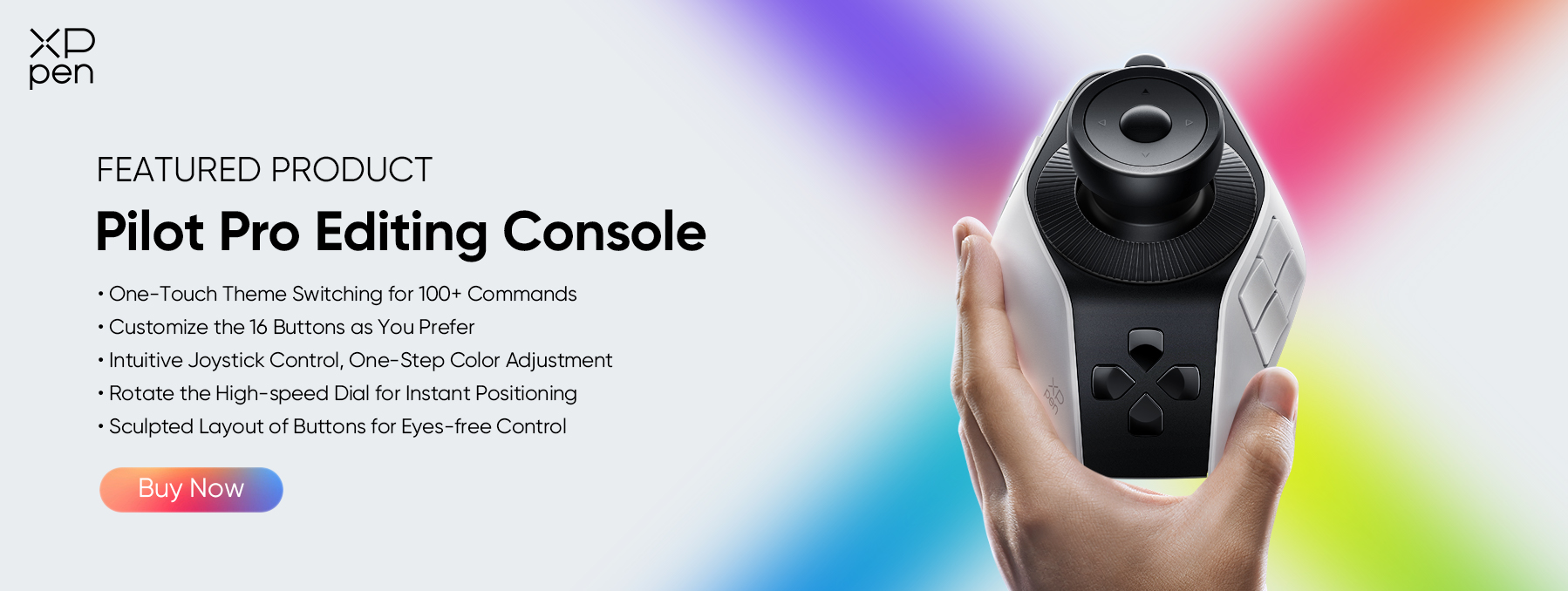
The XPPen Pilot Pro Editing Console is a compact creative control device designed for photographers and creators who want more tactile and customizable input during editing.
Each of its core features connects directly to a real need in the editing process.
- Customizable buttons: Up to 21 programmable buttons let you assign shortcuts for flagging, rating, applying presets, syncing settings or switching tools. Every button you configure removes one more trip to the keyboard and keeps your hands in one place.
- All-way joystick: The joystick handles image navigation, panning and zoom control with one hand. Moving through a culling session or inspecting detail across a large file stays smooth without reaching for the mouse.
- High-speed dials: Three independently programmable dials give you real-time control over your most-used slider adjustments. Assign one to exposure, one to color temperature and one to another frequent adjustment. The dials respond immediately and give you a physical connection to the change that a mouse cannot replicate.
- Haptic feedback: Each input delivers a physical confirmation so you know the action registered without glancing away from your screen. During fast sessions where you are moving through hundreds of files, this keeps your focus on the image rather than the device.
- One-hand operation: The Pilot Pro sits under the non-dominant hand while the dominant hand stays on the mouse. This split reduces the total movement each hand makes throughout a session and makes long editing days more comfortable.
Who Should Consider a Photo Editing Console?
A photo editing console makes the most sense for anyone who spends regular hours in post-production.
- Wedding photographers process hundreds to over a thousand images per event. Culling, color grading and consistent tonal corrections across that volume take many hours. A console shortens those sessions by making the repeated actions faster and less demanding on the hands.
- Portrait photographers work with detailed retouching, masking, and tonal adjustments that require precise and repeated input. Having physical dials for adjustments and buttons for tool switching keeps the process moving without the stop-and-start that keyboard shortcuts create.
- Retouchers handle layer work, brush size changes and tool switching throughout every session. Mapping those actions to a console reduces interruptions and keeps detailed work flowing without constant hand repositioning.
- Lightroom users benefit directly because the application is built around sliders and panel adjustments that map naturally to physical dials. Photoshop users gain from having brush controls, tool switches, and layer actions on dedicated buttons within easy reach.
- Content creators who edit product photos, event coverage or social content in large volumes gain the same efficiency. Any workflow that involves repeating the same adjustments across many files is a workflow that a console can improve.
FAQs
Q1. Does a photo editing console really speed up editing?
Yes, particularly for photographers who work through large image volumes on a regular basis. The time saved on each individual image is small, but it multiplies across hundreds of files in a session. Repeated actions like slider adjustments, image navigation, and shortcut inputs all take less time when assigned to physical controls. Editors who use a console for high-volume work consistently report shorter session times and reduced hand fatigue compared to a keyboard-and-mouse-only setup.
Q2 . Is XPPen Pilot Pro good for photo editing?
Yes. The XPPen Pilot Pro is designed with the needs of photographers and editors in mind. Its three high-speed dials cover the most-used adjustment sliders directly. The all-way joystick simplifies image navigation and zoom control. And 21 programmable buttons give you immediate access to your most-used shortcuts without reaching for the keyboard. It works with Adobe Lightroom, Photoshop, Capture One, and other major editing applications so it fits into the most common professional setups.
Q3. Can a photo editing console replace a keyboard and mouse?
No, and it is not built to. A console works alongside your existing keyboard and mouse rather than replacing either one. It handles the repetitive physical actions that slow editing down, while your mouse handles precision work and your keyboard manages text input and less common commands. Using all three together gives you the most efficient setup for long sessions and high-volume editing work.
Final Words
Ready to reduce editing time and work more comfortably through large shoots? Get the XPPen Pilot Pro Editing Console and put tactile control into your workflow from the first session right now!
About Us
Founded in 2005, XPPen is a leading global brand in digital art innovation under Hanvon UGEE. XPPen focuses on the needs of consumers by integrating digital art products, content, and services, specifically targeting Gen-Z digital artists. XPPen currently operates in 163 countries and regions worldwide, boasting a fan base of over 1.5 million and serving more than ten million digital art creators.
Learn more





Ready to invest in the right tools?
Get expert buying advice, unbiased reviews, and exclusive deals on drawing tablets, and accessories.
