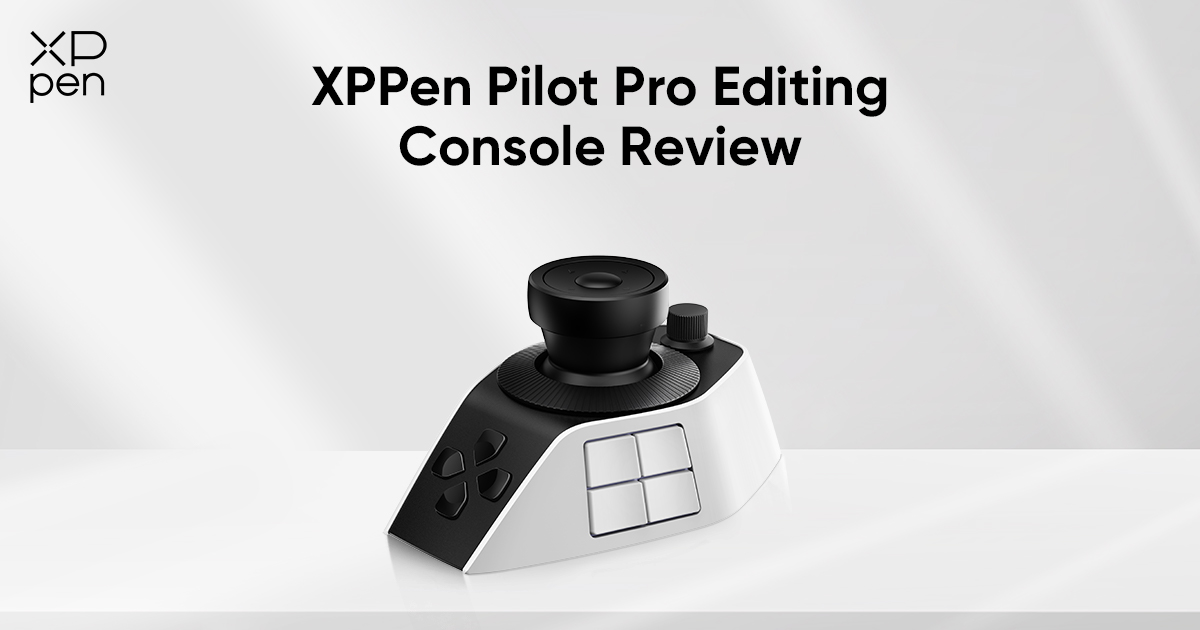
XPPen Pilot Pro Review: Smart Editing Console for Creators
FOCUSEDVideo editing can be slow and frustrating. Creators regularly alternate between keyboard shortcuts, timelines, and software controls. The XPPen Pilot Pro makes editing easier and more enjoyable! Customisable buttons, dials, and joystick controls make this tool great for your workflow! In this overview, we’ll explore its great features together. We'll see how it works with different software. Also, we'll explore how it boosts your productivity as a creator.
Unboxing the XPPen Pilot Pro
The XPPen Pilot Pro arrives in premium packaging that reflects its professional, creator-focused design. Inside the box, users get the editing console, connection cables, setup documentation, and all accessories required for quick installation.
The device immediately feels compact, modern, and comfortable for desktop workflows. The buttons and dials have a satisfying tactile response, while the joystick offers smooth navigation control that feels natural during editing sessions. After the initial setup, the console gives a strong first impression as a productivity tool built for editors who want faster and more comfortable workflows.
What Is the XPen Pilot Pro?
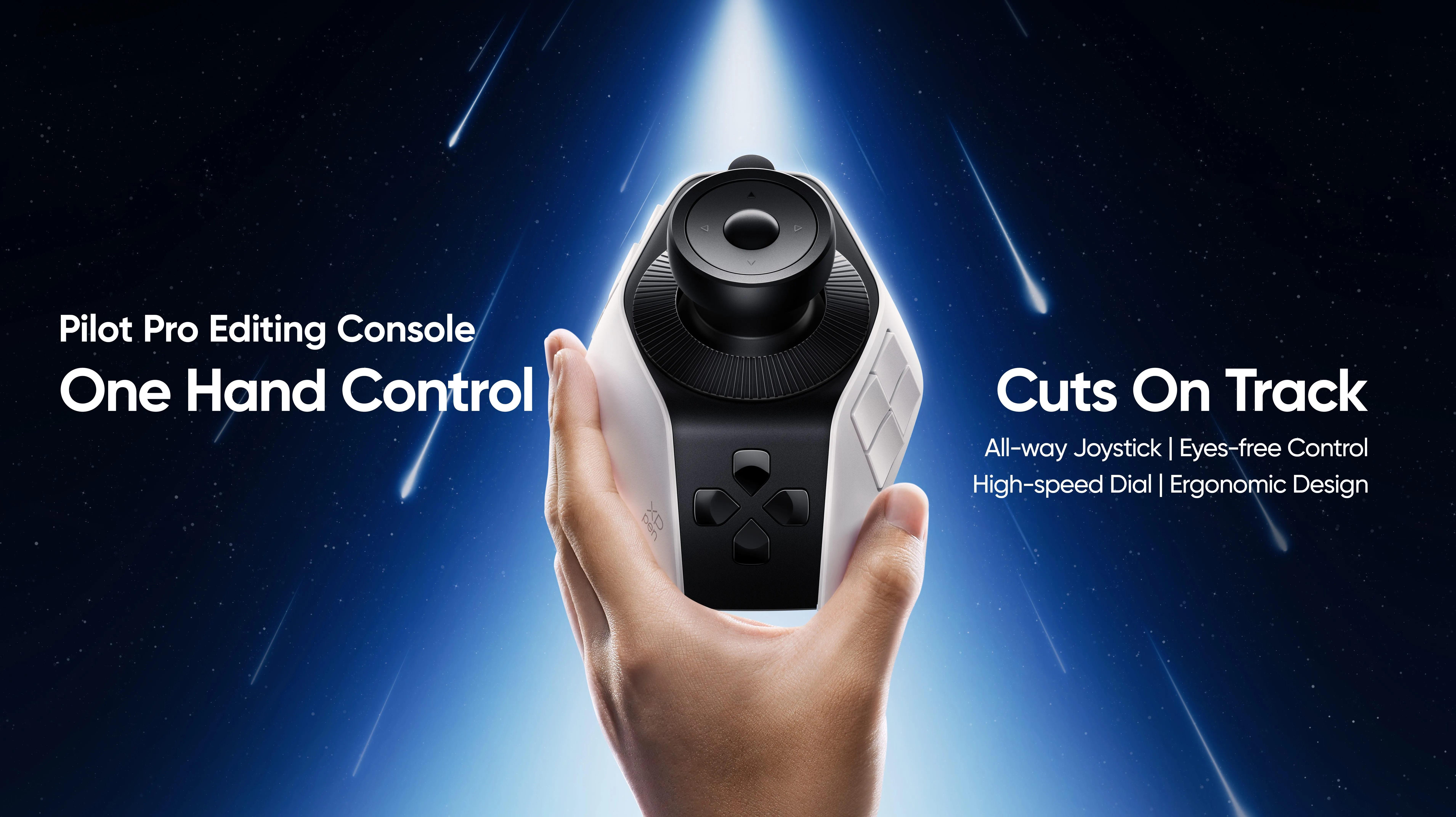
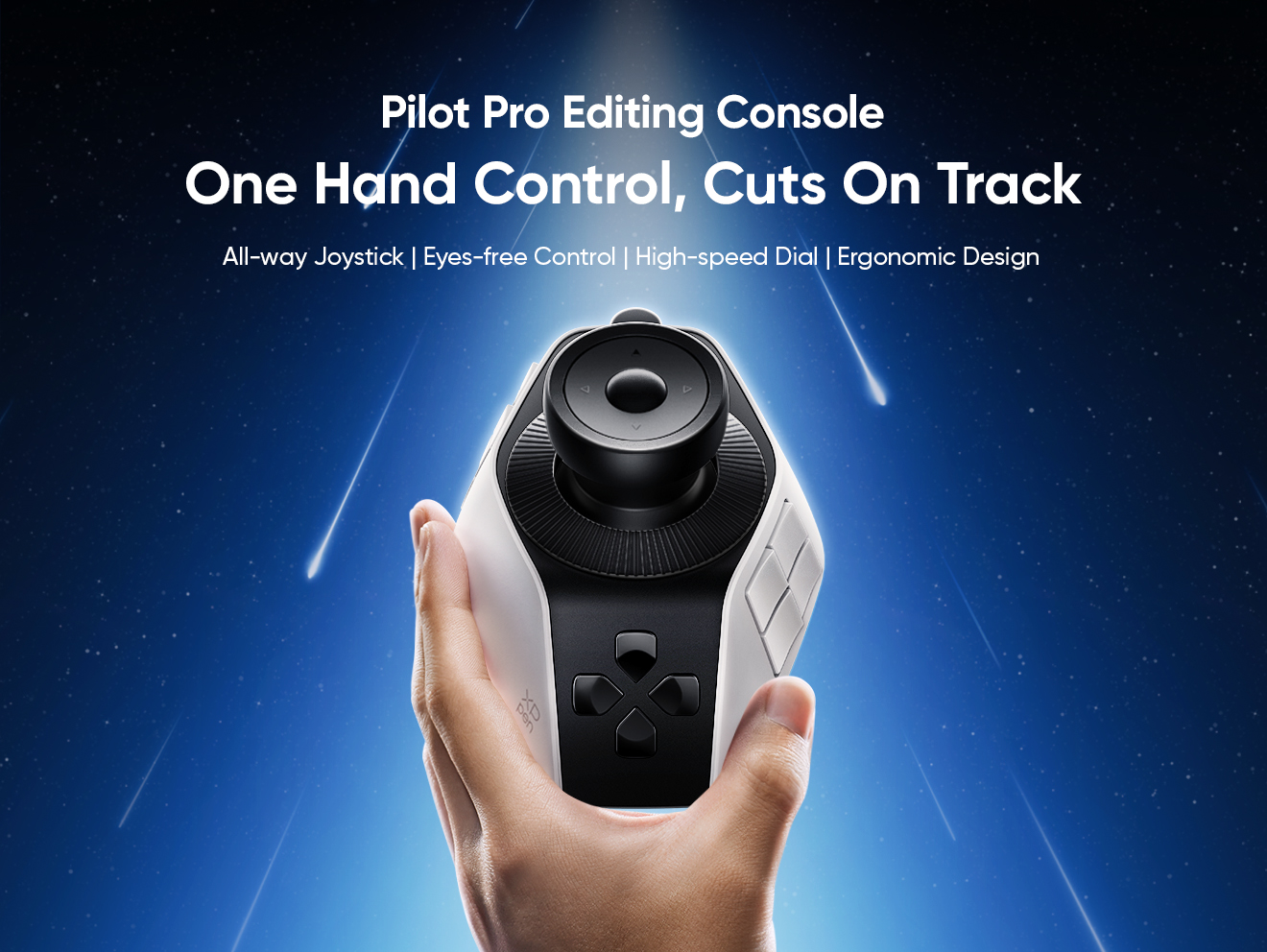
The XPPen Pilot Pro Editing Console is a professional editing console designed to improve creative workflows through physical controls and customisable shortcuts. Instead of relying entirely on keyboard combinations, creators can use dials, buttons, and joystick controls for faster navigation and smoother editing.
The console is especially useful for creators who work on timeline-heavy projects where repeated actions can slow productivity. It comes equipped with customisable shortcut buttons, multi-function control dials, precision joystick navigation, and software-specific workflow profiles. The ergonomic layout connects via USB-C and supports multiple creative applications, making it flexible for different editing environments.
Product Specifications of XPPen Pilot Pro
| Feature | Details |
| Product Type | Creative Editing Console |
| Core Controls | 1 Joystick, 1 Dial, 1 Roller, 16 Customizable Buttons |
| Customization | buttons, joystick, and knobs can be customized |
| Commands | Supports 100+ commands/shortcuts |
| Workflow Profiles | Preset shortcuts can switch automatically between applications |
| Supported Software | Photoshop, Lightroom Classic, Premiere Pro, DaVinci Resolve, Final Cut Pro, CapCut, etc. |
| Supported OS | Windows 10 or later; macOS 11.0 or later |
| Connection | USB-C, Bluetooth 5.4 LE, and Bluetooth Receiver |
| Price | $199.99 (Launch Promotion) on XPPen US Store ; $209.99 (Regular Price) |
Who Is the XPen Pilot Pro Designed For?
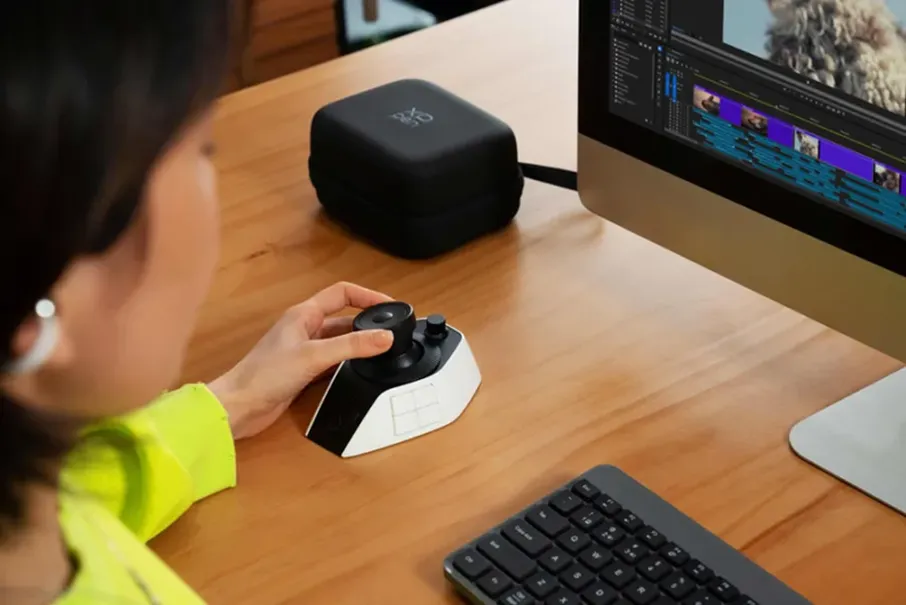
A creator is using the XPPen Pilot Pro at her editing desk, with Adobe Premiere Pro open on screen, showing exactly how the device fits into a real editing workflow.
Professional Video Editors
Professional editors often spend hours navigating large timelines, adjusting clips, zooming sequences, and managing playback controls. Traditional keyboard workflows can become repetitive and physically tiring during long sessions. The XPPen Pilot Pro brings commonly used commands onto one dedicated control surface, where editors can assign shortcuts for trimming, playback, timeline zoom, undo actions, and other repetitive tasks, improving speed while reducing unnecessary hand movement.
Adobe Premiere Pro Users
Premiere Pro users can work faster with customisable shortcut controls. The XPPen Pilot Pro lets users add common editing commands to buttons and dials. They can quickly zoom the timeline, move clips, control playback, and adjust audio. This makes video editing smoother and helps creators stay focused during big projects.
DaVinci Resolve Editors
DaVinci Resolve users often work with detailed colour grading workflows and precise timeline adjustments. The joystick and dial system can improve navigation speed while making adjustments feel more fluid. Instead of repeatedly pressing keyboard shortcuts, creators can use physical controls for a more intuitive and immersive editing experience.
Photoshop and Creative Professionals
The XPPen Pilot Pro isn't just for video editing. Photoshop users can adjust settings for brush size, zooming, navigating layers, and more. Creative experts who use different apps will appreciate the chance to create unique profiles for each tool. This feature can help them stay organised and make the most of their creative work!
Content Creators and YouTubers
YouTubers and social media creators often work under strict production schedules. Because fast workflows directly reduce editing time and improve overall output. The Pilot Pro is a practical choice for creators who want a more efficient editing setup. Without investing in too complex studio hardware.
See Full Features & Specs on the Official XPPen Pilot Pro Page
How to Use the XPPen Pilot Pro
Getting started with the XPPen Pilot Pro is a straightforward process that takes only a few minutes. Once the setup is complete, the console is ready to transform the way you edit. Follow these six steps to configure it for your workflow or watch the tutorial video below.
Step 1: Install the Driver
Download and install the official XPPen Pilot Pro driver from the XPPen website. The driver software allows users to customise controls, create profiles, and connect the console with their preferred editing software. Once installed, restart the computer if required, open the driver software, and connect the console using the USB-C cable. The device will automatically appear inside the driver's dashboard.
Step 2: Connect the Console
The Pilot Pro uses USB-C connectivity for stable performance and low input delay. After connecting the device, users can begin configuring buttons and controls immediately. The compact design allows it to sit comfortably beside a keyboard, drawing tablet, or editing monitor without taking up desk space.
Step 3: Customize Shortcut Buttons
You can control, full-screen preview, and save the project with unique buttons. This makes the editing flow dependent on learning complex keyboard shortcuts.
Step 4: Configure the Dials
The control dials can be customised for a wide range of editing tasks, including timeline zoom, audio level adjustment, brush size control, frame-by-frame navigation, and canvas rotation. The rotating controls provide smoother, more precise adjustments than repeated keyboard inputs, especially during detail-oriented editing work.
Step 5: Use the Joystick for Navigation
The joystick gives you more control over your timeline than a keyboard ever could. Rather than tapping keys repeatedly, you simply rotate the joystick to scroll, navigate, and move through your project easily. This makes a real difference during long editing sessions, multi-track timelines
Step 6: Create Software Profiles
Users can create separate control layouts for Premiere Pro, DaVinci Resolve, Photoshop, and After Effects so the console automatically applies the correct shortcut setup when switching between applications. This saves time and keeps workflows organised across all creative tools.
Workflow Benefits of the XPPen Pilot Pro
XPPen Pilot Pro is designed for professional editors and content creators. Rather than keyboard shortcuts and a mouse, users can handle editing tasks with a joystick. This reduces repetitive work and improves efficiency during long editing sessions.
Faster Editing Speed
Repetitive editing actions become quicker when users rely on physical controls instead of navigating menus and memorising complex keyboard shortcuts. Over time, this adds up to meaningful time savings during longer editing projects.
Better Ergonomics
Long editing sessions can cause joint pain and hand tiredness from frequent keyboard use. Using the Pilot Pro's dials and buttons distributes physical effort more naturally. helping creators maintain more comfort and giving you a working space.
Improved Focus
Editors can stay focused on the creative process instead of constantly searching for commands. This is especially valuable when working under tight deadlines where mental interruptions slow output and disrupt creative flow.
Personalized Workflows
Editors work in different ways, and the XPPen Pilot Pro lets users customise buttons and controls to match their needs. It also supports different software profiles for popular editing programs. The device is easy for beginners to use and helpful for professionals who want faster and more reliable editing.
FAQs
Is XPPen Pilot Pro worth it for video editing?
Yes. The XPPen Pilot Pro is designed specifically to improve editing workflows. Its customisable controls, joystick navigation, and shortcut management help editors work faster and more comfortably across a variety of projects.
What software does XPPen Pilot Pro support?
The console supports major creative applications, including Adobe Premiere Pro, DaVinci Resolve, Photoshop, After Effects, and other productivity-focused software.
Can the XPPen Pilot Pro work with DaVinci Resolve?
Yes. DaVinci Resolve users can customise the buttons, joystick, and dials for timeline navigation, editing shortcuts, and colour grading workflows.
Can XPPen Pilot Pro work with Premiere Pro?
Yes. The console supports Adobe Premiere Pro and allows editors to create custom shortcut layouts for faster and more efficient workflow management.
Can the buttons and dials be customised?
Yes. One of the biggest strengths of the Pilot Pro is its programmable workflow system. Users can assign shortcuts and functions based on personal editing preferences and application needs.
Does the XPPen Pilot Pro support Mac and Windows?
Yes. One of the biggest strengths of the Pilot Pro is its programmable workflow system. Users can configure shortcuts and functions based on their personal editing preferences
Conclusion
The XPPen Pilot Pro is made for creators who want faster and easier video editing. It includes a joystick, customizable buttons, and smart dials. These features help users edit tasks faster and more comfortably. These controls reduce repeated keyboard use and make long editing sessions less tiring.
The console is a great tool for video editors, YouTubers, and creative professionals. It really helps when working on big projects and long timelines. It helps simplify daily editing without making the setup complicated. If you want a smoother workflow, better comfort, and faster editing, the XPPen Pilot Pro is a great option for you.
About Us
Founded in 2005, XPPen is a leading global brand in digital art innovation under Hanvon UGEE. XPPen focuses on the needs of consumers by integrating digital art products, content, and services, specifically targeting Gen-Z digital artists. XPPen currently operates in 163 countries and regions worldwide, boasting a fan base of over 1.5 million and serving more than ten million digital art creators.
Learn more





Ready to invest in the right tools?
Get expert buying advice, unbiased reviews, and exclusive deals on drawing tablets, and accessories.
