Best 15-Inch Drawing Tablets and Android Tablets to Buy in 2026
ROUNDUPSIntroduction
The 15-inch tablet category has emerged as a sweet spot for creative professionals, students, and multitaskers. These devices offer a spacious workspace for drawing, design, and productivity tasks, while remaining significantly more portable than larger 16- or 17-inch displays.
In 2026, this segment splits into two main types: drawing tablets that connect to a computer for professional creative work, and large-screen Android tablets that operate as standalone devices for drawing, entertainment, and general productivity.
This guide covers both categories, outlining their key features, technical considerations, and representative models to help readers quickly determine which 15-inch device best fits their workflow—whether that’s illustration, animation, content creation, or everyday multitasking.
How to Choose the Best 15-Inch Tablets
When shopping for a 15-inch tablet, several key factors determine how well it will meet your needs—whether for professional art, productivity, or everyday use. Each aspect of the tablet, from display quality to stylus performance, affects your overall experience.
1. Screen / Display
When evaluating 15-inch tablets, the display is one of the most important factors:
Size & Resolution: Higher resolution (1080p or above) ensures crisp visuals and detailed drawing results.
Colour Accuracy: Wide colour gamuts (sRGB, Adobe RGB) are essential for professional art tasks.
Lamination & Anti-Glare: Fully laminated screens reduce parallax, while anti-glare coatings improve visibility, both crucial for drawing tablets.
2. Stylus
The stylus is a key factor in determining whether a tablet is suitable for professional digital art. Dedicated drawing tablets always include a high-pressure-sensitive pen designed for precise strokes, while most standard Android tablets may not come with a stylus, or only include a basic one with low pressure sensitivity, making them less ideal for detailed artistic work.
Pressure Sensitivity: Higher levels allow for finer control over line thickness and shading. Most tablets offer 4K–8K levels, but XPPen pioneered 16K pressure sensitivity, which has become the 2026 standard for professional drawing tablets, providing the most precise and natural pen experience.
Tilt Support: Allows for natural shading and angled brush strokes. Most professional tablets support up to 60° tilt, enabling artists to create more expressive and realistic lines.
Pen Accuracy & Latency: Affects stroke precision and responsiveness.
Dedicated drawing tablets from brands like XPPen, Wacom, and Huion always provide professional-grade pen technology. Most general Android tablets do not match these standards:
Styluses may be optional
Pen precision is lower
Pressure levels may be limited
Tilt detection is often missing
This can significantly affect a professional workflow.
3. Connectivity & Compatibility
Drawing Tablets: Must connect to a computer; check cable types such as USB-C or HDMI.
Android Tablets: Standalone devices
4. Workflow / Controls & Accessories
Drawing Tablets: Often include shortcut keys, dial wheels, and adjustable stands for ergonomic work.
Android Tablets: Focus on portability and productivity, with features like keyboard cases, stylus support, and multi-window multitasking playing an important role.
5. Portability / Build / Value
Weight & Build Quality affect comfort when traveling or working on the go.
Battery Life is relevant only for Android tablets.
Pricing varies significantly, so assess whether the features match your budget.
6. Use-Case Alignment
Identify what you’ll use the tablet for:
Professional creative work
Multimedia and entertainment
General productivity or study
Different needs lead to different recommendations.
15-Inch Tablets Recommendation
1. XPPen Artist 15.6 Pro V2 – Drawing Tablet
The XPPen Artist 15.6 Pro V2 is a professional drawing tablet designed for digital artists. It delivers a natural, paper-like drawing experience with smooth, precise strokes. The intuitive Red Dial and customizable shortcut keys streamline creative workflows, while its lightweight, portable design allows for drawing anywhere. Compatible with major creative software, it’s ideal for illustration, animation, 3D design, and digital art, offering a seamless blend of performance, convenience, and artistic flexibility.
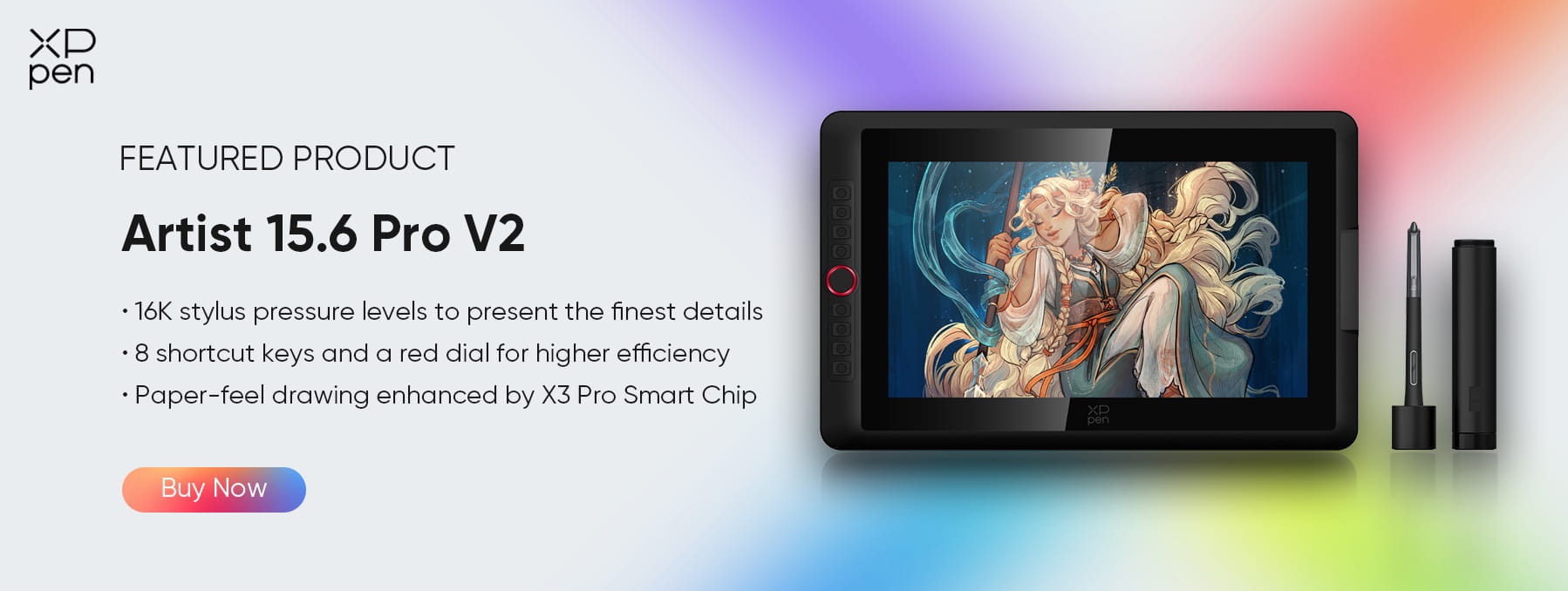
Screen: 15.4-inch full-laminated display with 1920×1080 resolution and excellent color accuracy, covering 99% of the sRGB and 96% of the Adobe RGB color gamuts.
Stylus: X3 Pro Smart Chip with 16K pressure levels and tilt support
Pros:
Excellent colour accuracy
Smooth, natural pen performance
Customizable shortcut keys for efficiency
Cons:
Must be connected to a computer
Not portable as a standalone device
Best for: professional illustrators, animators, digital painters, and students in creative fields.
2. Samsung Galaxy Tab S10 Ultra – Android Tablet
A large, powerful standalone Android tablet suitable for a wide variety of tasks.
Screen: 15.6″ FHD display
Hardware: 8 GB RAM + 256 GB storage, Android 14
Pros:
Large, immersive standalone screen
Expandable storage
Versatile for entertainment, productivity, and study
Cons:
The included pen is not as precise as professional art styluses
Limited pressure levels may hinder advanced digital painting
Best for: multimedia, casual drawing, productivity, reading, and general everyday use.
3. Jumper 15.4″ Android 15 Tablet – Budget Large Tablet
An affordable option for users who need a big-screen tablet without the high price tag.
Pros:
Budget-friendly
Good performance for daily tasks
Portable with solid battery life
Cons:
Not designed for professional drawing
Display and pen support are basic
Best for: Casual users, media consumption, light creative tasks, children, and general home use.
Comparison: Drawing Tablet vs Large Android Tablet
| Feature | XPPen Artist 15.6 Pro V2 | Samsung Galaxy Tab S10 Ultra | Jumper 15.4″ Android Tablet |
|---|---|---|---|
| Device Type | Computer-tethered drawing monitor | Standalone Android tablet | Standalone Android tablet |
| Pen / Stylus Support | X3 Pro Smart Chip stylus, 16K pressure, tilt, high accuracy | S-Pen support; lower precision than pro drawing tablets | Basic capacitive stylus; not suitable for pro art |
| Display / Colour Accuracy | 15.4″ FHD, full-laminated, 99% sRGB / 96% AdobeRGB | 15.6″ FHD, good general colour | Large screen, basic colour accuracy |
| Workflow / Controls | Shortcut keys + dial, art-optimized workflow | Standard Android UI, productivity apps | Standard Android UI |
| Portability / Battery | Requires computer, non-portable | Highly portable, battery-powered | Very portable, battery-powered |
| Software Compatibility | Full desktop creative software (Photoshop, CSP, Blender) | Android apps only | Android apps only |
| Best For | Professional artists & animators | Multimedia, productivity, casual drawing | Media consumption & light creative tasks |
Decision Questions:
Q1: Do you need professional drawing capability?
If yes → Choose a professional drawing tablet, such as the XPPen Artist 15.6 Pro V2, so you can use applications like Photoshop.
Q2: Will you use the device without a computer?
If yes → Choose an Android tablet like the Galaxy Tab S10 Ultra or Jumper 15.4″.
Q3: Is portability more important than drawing precision?
Android tablets are much better for mobility and on-the-go work.
Q4: What is your budget?
Tight budget → Jumper 15.4"
Mid-range → Android options
Professional drawing experience → XPPen Artist 15.6 Pro V2 or similar pen displays
FAQs about 15-Inch Tablets
Q1: What is the advantage of a 15-inch drawing tablet compared to smaller or larger sizes?
A1: A 15-inch tablet offers a balance between workspace and portability. It’s large enough for detailed drawings and comfortable hand movements, yet small enough to carry around or fit on most desks.
Q2: Can the XPPen Artist 15.6 Pro V2 be used without a computer?
A2: No. The Artist 15.6 Pro V2 is a drawing display that requires connection to a computer via USB-C. It is not a standalone tablet like an Android device.
Q3: Are there 15-inch Android tablets suitable for drawing?
A3: Yes. Some large Android tablets, such as the Samsung Galaxy Tab S10 Ultra or the Jumper 15.4″ Android Tablet, support stylus input and can run drawing apps like Autodesk SketchBook, MediBang Paint, or Clip Studio Paint. However, while they allow casual sketching or note-taking, their pen precision, pressure sensitivity, and tilt support generally do not match dedicated drawing tablets like the XPPen Artist 15.6 Pro V2, which is optimized for professional illustration, animation, and color-critical work.
Conclusion
Choosing a 15-inch device ultimately depends on how you balance display quality, portability, and your intended workflow. The XPPen Artist 15.6 Pro V2 is designed for creators who need high-precision stylus performance, full-laminated color-accurate displays, and desktop-class creative software—making it the stronger option for professional illustration, animation, and detailed digital art.
In contrast, large-screen Android tablets such as the Samsung Galaxy Tab S10 Ultra or the Jumper 15.4″ Android Tablet offer the benefits of standalone operation, built-in battery power, and a wide range of entertainment and productivity features. While they are excellent for general media use, note-taking, and casual drawing, their pen precision, color accuracy, and workflow tools typically cannot match a dedicated drawing tablet.
Ultimately, your choice should be guided by your primary use case, whether that’s professional art creation or all-around tablet convenience. Consider factors like workflow requirements, budget, and long-term adaptability—including software updates, accessory compatibility, and how each device fits your evolving creative or productivity needs.
About Us
Founded in 2005, XPPen is a leading global brand in digital art innovation under Hanvon UGEE. XPPen focuses on the needs of consumers by integrating digital art products, content, and services, specifically targeting Gen-Z digital artists. XPPen currently operates in 163 countries and regions worldwide, boasting a fan base of over 1.5 million and serving more than ten million digital art creators.
Learn moreRecommended Articles
ROUNDUPS 15.6-Inch vs. 16-Inch Drawing Tablets: Key Differences and Which Size Should You Choose? FOCUSED Is the XPPen Artist 15.6 Pro V2 a Good Option?






Ready to invest in the right tools?
Get expert buying advice, unbiased reviews, and exclusive deals on drawing tablets, and accessories.
