Best 27-Inch 4K Monitors in 2026 for Every Needs
FOCUSED
A 27-inch 4K monitor is one of the easiest upgrades you can make to a desk setup. At this size, a 3840 x 2160 resolution works out to roughly 163 pixels per inch — sharp enough that text, icons, and fine details look crisp without forcing you into awkward scaling. But "best" depends heavily on what you actually do with your screen. Someone editing spreadsheets all day has very different needs from someone chasing 240 frames per second in a shooter, and both are different from an illustrator who wants to draw directly on the display. This guide breaks down the best 27-inch 4K monitors by use case — productivity, gaming, budget, and creative work — so you can jump to the section that matches how you'll actually use the screen.
Quick Comparison
| Use Case | Top Pick | Refresh Rate | Approx. Price |
|---|---|---|---|
| Productivity / Office | Dell UltraSharp U2725QE | 60Hz | ~$650 |
| Value Productivity | LG 27UP850N | 60Hz | ~$380 |
| Gaming | MSI MPG 272URX QD-OLED | 240Hz | ~$800 |
| Budget | Dell S2722QC | 60Hz | ~$280–$350 |
| Budget Gaming | MSI MAG 275UPD E14 | 144Hz | ~$250 |
| Digital Art / Illustration | XPPen Artist Pro 27 (Gen 2) | 120Hz | ~$1,899 |
Best 27-Inch 4K Monitor for Productivity and Office Work
For general work — multiple windows, documents, spreadsheets, video calls — a 60Hz IPS panel with strong color accuracy and a USB-C hub covers almost everyone's needs. High refresh rates add little value here, so it's usually smarter to put that budget toward better color performance, ergonomics, and connectivity instead.
Top pick: Dell UltraSharp U2725QE. This is the model most reviewers point office buyers toward, and for good reason: it pairs an IPS Black panel with genuinely accurate color, a large USB-C hub with enough Power Delivery to charge a laptop over a single cable, and a fully adjustable stand (height, tilt, swivel, pivot). It's priced at the premium end for a 27-inch office monitor, but the single-cable docking alone is a real time-saver if you move between a desk and a laptop dock daily.
Better value: LG 27UP850N. If the U2725QE's price doesn't fit your budget, the LG 27UP850N gets you into the same general category — 4K, USB-C with Power Delivery, and a KVM switch — for roughly half the cost. It won't match the Dell's panel uniformity or color calibration out of the box, but for everyday documents, browsers, and spreadsheets, most people won't notice the difference.
Both options let you run a laptop on a single cable while keeping a full 4K desktop's worth of space for side-by-side work — a common upgrade trigger for people who find a single 24-inch screen too cramped for split-screen coding, writing, or research.
Best 27-Inch 4K Monitor for Gaming
Gamers shopping in this category are almost always weighing 4K resolution against refresh rate, since running native 4K above 120Hz still requires a capable GPU. The sweet spot right now is a 27-inch-class 4K panel running at 120–240Hz with adaptive sync (FreeSync or G-Sync compatibility), paired with a fast response time to minimize motion blur.
Top pick: MSI MPG 272URX QD-OLED. This 26.5-inch QD-OLED panel combines native 4K resolution with a 240Hz refresh rate — a combination that was nearly unheard of at this size just a couple of years ago. Deep OLED contrast, wide color coverage, and adaptive sync make it equally strong for fast-paced competitive titles and visually rich single-player games.
Best value 4K OLED: Dell Alienware AW2725Q. If the MSI is more panel than you need, the AW2725Q delivers a genuine 27-inch 4K OLED experience for noticeably less, and has held its price well enough to become one of the most recommended "OLED on a budget" 4K picks this year.
Budget alternative: MSI MAG 275UPD E14. For gamers stepping up to 4K for the first time without an OLED budget, this IPS panel offers 4K at 144Hz (and 288Hz in its FHD dual mode) at a fraction of the price of the OLED options above — a strong entry point if you're not ready to spend $700+.
If competitive shooters are your priority, some players still choose to drop to 1440p for higher frame rates — but for single-player and visually rich titles, native 4K at 120Hz+ is a noticeably sharper experience.
Best Budget 27-Inch 4K Monitor
If your main goal is simply "4K without paying a premium," a 60Hz IPS panel from a mainstream brand is the most cost-effective route.
Top pick: Dell S2722QC. This is the monitor that keeps showing up in "best budget 4K" roundups, and the reason is simple: it's one of the few sub-$350 4K monitors that still includes USB-C with Power Delivery, letting you charge a laptop over a single cable — a feature usually reserved for pricier models. Color accuracy and brightness are good enough for everyday productivity, streaming, and light gaming, even if it won't satisfy colorists or competitive gamers.
The trade-off to expect at this price point is usually mediocre HDR implementation (often just a checkbox feature) and no local dimming worth mentioning. For basic browsing, office work, and media consumption, though, none of that matters much — you're paying for resolution and screen size, not extras.
The Best Choice for Designers and Digital Artists: When a Pen Display Beats a Regular Monitor
If your creative work is mostly photo editing, layout, or video color grading — tasks where you're viewing and adjusting an image rather than drawing on it by hand — a color-accurate standard monitor like the Asus ProArt PA279CRV is still the right tool. It's built specifically for color-critical work and is regularly recommended as the value pick for designers who don't need on-screen drawing.
But if you're an illustrator, concept artist, animator, or graphic designer who actually draws or paints by hand, the calculus around "best 27-inch 4K monitor" changes. A conventional monitor paired with a mouse still works, but it introduces a disconnect: your hand moves on a tablet or mouse while your eyes stay fixed on a separate screen. For anyone doing serious digital painting or line work, closing that gap between hand and eye can make a real difference in speed and precision.
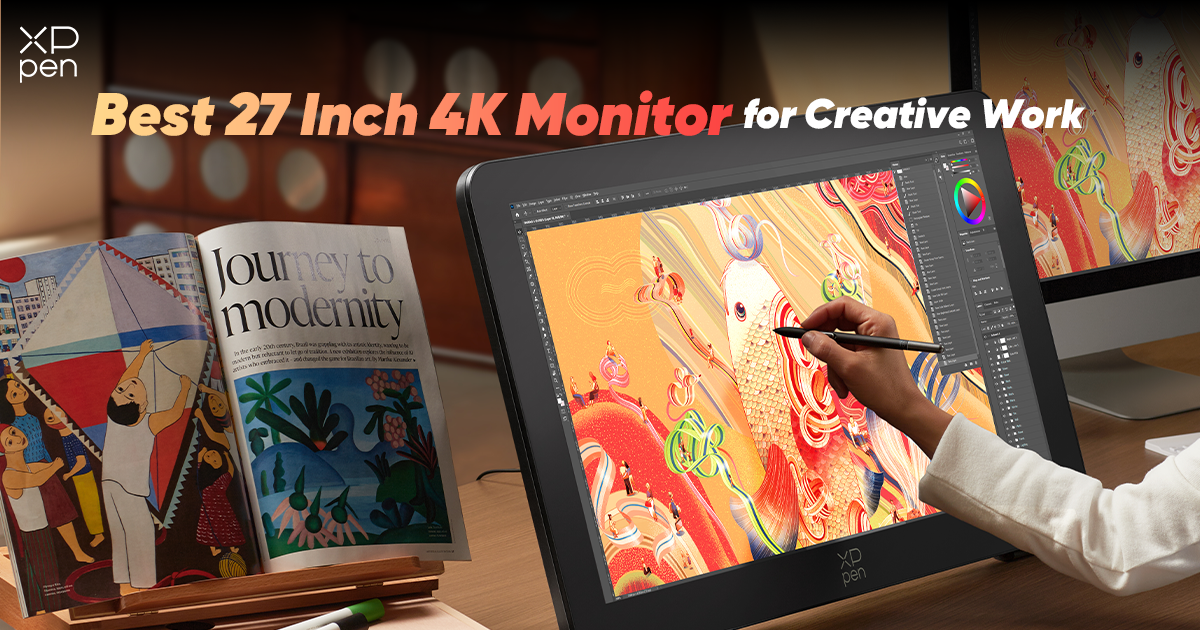
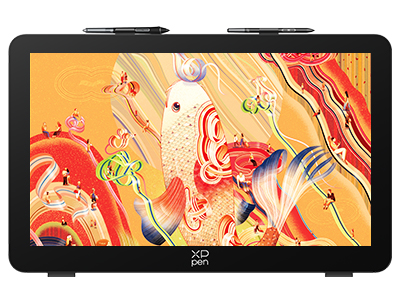
This is where a 27-inch 4K pen display — a monitor you draw directly on with a stylus — becomes worth considering instead of a standard display. The XPPen Artist Pro 27 (Gen 2) is one of the strongest options in this space right now. It pairs a 26.9-inch 4K (3840 x 2160) panel with a 120Hz refresh rate, giving you the same sharpness and smoothness you'd want from a top-tier monitor, but built specifically for drawing on screen.
A few specifics that matter for creative work:
- Pressure sensitivity: It ships with dual X3 Pro styli, each supporting 16,384 levels of pressure sensitivity and up to 60 degrees of tilt — enough headroom for fine linework and natural brush shading.
- Color performance: Wide color gamut coverage (up to roughly 149% sRGB, with strong Adobe RGB coverage as well) makes it a credible choice for illustration and concept art where color fidelity matters.
- Surface feel: An etched anti-glare glass surface is designed to mimic the friction of pen on paper, rather than the slick glass feel of a typical touchscreen.
- Workflow extras: Ten-finger multitouch and customizable touch controls let you zoom, rotate, and switch tools without leaving the canvas.
Positioned against Wacom's Cintiq Pro line — long considered the default choice for professional pen displays — the Artist Pro 27 (Gen 2) offers comparable specs at a noticeably lower price, which is why several independent reviewers have described it as a legitimate flagship alternative rather than a budget compromise.
To be clear about who this is for: if you just want to view sharp 4K content — documents, video, games — a standard monitor is the simpler and cheaper choice. But if drawing directly on the screen is part of your daily workflow, a 27-inch 4K pen display like the Artist Pro 27 (Gen 2) solves a problem that no ordinary monitor can.

How to Pick the Right One for You
If you're still deciding, the fastest way to narrow it down is to ask what you'll be doing on the screen most of the day:
- Mostly documents, browsers, and video calls? Get the Dell UltraSharp U2725QE, or the LG 27UP850N if you want to spend less.
- Mostly gaming? Get the MSI MPG 272URX QD-OLED, or the Dell Alienware AW2725Q for similar quality at a lower price.
- Watching your budget? The Dell S2722QC delivers 4K and USB-C without the premium price tag.
- Editing photos or video, but not drawing by hand? The Asus ProArt PA279CRV is built for color-critical work.
- Drawing, illustrating, or designing on-screen? Get the XPPen Artist Pro 27 (Gen 2) instead of a standard monitor.
FAQs
Q1: How powerful a GPU do I need to run a 27-inch 4K monitor smoothly?
For everyday productivity and media at 60Hz, most modern integrated and dedicated GPUs handle 4K fine. For gaming at higher frame rates, you'll want at least a mid-range dedicated GPU to push native 4K at playable frame rates, or you can rely on upscaling technologies to ease the load.
Q2: Should I get a 27-inch or a 32-inch 4K monitor?
27 inches keeps pixel density high (around 163 PPI), so text and UI elements stay crisp without heavy scaling. 32-inch 4K panels have lower pixel density but offer more usable screen real estate at 100% scaling, which some people prefer for side-by-side windows. If you sit close to your monitor, 27 inches is usually the more comfortable choice.
Q3: Will Windows scaling look blurry on a 27-inch 4K monitor?
Modern versions of Windows and macOS handle 4K scaling well, especially at 150% scaling, which is the recommended setting for a 27-inch panel. Occasional blurriness can occur in older or poorly optimized applications that don't support high-DPI rendering, but this is increasingly rare.
Q4: Is a pen display better than a regular monitor plus a drawing tablet for beginners?
A regular monitor paired with a separate graphics tablet is usually the more affordable and beginner-friendly way to start, since it doesn't require adjusting to drawing on a screen. A pen display like the XPPen Artist Pro 27 (Gen 2) offers a more direct, on-screen drawing experience and is generally better suited to artists who already have some tablet experience and want to upgrade their workflow.
About Us
Founded in 2005, XPPen is a leading global brand in digital art innovation under Hanvon UGEE. XPPen focuses on the needs of consumers by integrating digital art products, content, and services, specifically targeting Gen-Z digital artists. XPPen currently operates in 163 countries and regions worldwide, boasting a fan base of over 1.5 million and serving more than ten million digital art creators.
Learn more






Ready to invest in the right tools?
Get expert buying advice, unbiased reviews, and exclusive deals on drawing tablets, and accessories.
