Why High Refresh Rates on Drawing Tablets Are Important
KNOWLEDGEAsk most digital artists what refresh rate their tablet runs at and you'll probably get a shrug. It's always been framed as a gaming spec, not something that matters for painting or illustration. That framing is wrong.
Refresh rate is simply how often your screen updates to show you what your hand is doing. For digital artists spending hours watching brushstrokes appear on screen, that's not a minor detail. It's one of the more direct factors affecting how natural the drawing experience actually feels.
Understanding Refresh Rate Technology
What Is Refresh Rate?
Refresh rate is defined as the number of times per second a screen refreshes what is being displayed, and it is measured in Hertz. A 60Hz screen refreshes 60 times each second while 120Hz refreshes at 120 times each second.
The implication of refresh rate is that there is a frame time between each screen refresh. A screen with a refresh rate of 60Hz refreshes every 16.67 milliseconds. On a screen with a refresh rate of 120Hz, a refresh occurs every 8.33 milliseconds. On a screen with a refresh rate of 165Hz, a refresh occurs every 6.06 milliseconds.
The lower the frame time, the quicker the screen responds to input from the user, whether that input comes from a mouse click, a screen swipe, or a pressure-sensitive pen stroke.
How Refresh Rate Works
Refresh rate is only one part of the equation, and the rate at which the GPU produces frames is the other. For these two to work in harmony, the rate at which the GPU produces frames needs to be compatible with the rate at which the screen can refresh. Running a 120Hz display paired with a GPU that is bottlenecked at 60fps will negate the refresh rate advantage of the screen entirely.
The synchronization between pen input, the GPU, and the screen's refresh rate is what defines the live feeling of the drawing process. Artists will generally operate at much lower frame rates than competitive gamers, because the GPU requirements for drawing on a 4K canvas with a complex brush engine are significantly higher than what most games demand. Pen input is recorded independently of the rendering process, and the rate at which that pen input actually appears on screen is dependent on the screen's refresh rate. The pen stroke is captured first. How quickly it shows up is a separate matter entirely.
Refresh Rate for Drawing Tablets vs. Gaming Monitors
For gaming monitors or gaming tablets, the push is toward 165Hz, 240Hz, and beyond, because every marginal improvement in input lag carries real significance in competitive gaming. For creative work, the meaningful threshold is the jump from 60Hz to 120Hz. This is where frame time finally drops below 10 milliseconds per frame, and the input lag between stylus movement and on-screen response becomes imperceptible to the artist. Beyond 120Hz, the benefit for illustration and painting work decreases rapidly while GPU load increases significantly without any practical return.
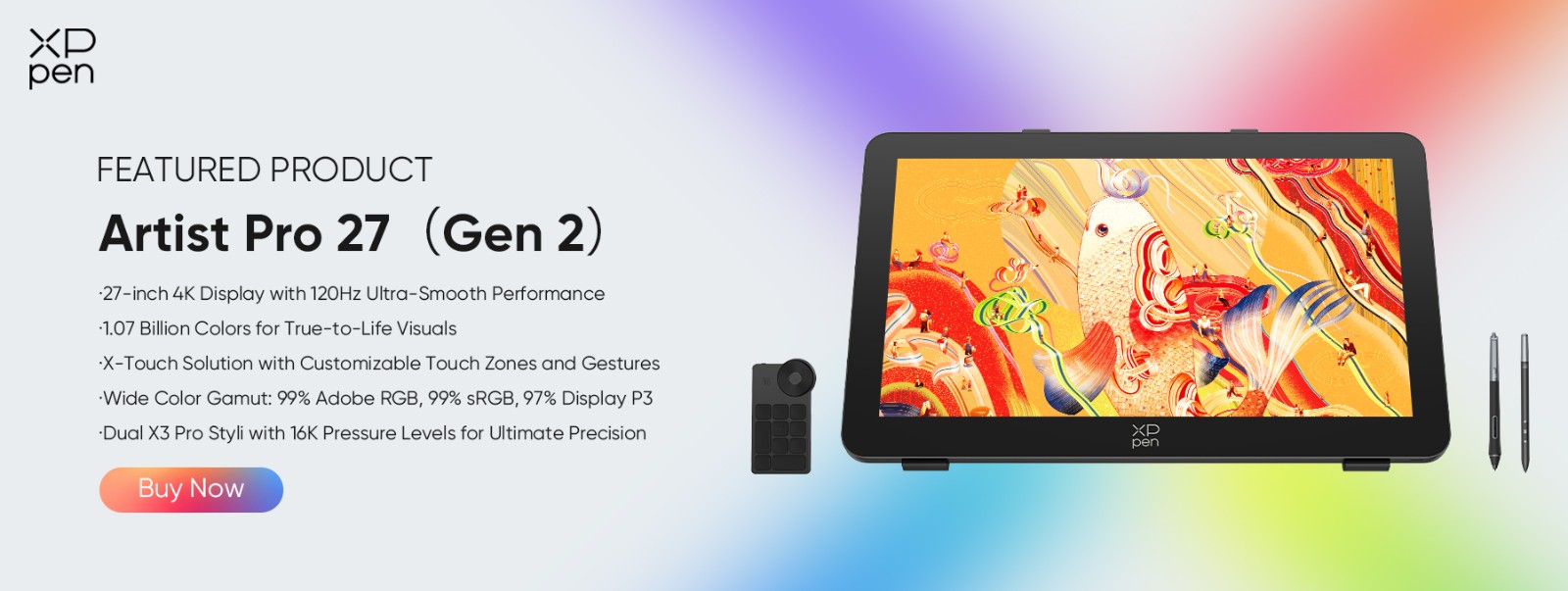
For digital artists, 120Hz is really the target. The XPPen Artist Pro 27 (Gen 2) is built around exactly this requirement, offering 4K resolution at 3840x2160 at 120Hz, which is a significant demand on display bandwidth and has only recently become achievable in pen displays.
The Problem with Low Refresh Rates (60Hz) for Digital Art
Cursor Lag and Input Delay
At 60Hz, there is at least a 16.67 millisecond window between when the stylus moves and when that movement appears on screen. For slow and deliberate strokes, this is perfectly workable. For more gestural and fluid mark-making, it creates a noticeable drag where the cursor feels like it's chasing the pen rather than staying with it.
Over time, artists working on 60Hz displays naturally compensate for this without realizing it, slowing down their strokes, shortening their range of motion, and developing unconscious habits that reduce the feeling of disconnection. These adjustments become invisible until you remove the delay entirely and experience just how much more connected the drawing process can actually feel.
Motion Blur in Fast Strokes
At 60Hz, quick stylus movements outpace the display's refresh rate, creating a smearing effect when fast lines are drawn. A quick ink line that should appear sharp and precise instead passes through multiple intermediate points across the frame interval, leaving a trail of ghost positions rather than a clean stroke. For inking, calligraphy, and any work that depends on fast and precise line quality, this is a real limitation that affects the output directly.
Stuttering During Canvas Rotation
Canvas rotation at 60Hz is choppy. The 16.67 millisecond frame interval means the canvas doesn't rotate smoothly but instead jerks between positions. For artists who use canvas rotation as a direct replacement for physically turning their paper, which is a deeply ingrained habit carried over from traditional drawing, this jerkiness is a real workflow disruption rather than a minor cosmetic issue.
How High Refresh Rate (120Hz+) Enhances Digital Art
Smoother Pen-to-Pixel Response
The jump from 60Hz to 120Hz is an exact halving of frame time, from 16.67ms down to 8.33ms. At this level, the feedback loop between the stylus and cursor becomes close enough to simultaneous that it genuinely feels like it's happening at the same time. Pressure changes, direction shifts, and speed variations all appear on screen quickly enough and with enough accuracy that the gap between what your hand is doing and what you're seeing essentially disappears.
Eliminating Motion Blur
At 120Hz, quick strokes render crisply. The smearing that appears at 60Hz during fast line work is no longer an issue because the screen is refreshing quickly enough to capture rapid stylus movements accurately. Inking, calligraphy, and gesture sketching all benefit directly since what you see on screen is what you actually drew, not a blurred approximation of it.
Enhanced Animation and Frame-by-Frame Work
Animators scrubbing through timeline previews will notice the difference immediately. Playback is smoother, motion timing is represented more accurately in real time, and onion skinning, where adjacent animation frames are overlaid to assist with timing and spacing, is significantly easier to read when the underlying display motion is smooth.
Improved 3D Viewport Performance
In ZBrush and Blender, 120Hz makes rotating and navigating through the viewport noticeably more responsive. At 60Hz, orbiting through a dense model produces choppy intermediate states that make it harder to read the surface accurately. At 120Hz, rotation and orbiting are smooth enough that surface form reads clearly throughout the movement.
Better Pressure Response Visualization
Pressure transitions from a light touch to full pressure also benefit from the additional intermediate frames that 120Hz provides. The visual representation of the pressure curve is smoother, which carries over into opacity ramps and brush size transitions in painting applications, making gradual changes feel more controlled and predictable.
The Best High Refresh Rate Drawing Tablet: XPPen Artist Pro 27 (Gen 2)
The Artist Pro 27 (Gen 2) is built around 120Hz, and it's this that gives gestural drawing on a 4K surface its sense of immediacy and response. To get the full 4K 120Hz experience, you'll need to connect via DisplayPort or USB-C with DisplayPort Alt Mode. An HDMI cable will cap you at 4K 60Hz and give up the refresh rate advantage entirely.
Color accuracy holds up at the highest level of independent verification even at 120Hz, with Calman Verified ΔE below 1 across 99% Adobe RGB. The etched glass is also worth noting. XPPen's luminous etched glass transmits 30% more light than standard matte surfaces, which means you get glare reduction without the haziness that usually comes with it.
The X3 Pro Smart Chip Stylus samples pen input completely independently of the screen's refresh cycle, which matters because it means tracking remains accurate and consistent regardless of what the display is doing at any given moment. With 16,384 levels of pressure sensitivity, 60 degrees of tilt recognition, and a 3g activation force, it registers everything from the lightest feather touch to full pressure fills without any variation based on how the pen is being held or used.
Comparing Refresh Rates Side-by-Side
| Feature | 60Hz | 120Hz | 165Hz |
|---|---|---|---|
| Frame Time | 16.67ms | 8.33ms | 6.06ms |
| Motion Clarity | Standard | Much Smoother | Slightly Smoother |
| Input Lag Feel | Noticeable | Minimal | Minimal |
| Animation Preview | Adequate | Excellent | Excellent |
| 3D Viewport | Choppy | Smooth | Very Smooth |
| GPU Requirement | Low | Medium | Medium-High |
| Best For | Budget/Static work | Professional art | Animation/3D heavy |
FAQ
Q1: Does 120Hz really matter in digital painting?
Yes, especially for fast brush work, sketching, and canvas rotation. The difference is noticeable coming from a 60Hz display.
Q2: Can you actually notice the difference between 60Hz and 120Hz while drawing?
Most artists can. It's not as dramatic as it is in gaming, but it shows up in long sessions. Most artists who have used both consistently agree that 120Hz is meaningfully better for extended work.
Q3: Do you need a high-end GPU to run 120Hz on a drawing tablet?
For 2D work at 4K, a mid-range recent GPU is sufficient. For 3D work and large Photoshop sessions, 16GB or more of RAM and a dedicated GPU are recommended.
Q4: Is 120Hz actually better than 60Hz in Photoshop?
Yes. Canvas rotation, zooming, layer panel interaction, and brush stroke feedback are all noticeably smoother and faster.
Q5: What is the best refresh rate for animators?
120Hz covers everything animation-related. Timeline scrubbing, playback preview, and onion skinning are all significantly improved, and there's little practical gain beyond 120Hz for this kind of work.
Q6: Does a high refresh rate drain battery significantly?
Yes, though this is only really noticeable on battery-powered devices. For desktop pen display use it's not a practical concern.
Q7: Can you use HDMI to connect a 120Hz display?
Not at full capability. Standard HDMI cannot carry 4K at 120Hz on the Artist Pro 27 (Gen 2). DisplayPort 1.2 or USB-C with DisplayPort Alt Mode is required.
Q8: Is 165Hz overkill for digital painting?
Yes, for illustration and painting work. The difference between 120Hz and 165Hz is minimal for creative work and demands significantly more GPU output for a very small return.
Q9: Do professional artists actually use high refresh rate tablets?
Yes, particularly animators, concept artists, and illustrators who work at speed.
Conclusion
Refresh rate is not a gaming specification that accidentally found its way into creative hardware. It is a direct measurement of how quickly the display can show you what your hand is doing. At 60Hz, there is a noticeable delay. At 120Hz, there isn't.
For slow and deliberate illustration work, 60Hz is tolerable. For anything involving speed, rotation, animation, or long daily sessions, 120Hz is a genuine upgrade to both the quality and comfort of your workflow.
The XPPen Artist Pro 27 (Gen 2) is the current benchmark for what 120Hz professional pen display work should look and feel like. 4K resolution without compromise, Calman Verified color accuracy, and a pen system fast enough to keep up with the display's refresh rate. If you're looking for a professional pen display in 2026, 120Hz should be the floor, not a bonus feature.
About Us
Founded in 2005, XPPen is a leading global brand in digital art innovation under Hanvon UGEE. XPPen focuses on the needs of consumers by integrating digital art products, content, and services, specifically targeting Gen-Z digital artists. XPPen currently operates in 163 countries and regions worldwide, boasting a fan base of over 1.5 million and serving more than ten million digital art creators.
Learn more






Looking for the Best Drawing & Design Apps?
Discover essential drawing techniques, expert tips, and the best app recommendations to boost your creativity and master digital art.
