
2026 Valentine's Day Gifts for Digital Artists: Expert Drawing Tablet Guide
ROUNDUPSValentine’s Day is drawing nearer. But let’s be honest: your creative partner probably has enough candles and mugs. If you want to truly make their heart skip a beat, skip the clichés and talk tech. A drawing tablet isn't just a gadget, it’s rather an entrance ticket for their imagination. Whether your partner is a seasoned pro or a weekend doodler, our 2026 Guide is here to help you find the most appropriate tablet as a gift. Ready to see which one makes the cut? Let’s dive deeper.
Part 1 Unique Valentine’s Day Gift Ideas for Digital Artists in 2026: Drawing Tablets
Art is beyond boundaries, especially in an AI-harassed era. When everyone is busy clicking “generate” to build images within seconds, it requires courage to immerse yourself in the world of art and create your own artwork.
Unlike traditional gifts like flowers or chocolates, a drawing tablet is seen as a creative-driven tool that can ignite creative sparks. For the digital artist, it offers a level of tactile precision and ergonomic comfort that a standard mouse or mobile screen simply cannot replicate. With industry-leading features like 16K pressure sensitivity and nearly zero-latency pen tracking, a modern drawing tablet allows for an organic "pen-on-paper" feel that honors every subtle nuance of a hand-drawn stroke.
But with so many options out there, how do you pick the one that actually meets the artist’s exact needs? We have collected something for you to consider.
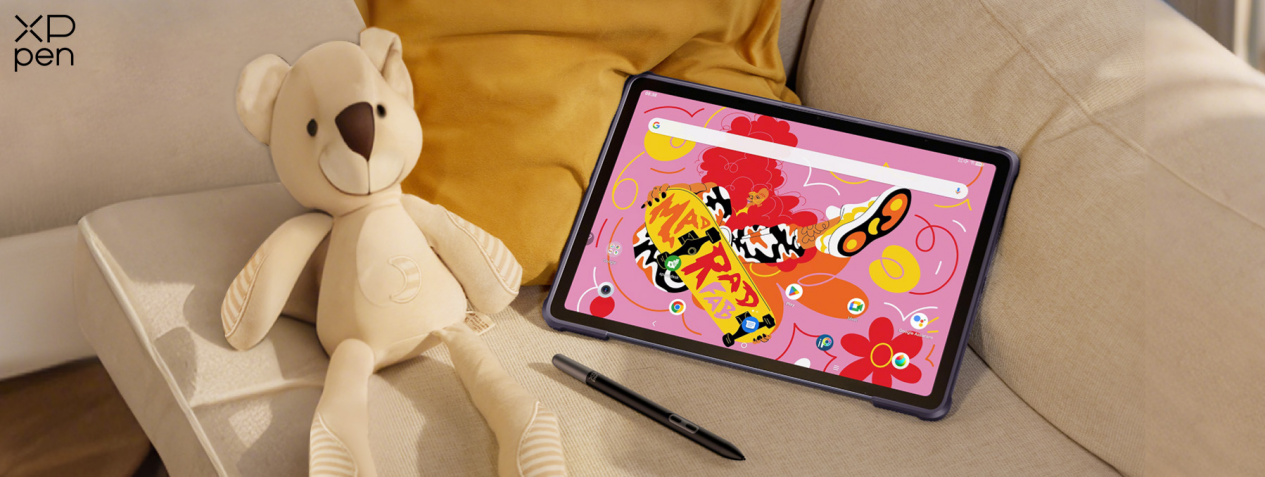
Part 2 What to Consider When Choosing a Drawing Tablet As a Gift?
Choosing a tablet isn't about finding the "best" specs, instead, it’s about matching your partner's specific creative habits. To help you navigate the sea of options in 2026, we’ve collected some core principles below. (Note: Feel free to skip straight to Part 3 if you're ready to see our top product picks.)
1. Identify the User Level: Beginner vs. Pro
Before looking at specs, consider your partner's drawing experience. A professional needs high-end precision, while a hobbyist might prefer something portable and fun. Choosing a device that is "too complex" can be just as counterproductive as one that is "too basic."
2. Standalone vs. With-Screen vs. Non-Screen Tablets
This is the biggest fork in the road for a gift buyer. Here are the core differences between them:
Standalone Tablets: iPad is the perfect example in this category. The biggest advantage of standalone tablets is that you can carry them around and draw anywhere. Unlike the following two types, they do not need connecting to computer to use, which gives the user more freedom when creating.
Graphic Tablets/Pen Tablets (Screenless): These are essentially "smart trackpads" for drawing. The artist draws on the surface while looking up at a computer monitor. They are durable, budget-friendly, and better for posture, but they require a "learning curve" to master hand-eye coordination.
Drawing Tablets/Pen Displays (With Screen): You can see them as a second monitor that you can write on. They allow for a more natural "pen-on-paper" feel, making them a favorite for beginners and pros alike. However, they are more of an investment and usually require multiple cable connections.
Click the video below to learn more:
3. Stylus Performance and Pressure Sensitivity
A powerful stylus is the most important part of the gift. You may consider the following specs:
Pressure Levels: Look for at least 8192 levels of pressure sensitivity for a modern feel.
Battery-Free EMR: Ensure the pen doesn't need charging; there’s nothing worse than a pen dying mid-sketch.
Tilt Support: Essential for artists who do a lot of shading or digital painting.
4. Connectivity and System Compatibility
Don't let the gift become a "dongle nightmare." Check if your partner's computer has HDMI or USB-C ports beforehand. And, do verify compatibility with their OS (Windows, macOS, or even Android/ChromeOS).
Note: Most drawing tablets are not standalone; they must be plugged into a computer to work.
5. Screen Quality and Lamination
If you choose a tablet with a screen, look for two keywords:
Fully Laminated: This eliminates the air gap between the glass and the display, making the stroke follow the pen tip exactly.
Color Accuracy (sRGB/NTSC): Professional artists need high color fidelity (ideally 120% sRGB or higher).
6. Portability and Workspace Size
Think about their creative workspace. The perfect size of the drawing tablet depends on the type and where it will live on their desk.
For Pen Tablets
Small (approx. 6" x 4"): Great for photo editing, OSU! gaming, or very limited desk space.
Medium (approx. 10" x 6"): This is the industry standard for screenless tablets. It provides enough room for comfortable drawing without requiring excessive arm movement.
For Pen Displays
Compact & Portable (11"–13"): Ideal for students or travelers. These are roughly the size of a standard laptop and can fit easily into a backpack.
The "Sweet Spot" (14"–16"): The most popular range for serious hobbyists. It offers a generous drawing area for broad arm movements while still being slim enough to be tucked away when not in use.
Professional Studio Size (16"–24"+): Best for a permanent desk setup. These large displays are perfect for professionals who need to see fine details and complex software menus all at once.
7. Software Bundles and Accessories
A great gift is "ready to use" out of the box. Many tablets come with free trials or full versions of software like Clip Studio Paint or Corel Painter. Also, check for included extras like a drawing glove, a tablet stand, or extra replacement nibs, which add significant value to the gift.
Note: Looking for great accessories paired with drawing tablets? Jump to Tips to learn more.
8. Budget and Expectations
Drawing tablet prices generally scale with screen integration and size.
Entry-level pen tablets (without screens) are the most affordable, typically ranging from $30 to $100, making them excellent gifts for beginners. If you prefer a mid-sized pen display (with a screen), expect to spend between $200 and $500 for a more intuitive drawing experience.
For those seeking the ultimate setup, large-scale professional displays are the most significant investment, usually priced from $600 to over $1,200, offering expansive canvases and top-tier color precision.
Part 3 How to Choose the Right Drawing Tablet As a Gift for Him/Her?
It’s not just the most expensive tablet that shows your sincerity. Gifts are, as they are meant to be, ways to convey gratitude, tenderness, and love. Those are priceless. Now, when it comes to choosing a suitable drawing tablet, here are some bestsellers for your reference.
1. Standalone Tablets
If your partner is always on the move, portability should be prioritized. In that case, a standalone type is definitely the way to go. Whether they like to sketch in coffee shops, draw on the sofa, or travel for work, standalone tablets are the all-in-one solution. With simply a screen and a stylus, imagination can be recorded anytime, anywhere without limitation.
Many people will initially consider the iPad for mobile drawing. While the iPad is a great multi-purpose device, it comes with hidden hurdles for serious artists: the "slippery" glass-on-glass feel, limited pressure sensitivity, and the endless drain of expensive software subscriptions like Procreate or Clip Studio Paint.
If you want to gift a pure productivity tool, look at the XPPen Magic Drawing Pad.
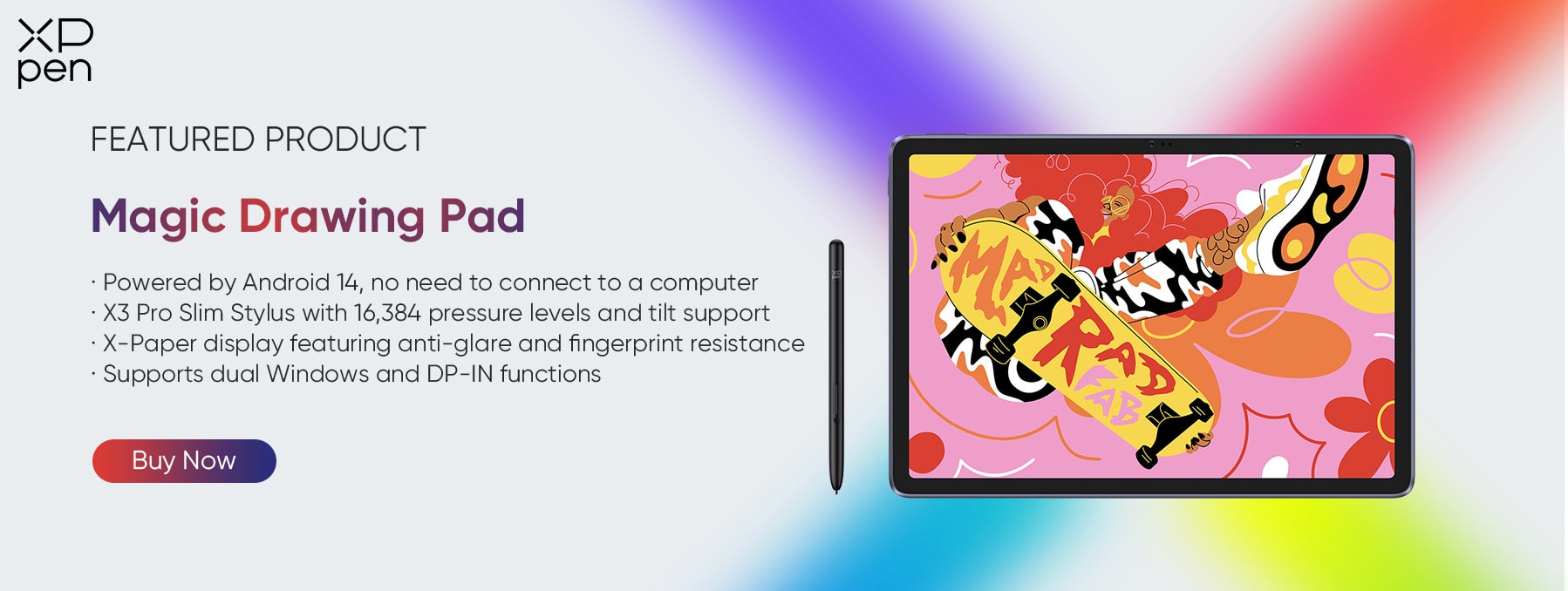
Unlike the iPad, XPPen Magic Drawing Pad features the proprietary X-Paper display, providing a tactile resistance that feels remarkably like drawing on high-quality paper. Besides, powered by the X3 Pro Smart Chip, the tablet boasts a world-leading 16K pressure sensitivity, delivering a level of nuance and precision that multi-purpose tablets simply can't match.
2. Pen Tablets & Displays
If your partner already has a trusty laptop or a powerful PC, then they just need the perfect way to interact with it. A Pen Tablet or Pen Display acts as a professional window into their digital canvas, turning their familiar computer into a high-end art station. These bestsellers are designed to bridge the gap between their imagination and the screen.
Pen Tablets: Sleek, Minimalist, and Ergonomic
Deco 01 V3
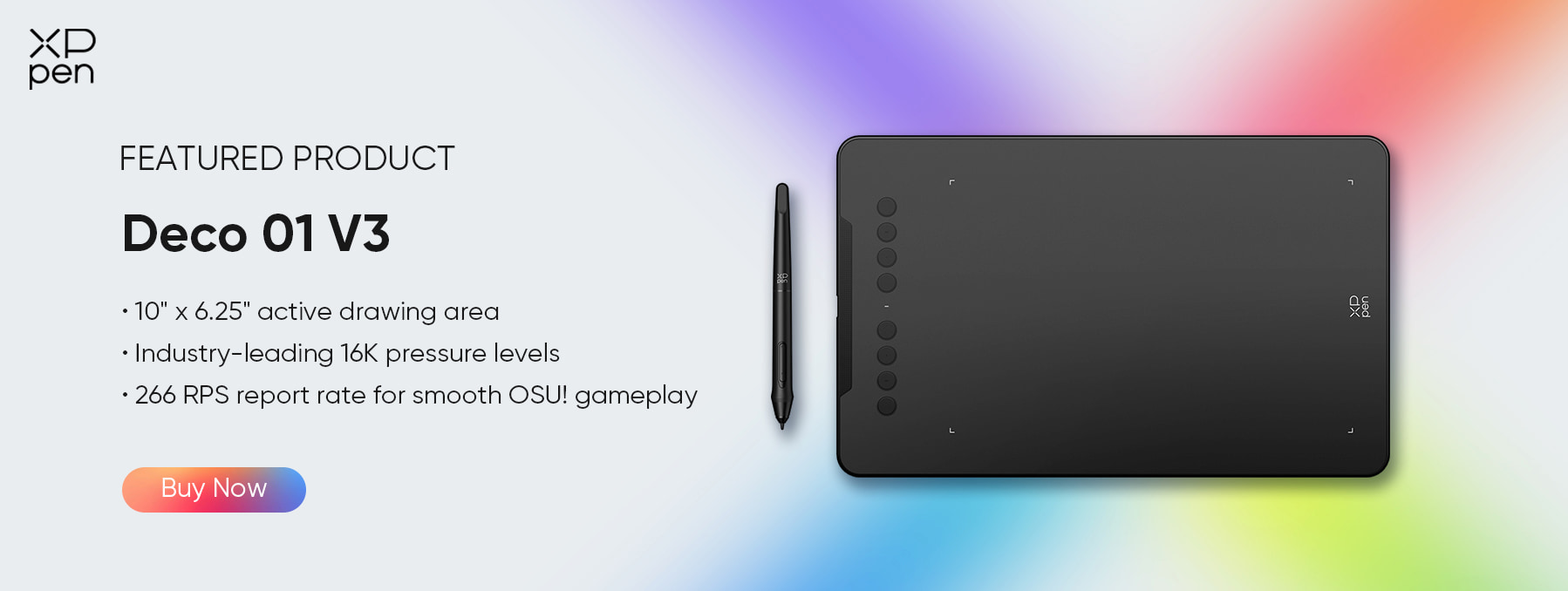
A fan favorite for a reason. With a generous 10 x 6.25-inch working area, Deco 01 V3 is the perfect size to match most laptops without taking up the entire desk. It’s a reliable, highly-rated workhorse that feels "just right" for students and hobbyists alike.
Deco Pro SW/MW: Wireless Solution
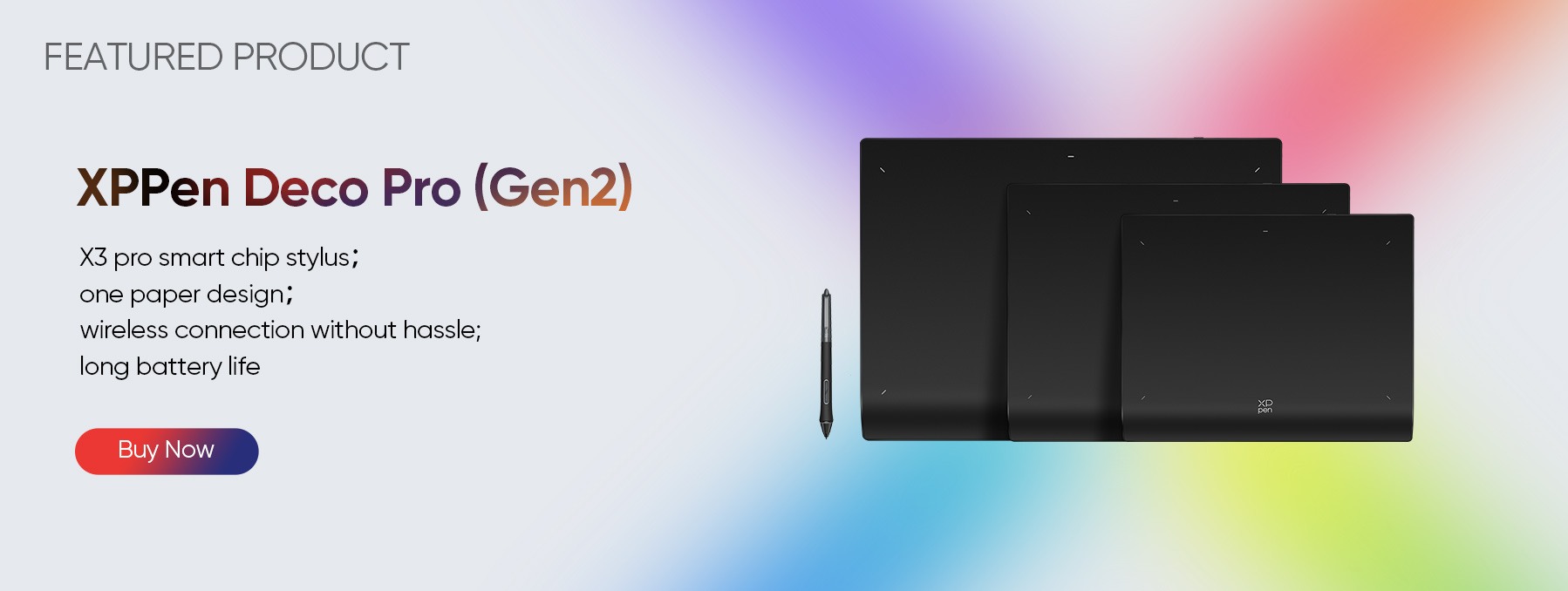
Does your partner hate cable clutter? The Deco Pro SW/MW series features high-speed Bluetooth connectivity. It’s the ultimate choice for the minimalist creator who wants a professional-grade drawing surface without the "cable spaghetti." It’s sleek, wireless, and incredibly sophisticated.
Pen Displays: The Intuitive Way to Create
Artist 12 3rd: The 2025 Newcomer
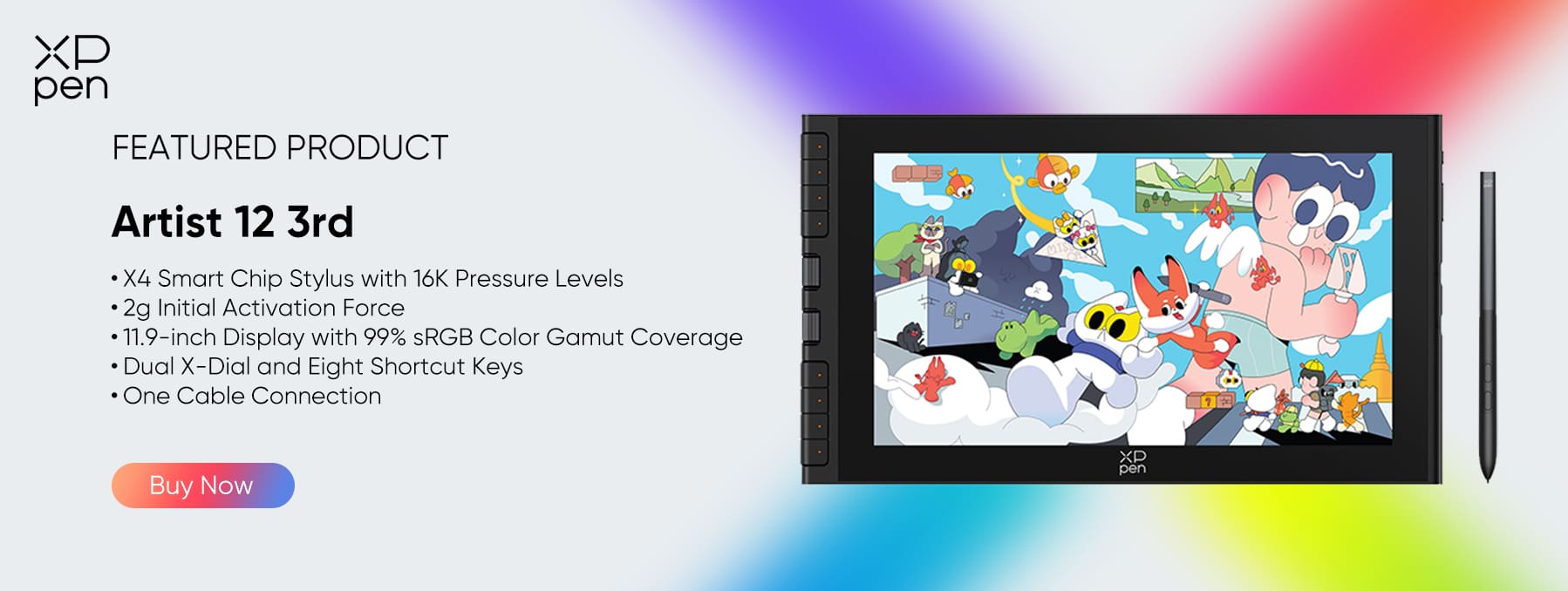
Fresh off the shelves from October 2025, the Artist 12 3rd is the perfect entry point for aspiring creators. It features a fun dual-dial design for quick shortcuts and is powered by the latest X4 Smart Chip Stylus. It’s compact, colorful, and makes the transition to digital art feel like a breeze.
Artist 15.6 Pro V2
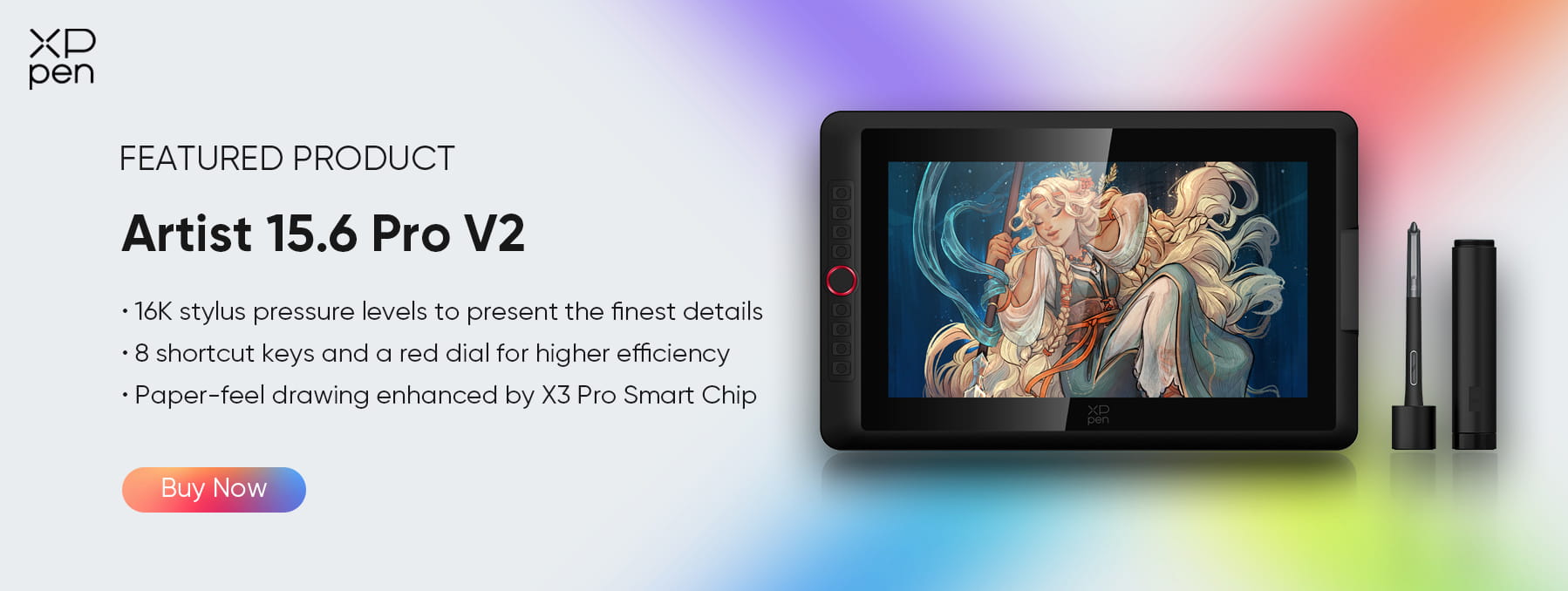
If you’re looking to gift an "upgrade," Artist 15.6 Pro V2 is the great choice. It features our iconic Red Dial and physical shortcut keys for lightning-fast workflows. More importantly, it’s equipped with the X3 Pro Smart Chip Stylus, boasting a staggering 16K pressure levels. It’s built for the artist who is ready to take their intricate detailing to a professional level.
3. Large-Scale Professional Displays
If your partner is a professional illustrator or a concept artist who spends 8+ hours a day in the studio, then a 16" to 27" large display is a critical investment in their career and health.
Artist Ultra 16: The 2025 Flagship
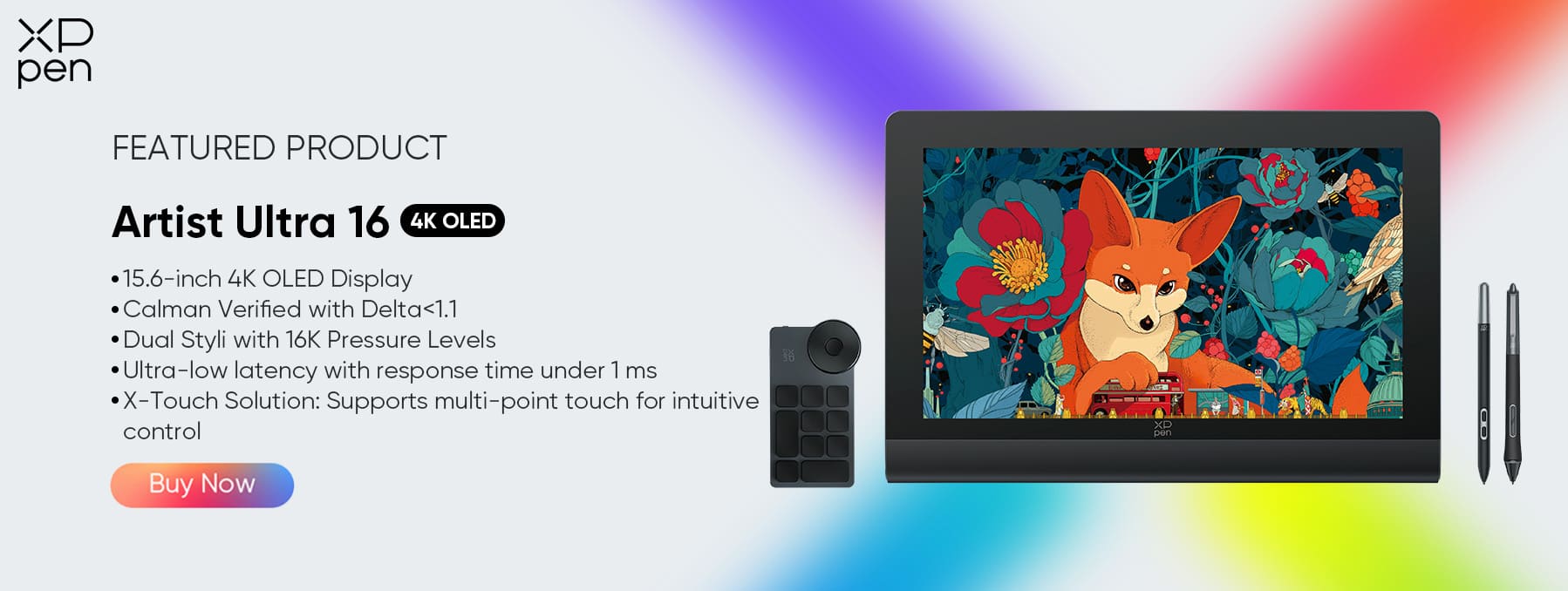
Artist Ultra 16 is the "new kid on the block" that has everyone talking. With the perfect blend of size and cutting-edge tech, the Artist Ultra 16 features a stunning 4K resolution paired with multi-touch support. Being able to pinch, zoom, and rotate the canvas with their fingers while painting with the stylus makes the creative process feel incredibly fluid and modern.
Artist Pro 22 (Gen 2)
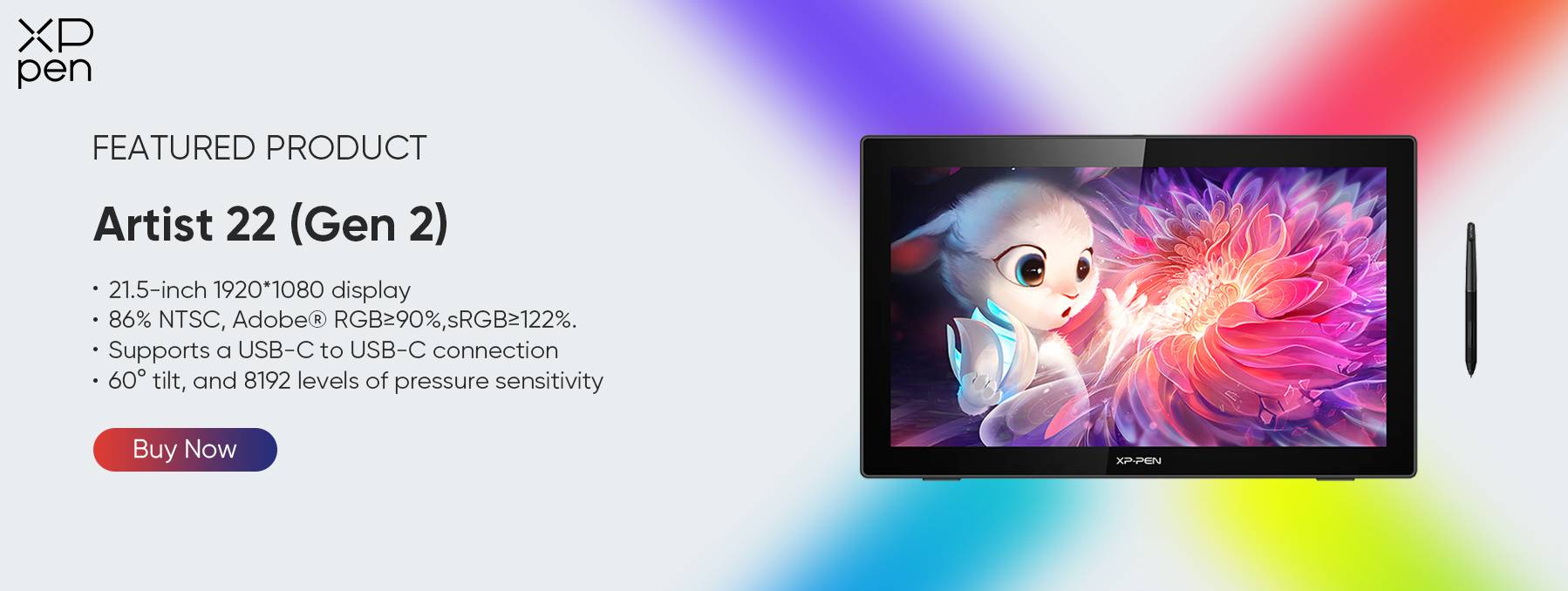
For those who need more "breathing room" on their canvas, this 2.5K QHD display is a must. Artist Pro 22 (Gen 2) offers a significant jump in screen real estate, allowing artists to keep all their toolbars open without sacrificing their drawing area. It’s the gold standard for comfort and clarity in a home studio.
Artist Pro 24 (Gen 2) 4K
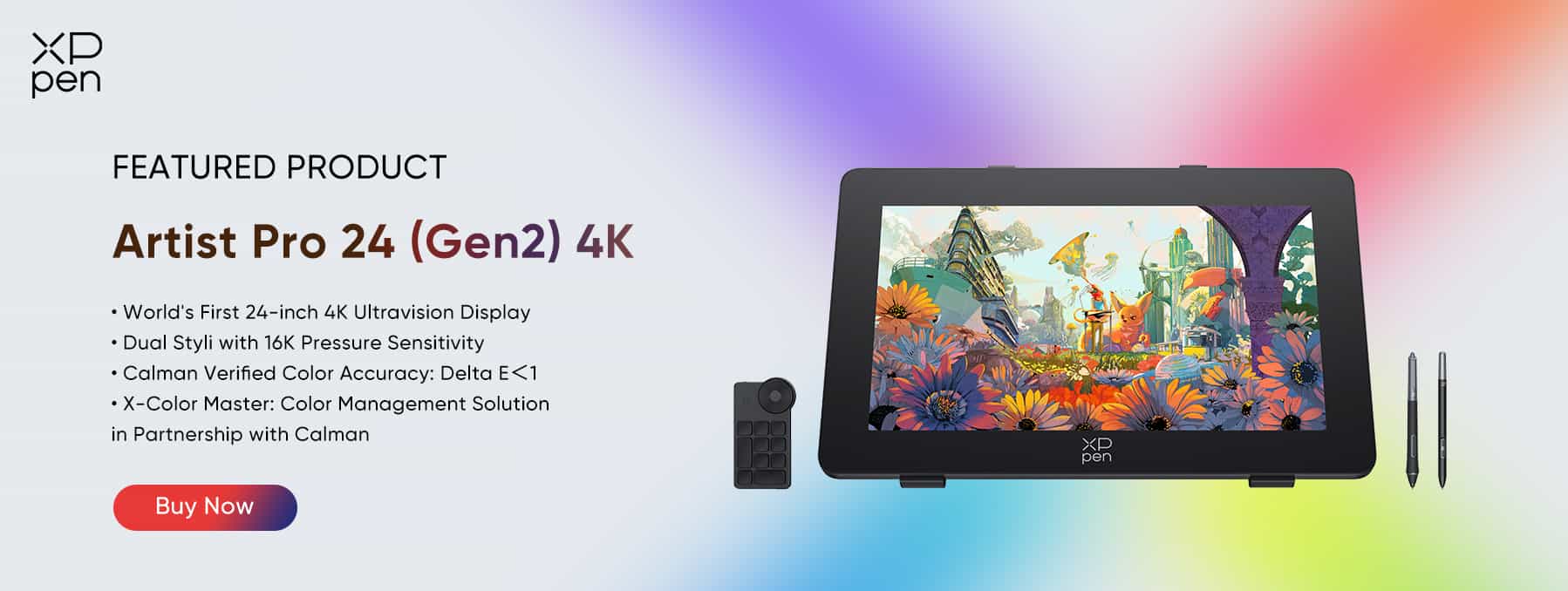
Artist Pro 24 (Gen 2) 4K is the ultimate dream gift. This massive 24-inch 4K display is designed for the perfectionist. It offers the highest level of color accuracy and detail control available. When you’re working on a screen this large and crisp, you don’t just draw art—you live inside it. It’s the kind of gift that transforms a hobby into a world-class production studio.
Not sure which one fits their style? Here’s a quick breakdown of our top 2026 picks to help you find 'the one' at a glance.
| Model | Screen & Resolution | Color Accuracy | Stylus | Express Keys | Compatibility | Price |
| Magic Drawing Pad | 12.2" LCD display; 2160 x 1440 | 97% sRGB, 16.77 million vibrant colors | X3 Pro Slim Stylus | / | Android 14™ | Original Price: $499.99 Valentine's Price: $399.99 (Save 20%) Shop Now |
| Deco 01 V3 | No screen | / | P05D | 8 keys | Windows 7+, Mac OS 10.13+(also support macOS Monterey), Android 10.0+, Chrome OS 88+, Linux | Original Price: $69.99 Valentine's Price: $48.99 (Save 30%) Shop Now |
| Deco Pro SW/MW | No screen | / | PA1 | 2 wheels + 8 keys | Windows 7+, Mac OS X10.10+, Android 6.0+, Chrome OS 88+, Linux | Original Price: SW: $129.99; MW: $159.99 Valentine's Price: SW: $65 (Save 50%); MW: $111.99 (Save 30%) Shop Now |
| Artist 12 3rd | 11.9"; FHD (1920 x 1080) | 99% sRGB, 97% Adobe RGB, 97% Display P3 | X4 Smart Chip Stylus | Dual-dials + 8 keys | Windows 7+, Mac OS 10.13+, Android 10.0+, Chrome OS 88+, Linux, Windows ARM | Original Price: $239.99 Valentine's Price: $199.19 (Save 17%) Shop Now |
| Artist 15.6 Pro V2 | 15.4"; FHD (1920 x 1080) | 99% sRGB, 96% Adobe RGB, 96% Display P3 | X3 Pro Smart Chip Stylus | Red dial + 8 keys | Windows 7+, Mac OS 10.13+, Android (USB3.1 DP1.2), Chrome OS 88+, Linux | Original Price: $379.99 Valentine's Price: $284.99 (Save 25%) Shop Now |
| Artist Ultra 16 | 15.6" OLED display; 4K (3840 x 2160) | 99% Adobe RGB, 99% sRGB, 98% Display P3 | X3 Pro Smart Chip Stylus + X3 Pro Slim Stylus | X-touch | Windows 10+, Mac OS 12+, Android 10.0+, Chrome OS 88+, Linux, Windows ARM | Original Price: $899.99 Valentine's Price: $719.99 (Save 20%) Shop Now |
| Artist Pro 22 (Gen 2) | 22", 2.5K QHD (2560 x 1440) | 99% sRGB, 99% Adobe RGB, 94% Display P3 | X3 Pro Smart Chip Stylus | Paired with ACK05 Shortcut Remote | Windows 7+, Mac OS 10.13+, Android 10.0+, Chrome OS 88+, Linux | Original Price: $699.99 Valentine's Price: $559.99 (Save 20%) Shop Now |
| Artist Pro 24 (Gen 2) 4K | 23.8", 4K (3840 x 2160) | 99% sRGB, 99% Adobe RGB, 98% Display P3 | X3 Pro Smart Chip Stylus + X3 Pro Slim Stylus | Paired with ACK05 Shortcut Remote | Windows 7+, Mac OS 10.13+, Android (USB3.1 DP1.2), Chrome OS 88+, Linux | Original Price: $1299.99 Valentine's Price: $1039.99 (Save 20%) Shop Now |
Tips: Small Add-ons to Make Your Gift Extra Special
Sometimes, the most thoughtful gifts are the ones that solve the tiny daily frustrations of an artist. If your partner already has a tablet they love, or if you want to add a little "extra" to your main gift, these accessories are guaranteed to boost their creative happiness.
Artist Anti-fouling Glove SE: A Touch of Style and Comfort
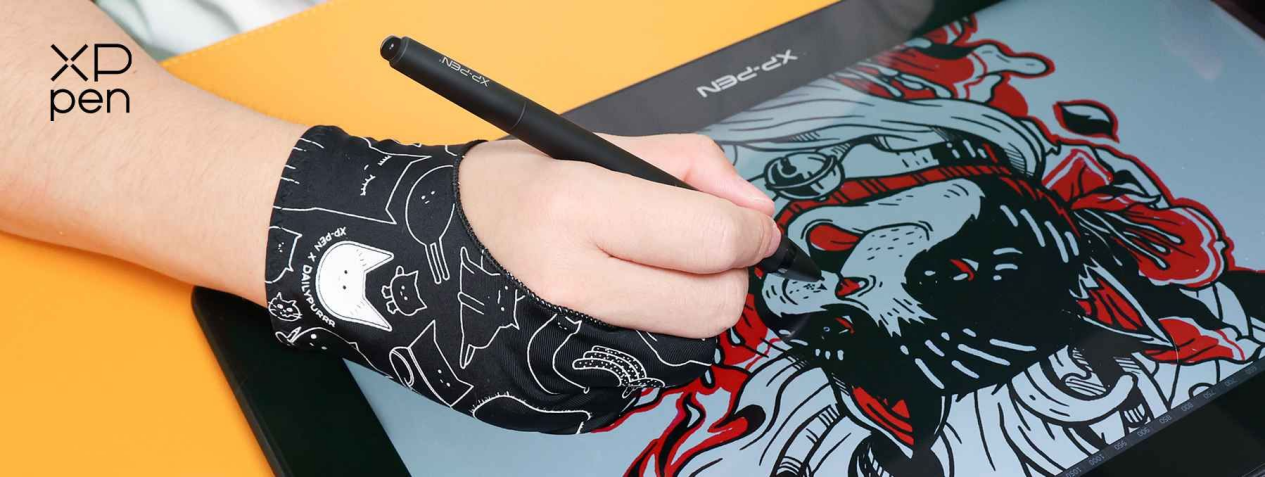
Digital drawing can sometimes feel "sticky" as the hand moves across the glass. The Artist Anti-fouling Glove SE is the perfect solution here. Made from incredibly soft and smooth lycra fabric, Artist Anti-fouling Glove SE is designed to be used by both left and right-handed artists. It reduces friction and keeps the screen smudge-free, making long drawing sessions much more comfortable. More importantly, its adorable cat-themed design can certainly add a pop of personality to their workspace.
ACS05 Portable Stand: The Guardian of Ergonomics
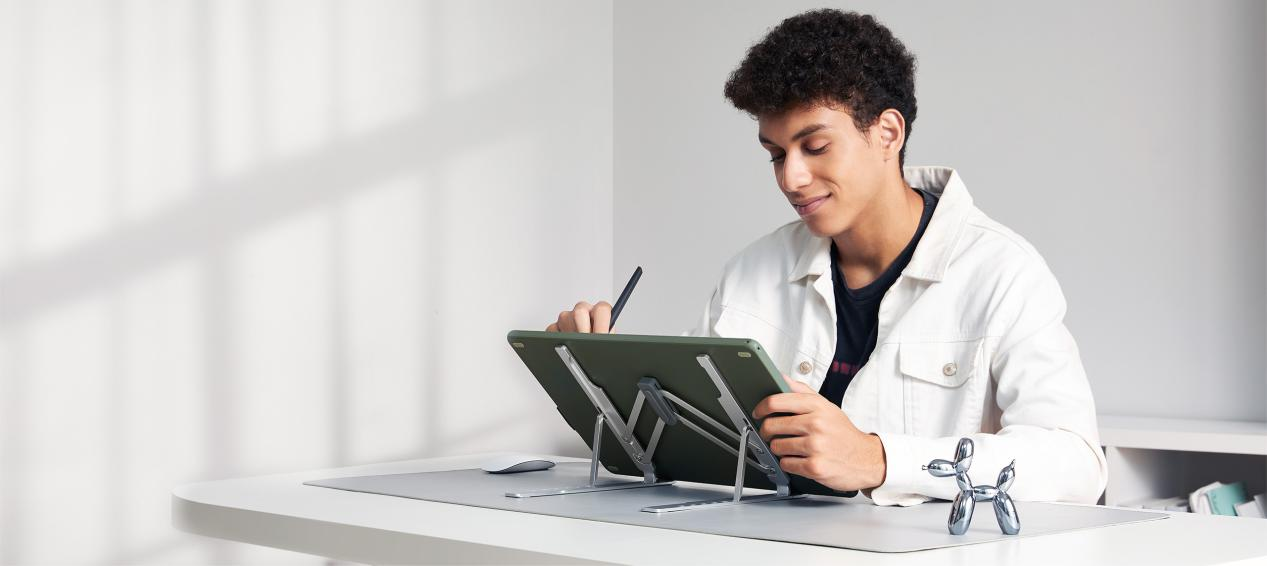
If your partner is always hunching over their tablet, their neck and back will eventually pay the price. The ACS05 Portable Stand is a gift for their health as much as their art.
Crafted from high-quality aluminum alloy, this stand is rock-solid and durable, yet folds down flat for easy storage or travel. It offers 6 adjustable angles (ranging from 18° to 45°) and it is specifically designed for 12-inch to 16-inch devices, meeting all kinds of needs.
About XPPen
Founded in 2005, XPPen is a global leader in digital art innovation, dedicated to providing artists with professional yet affordable tools that put the creator’s needs at the heart of everything we do.
Shop with Confidence
We want your Valentine’s Day surprise to be perfect, which is why we offer a worry-free shopping experience. You can initiate a refund request within 30 days of purchase (or 7 days after delivery), and our team will process your request within 24 working hours to ensure a smooth journey. For full details on our returns and exchange process, please visit our After-Sales Policy page.
Free Creative Software Suite
To help you (or your partner) start creating the moment you unwrap your gift, XPPen provides a collection of premium software for free! Depending on your model, you can claim powerful tools like MyScript Notes, MyScript Math, ibis Paint X, and so on.
Special Bonus: If you choose the Magic Drawing Pad, you’ll also receive a 3-month free trial of Clip Studio Paint, the industry favorite for illustration and manga. Explore the full list of available software here: XPPen Free Software Benefits.
FAQ
Q1: What is the ideal screen size for a beginner artist's gift?
A: For beginners or hobbyists, we recommend a size between 12 and 14 inches. This size is large enough to provide a comfortable drawing area while remaining compact enough to fit on any desk. If your partner prefers drawing on the go, standalone tablets like the Magic Drawing Pad is the perfect entry-level choice for portability.
Q2: My partner already has an iPad Pro. Is a professional pen display still a good gift?
A: Absolutely. While the iPad Pro is an excellent multi-purpose device for sketching, a professional pen display is a dedicated productivity tool. It allows artists to use the full desktop versions of software like Photoshop. Most professional illustrators use both: an iPad for ideas on the go, and a pen display for high-end studio work. It’s a significant upgrade to their professional workflow.
Q3: Why choose a 4K drawing display over a standard HD one?
A: In 2026, 4K resolution has become the standard for professional digital art. A 4K display offers four times the detail of 1080p, meaning the artist can see every brushstroke and texture with extreme clarity. It significantly reduces eye strain and provides a more immersive "paper-like" experience, making it the ultimate premium gift for serious creators.
Final Words
Valentine’s Day is about recognizing what your partner is truly passionate about. In an increasingly automated world, choosing a gift that supports manual creativity shows just how much you value their unique talent.
This isn't just a gadget—it’s a long-term investment in their craft. Make this Valentine’s Day unforgettable with our exclusive seasonal offers—explore the XPPen US Store Valentine’s Day Sale to find their perfect match today!
About Us
Founded in 2005, XPPen is a leading global brand in digital art innovation under Hanvon UGEE. XPPen focuses on the needs of consumers by integrating digital art products, content, and services, specifically targeting Gen-Z digital artists. XPPen currently operates in 163 countries and regions worldwide, boasting a fan base of over 1.5 million and serving more than ten million digital art creators.
Learn more






-
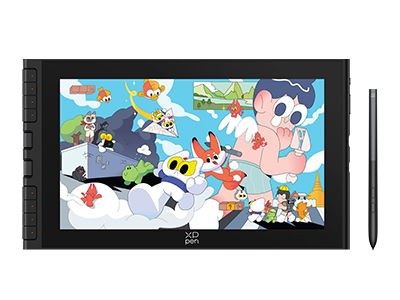 Artist 12 3rd
X4 Smart Chip Stylus with 16K Pressure Levels
2g Initial Activation Force
11.9-inch FHD Display with 99% sRGB Color Gamut Coverage
Dual X-Dial and Eight Shortcut Keys
One Cable Connection
It features:
Best 12-inch drawing tablet for beginners
-
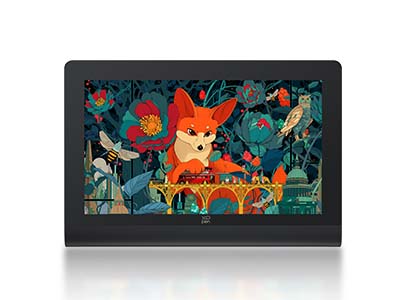 Artist Ultra 16
15.6-inch 4K OLED Display
Calman Verified with Delta < 1.1
Dual Styli with 16K Pressure Levels
Ultra-low latency with response time under 1 ms
X-Touch Solution: Supports multi-point touch for intuitive control
It features:
New-Gen Touch-screen Drawing Display
-
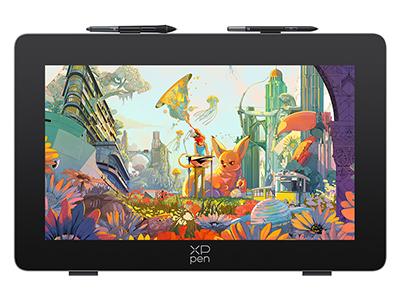 Artist Pro 24 (Gen 2) 4K
World's First 24-inch 4K Ultravision Display
Dual Styli with 16K Pressure Sensitivity
Calman Verified Color Accuracy: Delta E<1
Color Management Solution in Partnership with Calman
It features:
Explore the Artistry of Colors
-
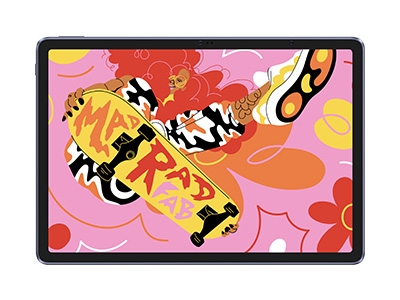 Magic Drawing Pad
X3 Pro Slim Stylus with 16,384 pressure levels and tilt support
X-Paper display featuring anti-glare and fingerprint resistance
Clip Studio Paint and ibis Paint X 3-month free membership
Super portable- just 6.9mm thin and weighs only 590g
Supports dual Windows and DP-IN functions
It features:
Powered by Android 14, no need to connect to a computer to use.
-
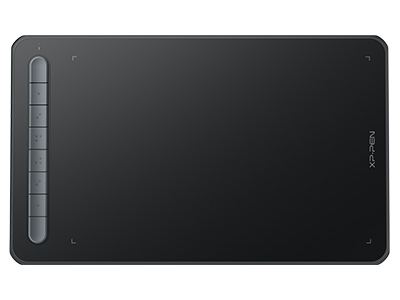 Deco M & Deco MW Bluetooth
1000mAh super power capacity
Bluetooth 5.0 wireless connection
X3 Elite smart chip stylus
It features:
3 grams* IAF and 0.6 mm* retraction
distance for more efficient ink output.
-
Artist 12 3rd
X4 Smart Chip Stylus with 16K Pressure Levels
2g Initial Activation Force
11.9-inch FHD Display with 99% sRGB Color Gamut Coverage
Dual X-Dial and Eight Shortcut Keys
One Cable Connection
It features:
Best 12-inch drawing tablet for beginners
-
Artist Ultra 16
15.6-inch 4K OLED Display
Calman Verified with Delta < 1.1
Dual Styli with 16K Pressure Levels
Ultra-low latency with response time under 1 ms
X-Touch Solution: Supports multi-point touch for intuitive control
It features:
New-Gen Touch-screen Drawing Display
-
Artist Pro 24 (Gen 2) 4K
World's First 24-inch 4K Ultravision Display
Dual Styli with 16K Pressure Sensitivity
Calman Verified Color Accuracy: Delta E<1
Color Management Solution in Partnership with Calman
It features:
Explore the Artistry of Colors
-
Magic Drawing Pad
X3 Pro Slim Stylus with 16,384 pressure levels and tilt support
X-Paper display featuring anti-glare and fingerprint resistance
Clip Studio Paint and ibis Paint X 3-month free membership
Super portable- just 6.9mm thin and weighs only 590g
Supports dual Windows and DP-IN functions
It features:
Powered by Android 14, no need to connect to a computer to use.
Ready to invest in the right tools?
Get expert buying advice, unbiased reviews, and exclusive deals on drawing tablets, and accessories.
