5 Best 3D Modeling Softwares for Beginners and Pros
KNOWLEDGE3D modeling plays a major role in game development, animation, product design, architecture, engineering, and 3D printing. Whether you are creating a simple object for a school project or building detailed models for professional work, choosing the best 3D modeling software can make your work easier and more efficient.
Today, there are many options available for both beginners and experienced users. Some programs focus on simple design tools, while others provide advanced features for animation, rendering, and engineering projects.
The right software depends on your goals, skill level, budget, and hardware. In this guide, we review the best 3D modeling software available today.
Quick Verdict
-
Best overall: Blender — professional features, completely free.
-
Best free: Blender and FreeCAD.
-
Best for animation & games: Autodesk Maya.
-
Best for beginners: SketchUp — easy to learn.
-
Best for 3D printing: FreeCAD — accurate CAD tools for manufacturing.
Part 1. What Is 3D Modeling?
3D modeling is the process of creating digital objects in three dimensions. Designers use special software to build shapes, characters, products, buildings, machines, and many other objects. These models can be viewed from different angles and used for animation, rendering, simulations, manufacturing, or 3D printing.
Modern 3D modeling tools range from simple beginner-friendly programs to advanced professional systems. The best 3d modeling software helps users create accurate models while improving productivity and creativity.
Part 2. Best 3D Modeling Softwares for Beginners and Pros
1. Blender
Blender is widely regarded as the best 3d modeling software available today. It combines modeling, sculpting, animation, rendering, texturing, and visual effects in a single package. One reason many users choose blender 3d modeling software is that it is completely free.
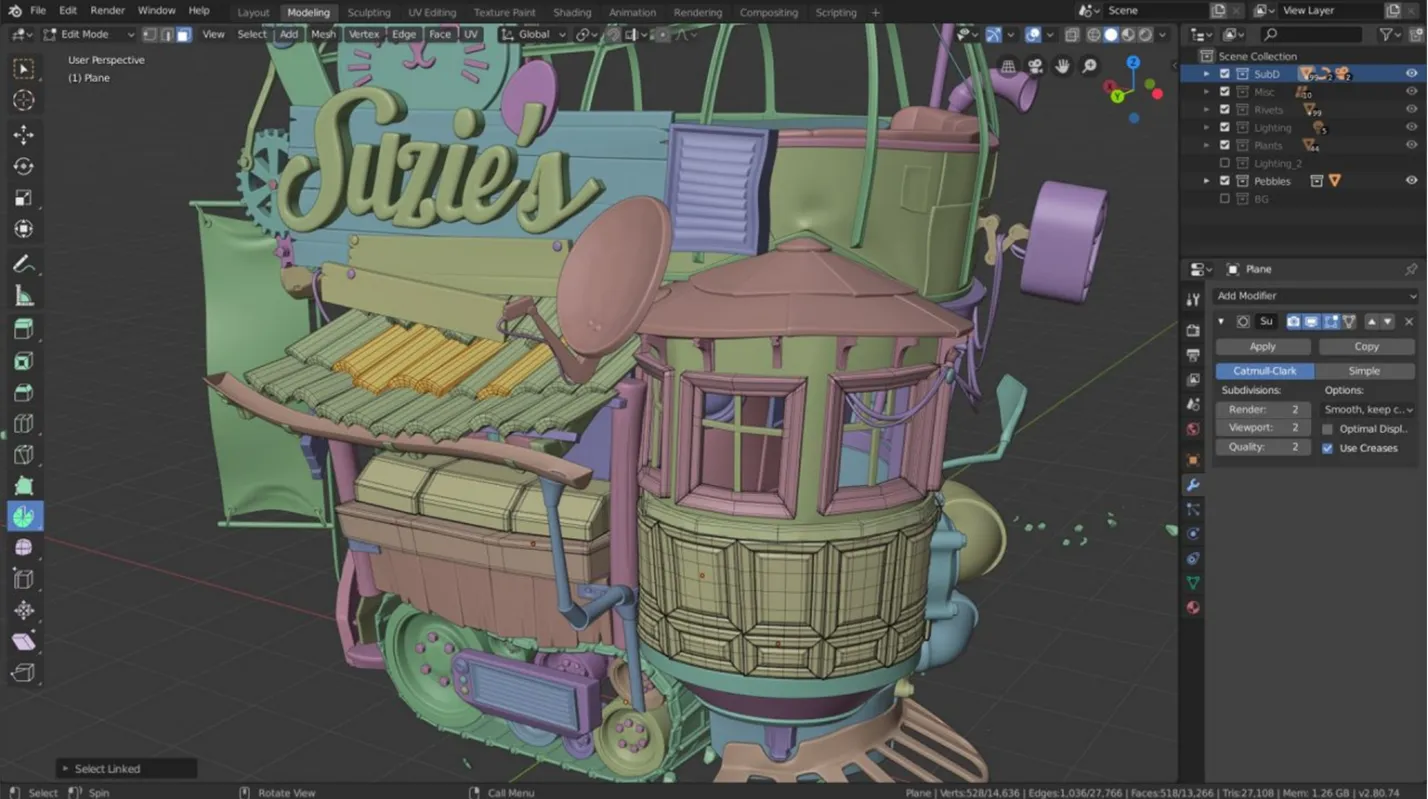
Despite its price, Blender includes tools that compete with premium applications used in professional studios. This is best for artists, animators, game developers, and professionals.
2. Autodesk Maya
Autodesk Maya is one of the most respected professional 3d modeling software solutions. Major film studios and game developers use Maya for character creation, animation, and visual effects.
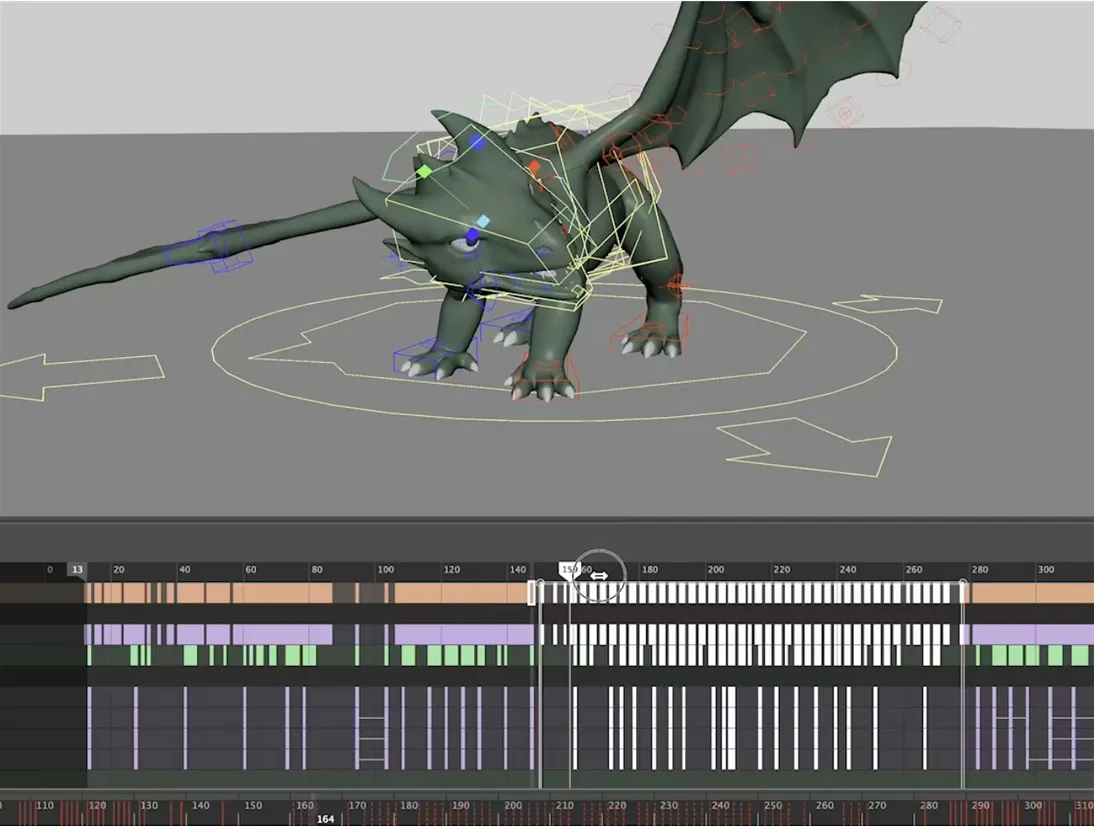
Maya provides advanced modeling tools and precise control over complex projects. While beginners may find it challenging, professionals appreciate its flexibility and production-ready features.
This 3D modeling software is best for professional artists, game studios, and animation teams.
3. SketchUp
SketchUp is often considered the best 3d modeling software for beginners because of its simple interface and easy learning process.
Architects, interior designers, and hobbyists frequently use SketchUp to create buildings, furniture, and conceptual designs. It allows users to build models quickly without spending weeks learning advanced tools. SketchUp is best for beginners, architects, and interior designers.
4. FreeCAD
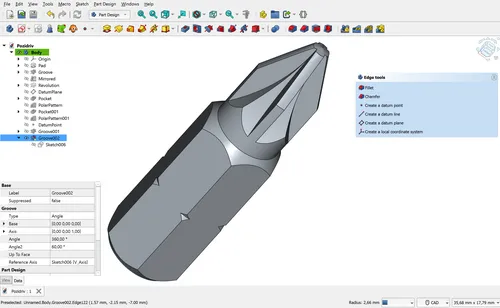
FreeCAD is an open-source CAD application designed for engineering and manufacturing projects. Many users consider it the best 3d modeling software free for technical work. The software uses parametric modeling, which allows users to modify designs by adjusting parameters.
This feature makes FreeCAD useful for mechanical design and prototyping. FreeCAD is also recognized as the best 3d modeling software for 3d printing by many hobbyists and engineers because of its precision tools. Engineers, makers, and 3D printing enthusiasts usually use FreeCAD.
5. Shapr3D
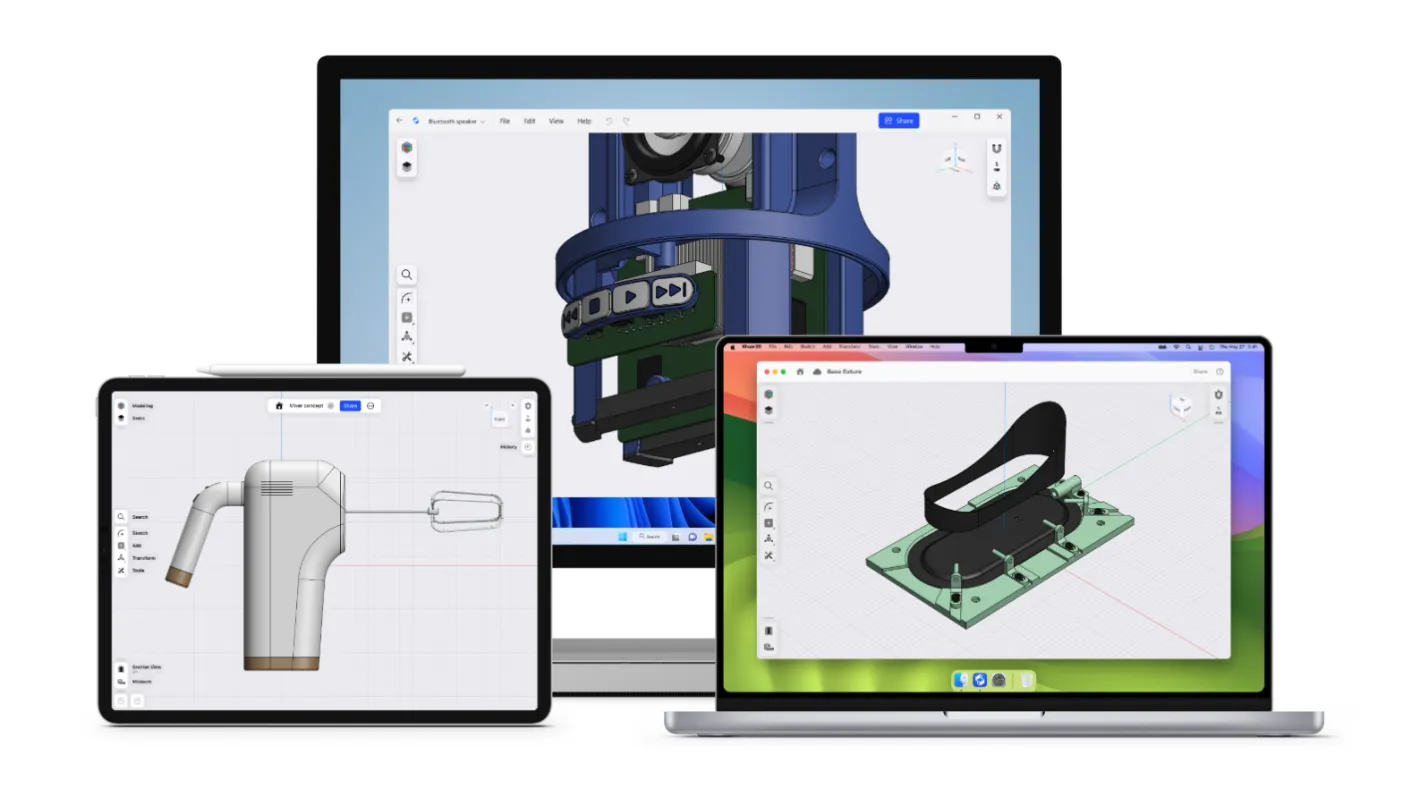
Shapr3D has gained popularity among professionals who want a lightweight 3d modeling software solution. It works smoothly on tablets and desktop devices while offering professional CAD features. Its clean design helps beginners learn quickly while still providing tools needed for commercial projects.
Shapr3D is best for product designers and engineering professionals.
Comparison Chart
| Software | Best For | Free Version | Beginner Friendly | Professional Features |
|---|---|---|---|---|
| Blender | Overall Use | Yes | Moderate | Excellent |
| Autodesk Maya | Professional Work | No | Moderate | Excellent |
| SketchUp | Beginners | Limited | Excellent | Good |
| FreeCAD | 3D Printing | Yes | Good | Very Good |
| Shapr3D | Product Design | Limited | Excellent | Very Good |
Part 3. How to Choose the Best 3D Modeling Software
Choosing the best 3d modeling software depends on your goals and experience level.
-
Define Your Purpose - If you want animation or game development, blender 3d modeling software and Maya are strong options. If you focus on engineering projects, FreeCAD and Shapr3D may fit better.
-
Consider Your Experience Level - The best 3d modeling software for beginners should offer an easy interface and learning resources. SketchUp and Shapr3D are excellent starting points.
-
Check Hardware Requirements - Some professional 3d modeling software programs require powerful CPUs, GPUs, and large amounts of RAM. Make sure your computer can handle the software before installing it.
-
Evaluate Your Budget - Many users search for the best 3d modeling software free because professional subscriptions can be expensive. Blender and FreeCAD provide impressive capabilities without additional costs.
Part 4. Recommended PC Specs You Need for 3D Modeling
The best 3d modeling software can only perform well when your computer has suitable hardware. While beginners can start with mid-range systems, professional users often need stronger components for large projects, rendering, and simulations.
Minimum Specifications
These specifications work for learning and basic projects:
-
CPU: Intel Core i5 or AMD Ryzen 5
-
RAM: 16GB
-
GPU: NVIDIA GTX 1660 or equivalent
-
Storage: 512GB SSD
-
Display: Full HD monitor
Recommended Specifications
These specifications provide a smoother experience with most professional 3d modeling software:
-
CPU: Intel Core i7/i9 or AMD Ryzen 7/9
-
RAM: 32GB
-
GPU: NVIDIA RTX 4060, RTX 4070, or higher
-
Storage: 1TB SSD
-
Display: 1440p or 4K monitor
High-End Workstation Specifications
Professionals working with animation, rendering, and complex scenes may need:
-
CPU: Intel Core Ultra 9, Xeon, or AMD Threadripper
-
RAM: 64GB or more
-
GPU: NVIDIA RTX 4080, RTX 4090, or professional workstation GPU
-
Storage: 2TB NVMe SSD
-
Dual-monitor setup
Why RAM Matters
Many users ask whether 16GB RAM is enough. For small projects, it works. However, 32GB RAM gives much better performance when using the best 3d modeling software for beginners and advanced projects alike.
Importance of Graphics Cards
A powerful GPU helps with viewport performance, rendering speed, and handling large models. Programs such as blender 3d modeling software and Maya benefit greatly from modern RTX graphics cards.
SSD Storage Is Essential
A fast SSD reduces loading times and improves overall workflow. Whether you use a lightweight 3d modeling software package or a professional solution, SSD storage makes a noticeable difference.
Part 5. How a Professional Pen Display Improves Precision in 3D Workflows
Creating detailed 3D models often requires precise control. A mouse works well for many tasks, but artists who sculpt characters, create textures, or design detailed surfaces often prefer a pen display.
A professional pen display allows natural hand movements and more accurate control. This becomes especially useful when working with sculpting tools inside blender 3d modeling software or other professional 3d modeling software applications.
Why Use a Pen Display?
A pen display can help you:
-
Create smoother sculpting details
-
Draw with greater accuracy
-
Improve texture painting
-
Reduce hand strain during long sessions
-
Work more naturally
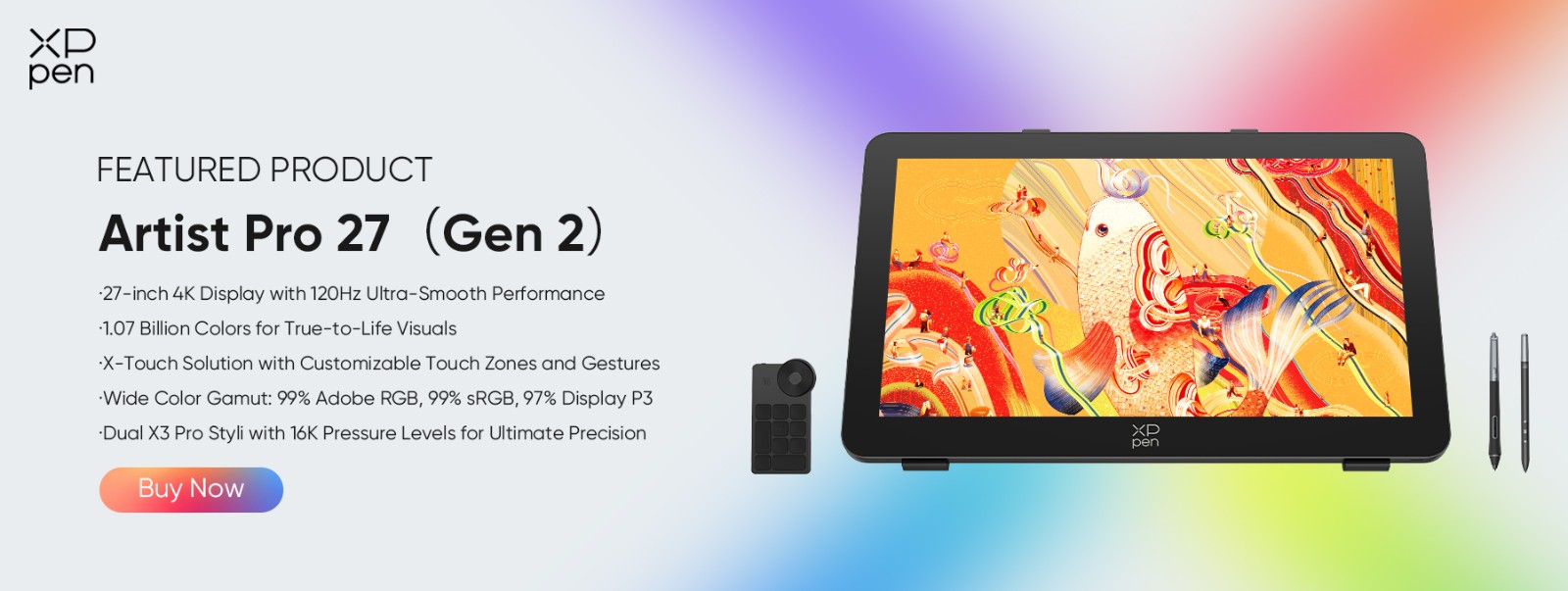
Recommended: XP-Pen Artist Pro 27 (Gen 2)
The XPPen Artist Pro 27 Gen 2 is a strong choice for both beginners and professionals.
Key features include:
-
Large 27-inch display
-
High color accuracy
-
Responsive stylus technology
-
Comfortable drawing experience
-
Suitable for sculpting, texturing, and digital art
Users working with the best 3d modeling software often need precise control when creating characters, products, and detailed environments. XPPen Artist Pro 27 Gen 2 helps achieve that precision while keeping workflows efficient.
For artists who spend many hours modeling and sculpting, a professional pen display can become one of the most valuable tools in their workspace.
Part 6. FAQs About 3D Modeling Softwares
Q1: Which 3D software is best for modeling?
Blender is widely considered the best 3d modeling software because it offers professional features, strong community support, and completely free access. Many artists and studios use blender 3d modeling software for modeling, animation, and rendering.
Q2: Is FreeCAD totally free?
Yes. FreeCAD is completely free and open source. Many users consider it the best 3d modeling software free option for engineering, CAD design, and 3D printing projects.
Q3: Can ChatGPT make a 3D model?
ChatGPT cannot directly create professional 3D models. However, it can help generate ideas, explain workflows, create scripts, and guide users while working with the best 3d modeling software.
Q4: Is Shapr3D worth the money?
Yes. Shapr3D provides a clean interface, strong CAD features, and excellent performance. Many professionals consider it a worthwhile investment, especially when looking for a lightweight 3d modeling software solution.
Q5: Is 32GB of RAM enough for 3D modeling?
Yes. For most users, 32GB RAM is more than enough. It supports large scenes, complex projects, and smooth performance in professional 3d modeling software applications.
Q6: What is the most advanced 3D modeling software?
Autodesk Maya is often regarded as one of the most advanced professional 3d modeling software solutions. It includes powerful animation, simulation, and modeling tools used by major film and game studios worldwide.
Conclusion
Finding the best 3d modeling software depends on your goals, budget, and experience level. Blender remains the top overall choice because it combines professional tools with a free license. SketchUp stands out as one of the best 3d modeling software for beginners, while FreeCAD is a leading option for users searching for the best 3d modeling software free and the best 3d modeling software for 3d printing.
No matter which software you choose, pairing it with capable hardware and a quality pen display can improve your workflow. The XPPen Artist Pro 27 Gen 2is an excellent addition for artists who want greater precision when working with modern 3D modeling projects.
About Us
Founded in 2005, XPPen is a leading global brand in digital art innovation under Hanvon UGEE. XPPen focuses on the needs of consumers by integrating digital art products, content, and services, specifically targeting Gen-Z digital artists. XPPen currently operates in 163 countries and regions worldwide, boasting a fan base of over 1.5 million and serving more than ten million digital art creators.
Learn moreRecommended Articles
TIPS 10 Best Free 3D Modeling Software (2026 New Update) TIPS 18 Best 2D & 3D CAD Software for Technical Drawing: Free, Paid and Online ROUNDUPS XPPen Artist Pro 27 (Gen 2) vs Artist Pro 24 (Gen 2) 4K: Which Fits Your Workflow Better? FOCUSED Is XPPen Artist Pro 27 (Gen 2) Worth It? Review Roundup TIPS 8 Best 3D Printing Design Software Tools 2026






Looking for the Best Drawing & Design Apps?
Discover essential drawing techniques, expert tips, and the best app recommendations to boost your creativity and master digital art.
