Best Vlog Filming Tips: How to Make a Vlog with Phone
TIPSVlogging no longer requires expensive cameras or a professional studio. Today, most creators start with a smartphone and still produce videos that attract thousands of viewers. If you're learning how to make a vlog, choosing the right tools, improving your vlog equipment setup, and following practical vlog filming tips can help you create videos that look cleaner and feel more engaging.
This guide explains everything from filming with an iPhone or Android phone to planning a solid vlog content strategy, editing footage, and improving your overall vlog production process.
Part 1. Essential Vlog Filming Tools
-
Smartphone Camera - Your phone is all you need. Modern iPhones, Samsung Galaxies, Google Pixels, and Xiaomi flagships shoot great video. Storytelling matters more than price.
-
Tripod - A tripod stops shaky video. Any type works. Stable footage looks professional.
-
External Microphone - Bad audio loses viewers. Get a clip mic, USB-C mic, or shotgun mic. Good sound is a must.
-
Portable LED Light - Good lighting helps a lot. Use an LED light for indoor or night filming. Even a small one works.
-
Power Bank and Storage - Long shoots use up battery and space. Bring a power bank and extra cloud storage or SSD.
Part 2. How to Make a Vlog with Phone (iPhone & Android)
Many beginners search for how to make a vlog because they want to start creating content without buying expensive equipment. The good news is that a phone can handle nearly every stage of the vlog production process.
Step 1: Create a Simple Vlog Plan
Before filming, decide:
-
What the vlog is about
-
Who will watch it
-
What scenes you need
-
What message viewers should remember
Planning saves editing time later. This is also the foundation of a good vlog content strategy because every successful vlog starts with a clear purpose.
Step 2: Build a Basic Vlog Equipment Setup
For most creators, a simple vlog equipment setup includes: Smartphone, mini tripod , external microphone, LED light, power bank.
This setup works for travel vlogs, daily life content, tutorials, reviews, and YouTube videos.
Step 3: Configure Phone Camera Settings
Best iPhone Settings for Vlogging
Recommended settings:
-
Resolution: 4K
-
Frame Rate: 30fps
-
HDR: Enabled if available
-
Auto Focus Lock: Enabled
-
Grid Lines: Enabled
These settings help produce clean footage while keeping file sizes manageable.
Best Android Settings for Vlogging
Recommended settings:
-
Resolution: 4K
-
Frame Rate: 30fps
-
Stabilization: Enabled
-
HDR Video: Enabled
-
Grid Lines: Enabled
Both iPhone and Android devices can create excellent videos when properly configured.
Step 4: Record Different Types of Shots
Many beginners record only talking clips. Instead, you should capture a variety of shots such as introduction shots, walking scenes, environment footage, close-up details, wide-angle views, and reaction moments. These extra clips improve editing flexibility and strengthen your vlog content strategy.
Step 5: Focus on Audio Quality
Good audio often matters more than perfect video. When filming, avoid strong wind and stay away from traffic noise. Use a microphone whenever possible, and record indoors when discussing important topics. Audio quality should always be part of your vlog filming tips checklist.
Step 6: Edit and Publish
Once filming is complete, you need to import your footage, remove mistakes, arrange clips in a logical order, add music and subtitles, then export the final video. This final stage completes the vlog production process.
Part 3. Best Vlog Filming Tips & Vlog Content Strategy
Many creators focus only on equipment and struggle to gain viewers. A successful channel needs both good filming tips and a solid content strategy.
-
Start strong. The first few seconds decide if viewers stay. Show the best moment first, ask a question, or preview the topic.
-
Keep shots smooth. Use stabilization, tripods, and slow pans. Smooth footage is easier to watch.
-
Film extra footage. More clips help cover cuts, create transitions, and fix editing issues. Pros always shoot more than they need.
-
Be consistent. Pick a focus like travel, food, tech, or daily life. Viewers return when they know what to expect.
-
Tell a simple story. Every vlog needs a beginning, middle, and end. Introduce, show, then conclude.
-
Try popular ideas. Day in my life, morning routine, travel vlog, product review, or first-time experiences. Audiences love these topics.
Part 4. Best Softwares and Tools to Edit Vlog After Filming
Editing converts raw footage into a finished video. Even the best vlog filming tips cannot compensate for poor editing. The right software improves efficiency and supports a smoother vlog production process.
1. XPPen Pilot Pro Editing Console (Recommended Tool)
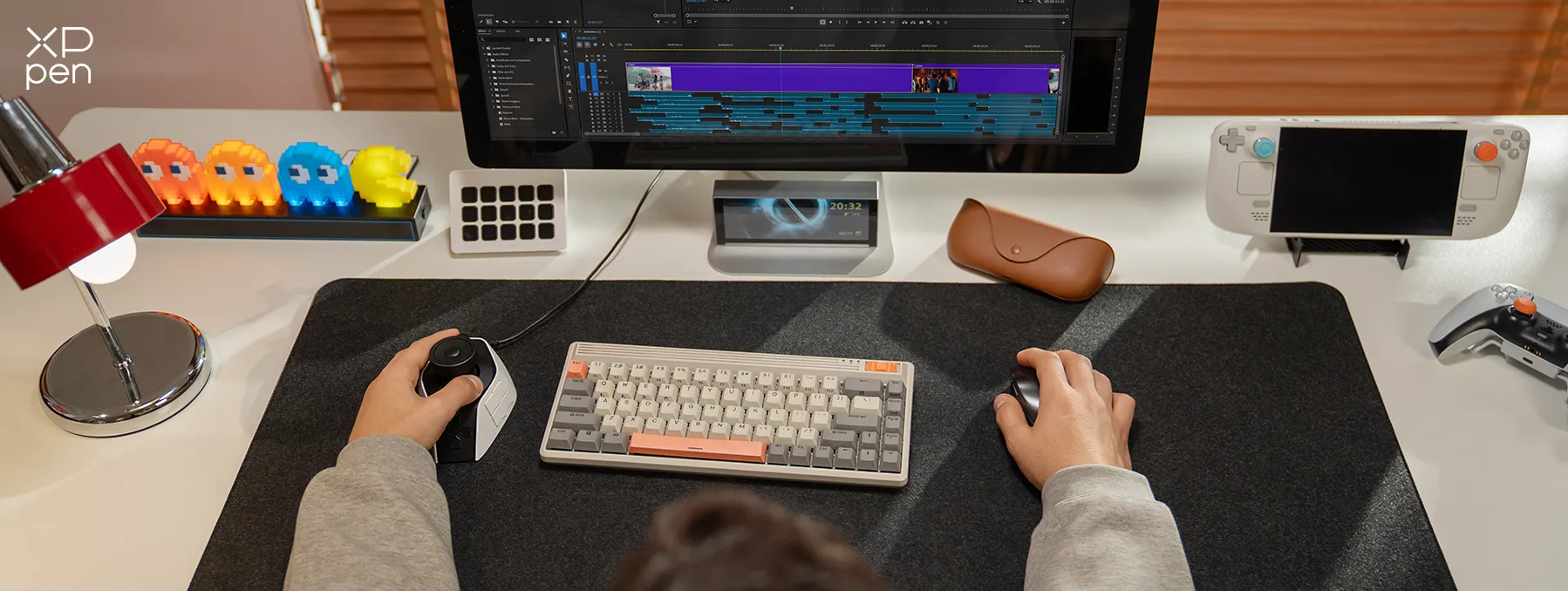
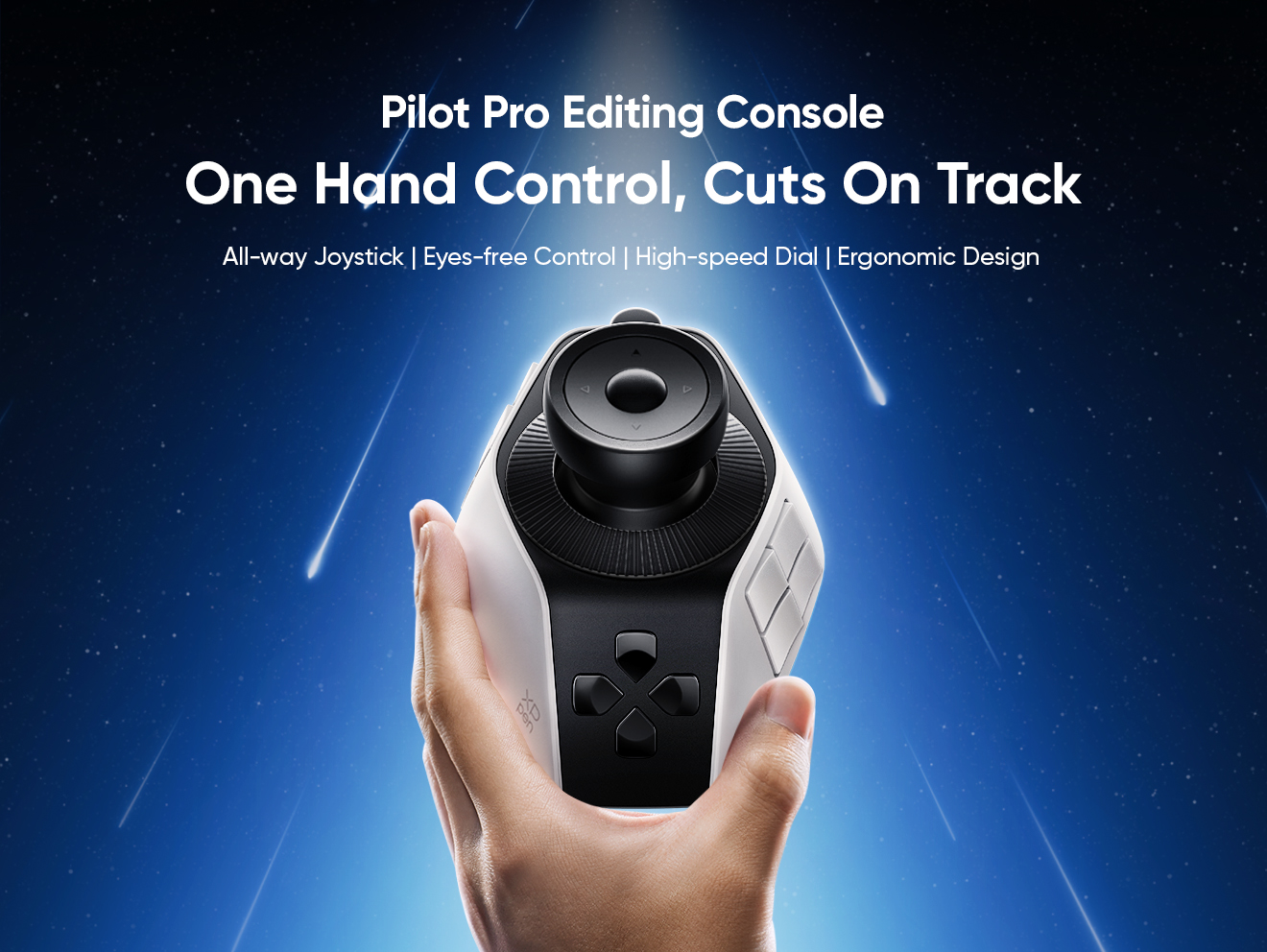
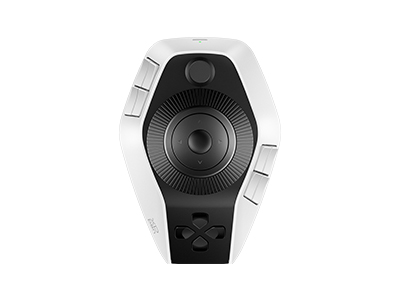
XPPen Pilot Pro Editing Console is a dedicated hardware controller built to make video editing faster and more comfortable. It is designed for vlog creators and editors who want better control over their workflow without relying heavily on a keyboard and mouse.
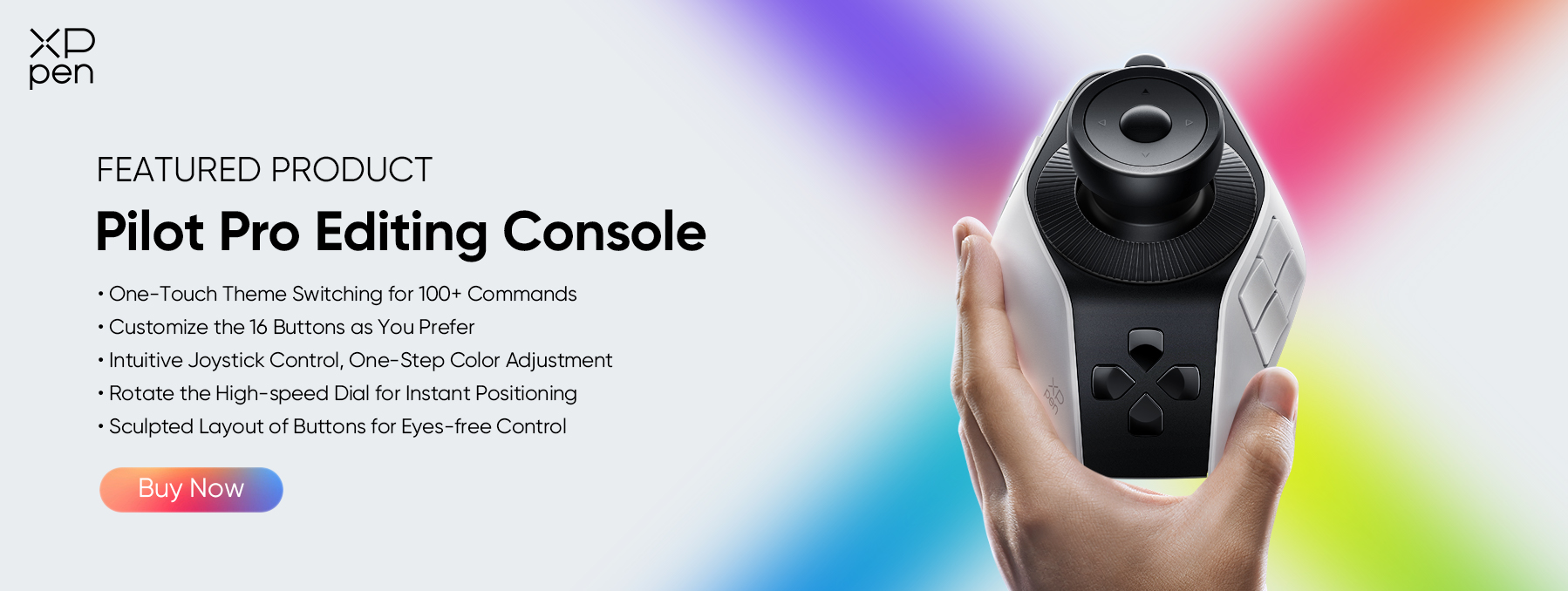
With its smooth joystick, multi-function dials, and fully customizable shortcut buttons, XPPen Pilot Pro Editing Console allows users to manage timeline navigation, trimming, zooming, and tool switching with ease.
XPPen Pilot Pro works well with popular editing software like Premiere Pro, DaVinci Resolve, and Final Cut Pro. For vlog editors, it improves speed, precision, and overall workflow efficiency.
2. Adobe Premiere Pro
Adobe Premiere Pro is one of the most popular video editing programs used by YouTubers, vloggers, filmmakers, and content creators. It offers a complete set of editing tools for cutting clips, adding transitions, adjusting colors, improving audio, creating titles, and exporting videos in various formats.
The software supports 4K and higher-resolution footage, making it suitable for both beginner and professional projects. Its integration with other Adobe applications also helps streamline creative workflows.
3. DaVinci Resolve
DaVinci Resolve is a professional video editing software known for its advanced color correction and video finishing tools. The free version includes many features that creators need for editing vlogs, YouTube videos, short films, and social media content.
Users can trim clips, edit audio, add visual effects, create motion graphics, and export high-quality videos without paying for a license. Its powerful editing capabilities make it a popular choice for both beginners and experienced editors.
4. Final Cut Pro
Final Cut Pro is Apple's professional video editing software designed exclusively for Mac users. It is known for its fast performance, clean interface, and efficient editing workflow. Creators can edit 4K and higher-resolution videos, organize footage easily, apply color adjustments, add effects, and create professional-looking projects.
The software takes full advantage of Apple hardware, resulting in smooth playback and quick rendering. Many vloggers, YouTubers, and content creators choose Final Cut Pro for its reliability and ease of use.
Part 5. FAQs About Vlog Filming
Q1: Is 60fps or 30fps better for vlog?
For most vlogs, 30fps is the better choice. It produces natural-looking footage and keeps file sizes manageable. Use 60fps when you want smoother motion or plan to create slow-motion effects during editing.
Q2: What should I avoid in vlogging?
Avoid poor audio, shaky footage, inconsistent uploads, long introductions, and unclear topics. Following basic vlog filming tips can help prevent these common mistakes and improve viewer retention.
Q3: How do beginners start vlogging?
Start with a smartphone, basic vlog equipment setup, and a simple topic. Focus on recording clear audio, planning content beforehand, and practicing regularly. Consistency matters more than expensive equipment when learning how to make a vlog.
Q4: How to start vlogging on YouTube for money?
Create useful content consistently, develop a clear vlog content strategy, build an audience, and join the YouTube Partner Program once eligible. Additional income sources include sponsorships, affiliate marketing, memberships, and digital products.
Q5: How do I properly start vlogging in public?
Start in quieter locations and become comfortable speaking on camera gradually. Respect privacy, avoid filming strangers without permission when necessary, and focus on your content rather than worrying about nearby people. Most people pay little attention to vloggers recording content.
Conclusion
A simple vlog equipment setup, consistent filming habits, practical vlog filming tips, and a clear vlog content strategy can help beginners create engaging content and improve with every upload. Remember that successful vlogs rely on planning, storytelling, audio quality, and editing not just camera specifications.
For creators who edit frequently, XPPen Pilot Pro Editing Console can help streamline editing tasks and support a more comfortable workflow when working with longer vlog projects.
About Us
Founded in 2005, XPPen is a leading global brand in digital art innovation under Hanvon UGEE. XPPen focuses on the needs of consumers by integrating digital art products, content, and services, specifically targeting Gen-Z digital artists. XPPen currently operates in 163 countries and regions worldwide, boasting a fan base of over 1.5 million and serving more than ten million digital art creators.
Learn moreRecommended Articles
KNOWLEDGE 2026 Lightroom Shortcuts for Windows & Mac FOCUSED 5 Best Video Editing Controller 2026 for Beginners & Pros KNOWLEDGE Best Vlog Editing Workflows for Beginners & Pros 2026





Looking for the Best Drawing & Design Apps?
Discover essential drawing techniques, expert tips, and the best app recommendations to boost your creativity and master digital art.
