5 Best Video Capture Softwares for PC Free & Paid 2026
KNOWLEDGEFinding the right video capture software can make a big difference when you record tutorials, gameplay, online meetings, presentations, or YouTube videos. Today, many users need a reliable video capture software that records high-quality videos without slowing down their computers.
There are many free and paid options available. Whether you need the best video capture software for PC, the best video capture software for gaming, or the best video capture software for YouTube, there is a tool that fits your needs. This guide reviews the top options for Windows and Mac users and helps you choose the right software for your recording projects.
Quick Verdict
Different users have different recording needs. Here are the best choices based on specific purposes:
-
Best Overall: OBS Studio
-
Best for Beginners: EaseUS RecExperts
-
Best for Gaming: Bandicam
-
Best for Business and Meetings: Camtasia
-
Best for Quick Screen Recording: Loom
If you want the best video capture software for Windows 10/11 without spending money, OBS Studio is the top choice. If you need easy editing tools and professional results, Camtasia is worth considering.
Part 1. 5 Best Video Capture Softwares for PC Free & Paid
1. OBS Studio
OBS Studio is one of the most popular video capture software programs available today. It is completely free and offers many advanced recording features. Content creators, streamers, gamers, and educators use OBS Studio every day.
The software allows users to record their screens, webcams, audio devices, and multiple sources at the same time. It also supports live streaming on popular platforms.
Key Features
-
Free and open-source
-
High-quality video recording
-
Multi-source recording
-
Live streaming support
-
Custom scenes and layouts
-
Audio mixing tools
OBS Studio remains one of the best video capture software for PC users who want professional recording features without paying for a subscription.
2. Bandicam
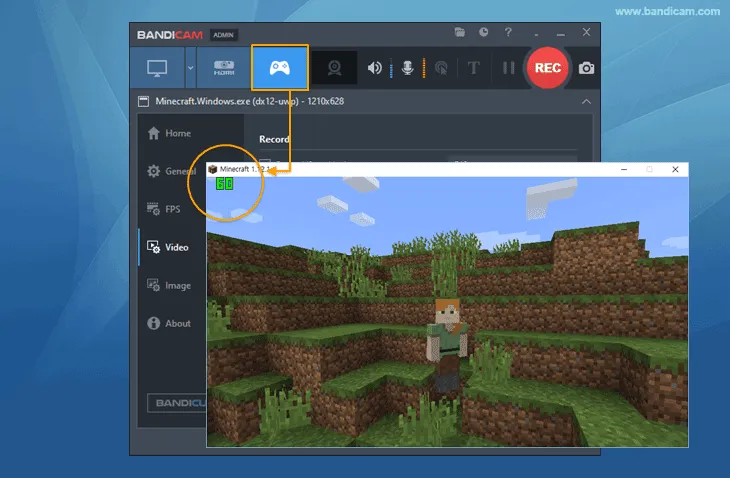
Bandicam is a well-known video capture software designed mainly for gameplay recording and screen capture. It provides excellent recording quality while keeping file sizes relatively small. Many gamers choose Bandicam because it records high-frame-rate gameplay smoothly.
Key Features
-
4K UHD recording support
-
High FPS game recording
-
Device recording support
-
Scheduled recording
-
Real-time drawing tools
Bandicam is often considered the best video capture software for gaming because it balances performance and video quality effectively.
3. Camtasia
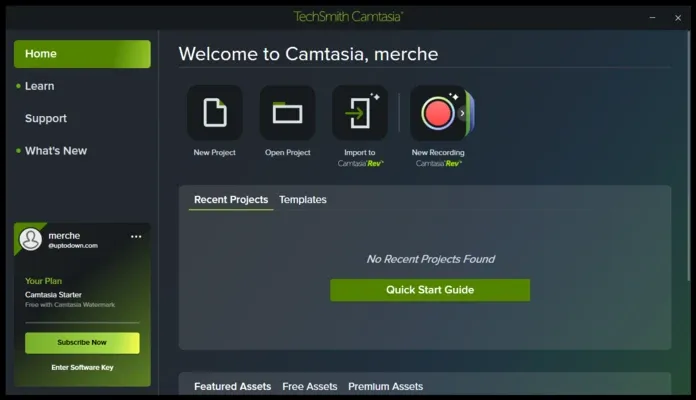
Camtasia combines video recording and editing in one package. It is widely used by teachers, trainers, marketers, and businesses. Users can record their screens and then edit videos without switching to another application.
Key Features
-
Screen recording
-
Built-in video editor
-
Visual effects
-
Annotations and callouts
-
Audio enhancement tools
-
Presentation recording
For training videos and online courses, Camtasia is among the best video capture software for YouTube creators and business users.
4. EaseUS RecExperts
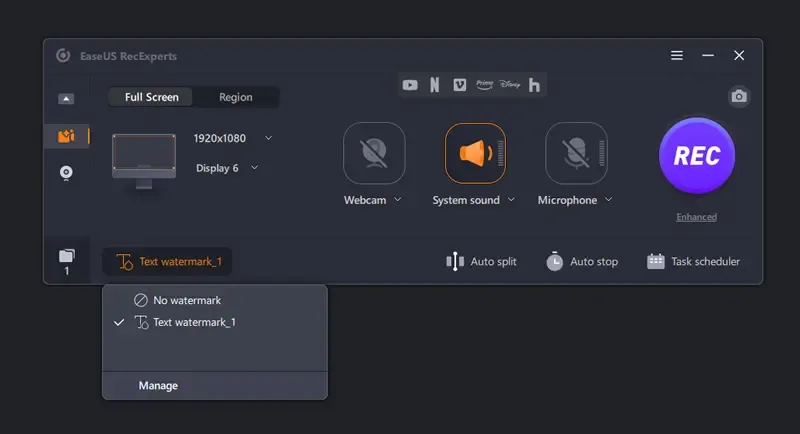
EaseUS RecExperts focuses on simplicity. It offers screen recording, webcam recording, and audio recording features in a beginner-friendly package. The software works well for students, office workers, and casual content creators.
Key Features
-
Full-screen recording
-
Window recording
-
Webcam recording
-
Audio-only recording
-
Scheduled tasks
-
Noise reduction
If you are new to screen recording, EaseUS RecExperts can be a practical choice and one of the best video capture software for Windows 10/11 beginners.
5. Loom
Loom has become popular among remote workers, educators, and business teams. It allows users to record their screens and share videos quickly through cloud links. Instead of sending long emails, users can explain ideas using short recorded videos.
Key Features
-
Screen and webcam recording
-
Instant cloud sharing
-
Team collaboration
-
Viewer analytics
-
Browser extension
-
AI-generated transcripts
Loom is a strong option for professionals looking for the best video capture software for YouTube tutorials, business communication, and online collaboration.
Comparison Chart
| Software | Free Version | Best For | Recording Quality | Editing Tools |
|---|---|---|---|---|
| OBS Studio | Yes | Overall Recording & Streaming | Excellent | Basic |
| Bandicam | Limited | Gaming | Excellent | Limited |
| Camtasia | Trial | Tutorials & Business | Excellent | Advanced |
| EaseUS RecExperts | Limited | Beginners | Very Good | Basic |
| Loom | Limited | Teams & Online Sharing | Very Good | Basic |
These 5 tools consistently appear among the top recommendations when users search for the best video capture software, the best video capture software for PC, and the best video capture software for Windows 10/11. Mac users can also use several of these options, making them strong candidates for anyone looking for the best video capture software for Mac.
Part 2. How to Choose the Best Video Capture Software
The right software depends on what you’re recording. Some people just need a simple screen grabber, while others want editing, streaming, or gameplay features. Keep these points in mind before you decide.
1. Recording Quality
Go for at least HD or 4K with smooth frame rates. Good quality makes your tutorials or YouTube videos look more professional.
Ease of Use
Beginners should pick software with a clean, simple interface. Tools like EaseUS RecExperts or Loom let you start recording quickly without a steep learning curve.
2. Editing Features
Some tools only capture video; others let you trim, add text, fix mistakes, or improve audio. Builtin editing saves time, especially for training videos or online courses.
3. Performance & System Load
Recording shouldn’t slow down your computer. This matters most for gaming, where resources are tight. Lightweight options like Bandicam handle this well.
4. Audio Recording
Look for separate mic and system audio tracks. That gives you more control in editing. Noise reduction is a nice bonus.
5. Sharing & Export Options
If you post on YouTube or social media, check that the software supports common export formats. Cloudbased tools like Loom make sharing super easy for remote teams.
6. Compatibility
-
Make sure the software works on your OS.Windows 10/11 users: look for Windowsoptimized tools.
-
Mac users: find the best video capture software for Mac.
-
Gamers: focus on highperformance, lowoverhead software.
Think through these factors, and you’ll find a video capture tool that fits both your workflow and your budget.
Part 3. Does Windows 10/11 Have a Video Capture Software?
Yes. Windows 10 and Windows 11 include built-in screen recording tools.
1. Xbox Game Bar
Microsoft provides Xbox Game Bar as a built-in recording solution. It allows users to capture applications, gameplay, and on-screen activities without installing additional software.
How to Record with Xbox Game Bar?
-
Press Windows + G.
-
Open the Capture widget.
-
Click the Record button.
-
Complete your recording.
-
Save the video automatically.
Xbox Game Bar works well for basic recording tasks. However, it lacks many advanced features found in dedicated video capture software.
2. Snipping Tool Video Recording
Recent Windows 11 versions include screen recording features inside the Snipping Tool. Users can select a specific area of the screen and create video recordings without installing extra programs. This option is useful for quick demonstrations and simple tutorials.
Should You Use Built-In Tools?
Built-in Windows tools work well for casual users. However, creators who need advanced recording, editing, streaming, or professional-quality output often choose dedicated software. Programs such as OBS Studio, Camtasia, and Bandicam provide more flexibility and better recording controls.
Extra Tip: From Capture to Cut – Using XPPen Pilot Pro to Edit Faster
Recording videos is only part of the content creation process. Editing often takes more time than recording itself. This is where XPPen Pilot Pro Editing Console can help. Pilot Pro is a creative editing console designed to improve editing workflows.
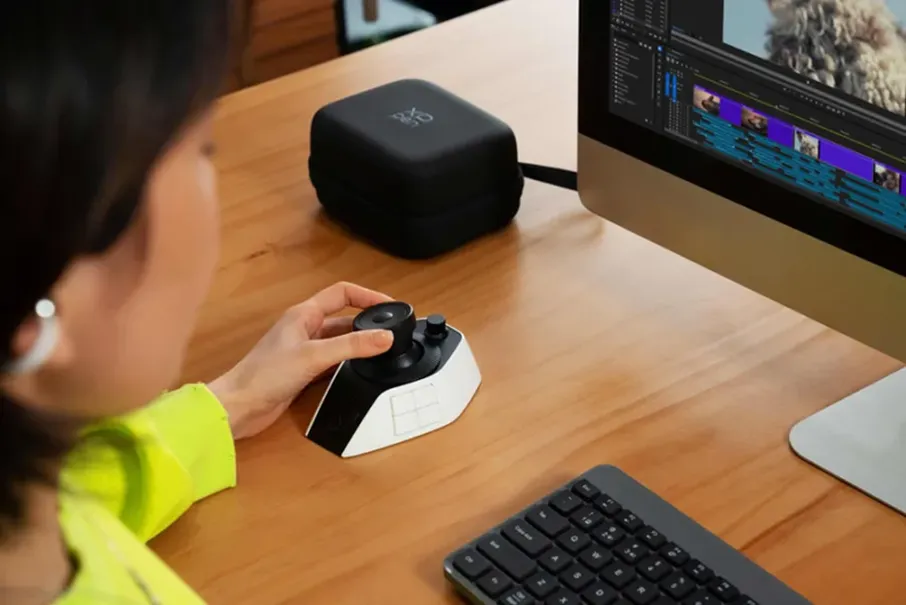
XPPen Pilot Pro provides customizable controls that help users perform common editing actions more efficiently. Editors can use the device to control timelines, zoom functions, brush adjustments, shortcuts, and other editing commands.
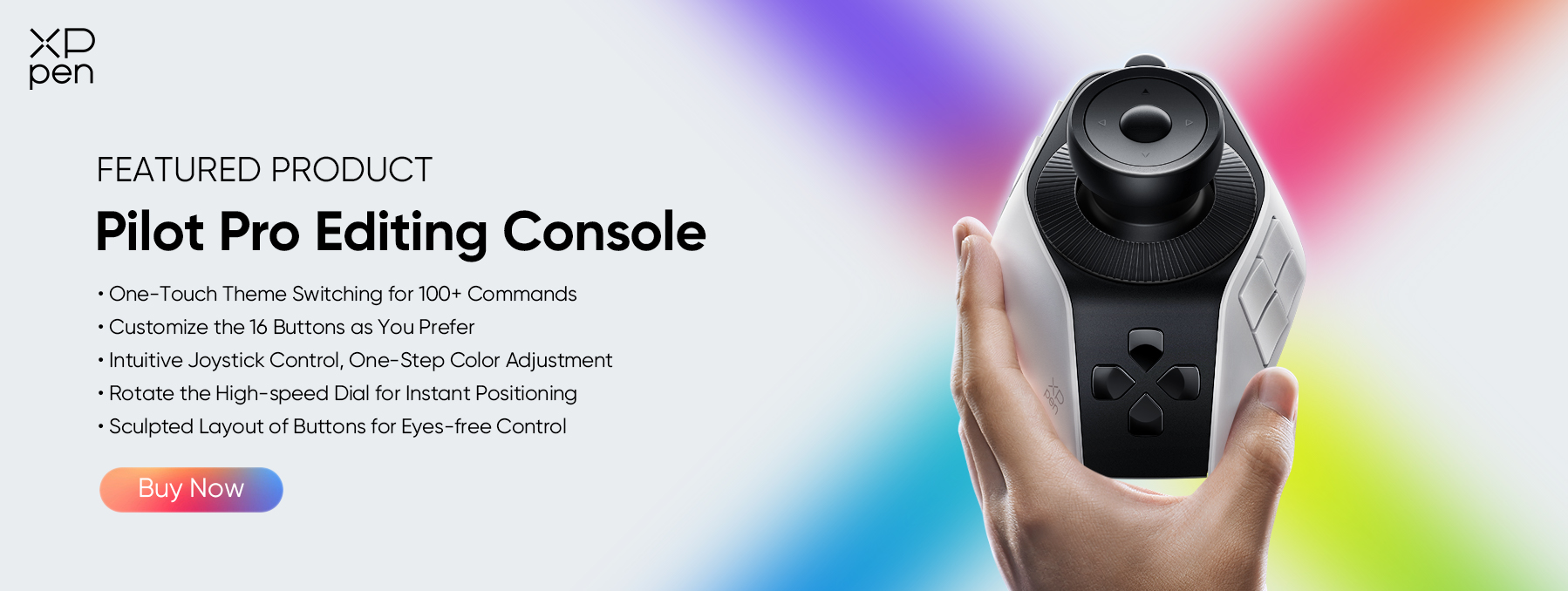
Why Editors Like Pilot Pro?
-
Customizable shortcut buttons
-
Easy timeline navigation
-
Faster editing workflow
-
Comfortable design
-
Compatible with popular editing software
Content creators who record videos using the best video capture software for YouTube can save time during editing by adding Pilot Pro to their setup. Instead of repeatedly using keyboard shortcuts, users can perform many actions directly from the console.
FAQs About Video Capture Softwares
Q1: How do I capture a video on my computer?
You can capture a video by using screen recording software such as OBS Studio, Bandicam, Camtasia, EaseUS RecExperts, or Loom. Most programs allow you to select the recording area, choose audio sources, and start recording with a single button.
Q2: What is the best program for video capturing?
OBS Studio is often considered the best video capture software because it offers professional recording features, high-quality output, streaming support, and completely free access. However, the best choice depends on your specific recording needs.
Q3: Is OBS better than Bandicam?
OBS Studio provides more advanced recording and streaming features and remains free. Bandicam is easier for some users and performs exceptionally well for gameplay recording. OBS is generally better for flexibility, while Bandicam focuses on simplicity and gaming performance.
Q4: Is OBS still free?
Yes. OBS Studio remains completely free and open-source. Users can access all recording and streaming features without paying subscription fees or purchasing premium upgrades.
Q5: What do YouTubers use for video capture?
Many YouTubers use OBS Studio, Camtasia, Bandicam, and other professional recording tools. OBS Studio is one of the most common choices because it combines powerful recording features with no cost.
Conclusion
Finding the right video capture software depends on your goals, experience level, and budget. OBS Studio remains the best overall choice because it offers powerful features without any cost. Bandicam works exceptionally well for gaming, Camtasia suits tutorial creators, EaseUS RecExperts helps beginners, and Loom simplifies team communication.
For even better productivity, consider pairing your recording software with XPPen Pilot Pro Editing Console . It can help speed up editing tasks and make video production more efficient from start to finish.
About Us
Founded in 2005, XPPen is a leading global brand in digital art innovation under Hanvon UGEE. XPPen focuses on the needs of consumers by integrating digital art products, content, and services, specifically targeting Gen-Z digital artists. XPPen currently operates in 163 countries and regions worldwide, boasting a fan base of over 1.5 million and serving more than ten million digital art creators.
Learn moreRecommended Articles
TIPS 18 Best Free Video Editing Software No Watermark in 2026 TIPS 10 Best Amazing Apps For Photo and Video Editing On Android FOCUSED XPPen Pilot Pro Review: Smart Editing Console for Creators






Looking for the Best Drawing & Design Apps?
Discover essential drawing techniques, expert tips, and the best app recommendations to boost your creativity and master digital art.
