Best Tablets for Students: 7 Picks Compared
FOCUSEDChoosing the best tablets for students depends on more than processor speed or screen size. Students need devices that make note-taking, reading, PDF annotation, online classes, research, assignments, and creative work easier without becoming difficult to carry around campus.
A good student tablet should also offer dependable battery life, comfortable stylus input, useful software, and enough storage for coursework. For 2026, the market includes traditional tablets such as iPads and Samsung Galaxy Tabs, Windows 2-in-1 devices such as Surface Pro, and specialized creative tablet, XPPen Magic Pro 13 Standalone Drawing Pad .
Quick Answer: What Are the Best Tablets for Students in 2026?
Here are seven tablets and tablet-style devices worth considering for different student needs:
| Tablet | Best For | Key Strength | Creative Work | General Study |
|---|---|---|---|---|
| XPPen Magic Pro 13 | Art & design students | Paper-like display; one device for study & art | Excellent | Excellent |
| Apple iPad Air | College productivity | Strong performance and app ecosystem | Excellent | Excellent |
| Samsung Galaxy Tab S11 | Android productivity | S Pen and multitasking | Very Good | Excellent |
| Apple iPad | Everyday study | Broad app support at a lower price | Good | Excellent |
| Microsoft Surface Pro 11 | Windows coursework | Runs desktop Windows apps | Very Good | Excellent |
| Samsung Galaxy Tab S10 FE | Note-taking | S Pen-focused student workflow | Good | Very Good |
| OnePlus Pad 2 | Multitasking | Large display and strong performance | Good | Very Good |
Part 1. 7 Best Tablets for Students
1. XPPen Magic Pro 13 — Best Portable Tablets for Art & Design Students
For students who need one device that handles note-taking, digital art, design coursework, and everyday productivity, the XPPen Magic Pro 13 Standalone Drawing Pad is a standout option. It’s a standalone Android drawing pad that also doubles as a professional drawing display when connected to a PC—making it unusually versatile for the price of a single device.

Why XPPen Magic Pro 13 works for students:
-
Dual-mode flexibility. Sketch and take notes standalone in class, then connect to a PC with a single USB-C cable for design and illustration assignments—no separate graphics tablet needed.
-
Study-friendly display. The 12.95-inch 3K 120Hz panel with AG+AF nano-etched glass feels like paper, is TÜV SÜD low blue light certified, and reaches 650 nits for bright classrooms or outdoor use.
-
Precise stylus. The X4 smart chip stylus offers 16K pressure levels, 2g activation force, 60° tilt, and ±0.2mm accuracy—great for fine line work and shading.
-
Ready out of the box. Android 16 with built-in "Shelf" and "Canvas" apps, plus free memberships: ibisPaint X (6 months), Clip Studio Paint (3 months), MediBang Paint (3 months), and WPS Office (1 month).
-
Performance and battery. 4nm MediaTek Dimensity 8300, 8GB RAM, 256GB storage (SD expandable), and a 10,200mAh battery with 45W fast charging.
-
Just 6.65mm thin and 655g, with dual USB-C ports and front/rear cameras for online classes.
Who it’s best for: Students in illustration, graphic design, animation, or digital media programs—or any student who wants a single device for both creative work and everyday productivity. If you mainly need a basic note-taking tablet, the Magic Pro 13 is more than you need; but for art and design students, it replaces both a drawing tablet and a portable sketchpad.
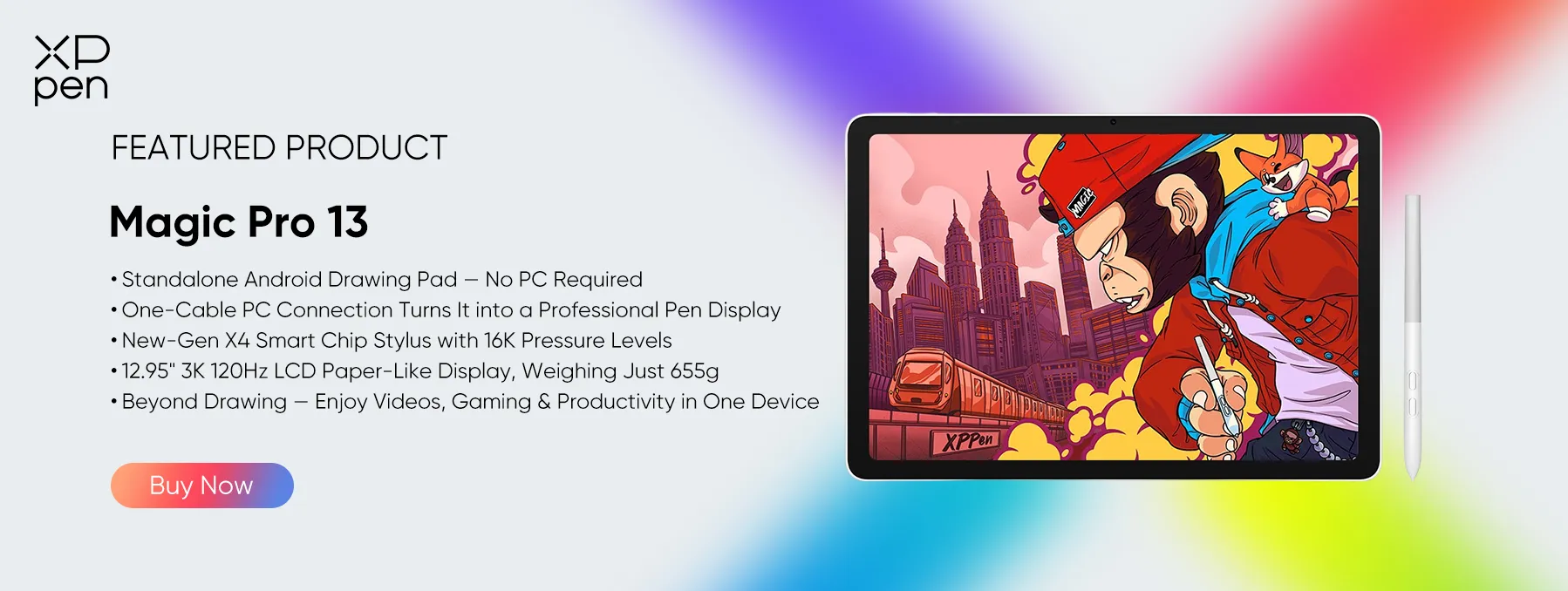
The Magic Pro 13 combines a paper-like 3K 120Hz display, a professional-grade 16K stylus, solid performance, and all-day battery into one portable device—making it one of the most capable and flexible tablets for students who create.
2. Apple iPad Air — Best for General College Productivity
The Apple iPad Air is a versatile choice for students who need one device for research, note-taking, assignments, presentations, and creative work. Available in 11-inch and 13-inch models, it offers a balance of portability and screen space.
Powered by the M4 chip, the iPad Air handles multitasking and demanding apps with ease. iPadOS supports a wide range of educational and productivity tools, while Apple Pencil compatibility enables handwritten notes, PDF annotation, and diagrams. USB-C also supports compatible accessories and external displays.
Why Students May Choose the iPad Air
-
Apple M4 chip: Handles multitasking, document editing, and demanding applications.
-
11-inch and 13-inch options: Choose portability or more room for reading and split-screen work.
-
Apple Pencil support: Makes handwritten notes, PDF annotation, and sketching easier.
-
Extensive app selection: Supports education, office, and creative software.
-
USB-C connectivity: Supports compatible accessories and external displays.
The iPad Air suits students who want strong performance for both academic and personal use. The 13-inch model is better for multitasking, while the 11-inch is easier to carry around campus. Remember to budget for a compatible Pencil and keyboard if needed.
3. Samsung Galaxy Tab S11 — Best Android Tablet for Students
The Samsung Galaxy Tab S11 is a premium Android tablet for students who prioritize handwritten notes, multitasking, and display quality. Its 11-inch Dynamic AMOLED 2X screen (2560 × 1600) provides sharp text and detailed visuals for textbooks, lecture slides, and presentations.
S Pen support allows students to annotate PDFs, solve equations, and sketch diagrams directly on screen. Android apps and multitasking features also make it easier to switch between research materials and notes. With 12GB RAM and 256GB storage in the listed configuration, it can handle demanding study workflows and everyday entertainment.
Why Students May Choose the Galaxy Tab S11
-
11-inch AMOLED display: Delivers detailed visuals for reading and coursework.
-
S Pen support: Enables handwritten notes, PDF annotation, and diagrams.
-
12GB RAM and 256GB storage: Support multitasking and provide space for study materials.
-
Expandable storage: Supports compatible microSD cards up to 2TB.
-
8,400mAh battery: Designed for extended use, depending on workload and settings.
The Galaxy Tab S11 is ideal for students who prefer Android and want a premium digital note-taking experience. Those who depend on specialized desktop software should check app compatibility before choosing an Android tablet over a Windows device.
4. Apple iPad (A16) — Best Affordable iPad Option
The Apple iPad with the A16 chip is a practical choice for students who need a reliable tablet for everyday academic tasks without paying for the Air or Pro models.
Its 10.86-inch Liquid Retina display (2360 × 1640) is suitable for reading textbooks, reviewing lecture slides, researching assignments, and attending online classes. The A16 chip handles common education apps, web browsing, and document editing, while compatible Apple Pencil models support digital notes and PDF annotation.
Why Students May Choose the iPad
-
A16 chip: Handles everyday study apps, research, and document editing.
-
86-inch Liquid Retina display: Provides a clear workspace for reading and coursework.
-
Apple Pencil support: Enables handwritten notes and document annotation.
-
128GB, 256GB, or 512GB storage: Offers flexibility for different budgets and needs.
-
Portable design: The Wi-Fi model weighs 477g, making it convenient for campus use.
The standard iPad is a good fit for students focused on reading, research, assignments, and digital notes. Consider the cost of a compatible stylus and keyboard if you need handwriting and extended typing.
5. Microsoft Surface Pro 11 — Best Windows Tablet for Students
The Microsoft Surface Pro 11 suits students who need Windows desktop software in a portable tablet format. Unlike iPadOS and Android devices, it runs Windows 11 and supports compatible applications used in programming, business, data analysis, and technical coursework.
Its 13-inch PixelSense Flow touchscreen with a 3:2 aspect ratio provides room for documents, spreadsheets, and research. A built-in kickstand supports desk use, while an optional detachable keyboard enables laptop-style typing. Compatible Surface Pens also support handwritten notes and document annotation.
Why Students May Choose the Surface Pro 11
-
Windows 11: Supports compatible desktop applications required for some university courses.
-
13-inch touchscreen: Offers space for documents, spreadsheets, and multitasking.
-
Multiple processor options: Selected configurations offer Snapdragon or Intel processors.
-
Kickstand and detachable keyboard: Adapt the device for reading, typing, and desk-based study.
-
USB-C/USB4 connectivity: Supported configurations connect to compatible accessories and external displays.
The Surface Pro 11 is a strong choice for students who need desktop software without carrying a conventional laptop. However, the keyboard and pen may cost extra, and students should verify that essential applications work with their chosen processor.
6. Samsung Galaxy Tab S10 FE — Best for Student Note-Taking
The Samsung Galaxy Tab S10 FE is a practical option for students who prioritize handwritten notes, reading, and PDF annotation. Its 10.9-inch LCD provides a portable workspace for textbooks and lecture slides, while the included S Pen allows students to write, highlight, and sketch without buying a separate stylus.
Powered by the Exynos 1580 processor, it handles everyday academic apps, browsing, and document editing. Selected configurations include 8GB RAM and 128GB storage, with microSD expansion for additional coursework and downloaded materials.
Why Students May Choose the Galaxy Tab S10 FE
-
Included S Pen: Supports handwriting, PDF annotation, and digital note-taking.
-
9-inch display: Provides room for reading and reviewing lecture materials.
-
Exynos 1580 processor: Handles everyday academic tasks and multitasking.
-
Expandable storage: Supports compatible microSD cards up to 2TB.
-
8,000mAh battery: Supports extended study sessions, with battery life varying by usage.
The Galaxy Tab S10 FE is a sensible choice for students who want a digital notebook with an included stylus and expandable storage. Those who need higher-end creative performance or a premium AMOLED screen may prefer a more advanced model.
7. OnePlus Pad 2 — Best for Large-Screen Multitasking
The OnePlus Pad 2 is suited to students who frequently switch between research, digital textbooks, and note-taking apps. Its 12.1-inch LCD features a 3000 × 2120 resolution and a 7:5 aspect ratio, offering a spacious layout for reading and split-screen work.
Powered by the Snapdragon 8 Gen 3 platform, it handles demanding Android apps and multitasking. Open Canvas helps students organize multiple applications, making it easier to consult research sources while preparing assignments. The listed configuration includes 256GB storage and a 9,510mAh battery, with support for 67W SUPERVOOC charging.
Why Students May Choose the OnePlus Pad 2
-
1-inch 3K display: Provides ample room for reading and multitasking.
-
Snapdragon 8 Gen 3: Supports demanding apps and multiple open tasks.
-
Open Canvas: Makes switching between research and study applications more flexible.
-
256GB storage: Accommodates apps, documents, and downloaded course materials.
-
Large battery and fast charging: Supports extended use and quicker charging with compatible equipment.
The OnePlus Pad 2 is a good fit for students who want a large Android screen for research, multitasking, and entertainment. Check stylus and keyboard compatibility, along with accessory costs, if you plan to use it as a laptop alternative.
Part 2. What Should You Look for in the Best Tablets for Students?
The best tablets for students should match the way you actually study. These are the specifications that deserve the most attention.
1. Display Quality
A sharp screen makes textbooks, PDFs, presentations, diagrams, and handwritten notes easier to read. Creative students should go further and check color gamut, brightness, resolution, refresh rate, and screen surface. For example, the Magic Pro 13 combines a 3K resolution, 120Hz refresh rate, 100% sRGB, 96% DCI-P3, 650-nit brightness, and AG+AF nano-etched glass.
2. Portability
Weight matters if the device travels with you every day. The Magic Pro 13 weighs 655g and measures 6.65mm thick. XPPen's smaller Artist 12 3rd weighs 719g and uses an 11.9-inch display.
3. Storage
128GB can be enough for ordinary documents and cloud-based coursework. Creative students who store large artwork, video projects, animations, and other files should consider 256GB or more. The Magic Pro 13 starts with 256GB storage and supports microSD expansion up to 2TB according to the supplied product specifications.
4. Battery Life
Students often spend an entire day away from home. A tablet should therefore provide enough battery capacity for lectures, reading, research, and study sessions. The Magic Pro 13 uses a 10,200mAh battery and supports 45W PD fast charging.
5. Stylus Performance
A stylus changes the way you use a tablet for school.
Look for:
-
Pressure sensitivity
-
Tilt support
-
Low latency
-
Accurate tracking
-
Palm rejection
-
Comfortable nib feel
-
Good handwriting response
For art students, pressure levels and tilt support become particularly important because they affect line thickness, shading, and brush behavior. XPPen explains these factors in its guide to Tablets for Students With Pen .
Part 3. FAQs About the Best Tablets for Students
1. Is an iPad or Samsung tablet better for college students?
Both can work well. An iPad may suit students who prefer Apple's application ecosystem and already use a Mac or iPhone. Samsung tablets are appealing to students who prefer Android, S Pen note-taking, and expandable storage on supported models. The better option depends on required applications, accessory costs, and personal preferences.
2. Can a tablet replace a laptop for college?
A tablet can replace a laptop for students whose work mainly involves reading, note-taking, web research, online classes, and basic document editing. However, courses that require specialized desktop software, complex spreadsheets, programming environments, or engineering applications may still require a laptop. The Surface Pro 11 offers a tablet form factor with Windows compatibility, subject to application requirements.
3. What should students check before buying a tablet?
Students should compare display size, battery life, storage, stylus compatibility, application support, portability, and the total cost of accessories. They should also confirm whether their school requires particular software or operating systems. These factors often matter more to everyday study than choosing a tablet with the highest processor specifications.
4. Are Tablets Good for Note-Taking?
Yes—if the stylus and software work well together, a tablet can replace many paper notebooks. Students can write lecture notes, highlight passages, annotate PDFs, draw diagrams, solve equations, organize folders, search notes, and share documents.
The XPPen Magic Note Pad is built for this: its XPPen Notes app handles notes, annotation, and creative work, while the X-Paper display offers a paper-like writing experience. See the XPPen Handwritten Digital Notes Guide for more detail.
Conclusion
The best tablets for students depend on what you study and how you work. For general college productivity, iPad and Samsung Galaxy Tab models provide broad software ecosystems, strong portability, and useful stylus options.
For students who combine academic work with digital art, graphic design, illustration, animation, visual communication, or other pen-heavy projects, the XPPen Magic Pro 13 Standalone Drawing Pad stands out because it combines two workflows in one device.
About Us
Founded in 2005, XPPen is a leading global brand in digital art innovation under Hanvon UGEE. XPPen focuses on the needs of consumers by integrating digital art products, content, and services, specifically targeting Gen-Z digital artists. XPPen currently operates in 163 countries and regions worldwide, boasting a fan base of over 1.5 million and serving more than ten million digital art creators.
Learn moreRecommended Articles
FOCUSED Best Tablets for Taking Handwritten Notes in 2026 TIPS 10 Best Tools for Digital Note-Taking for Students, Work & More FOCUSED 5 Best iPads for College: Top Picks for Every Student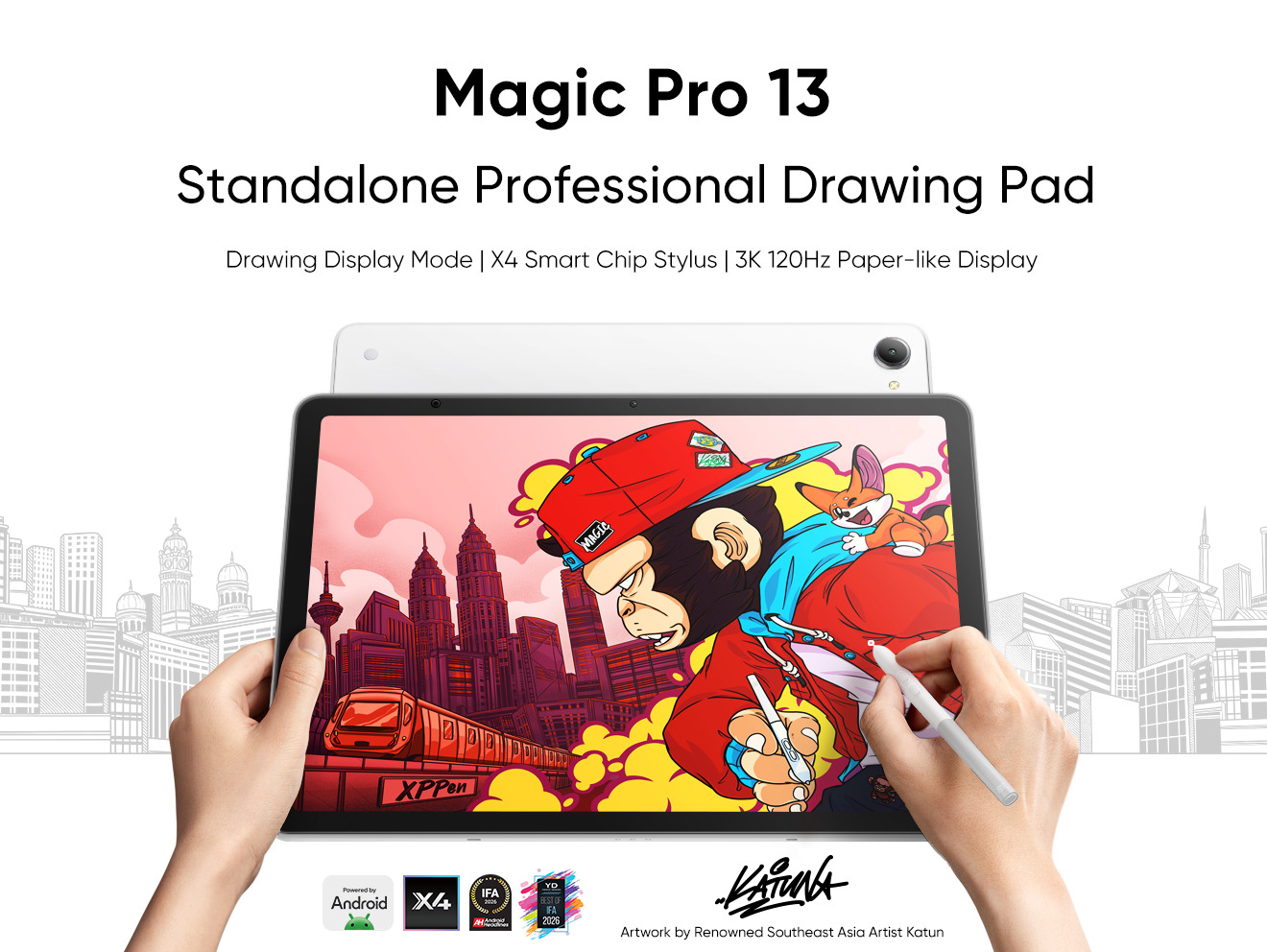






Ready to invest in the right tools?
Get expert buying advice, unbiased reviews, and exclusive deals on drawing tablets, and accessories.
