Best Tablets for Taking Handwritten Notes in 2026
FOCUSEDTaking handwritten notes on a tablet combines the familiarity of pen and paper with the convenience of digital storage, search, editing, and cloud access. But not every tablet delivers a great writing experience.
A powerful processor and sharp display don't necessarily make a tablet ideal for note-taking. A slippery screen, noticeable pen latency, or limited note and PDF organization can quickly become frustrating.
So, what is the best tablet for taking handwritten notes?
It depends on how you use it. Students may prioritize lecture notes and PDF annotation, while professionals may need OneNote, handwriting-to-text, or cross-device syncing. If you also draw or sketch, stylus performance becomes even more important.
In this guide, we'll compare the best tablets for handwritten notes based on writing feel, stylus performance, apps, PDF support, portability, battery life, and overall value. You can find the best tools for digital note-taking for every need.
Quick Picks: Best Tablets for Handwritten Notes
| Tablet | Best For | Standout Feature |
|---|---|---|
| iPad Air + Apple Pencil Pro | Best Overall | Excellent apps and all-around versatility |
| XPPen Magic Note Pad | Best Hybrid Tablet | Paper-like X-Paper display + Android apps |
| Samsung Galaxy Tab | Best Android Tablet | S Pen + Samsung Notes |
| Kindle Scribe | Best for Reading + Notes | Reading and document annotation |
If you want the most versatile option, the iPad Air is an excellent choice.
If writing feel is a higher priority and you still want the flexibility of a full Android tablet, the XPPen Magic Note Pad is worth considering.
Samsung Galaxy Tab is a strong choice for Android users, while Kindle Scribe is better suited to reading-focused workflows.
Part 1. The Best Tablets for Handwritten Notes
1. iPad Air + Apple Pencil Pro — Best Overall
The iPad Air is the strongest all-purpose choice for people who don't want their note-taking tablet to be limited to note-taking. Its biggest advantage isn't one individual feature. It's the ecosystem surrounding the device. You can move from: Handwritten notes → PDF → web research → typed document → presentation → video call without changing devices.
Why the iPad Air Works So Well for Notes
The Apple Pencil provides responsive handwriting, while apps such as Goodnotes, Notability, Apple Notes, and OneNote give users multiple ways to build a digital note-taking system. This is particularly useful if you're unsure which workflow you prefer.
You can experiment with:
-
Handwritten notebooks
-
Digital planners
-
Cornell notes
-
Mind maps
-
PDF annotation
-
Handwriting-to-text
-
Mixed handwriting and typing
Best for students
A student can use one device for: lecture notes, textbooks, PDFs, research, assignments, presentations, and online classes.
Where the iPad isn't perfect
The biggest consideration for handwriting-focused users is the display surface. The standard glass experience is smooth. If you grew up writing on paper and want more friction, it may take some adjustment. A paper-like screen protector can change the feel, but that's an additional accessory and can affect other aspects of the display.
Bottom line: Choose the iPad Air if versatility and app support are more important to you than having the most paper-like writing surface. Skip it if your primary goal is simply to recreate the physical feel of writing on paper and you don't need the broader tablet ecosystem.
2. XPPen Magic Note Pad — Best Hybrid Tablet for Handwritten Notes
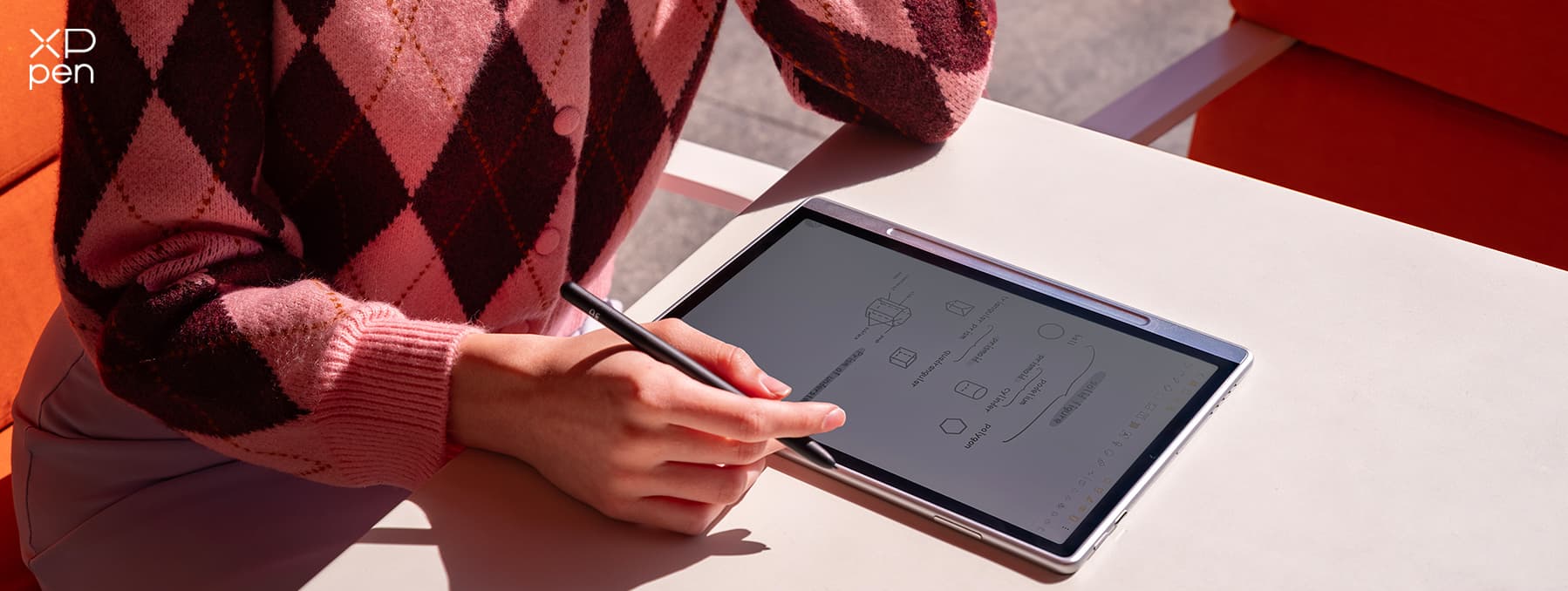
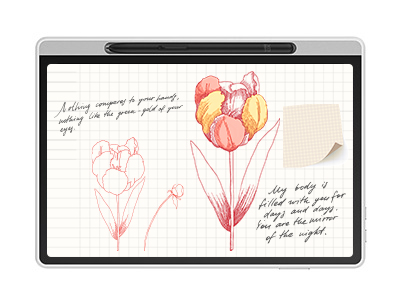
The XPPen Magic Note Pad takes a different approach. This combines a paper-like 10.95-inch X-Paper display with Android 14, making it a versatile option for handwritten notes, PDF annotation, reading, and creative work.
Why It's Great
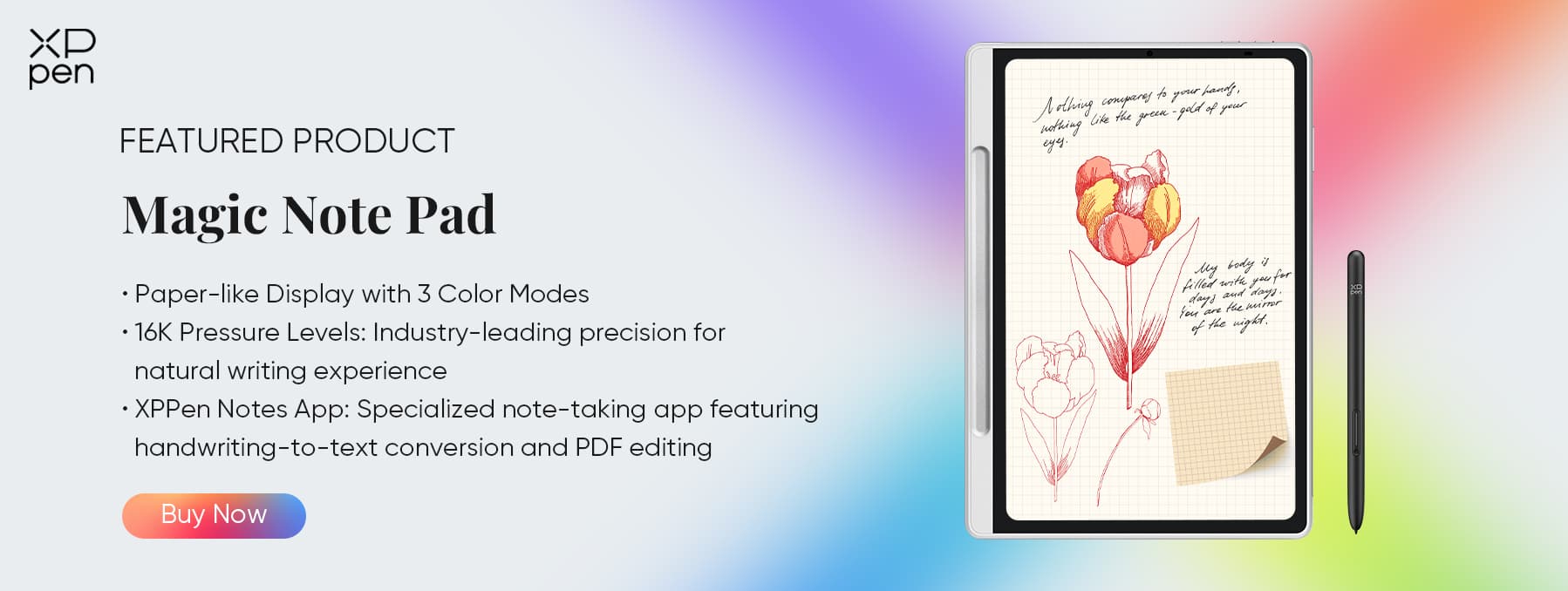
As one of the best tablets for note taking, the Magic Note Pad is designed around the idea that handwritten notes don't have to mean giving up tablet functionality. Its 10.95-inch X-Paper display provides a more paper-like writing surface, while the X3 Pro Pencil 2 offers 16,384 pressure levels and a soft nib for precise, comfortable handwriting and drawing. The device runs Android 14, giving users access to Android applications in addition to XPPen's own note-taking features.
For everyday note-taking, XPPen Notes supports PDF annotation, handwriting-to-text conversion, audio-linked notes, and cloud storage. You can also install Android apps for productivity, education, and reading.
Portable for Everyday Use
At just 495g and 7mm thick, the Magic Note Pad is easy to carry to class, meetings, or work. Its 8,000mAh battery is designed to provide up to a week of use under XPPen's test conditions, while 128GB storage provides plenty of space for notes and documents.
Key Features for Note-Taking
The Magic Note Pad supports a range of features that are relevant to students and professionals, including:
-
X-Paper display
-
X3 Pro Pencil
-
16,384 levels of pressure sensitivity
-
XPPen Notes
-
Handwriting-to-text functionality
-
PDF annotation
-
Audio-linked note-taking
-
Android applications
-
Reading and productivity workflows
Best for Students and Beyond
The Magic Note Pad is particularly well suited to people who want: handwritten class notes, meeting notes, PDF annotation, digital notebooks, OneNote workflows, reading and highlighting, brainstorming, sketching, notes + drawing on one device, etc.
Why Choose It Over a Conventional Tablet?
The key difference is the writing experience. If you've ever thought: "I like everything about my tablet except writing on smooth glass." a paper-like display can make a meaningful difference. The Magic Note Pad also occupies an interesting middle ground. It isn't limited to being a dedicated digital notebook, but it isn't simply another conventional glass-screen tablet either.
3. Samsung Galaxy Tab — Best Android Tablet for Notes
Samsung Galaxy Tab devices are particularly appealing if you already use Android or Samsung products. The combination of the S Pen + Samsung Notes provides a mature handwriting workflow without requiring you to move into Apple's ecosystem.
Why Samsung Works for Note-Taking
Samsung Notes can handle: Handwriting, typed text, images, drawings, PDF annotation, handwriting-to-text. You can also take advantage of Android's multitasking features. For example, you could have a PDF on one side of the screen and your notes on the other. That can be extremely useful during lectures or research.
Best for Samsung Users
If your phone is already a Samsung Galaxy device, the Galaxy Tab becomes particularly attractive. You don't have to rebuild your entire workflow around a different ecosystem. Your phone, tablet, notes, and other Samsung services can work together.
Where Samsung Falls Short
The standard tablet display is still a conventional smooth display. For some users, the S Pen feels excellent. For others, particularly people transitioning from paper notebooks, the surface may feel too slippery. This is less about whether Samsung's pen is technically good and more about personal preference.
Bottom line: Choose a Galaxy Tab if you want a capable Android tablet with strong stylus and productivity features.
4. Kindle Scribe — Best for Reading + Handwritten Notes
The Kindle Scribe is different from the other products on this list because reading is a major part of its identity. If your workflow looks like: Read → highlight → annotate → write notes → review, it can make a lot of sense.
Best for Reading-heavy Users
The large display provides room for both reading and writing, making it useful for: books, documents, PDFs, study material, annotations. It's particularly attractive to people who don't need a conventional app-heavy tablet.
The Trade-off
The same simplicity that makes the Scribe appealing also limits it. If you want: advanced productivity apps, extensive multitasking, creative applications, a broad Android/iPadOS ecosystem, a conventional tablet will generally be more flexible.
Choose Kindle Scribe if: Reading is your primary activity and handwritten annotation is your secondary activity.
Part 2. iPad vs. Android Tablets for Handwritten Notes
The operating system affects your note-taking experience more than you might expect.
Choose iPad If You Want:
-
Goodnotes
-
Notability
-
Apple Notes
-
Strong creative apps
-
Mature tablet software
-
Excellent accessory ecosystem
-
Deep Apple integration
The iPad is particularly good if you don't know exactly which note-taking workflow you'll eventually use.
Choose Android If You Want:
-
More hardware choices
-
Google services
-
OneNote
-
Android applications
-
Greater device variety
-
Compatibility with Android phones
And within Android, different tablets target different users. Samsung emphasizes productivity and ecosystem integration. XPPen puts more emphasis on pen input, writing, and creative workflows .
XPPen Magic Note Pad vs. iPad: Which Is Better for Handwritten Notes?
This isn't simply a question of which tablet has better specifications. It's about priorities.
| Category | XPPen Magic Note Pad | iPad Air |
|---|---|---|
| Writing surface | X-Paper | Smooth glass |
| Operating system | Android 14 | iPadOS |
| Stylus | X3 Pro Pencil | Apple Pencil Pro |
| Handwritten notes | Excellent | Excellent |
| PDF annotation | ✓ | ✓ |
| Drawing | Strong | Strong |
| Android apps | ✓ | — |
| Note-taking apps | XPPen Notes + Android apps | Large iPadOS ecosystem |
| Best for | Writing + creativity + Android | Overall tablet productivity |
Choose XPPen Magic Note Pad if: Your priority is: "I want a tablet that feels better for handwriting but still behaves like a real Android tablet."
Choose iPad if: Your priority is: "I want the broadest selection of apps and the most versatile overall tablet." Neither approach is inherently better. They simply optimize for different users.
Part 3. What Makes a Tablet Good for Handwritten Notes?
Choosing a note-taking tablet isn't simply about processor speed or screen resolution. Think about your complete workflow: Write → annotate → organize → search → sync → review. A good device should make each step straightforward.
1. Natural Writing Feel
The first question is simple: Does it feel good to write on? Traditional paper has natural friction, while most conventional tablets use smooth glass. Some people enjoy the smooth movement of a stylus on glass, but others find it too slippery, especially when writing for several hours.
Look for:
-
Low pen latency
-
Comfortable stylus tip
-
Appropriate screen friction
-
Accurate pen tracking
-
Consistent pressure response
A paper-like display can be particularly useful if you're trying to replace a physical notebook.
2. Palm Rejection
Good palm rejection lets you rest your hand naturally on the screen while writing. This is especially important when taking fast notes, drawing diagrams, or annotating PDFs.
3. PDF Annotation
For many students and professionals, notes aren't created on blank pages. They're written directly on lecture slides, textbooks, research papers, presentations, and other documents. A good note-taking tablet should make it easy to:
-
Highlight text
-
Underline information
-
Write handwritten notes
-
Draw diagrams
-
Add shapes
-
Save and export annotated PDFs
4. Note Organization and Search
Digital notes become much more valuable when you can find them later. Look for folders, tags, search, templates, handwriting recognition, and cloud backup. Instead of searching through several physical notebooks, you should be able to locate a specific class, meeting, or project digitally.
5. Cross-Device Sync
Your tablet shouldn't be an isolated device. Many users want to write on a tablet and later review those notes on a phone or Windows/Mac computer. Compatibility with apps such as OneNote and cloud storage can therefore be just as important as the tablet hardware itself.
Part 4. Best Tablet for Handwritten Notes by Use Case
1. Best Tablet for College Students
Top choices: iPad Air and XPPen Magic Note Pad
Students typically need more than a blank digital notebook. They may need to annotate lecture slides, read textbooks, search the web, organize multiple classes, and access notes from a laptop.
The iPad is the more versatile option, while the Magic Note Pad is especially appealing to students who prioritize handwriting and a more paper-like writing surface.
2. Best Tablet for Taking Notes in Class
Top choice: XPPen Magic Note Pad
Fast lecture notes put more emphasis on writing comfort. You may need to write quickly, underline information, draw diagrams, and annotate slides at the same time. A paper-like writing surface can make this workflow feel more natural.
3. Best Tablet for PDF Annotation
Top choices: iPad Air, Samsung Galaxy Tab, and XPPen Magic Note Pad
If you frequently work with PDFs, don't just check whether a tablet can open them. Consider whether you can comfortably highlight, write, draw, save, export, and share your annotations.
4. Best Tablet for OneNote Handwritten Notes
Top choices: XPPen Magic Note Pad and Samsung Galaxy Tab
OneNote users often need their notes beyond the tablet itself. Android tablets can be particularly convenient for users who work across Android phones and Windows computers.
5. Best Tablet for Notes + Drawing
Top choices: XPPen Magic Note Pad and iPad
If your notes include sketches, diagrams, mind maps, or visual ideas, stylus performance becomes even more important. For designers, artists, and visual learners, the ability to move seamlessly between handwriting and drawing can be a major advantage.
Part 5. Common Mistakes When Buying a Note-Taking Tablet
Mistake 1: Choosing Based Only on Processor
A powerful processor doesn't guarantee a better writing experience. If note-taking is your main use, focus on pen and screen performance first.
Mistake 2: Ignoring Stylus Cost
A tablet's price can be misleading once you add a stylus, case, keyboard, or screen protector. Consider the total cost before buying.
Mistake 3: Assuming Every Stylus Feels the Same
Styluses can differ significantly in latency, friction, pressure response, and palm rejection . These details can greatly affect writing comfort.
Mistake 4: Ignoring Your Existing Devices
Consider how the tablet fits into your current setup. Windows users may value cross-platform compatibility, while Apple users may benefit from staying within the Apple ecosystem.
Mistake 5: Buying More Than You Need
If you mainly take notes and annotate PDFs, you may not need a high-end tablet. But if you also draw, edit documents, browse, and multitask, a more capable device may be worth the investment.
Part 5. FAQs about Tablets for Taking Handwritten Notes
Q1: What is the best tablet for taking handwritten notes?
The iPad Air with Apple Pencil Pro is the best overall choice for most users because of its combination of handwriting, apps, PDF support, and versatility.
The XPPen Magic Note Pad is a strong alternative for users who prioritize a more paper-like writing experience while still wanting Android applications and creative flexibility.
Q2: What is the best tablet for handwritten notes for students?
The iPad Air and XPPen Magic Note Pad are both strong options. The iPad offers broader app support, while the Magic Note Pad provides a more handwriting-focused experience with its X-Paper display.
Q3: Can I write directly on PDFs with a tablet?
Yes. iPad, Samsung Galaxy Tab, XPPen Magic Note Pad, and Kindle Scribe all support PDF annotation in different ways.
Q4: Can handwritten notes be converted to text?
Yes. Many modern note-taking applications support handwriting-to-text conversion. However, accuracy varies depending on handwriting style, language, and software.
Q5: Is XPPen Magic Note Pad good for handwritten notes?
Yes. It's particularly suitable for users who want a paper-like writing surface combined with Android apps, PDF annotation, productivity tools, and drawing capabilities.
Q6: What is the best tablet for OneNote handwritten notes?
XPPen Magic Note Pad and Samsung Galaxy Tab are strong choices for Android and Windows-oriented OneNote workflows, while iPad is also compatible with OneNote.
Conclusion
The best tablet for handwritten notes should make writing feel natural while making your notes easy to organize, access, and review. Consider the writing surface, stylus performance, PDF support, apps, portability, and battery life based on your everyday needs.
If you want a paper-like writing experience with the flexibility of an Android tablet, the XPPen Magic Note Pad is also worth considering for notes, PDF annotation, reading, and creative work.
About Us
Founded in 2005, XPPen is a leading global brand in digital art innovation under Hanvon UGEE. XPPen focuses on the needs of consumers by integrating digital art products, content, and services, specifically targeting Gen-Z digital artists. XPPen currently operates in 163 countries and regions worldwide, boasting a fan base of over 1.5 million and serving more than ten million digital art creators.
Learn moreRecommended Articles
FOCUSED Best Tablets for Note Taking in 2026: 7 Picks Tested & Compared FOCUSED XPPen Magic Note Pad Review: A 3-in-1 Paper-Like Tablet TIPS Evernote vs. OneNote: A Detailed Comparison of Note-Taking Apps TIPS Notability vs GoodNotes: Which Note-Taking App Is Better?





Ready to invest in the right tools?
Get expert buying advice, unbiased reviews, and exclusive deals on drawing tablets, and accessories.
