7 Best Clothing Design Software Tools 2026
TIPSChoosing the right clothing design software can make a big difference in how fashion ideas move from a rough sketch to a finished garment. Today, designers can draw clothing flats, build sewing patterns, test fabrics, check fit, and create 3D garment previews without making a physical sample for every idea.
Some tools focus on 2D drawing, while others handle pattern making and 3D garment simulation. The best clothing design software depends on your work, skill level, budget, and final goal. In this guide, we compare seven popular options and explain what each one does best.
Quick Answer
| Software | Best For | 2D/3D | Starting Price |
|---|---|---|---|
| CLO 3D | Professional garment design and simulation | 2D + 3D | $50/month |
| Style3D | 3D garment design and virtual sampling | 2D + 3D | Around $40/month |
| Browzwear VStitcher | Brands and apparel teams | 2D + 3D | $75/month |
| TailorNova | Beginners and custom patterns | 2D + 3D Preview | $29/month |
| Marvelous Designer | 3D clothing and digital garments | 3D | $39/month |
| Adobe Illustrator | Fashion sketches and technical flats | 2D | $22.99/month |
| Blender | 3D design on a budget | 3D | Free |
Prices can change by region, plan, taxes, and billing period. Check the official website before purchasing.
Part 1. From Sketch to Garment: How Digital Tools Transform the Design Workflow
Fashion design once relied on paper sketches, physical patterns, and repeated fittings. Today, digital tools enable designers to complete most steps on a computer—from sketching and pattern making to 3D visualization and production planning.
This workflow reduces physical samples, speeds up iteration, and makes it easier to test colors, materials, and sizes before manufacturing.
A typical digital workflow includes:
-
Design & Sketching – create illustrations and flats (e.g., Illustrator, Procreate)
-
Pattern Making & CAD – develop digital patterns, grading, and markers
-
3D Visualization & Fit – turn 2D patterns into 3D garments to preview drape (e.g., CLO 3D, Style3D)
-
Tech Pack & Production – manage BOMs, measurements, costing, and manufacturing data
Most designers combine multiple stages—sketching in Illustrator, patterning in CAD, simulating in CLO 3D, and finalizing in a tech pack system.
Part 2. 7 Best Clothing Design Software Tools
1. CLO 3D
Best for: Professional apparel design and 3D garment simulation
2D/3D: Both
Price: $50/month or $450/year for individuals
CLO 3D is one of the strongest choices for professional clothing design. It connects 2D pattern work with a 3D garment workspace. Designers can create or import patterns, sew pieces together digitally, select fabrics, and check the garment on a virtual avatar.
The software helps designers see problems with shape, fit, seams, and proportions before they make a physical sample. This makes it useful for fashion brands, apparel companies, pattern makers, and students who want to learn professional 3D garment design.
CLO currently lists an individual plan at $50 per month or $450 per year. Eligible students can receive a 50% discount, bringing the price to $25 per month or $225 per year.
2. Style3D
Best for: 3D garment development and virtual sampling
2D/3D: Both
Price: Starts around $40/month for some plans; check current pricing
Style3D focuses on digital fashion design, pattern development, garment simulation, and 3D visualization. Its Atelier software supports 2D pattern work and 3D garment creation, while its asset library includes garments, fabrics, trims, shoes, and accessories.
The software can help designers check garment shape, fabric behavior, seams, and fit in a digital workspace. It can suit fashion brands, manufacturers, technical designers, and digital fashion creators.
Style3D's public pricing can vary by product and plan. Its own pricing material has listed plans from around $40 per month, while other commercial packages can cost much more. The company also ended new permanent software purchase options from April 30, 2026, so buyers should check the current plan before subscribing.
3. Browzwear VStitcher
Best for: Professional fashion teams and apparel brands
2D/3D: Both
Price: From $75/month
Browzwear VStitcher targets professional fashion and apparel teams. It lets designers work with patterns, fabrics, avatars, garment fitting, and 3D visualization.
The software can help a team review garments before producing physical samples. It also supports production-related work and collaboration, which makes it a strong choice for apparel companies rather than casual users.
Browzwear introduced new self-service plans in 2026. The Freelancer plan costs $75 per month or $750 per year. Freelancer Plus costs $150 per month or $1,500 per year. A Team plan costs $3,950 per user per year, while Enterprise pricing uses a custom quote.
4. TailorNova
Best for: Beginners, hobby designers, and custom clothing
2D/3D: 2D with 3D preview features
Price: From $29/month
TailorNova takes a simpler approach to clothing design. It works online and helps users create fashion designs, technical flats, and custom patterns without requiring the same level of technical knowledge as some professional 3D programs.
The service includes 2D design templates, technical flats, made-to-measure patterns, PDF pattern downloads, and 3D FitModel features on higher plans. TailorNova currently lists its Personal plan at $29 per month, Commercial at $49 per month, and Commercial Pro at $79 per month.
5. Marvelous Designer
Best for: 3D clothing, games, animation, and digital fashion
2D/3D: Mainly 3D with 2D pattern work
Price: $39/month or $280/year prepaid
Marvelous Designer is well known for realistic digital clothing and cloth simulation. It is especially useful for people who create garments for 3D characters, games, animation, visual effects, and digital art. Unlike production-focused fashion CAD programs, Marvelous Designer puts more attention on creating realistic digital clothing.
Designers can create patterns, sew garment pieces digitally, simulate fabric, and adjust the garment around a 3D character. The current personal license costs $39 per month or $280 for a one-year prepaid license. Marvelous Designer also offers separate student and enterprise options.
6. Adobe Illustrator
Best for: Fashion sketches, technical flats, and vector artwork
2D/3D: 2D
Price: $22.99/month
Adobe Illustrator remains a common choice for fashion sketching and technical clothing drawings. It does not work like CLO 3D or Browzwear, so you should not choose it when your main goal involves detailed 3D garment simulation.
Instead, Illustrator works well for fashion flats, garment details, prints, logos, color variations, line drawings, and presentation boards. Designers can use vector shapes to create clean technical drawings that they can resize without losing quality.
Adobe currently lists Illustrator at $22.99 per month on its annual, billed-monthly individual plan. Students and teachers can access different pricing through Adobe's education plans.
7. Blender
Best for: Free 3D clothing work and digital art
2D/3D: 3D
Price: Free
Blender stands out for its price: it is free and open-source. Although Blender does not focus only on fashion, it includes 3D modeling, sculpting, materials, rendering, animation, and cloth simulation.
A designer can use Blender to create 3D clothing, test cloth movement, build fashion scenes, and prepare digital garment presentations. However, Blender can require more learning than fashion-specific software because it covers many areas beyond clothing.
For designers looking for free clothing design software, Blender offers a strong starting point. The Blender Foundation confirms that the software remains free and open source under the GNU GPL.
Part 3. How to Choose the Best Clothing Design Software Tools
Choosing among the best clothing design software tools becomes easier when you first define your main task.
1. Think About Your Design Stage
If you mainly draw fashion concepts and technical flats, Adobe Illustrator may fit your work better. If you need actual patterns and garment fitting, look at CLO 3D, Style3D, Browzwear, or TailorNova.
2. Check 2D and 3D Support
2D software works well for sketches, technical flats, prints, and pattern drawings. 3D software lets you see how a garment can look and fit on a digital body. If you want both types of work in one program, CLO 3D, Style3D, and Browzwear deserve closer attention.
3. Compare the Learning Curve
Professional 3D clothing software can take time to learn. Beginners may prefer TailorNova because its online workflow aims to reduce the technical work involved in pattern creation. Blender offers more freedom but requires users to learn general 3D modeling and simulation concepts.
4. Consider Your Budget
Budget plays a major role when you choose software. Adobe Illustrator costs less than many professional garment simulation programs, while Blender provides free access to a broad set of 3D tools. If you specifically need free clothing design software, start with Blender and learn its clothing and cloth-simulation workflow before paying for a professional program.
5. Think About Your Final Output
Ask what you need to produce:
-
Fashion sketches
-
Technical flats
-
Sewing patterns
-
3D garments
-
Digital character clothing
-
Production-ready apparel files
-
Fashion presentations
The answer can quickly narrow your choices.
Part 4. Elevate Your Fashion Design Workflow with XPPen Artist Ultra 14
While powerful software like CLO 3D, Style3D, and Marvelous Designer bring your garment concepts to life, the hardware you use to control them matters just as much. Sketching, pattern drafting, and 3D sculpting require precision, color accuracy, and a natural hand feel—something a mouse or standard tablet simply can’t deliver.
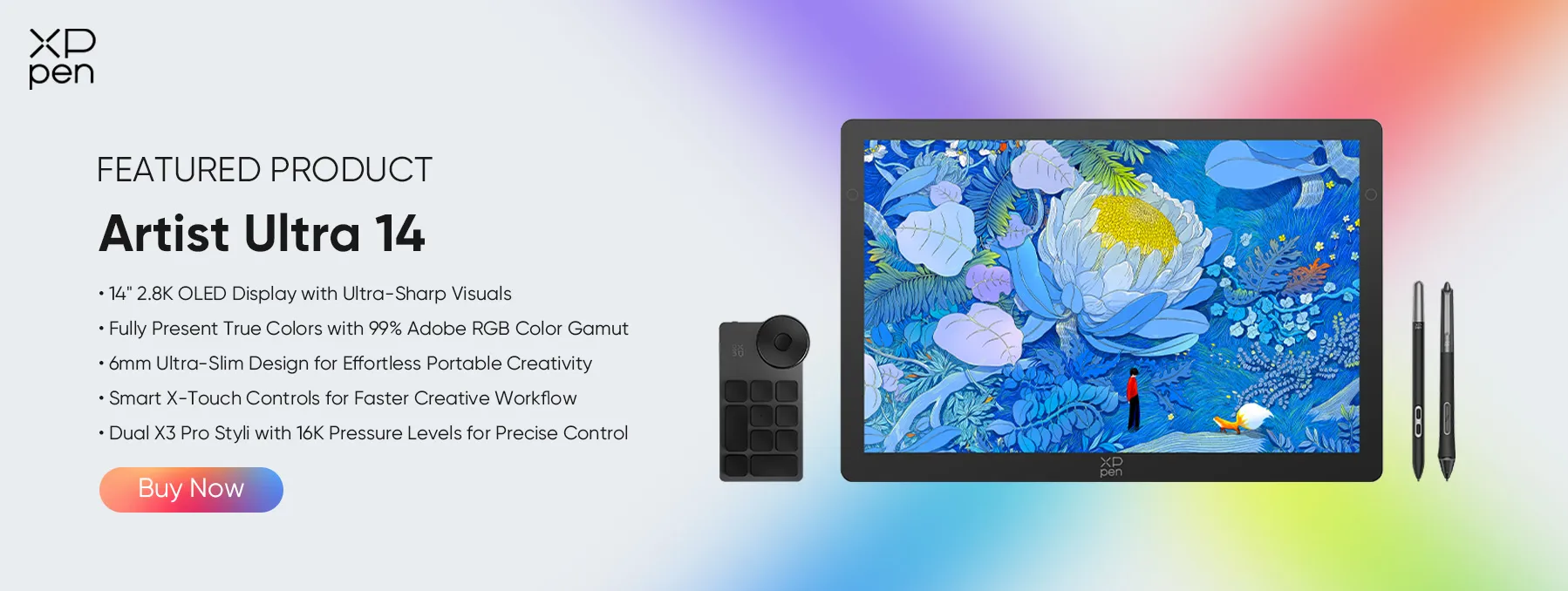
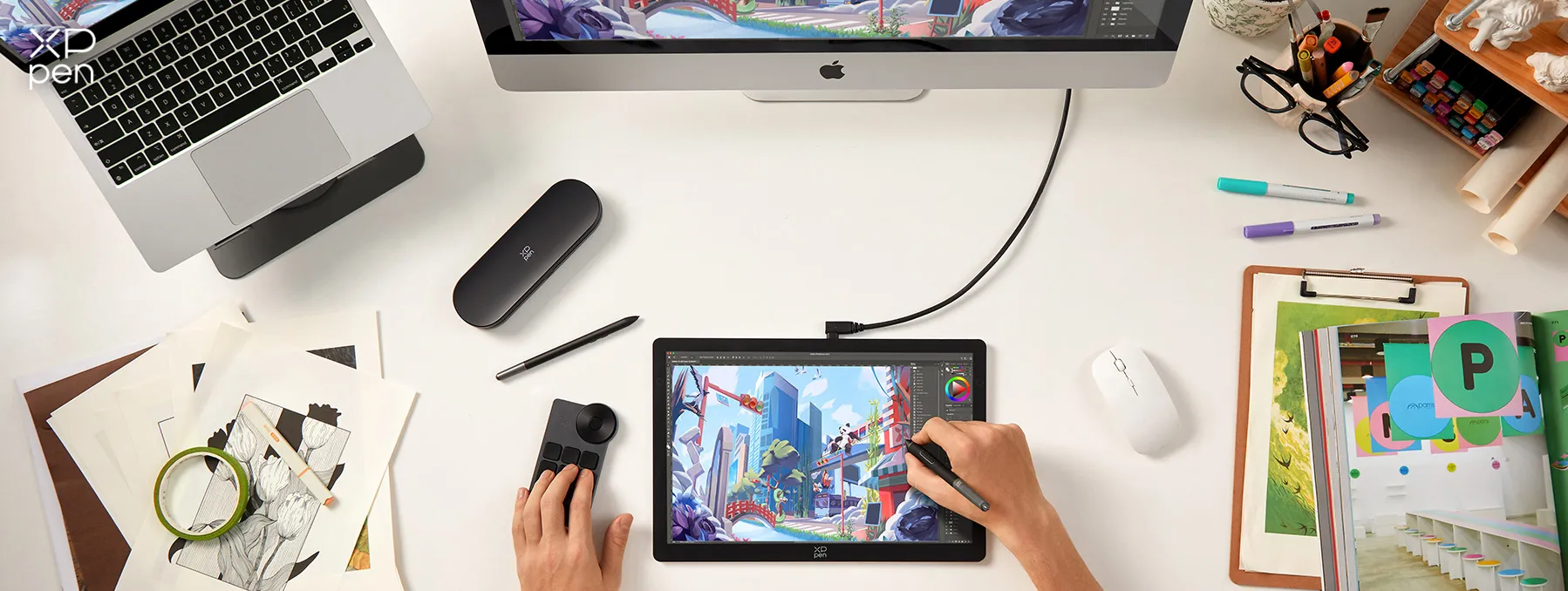
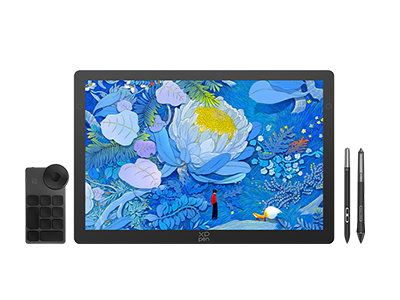
The XPPen Artist Ultra 14 is a 14-inch 2.8K OLED portable drawing display designed for creative professionals. It combines stunning visuals with intuitive controls, making it a perfect companion for fashion designers at any stage of their workflow—from initial concept sketches to detailed texture editing.
Here’s what it brings to your design process:
● 14" 2.8K OLED Display – Delivers ultra-sharp visuals and true-to-life colors with 99% Adobe RGB, ensuring every fabric shade and texture detail is accurately represented.
● Ultra-Slim 6mm Body – Lightweight and portable, so you can sketch design ideas anywhere—from studio to showroom.
● Dual X3 Pro Styli with 16K Pressure Levels – Provides natural, responsive strokes for fine linework, pattern detailing, and 3D garment sculpting.
● X-Touch Solution – Multi-point touch controls let you zoom, rotate, and pan your canvas intuitively, speeding up your workflow.
● TÜV SÜD Low Blue Light Certified – Reduces eye strain during long design sessions.
Whether you’re creating flats in Adobe Illustrator, sculpting 3D garments in CLO 3D, or retouching fabric textures in Photoshop, the Artist Ultra 14 gives you the precision and color
Part 5. FAQs About Clothing Design Software
Q1: Which software is best for clothing design?
CLO 3D is one of the best choices for professional clothing design because it combines 2D patterns with 3D garment simulation. Adobe Illustrator works better for fashion sketches and technical flats, while TailorNova suits beginners and custom pattern work.
Q2: What is the best clothing design software for iPad?
Procreate is a strong choice for iPad fashion sketching. It works well for drawing clothing concepts, fashion illustrations, color ideas, and presentation artwork. Procreate currently supports iPadOS 16.3 or later, according to its official help center. However, Procreate mainly focuses on drawing rather than professional garment pattern development and 3D clothing simulation.
Q3: Is there a free clothing design app?
Yes. Blender is the strongest free clothing design software on this list. It provides 3D modeling, cloth simulation, materials, rendering, and other creative tools without a software subscription. You can also use free drawing software for simple fashion sketches, but professional pattern and garment tools usually require payment.
Q4: Can I use Canva to design clothing?
Yes. Canva can help you create simple clothing graphics, T-shirt artwork, mood boards, presentations, and printable designs. However, it does not replace professional fashion CAD software for sewing patterns, garment fitting, grading, or detailed 3D clothing simulation.
Q5: What do fashion designers use for software?
Fashion designers use different programs for different jobs. Adobe Illustrator and Procreate work well for sketches and illustrations. CLO 3D, Browzwear, Style3D, and Marvelous Designer handle 3D clothing work. TailorNova helps with online fashion design and custom patterns, while Blender provides general 3D tools at no software cost.
Conclusion
The right software depends on your goals. CLO 3D, Style3D, and Browzwear lead in 3D fashion development; TailorNova offers a beginner-friendly entry to digital pattern making; Marvelous Designer excels at digital garments; Illustrator remains a staple for 2D artwork; and Blender is the top free option for learning 3D.
For sketching, a pen display like the XPPen Artist Ultra 14 offers a natural on-screen drawing experience and is well-suited for fashion design workflows.
About Us
Founded in 2005, XPPen is a leading global brand in digital art innovation under Hanvon UGEE. XPPen focuses on the needs of consumers by integrating digital art products, content, and services, specifically targeting Gen-Z digital artists. XPPen currently operates in 163 countries and regions worldwide, boasting a fan base of over 1.5 million and serving more than ten million digital art creators.
Learn moreRecommended Articles
KNOWLEDGE 8 Best Apps for Interior Design (Free & Paid) TIPS 8 Best Product Design Software Tools (Free & Paid) TIPS 8 Best 3D Printing Design Software Tools 2026 TIPS 8 Best Landscape Design Software Tools (Free & Paid)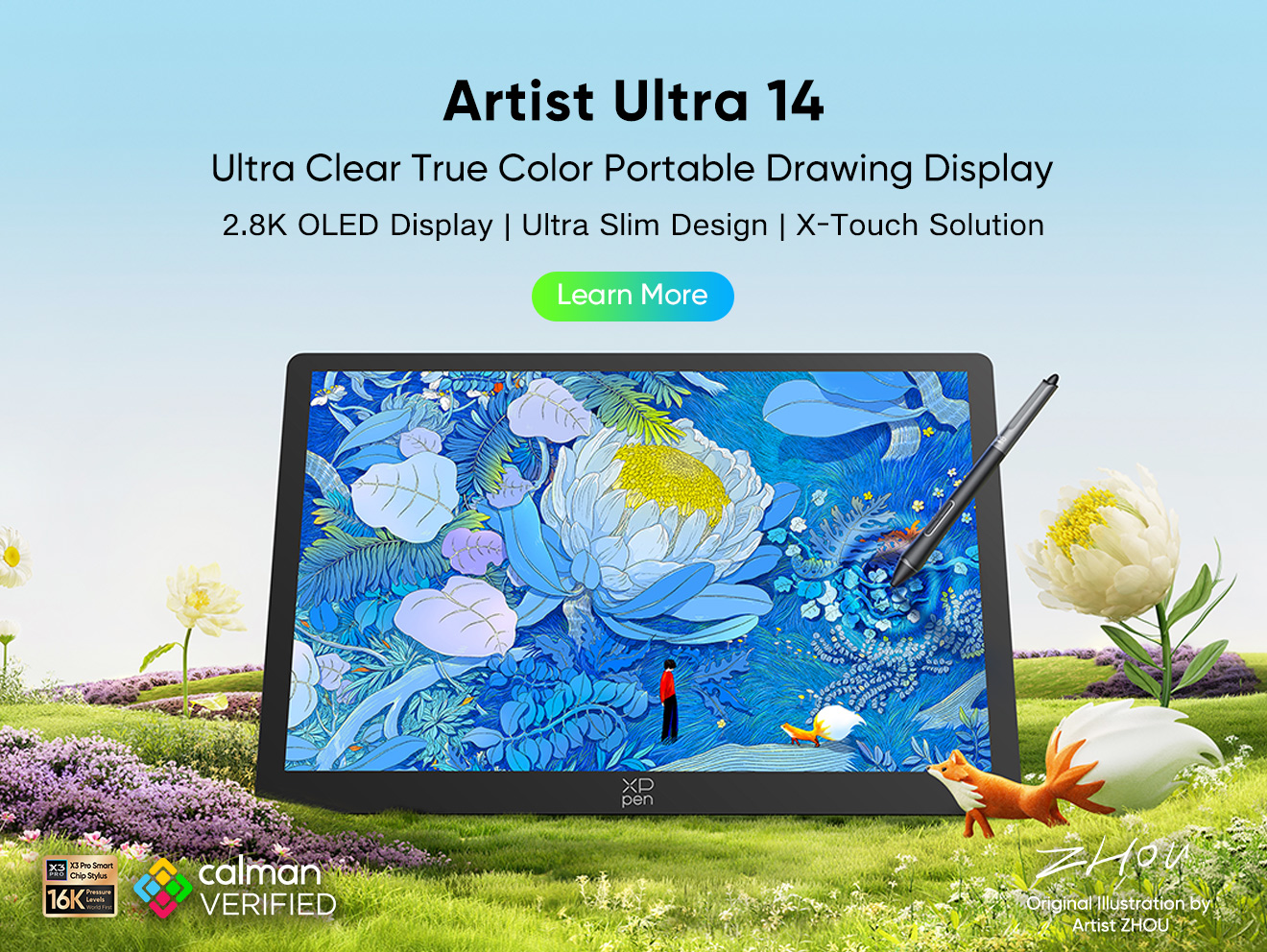





-
 Artist Ultra 14
14-inch 2.8K OLED Display with Ultra-Sharp Visuals
99% Adobe RGB Color Gamut for True-to-Life Color
Ultra-Slim 6mm Design for Portable Creativity
Dual X3 Pro Styli with 16K Pressure Levels
Smart X-Touch Controls for Faster Workflow
It features:
Best 14" OLED drawing display for precision and portability
-
Artist Ultra 14
14-inch 2.8K OLED Display with Ultra-Sharp Visuals
99% Adobe RGB Color Gamut for True-to-Life Color
Ultra-Slim 6mm Design for Portable Creativity
Dual X3 Pro Styli with 16K Pressure Levels
Smart X-Touch Controls for Faster Workflow
It features:
Best 14" OLED drawing display for precision and portability
Looking for the Best Drawing & Design Apps?
Discover essential drawing techniques, expert tips, and the best app recommendations to boost your creativity and master digital art.
