8 Best Product Design Software Tools (Free & Paid)
TIPSChoosing the right product design software can make a big difference in how you create, test, and present your ideas. Some tools focus on UI and UX design, while others handle 3D modeling, CAD, sculpting, and product visualization. Free options also help beginners practice without a large budget.
In this guide, we compare the 8 best product design software tools, including Figma, Fusion 360, Sketch, Marvel, Rhino, ZBrush, 3ds Max, and Blender. We cover their main features, pricing, strengths, and ideal users so you can choose the right product design software for your projects.
Part 1. Best Product Design Software at a Glance
| Software | Best For | Free Option | Pricing |
|---|---|---|---|
| Figma | Digital product design | Yes | Free; Professional from $16/month |
| Fusion 360 | Beginners and CAD | Yes, for eligible personal use | Paid plans available |
| Sketch | UI/UX design | Free trial | From $12/editor/month |
| Marvel | Rapid prototyping | Yes | Free; Pro from $12/month |
| Rhino | Industrial design | Trial available | From $995 commercial |
| ZBrush | 3D sculpting | Limited iPad free plan | Subscription |
| 3ds Max | Product visualization | Trial | Subscription |
| Blender | Concept design and visualization | Yes | Free |
The best product design software depends on what you want to create. Figma and Sketch work well for digital products and interfaces, while Fusion 360 and Rhino focus more on physical products and 3D modeling. Blender and ZBrush suit users who need detailed 3D work and visual design.
Part 2. 8 Best Product Design Software Tools (Free & Paid)
The right product design software can help you turn ideas into clear designs, prototypes, and 3D models. Below, we compare eight popular tools, including free and paid options, to help beginners and professionals choose software that fits their design needs.
1. Figma — Best Product Design Software for Free
Best for: Digital product design, UI design, UX design, wireframes, and prototypes.
Figma is one of the best choices for digital product design, especially if you want a free starting point. It runs in the browser and lets designers create interfaces, wireframes, prototypes, and design systems.
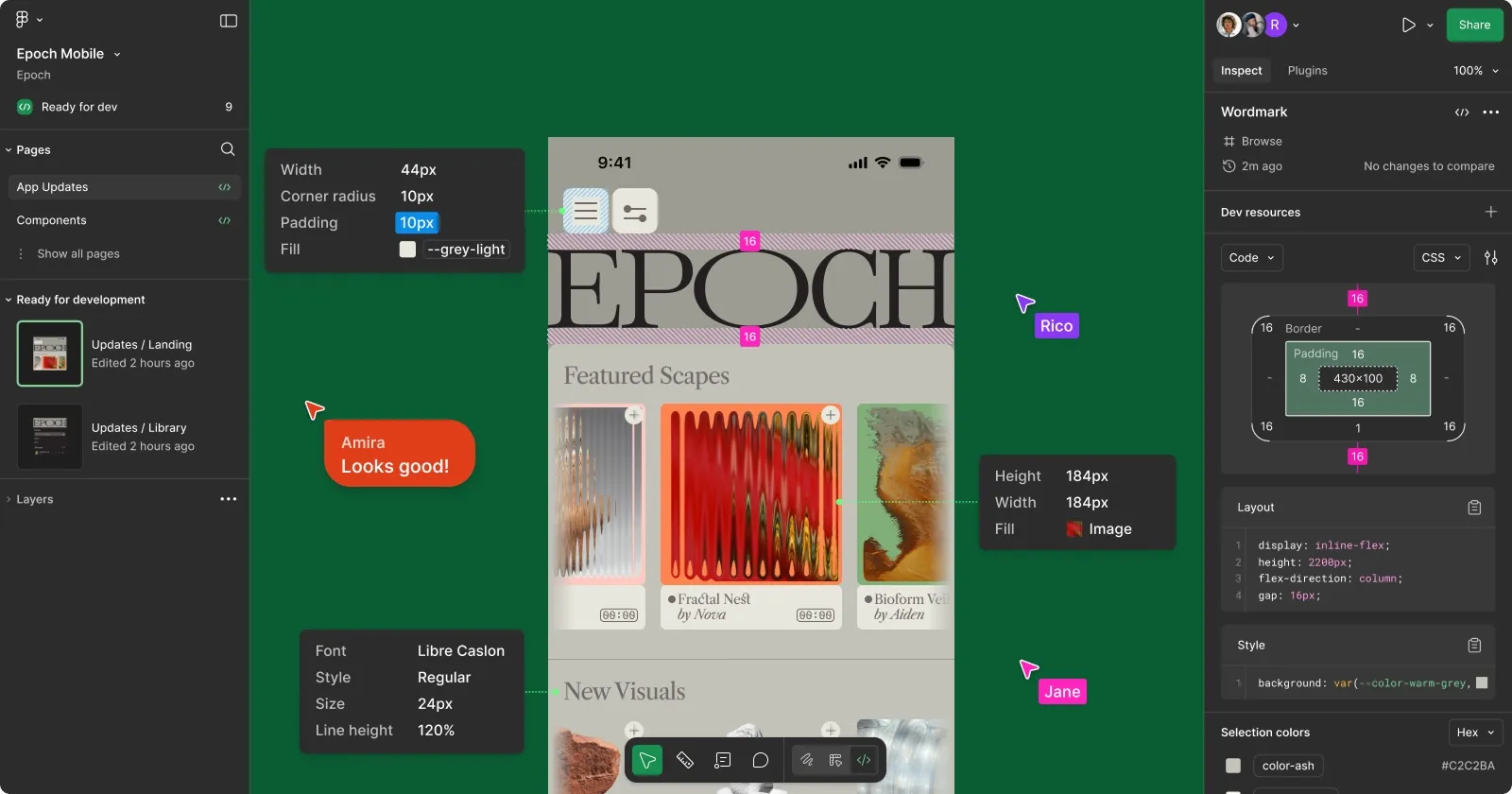
Key features of Figma:
-
Real-time collaboration
-
Wireframing and prototyping
-
Components and design systems
-
Auto layout
-
Developer handoff
-
Browser-based workflow
Its real-time collaboration makes it useful for teams. Designers can work on the same file while developers and other team members review designs and leave comments. Figma's Starter plan is free, while its Professional plan starts at $16 per month for a Full seat.
Why choose Figma?
Choose Figma if you want product design software free of large installation requirements and mainly work on websites, apps, dashboards, or other digital products.
2. Fusion 360 — Best Product Design Software for Beginners
Best for: Beginners, mechanical product design, CAD, and manufacturing projects.
Autodesk Fusion 360 gives beginners a practical way to learn CAD and 3D product design. It combines 3D modeling, engineering design, simulation, manufacturing, and other tools in one application. You can use Fusion to design products such as mechanical parts, tools, furniture components, electronics housings, and other physical objects.
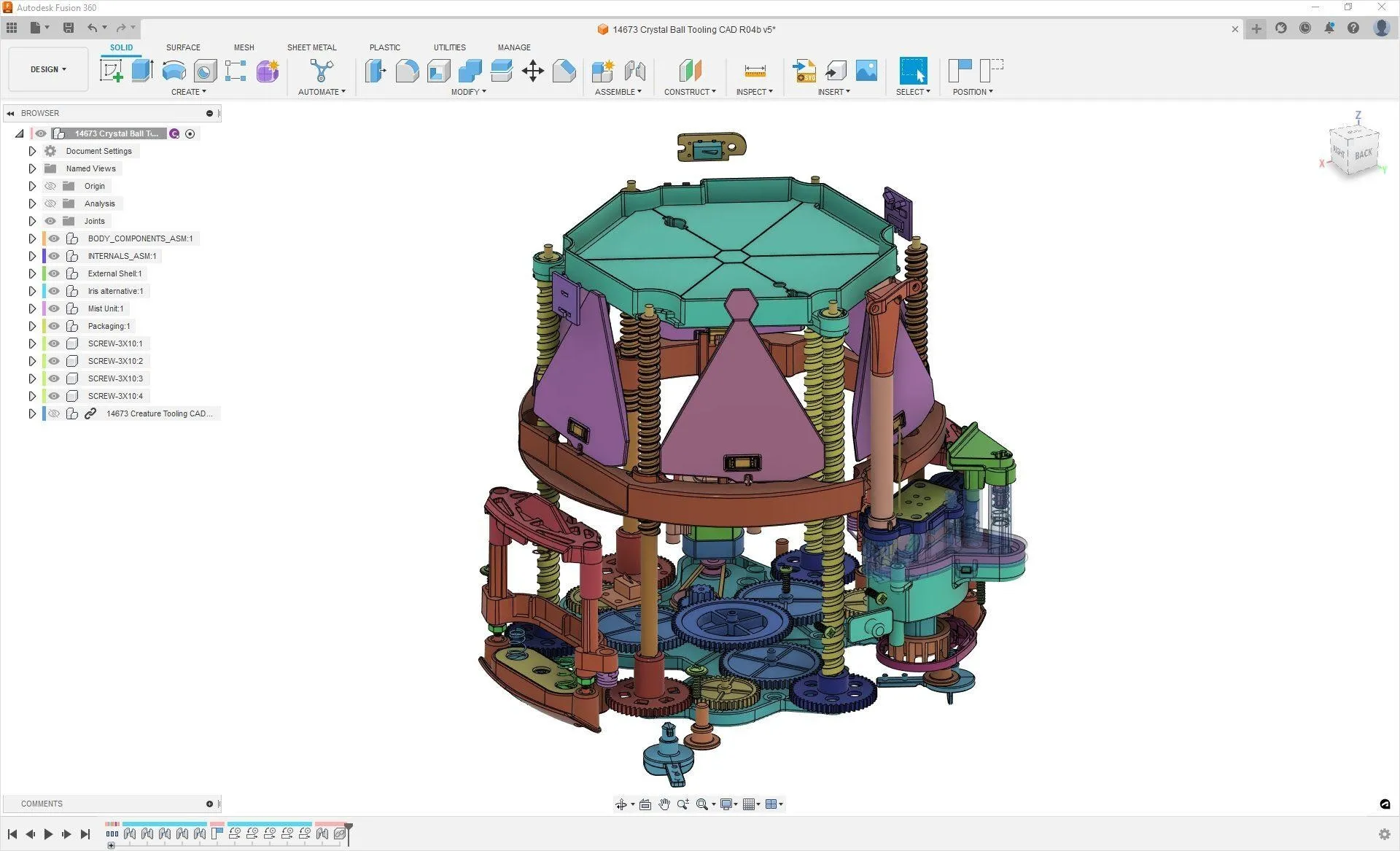
Key features of Fusion 360:
-
3D CAD modeling
-
Parametric design
-
Simulation
-
CAM tools
-
Electronics and PCB design
-
Cloud-based data management
Autodesk offers Fusion Personal Use free for eligible non-commercial personal projects and also provides education access for eligible students and educators.
Why choose Fusion 360?
It makes a strong choice for beginners who want to learn professional CAD while keeping product manufacturing in mind.
3. Sketch — Best for UI/UX Design
Best for: UI designers, UX designers, Mac users, and digital product teams.
Sketch focuses on digital interface design. It has a strong history in UI and UX work and remains a good option for Mac users who prefer a dedicated desktop design application. Sketch includes tools for interface design, prototyping, collaboration, design systems, and developer handoff.
Key features of Sketch:
-
Native Mac design app
-
Prototyping
-
Real-time collaboration
-
Design systems
-
Developer handoff
-
Browser-based file sharing
Sketch Standard costs $12 per editor per month when billed yearly. Professional costs $24, while Enterprise costs $44 per editor per month. Sketch also provides a 30-day free trial.
Why choose Sketch?
Choose Sketch if you prefer a Mac-based design workflow and mainly create websites, apps, and other digital interfaces.
4. Marvel — Best for Rapid Prototyping
Best for: Rapid prototyping, early product ideas, and simple UX testing.
Marvel makes product prototyping simple. Instead of spending a lot of time building a complete design, you can create interactive prototypes and test how an idea works. It works well for early product concepts because designers can create screens, connect them, and share the prototype for feedback.
Key features of Marvel:
-
Wireframing
-
Interactive prototypes
-
User testing
-
Comments and feedback
-
Prototype sharing
-
Design handoff
Marvel has a free plan for one user and one project. Its Pro plan starts at $12 per month when billed yearly and includes unlimited projects.
Why choose Marvel?
Marvel suits beginners and small teams that want to test product ideas without learning a complex design application.
5. Rhino — Best for Industrial Design
Best for: Industrial design, complex surfaces, product modeling, and 3D CAD.
Rhino is a strong choice for industrial design and detailed 3D modeling. It uses NURBS-based modeling, which allows designers to create accurate curves and complex surfaces. Industrial designers can use Rhino for products, furniture, jewelry, architecture, and other objects that need precise shapes.

Key features of Rhino:
-
NURBS modeling
-
Precise 3D design
-
Complex surface creation
-
Rendering support
-
Grasshopper visual programming
-
Windows and Mac support
Rhino 8 commercial pricing currently lists a single concurrent-user license at $995 in the United States. Educational pricing is much lower for eligible students and faculty.
Why choose Rhino?
Choose Rhino when you need accurate 3D product models with complex curves and surfaces.
6. ZBrush — Best for 3D Sculpting
Best for: 3D sculpting, concept models, organic shapes, and detailed product concepts.
ZBrush focuses on digital sculpting. It gives artists detailed brushes and sculpting tools for creating organic shapes, characters, models, and product concepts. Product designers can use it when they need to explore shapes that are difficult to create with standard CAD tools.
Key features of ZBrush:
-
Digital sculpting
-
Large brush library
-
Multi-resolution modeling
-
Dynamesh
-
ZRemesher
-
Surface detailing
Maxon's current ZBrush plans include desktop access, while ZBrush for iPad also has a free plan with limited features.
Why choose ZBrush?
ZBrush works well when your product concept needs detailed sculpting rather than only precise mechanical modeling.
7. 3ds Max — Best for Product Visualization
Best for: Product visualization, 3D rendering, animation, and marketing images.
Autodesk 3ds Max is widely used for 3D modeling, rendering, animation, and visualization. Product designers can use it to create realistic presentations of products before manufacturing begins. You can create a 3D model, add materials and lighting, and produce presentation-ready images.
Key features of 3ds Max:
-
3D modeling
-
Materials and textures
-
Lighting
-
Rendering
-
Animation
-
Visualization
3ds Max uses Autodesk's subscription model and also offers trial access. Autodesk provides monthly and annual subscription options.
Why choose 3ds Max?
Choose 3ds Max when presentation quality matters as much as the product model itself. It works especially well for marketing visuals and realistic product scenes.
8. Blender — Best for Concept Design & Visualization
Best for: Concept design, 3D visualization, rendering, modeling, and beginners with a limited budget.
Blender is one of the best product design software free options for users who want serious 3D capabilities without paying for a subscription. It supports modeling, sculpting, rendering, animation, simulation, compositing, and video editing. Blender works on Windows, macOS, and Linux.

Key features of Blender:
-
3D modeling
-
Sculpting
-
Rendering
-
Material creation
-
Animation
-
Simulation
-
Video editing
Blender is free and open source, and users can use it for personal and commercial work.
Why choose Blender?
Blender is a strong choice if you want product design software free of licensing costs. It also gives you enough tools to create detailed models and professional product visuals.
Part 3. How to Choose Product Design Software
The best product design software depends on your project, skills, budget, and final output. Do not choose a tool only because many designers use it. First decide what you need to create.
1. Identify your product type
For apps and websites, start with Figma, Sketch, or Marvel. For physical products, consider Fusion 360 or Rhino. For detailed 3D concepts, Blender or ZBrush may fit better.
2. Check your skill level
Beginners can choose specific design software for beginners with clear tools and learning resources. Fusion 360, Figma, Marvel, and Blender can provide good starting points, although each requires practice.
3. Consider your budget
If you need product design software free, Figma, Blender, and eligible Fusion 360 Personal Use are worth considering.
4. Check your computer
3D applications can require more system resources than browser-based design tools. Check the software requirements before installing a large 3D program.
5. Think about your final file
A UI designer may need prototypes and developer handoff files. An industrial designer may need CAD models. A marketing designer may need high-quality renders.
Common Mistakes When Choosing Product Design Software
-
Choosing software based only on popularity
A popular tool may not match your workflow. Compare its features with your actual project needs.
-
Using engineering CAD for purely creative modeling
CAD software can become unnecessary when you only need concept sketches or visual exploration.
-
Ignoring manufacturing requirements
If you plan to manufacture a physical product, choose software that supports accurate dimensions, CAD files, simulation, or manufacturing workflows.
-
Overlooking the learning curve
Advanced software can take weeks or months to learn. Consider how much time you can spend practicing.
-
Focusing only on software price
A free tool may still cost you time if it lacks the features you need. Compare total value rather than the price alone.
-
Choosing too many disconnected tools
Using several tools can create extra work. Pick a main design application and add other software only when your workflow requires it.
Part 4. XPPen Artist Ultra 14: A Beginner-Friendly Drawing Tablet for Product Design
Good product design software becomes easier to use when you have the right input device. A drawing display can help you sketch product concepts, draw shapes, mark design changes, and create early visual ideas.
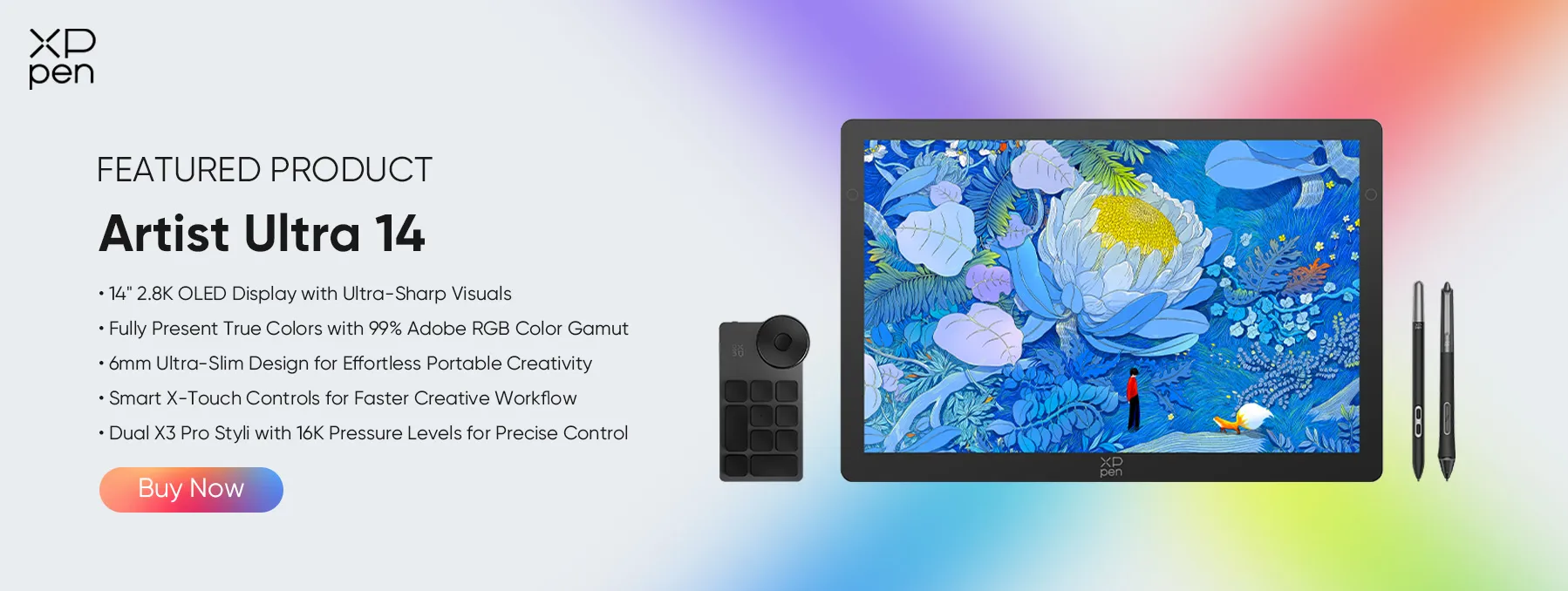
The XPPen Artist Ultra 14 is worth considering for designers who prefer drawing directly on a screen. It features a 14-inch 2.8K OLED display, a slim design, and X-Touch controls. XPPen also lists native 10-bit color depth and dual-stylus support on the product page.
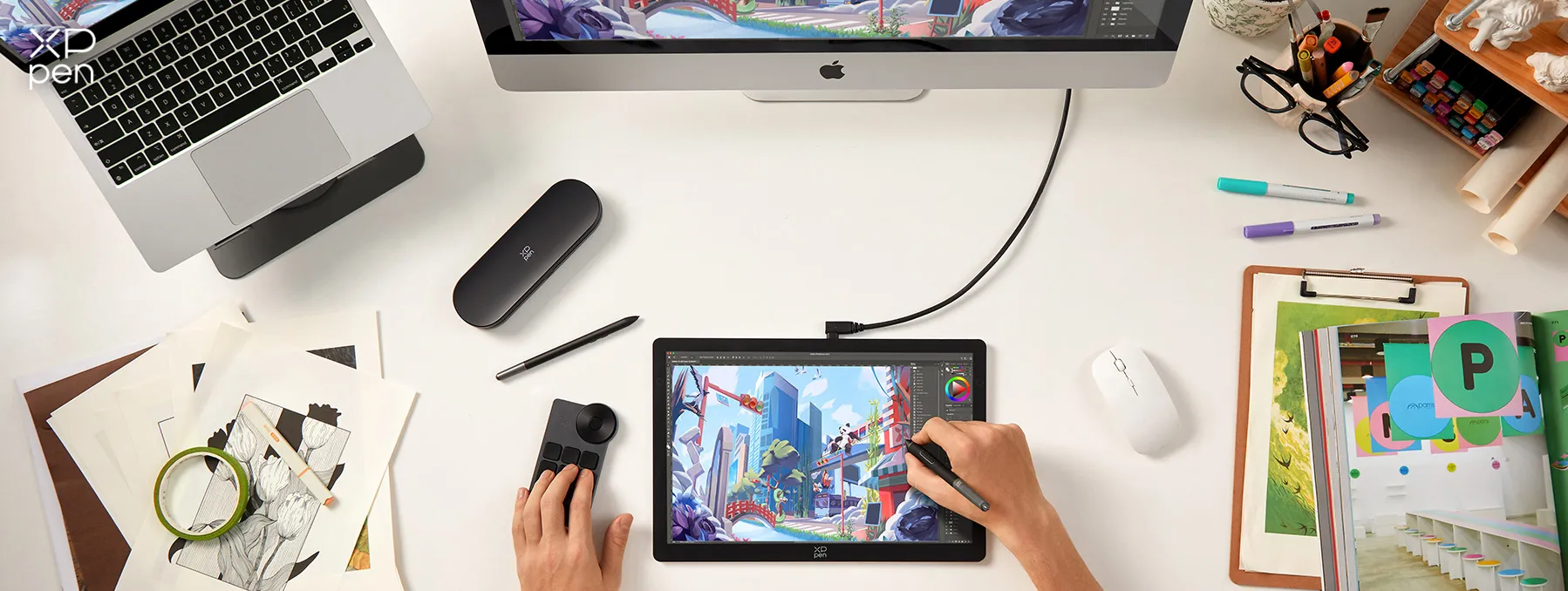
Best for: Product sketches, concept art, digital drawing, visual design, and creative work.
If you are starting with product design software for beginners, the Artist Ultra 14 can provide a more direct drawing experience than a standard mouse.
Part 5. FAQs About Product Design Software
Q1: Which product design software is best for beginners?
Figma works well for beginners who want to design websites, apps, and digital products. Fusion 360 suits beginners who want to learn physical product design and CAD. Blender also provides a free option for learning 3D design.
Q2: Should I learn Rhino, SolidWorks, or Fusion 360?
Choose Fusion 360 if you want a beginner-friendly CAD option with design and manufacturing tools. Choose Rhino when you want strong surface and industrial design capabilities. SolidWorks makes sense when your career goal requires its specific mechanical CAD workflow.
Q3: What software do professional product designers use?
Professionals use different tools depending on their field. Digital product designers often use Figma or Sketch. Industrial designers may use Rhino or Fusion 360, while 3D artists may use Blender, ZBrush, or 3ds Max.
Q4: Which product design software is best for getting a job?
There is no single answer. For digital product design jobs, Figma is a useful skill. For industrial and mechanical design roles, Fusion 360, Rhino, or SolidWorks can be more relevant. Check job listings in your target field before choosing what to learn.
Q5: What is the easiest product design software to learn?
Figma and Marvel are among the easier choices for digital product design. Blender has more tools and can take longer to learn, but it gives beginners a free way to practice 3D design.
Q6: What are the best free or affordable alternatives to professional CAD software?
Blender provides a completely free 3D option. Fusion 360 offers free Personal Use access for eligible non-commercial projects. Figma also provides a free Starter plan for digital product design.
Conclusion
The best product design software depends on the type of product you want to create. Figma makes a strong choice for digital products, while Fusion 360 and Rhino fit physical product and industrial design work. ZBrush helps with detailed sculpting, 3ds Max focuses on visualization, and Blender gives beginners a capable free 3D option. Marvel also works well for simple prototypes, while Sketch remains a good choice for Mac-based UI and UX design.
If you want product design software free of high subscription costs, start with Figma, Blender, or eligible Fusion 360 Personal Use.
For drawing and concept work, the XPPen Artist Ultra 14 can also complement your workflow with its 2.8K OLED display and pen-based input.
About Us
Founded in 2005, XPPen is a leading global brand in digital art innovation under Hanvon UGEE. XPPen focuses on the needs of consumers by integrating digital art products, content, and services, specifically targeting Gen-Z digital artists. XPPen currently operates in 163 countries and regions worldwide, boasting a fan base of over 1.5 million and serving more than ten million digital art creators.
Learn moreRecommended Articles
KNOWLEDGE 8 Best Apps for Interior Design (Free & Paid) TIPS 10 Best Free Drawing Software Tools for Digital Art TIPS 8 Best 3D Printing Design Software Tools 2026 TIPS 8 Best Landscape Design Software Tools (Free & Paid)





-
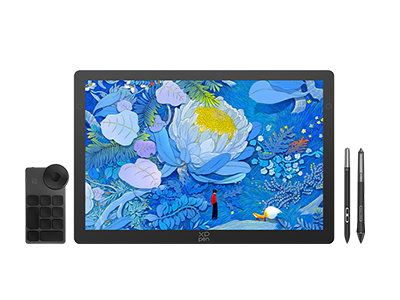 Artist Ultra 14
14-inch 2.8K OLED Display with Ultra-Sharp Visuals
99% Adobe RGB Color Gamut for True-to-Life Color
Ultra-Slim 6mm Design for Portable Creativity
Dual X3 Pro Styli with 16K Pressure Levels
Smart X-Touch Controls for Faster Workflow
It features:
Best 14" OLED drawing display for precision and portability
-
Artist Ultra 14
14-inch 2.8K OLED Display with Ultra-Sharp Visuals
99% Adobe RGB Color Gamut for True-to-Life Color
Ultra-Slim 6mm Design for Portable Creativity
Dual X3 Pro Styli with 16K Pressure Levels
Smart X-Touch Controls for Faster Workflow
It features:
Best 14" OLED drawing display for precision and portability
Looking for the Best Drawing & Design Apps?
Discover essential drawing techniques, expert tips, and the best app recommendations to boost your creativity and master digital art.
