8 Best Apps for Interior Design (Free & Paid)
KNOWLEDGEPlanning a room on paper can make it hard to understand how furniture, colors, flooring, and room size will work together. Interior design apps solve this problem by letting you draw a floor plan, place furniture, test layouts, and view your ideas in 2D or 3D before you spend money.
The best apps for interior design offer different tools for homeowners, renters, students, and professional designers. Some work directly in a browser, while others focus on mobile use or detailed floor plans.
In this guide, we compare the best apps for interior design free users can try, along with paid options for more advanced projects. You will also find the best apps for interior design online, options for beginners, and the best apps to design a room based on different needs.
Quick Comparison Table
| App | Pricing | Key Advantage |
|---|---|---|
| Homestyler | Free; paid plans from about $6.80/month | Large 3D model library and room visualization |
| Planner 5D | Free; Premium from $4.99/month annually | Simple 2D/3D room planning |
| Floorplanner | Free; credits and paid plans available | Easy floor plans with a large furniture library |
| HomeByMe | Free; paid plans available | Home planning with realistic images |
| MagicPlan | Free starter plan; paid subscriptions | Fast floor-plan creation and measurements |
| Roomstyler | Free to use | Simple room planning and furniture placement |
| Houzz | Free app | Furniture shopping and room visualization |
| SketchUp | Free web version; paid plans available | Detailed 3D modeling and design control |
Prices can vary by country, platform, billing period, and current offers. For example, Planner 5D currently lists a Free plan and Premium at $4.99/month when billed annually, while Homestyler offers a free Basic plan and paid plans starting around $6.80/month.
Part 1. 8 Best Apps for Interior Design (Free & Paid)
1. Homestyler
Best for: Homeowners and designers who want detailed 3D room visualization.
Homestyler is a browser-based 3D home design tool that lets you create floor plans, furnish rooms, adjust materials, and view designs in 3D.
Key features of Homestyler
-
Cloud-based 3D floor planner
-
Unlimited 1K renders on the free plan
-
100,000+ free 3D models and materials
-
2K and 4K rendering on paid plans
-
Custom 2D textures and 3D model uploads
-
Multi-floor planning on paid plans
-
Colored floor-plan and construction drawing exports
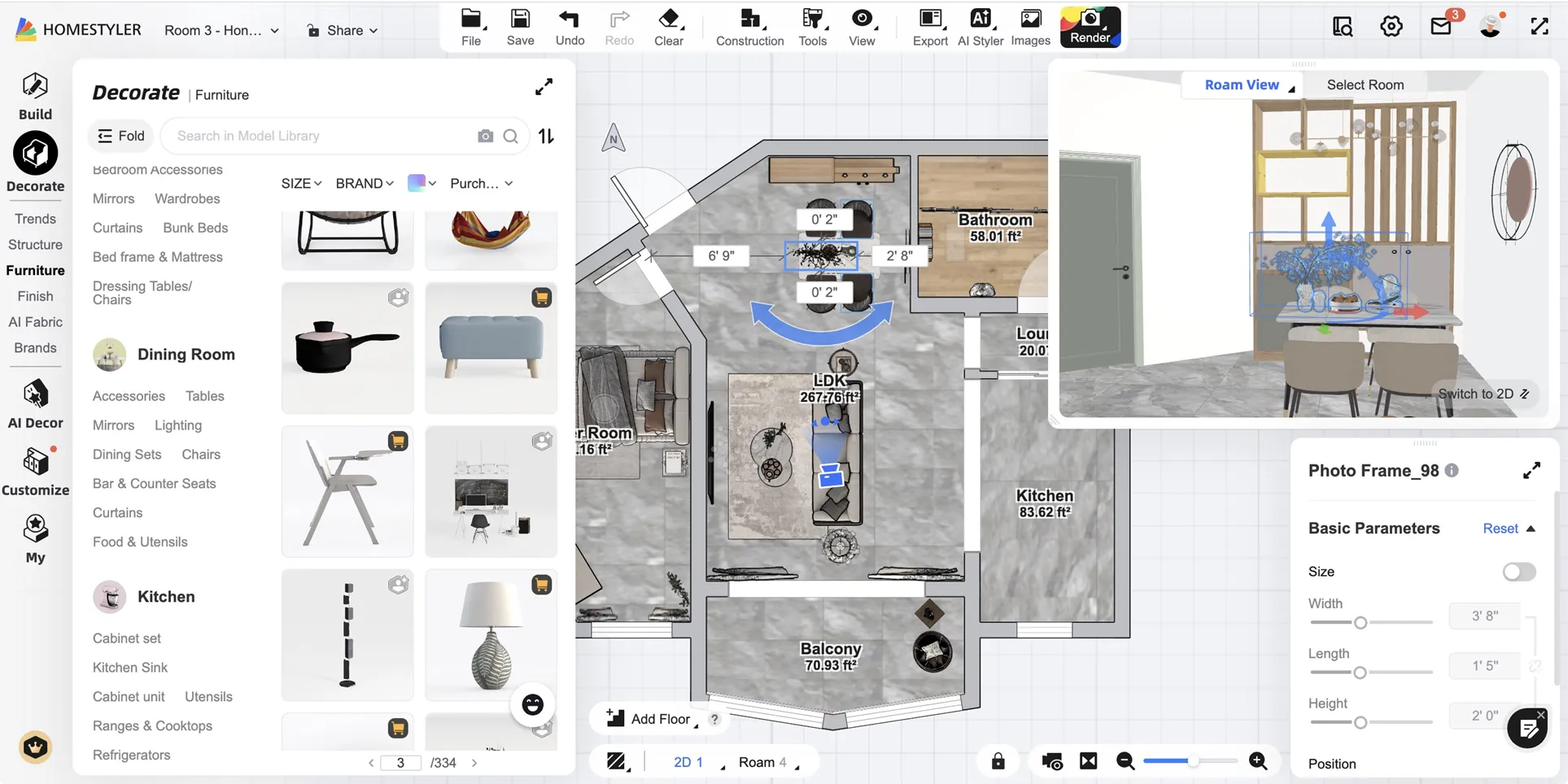
Its free Basic plan gives users unlimited 1K rendering and access to more than 100,000 free 3D models and materials. Paid plans add higher-resolution renders, custom models, advanced lighting, multi-floor projects, and other tools. This makes Homestyler a strong choice for users who want to see how a room may look before making real design changes.
Pricing:
-
Basic: Free
-
Individual Pro+: starts at $6.80/month
-
Master+: starts at $11.80/month
-
Team: starts at $19.90/seat/month
-
Enterprise: Custom pricing
2. Planner 5D
Best for: Beginners who want an easy 2D and 3D room planner.
Planner 5D is one of the best apps for interior design for beginner users because it combines a simple interface with 2D and 3D room planning.
Key features of Planner 5D
-
2D and 3D home design
-
Unlimited projects on the Free plan
-
Web and mobile access
-
10,000+ furniture items with Premium
-
Floor-plan upload and recognition
-
Standard and 4K rendering options
-
CAD export on Professional
-
360-degree walkthroughs and panoramas
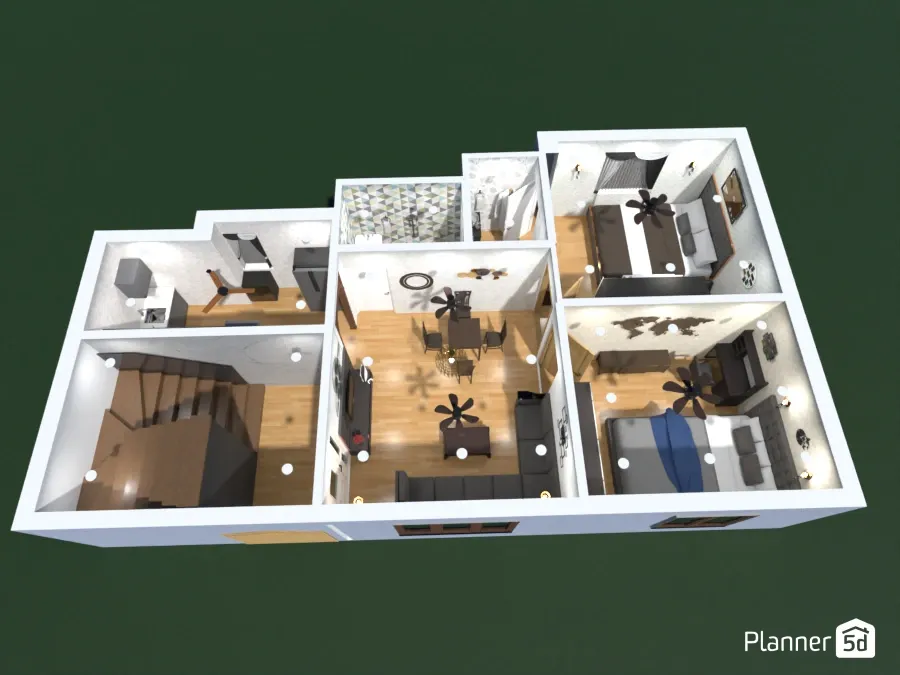
Its Free plan lets you create and share unlimited projects and work across web and mobile. You also get access to 50% of its furniture catalog. Premium adds the full 10,000+ item catalog, floor-plan recognition, 3D model creation from photos, standard renders, and budget tools. Professional adds 4K renders, CAD export, custom model uploads, and 360-degree presentations.
Pricing:
-
Free: $0
-
Premium: $19.99/month or $59.99/year
-
Professional: $49.99/month or $399.99/year
-
Enterprise: Custom pricing
3. Floorplanner
Best for: Users who need accurate floor plans and flexible project upgrades.
Floorplanner is designed mainly for creating accurate floor plans and turning them into 3D room views.
Key features of Floorplanner
-
2D floor-plan creation
-
3D room and dollhouse views
-
150,000+ item library
-
Free SD-quality exports
-
HD, 4K, and 8K project upgrades
-
Multiple floors on upgraded projects
-
PDF, FML, and DXF exports on upgraded levels
-
Pay-per-project credit system
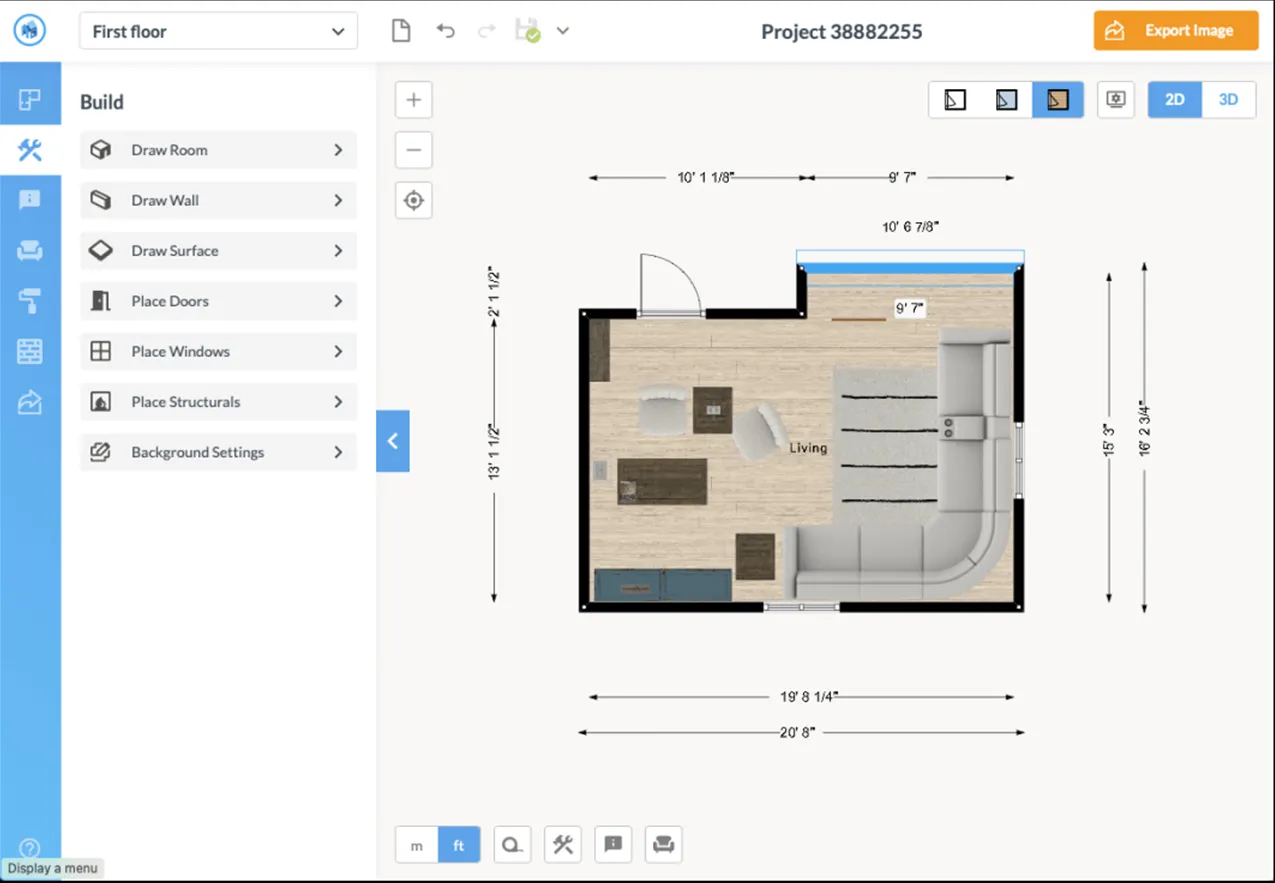
The free Basic account gives users access to the full drawing editor and a large furniture library with more than 150,000 items. Free projects can produce SD-quality 2D and 3D images, while paid credits can upgrade individual projects to higher resolutions and unlock additional floors and designs.
This credit-based system makes Floorplanner useful if you only need to pay for specific projects instead of maintaining a large subscription.
Pricing:
-
Basic: Free
-
Credit packs: 5 credits $8.15, 10 credits $16.30, 30 credits $48.90, or 100 credits $163.00.
Project upgrades use credits, with higher levels costing 2, 5, 10, or 20 credits depending on the output level.
4. HomeByMe
Best for: Homeowners who want realistic previews and real furniture products.
HomeByMe focuses on home planning, furniture placement, and realistic visual previews.
Key features of HomeByMe
-
2D and 3D home planning
-
90,000+ products in the catalog
-
Five free Full HD images
-
Unlimited 2D and 3D screenshots
-
Unlimited projects with paid plans
-
4K and top-view images
-
360-degree images and video on Pro
-
3D model imports & 2D floor-plan exports
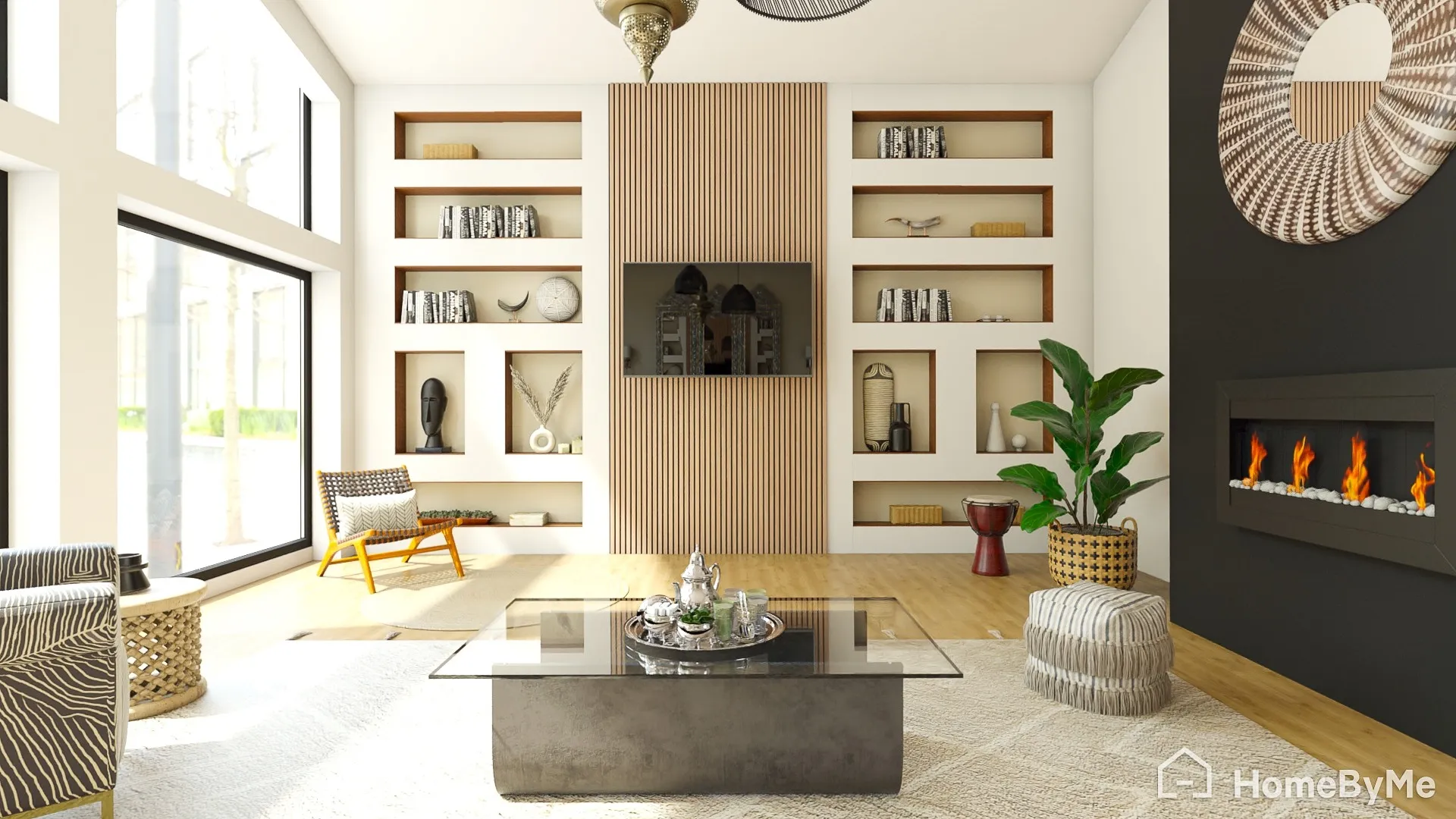
Its Starter plan gives you two projects, five Full HD images, unlimited 2D and 3D screenshots, and access to a catalog with more than 90,000 products. The Essentials and Pro plans add unlimited projects and larger rendering allowances. Pro also adds unlimited 4K images, 360-degree images, videos, watermark removal, private 3D models, and professional presentation features.
Pricing:
-
Starter: Free
-
Essentials and Pro: Paid monthly or yearly subscriptions; the official public page currently displays the plan structure but does not expose a fixed dollar price in the page text
-
Enterprise pricing is available on request
5. Magicplan
Best for: Measuring rooms and creating professional floor plans on mobile devices.
Magicplan takes a more measurement-focused approach than many of the best apps to design a room. It lets users create floor plans on a phone or tablet, edit sketches, add furniture and structural objects, record measurements, and generate professional documents.
Key features of Magicplan
-
Mobile-first floor-plan creation
-
2D and 3D floor plans
-
Manual and laser-assisted measurements
-
LiDAR scanning on supported iOS devices
-
Furniture and structural object library
-
PDF, JPG, PNG, SVG, CSV, DXF, and OBJ exports
-
Photos, notes, and annotations
-
Built-in estimates
-
Offline mode
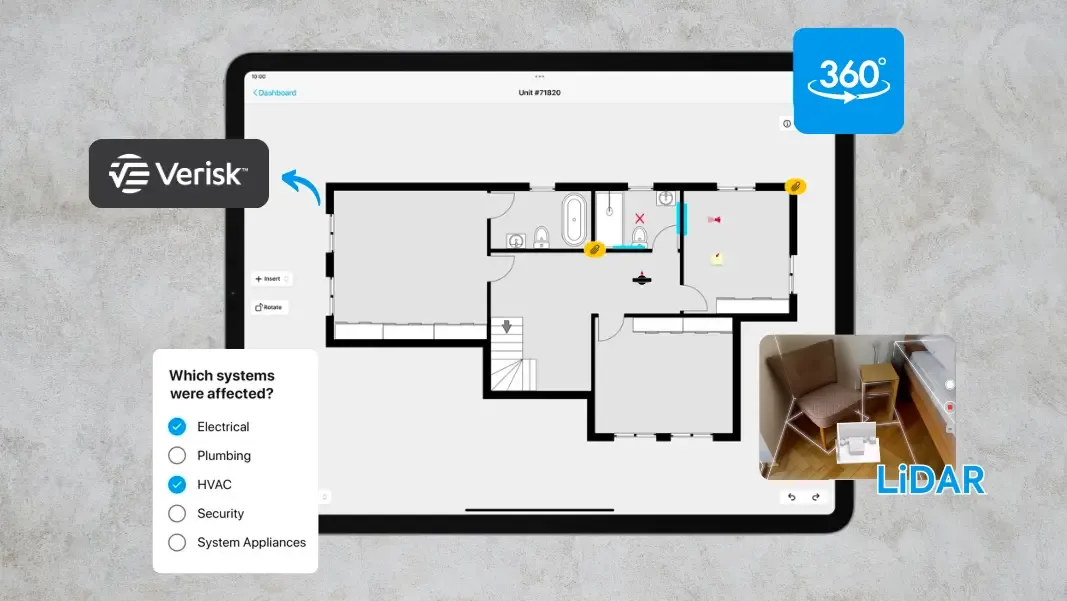
The free Starter plan gives users two projects with access to the main features. Paid plans include single-user Sketch and Report subscriptions, while PRO uses usage-based pricing for teams. Magicplan also supports LiDAR scanning on compatible iOS Pro devices.
Pricing:
-
Starter: Free, with two projects.
-
Paid Sketch and Report plans use monthly or annual in-app pricing, and magicplan directs users to the app for the current local price.
-
PRO uses usage-based pricing and starts with 10 new projects per month; extra projects cost $40 per project when you exceed your plan quota.
6. Roomstyler
Best for: Beginners who want a straightforward online room planner.
Roomstyler is a simple browser-based room planner that suits users who want to build a room without learning complicated 3D software.
Key features of Roomstyler
-
Browser-based 3D room planner
-
2D and 3D views
-
Start from scratch or upload a floor plan
-
Drag-and-drop furniture
-
Adjustable walls, doors, and windows
-
Camera and lighting controls
-
Room Wizard
-
Two free floor-plan uploads per year
-
Custom images for frames, scenery, and wallpaper
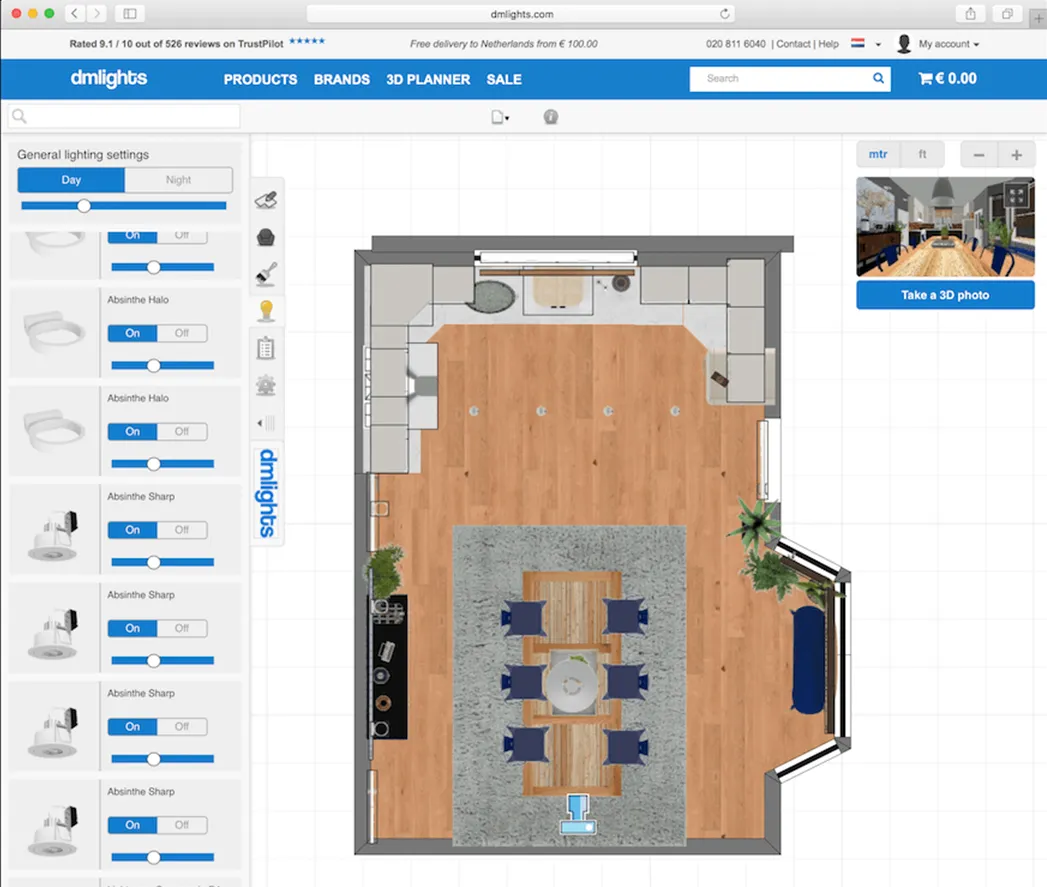
Its planner lets you start from scratch or upload a floor plan, draw and resize walls, add doors and windows, and drag furniture into the room. You can switch between 2D and 3D views and adjust camera position, lighting, and scene settings. The official planner also states that users can upload two floor plans for free each year.
Pricing:
Free to use for room planning. The official 3D planner currently provides the room-building and furniture-placement workflow without showing a standard paid subscription price.
7. Houzz
Best for: Homeowners who want design ideas and furniture visualization in one app.
Houzz is different from most of the best apps for interior design online because it combines design inspiration, product shopping, professional services, and room visualization.
Key features of Houzz
-
Home design inspiration
-
Furniture and product shopping
-
View in My Room 3D
-
Product visualization before buying
-
Ideabooks for saving design ideas
-
Professional directory
-
3D floor planning through Houzz Pro
-
Mobile room scanning through Houzz Pro
-
Project and estimate tools for professionals
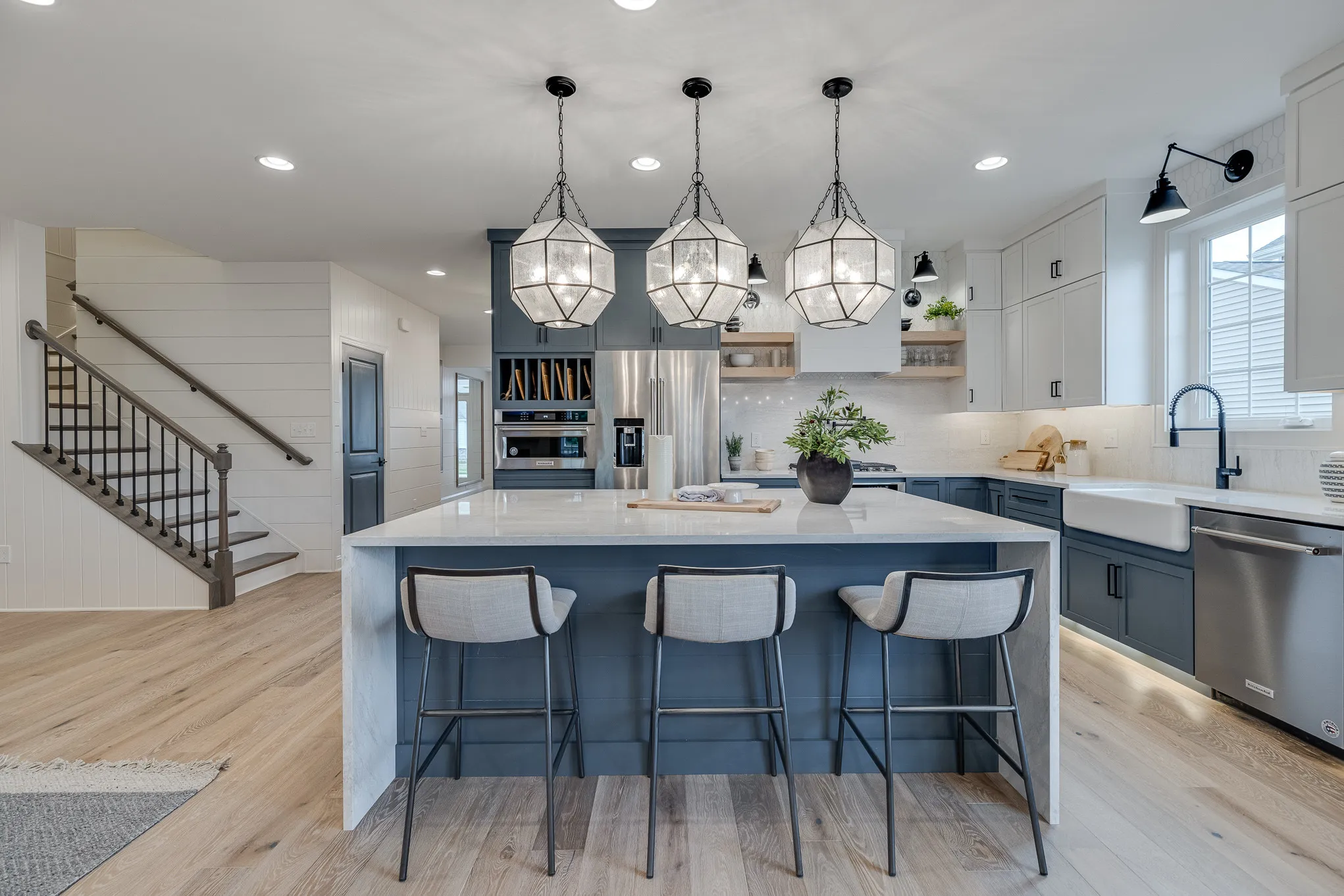
The consumer Houzz app is free, and its View in My Room 3D feature lets users place supported furniture and home products in their rooms before buying. Houzz also offers Houzz Pro for design and construction professionals, with tools such as 3D floor plans, room scanning, selections, estimates, and project management.
Pricing:
-
Consumer Houzz app: Free.
-
Houzz Pro: Free trial available; paid Pro and Custom plans are offered, with pricing depending on the selected package and business needs.
8. SketchUp
Best for: Designers and advanced users who need detailed 3D modeling.
SketchUp is one of the best apps for interior design when you need more control over 3D modeling. Unlike simple room planners, SketchUp lets you build detailed 3D models and create professional design documentation.
Key features of SketchUp
-
Web-based 3D modeling
-
iPad 3D modeling
-
Desktop 3D modeler with Pro
-
2D design documentation
-
Millions of pre-built 3D models
-
Cloud storage and collaboration
-
Extension support
-
Revit import with Studio
-
Point-cloud modeling with Studio
-
Photorealistic images and 360-degree panoramas
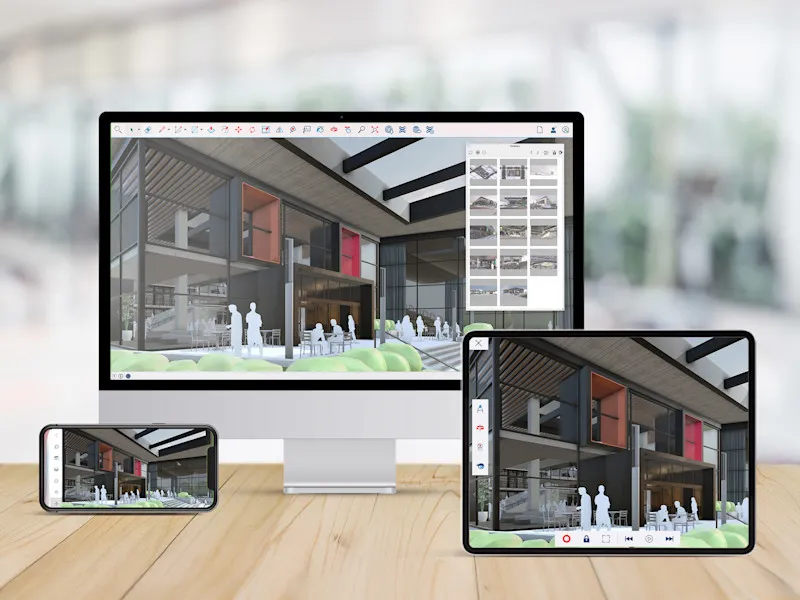
The Go plan provides web and iPad modeling, cloud storage, and access to millions of pre-built models. Pro adds the desktop 3D modeler, 2D documentation, and plugin support. Studio adds Revit import, point-cloud modeling, photorealistic visualization, animations, and 360-degree panoramas.
Pricing:
-
SketchUp Go: $129/year or $19.99/month
-
SketchUp Pro: $399/year or $99.99/month
-
Studio: available as an advanced plan; pricing varies by displayed regional currency and plan page.
Part 2. How to Choose the Best Interior Design App
The best apps for interior design do not all solve the same problem. Before choosing one, compare these points:
Ease of use
Pick a simple interface if you have never used design software. Planner 5D, Roomstyler, and Floorplanner offer accessible starting points.
2D and 3D support
Choose an app that lets you switch between a floor plan and a 3D view if you want to check both measurements and appearance.
Furniture library
A large product catalog gives you more choices when testing sofas, beds, tables, cabinets, lights, and decor.
Price
Start with the best apps for interior design free if you only need basic planning. Paid plans make more sense when you need high-resolution exports or larger projects.
Device support
Check whether the app works on your phone, tablet, Windows computer, Mac, or browser before starting.
Part 3. How to Get Better Results from an Interior Design App
Even the best apps for interior design online cannot create a useful plan if you enter poor measurements or ignore the real room. Use these simple steps:
-
Measure first: Record wall lengths, ceiling height, doors, windows, outlets, and fixed furniture before creating your layout.
-
Start with the floor plan: Build the room structure before choosing colors or decorative items.
-
Place large furniture first: Add the sofa, bed, dining table, cabinets, or other large pieces before smaller items.
-
Keep walking space: Check the space between furniture and doors so your layout remains practical.
-
Test several layouts: Save different versions instead of changing one design again and again.
-
Check the design in 3D: A 2D plan can look correct while the room feels crowded in 3D. Use both views before making a final decision.
These steps also make the best apps for interior design for beginner users easier to manage because you solve one part of the room at a time.
Part 4. Sketch, Refine, and Visualize Your Interior Design Ideas
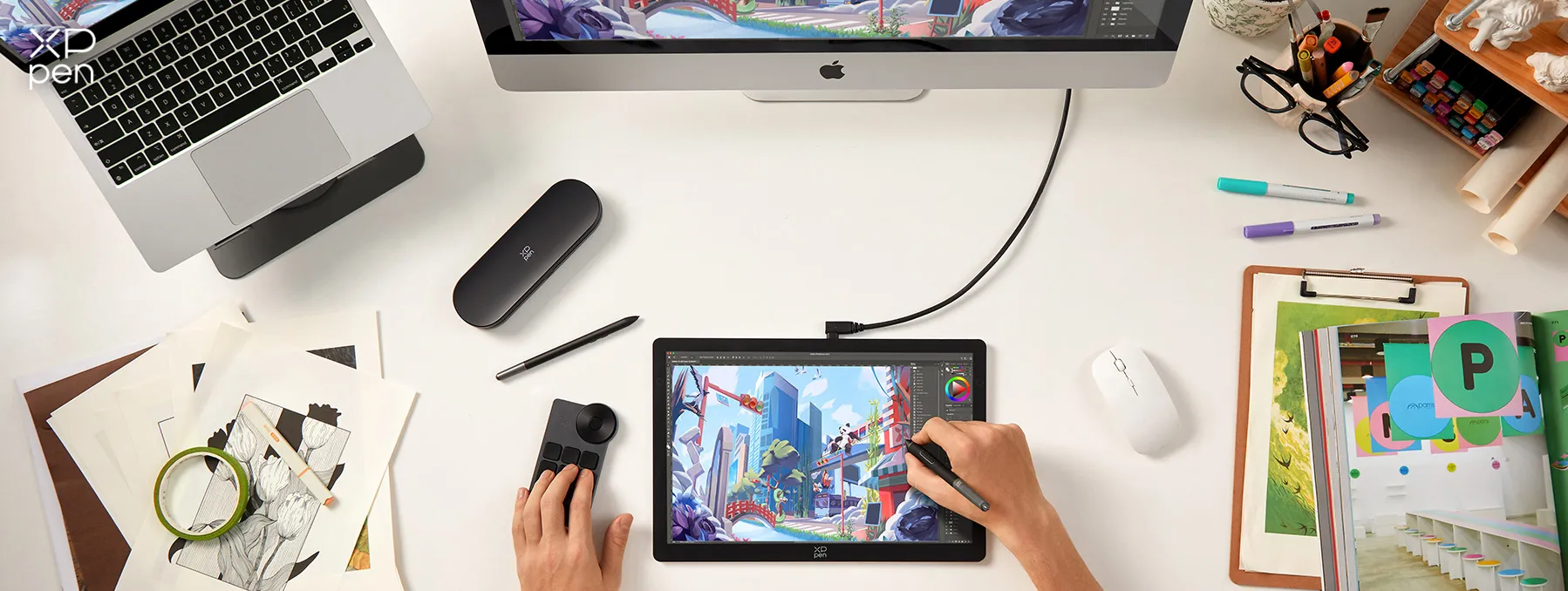
Interior design apps make it easier to plan rooms, but some ideas still work better when you can draw them directly by hand. After creating a floor plan, you may want to sketch furniture, mark wall details, adjust layouts, or test design concepts before adding them to your final plan. A drawing display can make this process more direct.
The XPPen Artist Ultra 14 combines a 14-inch 2.8K OLED display, 90Hz refresh rate, 10-point touch, and pressure-sensitive styluses, giving designers a practical way to sketch and refine ideas alongside their interior design software.
Part 5. FAQs About Apps for Interior Design
Q1: What is the 3-5-7 rule in decorating?
The 3-5-7 rule means grouping decorative items in odd numbers, often three, five, or seven. These groups can make shelves, tables, and other areas feel balanced without making them look too uniform.
Q2: What is the best free interior design app?
Planner 5D, Homestyler, and Floorplanner all offer free options. Planner 5D works well for beginners, Homestyler suits 3D room views, and Floorplanner works well for floor plans.
Among the best apps for interior design free, the right choice depends on whether you care most about furniture, 3D views, or accurate layouts.
Q3: Is there an app that lets me take a photo of my room and redesign it?
Some interior design apps let you work from room photos or use a photo as a starting point. However, features differ by app and device, so check the current version before choosing one.
Q4: What app can I use to visualize furniture in my room before buying it?
Houzz is a useful option because its View in My Room 3D feature lets users preview supported products in their rooms before buying.
For this purpose, Houzz can rank among the best apps to design a room when shopping and planning need to work together.
Q5: What is the easiest interior design app for beginners?
Planner 5D and Roomstyler are good starting points because they provide simple room-building and furniture-placement tools. Floorplanner also works well when your main goal involves drawing a floor plan. For many new users, Planner 5D remains one of the best apps for interior design for beginner projects because its interface supports both 2D and 3D planning.
Q6: What is the best interior design app for iPhone/Android?
Planner 5D, MagicPlan, and Houzz offer useful mobile options. Planner 5D supports web and mobile devices, while MagicPlan focuses strongly on mobile measurements and floor plans.
If you want the best apps for interior design online, choose an app that also keeps your projects available across the devices you use most.
Conclusion
The best apps for interior design range from simple room planners to detailed 3D design software. Homestyler and Planner 5D work well for everyday room planning, Floorplanner focuses on floor plans, HomeByMe provides realistic room views, MagicPlan helps with measurements, Roomstyler keeps room planning simple, Houzz connects design with furniture shopping, and SketchUp gives advanced users more 3D control.
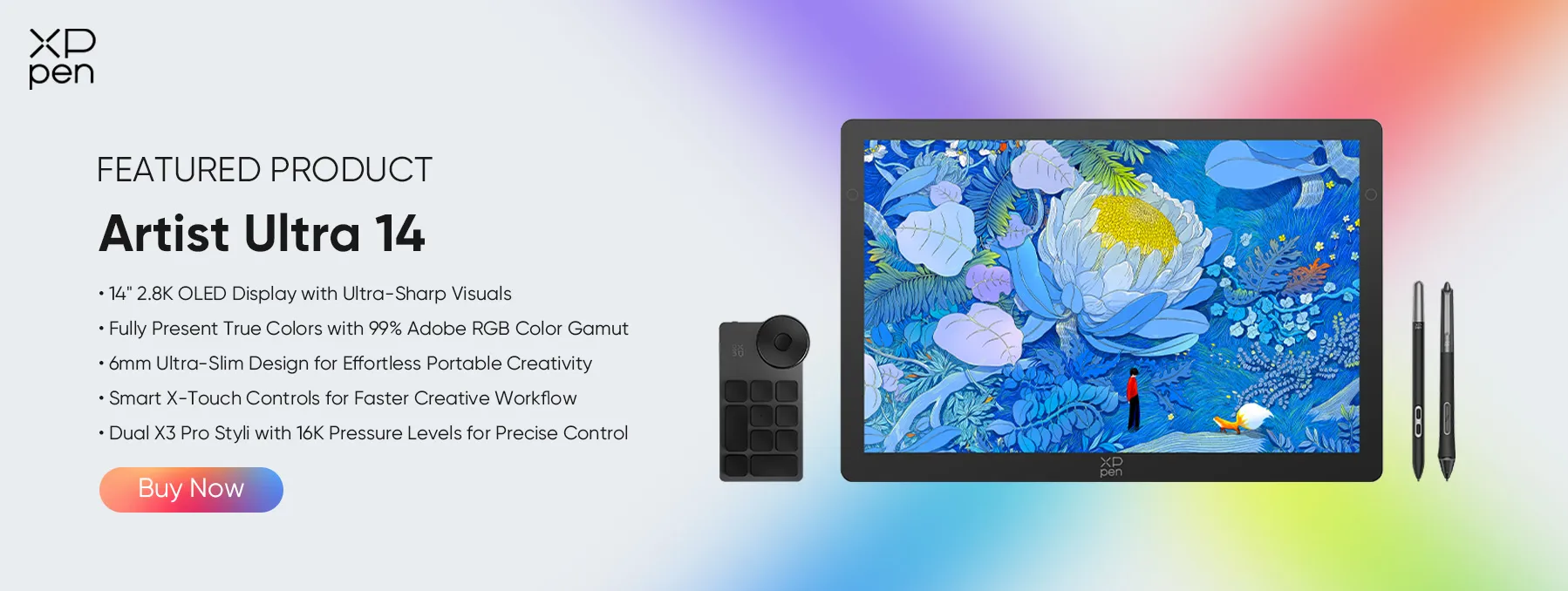
For hand-drawn planning and detailed visual work, the XPPen Artist Ultra 14 can also complement your digital design process with its 2.8K AMOLED display, touch support, and pressure-sensitive stylus.
About Us
Founded in 2005, XPPen is a leading global brand in digital art innovation under Hanvon UGEE. XPPen focuses on the needs of consumers by integrating digital art products, content, and services, specifically targeting Gen-Z digital artists. XPPen currently operates in 163 countries and regions worldwide, boasting a fan base of over 1.5 million and serving more than ten million digital art creators.
Learn moreRecommended Articles
TIPS 7 Best Clothing Design Software Tools 2026 TIPS 8 Best 3D Printing Design Software Tools 2026 TIPS 7 Elements of Design: A Complete Guide to the Basics TIPS 8 Best Product Design Software Tools (Free & Paid) TIPS 8 Best Landscape Design Software Tools (Free & Paid)





-
 Artist Ultra 14
14-inch 2.8K OLED Display with Ultra-Sharp Visuals
99% Adobe RGB Color Gamut for True-to-Life Color
Ultra-Slim 6mm Design for Portable Creativity
Dual X3 Pro Styli with 16K Pressure Levels
Smart X-Touch Controls for Faster Workflow
It features:
Best 14" OLED drawing display for precision and portability
-
Artist Ultra 14
14-inch 2.8K OLED Display with Ultra-Sharp Visuals
99% Adobe RGB Color Gamut for True-to-Life Color
Ultra-Slim 6mm Design for Portable Creativity
Dual X3 Pro Styli with 16K Pressure Levels
Smart X-Touch Controls for Faster Workflow
It features:
Best 14" OLED drawing display for precision and portability
Looking for the Best Drawing & Design Apps?
Discover essential drawing techniques, expert tips, and the best app recommendations to boost your creativity and master digital art.
