5 Best Photo Video Color Correction Softwares 2026
KNOWLEDGEGood color can make a huge difference in both photos and videos. Even high-quality footage can look dull if the colors are not balanced correctly. That is why many creators, photographers, video editors, filmmakers, and content creators use professional color correction tools to improve their work. The right color correction software helps you fix exposure problems, adjust white balance, improve contrast, recover details, and create a consistent look across your projects.
Whether you edit social media videos, YouTube content, films, or professional photography projects, choosing the right software can save time and improve results. In this guide, we review the 5 best photo video color correction softwares in 2026.
Quick Verdict
Different editors need different tools. Here are our top picks:
-
Best Overall: DaVinci Resolve
-
Best for Beginners: CyberLink ColorDirector
-
Best Paid: Adobe Premiere Pro
-
Best Free: DaVinci Resolve Free Version
-
Best Color Correction Software for Colorists: Baselight
Part 1. 5 Best Photo Video Color Correction Softwares 2026
1. DaVinci Resolve – Best Overall Color Correction Software
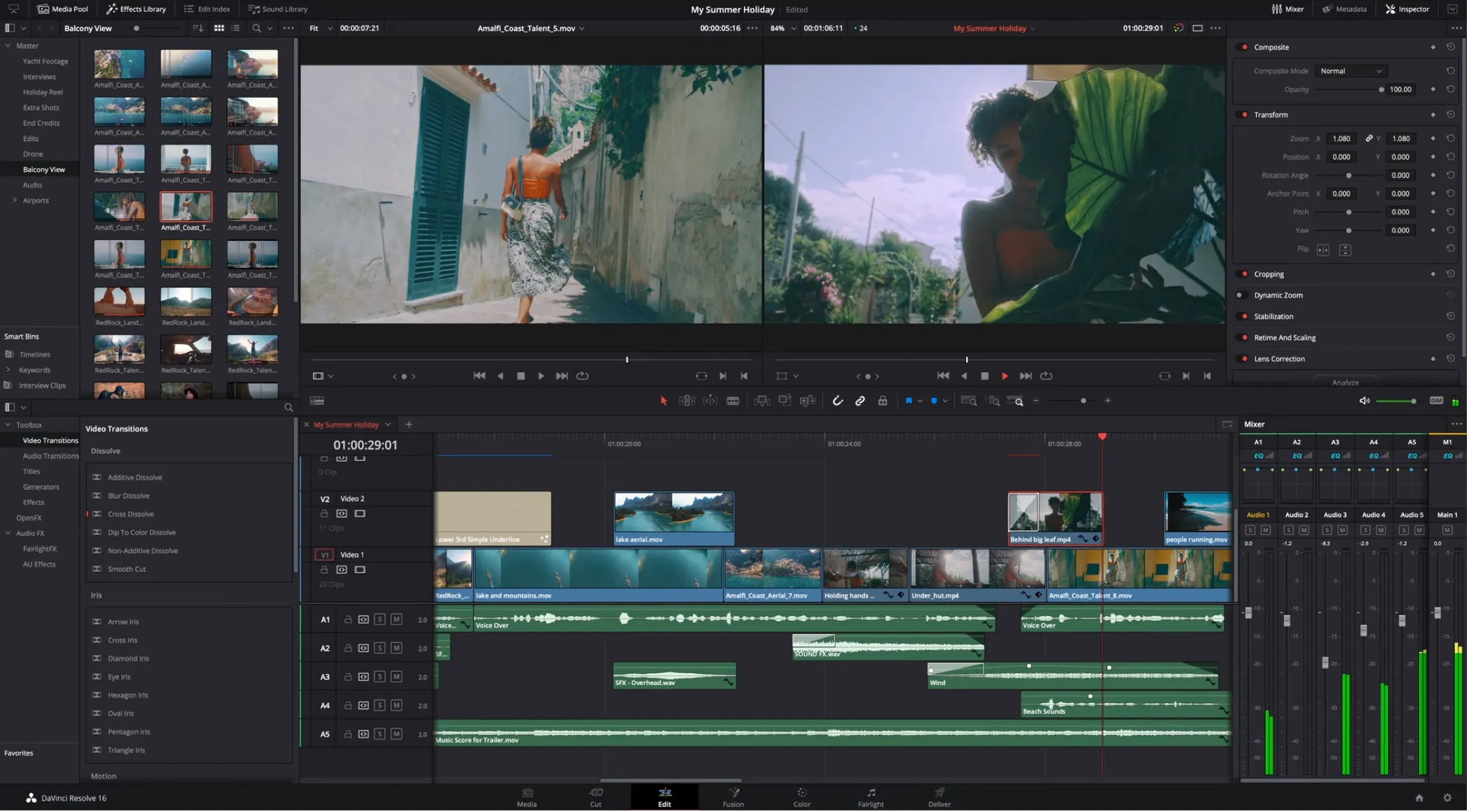
DaVinci Resolve remains the most popular color correction software among professional editors and colorists. Blackmagic Design built the software with advanced color tools that help users handle everything from basic corrections to cinema-grade color grading.
Key Features of DaVinci Resolve
-
Professional color grading workspace
-
Advanced color wheels and curves
-
HDR grading support
-
Node-based workflow
-
Built-in editing and audio tools
-
Multi-user collaboration
Many Hollywood productions use DaVinci Resolve because it offers precise control over color wheels, curves, scopes, masks, tracking, and HDR workflows.
This is best for professional editors, filmmakers, and users looking for the best color correction software 2026.
2. Adobe Premiere Pro – Best Paid Video Color Correction Software
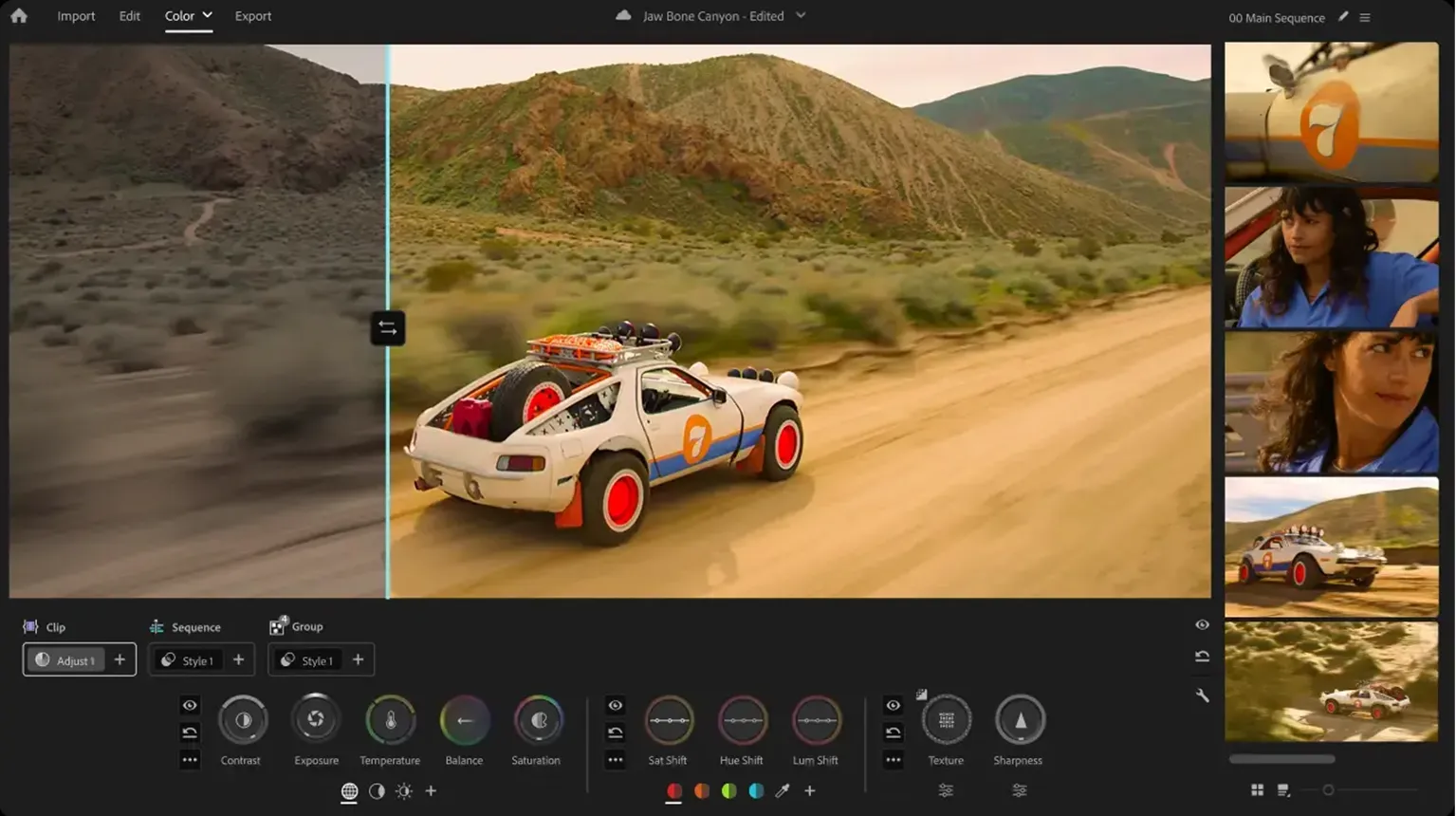
Adobe Premiere Pro continues to be one of the most trusted video editing platforms. Its Lumetri Color panel makes color correction and color grading simple while still offering professional-level control.
Key Features of Adobe Premiere Pro
-
Lumetri Color tools
-
Advanced color wheels
-
LUT support
-
Multi-camera editing
-
Adobe Creative Cloud integration
-
Professional video editing tools
Editors can adjust exposure, contrast, shadows, highlights, saturation, and color balance from a single workspace. The software also integrates well with Adobe After Effects and Photoshop.
This software is best for professional video editors who need a complete editing and video color correction software solution.
3. CyberLink ColorDirector – Best for Beginners
CyberLink ColorDirector offers a beginner-friendly approach to color correction. Users can improve video colors without spending weeks learning advanced workflows. The software provides guided adjustments, color presets, motion tracking, and easy color matching tools. New editors often choose it because the interface remains simple and organized.
Key Features
-
One-click color enhancement
-
Motion tracking adjustments
-
Preset color styles
-
Color matching tools
-
Easy timeline workflow
This software is perfect for new creators looking for simple color grading and color correction software.
4. VEGAS Pro – Best for Fast Video Editing Workflows
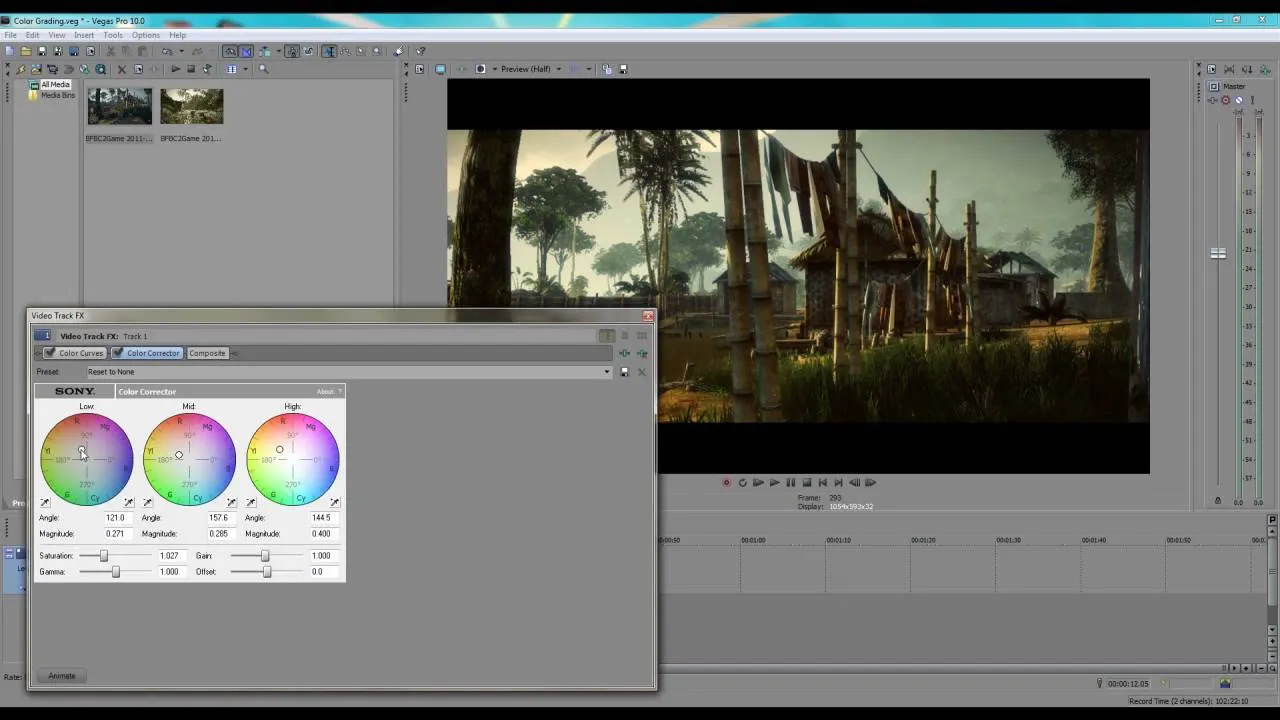
VEGAS Pro combines video editing and color correction in a streamlined interface. Many content creators prefer VEGAS Pro because it allows quick editing while still offering strong color controls.
Its color wheels, color curves, LUT support, and grading panels help users improve footage without switching between multiple programs.
Key Features
-
Color grading controls
-
LUT compatibility
-
HDR support
-
Video stabilization
-
Multi-camera editing
VEGAS Pro is best for YouTubers, content creators, and editors who need efficient video color correction software.
5. Baselight – Best Color Correction Software for Colorists
Baselight is one of the most respected tools in the film industry. Professional colorists use it for feature films, television productions, and commercial projects.
Key Features
-
Advanced grading controls
-
HDR mastering
-
Professional color management
-
Scene-based grading
-
High-end finishing tools
The software provides exceptional color management, grading precision, and advanced finishing tools. While it costs significantly more than consumer software, many professionals consider it the best color correction software for colorists.
Baselight is best for experienced colorists and post-production studios.
Comparison Chart: Best Color Correction Software 2026
| Software | Best For | Free Version | Beginner Friendly | Professional Tools |
|---|---|---|---|---|
| DaVinci Resolve | Overall Performance | Yes | Moderate | Excellent |
| Adobe Premiere Pro | Professional Editing | No | Yes | Excellent |
| CyberLink ColorDirector | Beginners | Trial Only | Excellent | Good |
| VEGAS Pro | Fast Workflows | No | Yes | Very Good |
| Baselight | Professional Colorists | No | No | Outstanding |
Part 2. What Makes the Best Color Correction Softwares
The best tools help create natural, consistent colors. Key features to look for:
-
Accurate Controls – Precise adjustments for exposure, white balance, shadows, and contrast to fix overexposure, flat colors, or uneven lighting.
-
Color Wheels – Adjust shadows, midtones, and highlights independently; ideal for skin tones and matching footage from different cameras.
-
Curves & Secondary Corrections – Target specific brightness levels or colors (e.g., make skies pop, refine skin tones).
-
LUT Support – Import, apply, or save custom LUTs for fast, consistent color looks.
-
Scopes – Waveform, vectorscope, RGB parade, and histogram provide objective color data beyond screen appearance.
-
Performance & Stability – Fast rendering, smooth playback, GPU acceleration, and reliable saving for large projects.
-
HDR & Modern Formats – Support for HDR10, HLG, Dolby Vision, and up to 8K editing to future-proof your workflow.
Part 3. How to Choose the Best Color Correction Softwares
The right choice depends on your skill level, project type, budget, hardware, workflow, and learning resources.
1. Skill Level
Beginners should choose simple software like CyberLink ColorDirector, Premiere Pro, or VEGAS Pro. Experienced users often prefer DaVinci Resolve or Baselight.
2. Project Type
YouTube creators benefit from fast workflows and presets. Photographers need precise controls and RAW support. Film editors require advanced grading, HDR workflows, professional scopes, and color management.
3. Budget
Free options include DaVinci Resolve. Mid-range choices are VEGAS Pro and ColorDirector.
Premium software includes Premiere Pro and Baselight.Also consider hardware requirements, workflow integration with other tools, and available learning resources like tutorials and user communities.
Pro Tip: Pair Your Software with Pilot Pro for Precise Color Control
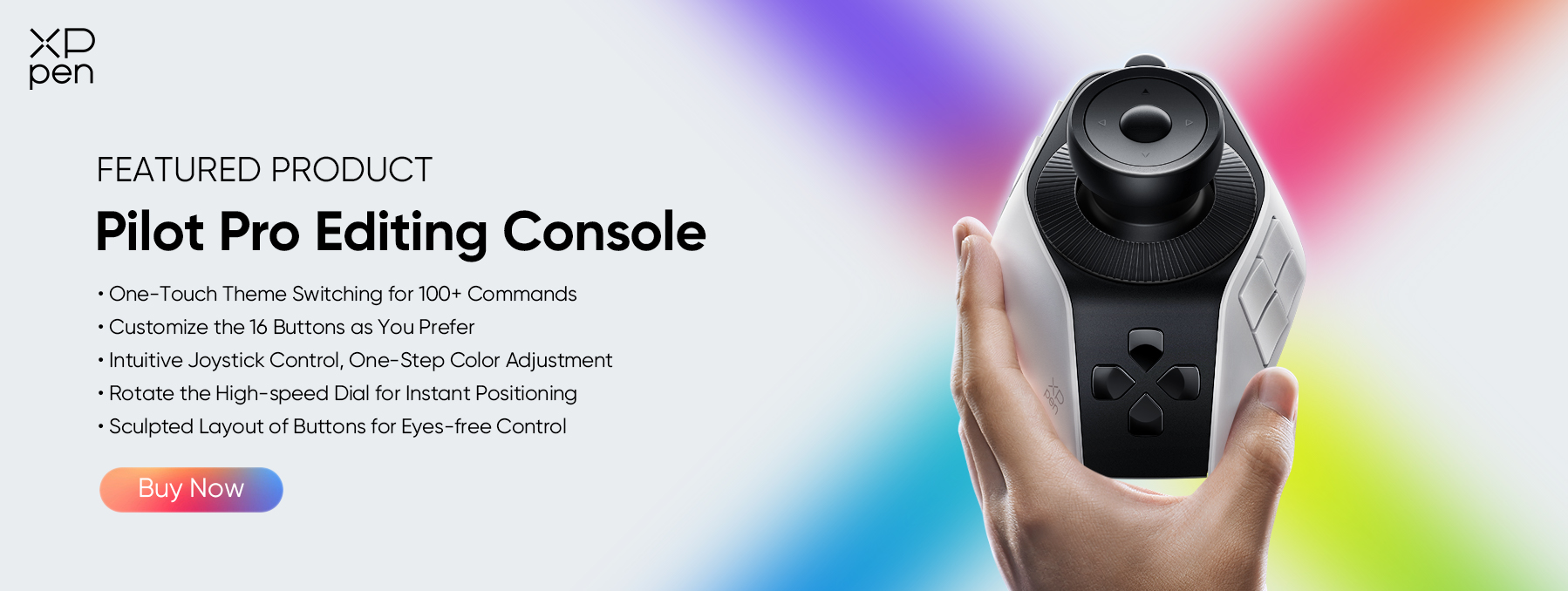
Even the best color correction software performs better when paired with dedicated editing hardware. The XPPen Pilot Pro Editing Console helps editors control color grading, timeline navigation, and editing adjustments with physical dials and customizable buttons.
Unlike a standard keyboard and mouse setup, Pilot Pro gives users direct access to frequently used editing functions. This approach can improve workflow efficiency and provide more accurate control during color adjustments.
Why Use XPPen Pilot Pro?
-
Customizable control dial
-
Dedicated editing shortcuts
-
Faster timeline navigation
-
Better precision during color adjustments
-
Comfortable editing workflow
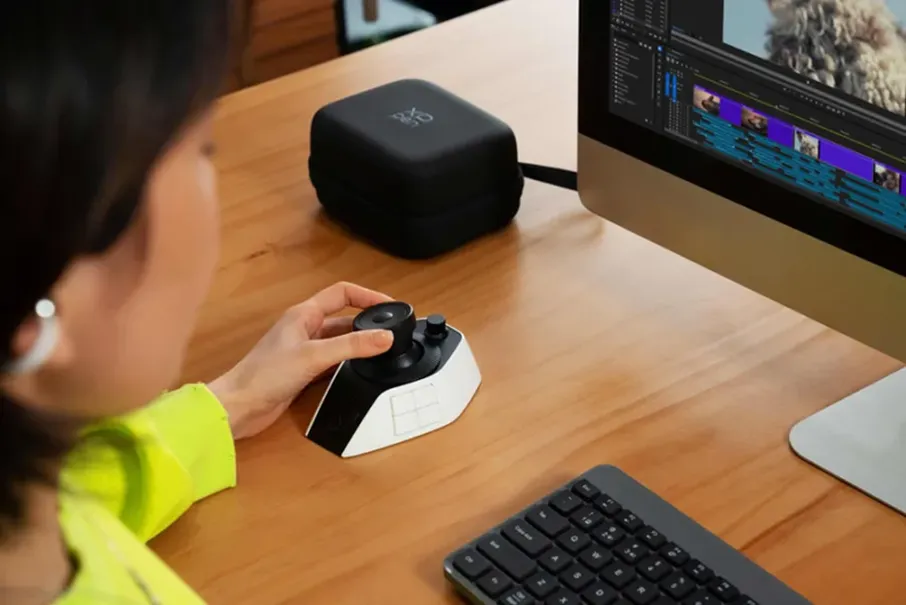
Editors who spend long hours working with video color correction software often appreciate the additional control that a dedicated editing console provides. Whether you use DaVinci Resolve, Adobe Premiere Pro, or VEGAS Pro, Pilot Pro can help create a smoother editing experience.
FAQs About Color Correction Softwares
Q1: Why does my export look different from my timeline?
Several factors can cause differences between your timeline and exported file.
Common reasons include:
-
Incorrect color management settings
-
Different display profiles
-
Export codec limitations
-
Gamma shifts during export
Always check your color management settings and preview exports on multiple displays.
Q2: What is the correct order for color correction?
Most professionals follow this workflow: Fix exposure > Adjust white balance > Correct contrast > Balance shadows and highlights > Match shots > Apply creative color grading
This process helps editors build a clean foundation before adding stylistic adjustments.
Q3: Why do my colors change when I upload to YouTube?
YouTube compresses uploaded videos and may convert color information during processing.
Color changes often occur because of: incorrect export settings, color space mismatches, gamma differences, or compression adjustments.
Exporting with proper color management settings can reduce these issues.
Q4: Is DaVinci Resolve really better than Premiere Pro for color?
For pure color work, many professionals consider DaVinci Resolve stronger because it provides: more advanced grading tools, better color management, superior node workflows, and industry-standard color correction features
However, Adobe Premiere Pro offers a more integrated editing environment and remains an excellent video color correction software for many creators.
Conclusion
Finding the best color correction software depends on your editing style, experience level, and project requirements. DaVinci Resolve remains the strongest overall choice thanks to its professional color tools and free version. Adobe Premiere Pro provides an excellent all-in-one editing environment.
To get even better control over your workflow, consider pairing your favorite color grading and color correction software with XPPen Pilot Pro Editing Console . Its customizable controls can help speed up editing tasks and provide more precise adjustments during color correction sessions.
About Us
Founded in 2005, XPPen is a leading global brand in digital art innovation under Hanvon UGEE. XPPen focuses on the needs of consumers by integrating digital art products, content, and services, specifically targeting Gen-Z digital artists. XPPen currently operates in 163 countries and regions worldwide, boasting a fan base of over 1.5 million and serving more than ten million digital art creators.
Learn moreRecommended Articles
ROUNDUPS The Best Color E Ink Tablets of 2026: Expert Picks for Reading and Writing TIPS Free Color Calibration Software for XPPen users- XPPen ColorMaster Tutorial KNOWLEDGE What Is Color Gamut in Drawing Tablets? A Complete Guide FOCUSED Is XPPen Artist Pro 27 (Gen 2) Worth It? Review Roundup KNOWLEDGE 7 Best Softwares for Photo Editing for PC/Mobile 2026






Looking for the Best Drawing & Design Apps?
Discover essential drawing techniques, expert tips, and the best app recommendations to boost your creativity and master digital art.
