5 Best Color Grading Softwares Free & Paid 2026
KNOWLEDGEcolor grading plays a major role in video production and photography. It helps creators adjust colors, contrast, shadows, highlights, and overall visual style to create a professional look. Whether you create YouTube videos, short films, commercials, social media content, or photos, the right color grading software can improve the final result.
Some tools offer advanced features for professionals, while others focus on beginners who want simple controls. In this guide, we review the 5 best color grading softwares free and paid in 2026. We compare features, pricing, ease of use, and performance so you can find the best solution for your workflow.
Quick Verdict
Different users need different tools. Here are our top recommendations:
-
Best Overall: DaVinci Resolve
-
Best for Beginners: Final Cut Pro
-
Best Paid Software: Adobe Premiere Pro
-
Best Free Software: DaVinci Resolve Free Version
-
Best for Professional Film Production: Baselight
Part 1. 5 Best Color Grading Softwares Free & Paid 2026
These are 5 best color Grading Softwares Free & Paid 2026
1. DaVinci Resolve – Best Overall Color Grading Software
DaVinci Resolve remains the industry leader for color correction and grading. Many filmmakers, content creators, and production studios use it because it offers powerful color tools in both free and paid versions.
The software includes advanced color wheels, HDR grading, node-based workflows, tracking tools, masking features, and professional scopes.
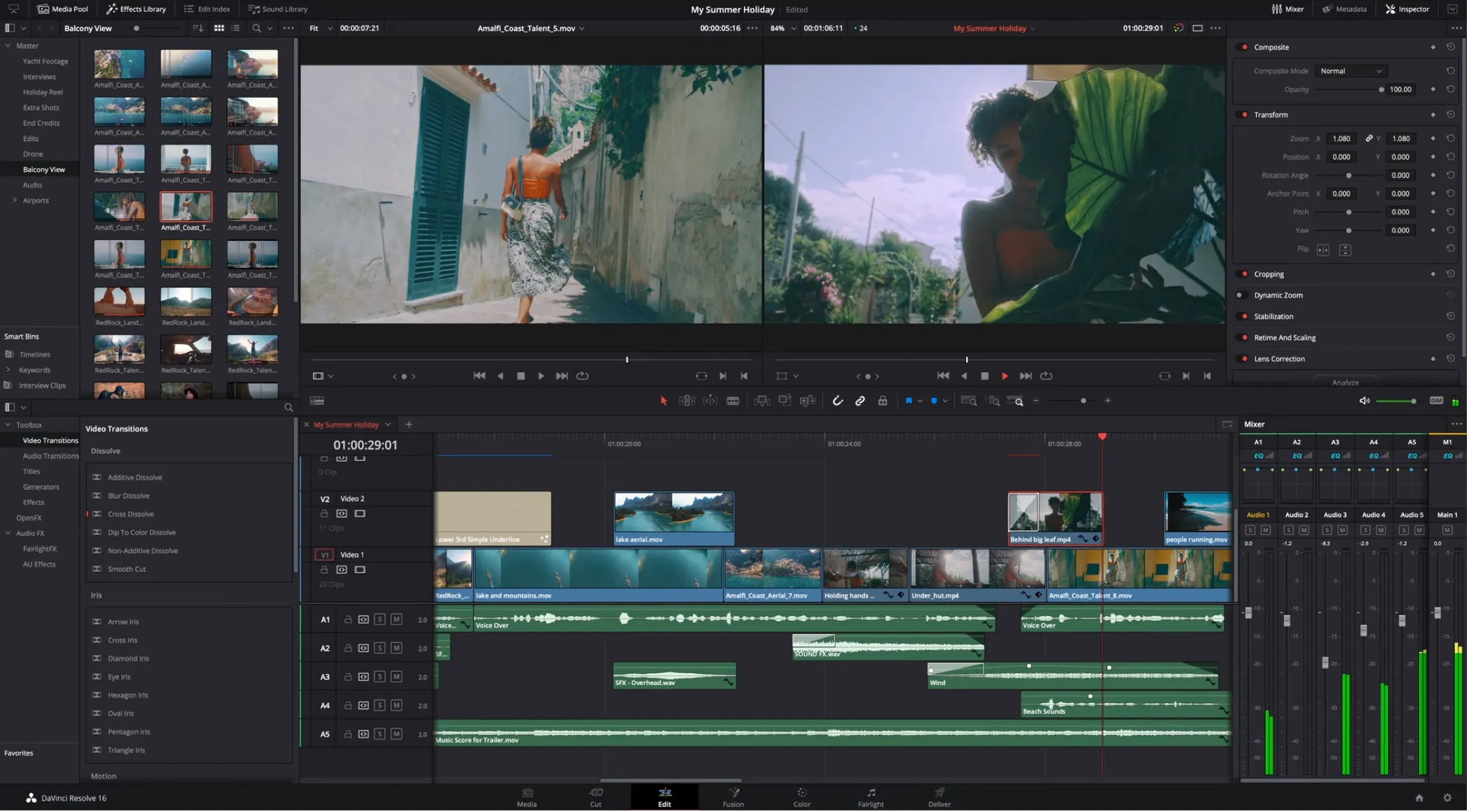
The free version already provides more features than many paid competitors. For users searching for color grading software free, DaVinci Resolve is often the first recommendation. It is also considered the best color grading software for PC free because of its extensive professional features.
Best For: Professional editors, filmmakers, YouTubers, and content creators.
2. Adobe Premiere Pro – Best Paid Color Grading Software
Adobe Premiere Pro combines video editing and color grading in one package. Its Lumetri Color panel gives users complete control over color correction, exposure, shadows, highlights, and creative looks. Many editors prefer Premiere Pro because it integrates with Photoshop, After Effects, and Lightroom.
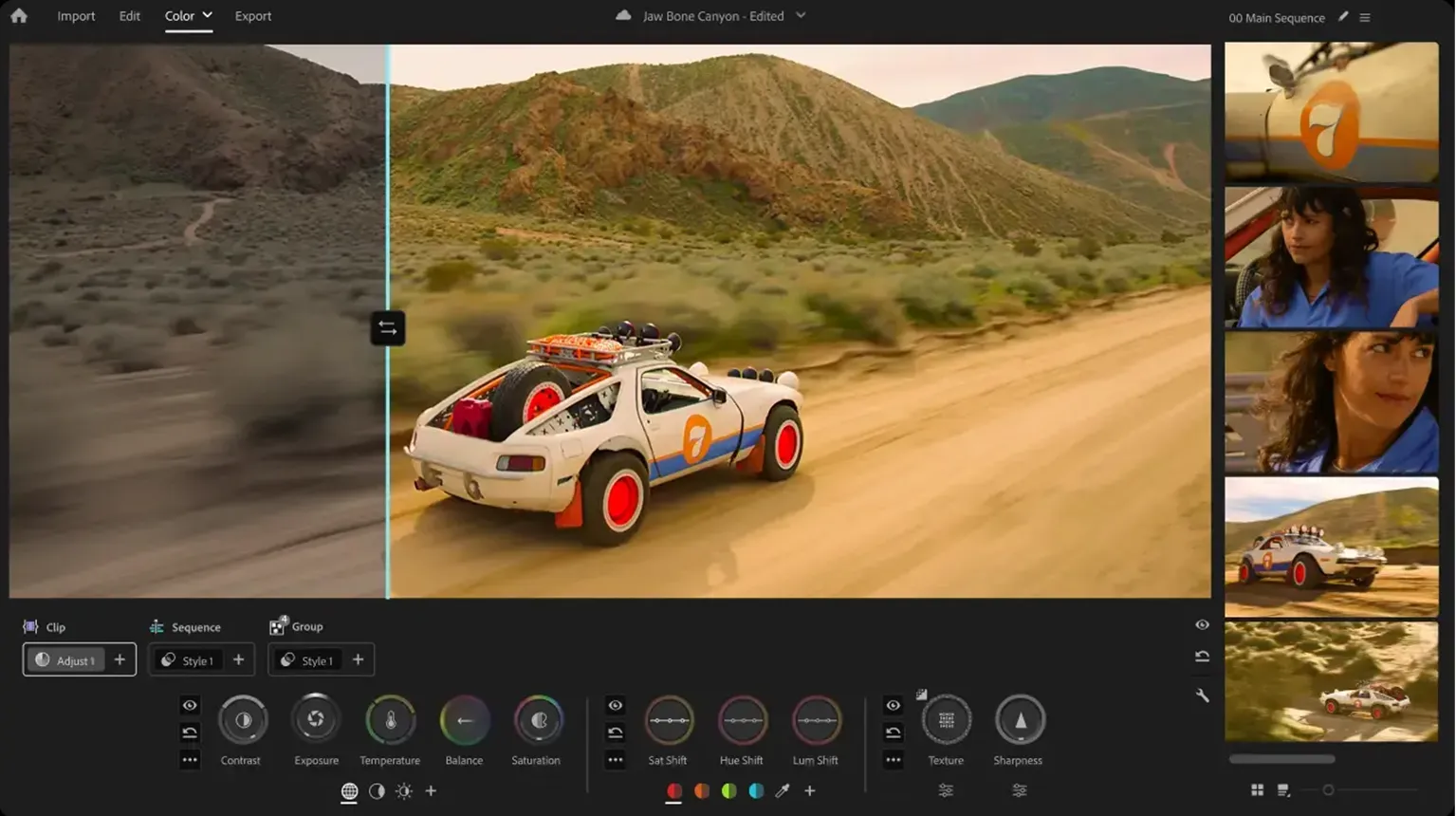
This connection helps users move projects between Adobe applications without complications. Although it is not a video color grading software free option, Premiere Pro remains one of the most trusted solutions for professional video production.
Best For: Professional editors, agencies, and content creators already using Adobe products.
3. Final Cut Pro – Best Color Grading Software for Beginners
Final Cut Pro offers a user-friendly experience for Mac users. Apple designed the software to help creators work faster while still providing powerful editing and grading tools. The interface is simple to understand, making it a strong choice for anyone looking for the best color grading software for beginners.
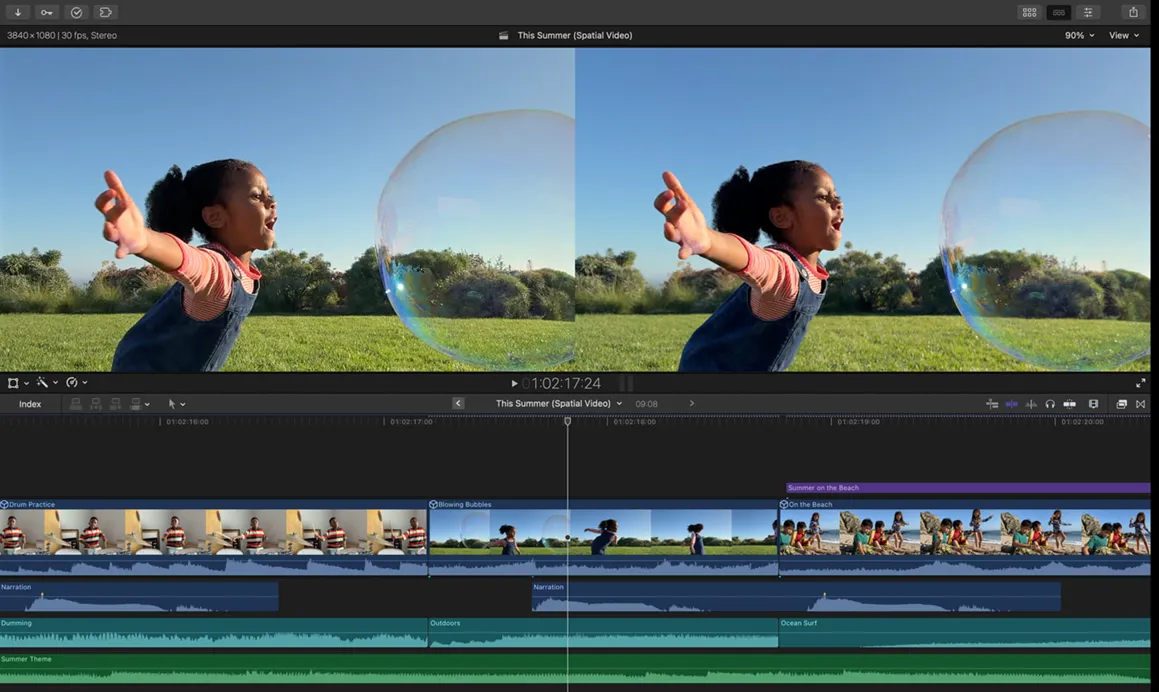
Users can adjust color balance, contrast, saturation, and skin tones with easy-to-use controls. While professionals also use Final Cut Pro, beginners often appreciate its straightforward workflow.
4. VEGAS Pro – Best Balance Between Simplicity and Performance
VEGAS Pro has gained popularity among YouTubers and independent creators. It combines video editing, effects, and color grading features in a clean interface. The software provides color wheels, curves, LUT support, and HDR grading capabilities.
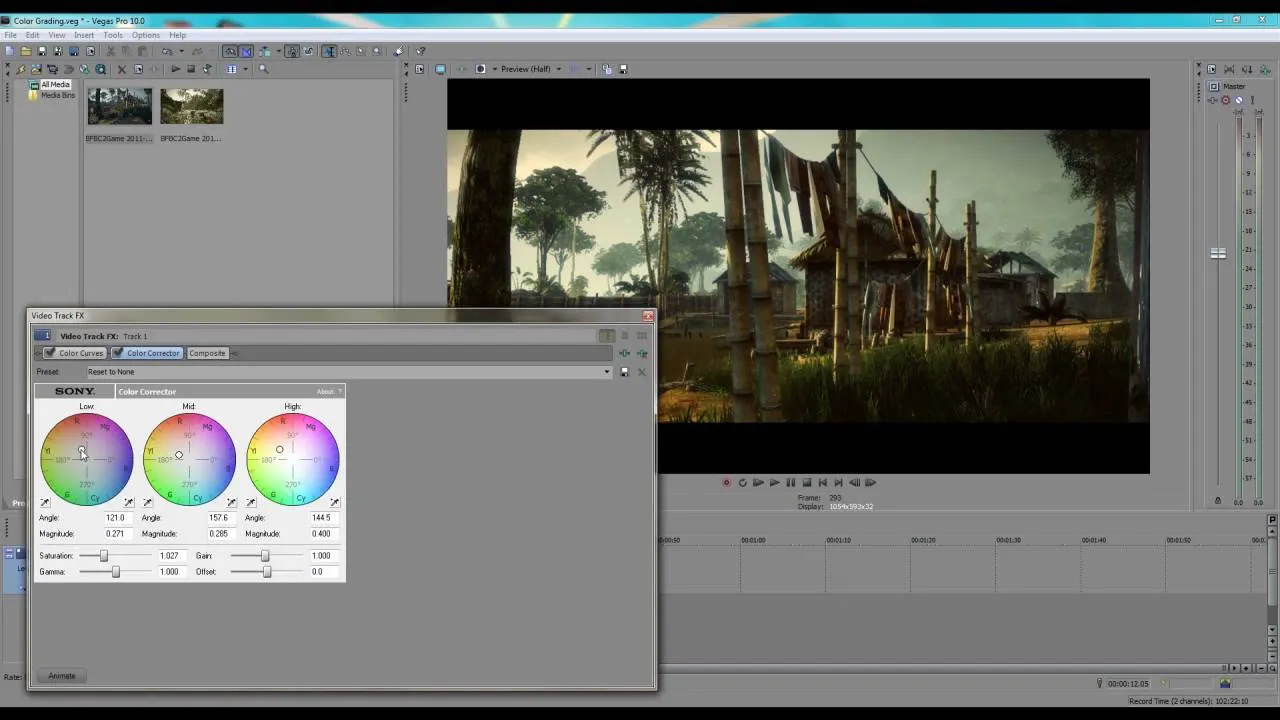
Users can create cinematic looks without spending weeks learning advanced workflows. VEGAS Pro is often recommended to creators who want more power than beginner software but less complexity than high-end studio tools.
5. Baselight – Best for Hollywood-Level Production
Baselight is one of the most respected systems in professional film production. Major movies, television shows, and streaming projects use Baselight for advanced color grading work. The software offers sophisticated color management, precision grading controls, scene matching tools, and HDR workflows.
Professional colorists value its accuracy and flexibility. While most users will never need this level of power, Baselight remains a benchmark for high-end production environments.
Comparison Table
| Software | Free Version | Beginner Friendly | Professional Features | Platform |
|---|---|---|---|---|
| DaVinci Resolve | Yes | Moderate | Excellent | Windows, Mac, Linux |
| Adobe Premiere Pro | No | Moderate | Excellent | Windows, Mac |
| Final Cut Pro | No | Yes | Very Good | Mac |
| VEGAS Pro | No | Yes | Very Good | Windows |
| Baselight | No | No | Outstanding | Professional Systems |
Part 2. How to Choose the Best Color Grading Softwares
Choosing the right color grading software depends on your experience level, budget, hardware, and project requirements. Some creators need advanced film production tools, while others simply want basic color correction for YouTube videos or social media content.
Before selecting a tool, consider the following factors.
1. Ease of Use
If you are new to editing, choose software with a simple interface. The best color grading software for beginners should provide easy-to-understand controls, presets, and tutorials. Final Cut Pro and VEGAS Pro are excellent choices for beginners. They offer useful grading tools without overwhelming users with complicated settings.
2. Features and Color Controls
Professional color grading requires more than simple brightness and contrast adjustments. Good software should include:
-
Color wheels
-
Curves
-
LUT support
-
HDR grading
-
Color matching
-
Scopes and monitoring tools
-
Masking and tracking
DaVinci Resolve leads in this category because it provides advanced color controls in both its free and paid versions.
3. Budget
Not everyone wants to spend hundreds of dollars on editing software. Fortunately, several color grading software free options are available. If you need a powerful solution without spending money, DaVinci Resolve Free remains one of the strongest options available today.
It is often considered the best color grading software for PC free because of its extensive feature set. Paid options such as Adobe Premiere Pro and Final Cut Pro provide additional convenience and workflow benefits, but they require an investment.
4. Hardware Compatibility
Color grading can be demanding on computer hardware. Before choosing software, make sure your computer meets the recommended specifications.
Consider:
-
Processor performance
-
Graphics card capability
-
RAM capacity
-
Storage speed
-
Display quality
Users working with 4K and 8K footage should prioritize software optimized for modern hardware.
5. Platform Support
Some applications only work on specific operating systems.
-
DaVinci Resolve: Windows, Mac, Linux
-
Premiere Pro: Windows and Mac
-
Final Cut Pro: Mac only
-
VEGAS Pro: Windows only
Always verify compatibility before purchasing software.
6. Photo vs Video Work
Your workflow matters when choosing software.
If your focus is photography, you may prefer the best image color grading software or the best photo color grading software for PC. Programs such as Lightroom and Photoshop excel in photo color adjustments. For filmmakers and video creators, dedicated video grading tools provide better control over moving footage.
7. Mobile Editing Requirements
Many creators now edit content on smartphones and tablets. While desktop software remains the professional standard, some users look for the best color grading software for android.
Android editing apps can handle quick social media projects, but desktop applications still offer superior color accuracy, performance, and creative control.
Part 3. The Hardware Upgrade That Professional Colorists Are Adding in 2026
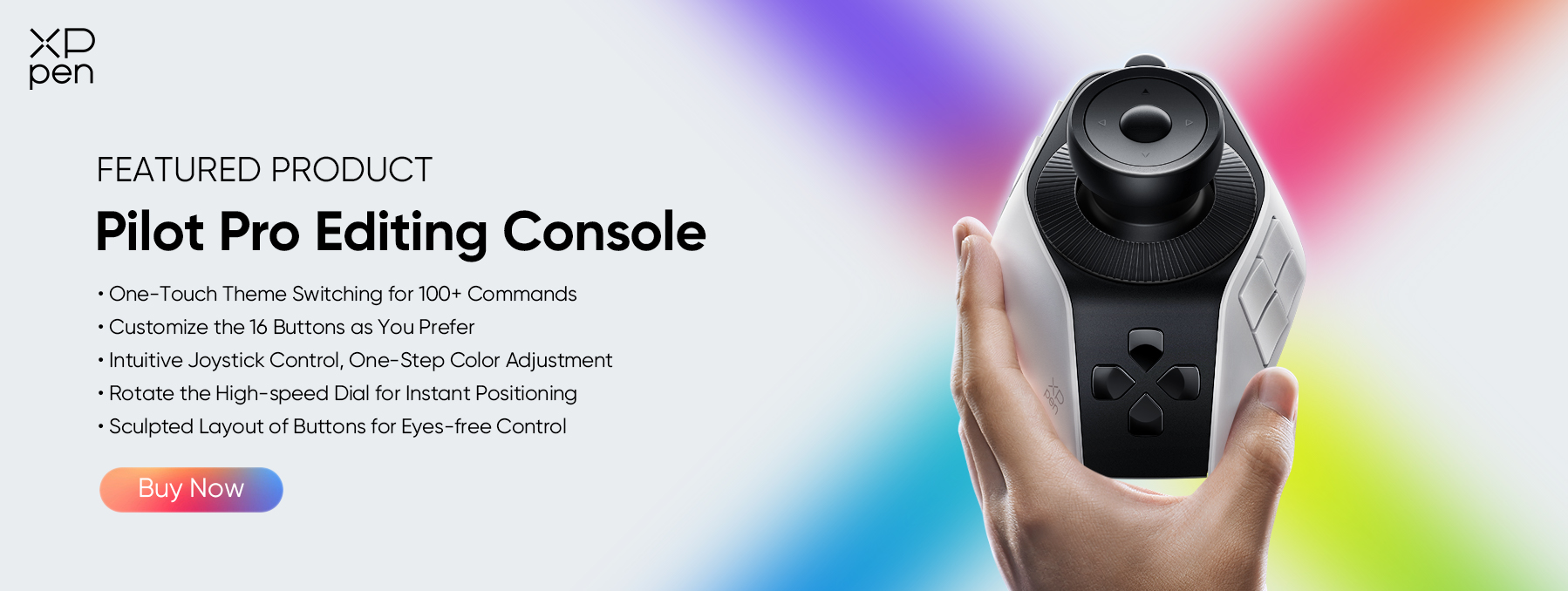
Great software is only one part of a professional workflow. Many colorists are also upgrading their editing hardware to improve speed and precision. One product gaining attention in 2026 is the XPPen Pilot Pro Editing Console .
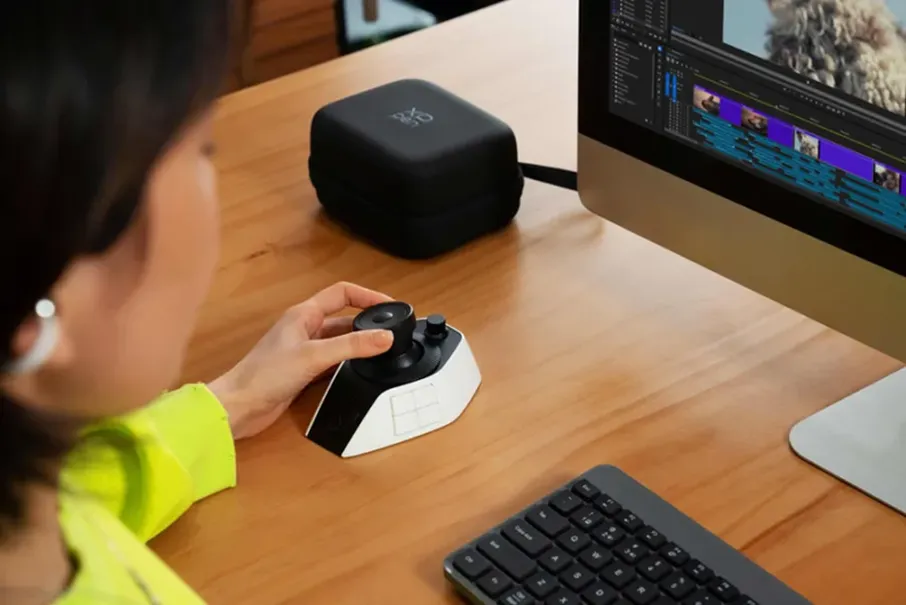
The XPPen Pilot Pro is an editing controller designed for creative professionals. Instead of relying entirely on a mouse and keyboard, users can access editing commands through physical controls and customizable buttons. This setup allows editors and colorists to work more efficiently during long editing sessions.
Key Features of XPPen Pilot Pro
-
Customizable Controls: Users can assign frequently used commands to dedicated buttons and dials. This reduces repetitive mouse movements and helps maintain a smoother workflow.
-
Precision Adjustments: Color grading often requires small adjustments to exposure, contrast, shadows, and color balance. Physical controls provide a more natural editing experience.
-
Software Compatibility: The device works with popular editing applications, including:DaVinci Resolve, Adobe Premiere Pro, etc.
-
Improved Workflow: Editors can perform common actions faster, helping them complete projects more efficiently.
If you spend several hours each day editing videos, a dedicated controller can help improve comfort and workflow.
Part 4. FAQs About Color Grading Softwares
Q1: Which software is best for color grading?
DaVinci Resolve is widely considered the best color grading software available today. It provides advanced grading tools, professional workflows, HDR support, and a powerful free version. Many filmmakers and production studios rely on it for high-quality color work.
Q2: Is DaVinci Resolve 100% free?
DaVinci Resolve offers a highly capable free version that includes most of the features needed by creators. Blackmagic Design also offers DaVinci Resolve Studio, a paid version that adds advanced tools and additional effects.
Q3: Is Photoshop or Lightroom better for color grading?
For photography, Lightroom is usually the better choice because it offers efficient color adjustment tools and batch editing capabilities. Photoshop provides more advanced image manipulation options. Many photographers use both applications together.
Q4: What software do pro colorists use?
Professional colorists commonly use DaVinci Resolve and Baselight. These platforms provide advanced grading tools, professional color management systems, HDR workflows, and industry-standard performance.
Q5: What is the best color grading software used in Hollywood?
Hollywood productions frequently use DaVinci Resolve and Baselight. Both platforms support high-end film workflows and provide the precision required for feature films, television productions, and streaming content.
Q6: What is the best color grading software for beginners?
Final Cut Pro is one of the best color grading software for beginners because of its simple interface and easy workflow. Many new editors can learn its tools quickly while still achieving professional-looking results.
Conclusion
DaVinci Resolve remains the best overall choice because it combines professional features with one of the strongest color grading software free options available today. Adobe Premiere Pro offers excellent integration for Adobe users, while Final Cut Pro is ideal for beginners and Mac users.
Alongside software, many professionals are improving their workflow with hardware tools such as XPPen Pilot Pro Editing Console . When paired with the right software, it can help editors work faster and make precise adjustments more comfortably.
About Us
Founded in 2005, XPPen is a leading global brand in digital art innovation under Hanvon UGEE. XPPen focuses on the needs of consumers by integrating digital art products, content, and services, specifically targeting Gen-Z digital artists. XPPen currently operates in 163 countries and regions worldwide, boasting a fan base of over 1.5 million and serving more than ten million digital art creators.
Learn moreRecommended Articles
KNOWLEDGE 5 Best Color Grading Softwares Free & Paid 2026 KNOWLEDGE 5 Best 3D Modeling Softwares for Beginners and Pros KNOWLEDGE 5 Best Photo Video Color Correction Softwares 2026 KNOWLEDGE 7 Best Softwares for Photo Editing for PC/Mobile 2026 FOCUSED Best Photo Editing Console for Beginners & Pros: Speed Up Your Editing Workflow






Looking for the Best Drawing & Design Apps?
Discover essential drawing techniques, expert tips, and the best app recommendations to boost your creativity and master digital art.
