Positive and Negative Space in Digital Art: What Every Artist Needs to Know
KNOWLEDGEHave you ever been drawing and noticed that something felt off, even though the details looked fine?
Most of the time, the problem is not the subject. It is the space around it. In digital art, every part of your canvas matters. The shapes you draw are positive space . The empty areas around them are negative space . Together, they control how your artwork looks and feels.
Learning to use both is one of the most useful skills you can build as a digital artist. This guide will show you exactly how.
What Is Positive and Negative Space?
What is positive space?
Positive space is every part of the canvas that your subject takes up. If you are drawing a character, their body, hair, clothing, and accessories all count as positive space. It is the area your eye goes to first, the thing the artwork is actually about.
What Is Negative Space?
Negative space is everything that surrounds your subject. The open background, the gap between an arm and a torso, the empty sky above a rooftop. Most artists think of this as "nothing", but that is the mistake. Negative space has shape. It has edges. And it affects your artwork just as much as the subject itself does.
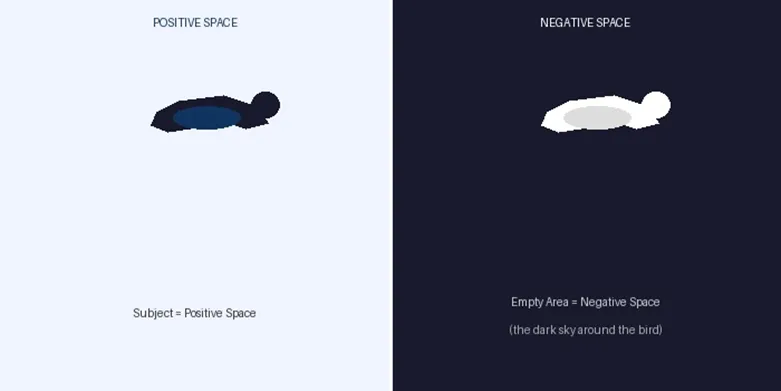
Picture a bird in flight. The bird is a positive space. The sky around it is negative space. Now here is the important part: that sky is not just filler. It is what makes the bird feel free, fast, or alone.
Negative space is not empty. It is a shape with edges, weight, and emotion just like your subject.
Below is an awesome video clip that clearly explains what positive and negative space are in art.
Why Do Positive and Negative Space Matter in Digital Art?
They are basically useful drawing skills. Sometimes you could be great at drawing details and still make weak compositions. That is because composition is mainly about space, not just the object itself. However, if you understand positive and negative space, your artwork will get better in three big ways:
- Your subject stands out more.
- Your composition feels balanced.
- The viewer's eye knows exactly where to look.
Without this balance, even a beautifully drawn character can feel lost on the canvas.
How to Use Positive and Negative Space in Your Drawings: Some Examples
Now that you understand the difference between positive and negative space, it's time to put these concepts into practice. In the following sections, we'll explore simple techniques and real examples. To help you use positive and negative space more effectively in your drawings.
Start with Shapes, Not Details
Before you draw anything detailed, block out big shapes. Where will your subject sit? How much of the canvas will be empty? Decide this first.
This simple habit changes everything. It forces you to think about the whole canvas, not just the part you are drawing.
Use the Silhouette Test
Fill your subject with solid black. Can you tell what it is just from the shape? If yes, your positive and negative spaces are working well. If the shape looks unclear, the balance needs fixing.
Strong silhouettes = strong compositions. This is one of the fastest ways to improve your art.
Leave Breathing Room
Do not fill every corner of the canvas. Give your subject some space around it. This "breathing room" makes the subject feel more important, not less.
Use Negative Space to Show Shape
Sometimes, the space between things defines the shape better than the thing itself. The gap between a character's arm and body tells us the arm is raised. The space between leaves tells us the tree is full. Start looking for these gaps in your own drawings.
Try Working in Layers
Digital art makes this easy. Put your subject on one layer and your background on another. Then experiment by moving the subject around, changing the background colour, and adjusting the space. See how each change affects the mood.
How Can Negative Space Change the Mood?
This is something most beginners do not expect: space has emotion.
- A tiny figure with lots of space around it feels lonely or small.
- A figure that fills the frame feels powerful and close.
- Balanced space around a subject feels calm and stable.
Look at artwork you love and notice how much of it is actually empty. The best artists design their negative space on purpose.
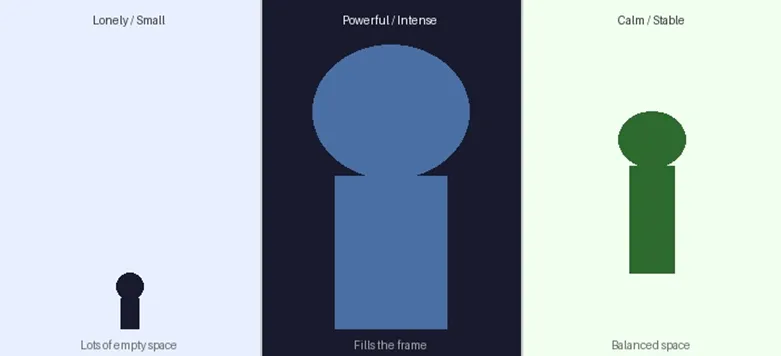
Same subject, three different feelings all created by changing the negative space around it.
This is why negative space is one of the most powerful storytelling tools in digital art. You are not just placing a subject on a canvas. You are deciding how that subject makes the viewer feel. Before you start any piece, ask yourself one question: What emotion do I want this image to carry? Then design your space around that answer.
Next time you look at a painting or illustration you love, notice how much of it is actually empty. You might be surprised.
Common Mistakes to Avoid in Drawing
- Filling the whole canvas with detail. Less is often more. Let some areas breathe.
- Ignoring the gaps inside your subject. The space between fingers, legs, and hair all shapes your silhouette.
- Placing the subject dead centre every time. Try moving it slightly off-centre. Negative space on one side creates visual tension and interest.
- Treating the background as an afterthought. The background is negative space. Design it; do not just fill it.
Bonus: How Your Drawing Tablet Helps You Control Space
Controlling space in digital art is easier when your tools adjust to your hand.
A good drawing tablet has pressure sensitivity to make light, thin lines. Where you want openness and strong, bold strokes, where you want weight. With this level of control, it's easier to draw your subjects in a way that feels balanced.
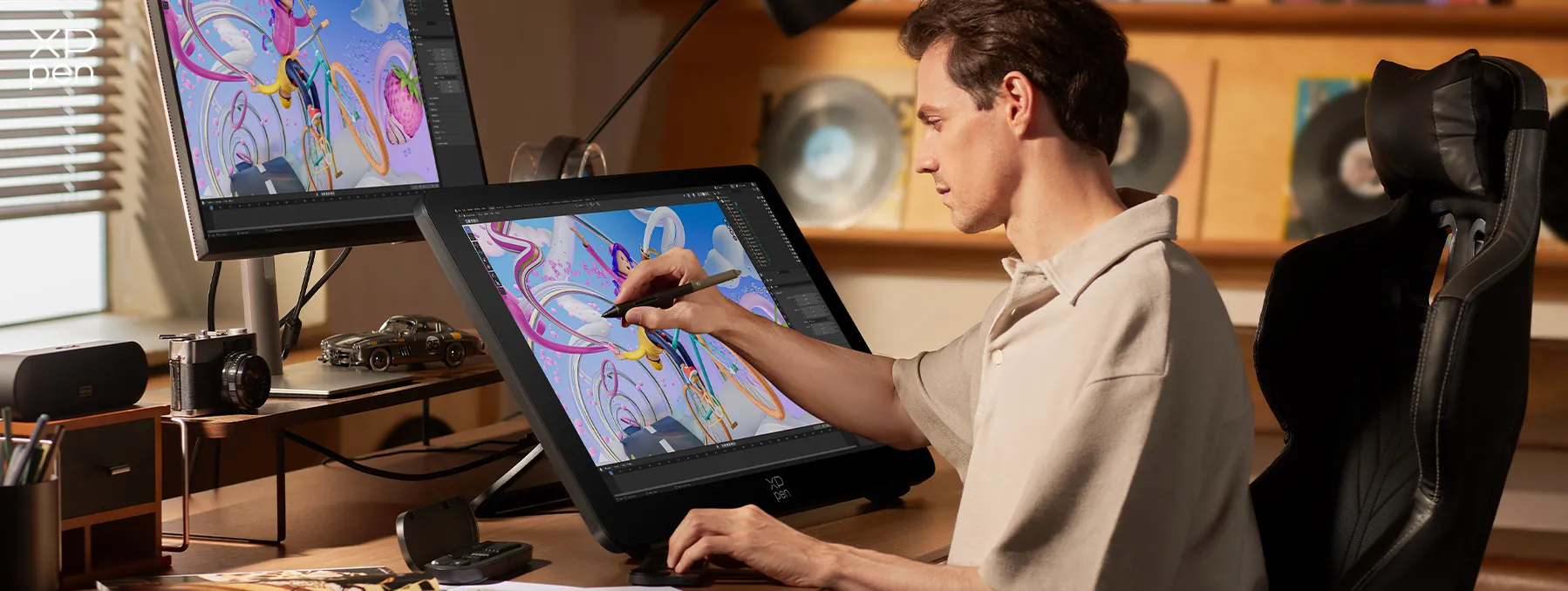
If you're looking for a tablet designed for precise, creative work. Check out the XPPen official website to learn about drawing for digital artists
Meet XPPen: Tools Built for Digital Artists
Once you understand positive and negative space, the next step is having tools that let you actually execute your ideas. That is where XPPen comes in.
XPPen is a brand that makes drawing tablets and pen displays designed specifically for digital artists. Its products focus on one thing: giving your hand a direct, natural connection to the canvas. No lag. No guessing. Just precise control over every stroke you make.
What makes XPPen tools useful for spatial composition work:
- 16K Pressure Sensitivity. XPPen's latest X4 stylus detects 16,384 levels of pressure. That means a light touch gives you a thin, soft line, and pressing harder gives you a bold, heavy one. When you are drawing the edge of a negative space area, this level of control matters. For example, the XPPen Artist 12 3rd offers beginners the same precision at an entry-friendly price, making it ideal for practicing negative space control right from the start.
- Up to 60° Tilt Recognition. The pen knows when you tilt it sideways. This lets you shade and blend the way you would with a real pencil, perfect for softening the boundaries between positive and negative space.
- Smooth, Paper-like Surface. The tablet surface is designed to feel like drawing on real paper. Drawing feels more natural, so you can focus on your ideas instead of struggling with the tool.
Whether you're a beginner learning composition or a seasoned artist refining your style, XPPen has you covered — from entry-level pen tablets and pen displays to the standalone Magic Drawing Pad .
FAQs
What is the difference between positive and negative space?
Positive space is your subject, what you draw. Negative space is the empty area around and between your subject. Both are important parts of your composition.
Is negative space always the background?
Not always. Negative space can exist inside your subject too. The gap between a character's arm and body is negative space. The space between letters in a logo is negative space. It is anywhere that is empty compared to the main element.
How do I practise using negative space?
Try this exercise: pick a simple object and draw only the empty shapes around it, not the object itself. This trains your eye to see negative space as a real shape, not just emptiness. It feels strange at first, but it works fast.
Can too much negative space make a drawing look unfinished?
It can, if it is not used with intention. The difference between "unfinished" and "minimalist" is purpose. If you planned the space to create a feeling or focus, it works. If it just happened because you ran out of ideas, it shows. Always ask, 'Why is this area empty?'
Does this apply to all types of digital art?
Yes. Character art, illustration, logo design, concept art, and UI design all use positive and negative space. The rules are the same. Only the application changes.
Conclusion
Positive and negative space are not advanced concepts. They are basic ones, but most artists skip through them too fast.
Once you start designing your negative space on purpose. Your compositions will feel more balanced, and your artwork will look more professional.
Start small. On your next drawing, spend two minutes planning where the space will go before you draw a single line. That habit alone will improve your work faster than most techniques.
And if you want tools that help you to draw. Explore the full XPPen range of drawing tablets to sketch with greater precision, control, and creativity.
About Us
Founded in 2005, XPPen is a leading global brand in digital art innovation under Hanvon UGEE. XPPen focuses on the needs of consumers by integrating digital art products, content, and services, specifically targeting Gen-Z digital artists. XPPen currently operates in 163 countries and regions worldwide, boasting a fan base of over 1.5 million and serving more than ten million digital art creators.
Learn moreRecommended Articles
OTHERS Easy 2-Point Perspective Drawing for Beginners OTHERS Rule of Thirds in Drawing and Art with Examples 2026






-
 X4 Smart Chip Stylus
16K Pressure Levels
2g Initial Activation Force
30ms Response Time
0.3mm Pen Tip Travel
Magnetic Storage
It features:
Power Inside, Creativity Unbound
-
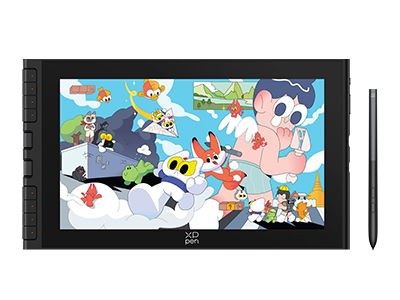 Artist 12 3rd
X4 Smart Chip Stylus with 16K Pressure Levels
2g Initial Activation Force
11.9-inch FHD Display with 99% sRGB Color Gamut Coverage
Dual X-Dial and Eight Shortcut Keys
One Cable Connection
It features:
Best 12-inch drawing tablet for beginners
Looking for the Best Drawing & Design Apps?
Discover essential drawing techniques, expert tips, and the best app recommendations to boost your creativity and master digital art.
