What Is a Colorist? Job, Skills and Career Guide 2026
KNOWLEDGEYou have seen their work in every movie. You have felt their impact without knowing their name. They make sunsets feel warm and horror films feel cold. They are colorists.
But what is a colorist exactly? And could this be the right career for you?
This guide answers your questions. We cover what a colorist does, what the colorist job involves day to day, colorist salary expectations, and the steps for how to become a colorist. Whether you are a film student, a video editor, or just curious, this guide is for you.
Part 1. What is a Colorist? A Clear Definition
A colorist is a post-production professional who manipulates the colors, contrast, and brightness of moving images. They turn raw footage into a polished, cohesive, and emotionally powerful final product.
What is a colorist in film? The answer is simple: they are the final artists who give a movie its visual identity. They work after editing. They take all the individual shots and make them feel like they belong to one unified world.
But being a colorist is not just about making things look "pretty." It is about storytelling. The colors you choose tell the audience how to feel. A warm golden tone says "safe" and "nostalgic." A cold blue tone says "lonely" and "dangerous." Colorists are visual psychologists.
Part 2. What Do Colorists Do? The Two-Step Process
Phase 1: Color Correction (The Technical Work)
Color correction is the first and most important step. It is about fixing problems. The footage that comes from the camera is raw. It is not ready for the audience.
During color correction, the colorist does these tasks:
-
Balancing exposure: Making sure no shot is too dark or too bright.
-
Fixing white balance: Ensuring whites look white and skin tones look natural.
-
Matching shots: This is a huge part of the job. A single scene might be filmed over several hours. The sun moves. The clouds change. The colorist makes every shot in the scene match perfectly so the audience never notices the difference.
-
Removing color casts: Sometimes cameras add unwanted tints, like a green or magenta hue. The colorist removes these.
This phase is technical and precise. You cannot do creative work until the technical foundation is solid.
Phase 2: Color Grading (The Creative Work)
Once the footage is corrected, the real artistry begins. This is color grading . This is where the colorist creates the “look” of the film.
Think about your favorite movies. Do you remember a film that looked dark and gritty? Or one that looked bright and saturated? That was the colorist’s choice.
During color grading, the colorist does these tasks:
-
Creating mood: They use color palettes to trigger emotions. Blue and green create tension. Orange and yellow create warmth.
-
Directing attention: They can brighten one part of the screen to guide your eye to an important character or object.
-
Building a consistent style: Every scene in the film needs to feel like it belongs to the same world. The colorist ensures this.
-
Adding final touches: They can add film grain, adjust contrast for drama, or create special effects with color.
A great example is the film Mad Max: Fury Road. The colorist used highly saturated oranges and blues to make the desert feel alive and dangerous. In The Godfather, they used warm amber tones to create a nostalgic, almost sad feeling throughout the entire film. These are not accidents. These are the work of a skilled colorist.
Part 3. How to Become a Colorist: A Step-by-Step Path
Step 1: Learn the Tools
Every colorist must master color grading softwares . The industry standard is DaVinci Resolve by Blackmagic Design. The best part? DaVinci Resolve has a completely free version that includes almost all the professional features. You can start learning today with zero cost.
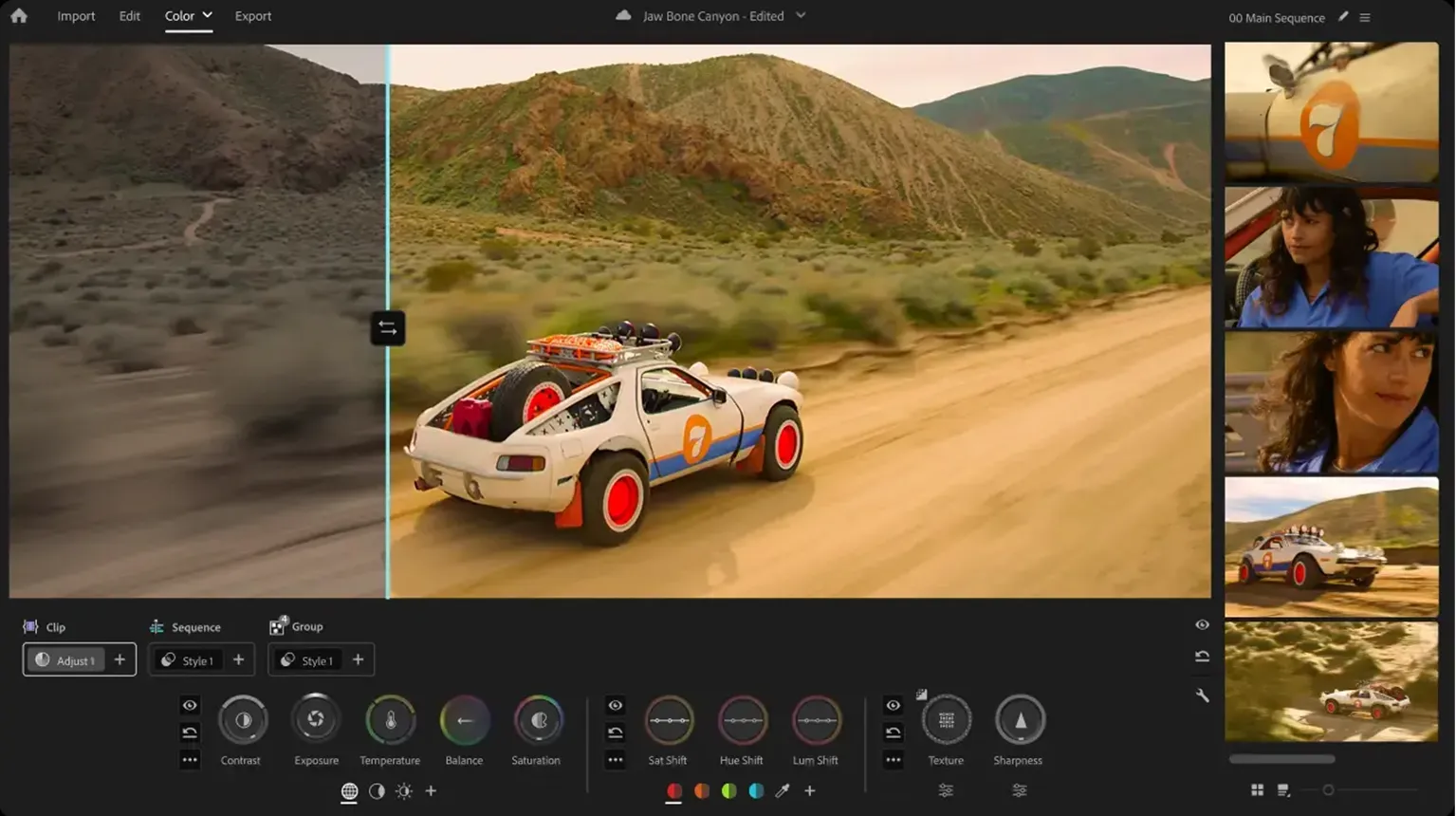
Other tools include:
-
Baselight (used in high-end Hollywood productions)
-
Adobe Premiere Pro (with Lumetri Color tools)
-
Final Cut Pro (for smaller projects)
But if you only learn one, learn DaVinci Resolve. It is the most widely used software in the industry.
Step 2: Learn Color Theory
Software is just a tool. The real skill is knowing why you are making a color change. You need to understand:
-
The color wheel : How complementary and analogous colors work together.
-
Psychology of color : How different hues affect human emotion.
-
Skin tones: The human eye is very sensitive to skin color. A good colorist can always make skin look natural and healthy.
Read books like The Color Correction Handbook by Alexis Van Hurkman. Watch tutorials online. Study your favorite movies and try to understand their color palettes.
Step 3: Build a Portfolio
No one will hire you without proof of your work. You need a portfolio. A portfolio is a collection of your best color grading projects. It shows potential clients what you can do.
Start small:
-
Offer to color grade short films for film students.
-
Work on music videos for local bands.
-
Color grade your own footage. Shoot something simple with your phone and practice making it look cinematic.
When you have 5 to 10 strong projects, create a website or a showreel. A showreel is a short video that shows your best work in 60 to 90 seconds. This is your calling card.
Step 4: Start as an Assistant
Most professional colorists did not start as the lead colorist. They started as assistants. An assistant colorist handles the technical tasks. They prepare the footage, organize files, and handle the conforming (getting the edited timeline ready for grading). They also take notes during client sessions and do minor corrections.
This is the best way to learn. You sit beside experienced professionals every day. You watch their process. You learn the client management skills that no book can teach.
Step 5: Freelance or Join a Post-Production House
Once you have experience, you have two main paths. You can join a post-production facility as a staff colorist. Or you can become a freelancer and work on your own.
-
Staff colorist: Stable income, benefits, regular hours. You work on whatever projects the company brings in.
-
Freelance colorist: More freedom, higher earning potential, but unpredictable income. You need to find your own clients.
Many colorists start as staff and later transition to freelance.
Part 4. Colorist Salary: What Can You Expect to Earn?
Money matters. A colorist salary varies widely based on experience, location, and project type.
-
Entry-Level: Starting out as an assistant or on small projects, you can earn $35,000–$45,000 per year in the US.
-
Mid-Level: With 3–5 years of experience and a solid portfolio, you can earn $50,000–$80,000 per year, taking on lead roles for commercials, music videos, and indie films.
-
Senior-Level: Top colorists with 10+ years can earn over $100,000. Those working on Hollywood features or high-end TV can make $150,000–$250,000+ annually.
Freelance Rates
Freelancers typically charge $50–$150/hour or $700–$1,500/day. Project-based rates:
-
Short film (under 20 min): $500–$2,000
-
Music video: $800–$3,000
-
Commercial (30 sec): $1,000–$5,000
-
Feature film: $15,000–$100,000+
Note: These are averages. Your actual earnings depend on your reputation, location, and negotiation skills.
Part 5. Skills You Need to Succeed as a Colorist
Being a colorist requires a mix of technical and personal skills. Here are the most important ones:
1. A Strong Eye for Color
You need to spot subtle differences that most people miss. You must know when skin tones look unnatural, even by just a few percentage points.
2. Patience and Attention to Detail
Color grading is meticulous work. You may spend hours perfecting a single shot. The best colorists enjoy this careful, focused process.
3. Technical Knowledge
You must understand codecs, color spaces, and file formats. You need to work with log footage and raw video files. This technical side is non-negotiable.
4. Communication Skills
Directors often do not speak the technical language. You must translate their feelings into visual terms. When a director says “make it more moody,” you need to know exactly what that means in your tools.
5. Calm Under Pressure
Clients often request big changes at the last minute. Deadlines are tight. You need to stay calm, work efficiently, and deliver quality work even under stress.
Part 6. Essential Tools Every Colorist Should Have
Colorists spend hours repeating the same actions—switching clips, adjusting color wheels, zooming the timeline, and using keyboard shortcuts. A dedicated editing controller can make these tasks faster and more efficient.
XPPen Pilot Pro Editing Console is designed to streamline video editing and color grading workflows. With customizable buttons and rotary dials, you can assign your most-used shortcuts in DaVinci Resolve, Adobe Premiere Pro, and other creative software for quicker access.
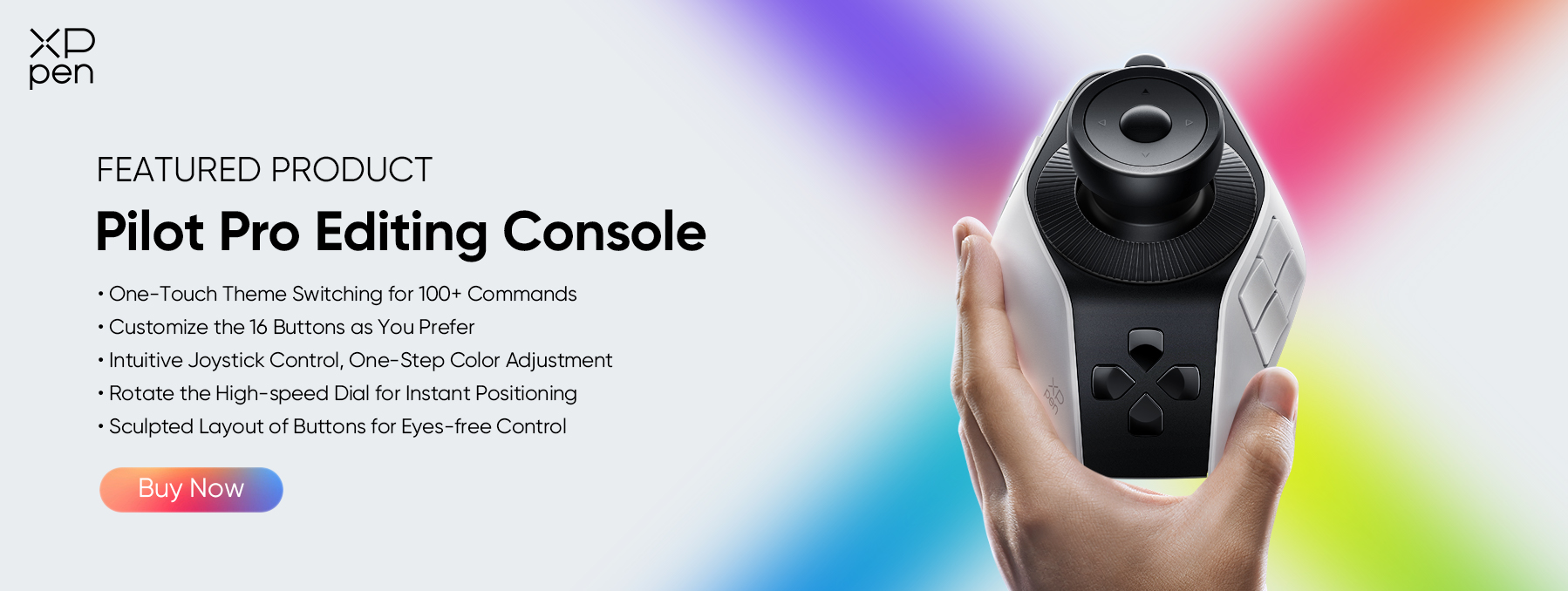
Whether you are just starting your journey as a colorist or looking to improve your workflow, XPPen Pilot Pro can help you edit more efficiently and stay focused on the creative process.

FAQs About Being a Colorist
1. How long does it take to become a professional colorist?
There is no set timeline. Even for people with years of experience in visual fields, it can take one to two years of intense, focused practice to “get it.” Many emphasize the “10,000-hour rule.” You need massive practice, make many mistakes, and constantly train your eye.
2. Why is the skill level of colorists so inconsistent?
Some editors and directors complain about working with colorists who make basic technical errors, like unnatural skin tones or inconsistent black levels. They blame the “YouTube Academy” for producing many colorists who lack solid fundamentals. Theory and practice are both essential.
3. What are the different types of colorists?
Many people think there is only one type. In reality, there are at least three:
-
Dailies colorist: Works on set or near set, processing daily footage and establishing early looks with the cinematographer.
-
DIT (Digital Imaging Technician): Handles color and data management on set.
-
Final colorist: Does the creative, final color grading for the finished film or show.
4. What is a LUT?
This is one of the most common technical questions from beginners. A LUT (Look-Up Table) is a mathematical way to convert colors. Think of it as a “filter” or a preset. It can be used just for previewing on a monitor, or it can be “burned in” to permanently change the footage. Understanding LUTs is a basic but critical skill.
5. What makes a “good” colorist?
The industry agrees on one thing: good communication and a collaborative attitude are just as important as technical skill. A colorist who is a genius with colors but difficult to work with is less desirable than someone who is skilled, pleasant, and communicates clearly. Clients want to enjoy the process, not just the final product.
Conclusion
So, what is a colorist? An artist, technician, and storyteller rolled into one. They apply the final brushstroke to a film's canvas—working behind the scenes, yet shaping what millions see.
If you love the blend of art and technology, have patience and a sharp eye, this career is within your reach. Start today: download DaVinci Resolve, watch tutorials, practice on your own footage, and build your portfolio. And as you hone your craft, tools like the XPPen Pilot Pro Editing Console can accelerate your workflow.
About Us
Founded in 2005, XPPen is a leading global brand in digital art innovation under Hanvon UGEE. XPPen focuses on the needs of consumers by integrating digital art products, content, and services, specifically targeting Gen-Z digital artists. XPPen currently operates in 163 countries and regions worldwide, boasting a fan base of over 1.5 million and serving more than ten million digital art creators.
Learn moreRecommended Articles
KNOWLEDGE 5 Best Color Grading Softwares Free & Paid 2026 KNOWLEDGE 5 Best Photo Video Color Correction Softwares 2026 FOCUSED XPPen Pilot Pro Review: Smart Editing Console for Creators KNOWLEDGE Positive and Negative Space in Digital Art: What Every Artist Needs to Know KNOWLEDGE Color Correction vs. Color Grading Fully Explained






Looking for the Best Drawing & Design Apps?
Discover essential drawing techniques, expert tips, and the best app recommendations to boost your creativity and master digital art.
