XPPen Magic Drawing Pad vs iPad Pro: I Tested Both
FOCUSEDThe XPPen Magic Drawing Pad and iPad Pro both aim at creative users, but they do it in very different ways. The Magic Drawing Pad is built to feel more like a drawing tool. The iPad Pro is built to be a premium all-round tablet with strong creative power.
For artists, this difference matters a lot. A tablet can look great on paper and still feel wrong in daily use. What really matters is screen feel, pen comfort, portability, app support, and how well the device fits your workflow.
This review looks at those points from a practical, user-first view.
Quick Verdict
The XPPen Magic Drawing Pad is the better choice for artists who want a more paper-like drawing feel, lower cost, and a tablet that is centered on art.
The iPad Pro is the better choice for users who want a more premium screen, stronger app support, and a more complete all-round device.
In short:
-
XPPen Magic Drawing Pad = better drawing-first value.
-
iPad Pro = better premium all-purpose experience.
Part 1. XPPen Magic Drawing Pad vs iPad Pro: Deep Comparison
1. Screen Experience
At first glance, the iPad Pro looks better. It is brighter, cleaner, and more premium. That is easy to see. But for artists, a screen is not only about image quality. It is also about how the screen feels under the pen.
This is where the Magic Drawing Pad changes the game. Its matte surface gives the stylus more resistance. That small detail changes the whole drawing feel. Lines feel more anchored. Sketching feels less slippery. For users who draw for a long time, that extra friction can reduce fatigue and improve control.
The iPad Pro is still stronger for general viewing. It is better for color pop, video, and daily use. But when the goal is to make the pen feel closer to paper, the Magic Drawing Pad is more intentional. It is not trying to look the most luxurious. It is trying to feel more useful for drawing.
2. Drawing Feel
The best tablet for drawing is not always the one with the best panel. It depends on the kind of work you do.
If you sketch a lot, the Magic Drawing Pad may feel more natural. The pen response is direct, and the matte finish gives you more control during fast strokes. That helps when you are blocking shapes, doing line art, or laying down ideas quickly.
If you do a lot of finished illustration work, the iPad Pro may still have an advantage in polish. The screen is more refined, and the whole experience feels smoother and more premium. That can matter if you care about display quality as much as input feel. So the real difference is not “which one is better,” but “which stage of drawing matters more to you.”
3. Portability
Both devices are portable, but portability is not the same as freedom.
The Magic Drawing Pad is portable in a practical way. It is light, stand-alone, and easy to pull out for a quick drawing session. It feels built for movement, but still with a clear drawing-first purpose. That means it suits artists who want a device that stays close to the sketchbook idea.
The iPad Pro is portable in a broader way. It is not only for drawing. It is also for work, media, reading, and communication. That makes it more flexible, but also less focused. If you want a tablet that can follow you through many parts of life, iPad Pro is stronger. If you want a tablet that follows your art habit first, the Magic Drawing Pad is more direct.
4. Software and Apps
This is one of the biggest hidden differences.
On iPad Pro, the software experience is usually more polished. Many apps are refined, stable, and made for serious creative work. That gives the device a very mature feel. For some users, this is a major reason to pay more.
The Magic Drawing Pad uses Android, which gives it useful flexibility. It can run creative apps and daily apps, and that makes it less locked down. But the app ecosystem is not as deep or as polished as iPad’s in many artist workflows. So if your work depends on a few key apps, the iPad Pro may feel safer. If you want a more open and value-driven device, the XPPen approach can feel more appealing.

5. Price and Value
The Magic Drawing Pad is cheaper, but the real question is what kind of value you want.
If you only care about drawing, the XPPen device may give you better value. It delivers a focused art experience without forcing you to pay for a premium all-purpose tablet. That matters for students, hobby artists, and anyone who wants a dedicated creative tool.
The iPad Pro costs more, but you are paying for more than drawing. You get stronger general tablet quality, a more premium screen, and a broader ecosystem. So the iPad Pro is not expensive in the same way a luxury object is expensive. It is expensive because it tries to be excellent at many things. That is useful for some users, but unnecessary for others.
6. Everyday Use
This is the part that many buyers miss.
If you spend most of your time drawing at a desk, and you care about pen feel and screen texture, the Magic Drawing Pad may actually be the better tool. It feels more like a digital sketchbook. It encourages drawing in a way that is simple and direct.
If you want one device that can do art, work, media, and daily life at a very high level, the iPad Pro still leads. It is more complete. It is more premium. And it is easier to recommend if you want a tablet that does everything well.
So the real decision is not based on specs alone. It is based on habit. The best device is the one that fits the way you already work.
Part 2. XPPen vs iPad: Tech Specs Comparison
| Spec | XPPen Magic Drawing Pad | iPad Pro |
|---|---|---|
| Screen size | 12.2 inches | 11 inches / 13 inches |
| Resolution | 2160 x 1440 | 2420 x 1668 / 2752 x 2064 |
| Display type | TFT-LCD (IPS) | Tandem OLED |
| Refresh rate | 60 Hz | 10Hz to 120Hz adaptive |
| Brightness | 360 nits | Up to 1000 nits, 1600 nits peak HDR |
| Contrast | 1200:1 | 2,000,000:1 |
| Surface | AG (Anti-glare) + AF (Anti-fingerprint) | Anti-reflective |
| Color gamut | 97% sRGB | Wide color (P3) |
| Stylus | X3 Pro Pencil | Apple Pencil Pro / Apple Pencil (USB-C) |
| Pen pressure | 16,384 levels | Apple Pencil Pro-level precision |
| Charging | Pen does not need charging | Apple Pencil needs charging |
| Size | 279 x 192 x 6.9 mm | 249.7 x 177.5 x 5.3 mm / 281.6 x 215.5 x 5.1 mm |
| Weight | 590 g | 444 g / 446 g / 579 g / 582 g |
| Processor | Octa-core MT8781 | Apple M5 chip |
| RAM | 8GB | 12GB / 16GB unified memory |
| Storage | 256GB, expandable to 1TB | 256GB to 2TB |
| OS | Android 14 | iPadOS 26 |
| Battery | 8000mAh | 31.29Wh / 38.99Wh |
What the Specs Show
The Magic Drawing Pad is built for drawing comfort and simple use. Its matte screen, 3:2 ratio, and no-charge stylus make it feel more focused on art.
The iPad Pro is built for premium performance and wider use. It has a stronger all-round tablet experience, better app support, and a more polished display.
Part 3. XPPen vs iPad: Side-by-Side Comparison
| Factor | XPPen Magic Drawing Pad | iPad Pro |
|---|---|---|
| Main focus | Drawing-first tablet | Premium all-round tablet |
| Screen feel | Matte and paper-like | Smooth and glossy |
| Drawing comfort | Strong for sketching and line work | Very responsive, but more slippery |
| Screen quality | Good, but more practical than premium | Excellent and very polished |
| Portability | Light and easy to carry | Very portable, premium feel |
| App ecosystem | Android drawing apps and daily apps | Deep creative app ecosystem |
| Price | Usually more affordable | Usually much more expensive |
| Best for | Artists who want a focused drawing tablet | Users who want the best all-around tablet |
Part 4. Who Should Buy Which One?
Choose XPPen Magic Drawing Pad if you want a tablet that feels built for art first. It is a strong choice for sketching, line work, and mobile drawing. It also makes sense if you want a stand-alone device without paying iPad Pro prices.
This is a good fit for beginners, students, and artists who care more about drawing feel than premium display quality.
Choose the iPad Pro if you want the best all-round tablet experience. It is excellent for artists, but it is also strong for work, media, and everyday use. The screen is better for general viewing, and the whole device feels more premium.
It is a better pick for professionals who want a polished tablet and do not mind paying more.
Part 5. FAQs about XPPen vs iPad
Q1: Is the XPPen Magic Drawing Pad better for drawing than iPad Pro?
For some artists, yes. The matte screen and paper-like feel can make drawing more comfortable. The iPad Pro is better in screen quality, but not always in drawing texture.
Q2: XPPen vs iPad: which one is better for beginners?
The Magic Drawing Pad is often easier to justify because it costs less and feels more focused on drawing. iPad Pro is better if budget is not a concern.
Q3: What are the best iPad alternatives for drawing?
The best iPad alternatives for drawing are devices that focus more on pen input and drawing comfort. XPPen Magic Drawing Pad is a strong option because it gives a paper-like feel, a matte screen, and a lower price. It is a good fit for artists who want a drawing-first tablet instead of a general-purpose tablet.
Q4: Is the iPad Pro overkill for drawing?
For many users, yes. If your main goal is only drawing, the iPad Pro can feel like more tablet than you really need. It is excellent, but it is also expensive, and much of its power goes beyond sketching. If you want the best drawing-first value, a simpler tablet like XPPen Magic Drawing Pad may be enough.
Q5: Can you use an XPPen on an iPad?
No, not in the usual way. XPPen tablets are generally made to work with a computer, not directly with an iPad. If you want to draw on an iPad, it is better to use Apple Pencil and apps made for iPad. XPPen is a different kind of setup.
Q6: Can you use Procreate on XPPen?
Not directly. Procreate is made for iPad only, so it does not run on XPPen tablets. If Procreate is one of your main reasons for buying a tablet, iPad is the right choice. If you want an XPPen device, you will need to use other drawing apps instead.
Conclusion
The XPPen Magic Drawing Pad and iPad Pro are built for different kinds of users. The Magic Drawing Pad focuses on drawing comfort, value, and a paper-like screen feel. The iPad Pro focuses on premium display quality, strong performance, and all-around flexibility.
If your main goal is art, especially sketching and line work, the Magic Drawing Pad is a very strong choice. If you want the best tablet overall, and you are willing to pay more, the iPad Pro still leads in screen polish and general use.
About Us
Founded in 2005, XPPen is a leading global brand in digital art innovation under Hanvon UGEE. XPPen focuses on the needs of consumers by integrating digital art products, content, and services, specifically targeting Gen-Z digital artists. XPPen currently operates in 163 countries and regions worldwide, boasting a fan base of over 1.5 million and serving more than ten million digital art creators.
Learn moreRecommended Articles
FOCUSED Magic Drawing Pad: XPPen's First Standalone Drawing Tablet KNOWLEDGE Clip Studio Paint Free Trial: How to Get It with XPPen Magic Drawing Pad? FOCUSED Best Tablet Keyboard with Touchpad for Magic Drawing Pad – XPPen Smart Keyboard FOCUSED XPPen Magic Note Pad Review: A 3-in-1 Paper-Like Tablet KNOWLEDGE 6 Best Drawing Apps for iPad Free & Paid 2026





-
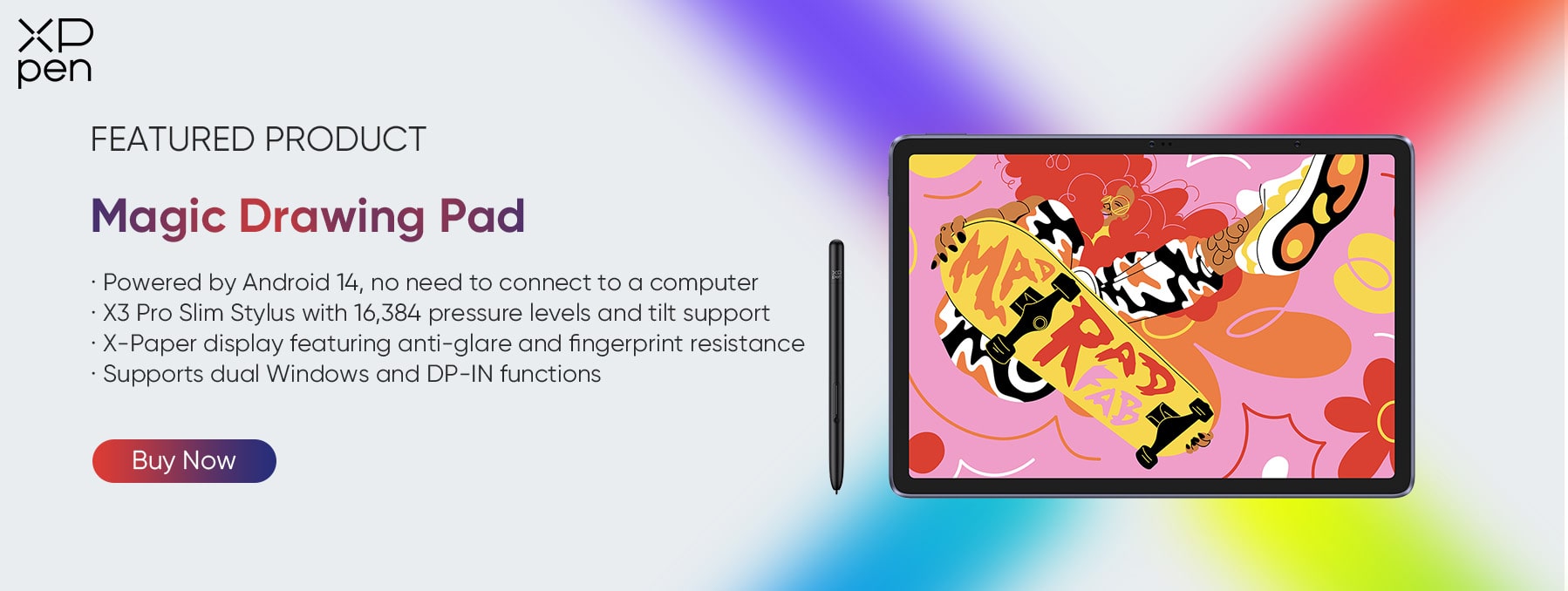
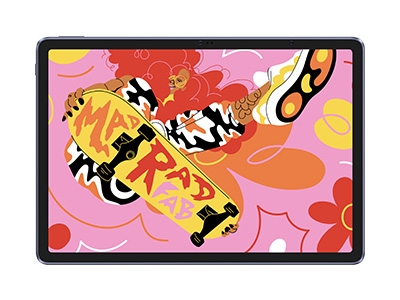 Magic Drawing Pad
X3 Pro Slim Stylus with 16,384 pressure levels and tilt support
X-Paper display featuring anti-glare and fingerprint resistance
Clip Studio Paint and ibis Paint X 3-month free membership
Super portable- just 6.9mm thin and weighs only 590g
Supports dual Windows and DP-IN functions
It features:
Powered by Android 14, no need to connect to a computer to use.
-
Magic Drawing Pad
X3 Pro Slim Stylus with 16,384 pressure levels and tilt support
X-Paper display featuring anti-glare and fingerprint resistance
Clip Studio Paint and ibis Paint X 3-month free membership
Super portable- just 6.9mm thin and weighs only 590g
Supports dual Windows and DP-IN functions
It features:
Powered by Android 14, no need to connect to a computer to use.
Ready to invest in the right tools?
Get expert buying advice, unbiased reviews, and exclusive deals on drawing tablets, and accessories.
