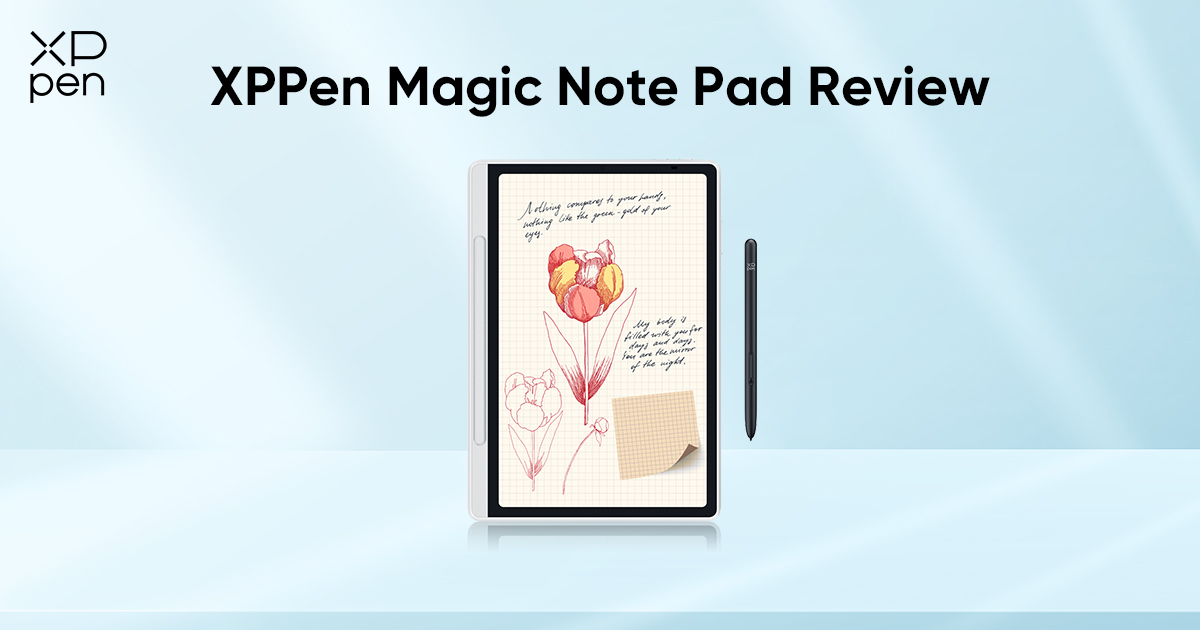
XPPen Magic Note Pad Review: A 3-in-1 Paper-Like Tablet
FOCUSEDXPPen Magic Note Pad combines a paper-like writing experience with a smooth Android interface. It is a practical solution for reading, writing, and light creative work. If you're considering switching from traditional notebooks, the XPPen Magic Note Pad provides a more flexible and organized alternative.
In this XPPen Magic Note Pad review, you will experience how this smart digital notebook redefines note-taking for students, professionals, and creatives.

What is the XPPen Magic Note Pad?
The XPPen Magic Note Pad is a digital note-taking tablet, as well as one of the best tablet for taking handwritten notes. It combines the feel of writing on paper with the flexibility of an Android-powered device. Unlike traditional tablets, it is specifically optimized for handwriting, reading, and productivity.
It features a specialized X-Paper display, a 16K ultrasensitive X3 Pro Pencil 2, and multiple viewing modes that help reduce eye strain. At the same time, it supports Android apps, so users can go beyond simple note-taking and integrate their workflow with tools they already use.
Designed to replace paper notebooks, basic e-ink writing tablets, and fragmented note-taking systems.
Who Is It For?
The XPPen Magic Note Pad is not trying to be everything for everyone, and that’s exactly why it works so well.
Students
With the XPPen Notes app, students can take lecture notes, annotate PDFs, and organize subjects in one place without carrying multiple notebooks.
Professionals
For meetings, brainstorming sessions, and document reviews, it offers a clean and efficient workflow with easy digital storage. You can record important sessions and play them back, so nothing is missed.
Readers and Researchers
If you spend hours reading PDFs, articles, or eBooks, the eye-friendly display makes a noticeable difference.
Light Creatives
While not a full drawing tablet, it supports sketching, diagrams, and idea visualization when needed.
Product Specifications Overview
| Specifications | Details |
|---|---|
| Size | 10.95 inches |
| Weight | 495g |
| Thickness | 7mm |
| Display Resolution | 1920 × 1200 |
| Refresh Rate | 90Hz |
| Display Technology | X-Paper Display |
| Color Gamut | sRGB 95% |
| Display Colors | 16.7 Million |
| Storage | 128GB |
| Compatibility | Android ecosystem |
| Stylus Support | X3 Pro Pencil 2 |
| Connectivity | Wi-Fi, Bluetooth |
| Battery Life | Long-lasting for daily use |
XPPen Magic Note Pad: A 3-in-1 Digital Notebook for Smart Note-Taking
The XPPen Magic Note Pad is designed to go beyond traditional note-taking by combining reading, writing, and light creative work. With its X-Paper display, responsive stylus, and integrated note app, it creates a seamless experience that feels natural with the flexibility of a modern digital system. For users looking for one of the best tools for digital note-taking, it offers a practical balance of handwriting, digital organization, and everyday versatility.
3-in-1 X-Paper Display: Built for Reading, Writing, and More
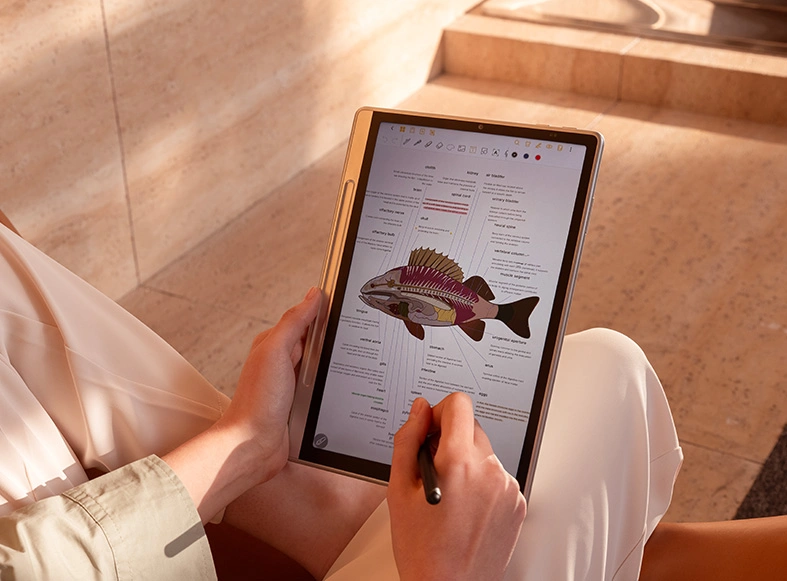
Unlike traditional glossy tablets, X-Paper display uses a matte, nano-etched surface that reduces glare and reflections. The result is a viewing experience that feels closer to writing on paper, especially during long reading or writing sessions.
What makes it stand out is its 3-in-1 approach:
-
A paper-like surface for writing.
-
A soft, low-strain mode for reading.
-
A full-color display when needed.
Compared to many of the best e-ink tablets, the XPPen Magic Note Pad offers a similar paper-like reading experience with the addition of color, smoother performance, and broader app support.
90Hz Refresh Rate: Smooth and Responsive Interaction
The writing feels immediate and fluid with a 90Hz refresh rate. There’s no noticeable delay between pen and screen, which is critical when you're taking fast notes in a lecture or meeting.
It also improves:
-
Scrolling through documents
-
Switching between apps
-
Watching videos when needed
Compared to typical e-ink devices, the difference in smoothness is instantly noticeable.
Three Color Modes: Designed Around Real Use
Instead of forcing a single display style, the device adapts to different scenarios through three modes:
-
Nature Color Mode: Full, vibrant colors for videos, images, and general use.
-
Light Color Mode: Softer tones that reduce eye fatigue during extended reading.
-
Ink Paper Mode: A near grayscale experience for distraction-free focus.
This blended color concept is actually not just about color. It provides the flexibility to choose the right visual environment for the task.
16.7 Million Colors with Balanced Brightness
Color accuracy improves reading, highlighting, and visual clarity. The display supports 16.7 million colors with up to 400 nits brightness, which means:
-
Text remains sharp and readable.
-
Highlights and annotations stand out clearly.
-
Visual content looks natural without being overly saturated.
While it won’t replace a high-end creative display, it delivers more than enough depth for everyday productivity and light creative work.
TÜV-Certified Eye Comfort
Long study or work sessions can quickly lead to eye fatigue but this device is clearly built with that in mind.
The display is TÜV SÜD certified for low blue light and paper-like viewing. That means it reduces strain during extended use and has minimal flicker. It provides a more comfortable reading experience compared to standard LCD tablets.
This is especially important for students who spend hours reading or taking notes daily.
X3 Pro Pencil 2
The writing experience is powered by the X3 Pro Pencil 2 with 16,384 pressure levels. It offers a level of sensitivity that goes beyond basic note-taking tablets. Writing feels controlled, smooth, and consistent even during quick note-taking.
Key highlights:
-
Battery-free design (no charging required).
-
Low activation force for instant response.
-
Soft nib that mimics a gel pen feel.
In real use, it is excellent for handwriting. Reliable for diagrams and sketches, and good enough for casual drawing.
Smarter Note-Taking with XPPen Notes App
The built-in XPPen Notes app is designed to support real workflows. You can:
-
Annotate PDFs and documents.
-
Convert handwriting into text (50+ languages).
-
Record audio while taking notes.
-
Organize notes across subjects.
One standout feature is instant note access; you can tap with the pen and jump straight into writing, which makes capturing ideas much faster.
There’s also support for cloud syncing via Google Drive and OneDrive. So, it’s easy to access your notes anywhere.
Android 14: A More Flexible Ecosystem
Unlike closed systems, the XPPen Magic Note Pad runs on Android 14, which significantly expands what you can do.
You’re not limited to one app or ecosystem. You can install note-taking apps like OneNote or Notion. Freely use reading apps like Kindle. For more productivity, WPS Office is already installed.
This flexibility separates it from traditional e-ink notebooks. It adapts to your workflow instead of restricting it.
Lightweight Design for Everyday Practicality
At just 495g and 7mm thick, the device is light enough to carry all day and slim enough to fit easily into a bag. The included magnetic folio case adds protection without adding bulk.
The design also prioritizes usability:
-
Flat back for stable writing on surfaces.
-
Slight grip edge for one-handed use.
-
Magnetic stylus slot for storage.
Battery and Performance: Built for Daily Use
XPPen Magic Note Pad is powered by an 8000mAh battery. It is designed to comfortably handle multiple days of regular use without constant charging.
In everyday scenarios like note-taking, reading, and light app use, the battery holds up well, especially with the paper-like display modes, which consume less power. When it needs a recharge, the included 20W fast charging support ensures you can get back to work quickly without long interruptions.
In terms of performance, the device isn’t built to compete with high-end tablets, and that’s a deliberate choice. Instead, it focuses on delivering a stable and consistent experience for its core tasks.
Navigating between apps feels smooth, and writing remains responsive and reliable throughout the day. It prioritizes efficiency and usability, which aligns well with its role as a dedicated note-taking and productivity device.
Extra Productivity Features That Actually Matter
Beyond the core features, there are small additions that improve usability:
-
Handwriting-to-text conversion for faster editing
-
Split-screen mode for multitasking
-
Screenshot + annotation shortcut
-
Math recognition tools (MyScript)
-
Voice recording synced with notes.
These directly support studying, meetings, and daily organization.
FAQ
Q1: Does the XPPen Magic Note Pad really feel like writing on paper?
Yes, the XPPen Magic Note Pad delivers a close-to-paper writing experience with its X-Paper display and matte, nano-etched surface. Combined with the X3 Pro Pencil 2, writing feels smooth, with minimal latency and enough friction to mimic a real pen on paper.
Q2: Is the XPPen Magic Note Pad good for note-taking?
Yes, XPPen Magic Note Pad is designed for fast and responsive handwriting. It offers organized digital storage and features like handwriting-to-text conversion, PDF annotation, and audio recording. For students and professionals, it simplifies capturing and managing notes in one place.
Q3: What note-taking apps does the XPPen Magic Note Pad support?
The device supports a wide range of Android apps, including OneNote, Evernote, and Notion. It also comes with the XPPen Notes app, which is optimized for handwriting, document annotation, and productivity workflows, available as a strong default option.
Q4: Can the XPPen Magic Note Pad replace a paper notebook?
For most users, yes. You can take unlimited notes, organize them by subject or project, and access them anytime. Features like search, cloud sync, and editing make it far more flexible than traditional paper notebooks for study and work.
Q5: Can the XPPen Magic Note Pad replace an e-ink notebook?
Yes, it offers a similar paper-like reading experience through its Ink Paper mode, but it adds more versatility with color display modes, faster performance, and access to Android apps. This makes it a more flexible alternative for users who want both reading and productivity features.
Q6: Can the XPPen Magic Note Pad be used for drawing?
Yes, the X3 Pro Pencil 2 with 16K pressure levels supports drawing and sketching. While it’s not designed as a professional art tablet, it works well for diagrams, creative notes, and casual sketching.
Final Verdict
The XPPen Magic Note Pad delivers a balanced mix of paper-like writing, comfortable reading, and everyday productivity in one device. It’s especially valuable for students and professionals who want to replace traditional notebooks with a more organized digital solution. It’s X-Paper display, smooth stylus, and Android flexibility adapts easily to different tasks. Overall, the XPPen Magic Note Pad is a practical and worthwhile choice for modern note-taking.
About Us
Founded in 2005, XPPen is a leading global brand in digital art innovation under Hanvon UGEE. XPPen focuses on the needs of consumers by integrating digital art products, content, and services, specifically targeting Gen-Z digital artists. XPPen currently operates in 163 countries and regions worldwide, boasting a fan base of over 1.5 million and serving more than ten million digital art creators.
Learn moreRecommended Articles
FOCUSED Best Tablets for Note Taking in 2026: 7 Picks Tested & Compared FOCUSED Best Tablets for Taking Handwritten Notes in 2026 TIPS 10 Best Free Drawing Software Tools for Digital Art FOCUSED XPPen Artist Ultra 14 Review: Is It Worth Buying?






Ready to invest in the right tools?
Get expert buying advice, unbiased reviews, and exclusive deals on drawing tablets, and accessories.
