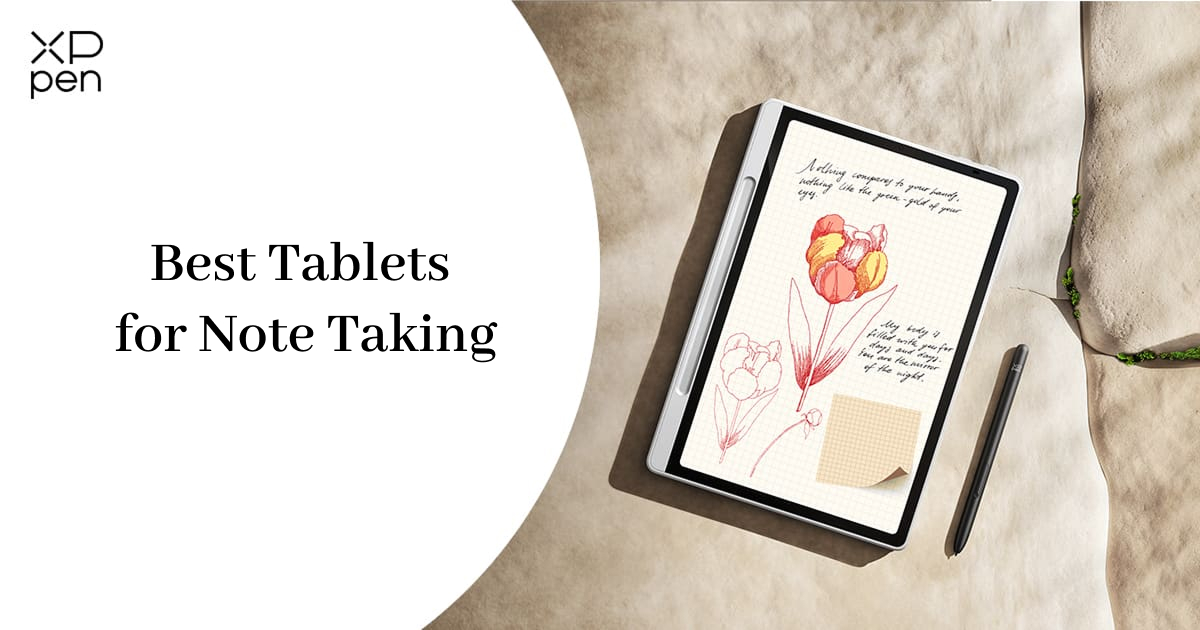
Best Tablets for Note Taking in 2026: 7 Picks Tested & Compared
FOCUSEDChoosing the best tablet for note-taking or best tablet for taking handwritten notes can feel overwhelming. There are dozens of options, and every brand claims to be "the best." Some tablets are great for writing but bad for reading. Some are affordable but sluggish. Others cost a premium but do everything well.
This guide aims to keep things simple and clear. We compared specs, writing experience, stylus support, app ecosystems, battery life, and overall value to bring you the top tablets for note-taking in 2026. Let’s kick it off.
Quick Comparison Table
| Tablet | Verdict | Screen | Stylus Included? | Type | Price Range |
|---|---|---|---|---|---|
| Apple iPad Air (M4) | Best overall | 11" Liquid Retina | No (Apple Pencil Pro, sold separately) | LCD | From $749 |
| Samsung Galaxy Tab S10+ | Best premium Android | 12.4" Dynamic AMOLED 2X | Yes (S Pen) | AMOLED | $949.99 |
| reMarkable Paper Pro | Best distraction-free writing | 11.8" monochrome | Yes (Marker or Marker Plus) | E-ink | From $629 |
| Amazon Kindle Scribe | Best for reading + notes | 10.2" 300 ppi Paperwhite | Yes (Premium Pen) | E-ink | From $399.99 |
| BOOX Note Air5 C | Best Android E-ink | 10.3" Kaleido 3 (color) | Yes (BOOX Pen Plus) | E-ink (color) | From $529.99 |
| Samsung Galaxy Tab S6 Lite | Best budget Android | 10.4" TFT LCD | Yes (S Pen) | LCD | From $349 |
| XPPen Magic Note Pad | Best color note-taking Android tablet | 10.95" X-Paper Display, 90Hz | Yes (X3 Pro Pencil 2) | LCD | From $299.99 |
Note: Specific prices vary by region and promotions; please check the official page for accurate information.
What Makes a Tablet Good for Note-Taking?
Before diving into our picks, it helps to know what matters most when choosing the best tools for digital note-taking. Whether you're considering a note-taking app, tablet, or dedicated digital notebook, these factors can make a big difference::
- Stylus feel — Does writing on the screen feel smooth, like a real pen on paper? Low latency and good pressure sensitivity make a huge difference.
- Battery life — Can it last through a full day of classes or meetings without searching for an outlet?
- Screen type — E-ink screens are easier on the eyes and feel more like paper; color LCD or AMOLED screens are better for videos, apps, and multitasking.
- Price (including the pen) — Some tablets include the stylus in the box; others charge extra, which can add $100 or more to the total cost.
Keep these in mind as we go through each pick.
Best Tablet for Note Taking: 7 Top Picks Compared (2026)
1. Apple iPad Air (M4) — Best Overall
The iPad Air remains the top all-around choice for most people. Powered by the M4 chip, it delivers fast performance whether you're writing notes, switching between apps, or watching a lecture. The 11-inch Liquid Retina display is sharp and responsive, and it works with the Apple Pencil Pro, which offers incredibly low latency, squeeze gestures, and a barrel-roll feature that feels natural for writing and sketching.
What really sets the iPad apart is its app ecosystem. GoodNotes, Notability, Apple Notes, and Microsoft OneNote are all available, giving you more note-taking options than any other platform. Apple Intelligence features also add useful tools like summarization and smart writing assistance.
Good for: Students and professionals who want one device for notes, reading, and everyday apps.
Keep in mind: The Apple Pencil Pro is sold separately, which adds to the total cost. If budget is tight, the standard iPad (10th generation) supports the Apple Pencil (USB-C) at a lower price point.
| Pros | Cons |
|---|---|
| Best app ecosystem for note-taking | Apple Pencil sold separately |
| M4 chip — fast and future-proof | No OLED display (unlike iPad Pro) |
| Lightweight and portable | Storage starts at 128GB |
2. Samsung Galaxy Tab S10+ — Best Premium Android Option
If you prefer Android over Apple, the Galaxy Tab S10+ is the top pick. The standout feature: the S Pen is included in the box, so there's no extra stylus to buy. The 12.4-inch Dynamic AMOLED 2X display is bright, colorful, and large enough for split-screen note-taking — perfect for having a lecture on one side and your notes on the other.
Samsung Notes is one of the most capable native note-taking apps on any platform, supporting handwriting recognition, PDF annotation, and audio recording synced to your notes. The tablet also supports Samsung DeX, which lets you use it almost like a small laptop when you connect a keyboard.
Good for: Android users who want a large, high-quality screen and a pen included at no extra cost.
Keep in mind: It's priced closer to a laptop than a basic tablet, and the large screen makes it less portable than an 11-inch alternative.
| Pros | Cons |
|---|---|
| S Pen included — no extra cost | Premium price point |
| Large, vibrant AMOLED display | Less portable than 11-inch tablets |
| Samsung Notes app is excellent | Some apps not optimized for large screens |
3. reMarkable Paper Pro — Best for Distraction-Free Writing
The reMarkable Paper Pro is built entirely around writing. It has no social media apps, no games, and no web browser — just a large, paper-like E-ink screen made for note-taking, sketching, and reading. Many writers, researchers, and students love it because the writing surface feels closer to real paper than any other tablet on this list.
The Marker (or Marker Plus, which includes an eraser on the back) is included in the box. Writing feels natural with almost no lag, and the textured screen adds a subtle friction that mimics the feel of pen on paper. Battery life is measured in weeks, not hours — a major advantage for long writing sessions.
Good for: People who get distracted easily and want a tablet that only does one thing: help them write and think.
Keep in mind: It has a very limited app library, no color display, and no backlight (you need an external light source). It's a specialist tool, not an all-rounder.
| Pros | Cons |
|---|---|
| Most paper-like writing experience | No apps, no web browser |
| Weeks of battery life | No backlight (needs external light) |
| Completely distraction-free | Premium price for limited functionality |
4. Amazon Kindle Scribe — Best for Readers Who Also Take Notes
If you already love reading on a Kindle, the Kindle Scribe lets you highlight text and write notes right on the page. It's a strong pick for anyone who wants one device for both reading and simple note-taking. The 10.2-inch, 300 ppi Paperwhite display is easy on the eyes, and the Premium Pen is included in the box.
Beyond reading, the Scribe supports notebooks with lined, grid, and dot-paper templates. You can import PDFs and Microsoft Word documents to annotate directly. Newer updates have added AI-assisted summarization and cloud document imports, making it more useful for productivity than earlier versions.
Good for: Book lovers and students who want to combine reading and note-taking in a single, affordable E-ink device.
Keep in mind: The pen nib wears out and needs replacing every so often. It's also not designed for multitasking or running third-party apps.
| Pros | Cons |
|---|---|
| Most paper-like writing experience | No apps, no web browser |
| Weeks of battery life | No backlight (needs external light) |
| Completely distraction-free | Premium price for limited functionality |
5. BOOX Note Air5 C — Best Android E-Ink Tablet
For people who want an E-ink screen but still want access to Android apps, the BOOX Note Air5 C is the best middle-ground option. It combines paper-like reading comfort with the flexibility of the Google Play Store, meaning you can download OneNote, Kindle, Evernote, or any other Android note-taking app directly to the device.
The 10.3-inch Kaleido 3 display supports color, which is rare among E-ink tablets. This makes it more useful for highlighting, annotating PDFs with color-coded notes, and reading content with charts or diagrams. The BOOX Pen Plus is included, and the writing experience is smooth with good pressure sensitivity.
Good for: Readers and note-takers who want E-ink comfort without giving up access to Android apps.
Keep in mind: E-ink screens refresh more slowly than color LCD screens, so scrolling, video, and app navigation feel less smooth. Color on E-ink is also muted compared to a standard LCD display.
| Pros | Cons |
|---|---|
| Google Play Store access on E-ink | Slower refresh rate than LCD |
| Color E-ink display (rare) | Colors are muted, not vivid |
| Pen included with good writing feel | Learning curve for E-ink app optimization |
6. Samsung Galaxy Tab S6 Lite — Best Budget Android Tablet
Not everyone needs a premium tablet. The Galaxy Tab S6 Lite is an affordable Android option that still includes the S Pen in the box — something you won't find at this price point from Apple. The 10.4-inch display is decent for note-taking, and Samsung Notes comes pre-installed with handwriting recognition and PDF annotation.
It's lightweight and portable, making it easy to carry to class or meetings. The processor won't win any speed awards, but for writing notes, reading PDFs, and light web browsing, it gets the job done. Battery life is solid, typically lasting a full day of mixed use.
Good for: Students on a tight budget who still want a real pen included without extra cost.
Keep in mind: The screen and processor are noticeably less powerful than those in premium models. Heavy multitasking or gaming will feel sluggish.
| Pros | Cons |
|---|---|
| Google Play Store access on E-ink | Slower refresh rate than LCD |
| Color E-ink display (rare) | Colors are muted, not vivid |
| Pen included with good writing feel | Learning curve for E-ink app optimization |
7. XPPen Magic Note Pad — Best Color Note-Taking Tablet for Students
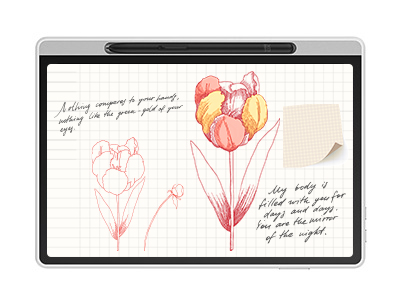
If your main goal is note-taking without buying extra apps or paying a yearly subscription, the XPPen Magic Note Pad is worth a look. It's built specifically for writing, reading, and light sketching — not for gaming or multitasking.
About Us
Founded in 2005, XPPen is a leading global brand in digital art innovation under Hanvon UGEE. XPPen focuses on the needs of consumers by integrating digital art products, content, and services, specifically targeting Gen-Z digital artists. XPPen currently operates in 163 countries and regions worldwide, boasting a fan base of over 1.5 million and serving more than ten million digital art creators.
Learn moreRecommended Articles
ROUNDUPS 3 Best Tablets for Students with Pen: Top Choices for Note-Taking and Creative Tasks FOCUSED XPPen Magic Note Pad Review: A 3-in-1 Paper-Like Tablet ROUNDUPS Top 9-inch Tablets for Note-taking and Drawing on the Go TIPS Evernote vs. OneNote: A Detailed Comparison of Note-Taking Apps FOCUSED Best Tablets for Taking Handwritten Notes in 2026 TIPS Notability vs GoodNotes: Which Note-Taking App Is Better?





Ready to invest in the right tools?
Get expert buying advice, unbiased reviews, and exclusive deals on drawing tablets, and accessories.
