What is Color Grading? Guide for Film, Video and Photography
KNOWLEDGEHave you ever wondered why a Hollywood blockbuster looks so rich and cinematic, while a home video looks bland and ordinary? Or why a professional photograph instantly evokes a mood of melancholy or nostalgia?
The secret sauce isn’t just the camera or the lighting—it’s color grading .
In this comprehensive guide, we will break down the true meaning of color grading, how it differs across film, video, and photography, provide real-world examples, and share the best tools to help you get started.
Part 1. What is Color Grading?
At its core, color grading is the process of altering and enhancing the color of a motion picture, video image, or still photograph. It is a creative and technical tool used to achieve a specific visual style, dictate the atmosphere, and elevate the narrative storytelling.
To truly understand what color grading is, we must first clear up a massive piece of confusion: the difference between color correction and color grading.
Color Correction vs. Color Grading
While often used interchangeably by beginners, they are two completely distinct steps in the post-production pipeline: color correction vs color grading .
-
Color Correction (The Technical Fix)
This is the first step. It involves fixing exposure issues, adjusting white balance, and ensuring that skin tones look natural and colors appear as they did in real life. It aims for accuracy and consistency across different clips.
-
Color Grading (The Creative Choice)
This happens after color correction. Once the footage is normalized, you stylize it. This is where you manipulate colors to create an artistic look, set a specific mood, or establish a visual theme.
Analogy: Color correction is like fixing the foundation and plastering a wall so it's perfectly flat and white. Color grading is choosing the vibrant paint colors and textures that give the room its personality.
Part 2. What is Color Grading in Film/Video/Photography?
In the world of filmmaking and video editing, color grading is where the magic happens. It serves as a visual language that communicates directly with the audience's subconscious.
1. What is Color Grading in Film?
In cinema, color grading is used by professional Colorists to establish the genre, time period, and emotional undertone of a movie.
For instance, think of the distinct visual identities of these iconic films:
-
The Matrix: Uses a heavy green tint inside the Matrix to create a sickening, digital, and artificial atmosphere, contrasted with cold blues in the real world.
-
Amélie: Features warm yellows, greens, and reds to foster a whimsical, romanticized version of Paris.
-
Mad Max: Fury Road: Employs highly saturated, high-contrast blues and deep oranges to emphasize the hostile, apocalyptic desert heat.
2. What is Color Grading in Video Editing?
Whether you are editing a YouTube video, a commercial, or a music video, color grading helps unify your content. Because videos are often shot across different days, locations, or even different cameras, color grading ties everything together into a cohesive package. It ensures your branding remains consistent and your video feels premium.
Also Read: Best Video Editing Courses Free & Paid
3. What is Color Grading in Photography?
While film and video rely on moving images, color grading in photography applies the exact same artistic principles to still frames.
In photography, color grading is the signature stamp of the photographer. It is what separates a generic snapshot from a fine-art photograph. By manipulating the highlights, midtones, and shadows, a photographer can transform a standard landscape or portrait into an evocative piece of art.
Photographers use tools like the Tone Curve, HSL (Hue, Saturation, Luminance) sliders, and Color Wheels to inject specific hues into different exposure levels of an image (e.g., adding warm gold to the highlights and deep teal to the shadows).
Part 3. Creative Color Grading Ideas & Real-World Examples
If you are looking for color grading ideas to implement in your own projects, here are some of the most popular and timeless color palettes used across the industry:
| Color Grading Style | Visual Characteristics | Best Used For |
|---|---|---|
| Teal and Orange | Pushing teals into the shadows and warm oranges into the highlights/skin tones. | Action movies, blockbusters, and cinematic travel vlogs (creates maximum color contrast). |
| Bleach Bypass | High contrast, low saturation, and rich blacks. | War films, gritty crime dramas, and dystopian themes (e.g., Saving Private Ryan). |
| Vintage / Film Matte | Crushed, lifted blacks (grayish shadows) with warm, faded tones. | Retro photography, lifestyle vlogs, and nostalgic storytelling. |
| Monochromatic / Desaturated | Stripping away vibrant colors to leave a muted, almost black-and-white or single-toned palette. | Post-apocalyptic thrillers, horror, or intense emotional dramas. |
Part 4. Best Tools: Choosing a Color Grading App
To achieve these cinematic looks, you need the right software in your arsenal. Depending on whether you are cutting moving images or polishing stills, here are the industry-standard apps that professionals actually use:
For Video Editors & Filmmakers
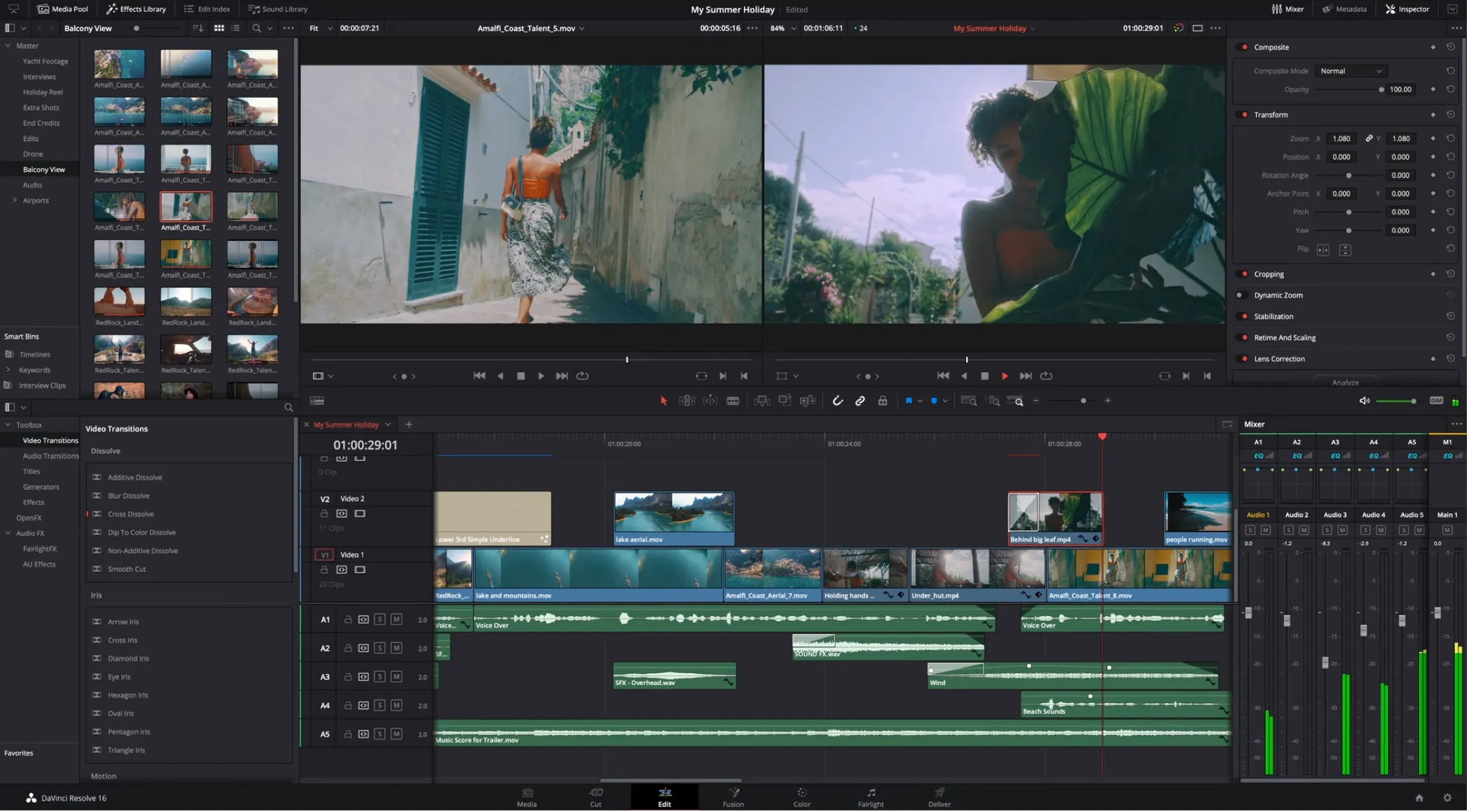
The undisputed king of cinema color grading, used for most Hollywood blockbusters and high-end series. Unlike standard editors, Resolve utilizes a node-based workspace, allowing you to build incredibly complex color pipelines, tracking masks, and HDR adjustments without cluttering your timeline.
Its powerful free version packs about 90% of the studio features, making it the ultimate tool for both beginners and pros.
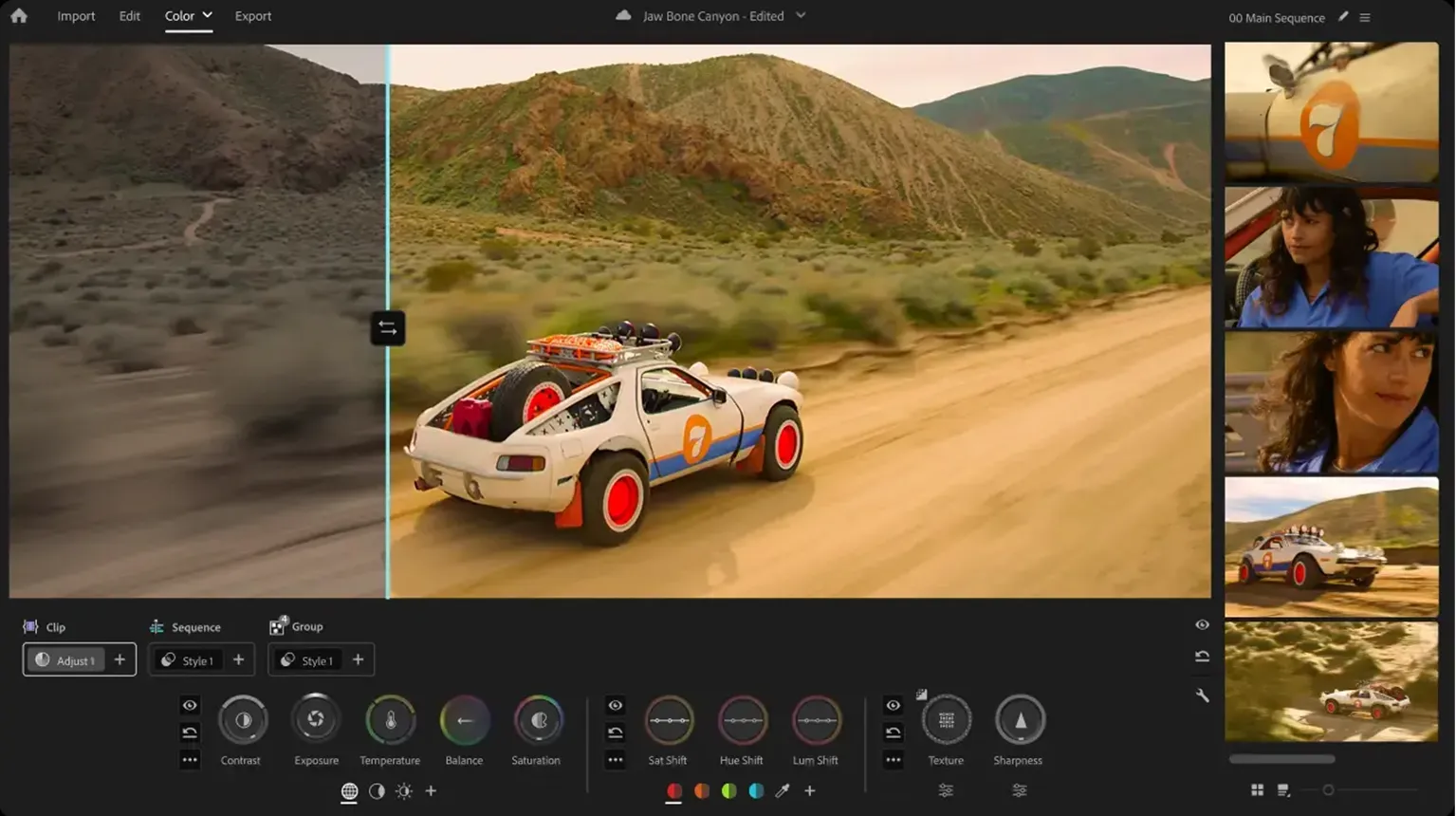
The go-to choice for solo creators, YouTubers, and fast-paced editors. The beauty of Premiere is pure convenience—its native Lumetri Color panel lets you handle basic exposure fixes, creative LUT applications, and fine HSL controls directly within your editing timeline, eliminating the headache of exporting to another program.
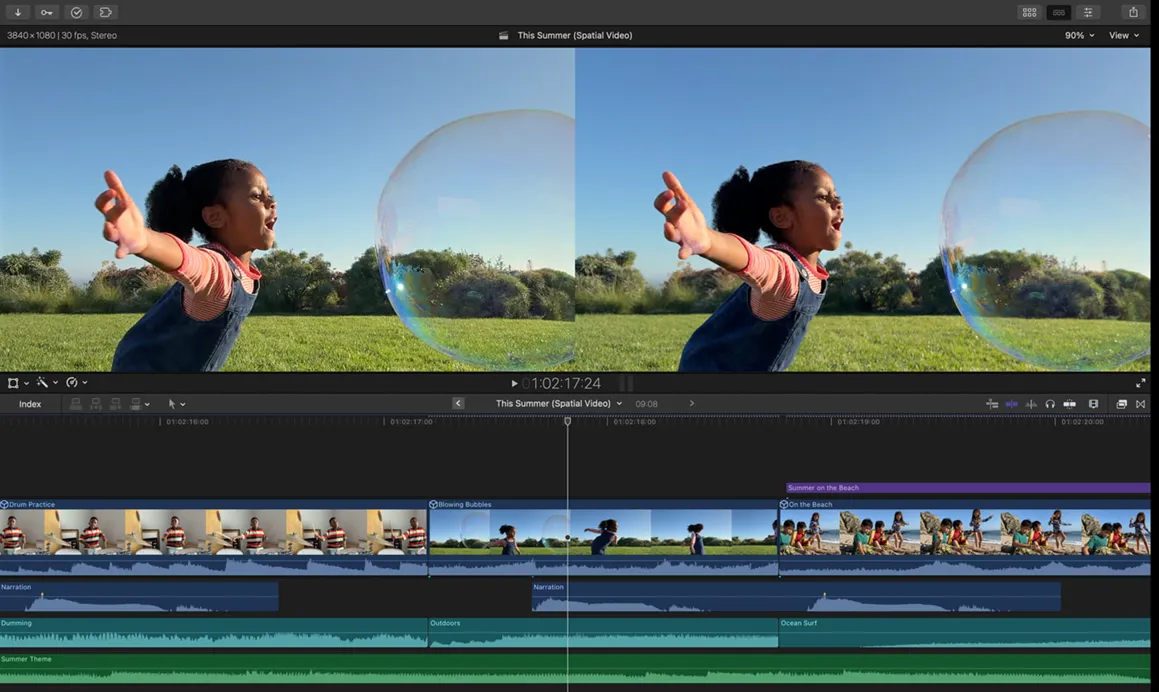
A massive favorite for creators running strictly on Mac hardware due to its raw speed. Apple has optimized FCP so deeply with their silicon chips that it renders complex color grades on 4K or 8K timelines smoothly. It features clean color wheels, advanced curves, and native LUT support for an efficient, distraction-free workflow.
For Photographers
The absolute backbone of the photography industry, perfect for organizing and batch-editing massive libraries. Its dedicated Color Grading panel provides three distinct color wheels to independently inject specific hues into your Highlights, Midtones, and Shadows.
Dropping teal into the shadows and warm gold into the highlights makes it incredibly easy to craft a unified, filmic vibe.
The darling of high-end commercial, studio, and fashion photography. It is renowned for its unrivaled raw processing engine—which renders skin tones with organic richness—and its flawless tethered shooting.
Its Advanced Color Editor acts like a surgeon's tool, letting you isolate and manipulate incredibly narrow color bands with pinpoint precision.
Pro Tip: Speed Up Your Color Grading Workflow
While having the right software is essential, dialing in precise adjustments with a traditional mouse and keyboard can be tedious and break your creative flow. Serious creators often look for dedicated hardware to streamline their process.
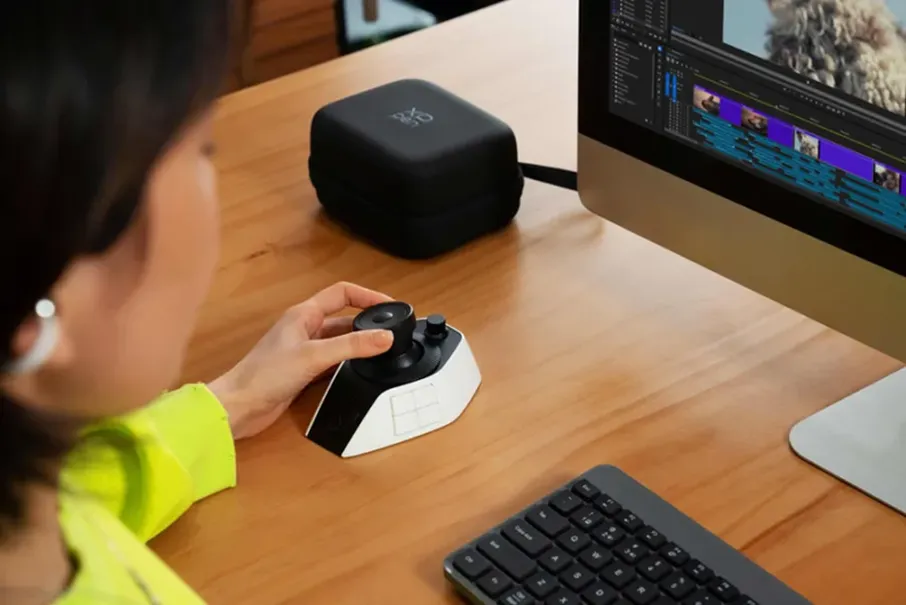
If you want to take your editing efficiency to the next level, tools like the XPPen Pilot Pro Editing Console offer an intuitive solution.
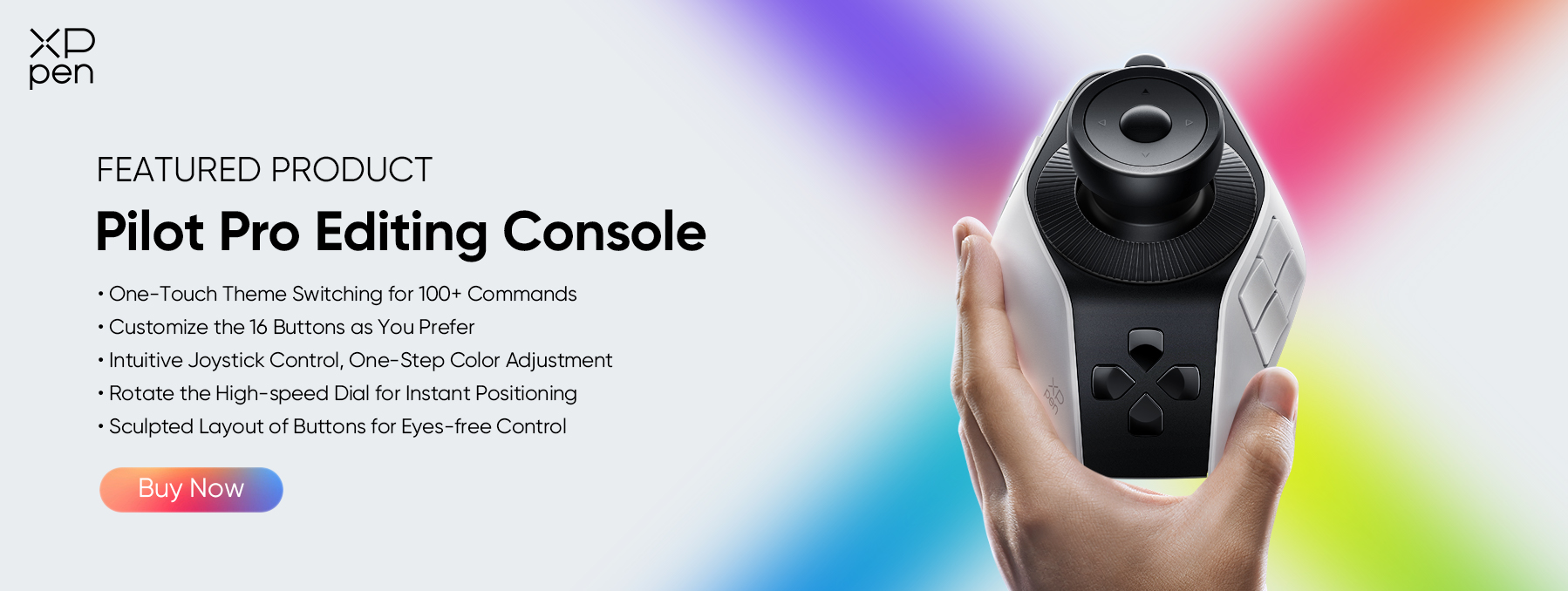
Designed specifically for post-production, it features tactile dials, physical color wheels, and customizable shortcut keys that map directly to your favorite color grading app.
Instead of dragging sliders on a screen, you can manipulate shadows, midtones, and highlights physically—allowing for much finer micro-adjustments and a significantly faster, more immersive workflow.
FAQs about Color Grading
Q1. Can you color grade without color correction?
Technically yes, but it is a bad idea. If you skip correction and jump straight to grading, any underlying exposure issues, weird color casts, or mismatched white balances will be magnified. Always normalize your footage first so your creative look applies evenly.
Q2. What is a LUT, and how does it relate to color grading?
A LUT (Look-Up Table) is a preset formula that instantly alters the colors of your video or photo. Technical LUTs convert flat, washed-out camera footage into a standard color space, while Creative LUTs apply a cinematic look with a single click. Think of them as a fast starting point, not a final cure-all.
Q3. Is color grading hard to learn for beginners?
Learning the technical tools—like balancing a color wheel or adjusting a slider—takes just a few days. The real challenge is training your eye to recognize subtle color balances and moods. Fortunately, modern software makes it incredibly easy to experiment and see instant, real-time results.
Q4. What is the difference between color grading and editing?
Video editing is about storytelling and pacing—cutting clips together, arranging the timeline, and managing audio. Color grading is about visual aesthetics and mood. Editing builds the skeleton and structure of your video, while color grading gives it its final cinematic atmosphere.
Q5. Can I use Photoshop for color grading?
Yes, absolutely—for still photography. Photoshop has incredibly powerful color tools, including Camera Raw, Color Balance, and Selective Color adjustment layers. However, if you are batch-editing hundreds of photos from a single shoot, Lightroom or Capture One are much better choices for keeping your color grading consistent across multiple files.
Conclusion
Color grading is far more than just a technical step in post-production—it is the emotional heartbeat of your visual content. By understanding how to manipulate color, you gain the power to tell deeper stories, guide your audience's feelings, and develop a unique artistic style.
Whether you are downloading DaVinci Resolve, experimenting with Lightroom, or trying out a free online video editor, the best way to learn is to practice. Grab some footage, adjust those wheels, and see how color transforms your world!
About Us
Founded in 2005, XPPen is a leading global brand in digital art innovation under Hanvon UGEE. XPPen focuses on the needs of consumers by integrating digital art products, content, and services, specifically targeting Gen-Z digital artists. XPPen currently operates in 163 countries and regions worldwide, boasting a fan base of over 1.5 million and serving more than ten million digital art creators.
Learn moreRecommended Articles
KNOWLEDGE 5 Best Color Grading Softwares Free & Paid 2026 KNOWLEDGE 5 Best Photo Video Color Correction Softwares 2026 KNOWLEDGE What Is a Colorist? Job, Skills and Career Guide 2026 FOCUSED XPPen Pilot Pro Review: Smart Editing Console for Creators KNOWLEDGE Color Correction vs. Color Grading Fully Explained






Looking for the Best Drawing & Design Apps?
Discover essential drawing techniques, expert tips, and the best app recommendations to boost your creativity and master digital art.
