
The Best Drawing Tablets No Computer Needed 2026
FOCUSEDIntroduction
In the world of digital art, not every creator wants to be tied to a desk. That’s where standalone drawing tablets, like XPPen Magic Pro 13 come in. These devices combine a built-in screen with their own operating system, processor, and battery—meaning they work without being plugged into a computer.
For artists, students, and hobbyists, standalone drawing tablets offer freedom: you can sketch at a café, paint in a park, or storyboard on the go. With no setup or cables required, they bring portability and creativity together in one device.
How Standalone Drawing Tablets Work
Standalone drawing tablets are essentially tablets designed specifically for art. Unlike pen displays (which must connect to a PC) or pen tablets (which don’t have a screen), they function independently.
-
They feature an integrated display, processor, and battery, much like a tablet computer.
-
They’re optimized for drawing and design, with stylus support and pressure sensitivity as their core focus.
-
Unlike general-purpose tablets, they prioritize pen performance, display accuracy, and creative software compatibility, making them better suited for serious art creation.
Key Factors to Consider Before Buying
When choosing a standalone drawing tablet, keep these essentials in mind:
-
Display Quality – High resolution, accurate color reproduction, and strong brightness matter for professional visuals.
-
Pen Performance – Look for high pressure levels, tilt recognition, and minimal latency for natural drawing.
-
Processing Power – Strong CPU, RAM, and storage ensure smooth multitasking and large file handling.
-
Battery Life – Long-lasting performance is crucial for travel and outdoor work.
-
App Compatibility – Check whether it supports the creative apps you use most, like Procreate, Clip Studio Paint, and Krita.
-
Portability & Build Quality – A slim, lightweight design makes it easier to carry, while durable construction ensures reliability.
Best Drawing Tablets That Don’t Need a Computer (2026 Picks)
XPPen Magic Drawing Pad – Editor’s Choice
-
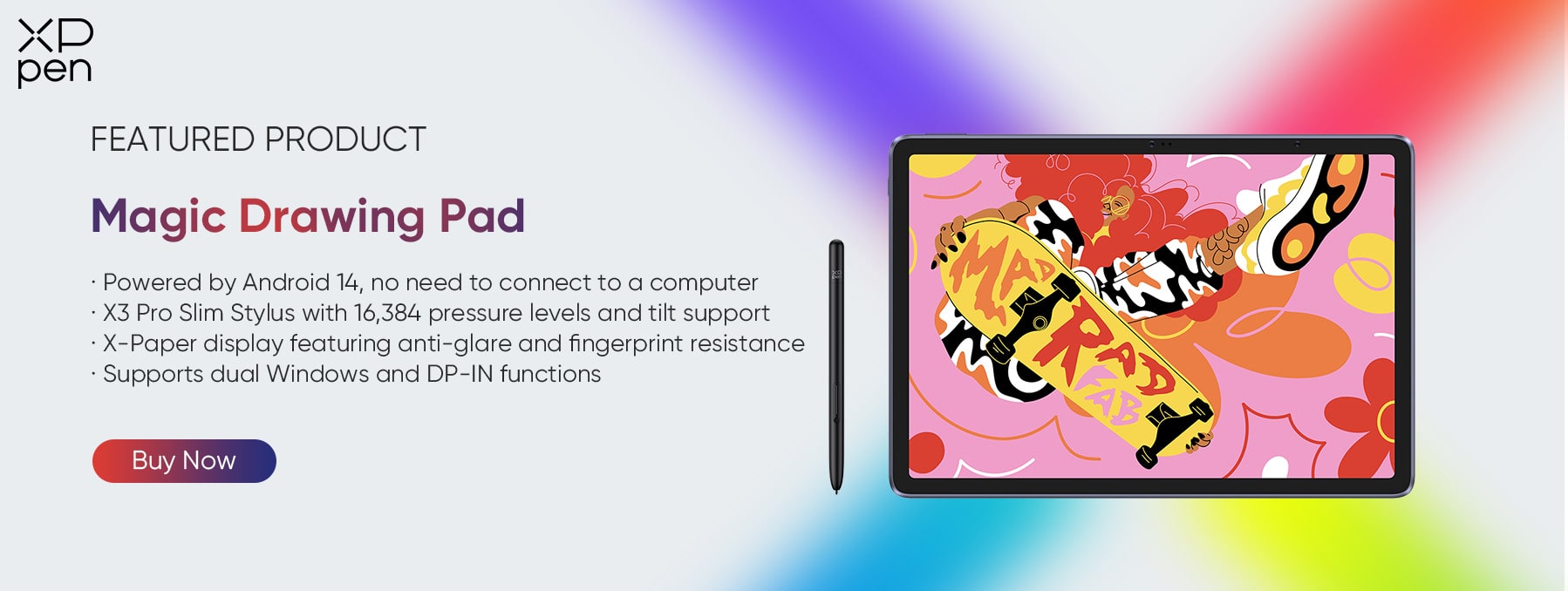
Professional Creation Freedom, Anytime & Anywhere The XPPen Magic Drawing Pad is a true mobile art studio. With a 12.2-inch slim body (only 6.9mm thick, 590g light) and a standalone Android system, it requires no computer connection. From studios to outdoor spaces or even cafés, it delivers professional-grade creation wherever inspiration strikes.
-
Ultra-Realistic Paper-Like Drawing Experience Thanks to its X-Paper display, this tablet mimics the tactile resistance of real paper while still supporting full-color rendering. With no glare and reduced blue light, it offers comfort for long sessions while preserving the authentic feel of traditional sketching.
-
Ultra-Fine Expression with 16K Pressure Sensitivity Setting a new industry benchmark, the Magic Drawing Pad offers 16K pressure levels (double that of standard pens). Combined with the X3 Pro smart chip and EMR technology , it responds instantly to subtle hand pressure, allowing for smooth line variation, precise detailing, and expressive brushwork.
-
Perfect Balance of Battery Life and Portability Powered by an 8000mAh battery, it supports up to 13 hours of continuous creation. With 33W fast charging and reverse charging features, it not only powers your workday but can also top up your phone in emergencies—banishing battery anxiety.
-
All-Round Configuration for Creation & Daily Life Equipped with 8GB RAM + 256GB storage (expandable up to 1TB), plus dual cameras, 4 speakers, and split-screen multitasking, the Magic Drawing Pad handles both art and lifestyle needs. Whether it’s storing massive projects, watching videos, gaming, or recording life moments, it doubles as a versatile all-in-one device.
Other Notable Options
-
Wacom MovinkPad 11 – A compact and portable option from Wacom, optimized for illustrators who value reliability.
-
Apple iPad Pro with Apple Pencil – A powerhouse for artists who rely on apps like Procreate and enjoy seamless ecosystem integration.
-
Samsung Galaxy Tab S9 Ultra – Offers a massive AMOLED display, great multitasking, and solid S Pen performance for mixed creative and productivity tasks.
XPPen Magic Drawing Pad vs Competitors
| Feature | XPPen Magic Drawing Pad | iPad Pro (12.9-inch) | Galaxy Tab S9 Ultra | Wacom MovinkPad 11 |
|---|---|---|---|---|
| Size & Aspect Ratio | 12.2 inches, 3:2 | 12.9 inches, 4:3 | 14.6 inches, 16:10 | 11 inches, 16:10 |
| Resolution | 2160×1440 | 2732×2048 (Liquid Retina XDR) | 2960×1848 (Dynamic AMOLED 2X) | 2000×1200 (IPS) |
| Display Tech | TFT - LCD (IPS) | Mini - LED (Liquid Retina XDR) | AMOLED (Dynamic AMOLED 2X) | IPS |
| Color Gamut Coverage | 97% sRGB | P3 Wide Gamut (ProMotion - enabled) | 100% DCI - P3 (Vision Booster - enabled) | 72% NTSC (≈99% sRGB) |
| Eye -Care Certification | TÜV Rhein Low - Blue Light Certified | No Explicit Low - Blue Light Cert (System - based) | No Explicit Low - Blue Light Cert (System - based) | No Public Low - Blue Light Cert |
| Pressure Sensitivity (Stylus) | 16,384 Levels (X3 Pro Slim Stylus) | 4,096 Levels (Apple Pencil 2/3) | 4,096 Levels (S Pen) | 8,192 Levels (Wacom EMR Pen) |
| Tilt Recognition | 60° Tilt Supported | Supported (Apple Pencil) | Supported (S Pen) | Supported |
| Stylus Tech | EMR (No Charging/Pairing Needed) | Bluetooth (Charging Required, Pressure - Sensitive) | Bluetooth (Charging Required, Pressure - Sensitive) | EMR (No Charging/Pairing Needed) |
| Stylus Weight | 10g | 20.7g (Apple Pencil 2) | 16g (S Pen) | ~15g (Wacom Standard Pen) |
Magic Pro 13 – Best for Professional Creators Who Need Dual-Mode Flexibility
A Powerful Standalone Drawing Pad That Transforms into a Professional Drawing Display
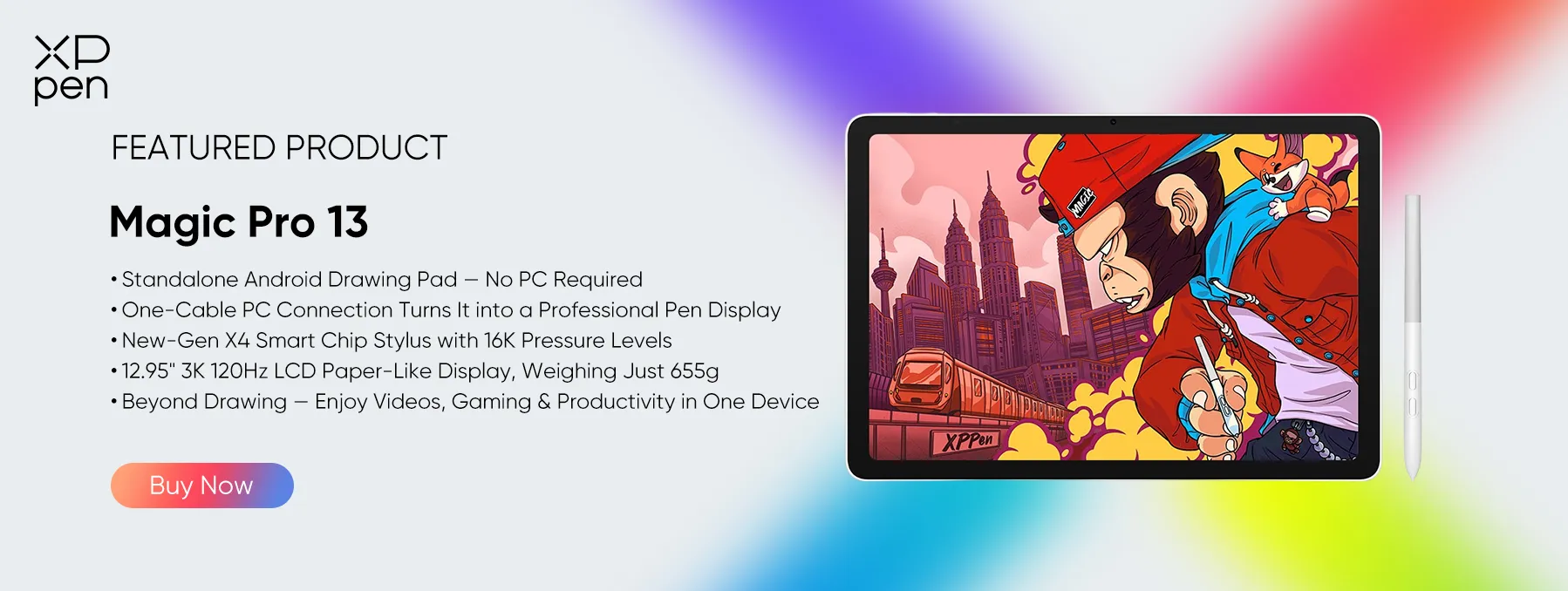
The XPPen Magic Pro 13 Standalone Drawing Pad takes creative flexibility to the next level with its innovative dual-mode design.
It works as a standalone drawing pad powered by Android 16, allowing artists to sketch, illustrate, and organize creative ideas without a computer. When more advanced desktop workflows are required, simply connect it to a PC with a single USB-C cable to switch to Drawing Display Mode .

3K 120Hz Display for Professional Visuals
Featuring a 13-inch-class 3K display with a 3096 × 2064 resolution and a refresh rate of up to 120Hz, the Magic Pro 13 delivers exceptionally sharp details and smooth visual performance. Its 3:2 aspect ratio provides a comfortable workspace for illustration, digital painting, and creative multitasking. With 100% sRGB and 96% DCI-P3 color gamut coverage, it also offers reliable color reproduction for graphic design and other color-sensitive projects.
Natural Pen Experience with 16K Pressure Sensitivity
The new X4 Smart Chip Stylus supports 16,384 pressure levels, 60° tilt recognition, and a 2g initial activation force. This allows artists to capture subtle pressure variations, create expressive linework, and achieve more natural shading. Combined with the paper-like AG+AF nano-etched glass, it provides a comfortable, pen-on-paper drawing experience.
Seamless Transition Between Mobile and Desktop Workflows
One of the Magic Pro 13's biggest advantages is its ability to bridge standalone creativity and professional desktop production. Artists can capture sketches and ideas while away from their desks, then connect the device to a computer through a single USB-C cable to continue refining their work on a larger desktop workflow. Its 120Hz refresh rate, ultra-low latency, and full stylus functionality make it suitable for demanding illustration and design tasks.

Powerful Performance and a Creator-Friendly Software Ecosystem
Powered by the MediaTek Dimensity 8300 processor and Android 16, the Magic Pro 13 provides a responsive foundation for creative applications and everyday multitasking. Its built-in creative tools, including Shelf for organizing visual references and Canvas for quick sketching, help streamline the creative process. It also comes with complimentary premium software memberships, including Clip Studio Paint, ibisPaint X, and MediBang Paint, giving creators more ways to get started.
Who Is It Best For?
The XPPen Magic Pro 13 is particularly suitable for professional illustrators, graphic designers, manga artists, and digital creators who want the convenience of a standalone drawing tablet without sacrificing the flexibility of a desktop drawing display. If you frequently switch between working on the go and creating in a studio, its dual-mode functionality makes it a particularly compelling option.
Who Should Choose a Standalone Drawing Tablet?
Standalone drawing tablets offer incredible versatility, making them ideal for a range of creators
-
Traveling artists who need a light, portable setup.
-
Students who want one device for note-taking and illustration.
-
Professionals seeking a reliable backup device without lugging a laptop.
-
Creators who want one device for art and entertainment (drawing, browsing, streaming, reading).
-
Beginners & hobbyists who want an easy, all-in-one solution without extra hardware.
FAQ
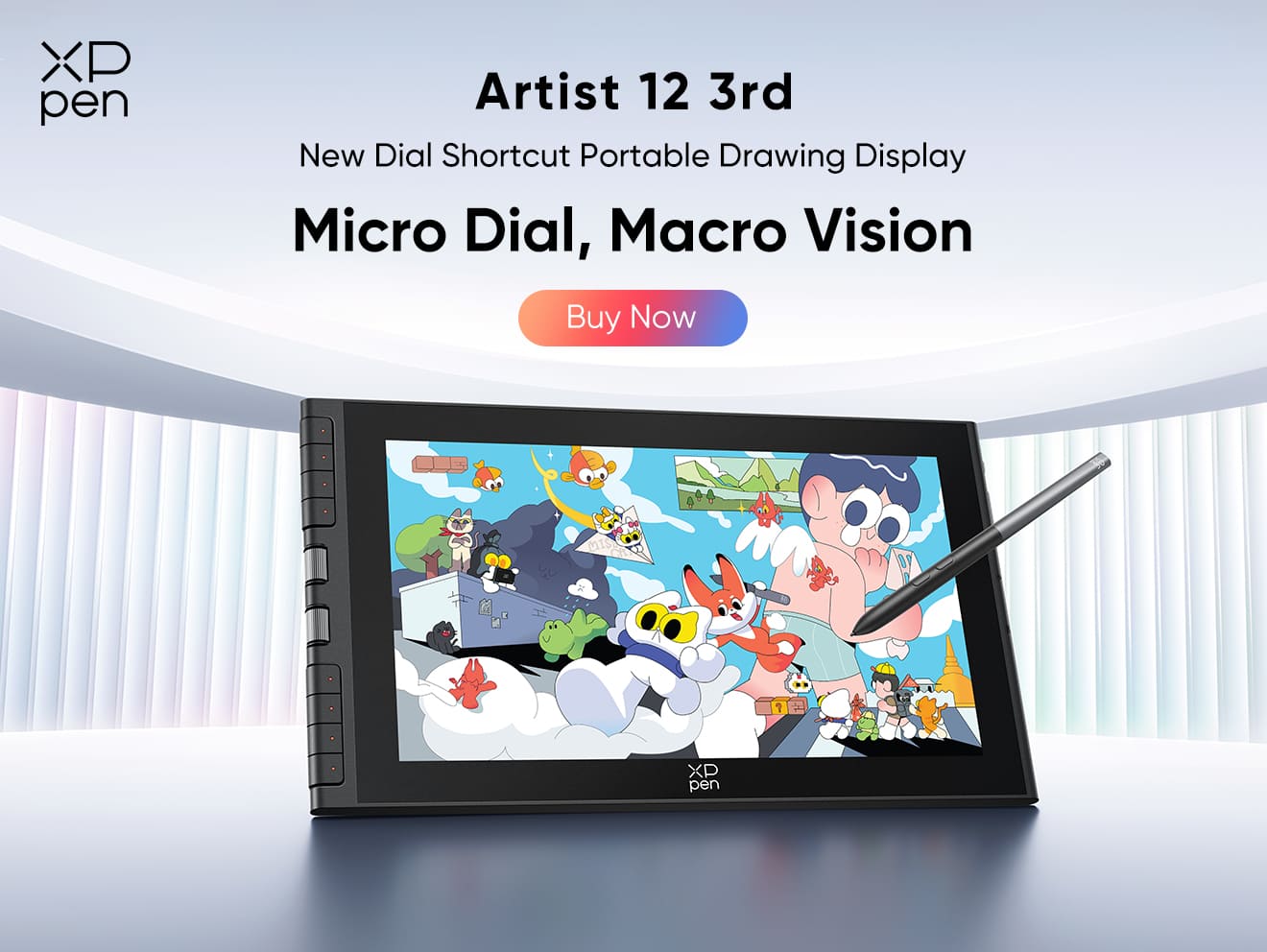
Q1: Can I use the XPPen Magic Drawing Pad as a drawing tablet for pc?
The Magic Drawing Pad supports the DP-IN function via its Type-C port, allowing it to act as a secondary screen for your laptop. Paired with the X3 Pro Stylus, it enables reverse control, making it easy to draw and take notes.
Q2: Do standalone tablets run full desktop apps?
Most run mobile versions or Android/iPadOS apps—check compatibility with your favorite software.
Q3: Are standalone drawing tablets good for beginners?
Absolutely—easy to set up, intuitive, and no extra hardware needed.
Conclusion
Standalone drawing tablets bring freedom, flexibility, and creative power in a portable form. They remove the need for a PC while still delivering professional drawing features.
Among the 2026 lineup, the XPPen Magic Drawing Pad, and XPPen Magic Pro 13 stand out as the best choices. With its slim design, paper-like display, groundbreaking 16K pressure sensitivity, and powerful hardware, it bridges the gap between portability and professional-grade performance. For most creatives—whether students, hobbyists, or professionals—it offers the ideal balance of mobility and capability.
About Us
Founded in 2005, XPPen is a leading global brand in digital art innovation under Hanvon UGEE. XPPen focuses on the needs of consumers by integrating digital art products, content, and services, specifically targeting Gen-Z digital artists. XPPen currently operates in 163 countries and regions worldwide, boasting a fan base of over 1.5 million and serving more than ten million digital art creators.
Learn moreRecommended Articles
ROUNDUPS 7 Best Standalone Portable Drawing Tablets Without Computer KNOWLEDGE Are No-Computer Drawing Tablets Worth the Money? FOCUSED Magic Drawing Pad: XPPen's First Standalone Drawing Tablet ROUNDUPS XPPen Magic Pro 13 vs Magic Drawing Pad: Which to Buy? FOCUSED Magic Pro 13 vs iPad Pro: The Best Standalone Drawing Pad?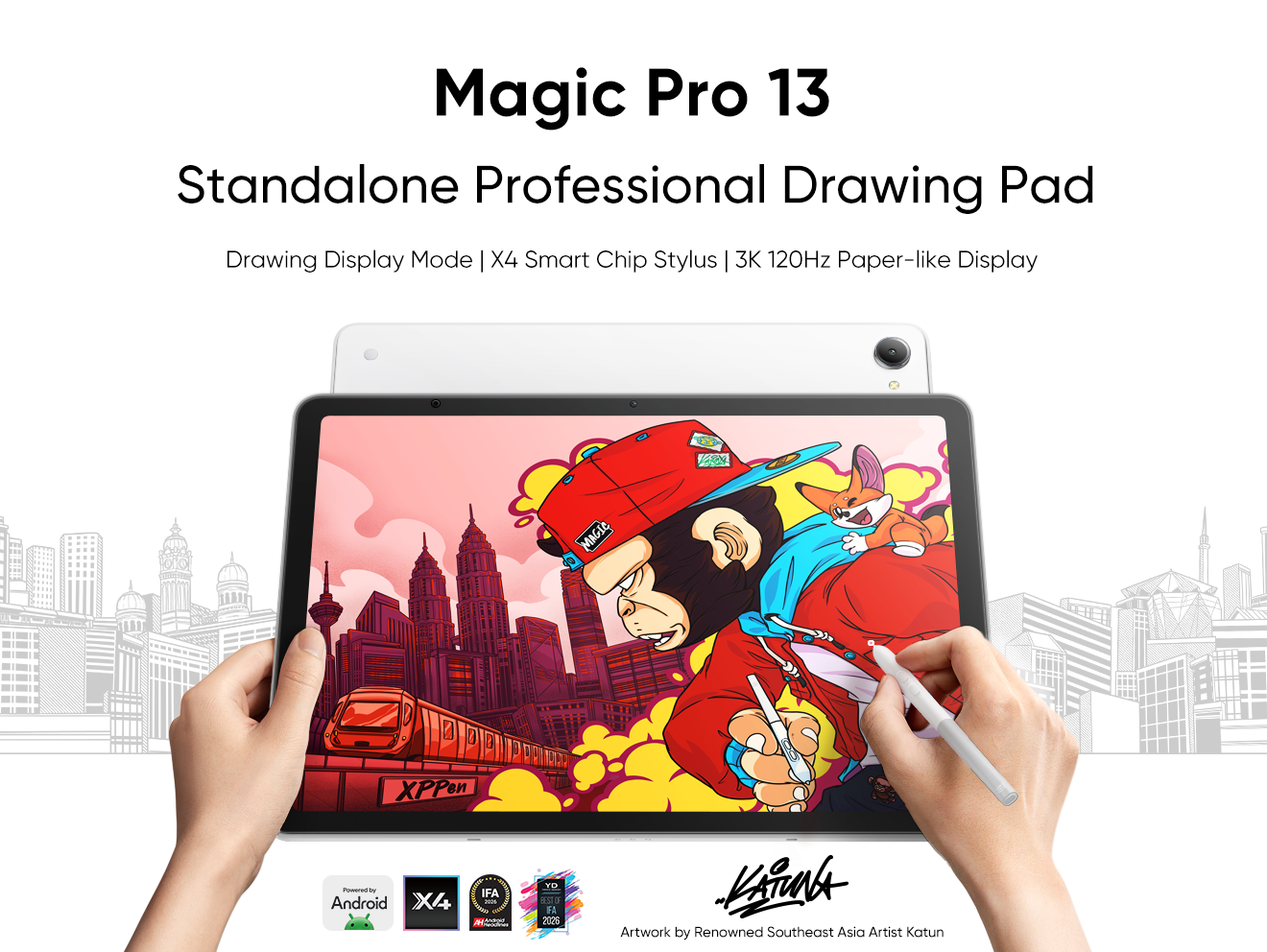


-
 Magic Pro 13
Standalone Android 16 Drawing Pad, No Computer Required
3K 120Hz Display with 100% sRGB Color
X4 Smart Chip Stylus with 16K Pressure Levels
One-Cable PC Drawing Display Mode
It features:
Best standalone drawing pad for professional creativity anywhere
-
 Magic Drawing Pad
X3 Pro Slim Stylus with 16,384 pressure levels and tilt support
X-Paper display featuring anti-glare and fingerprint resistance
Clip Studio Paint and ibis Paint X 3-month free membership
Super portable- just 6.9mm thin and weighs only 590g
Supports dual Windows and DP-IN functions
It features:
Powered by Android 15, no need to connect to a computer to use.
-
Magic Pro 13
Standalone Android 16 Drawing Pad, No Computer Required
3K 120Hz Display with 100% sRGB Color
X4 Smart Chip Stylus with 16K Pressure Levels
One-Cable PC Drawing Display Mode
It features:
Best standalone drawing pad for professional creativity anywhere
-
Magic Drawing Pad
X3 Pro Slim Stylus with 16,384 pressure levels and tilt support
X-Paper display featuring anti-glare and fingerprint resistance
Clip Studio Paint and ibis Paint X 3-month free membership
Super portable- just 6.9mm thin and weighs only 590g
Supports dual Windows and DP-IN functions
It features:
Powered by Android 15, no need to connect to a computer to use.
Ready to invest in the right tools?
Get expert buying advice, unbiased reviews, and exclusive deals on drawing tablets, and accessories.
