7 Best Tablets for School Compared in 2026
FOCUSEDChoosing the right device for the next academic year can be a head-scratcher. If you're a student looking for the best tablet for school , it really comes down to one basic question: do you want a lightweight digital notebook or a proper laptop replacement?
Although the modern slate promises to do both, the gap between casually reading a PDF and typing a 10-page research paper becomes clear as soon as classes start. To help you decide, we've compared top devices on the market for battery life, stylus precision, keyboard ergonomics, app ecosystems, and overall student value.
For students who enjoy handwritten notes, sketching, or creative projects, the XPPen Magic Drawing Pad and XPPen Magic Pro 13 Standalone Drawing Pad are also worth considering. The Magic Drawing Pad offers a portable, standalone digital workspace for everyday learning, while the Magic Pro 13 provides a more advanced drawing experience, with the added flexibility of connecting to a computer for professional creative software.
Part 1. What makes a tablet good for school?
When you're looking for the best tablet for students, spec sheets can be very tempting. But in the real world, a tablet with a processor that's brilliant for gaming could still be a total disaster in a classroom if it has terrible palm rejection and no real educational apps. Here are the key criteria that actually determine whether a tablet is suitable for school use:
-
All-day battery life. A student's day includes back to back lectures, library research, and maybe some art sessions in the early evening. You want a device that's going to be rated for at least 8 to 12 hours of real-world use, so you're not constantly plugged into a wall socket.
-
Stylus feel and palm rejection: If you're going to take handwritten notes or draw diagrams, then low pen latency and natural feel are a must. Good palm rejection is essential so you can rest your hand on the screen without smudging it.
-
App ecosystem & LMS compatibility: Full support for Learning Management Systems (Canvas, Google Classroom, etc.) and productivity suites (Microsoft Office, Google Workspace, OneNote, etc.) means your assignments will be kept in order.
-
Value and accessories: Keep in mind whether the essential bits and pieces (the stylus and the keyboard cover, for instance) are included in the box or whether you'll have to pay a fortune to buy them separately.
Part 2. Best Tablets for School: Top Picks Compared
1. Apple iPad (11th Gen) — Best Overall Student Tablet
The Apple iPad remains the device of choice in most classrooms, and for good reason. It's powered by the A16 Bionic chip, which is very fast and can handle multitasking, video lectures, and heavy research apps. It runs Canvas and Google Classroom smoothly, and the camera software keeps you in frame during remote study sessions.
The big plus is the 10-hour battery life and the app ecosystem. The 11-inch Liquid Retina display offers crisp, sharp images. It supports the Apple Pencil USB-C and the older Apple Pencil 1, making it one of the best tablets for handwritten note-taking .
-
Good for: Students who want a reliable, long-lasting daily driver for notes, media, and apps.
-
Keep in mind: The Apple Pencil and Magic Keyboard are sold separately, which pushes up the total setup cost.
2. Samsung Galaxy Tab S11 — Best Android Flagship & Multitasking Tablet
For Android users looking for the best Android tablet for students, the Galaxy Tab S11 is a compact flagship school tablet with the S Pen included in the box. It features a gorgeous 120Hz Super AMOLED display, a lightning-fast processor, and up to 12GB of RAM.
A massive 8400 mAh battery with 45W charging means you won’t have to find a socket during school hours. IP68 certification and a bright AMOLED display with 1600 nits make it the best Samsung tablet for students with a pen. Combined with Samsung DeX mode—which transforms the mobile interface into a desktop-like multi-window workspace—it is exceptional for having a textbook open on one side and a document on the other.
-
Good for: Students who want a vibrant, high-refresh-rate screen, bundled stylus, and desktop-tier multitasking.
-
Keep in mind: Flagship pricing approaches traditional laptop territory.
3. Microsoft Surface Pro 11 — Best 2-in-1 Laptop Replacement
When you've got coursework that requires complex coding, heavy spreadsheet macros, or some other specialist research tool, then the mobile OS just isn't going to cut it. The Surface Pro 11 is a full Windows 11 desktop experience in a slim, detachable tablet. Powered by either the Snapdragon X Plus or X Elite, it's the perfect machine for the student who multitasks and needs both a proper laptop and a fantastic drawing tablet.
It's a very spacious 13" touchscreen (available in both sharp LCD and the excellent optional OLED) with a genuinely stunning 1 million:1 contrast ratio, brilliant colours and a very fluid 120Hz refresh rate.
The Surface Slim Pen 2 delivers accurate pressure sensitivity and smart haptic feedback that makes drawing or shading a diagram feel like writing on paper. It's supported by a flexible kickstand that goes up to 165 degrees and a snap-on keyboard, so it can easily go from a desktop for typing up your reports to a responsive canvas for handwritten notes.
-
Good for: Genuine local desktop software execution, the very best 2-in-1, and a great OLED display option.
-
Keep in Mind: The premium price jumps quickly once you bundle the physical keyboard cover and stylus.
4. OnePlus Pad 2 — Best Performance & Fast Charging
If you want an all-in-one tablet for school, built for productivity, entertainment, and general multitasking, the OnePlus Pad 2 is hard to beat. Powered by the Snapdragon 8 Gen 3, with 12GB of RAM and 256GB of storage, it's well-equipped to run demanding apps and games while multitasking. The six-speaker system also delivers excellent audio for movies, online meetings, and music.
The OnePlus Pad 2 has a distinctive 7:5 aspect ratio screen that closely matches the dimensions of a textbook or sheet of paper. It also features 67W fast charging, which gets the massive 9510mAh battery to 80% in just 30 minutes (ideal for a quick top-up between classes).
It runs Android with OxygenOS and supports multitasking, plus a range of accessories (OnePlus Stylo 2 and Smart Keyboard, both sold separately) for note-taking, drawing, and typing.
-
Good for: Students who read massive amounts of digital text and want the best possible performance with no downtime.
-
Keep in mind: You have to buy the stylus and keyboard accessories separately.
5. Lenovo Chromebook Duet 11 — Best All-in-One ChromeOS Value Bundle
For younger students who want an affordable device for schoolwork, homework, and digital creativity, the Lenovo Chromebook Duet 11 is a great value bundle with no hidden accessory costs. It comes complete with a detachable keyboard, kickstand case, and USI stylus.
Running ChromeOS that seamlessly supports Google Classroom, Google Docs, Google Slides, and all the other web-based learning tools, it has a 10.95" WUXGA touchscreen (1920 x 1200), which is very good for reading textbooks and watching lessons. It's powered by the MediaTek Kompanio 838 processor and is available with up to 8GB of RAM.
Another major plus is its long battery life, small size, and focus on students. Lenovo claims up to 12 hours of battery life, and it weighs around 510g, so it's easy to carry between lectures. It also supports a compatible Lenovo USI stylus for note-taking and some creative work (though stylus support depends on the configuration).
-
Good for: Younger students and those on a tight budget who just want a complete typing/writing package off the shelf.
-
Remember: Local storage is quite limited, and the whole system relies heavily on cloud storage workflows.
6. Onyx Boox Note Air 5 C — Best Color E-Ink Tablet for Eye Comfort
The Onyx BOOX Note Air5 C is a solid choice for students who want a digital notebook that offers comfortable reading and a natural writing feel. It has a 10.3 " Kaleido 3 colour E Ink screen with sharp 300 PPI black-and-white text and 4,096 colours for viewing diagrams, charts, highlighted notes, and digital textbooks.
Unlike a standard LCD tablet, its paper-like screen reduces glare and is much more comfortable for long study sessions. It comes with the BOOX Pen3 stylus, which has 4,096 levels of pressure sensitivity, making it ideal for handwritten notes, annotating PDFs,ths and drawing diagrams. The pen also magnets to the tablet when you're finished.
Another big plus is Android 15 with Google Play, which lets students download educational apps, access digital learning materials, and keep all their assignments in one place. It comes with 6GB of RAM, 64GB of internal storage, and a microSD card slot for expansion, so you can store your lecture notes, textbooks, and all your school stuff. The slim profile, Wi-Fi, and optional keyboard cover also make it useful for research and light productivity.
-
Good for: Readers, researchers, and students who read a lot of text and want to protect their eyes and minimise distractions.
-
Keep in mind: E-ink refresh rates are slower than traditional LCDs, so fast-moving video or gaming will feel laggy.
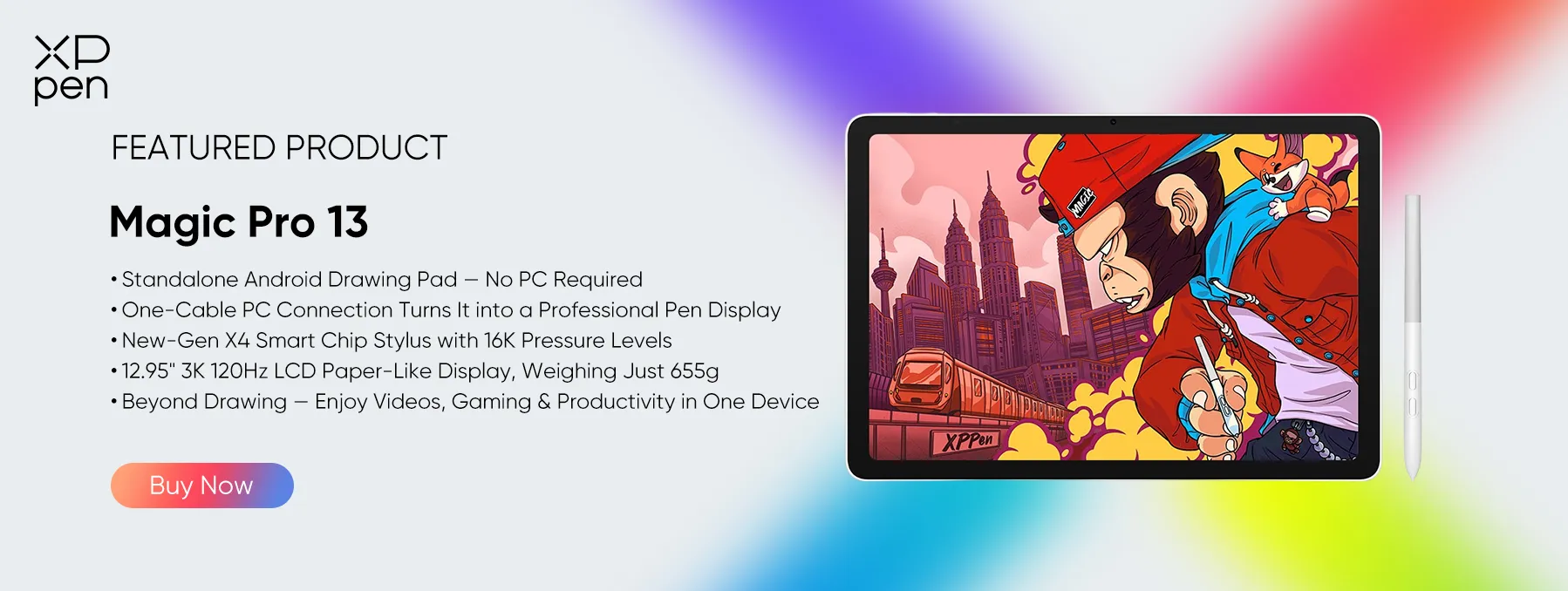
7. XPPen Magic Pro 13 — Best Standalone Tablet for Creative & Visual Students
For students who want to buy one tablet that does it all, from graphic design to note-taking and a range of creative school projects, the XPPen Magic Pro 13 Standalone Drawing Pad is a standout choice.
It has a 12.95" 3K LCD screen with a 120Hz refresh rate, so you get very crisp text, very good colour, and smooth scrolling when you're reading your course material, going through presentations, and drawing.

Powered by the MediaTek Dimensity 8300 processor, 8GB of RAM, and 256GB of storage, it handles multitasking and stores all your school files. It includes the X4 Smart Chip Stylus, with 16,384 levels of pressure sensitivity and tilt detection, so you can take notes, annotate documents, draw diagrams, and create detailed artwork.
It comes with a 10,200mAh battery, 45W fast charging, and up to 2TB of expandable storage via a microSD card (perfect for carrying your digital textbooks, assignments, and creative projects).
It's a fairly hefty device at 655g and 6.65mm thick, but is still portable enough to fit in a school bag. A tablet that would particularly interest students in graphic design, illustration, animation, and the like would have USB-C and the ability to use it as a drawing display for desktop apps.

For students who want a more affordable option for digital drawing and creative learning, the XPPen Magic Drawing Pad is also a great alternative.
Running on Android, it works as a standalone creative tablet and also supports PC connection via DP-IN for compatible computers. Lightweight and portable, it's a budget-friendly choice for students who want to explore digital art without spending as much on a premium device.
Part 3. Detailed Comparison Table (Specs & Performance)
| Tablet Name | RAM | Battery Life | Storage Options | Standout Feature |
|---|---|---|---|---|
| Apple iPad Air | 6GB | ~10 Hours | 128GB/256GB/512GB | Premium app ecosystem & A16 Bionic |
| Samsung Galaxy Tab S11 | 12GB | Up to 15 Hours | 128GB/256GB/512GB + microSD | S Pen bundled + Samsung DeX workspace |
| Microsoft Surface Pro 11 | 16GB/32GB | ~10–12 Hours | 256GB/512GB/1TB | Native Windows 11 desktop application support |
| OnePlus Pad 2 | 8GB/12GB | ~10 Hours | 128GB/256GB/ 512GB | 7:5 vertical aspect ratio & rapid charging |
| Lenovo Chromebook Duet 11 | 4GB/8GB | ~10–12 Hours | 64GB – 128GB | Comprehensive keyboard and stylus bundle |
| Onyx Boox Note Air 5 C | 6GB | 2–3 Weeks | 64GB + microSD | Color E-ink panel with Play Store integration |
| XPPen Magic Pro 13 | 8GB | All-Day | 256GB + microSD | Anti-glare X-Paper screen & 16K pressure stylus |
Frequently Asked Questions (FAQs)
What tablet is best for school students?
For general K-12 and university use, the Apple iPad or the Samsung Galaxy Tab S11 are probably the best overall options for a versatile app ecosystem, performance, and reliability.
If you're a student with a heavy workload in document editing, multitasking, and research, a keyboard-enabled device such as the Microsoft Surface Pro 11 is likely the best option, as it essentially replicates the experience of using a traditional PC.
What's the best tablet for educational use?
Educational suitability really depends on who you are using it for. For students, teachers, or children, the tablets widely regarded as best for education offer strong LMS (Learning Management System) integration (Google Classroom, Canvas, etc.), split-screen capability, and a robust build.
The Lenovo Chromebook Duet 11 and the Samsung Galaxy Tab S9/S11 range are generally seen as the benchmark in this space.
What tablet is best for taking handwritten notes in class?
For students looking for the best tablet for college note-taking with a pen, and who don't want to tolerate a slippery glass screen, the XPPen Magic Pro 13 is a very good option. It has an anti-glare X-Paper screen and 16,384 levels of pressure sensitivity, so you get that real pen-on-paper feel for taking notes quickly in lectures, writing equations, and annotating PDFs right away.
Conclusion
The key to getting through the academic year is having the right device that totally fits into your everyday workflow. It could be the all-round flexibility of an iPad, the desktop-level versatility of a Windows 2-in-1, or the specialist focus of an e-ink reader.
For students whose academic lives mix handwriting, digital research, and visual art, finding the right balance can be a real challenge. The XPPen Magic Pro 13 Standalone Drawing Pad is an attractive all-in-one solution. It eliminates the dreaded 'slippery glass' feel and lets you sketch, annotate, and study like you would on paper, without being tethered to a PC.
Ultimately, it's about matching your choice to your major, study habits, and budget so you're equipped, organised, and ahead of the coursework throughout the year.
About Us
Founded in 2005, XPPen is a leading global brand in digital art innovation under Hanvon UGEE. XPPen focuses on the needs of consumers by integrating digital art products, content, and services, specifically targeting Gen-Z digital artists. XPPen currently operates in 163 countries and regions worldwide, boasting a fan base of over 1.5 million and serving more than ten million digital art creators.
Learn moreRecommended Articles
ROUNDUPS XPPen Magic Pro 13 vs Magic Drawing Pad: Which to Buy? FOCUSED Magic Pro 13 vs iPad Pro: The Best Standalone Drawing Pad? TIPS How to Use iPad as a Drawing Tablet for PC in 2026 FOCUSED Best Tablets for Students: 7 Picks Compared FOCUSED 5 Best iPads for College: Top Picks for Every Student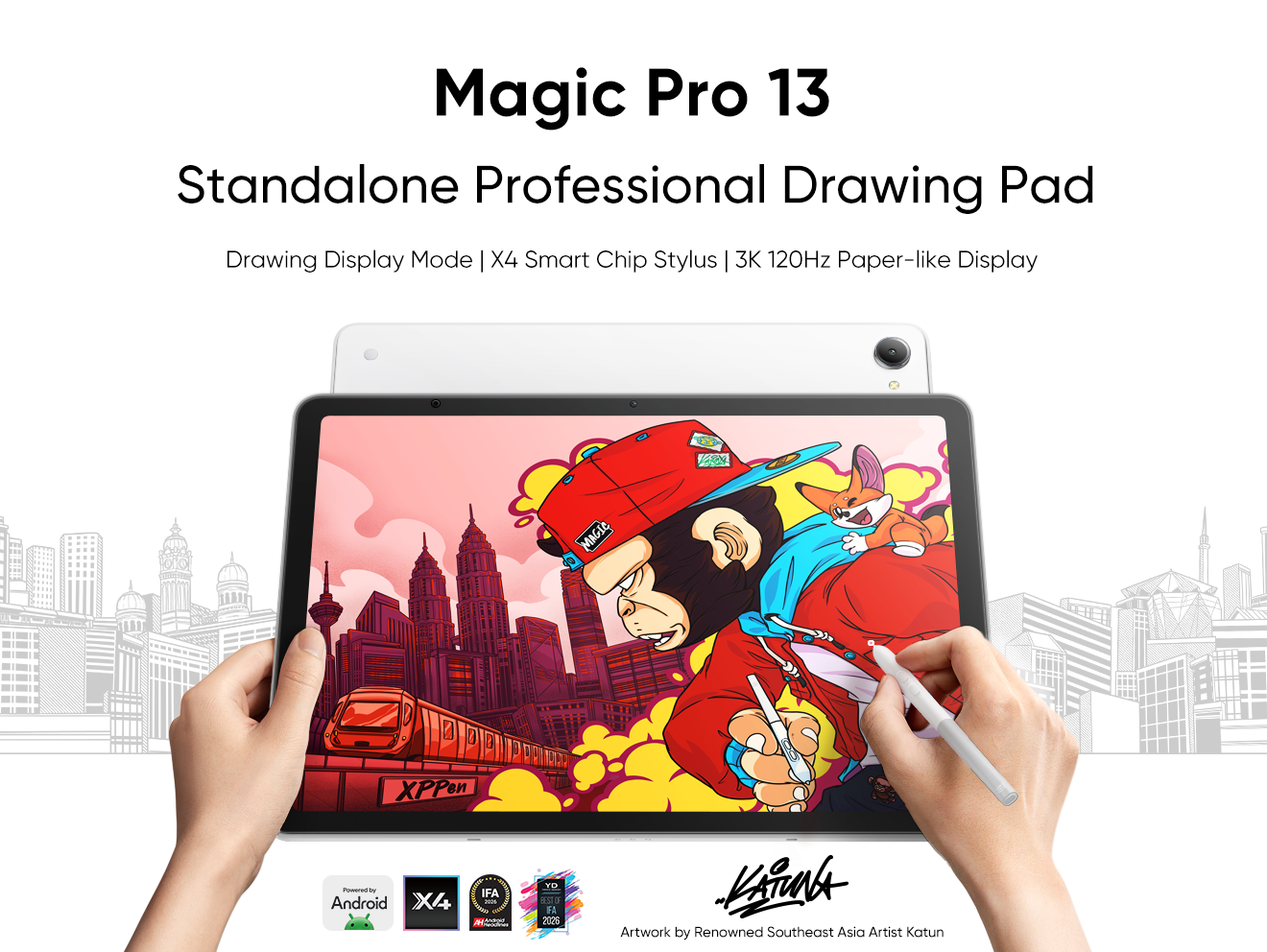


-
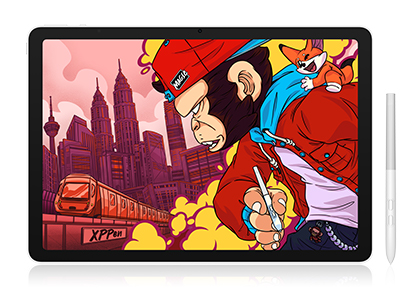 Magic Pro 13
Standalone Android 16 Drawing Pad, No Computer Required
3K 120Hz Display with 100% sRGB Color
X4 Smart Chip Stylus with 16K Pressure Levels
One-Cable PC Drawing Display Mode
It features:
Best standalone drawing pad for professional creativity anywhere
-
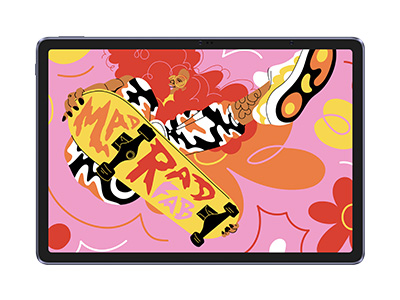 Magic Drawing Pad
X3 Pro Slim Stylus with 16,384 pressure levels and tilt support
X-Paper display featuring anti-glare and fingerprint resistance
Clip Studio Paint and ibis Paint X 3-month free membership
Super portable- just 6.9mm thin and weighs only 590g
Supports dual Windows and DP-IN functions
It features:
Powered by Android 15, no need to connect to a computer to use.
-
Magic Pro 13
Standalone Android 16 Drawing Pad, No Computer Required
3K 120Hz Display with 100% sRGB Color
X4 Smart Chip Stylus with 16K Pressure Levels
One-Cable PC Drawing Display Mode
It features:
Best standalone drawing pad for professional creativity anywhere
-
Magic Drawing Pad
X3 Pro Slim Stylus with 16,384 pressure levels and tilt support
X-Paper display featuring anti-glare and fingerprint resistance
Clip Studio Paint and ibis Paint X 3-month free membership
Super portable- just 6.9mm thin and weighs only 590g
Supports dual Windows and DP-IN functions
It features:
Powered by Android 15, no need to connect to a computer to use.
Ready to invest in the right tools?
Get expert buying advice, unbiased reviews, and exclusive deals on drawing tablets, and accessories.
